

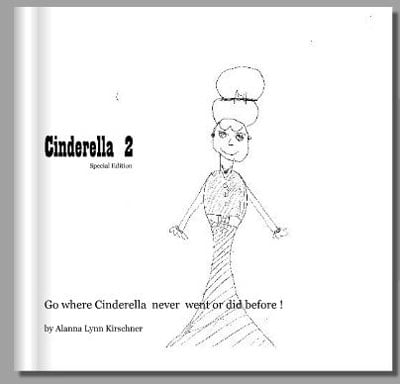
 When my daughter was seven, she became a published author. Sound far out? Not really. I used a book publishing service called Blurb to print her story as a softcover book.
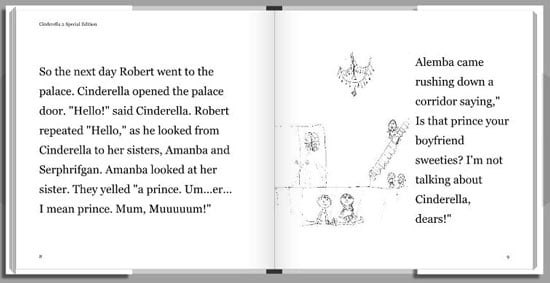
Creating the book was easy. She wrote a story and drew some pictures. Then, I scanned the drawings and used the Blurb computer app to input the text and arrange the photos.
The cost was $10.95 for an eight-by-eight-inch, black-and-white, 20-page, softcover book. I could have paid more for a color or hardcover version of the book and I could have paid less—as little as $3.95 for a five-by-eight-inch softcover.
If you want to create your own story book with your child, here’s how.
1. Writing and illustrating the story
For younger children, have them to draw their book as a series of pictures. They can then dictate the story to you.
Older children should start with the story and then decide which scenes they want to illustrate. Budget about 50 words per page for text-only pages and no more than 20 words for pages with half-page illustrations.
Drawings should be made on paper that’s the same shape and slightly larger than the book you plan on ordering. If the paper you use is too small, the image will look grainy when you enlarge it to fill the page.
3. Scanning the illustrations
Digitizing the drawings takes about a minute per drawing with most scanners. Make sure the resolution is set to 300 dpi, or print resolution. Setting it higher will take longer and you won’t see any difference in the results—just a larger file size.
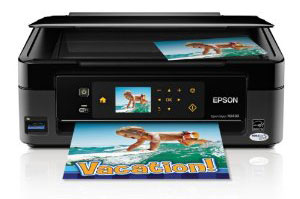
Epson Stylus NX 430
If you don’t already have a scanner, you can get the highly-rated Canon CanoScan LiDE110 for $53.99 on Amazon.com. Or if you’re in the market for a new printer too, check out one of the all-in-one models. They start around $80 and deliver decent-quality prints as well as high-quality scans. Go for these low cost options, including the Espson Stylus NX430 ($87.87 on amazon.com), Canon Pixma MX432 ($79.99 on amazon.com) and the HP 3050A Wireless All-in-One ($78.99 on amazon.com).
4. Choosing a book printing service
You can create a kid’s book using Shutterfly, Snapfish, SeeHere and other photo sharing sites. There are also more book-centric sites like Blurb that have more storybook-oriented templates. Blurb also lets you design your book offline, which I’ve found to be faster than the online book layout tools.
5. Laying out your book
If you’ve paid attention to word count during the story and illustration phase, you book layout will be quick and easy. You’ll choose your page layouts and fonts and then copy the materials into the pages. If you choose a book that has a dust jacket, you may want to include a picture and bio of your child.













From Sandy Brown on July 12, 2012 :: 12:55 pm
My eight year old grandson wants me to help him create a website. I want it to be safe and free would be good also. Thanks!
Reply