

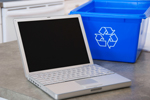
 Ready to give your old computer the heave-ho? Before you do, remember that computers often hold all kinds of personal and financial information that thieves could find valuable—passwords, account numbers, license keys or registration numbers for software programs, addresses and phone numbers, medical and prescription information, tax returns and other personal documents.
To ensure your hard drive doesn’t become a gold mine for thieves, there are things you must do before you shut down for the last time.
Save important files. Back up your files to an external hard drive or online backup service, or transfer them to a new computer. Drives as large as 1TB cost a little over $125 and there are good free and low-cost online backup options, such as Dropbox (2GB free), Carbonite (unlimited backup for $54.95 per year) or SugarSync (30GB for $49.99 per year).
“Wipe” your hard drive clean. When you delete a file, the file name is removed from the list of available files and the computer knows it can use that space to save new data. The old file data is still there, though, until it is overwritten. And the data can be retrieved with a data recovery program. To remove data from your hard drive permanently, it needs to be wiped clean—preferably overwritten multiple times with a dedicated hard-drive wiping program. For Windows PCs try Eraser (free) or EgisTec Shredder ($9.95 on EgisTec.com, supports Windows 7) and for Macs try ShredIt X (free).
Ideally, you'll want to completely reformat your hard drive, as well. But if that sounds a little daunting to you, at least try to follow the additional steps we recommend below.
Uninstall your programs. Some programs, such as Microsoft Office, may contain personal information such as your name and address or other details. While others, such as iTunes, only allow you to install on a limited number of computers. So be sure to deactivate iTunes and uninstall any programs before disposing of your PC.
Delete your browsing history. Most browsers save information about your browsing history and, if you set them to, even your user names and passwords for sites you visit. So it is critical that you delete this information from your browser before disposing of your computer. For Internet Explorer, you click on the Safety tab and then Delete Browsing History. Make sure all of the check boxes are selected so everything gets removed. Repeat this for any other browsers on you computer—Firefox, Safari, Chrome.
Consult your employer about data disposal policies. If you use your computer for business purposes, check with your employer about how to manage business-related information on your computer. The law requires businesses to follow data security and disposal requirements for certain information that’s related to customers.
Once you have a “clean” computer, consider recycling, donating or trading it in – and keep the environment in mind when disposing of your computer.
Disposal Options
Recycle it. You first stop should be EcoSquid. The site will help you determine the easiest and most cost efficient way of disposing of your computer. If that doesn't yield results, many computer manufacturers have programs to recycle computers and components. The Electronics TakeBack Coalition has a list of the major manufacturers’ policies plus resources for finding a local recycler. The Environmental Protection Agency (EPA) also has information on electronics product-recycling programs. And always check with your county or local government for recycling programs, and the local landfill office for disposal regulations.
Donate it. Many organizations collect old computers and donate them to charities, including Goodwill. Earth911.com has a list of organizations that will help with donations.
Trade it in. A multitude of websites and major retailers—including Radio Shack, Sears, Wal-Mart, Costco and Best Buy—are running trade-in programs, competing to buy a surprisingly wide assortment of used consumer electronics products directly from individuals. They will also pick up the shipping costs, or conduct the transaction at a store near you. And even if your stuff is truly worthless, they’ll still take it for proper recycling, albeit usually without free shipping or compensation.
There are too many trade-in websites to list and cover in this space, but some of the leaders—which you should consider checking first—are BuyMyTronics.com, Gazelle.com and CExchange.com.


 you’re probably not going to escape the ‘new norm.’










From Bill Longstreet on May 16, 2011 :: 10:24 pm
If you wipe your hard drive PROPERLY, you don’t need to do anything else. No uninstalling programs, no deleting files, no formatting. Nothing.
If you DON’T wipe it PROPERLY, you might as well not bother will all those other things because they won’t do any good, anyway.
Probably the best tool for wiping a hard drive is DBAN (Darik’s Boot and Nuke). This is freeware, and wipes a hard drive to DoD specifications. (Just do a search on DBAN and you’ll find it.)
Use with caution! It WILL wipe every hard drive on the machine. That’s what it’s designed to do.
Plug it into your CD or DVD drive, boot the machine, and it nukes all the hard drives.
Boot and nuke. Simple. Effective. Efficient.
Reply