

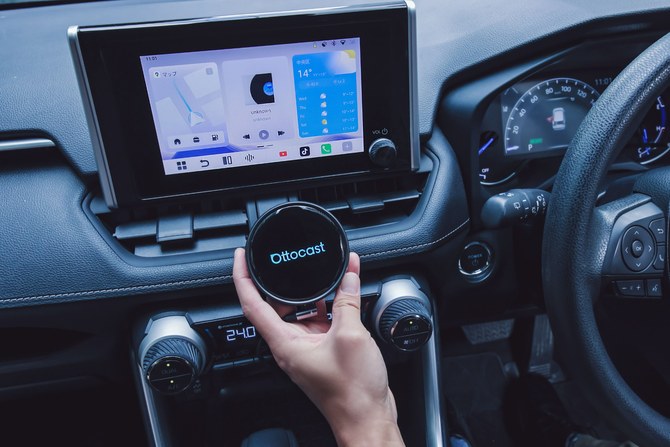
Modern cars have large, high-resolution touchscreens. But once you start using them, the limitations become obvious. Even with Apple CarPlay or Android Auto, you’re restricted to a curated list of approved apps. You can’t install arbitrary Android apps. You can’t customize much. And everything depends on your phone being connected.
Meanwhile, your phone can run millions of apps. But phone mirroring options in cars significantly restrict which of those apps can be used in your car display. And with traditional mirroring, your phone does the computing, and the car screen simply projects a simplified interface
The Ottocast OttoAI Box P3 Pro takes a different approach. Instead of mirroring your phone, it runs its own Android 13 operating system through your car’s factory display. Apps install directly onto it, not onto your phone, turning your dashboard into a standalone Android environment.
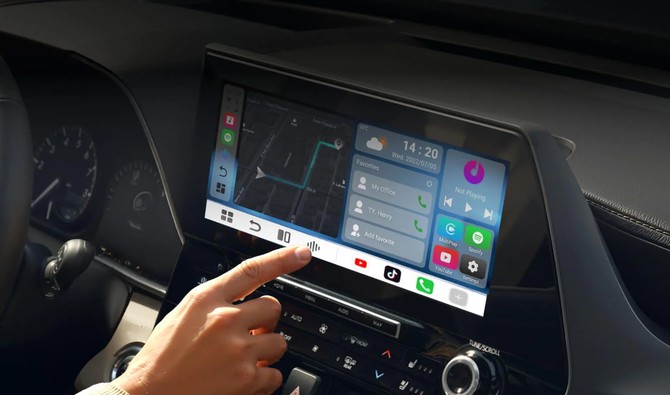
Under the hood, the P3 Pro uses a Snapdragon 6225 processor with 8GB of RAM and 128GB of storage, allowing it to boot quickly and handle multitasking. And you’re not draining your phone’s battery or tying it up every time someone uses the car.
Because it runs full Android rather than a restricted projection layer, the P3 Pro opens up categories of apps that factory systems typically don’t support. For example:
- Alternative navigation tools. Many integrated systems limit you to Apple Maps, Google Maps, or Waze. With Android running natively, you can install specialized navigation apps, off-road mapping tools, or region-specific navigation services that aren’t available through CarPlay and Android Auto.
- Streaming apps while parked. Apps like Netflix or YouTube (or even your favorite game) can run on the display – something CarPlay and Android Auto don’t allow. A great way to entertain yourself or the whole family during charging stops or long waits. And there’s an HDMI output to stream content to a rear display when you’re moving.
- Multitasking flexibility. Split-screen support allows you to keep navigation visible while running another app.
The P3 Pro also includes built-in AI voice support, with Gemini and ChatGPT integration that can be triggered through steering wheel controls or the touchscreen. This turns your dashboard into a shared travel assistant. For example, you can ask it to help research restaurants along your route, check traffic and weather at your destination, answer vehicle-related questions, or draft a quick message using natural language prompts – all hands-free.
Setup is simple
Setup is straightforward. If your vehicle supports factory wired Apple CarPlay or wired Android Auto and has a USB data port, you plug the P3 Pro into that port and its Android-based OttoDrive OS 3.0 interface loads onto your screen. (Confirm compatibility with your vehicle)
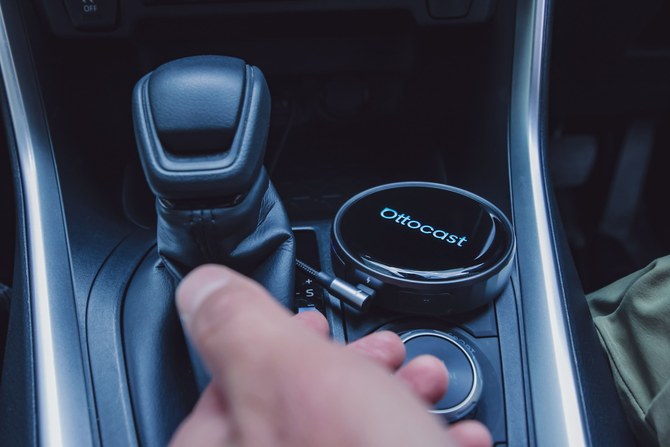
Unlike standard CarPlay or Android Auto, which relies entirely on your phone’s connection, the P3 Pro gives you multiple options, including:
- CloudSIM: Ottocast’s built-in optional data service.
- Physical SIM: Use your own SIM card.
- Phone hotspot: Tether to your phone if you prefer using your existing data plan.
- Local Wi-Fi: Connect to Wi-Fi networks, such as at home or in a parking garage, or your car’s WiFi hotspot.
You can switch between CarPlay or Android Auto and the P3 Android OS with one tap. And when you unplug it, your car’s infotainment system is the same as before.
Where to buy
In short, at $249, the OttoAibox P3 Pro is a simple and cost-effective way to get full Android features and AI assistance in your vehicle. It doesn’t replace your factory infotainment system; it layers additional capabilities on top that take your system to the next level.
Special offer: Receive 10% off with code Techlicious10 on Ottocast.com.
[Image credit: Ottocast]


From Daniyal on March 03, 2026 :: 3:25 am
Hey there,
I stumbled upon https://www.techlicious.com/ and loved the content you’re sharing—great work!
I’m interested in publishing content on your site as a part of a collaboration. If there’s an editorial fee, I’m completely okay with covering it.
Could you send me your pricing and steps to proceed?
Thanks and cheers,
Reply