

When TSA PreCheck launched in December 2013, it felt like a travel hack. I remember walking straight up to security in Orlando while hundreds of people stood in the regular line.
That advantage hasn’t disappeared, but it has definitely shrunk. The Transportation Security Administration (TSA) says it hit 20 million active PreCheck members in 2024, up from 15 million the year before. In other words, the “fast lane” is getting crowded.
Now there’s a new way to move through security even faster: TSA PreCheck Touchless ID.
With Touchless ID, your face becomes your ID. Instead of handing over your driver’s license or passport, you scan your mobile boarding pass (paper won’t work) and look into a camera for a quick facial recognition check. That’s it. In my experience, these lanes move noticeably faster than standard PreCheck – at least for now.
To be clear, you still have to carry a valid ID with you. You just don’t have to take it out unless something goes wrong or you’re routed to a standard checkpoint.
For those with privacy concerns, the TSA says on its website, “Images are not used for law enforcement, surveillance, nor shared with other entities. Your photo and personal data are deleted within 24 hours of your scheduled flight departure.” That’s consistent with the photo capture that already happens in many standard TSA lanes. However, as with any biometric system, you’re ultimately relying on agency policy rather than something you can independently verify.
Which airports and airlines accept Touchless ID
To use Touchless ID, you need an active TSA PreCheck membership, a valid U.S. passport, and a participating airline with dedicated lanes at your airport. Most major U.S. carriers – including Alaska Airlines, American Airlines, Delta Air Lines, Southwest Airlines, and United Airlines – support the program, along with a number of international airlines.
You’ll currently find TSA PreCheck Touchless ID at major hubs like Atlanta, Chicago O’Hare, Dallas-Fort Worth, Denver, Detroit, Las Vegas, Los Angeles, Newark, New York (JFK and LaGuardia), San Francisco, Seattle, and more. TSA says it expects the program to expand to 65 airports this spring. It’s also available in some international terminals. I recently used it flying Delta out of JFK to Spain, where the Touchless ID lane was clearly marked and moved quickly.
How to set up TSA PreCheck Touchless ID
Getting set up runs through your airline’s app, which is effectively the gatekeeper. You enter your Known Traveler Number (from TSA PreCheck or Global Entry), scan your passport, and opt in to Touchless ID. Approval can take up to 48 hours, so this isn’t something to leave until the night before your flight.
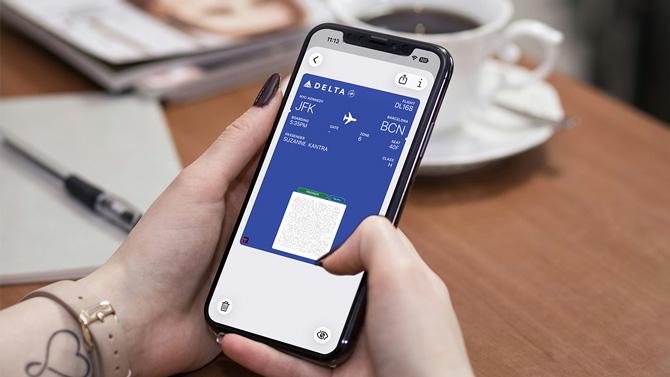
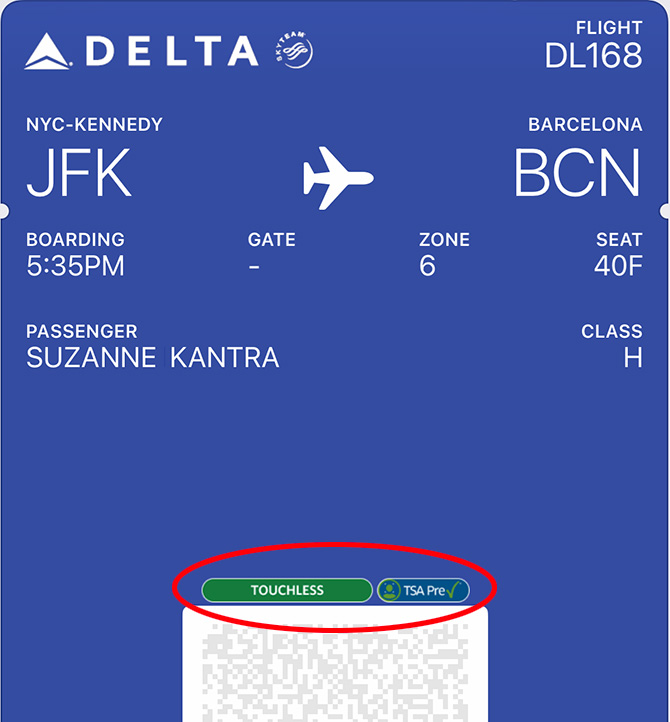
Once everything is set up, you’ll see the TSA PreCheck Touchless ID logo when you check in. On the day of travel, have your mobile boarding pass ready on your phone. You can only use the lane if the logo is already on your mobile boarding pass; the airline check-in desk can’t help you if it isn't. And even though you likely won’t be asked for it, keep your Real ID or passport with you as a backup.
The bigger picture here is hard to miss. Airport security globally is steadily moving toward biometric identity, whether travelers are fully comfortable with it or not. On my flight back from Spain, everyone went through a biometric check to board instead of using a boarding pass. If you're willing to accept this tradeoff between privacy and expediency, Touchless ID is one of those rare security upgrades that delivers meaningful benefits to travelers.
Read more: Apple Joins Google to Provide Digital ID for Flight Check-in
[Image credit: Screenshot via Suzanne Kantra/Techlicious phone mockup via Canva]

