

Image credit: Screenshot via Suzanne Kantra/Techlicious composited by ChatGPT
Facebook now lets you tell its algorithm, in your own words, what you want more or less of, and Meta says it will immediately incorporate your recommendations into your feed. Meta calls the feature Your algorithm, and applies it to both Feed and Reels.
In the past, Facebook's controls worked on one post or account at a time. That helped you avoid a single account that posted constant political spam, but it didn't stop political spam altogether. At least it certainly never did in my account.
With the new controls, you can tell Facebook exactly what you want to see less (or more) of, in natural language. Meta says large language models read what you type and combine it with signals Facebook already uses, such as the posts you like and comment on and what you watch, to refine the content in your feed.
Where to find the new settings
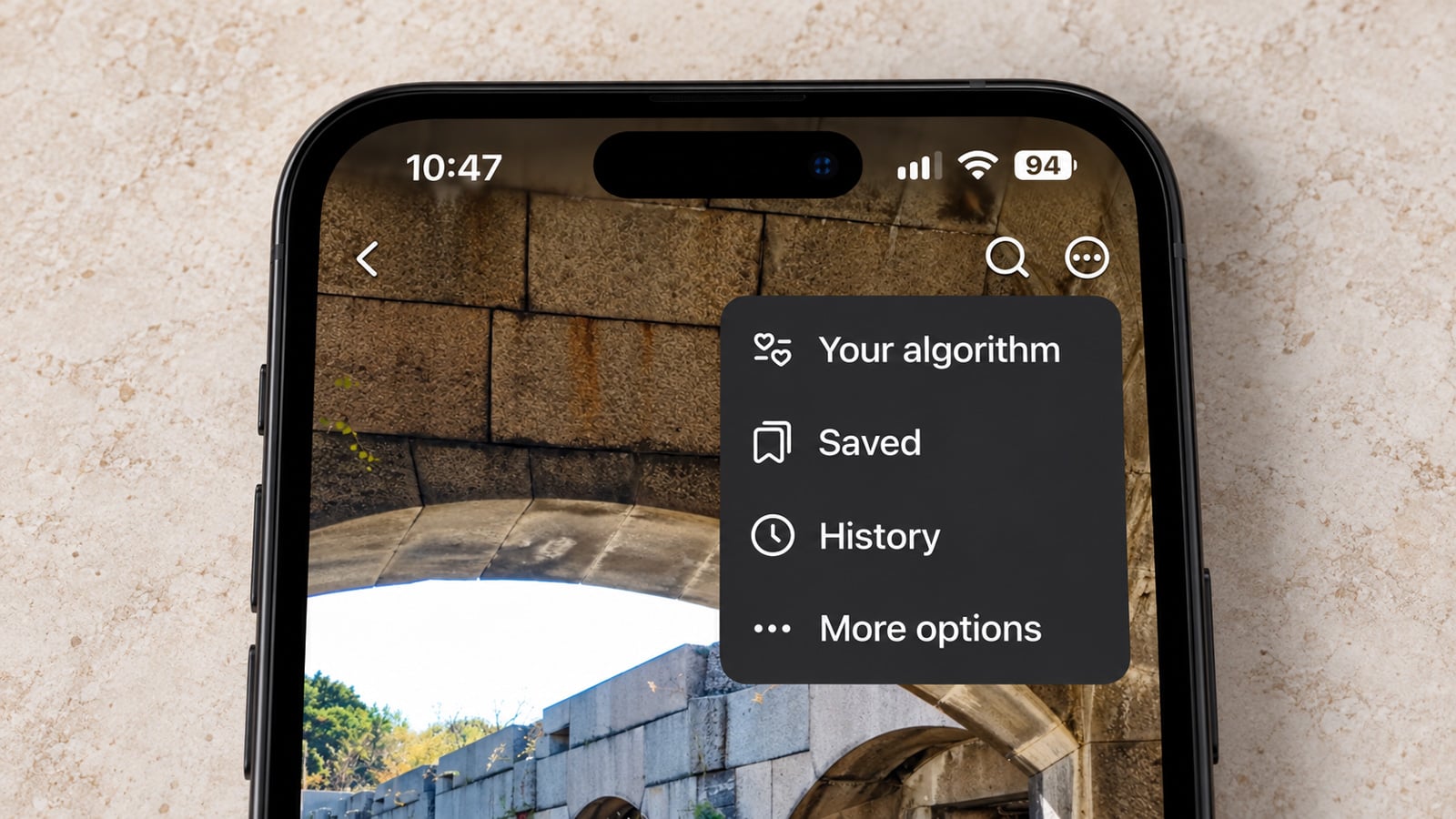
Meta says it updated the menu on every post to make the new tools easy to reach. Tap the three-dot menu on a post in Feed or Reels and look for Your algorithm. The Your algorithm pop-up then lets you add those content refinements within a standard text entry box.
A second route runs through the feedback buttons. After you tap Interested or Not interested on a post, Meta says Facebook may ask follow-up questions about what you liked or disliked, and you can answer in your own words. Meta says recommendations then update in real time and adapt within the same session.
Facebook's older controls are still there. You can still tap on the "X" on a post, which trains Facebook to show fewer like it; Snooze, which pauses suggested posts in your Feed for 30 days; and Favorites Feed, which lets you pick accounts you follow so you don't miss their posts. Though, in my experience, telling Facebook I didn't like a post seemed to have minimal impact on whether similar posts or accounts continued to appear.
What Meta hasn't said
Meta didn't provide details on where Facebook stores the topics you type, how long it keeps them, whether the text is shared with other parties, or whether your responses help train its AI models. Facebook also does not say whether you can turn the feature off. So, until Meta publishes those details, you may want to stick to subjects you would be comfortable having attached to your account.
Meta says it is rolling out Your algorithm but did not provide a schedule by country or app version. If you do not see it in the three-dot menu, the rollout may not have reached your account yet.

