

Amazon is officially ending support for many of its legacy Kindle devices starting May 20, 2026. As a result, if you own any Kindle eReader or Kindle Fire tablet released in 2012 or earlier, you'll no longer be able to buy, borrow, or download books through the Kindle Store directly on the device.
Any content already downloaded to your device will remain accessible, provided the device remains registered. If you deregister or factory reset your device after the deadline, you'll be unable to register it again to an Amazon account, effectively rendering it unusable for Amazon content.
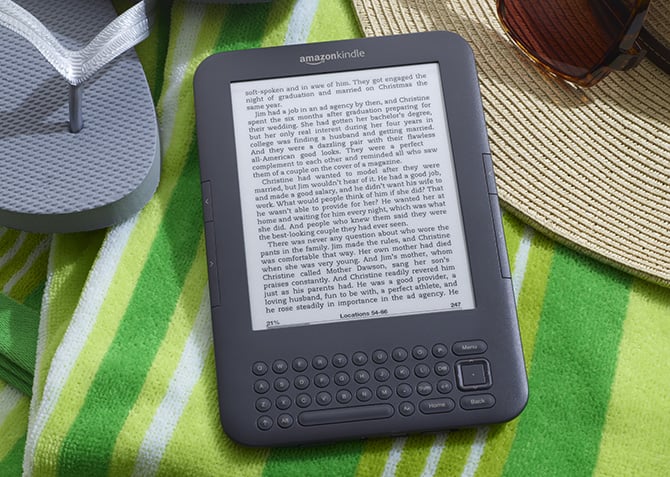
The devices losing support include Kindle 1st Generation (2007), Kindle DX and DX Graphite (2009 and 2010), Kindle Keyboard (2010), Kindle 4 (2011), Kindle Touch (2011), Kindle 5 (2012), Kindle Paperwhite 1st Generation (2012), Kindle Fire 1st Gen (2011), Kindle Fire 2nd Gen (2012), Kindle Fire HD 7 (2012), and Kindle Fire HD 8.9 (2012).
Amazon wants you to upgrade
Amazon is offering a 20% discount on the purchase of a new Kindle eReader for those affected. In addition, it’s bundling a $20 book credit that will show up in the customer’s Kindle account once they purchase and register their new device. These benefits run until June 20th. You should receive an email with the 20% discount code to your registered email address if you’re affected.
If you’ve been thinking of upgrading your Kindle eReader, now is a good time. In fact, we recommend upgrading if you’re an avid reader and don’t plan on ditching eBooks for physical books.
For those on a budget, the standard Kindle eReader (11th generation, 2024 model) is a solid choice. Priced at $109.99 (ad-supported) and $129.99 (ad-free), it features a sharp 300 ppi screen and 16GB of storage, enough to hold thousands of books, while being incredibly portable.
That said, the standard Kindle eReader has some shortcomings. For instance, it isn’t waterproof, which makes it less ideal for use near a beach or swimming pool. Similarly, the device lacks the “warm light” feature present on more expensive models, which provides a more comfortable nighttime reading experience. If these things matter to you and you don’t mind splurging a bit extra, we recommend the latest Kindle Paperwhite (12th generation, 2024 model), which comes in at $159.99 (ad-supported) and $179.99 (ad-free). For about $50 more, you get better battery life (up to 12 weeks on a single charge compared to 6 weeks on the standard model), IPX8 waterproofing, a slightly bigger and better display thanks to more LEDs, and the “warm light” feature.
How you can use your old Kindle if you don’t want to upgrade
If you aren’t ready to ditch your old Kindle eReader and want to enjoy new content on it, you can still load books using your computer. You can't load Kindle books, which require digital rights management to read, but there are plenty of DRM-free books from sites like Project Gutenberg, Standard Ebooks, or ManyBooks.
All you need is an eBook management tool like Calibre. Once installed on your PC, load up the books, and convert them to the MOBI or AZW3 file formats that your Kindle can read (older Kindle devices don’t natively support EPUB). Finally, plug your Kindle eReader into your PC using a USB cable and transfer the books.
The smart move: have two devices
Amazon’s May 20th deadline may mark the end of official support for legacy devices, but it doesn’t render them completely unusable. The smart move is to use Amazon’s 20% discount to buy a modern eReader for Amazon content while repurposing your existing Kindle for offline reading. They’re perfect for enjoying DRM-free classics and, in turn, getting every last bit of life out of the hardware.
[Image credit: Amazon]

