
We may earn commissions when you buy from links on our site. Why you can trust us.

Which Roku Should You Buy? All the Roku Streaming Players Compared
If you're considering buying a Roku player, you might feel a bit overwhelmed by the variety of models available – many of which are very similar. To help you make the right decision, I'll break down all the models, compare their features, and give you my recommendations.
The key thing to understand is this: every Roku has the same interface and access to the same channels, so what you're really choosing comes down to performance, picture quality, and a few convenience features.
So which Roku device should you buy?
It depends on your TV, your budget, and how much performance you need. For most people, the Streaming Stick 4K hits the best balance of price and performance, while the Ultra adds extra features for those who want the most complete setup. If you're on a budget, the entry-level Streaming Stick is the most affordable way to get the Roku experience.
What are the key differences between Roku devices?
The biggest difference between the various Roku devices is resolution and video support. Entry-level models like the Roku Streaming Stick are limited to HD, while midrange and premium models add 4K support. Higher-end devices, like the Roku Streaming Stick 4K and Roku Ultra, also support advanced formats like Dolby Vision and HDR10+, which can significantly improve picture quality if your TV supports them.
Form factor is the next key differentiator. Roku offers both small set-top boxes (like the Ultra) and streaming sticks that plug directly into your TV’s HDMI port. The sticks are more compact and easier to hide behind a TV, while boxes tend to offer better performance, more stable connections, and additional features like Ethernet ports. Also important: the sticks can be powered directly by your TV (if your TV has a powered USB port), which makes them ideal for wall-mounted TVs.
The included remote control varies by model as well. Higher-end Roku devices come with voice remotes that support hands-free commands and, for the Roku Ultra, a rechargeable battery and backlit buttons. Lower-cost models often include more basic remotes without these extras.
Performance also comes into play. More expensive Roku devices use faster processors and more memory, which means quicker app launches, smoother navigation, and fewer slowdowns when switching between apps. In day-to-day use, I've found the difference in speed between a basic Roku and a premium model to be noticeable, though all are fast enough for normal use.
Most, but not all, of the Roku devices support Bluetooth Headphone Mode, which allows you to connect your headphones directly to the Roku for private listening. All the models also support Bluetooth headphone listening via the Roku app on your phone.
Finally, there are a few premium-only features. The Roku Ultra, for example, adds an Ethernet port for more reliable streaming, a USB port for local media playback, and a remote finder function – small touches that can matter if you use your Roku as your primary streaming device.
Read more: Pair Your Bluetooth Headphones with Roku: A Step-by-Step Guide
Comparing the Roku models
The Roku Streaming Stick is the most basic option. It’s a Full HD streamer with a Voice Remote and Wi-Fi 4, and it supports Bluetooth Headphone Mode for private listening. If you’re using an older TV or just want the cheapest option, it gets the job done.
Step up to the Roku Streaming Stick Plus, and you add 4K video with HDR and faster Wi-Fi 5. It’s an easy upgrade if you want 4K without spending much more, and like the base model, it supports Bluetooth Headphone Mode.
In my opinion, the Roku Streaming Stick 4K offers better bang for the buck. It adds Dolby Vision support, a newer processor and a stronger Wi-Fi connection thanks to dual-band MIMO and a receiver built into the power cable for better range. The Streaming Stick 4K doesn’t support device-level Bluetooth headphone pairing, but you can still use private listening through the Roku app on your phone. In real-world use, this is the model that balances price and performance the best, which is why it’s the one most people should buy.
The Roku Streambar SE is a bit different. It combines a 4K streaming player with a compact soundbar, so you’re upgrading your TV’s audio at the same time. If your TV speakers sound thin or hard to hear, especially for dialogue, this can be a simple all-in-one fix. It also supports Bluetooth Headphone Mode, but it comes with a simpler remote without voice controls.
At the top of the lineup, the Roku Ultra is the most powerful player Roku makes. It’s the only model with Wi-Fi 6 and an Ethernet port for the most reliable connection, and it supports Dolby Vision and Dolby Atmos. It also comes with Roku’s best remote, with backlit buttons, USB-C charging, and a lost remote finder. If you want the fastest performance and the most complete feature set, this is the one to get.
Roku device quick comparison chart
| Feature | Roku Streaming Stick | Roku Streaming Stick Plus | Roku Streaming Stick 4K | Roku Streambar SE | Roku Ultra |
|---|---|---|---|---|---|
| Best for | Basic HD streaming | Easy 4K upgrade | Most people | Better TV sound | Home theater / power users |
| Design | Stick | Stick | Stick | Soundbar | Box |
| Resolution | 1080p HD | 4K + HDR | 4K + Dolby Vision | 4K + HDR | 4K + Dolby Vision |
| Audio | Dolby Audio | Dolby Audio | Dolby Audio | Upgraded TV sound + speech clarity | Dolby Atmos support |
| Wi-Fi | Wi-Fi 4 | Wi-Fi 5 | Wi-Fi 5 (long-range) | Wi-Fi 5 | Wi-Fi 6 + Ethernet |
| Bluetooth headphone mode | Yes | Yes | No - app only | Yes | Yes |
| Remote | Voice Remote | Voice Remote | Voice Remote | Simple Remote | Voice Remote Pro |
| Performance | Basic | Good | Fast | Fast | Fastest |
| Typical price | $29.99 | $39.99 | $49.99 | $99.99 | $99.99 |
My picks for the best Roku devices
Having tested all of the Roku devices, here are the Roku models I recommend, based on how most people actually use them.
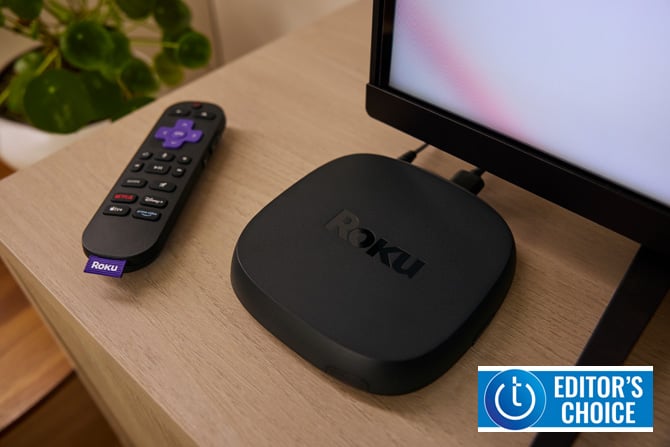
Best Roku device: Roku Ultra
Of all the choices, I can confidently recommend the Roku Ultra as the best Roku player. While it's the most expensive at $99, it offers the best of everything that's important – 4K streaming with support for Dolby Vision and HDR10+, WiFi 6 (802.11ax MIMO) wireless, and the most advanced remote control, the Voice Remote Pro (2nd Gen).
As Roku's flagship streaming player, the Ultra supports the most video and audio formats. In addition to HDR10/10+, it supports Dolby Vision for video and Dolby Atmos for audio. For home theater enthusiasts, this is the one to get.
The Ultra is also the first Roku streaming player to support WiFi 6, which provides better throughput and range. Combined with the Ultra's processor, which is the fastest to date, the user experience is faster and smoother than any other Roku player.
The bundled Voice Remote Pro (2nd Gen) is Roku's best remote for two key reasons: it's the only one with backlit keys, allowing use in the dark, and it runs on a rechargeable battery (via USB-C) that lasts about a month on a single charge. Like its predecessor, it offers an always-listening mode for Roku voice commands. When enabled, you can find your remote just by asking, "Hey Roku, where's my remote?" and control Roku search, play shows, and more. Additionally, it features two user-programmable "shortcut buttons" that can be assigned to any task you can perform with a voice command.
The one potential drawback is the design. Some people might prefer the stick form factor of the Streaming Stick 4K over the Ultra's box design for wall mounted TVs.
Price: $99.99
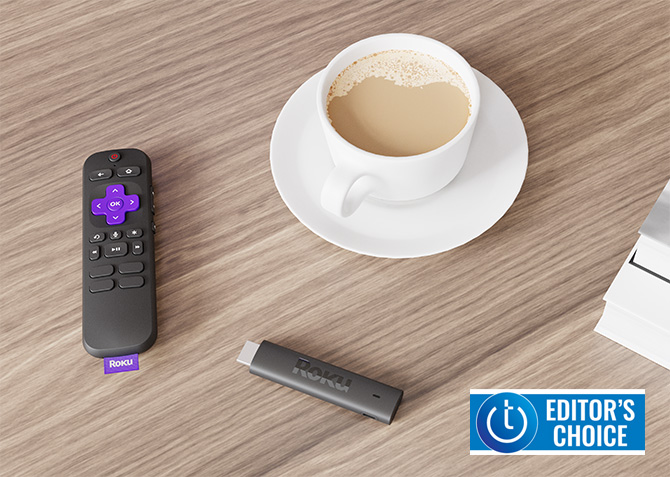
Best Roku device for most people: Roku Streaming Stick 4K
While the Roku Ultra may offer the most bells and whistles, I recommend the Streaming Stick 4K as the best Roku device for most people. It hits the sweet spot between price and performance, offering everything most people need without paying for features you may never use.
You get 4K streaming with support for Dolby Vision and HDR10+, along with Wi-Fi 5 dual-band MIMO and a Wi-Fi receiver built into the USB-C power cable for extra range. In my experience, that extra range can make a real difference if you don't have strong Wi-Fi. Plus, you can pair Bluetooth headphones with the Streaming Stick 4K through the Roku app for private listening.
While it doesn’t have quite the same processing power as the Ultra, the Streaming Stick 4K is still fast and responsive in everyday use. Apps load quickly, navigation is smooth.
The design is also a big advantage. Because it plugs directly into your TV and can be powered by USB, you don’t have to deal with extra boxes or cables. It’s a clean setup that works especially well for wall-mounted TVs or smaller spaces.
The bottom line is that the Streaming Stick 4K delivers the full Roku experience at a very reasonable price.
Price: $49.99
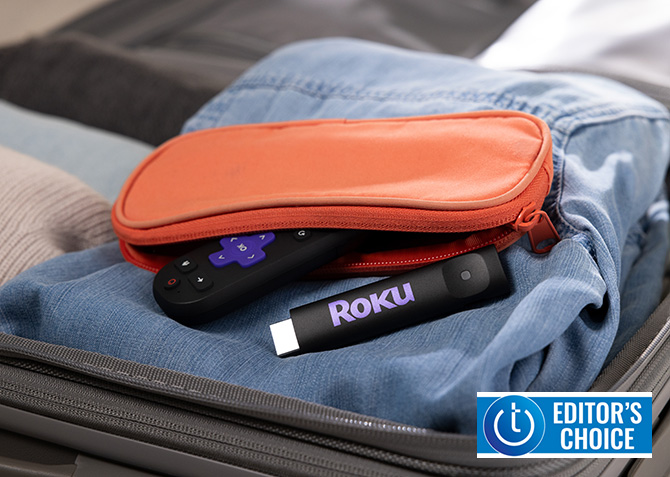
Best budget Roku device: Roku Streaming Stick
If you don't have a 4K TV and are on a budget, the Roku Streaming Stick is the best choice. You can enjoy the same easy-to-use Roku interface as the more expensive models, is supports Bluetooth Headphone Mode, and the remote supports voice commands and can operate your TV power and volume.
It’s also the simplest, cleanest setup Roku offers – everything can plug directly into your TV, including power, so there’s no extra clutter.
The tradeoff is that you’re limited to Full HD and you don’t get HDR or Dolby Vision, and performance isn’t quite as fast as the higher-end models. But if you’re using an older TV or just want the cheapest way to stream, those tradeoffs are easy to live with.
Price: $29.99
Updated on 3/30/2026 with current model information
[Image credit: Roku]
Discussion 

Do your roku sticks support sky sports?

Sky Sports content is geo-restricted to the UK and Ireland. If you live in the UK or Ireland, you can view live Sky Sports events via the Now TV channel on Roku. (https://www.roku.com/blog/en-gb/sky-sports-comes-to-now-tv-on-roku)


Roku hasn’t supported SD Micro cards on any models (including 2024 Ultra) for quite a while now.

Would be nice to include the processor for each model in the table. The description of the 2024 Ultra indicates that it is the fastest to date, and would be nice to compare with the others (especially the streambar since Roku discontinued the Streambar pro).

I have a Roku Streaming Stick still in the box. Serial number: 5S673L099910. Info on the box is copyright 2017. The tech specs say “quad-core processor, dual-band wireless, 1080p HD support.” How does this compare with current editions of the Roku product? How much would a comparable one cost today?
Thanks!

From James Tiernan on January 13, 2023 :: 6:44 pm
Do your roku sticks support sky sports?
Reply