

Amazon
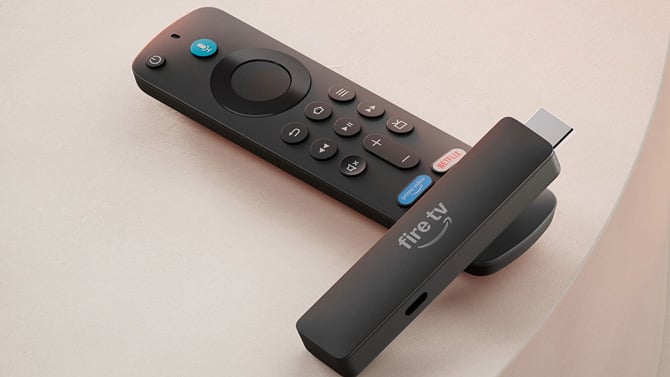
Amazon started rolling out a new accessibility setting called Adaptive Display to the Fire TV Stick HD today that makes the text, icons, and menus on your TV screen bigger, without stretching or distorting the artwork around them.
I'm nearsighted, and the small type on Fire TV's menus has been a real annoyance for me, especially from across the room. Fire TV's interface redesign, which finished rolling out to current-generation Fire TV Sticks in June, already cleaned up the clutter with new sections for movies, shows, sports, and news. Now, the larger text should make that redesigned interface even easier to actually read.
According to Amazon, "When turned on, the feature enlarges smaller items like text and menus while proportionally scaling content artwork, creating a more balanced browsing experience," You get several size options, so you can pick something in between the default and the largest setting rather than an all-or-nothing zoom.
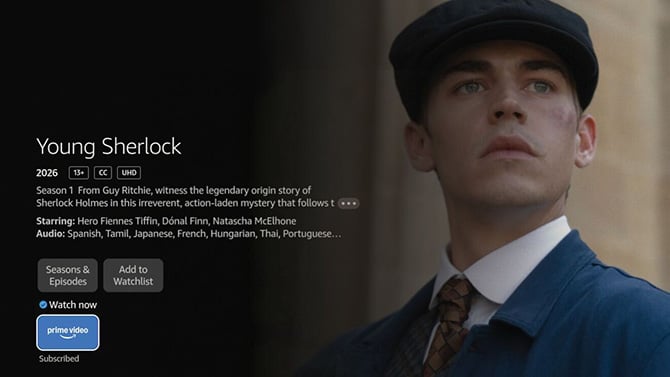
Amazon Fire TV regular-size text
Amazon
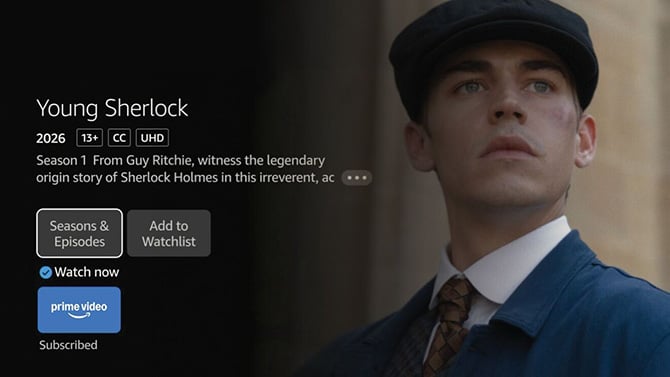
Amazon Fire TV large text
Amazon
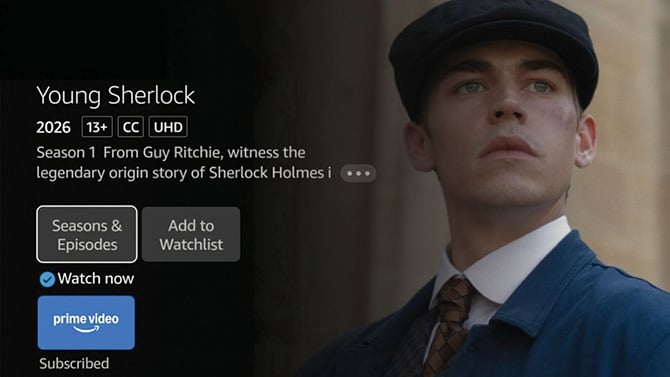
Amazon Fire TV extra-large text
Amazon
For now, Adaptive Display is only available on the newest Fire TV Stick HD ($34.99, on sale today for $19.99), the second-generation model Amazon started selling in April. That's because it's one of two Fire TV products to run Vega OS, Amazon's newer, Linux-based operating system, replacing the Android-based Fire OS that older Fire TV devices still run. The other being Vega OS product being Amazon's Fire TV Stick 4K Select, launched last fall. Amazon says it plans to include Adaptive Display on new Fire TV devices and, we assume, that will include upgrading the Fire TV Stick 4K Select.
If you want to turn Adaptive Display on, look under your Fire TV Stick HD's accessibility settings, the same menu that already houses Dialogue Boost, Audio Descriptions, and High Contrast Text. The rollout just started, so it may take a few days to reach every eligible device. If you don't see it yet, check for a system update under your device settings. If not there, check back in a few days.
Frequently asked questions
What is Adaptive Display on Fire TV?
It's an accessibility setting that enlarges text, icons, and menus on screen while keeping artwork and thumbnails proportionally scaled, so nothing looks stretched.
Which Fire TV devices support it?
Only the newest, second-generation Fire TV Stick HD, the one running Vega OS. Older Fire TV Sticks on Fire OS don't have it.
How do I know if my Fire TV Stick HD has Vega OS or Fire OS?
Go to Settings, then My Fire TV, then About, and check the software version. A version starting with "1" means Vega OS. Any other number means Fire OS.
Will Adaptive Display come to older Fire TV devices?
Amazon hasn't said directly. However, the feature currently appears to be tied to Vega OS, so older Fire OS sticks likely will not get it.

