

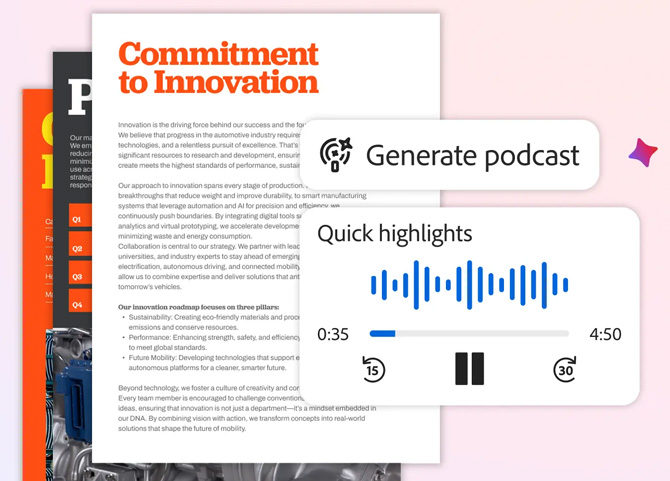
Adobe has added a bunch of AI features to its Acrobat PDF software, turned productivity platform. Some of them feel ripped straight from Google's AI research tool NotebookLM. You can now generate podcast-style audio summaries from your documents, create presentations from uploaded files, and edit PDFs by typing requests in a chat window. The features are available in Acrobat Studio, which starts at $22.99 a month and bundles Acrobat's PDF tools with Adobe Express Premium, the company's design app for creating social media graphics, flyers, and presentations. You can also get them in Acrobat on the web ($22.99/month with Acrobat Pro) and Adobe Express ($9.99/month for Premium).
Read more: Adobe Acrobat AI vs. ChatGPT: Which Summarizes Legal Contracts Best?
The podcast feature works much like NotebookLM's, which went viral last year for turning uploaded documents into surprisingly engaging audio discussions. On the new Acrobat, you upload documents or web links to a PDF Space, which is essentially a shared folder where you can collect files for a project. The AI generates an audio summary featuring two hosts discussing your material. The idea is that you can catch up on research reports or course materials while commuting or exercising instead of reading through pages at your desk.
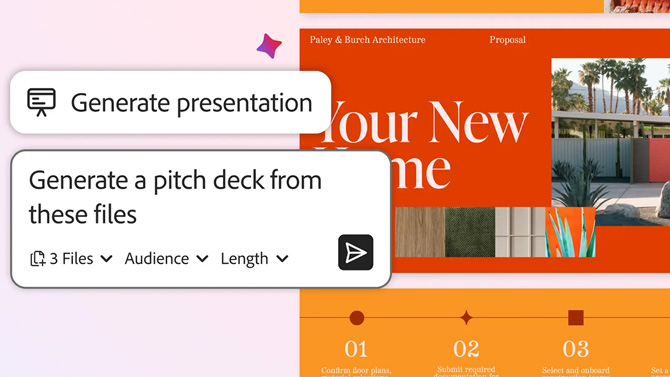
Similarly, the presentation generator pulls from your PDF Space to create an editable slide deck. You pick from a set of designs, and Adobe Express handles the layout. From there, you can tweak copy, swap images, and invite collaborators.
Chat-to-edit is a real time-saver
Flashier features aside, the most practical addition is chat-based PDF editing. Instead of hunting through menus to find the right tool, you just type what you want done in a chat window. Want to remove a page? Type "delete page 4." Need to add your signature? Ask for it. Adobe says you can add text, comments, images, e-signatures, and passwords (for password-protecting the document) this way.
For anyone who regularly works with PDFs, this could be a genuine time-saver. You won’t have to fiddle with the tools anymore, which means more people could work with the documents without having to learn how PDF editing works. Being able to type instructions is far more efficient than clicking through multiple toolbars.
Read More: Yes, You Can Sign That Document Right on Your Phone
It all comes at Acrobat Studio pricing
These features live in Acrobat Studio, which Adobe launched in August as a way to bundle its PDF tools with Express Premium. If you are already paying for Acrobat Pro, you will need to upgrade to access the new AI capabilities.
Adobe's subscription model has long frustrated users. The company is notorious for making cancellations unnecessarily difficult (even prompting a Department of Justice lawsuit). It charges early termination fees that can reach 50 percent of your remaining contract. It’s also known to auto-renew subscriptions without clear notice.
Adobe is among the first to launch this prompt-to-edit-PDF feature, and if you could use them to save time on your workflow right away, it may be worthwhile. If you are not already locked into the Adobe ecosystem, I suggest you wait for these features to show up in competing PDF tools like Nitro PDF, and PDF Expert. I expect it won’t take too long, and some alternatives like Foxit PDF Editor already have similar chat-to-edit features. Google's NotebookLM already offers the podcast functionality for free, and other document editors like Microsoft Word with Copilot, Google Docs, and others are steadily adding AI capabilities
[Image credit: Adobe]

