

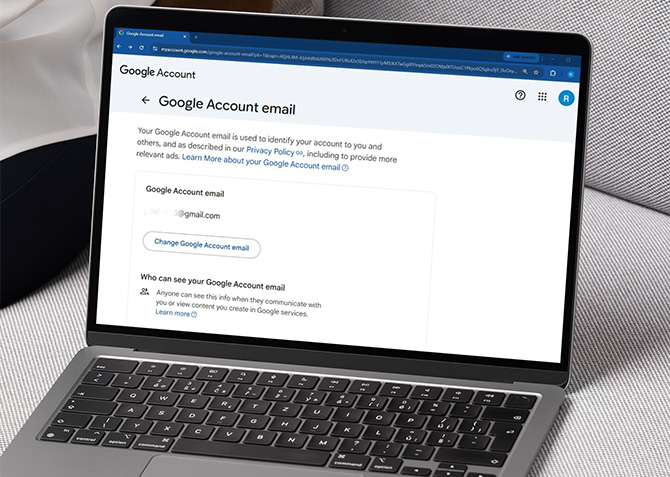
Google is now letting you change your @gmail.com address without creating a new account. If you've been stuck with a Gmail username that no longer fits (like an old nickname, something you picked when you were 14), you can finally swap it out. The company started testing this last year, and it's now available to all U.S. Google Account users.
To change yours, go to your Google Account settings. Click your profile photo in the upper right of any Google service, then Manage your Google Account > Personal info > Email > Google Account email. If the option is live for you, you should see "Change Google Account email." Pick a new username, confirm, and that's it.
What happens to your old email address
Your old Gmail address is not going anywhere. It stays on your account as an alternate email, so any messages sent to it will still show up in your inbox. You will still be able to sign in with it, too. All your existing data like Drive files, Photos, purchase history, and old emails will stay untouched.
One thing to note is that Google does not update old stuff retroactively. So,Calendar events you sent before the change and shared Drive documents will still show your previous email address.
You can only create a new Gmail address once every 12 months, with a lifetime cap of three new addresses per account. You can switch back to a previous address at any time, though. Google also recommends backing up your data before making the switch, just as a precaution. Some app settings may reset, similar to when you sign in on a new device.
If you've been waiting for this since we first reported on it back in December, now's the time. I think this is a great feature and I can’t wait to see it become globally available.
Read next: How to Delete an Old Facebook Account When You Can't Log In
[Image credit: screenshot via Techlicious, mockup via Canva]

