

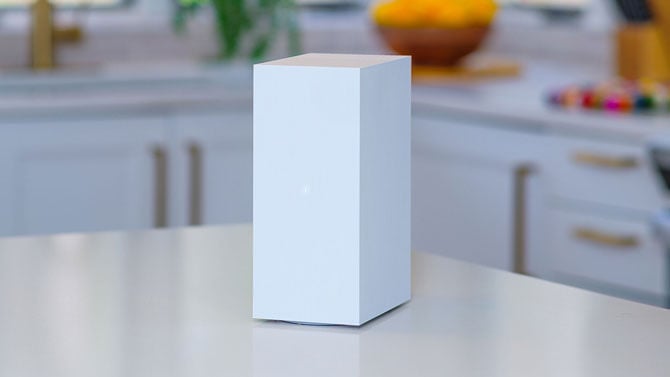
Xfinity XB10 Advanced Gateway
Image credit: Comcast
Comcast is rolling out a free feature that turns your home WiFi into a motion sensor. It's part of a new service called Xfinity Shield, and Comcast's newest addition to it, WiFi Motion, works without installing a single camera.
WiFi Motion sends a notification to your phone when it detects movement inside your house. Comcast is including it at no extra cost for Xfinity Internet customers, giving people a basic way to know if someone's home, or shouldn't be, without buying a separate security system.
Here's how it works: WiFi Motion tracks tiny changes in the wireless signal traveling between your Xfinity gateway and other WiFi-connected devices in your house, like a laptop or a smart speaker. When something moves through that signal, the system reads the disruption as motion and sends you an alert through the Xfinity app. No camera records video or images, so there's nothing to watch back later, just a notification that something moved.
Xfinity Shield bundles WiFi Motion with two other free features: CyberSecure, which screens every device on your network for hackers and malware, and Family Settings, which lets parents set screen-time limits and pause WiFi for specific devices. Comcast calls this free bundle WiFi Shield, and it's available now to Xfinity Internet customers who have an Advanced Xfinity Gateway.
Xfinity is upfront that WiFi Motion isn't a replacement for an actual security system. Comcast doesn't monitor the alerts, and the feature isn't professionally monitored, so nobody is calling the police on your behalf. Customers who want cameras, a door and window sensor, and a 24/7 emergency help button can upgrade to Shield Select, a $15-a-month tier Comcast is launching alongside the free version.
If you're already an Xfinity Internet customer, you can turn on WiFi Motion inside the Xfinity app, where the settings sit under the Home tab. It's worth testing before you trust it: the feature needs a WiFi-connected device, like a smart plug or laptop, positioned between your gateway and the room you want to cover, and Comcast recommends confirming you actually get an alert before relying on it.
Read next: FBI warns hackers may be using your home internet without you knowing

