

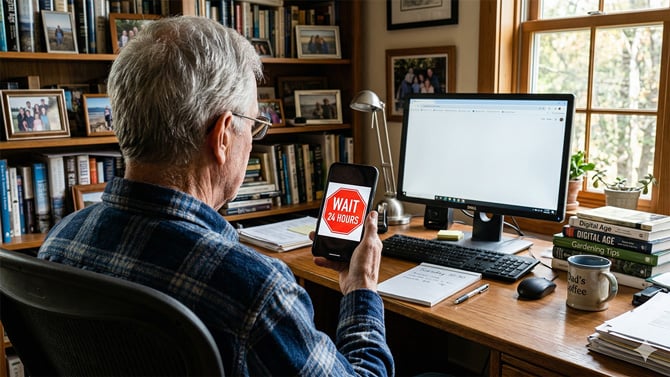
Imagine you’re on a call with someone pretending to be from your bank. They claim your account has been compromised, but you can install an app on your phone to fix it and save your money. Except this app isn’t available on the Google Play Store, so they guide you through the steps to install it on your phone.
This isn’t a hypothetical scenario; it’s a common tactic used by scammers to trick victims into installing malicious apps that drain their bank accounts. To fight the growing cases of mobile fraud worldwide, Google is introducing a new system called Advanced Flow that replaces the current on-off toggle for sideloading apps with a stricter process. It’s a high-friction workflow that involves multiple steps and a 24-hour wait period to disrupt the flow of threat actors and give you enough time to rethink whether you really want to install that app on your phone.
Why is Google making sideloading on Android harder?
Google’s introduction of the new sideloading workflow is the latest step in a long-running push to secure the Android experience without compromising on its openness.
In July 2023, Google mandated that all new Play Store developers must undertake verification to make it harder for scammers to create disposable developer accounts and flood the Play Store with predatory apps. Subsequently, in August 2025, it announced its plans to extend this verification to all developers, whether they distribute their apps through the Play Store, an alternative app store, or their own websites, sparking outrage from the Android community.
In response, Google introduced the Advanced Flow, offering a middle ground that balances openness and security. It allows users to install apps from unverified developers but requires a mandatory 24-hour wait. Google says this friction is aimed at fighting vishing (voice phishing) fraud. Citing a 2025 report from Global Anti-Scam Alliance (GASA), which shows a staggering $442 billion in global losses to financial fraud, Google noted scammers often go on a live call with the victim and employ high-pressure tactics to trick them into installing malicious apps. The Advanced Flow breaks this cycle with its multiple-step approach, introducing delays and interruptions that help avoid such attacks.
How does Google’s new sideloading workflow on Android work?
The Advanced Flow for sideloading apps from unverified developers is a six-step process. Each step is designed to ensure that the user is installing the app willingly and isn’t being forced to do so by someone.
- Enable Developer Mode: Go to Settings > About phone and tap the “Build number” seven times. Google says this step prevents accidental triggers that come with the risk of one-tap activation.
- Coercion check: You’ll be asked to confirm that you aren’t being coached by someone to install the app. This step ensures no one is pressuring you to disable your device’s security and install the app.
- Restart the device and reauthenticate: Your device will perform a mandatory reboot. Google says this cuts off any remote access or active calls that the scammer could be using to monitor you.
- Wait for 24 hours: You’ll now need to wait for the protective waiting period to end. This helps break the manufactured urgency and gives the user enough time to think about whether they want to install the app.
- Confirm that it’s really you : Authenticate with your biometrics (fingerprint or face unlock) or device PIN.
- Install the app: Confirm that you understand the risks, and you’re all set to install the unverified app. You can choose how long you want the option enabled – seven days or indefinitely.
Since you’re bypassing Google’s protections, it’s important to be mindful of the apps you install. Always verify the source of the app or APKs (files you download to install and run apps on your Android device) directly from the developer’s website.
Who is affected by the Advanced Flow?
When the Advanced Flow comes into effect, the 24-hour wait won’t apply to every app installed outside of the Play Store. Instead, Google has created a tiered system in which the developer’s status determines whether their app is available for instant installation or with a 24-hour delay.
In this system, developers who pay a $25 fee and are verified with a government ID are categorized as verified. As such, you can sideload their apps from their websites or alternate app stores instantly. Google extends the same immediate installation benefits for apps distributed by students and hobbyists, too, through free, limited distribution accounts. Those holding these accounts can share apps with up to 20 users without paying the registration fee or sharing their government ID.
In contrast, developers who aren’t registered with Google, perhaps because they want to stay anonymous due to the kind of service their apps offer or for other reasons, are considered unverified. Since their apps are unregistered, you need to go through the Advanced Flow to install them on your Android device.
Don’t want to wait 24 hours?
Google has replaced the one-tap install method with the Advanced Flow for installing unverified apps on Android, but it hasn’t killed the ADB (Android Debug Bridge) method for developers. So, if you don’t want to wait 24 hours, you can install the app immediately over ADB. You just need a cable and a computer. For instructions, head over to the Android Developers’ blog on how to use ADB.
When does Advanced Flow come into effect?
Google plans to deploy new changes in a phased manner through 2027, beginning with a global launch of the Advanced Flow and limited distribution accounts in August 2026. A month later, in September 2026, mandatory enforcement will begin in certain countries, including Brazil, Thailand, Indonesia, and Singapore. The transition will conclude in 2027 with the global rollout to all certified Android devices.
Read next: FBI Warns: Foreign Apps Are a Bigger Risk Than You Think
[Image credit: Suzanne Kantra/Techlicious via Google Gemini]

