

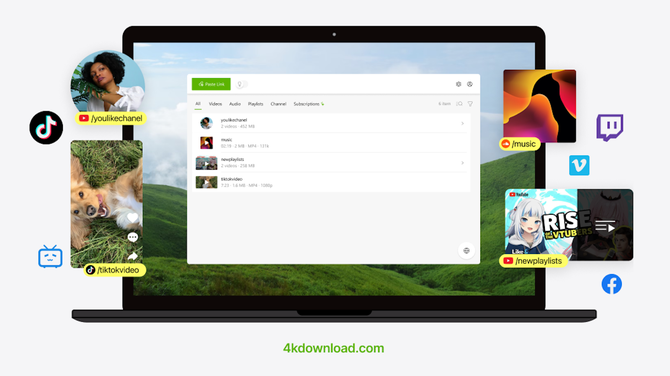
There are plenty of reasons people want to download videos from YouTube and other video platforms. Maybe you’re traveling and don’t want to rely on spotty Wi-Fi. Maybe you want to save a long tutorial, a playlist of workouts, or a channel you watch regularly. Or maybe you just want a way to watch videos without buffering, ads, or interruptions.
Whatever the reason, the challenge is usually the same: finding a tool that’s easy to use, fast, and doesn’t turn a simple task into a technical headache.
Why downloading videos isn’t as simple as it sounds
Most video platforms are designed around streaming, not offline access. Even when offline viewing is available, it’s often locked behind subscriptions, limited to specific apps, or restricted to certain devices.
YouTube Premium, for example, allows offline viewing inside the YouTube app, but those downloads can’t be moved, edited, or watched outside that ecosystem. Once your subscription ends, access goes with it.
If you want actual video files you can keep, organize, and watch anywhere, you need a different approach, such as 4K Video Downloader Plus.
How to download YouTube videos with 4K Video Downloader Plus
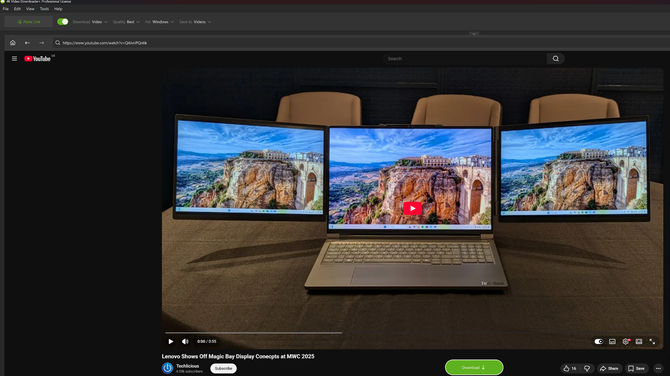
Using 4K Video Downloader Plus is refreshingly straightforward, even if you’ve never downloaded a video before.
-
Copy the video link. Open YouTube (or another supported site) and copy the URL of the video, playlist, or channel you want to download.
-
Paste the link into 4K Video Downloader Plus. Open the app and click “Paste Link.” That’s it. The software automatically analyzes the content.
-
Choose your format and quality. You can download videos in HD 720p, Full HD 1080p, 4K, or even 8K where available. Audio-only downloads are also an option if you’re saving podcasts or music.
-
Download and watch offline. The video downloads quickly and is saved directly to your device, ready to watch anytime without an internet connection.
There’s no need to tweak settings every time. The Smart Mode feature lets you set your preferred quality and format once, then apply it automatically to future downloads.

One of the most useful features is the ability to download entire playlists or full YouTube channels at once. Instead of grabbing videos one by one, you can paste a playlist or channel link and let the app handle the rest. This is especially handy for things like workout or yoga programs, educational series and online courses, long travel playlists, or creator channels you follow regularly.
For anyone who consumes video content in batches rather than one clip at a time, this alone can save a lot of time.
Built-in browser and access to restricted content
4K Video Downloader Plus also includes a built-in browser, which makes it easier to access content that’s age-restricted, private, or otherwise harder to download using basic tools. You sign in once, and the app handles the rest without jumping between tabs or external workarounds. YouTube Premium is useful if your main goal is ad-free viewing and offline access inside the YouTube app. But it’s not designed for people who want more control over their content.
4K Video Downloader Plus is available across several pricing tiers, depending on how you plan to use it. The Starter license is free and provides permanent access to the app’s basic features, with no trial period and no credit card required.
For more advanced needs, paid plans include a Lite plan at $15 per year, a Personal license for $25 as a one-time purchase, and a Pro license for $45 as a lifetime option. There’s also a $65 lifetime Bundle that includes all 4K Download applications.
You don’t need to be technical to use it, and you don’t need to change how you already browse YouTube.
If downloading videos has ever felt more complicated than it should be, 4K Video Downloader Plus does a good job of making the process feel simple again. As with any downloader, users should check each platform’s terms of use before saving content.
You can learn more about 4K Video Downloader Plus or download it at 4kdownload.com/vd/.
[Image credit: Techlicious/Georgie Peru, 4K Download]

