

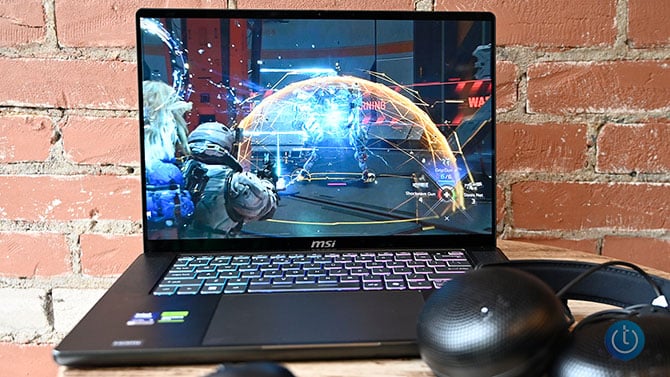
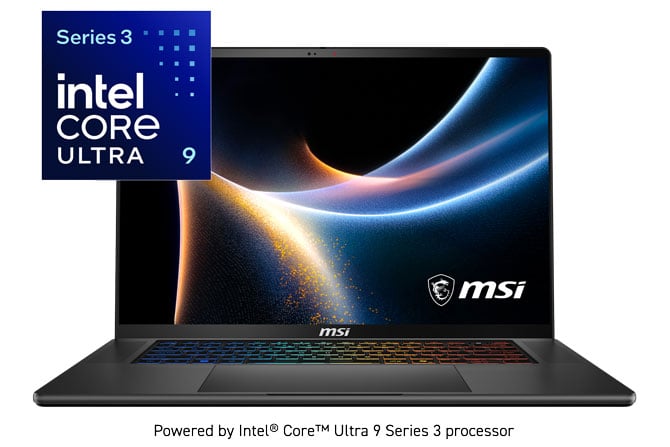
I've seen it time and time again, an otherwise great laptop brought low by too many compromises. But not this time. Meet the MSI Stealth 16 AI+ B3WF, the laptop with the internals of a desktop replacement with the looks and feel of a thin-and-light. Outfitted with an Intel® Core™ Ultra 9 processor and an NVIDIA GeForce RTX 5060 Laptop GPU, the 16-inch Stealth 16 AI+ is designed to do the heavy lifting while weighing no more than your average 14 inch.
The Stealth 16 AI+ is a portable badass hands down. It's capable of delivering great performance whether you're gaming, pumping out spreadsheets, editing videos, doing a livestream, creating your next masterpiece or running a local LLM. And with its sleek, elegant all-metal premium design and gorgeous OLED display, it looks good while doing it.
Key Specs
The Stealth 16 AI+ has several different configurations. At $2,699.99 from Best Buy, my review unit is by far the cheapest. But don’t get confused, you’re still getting plenty of power. For the price, you get a laptop with a 2.1-GHz Intel Core Ultra 9 386H processor with 32GB of RAM, a 1TB SSD, Nvidia GeForce RTX 5060 GPU with 8GB of VRAM, integrated Intel Graphics, and a 2560 x 1600, 16-inch OLED display with a 240Hz refresh rate.
Best Buy also offers a $3,999.99 iteration that doubles the storage and bumps up the GPU to a RTX 5080.
Design
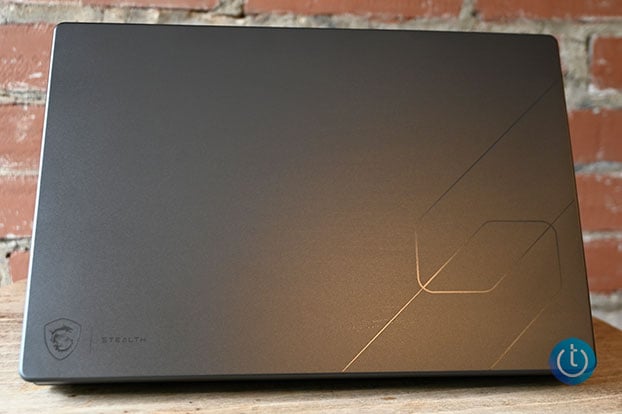
MSI calls this notebook the Stealth, but there are several other “S” words I can think of that are equally apt including sleek, svelte, silky, sexy. Where other gaming laptops boldly announce their gamer creed loudly, the Stealth 16 AI+ comes in understated, and dare I say it – stealthy. The Charcoal Black anodized aluminum chassis exudes an understated elegance. Instead of a showy backlit logo on the lid, MSI opted for an embossed link design along the bottom left with a dragon emblem and the word Stealth on the right.
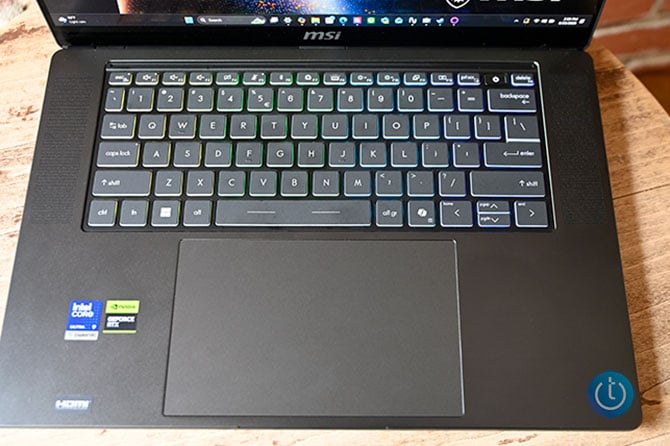
That’s not to say there’s no RGB anywhere. You get a heaping helping of color once you open the laptop from the island-style keyboard. A speaker sits on either side keyboard with a humongous trackpad just beneath. The bezels surrounding the display are relatively slim. A 1080p webcam with a privacy shutter resides in the center of the top bezel. Flip the laptop over and you’ll find a grid of circular cutouts that are layered on top of the true vent.
Measuring 13.9 x 9.7 x 0.66~0.79 inches and weighing 4.4 pounds, the Stealth 16 AI+ gives the best of both worlds: a laptop with a massive screen that’s just as portable as a traditional thin-and-light. I stowed the Stealth 16 AI+ in my backpack on a jaunt through several boroughs – via subway, bus, and my feet. And while I was tired at the end of the day, my back wasn’t sore.
Display and Audio
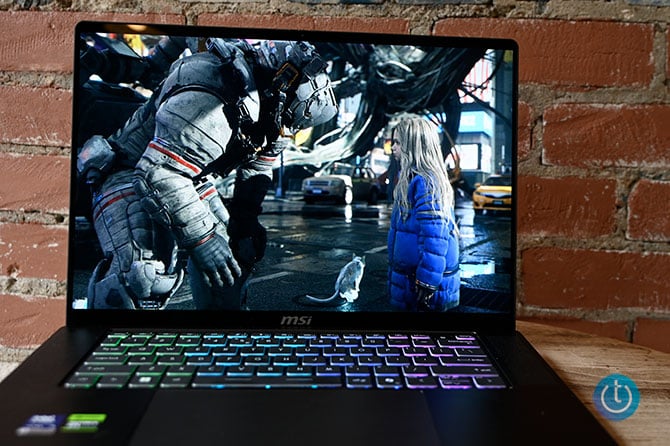
Playing Pragmata, watching the latest episode of House of the Dragon, or just reading the news and writing this review, looking at the Stealth 16 AI+’s 16-inch 2560 x 1600 OLED display was an absolute pleasure. Details were so clear I saw just about every jagged tooth in Sheepstealer’s wicked overbite. The blood that flowed during the Battle of the Gullet was a shade of red that bordered on lurid. Corlys’ silver armor gleamed against his mahogany skin as he expertly navigated his ship through the treacherous Dragon’s Teeth passage.
Playing fast-paced games like Pragmata was no problem on the Stealth 16 AI+’s screen is a no-brainer. Not only do you get the vivid colors, deep contrasts, and sharp details, there’s also the 240Hz refresh rate that keeps unsightly image tears at bay.
The Stealth 16 AI+ has a pair of speakers and woofers built in that produce sound loud enough to blanket a small room. The laptop also has Nahimic’s audio software baked in which includes five presets (Voice, Gaming, Music, Movie, and Smart) in addition to controls to toggle the amount of bass, treble, and voice. The Music preset quickly became my preferred preset. However, if you’re not sure, you can enable the Smart setting which will swap presets based on content.
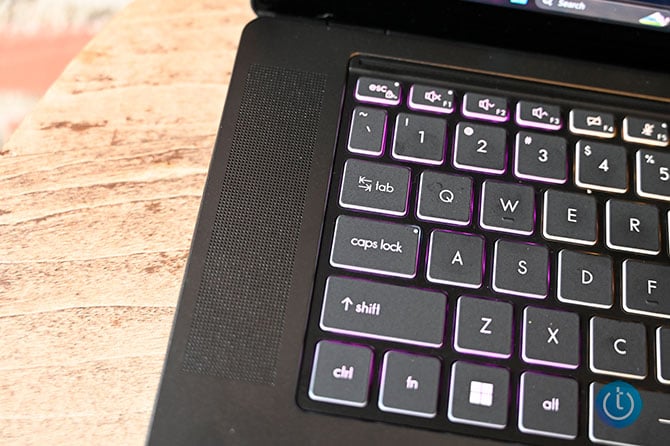
Other Nahimic features include Easy Surround, a spatial audio feature that creates a more immersive listening experience. There’s also Sound Sharing that lets you connect two pairs of headphones and Sound Tracker which maps noises like footsteps and gunshots onto an in-game radar so you’re always aware of incoming enemies.
Ports and Connectivity
Despite its slim figure, the Stealth 16 AI+ has enough portage to cover most gaming and productivity needs. In total, you have a pair of USB-A 3.2 Gen 2 ports along with two Thunderbolt 4 ports and HDMI 2.1. A Gigabit Ethernet port and a headset jack round out the lineup.
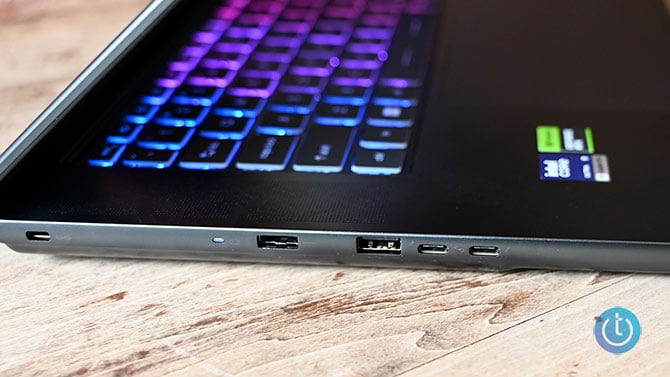
As far as connectivity goes, you have a 802.11 be Wi-Fi 7 card, which is the latest wireless standard along with Bluetooth v6.
Keyboard and Usability
The Stealth 16 AI+’s keyboard has the right amount of spring and click to make typing a good tactile and audible experience. Whether I was typing or frantically spamming out moves, I never felt my fingers bottom out. The keys are big enough to accommodate most fingers and the backlighting is nice and bright. I could read every key when I was doing a bit of late-night work in my darkened bedroom.
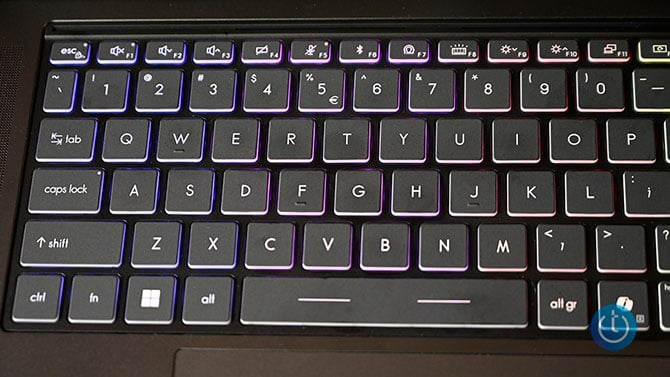
Speaking of lighting, the Stealth 16 AI+’s keyboard consists of four lighting zones that can be configured manually in the MSI Center app. Or you can use one of the six preset options. You can create up to three separate lighting profiles.
The trackpad offers excellent palm rejection and near instantaneous response for regular navigation or multitouch gestures like pinch-zoom and three-finger tap and swipe.
Webcam
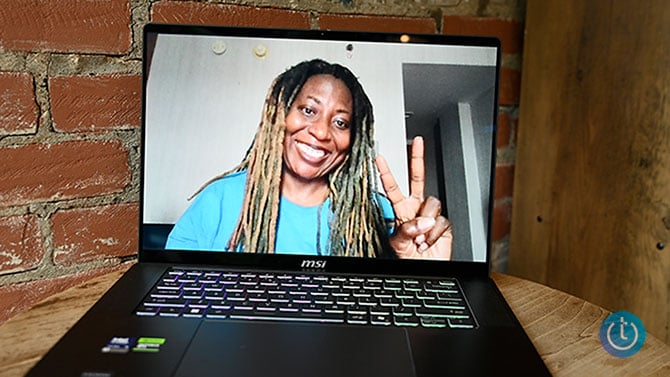
Throughout the course of this review, I took more than a few test shots with the 1080p webcam and took a few video calls. The integrated shooter did a good job with the color, particularly in this shot of my teal blue shirt. It even captured the faded color in my locks. People on the video calls reported a clear image along with loud, clear audio thanks to the integrated array microphones. AI Noise Cancellation can be enabled either in the Nahimic app or MSI Care.
Gaming
The Stealth 16 AI+ has an Nvidia GeForce RTX 5060 GPU with 8GB of VRAM. It’s a step up from the entry-level 5050 chipset. And while not as powerful as say a 5070 or 5080, I have to say, I played most of my games without having to make any adjustments to the settings. Now there are some games like Cyberpunk 2077 and Black Myth: Wukong that are just that graphically demanding, but outside of notching the rendering detail down from Ultra to High (Cinematic to High for Black Myth), more often than not I saw frame rates that would make many a gamer happy.
So let’s start with the two aforementioned games. The Stealth 16 AI+ gave 47 frames per second when I ran the in-game benchmark for Cyberpunk 2077 at 1600p on High without DLSS (Deep Learning Super Sampling) or ray tracing enabled. The number dropped to 38 fps with everything enabled. However, that’s still a playable result. Lowering the resolution to 1080p produced a result of 77 fps without ray tracing and DLSS and 56 fps with everything enabled.
During the Black Myth: Wukong benchmark I saw a frame rate of 49 fps sans DLSS and ray tracing and 96 fps with all the bells and whistles at native resolution at High. Ramping down to 1200p, the Stealth 16 AI+ achieved 87 fps and 102 fps (ray tracing and DLSS), respectively.
Hitman: World of Assassination rounded out my testing triumvirate. At 1600p on high, the Stealth 16 AI+ notched 82 fps without effects and 104 fps with everything enabled at High settings. At 1080p resolution, the Stealth 16 AI+ reached 105 fps (no ray tracing or DLSS) and 128 fps.
When you're not gaming or engaging in some other GPU-heavy activity, the Stealth 16 AI+ will lean on the integrated Intel Graphics GPU.
Performance
At any given time, I’m hopping between a gaggle of Google Chrome tabs, watching a YouTube video, digging through data-heavy spreadsheets, or trying to edit photos and videos. More often than not, I’m doing one of those things with everything else still running in the background. Systems with lesser components might buckle under the workload, but not the Stealth 16 AI+
Equipped with an Intel® Core™ Ultra 9 Processor 386H, the Stealth 16 AI+ can handle most productivity and creative tasks with ease. Designed for use in high-end gaming rigs and productivity laptops, the 386H puts an emphasis on performance and AI capabilities without sacrificing efficiency. In fact, the integrated NPU can reach speeds up to 50 TOPS, placing it in the upper echelon of AI machines.
So I unleashed my typical workload: 75 Google Chrome tabs laden with multiple G-Suite apps, several news, entertainment, and social media sites. I also encoded a 10-minute 4K video to 1080p. Although there was some slowdown when I threw the video encoding into the mix, without it, the Stealth 16 AI+ plowed through everything else.
But outside of gaming and working on big projects, the MSI Stealth 16 AI+ is great for something else: AI. I mean, it's in the name, so a little anticlimactic, I know. Still the Stealth 16 AI+ comes out the gate swinging when it comes to local AI, generative AI, and creative workflows.
So when it's time to bust out those resource-intensive tasks such as batch processing 60 photos in RAW in ComfyUI, the Stealth 16 AI+ nimbly rose to the challenge. The notebook can also handle heavy duty image generation with apps like FLUX.1 and Stable Diffusion.
And for the AI developers and roboticists in the building, the Stealth 16 AI+ can handle your simulation and engineering needs with programs like NVIDIA Isaac Sim and ROS 2 in play. Since it's a more graphically demanding task, the GPU will assist in the heavy lifting.
And last, but certainly not least you've got the LLM workflows or should I say the Stealth 16 AI+ has them. The laptop is more than capable of running LLMs and local AI agents via software such as Llama, LM Studio, and Ollama. All in all, the Stealth 16 AI+ is your portable one-stop shop for all things AI.
Battery Life
Since it's designed to be more mobile than some of its bigger brothers, the Stealth 16 AI+ also offers a better battery life. The notebook lasted 6 hours and 11 minutes on the PCMark Office Productivity battery test (continuous cycle of web browsing, spreadsheets, documents, social media scrolling, and video conferencing) at 50% brightness. I also ran the PCMark Gaming battery test, which runs a simulated gaming scenario on loop. The laptop ran for 4 hours and 27 minutes.
Verdict
Usually, when you're looking for a laptop that can deliver on power whether it's gaming, content creation or productivity, you're relegated to some chonky beast. Not with the MSI Stealth 16 AI+ B3WF. No, this is a laptop that thumbs its nose at preconceived notions and confidently says “If you need it, I got it.”
Weighing a mere 4.3 pounds, the Stealth 16 AI+ is ready to go wherever mobile professionals, gamers, and content creators are and bring a surprising level of power. Thanks to its Intel® Core™ Ultra 9 processor, the laptop is a legitimate workhorse handling assignments with ease. And its NVIDIA RTX 50 Series GPU, while not the strongest in the lineup, has no punching above its weight class with high frame rates on some of the more graphically demanding games on the market. It's also more than capable of handling any photo or video editing tasks as well as any AI-heavy projects.
Ultimately, if you’re looking for a powerhouse of a laptop that offers plenty of power without the usual heft, you can’t go wrong with the MSI Stealth 16 AI+ B3WF.
FAQ
Is the MSI Stealth 16 AI+ B3WF suitable for professional gaming?
Yes. Thanks to its Nvidia GeForce RTX 5060 GPU and OLED QHD display the MSI Stealth 16 AI+ B3WF is suitable for professional gaming. If you want more gaming performance, the Stealth 16 AI+ is also available with a 5080 GPU.
How portable is the MSI Stealth 16 AI+ B3WF for mobile professionals?
The Stealth 16 AI+ is very portable. It only weighs 4.3 pounds, which is approximately as much as your average thin-and-light laptop, making it easy to take along on commutes both long and short.
Does the MSI Stealth 16 AI+ B3WF have enough ports for gaming and professional peripherals?
Yes. The Stealth 16 AI+ has plenty of ports that can be used for gaming or professional tasks including two USB-A 3.2 Gen 2 ports with two Thunderbolt 4 ports, HDMI 2.1, Gigabit Ethernet, and a headset jack.
How does the MSI Stealth 16 AI+ B3WF perform with graphically demanding games like Cyberpunk 2077?
The Stealth 16 AI+ can handle the rigors of a demanding gaming like Cyberpunk 2077 and other GPU-taxing titles. Keep in mind that for the best performance, you might have to tweak a few settings.
Does the MSI Stealth 16 AI+ B3WF offer good battery life for productivity tasks?
Yes. During our testing, we found that the Stealth 16 AI+ lasted over 6 hours performing mixed productivity tasks. Gaming produced a shorter result of almost 5 hours.
Can the MSI Stealth 16 AI+ B3WF handle intensive tasks like 4K video editing and Photoshop?
Yes. The MSI Stealth 16 AI+ B3WF can handle 4K video editing as well as photo editing in Photoshop or any other editing software.
What type of display does the MSI Stealth 16 AI+ B3WF feature, and is it good for media consumption?
The MSI Stealth 16 AI+ B3WF has a 16-inch, QHD (2560 x 1600) non-touch OLED display. The OLED panel delivers vibrant, punchy color with deep contrasts and sharp detail that make it great for watching movies or gaming.

