

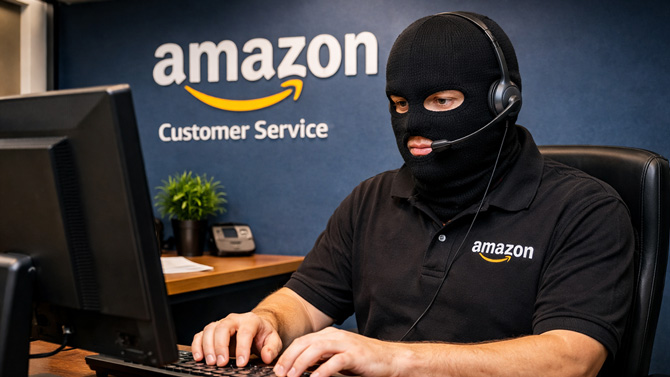
Phishing attacks have evolved significantly over the years to find more effective ways to separate you from your personal information and your money. And live-chat phishing – where scammers disguising themselves as customer support agents – is a prime example of this.
Originally the domain of fake “Microsoft support” help desks, scammers are exploiting widely-used business support platforms to impersonate popular brands like PayPal and Amazon, according to a report by Cofense Phishing Defense Center (PDC). By using common chat tools, such as LiveChat which is used by over 35,000 companies, scammers can leverage the trust people have in those tools to make their attacks appear more legitimate.
How scammers trick users with fake live chats
Cofense found two types of phishing emails that scammers are using to dupe people into sharing personal data: fake refund notices and pending order confirmations. If you click the link in these emails, a live chat window opens with spoofed corporate branding. There, the scammer builds trust before asking for the information they need to take over your account or charge your credit card.
In one Cofense phishing example, a spoofed PayPal email was used to claim you received a $200 refund. A large “View Transaction Details” button is placed at the bottom, luring you in to determine the nature of this unexpected transaction. When you do, you're taken to a LiveChat window with the PayPal logo where the scammer offers to guide you through the refund process.
Of course there is no refund, the scammer is using this as an opportunity to trick you into providing your Paypal login credentials and a two-factor authentication codes. With these in hand, they now have control over your account and can send funds to themselves from your bank or connected credit cards.
In another example identified by Cofense, fraudsters were operating a similar scam using fake Amazon order confirmation emails promising an update on a pending order. Here too, potential victims are taking to a live chat environment in order to capture personal information and account details.
Tips for dodging live chat phishing traps
While Cofense highlighted these specific campaigns, scammers are likely to continuously change up their methods. The best way to shield yourself from live chat phishing attacks is to know how to spot them. To start, check to see who sent you the email. Is it a random email address, or does it look like it's coming from the real company? Then double-check to see if the email has been spoofed (how to tell if an email has been spoofed).
Does the wording instill fear or a sense of urgency? Does it pique your interest with the promise of unexpected funds or a surprise delivery? Those are big red flags. Do not click links or buttons in the email; instead, go directly to the company’s website or app and check your account there.
What to do if you fall for the scam
If the worst happens and you realize you've fallen prey to a live chat phishing attack, act fast to secure your accounts and identity. If you supplied credit card information, freeze that credit card, which you can usually do in your card’s app, then contact your card issuer.
If you gave out personal information, like an SSN, place an alert or, preferably, a freeze on your credit with the major credit agencies: Equifax, Experian, and TransUnion. This will block scammers from opening accounts in your name.
Also, change the passwords for any associated accounts if you entered login credentials and turn on two-factor authentication if you don’t already use it.
Read more: 2FA Explained: The Safest Ways to Protect Your Accounts
[Image credit: Suzanne Kantra/Techlicious via ChatGPT]

