
We may earn commissions when you buy from links on our site. Why you can trust us.

I Tested iPad Keyboard Cases. Here’s What’s Worth Buying
I got a new iPad A16 model over the holidays and quickly realized my longtime favorite Zagg keyboard case no longer fits. Since I leave my laptop at home on short trips and rely entirely on my iPad, a keyboard case is essential for handling email, taking notes, and writing, while still letting me detach the keyboard to read or watch videos comfortably.
I have specific criteria for what makes a good iPad keyboard case, including solid protection, flexible viewing angles, and a keyboard that feels smooth and lightweight. I also want a removable hard shell, so the iPad stays protected even when the keyboard is off. I tested several keyboard cases designed specifically for the A16 and 10th-generation iPad and found one that replaced my previous favorite, along with others that may be a better fit depending on how you use your iPad.
If you’re unsure which iPad you have and what case will fit, you’re not alone. Apple officially calls the newest base model the iPad (A16) ($329.00, usually $349.00), even though it is the direct successor to the 10th-generation iPad. Many retailers and accessory makers refer to it as the 11th-generation iPad, while others list cases as compatible with both the 10th-gen (2022) and A16 (2025) models, since they share the same size and design.
With that cleared up, here are the keyboard cases I tested that work with the A16 and 10th-generation iPad, along with what makes each a good fit for different types of users.
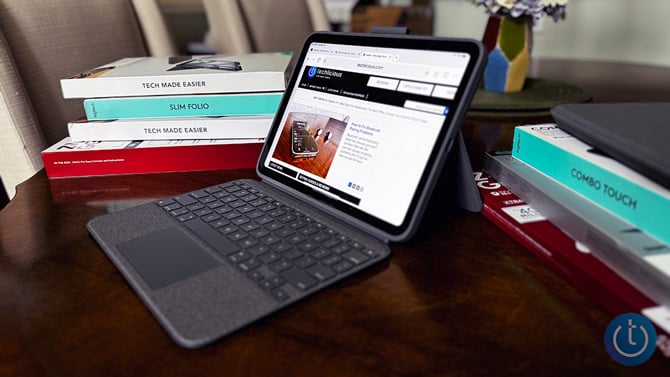
Logitech Combo Touch Keyboard Case: Best overall for replacing a laptop
The Logitech Combo Touch is the keyboard case that quickly replaced my old Zagg favorite. It is the only case I tested that truly meets my criteria for working well as both a tablet case and a compact laptop setup. The protective hard-shell stays on even when the keyboard is detached, so I can comfortably hold the iPad to read or watch videos without worrying about accidental drops. The adjustable kickstand offers a wide range of viewing angles, and the backlit keyboard has a soft fabric feel with a responsive trackpad that works well for real typing sessions. Since it uses the Smart Connector (which transfers data and power between iPad and compatible accessories), there’s no charging or pairing to think about.
Best for: People who want one keyboard case that can realistically replace a laptop for travel, work, and everyday use.
Price: $129.99, on sale for $99.85
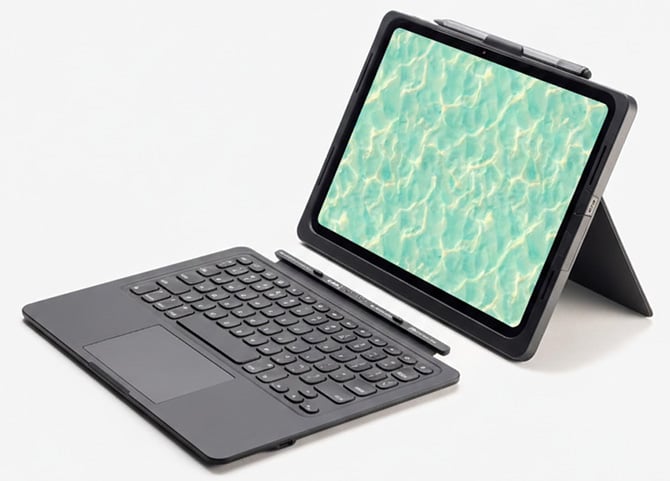
Zagg Pro Keys Connect: Best for reliability and zero setup
I presumed the Zagg Pro Keys Connect would be an easy replacement for my old case, but it fell short in everyday use. The hard shell feels bulky and plasticky, and the iPad feels noticeably heavier with the case on. My previous case used smoother, lighter materials that were more comfortable to hold, and while I like having a pencil holder, it sits alongside other tabs that dig into my hand when I detach the iPad to read.
That said, it is a solid and reliable keyboard case if you do not mind the weight. It plugs directly into the iPad’s USB-C port, eliminating Bluetooth pairing and battery charging altogether, and the smaller, clicky keys are ones I personally enjoy typing on. The built-in kickstand also makes it easy to use on a desk or table.
Best for: Users who value a wired, always-ready connection and mostly use their iPad on a desk or table rather than holding it in their hand.
Price: $139.99, on sale for $129.99
Buy It on Amazon
Buy it on Zagg
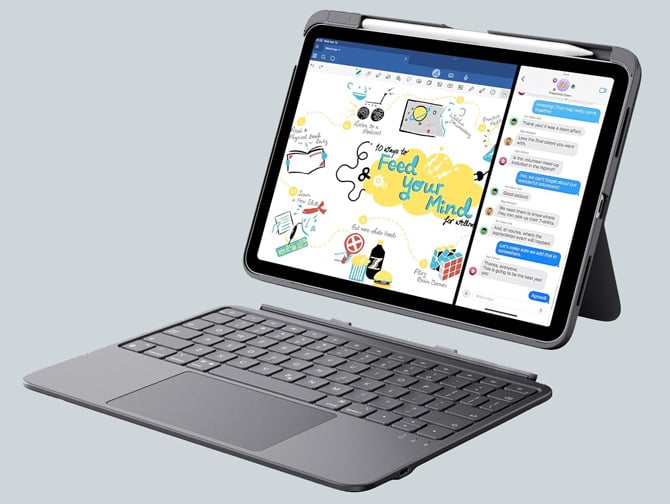
ESR Flex Keyboard Case: Best lightweight keyboard case
The ESR Flex Keyboard Case is one of the lighter keyboard cases I tested, and when detached from the keyboard, it felt more comfortable to hold than the Zagg Pro Keys Connect. You get two viewing angles for typing or writing, a surprisingly large trackpad, and enough protection for everyday use. Battery life is about 60 days with USB-C charging, which is more than enough for daily use.
The real trade-off is between materials and features. The outer shell feels plasticky and inexpensive, and you give up the backlit keys and a pencil holder.
Best for: Students, commuters, and travelers who prioritize light weight and portability over premium materials.
Price: $64.99, on sale for $51.99
Buy It on Amazon
Buy it on ESR
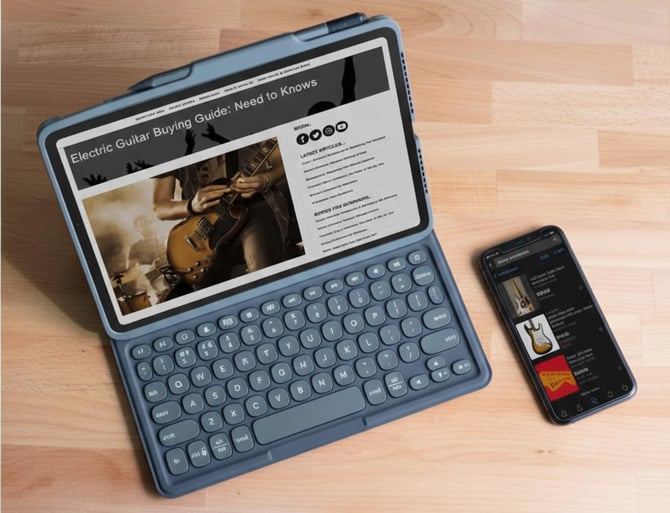
Zagg Pro Keys: Best budget pick without a trackpad
Zagg’s Pro Keys has almost everything I loved about my old case, but it’s missing a trackpad. The hard outer shell feels smooth and solid rather than plasticky, and the detachable case offers lightweight protection while remaining comfortable to hold for long stretches. Battery life on the Bluetooth keyboard is excellent, multi-device pairing works reliably, and the folding stand makes it easy to switch viewing angles. It even has a convenient stylus/Pencil slot that doesn’t get in the way when I hold the side.
If Zagg offered this exact case with a trackpad for the 10th-generation iPad, it would be my top choice. If you don’t care about a trackpad, it should be yours.
Best for: People who like a traditional keyboard feel and do not need a trackpad for navigation.
Price: $99.99, on sale for $80.99
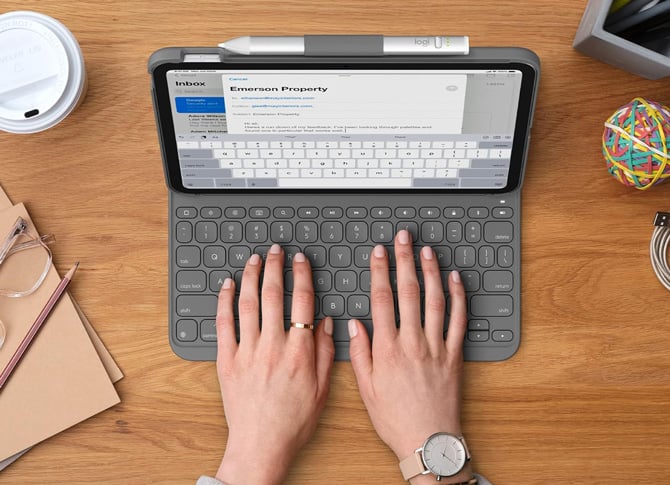
Logitech Slim Folio: Best for long battery life and simple typing
The Logitech Slim Folio features a full-size keyboard with iPadOS shortcut keys and runs on replaceable coin cell batteries. While changing batteries might sound like a hassle, they’re rated for up to three years, which means very little maintenance. The case supports typing, sketching, and reading modes and includes a holder for an Apple Pencil or stylus. The soft fabric exterior feels smooth and keeps the overall weight down, but again, there are tradeoffs: there’s no backlighting on the keyboard and no trackpad.
Best for: Writers who want long battery life and a straightforward typing case without extra features.
Price: $99.99, on sale for $89.99
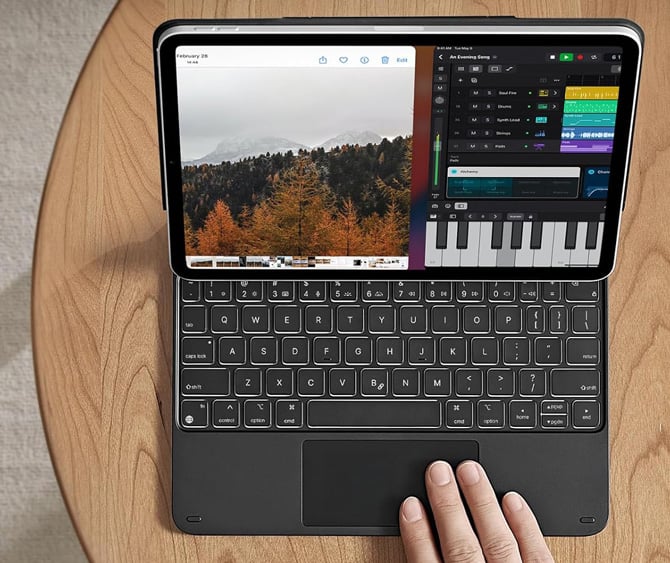
ESR Rebound Magnetic Keyboard Case: Best desk-based laptop-style setup
I had never used a floating stand design that lifts the iPad to typing height before, and I was pleasantly surprised by how natural it felt, especially for video calls. The ESR Rebound Magnetic Keyboard Case includes a trackpad and a backlit keyboard that feels good for longer writing sessions.
Where it fell apart for me is protection. The iPad is held in place with strong magnets and is protected when the case is closed, but once you remove it, the iPad has no protection at all. The viewing angle is only slightly adjustable, and I kept removing the iPad to try to reposition it, which quickly became frustrating.
Best for: Desk-based users who like an elevated screen and plan to keep the keyboard attached most of the time.
Price: $119.99, on sale for $79.99
Buy It on Amazon
Buy it on ESR
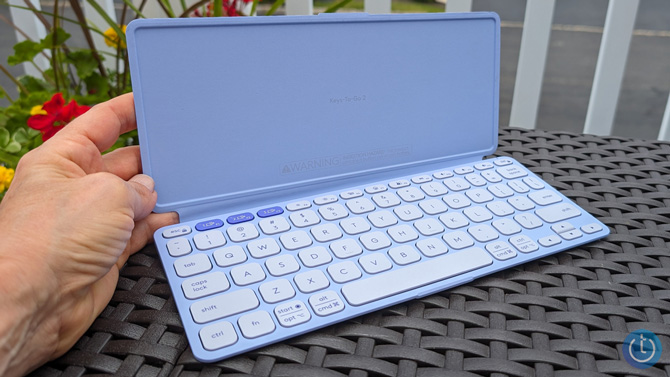
Logitech Keys-To-Go 2 Portable Keyboard: Best ultra-light travel keyboard
If you already have an iPad case you like and don’t want to invest in a new one, the Logitech Keys-To-Go 2 is an easy way to add typing without extra bulk. This slim keyboard has a built-in cover, roomy keys, and pairs with multiple devices. My purple Keys-To-Go 2 slips easily into a purse or small backpack when I want to cut down on weight while traveling.
Best for: Travelers who want to keep their existing iPad case and add a lightweight keyboard only when needed.
Price: $79.99, on sale for $64.99
Buy It on Amazon
Buy it on Logitech
Read more: Logitech Keys-To-Go 2: Effortless Typing on Your Phone or Tablet
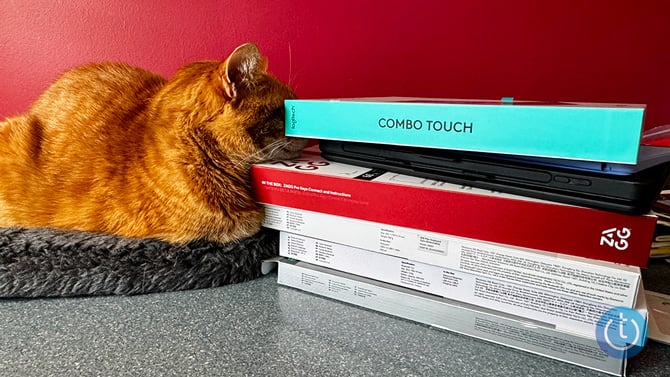
My Favorite keyboard case
There’s no single best keyboard case for everyone. The right choice depends on how you use your iPad, whether that means long typing sessions, watching videos, holding it as a tablet, or carrying it everywhere. The key is deciding whether protection, portability, typing comfort, or reliability matters most to you, because I’ve found that no single case excels at everything. For me (and my cat), the Logitech Combo Touch checks the most boxes, but each of these options makes sense for a different type of user and budget.
[Image credit: Andrea Smith/Techlicious, Logitech, ESR, Zagg]

