
We may earn commissions when you buy from links on our site. Why you can trust us.

Lenovo IdeaPad Slim 3i review: A steal in a sea of expensive options
by Sherri L. Smith on July 18, 2026

Sherri L. Smith/Techlicious
I’ve got almost 20 years of reviewing laptops under my belt and in that time, I’ve seen it all. And while I have an ongoing love affair with overpowered beasts whose processing power can tear through workloads like David Banner goes through shirts, I still have deep admiration for a budget-friendly system. That’s the vein the IdeaPad Slim 3i (Gen 11) sits in. It’s not the most powerful laptop in the land, but it can still get plenty done, and for under $1,000.
For the price, you get a lightweight, portable laptop with a lovely 15.3-inch touchscreen, over 14 hours of battery life. Plus, it’s got enough power to handle most productivity tasks with a sprinkle of content creation, AI and multimedia thrown in. Lenovo made a few compromises to achieve that sub-$1,000 price point, but they’re minor flaws that can be remedied with a pair of headphones and an external webcam. Overall, the Lenovo IdeaPad Slim 3i is a serious bargain in a sea of wallet draining options.
| + Pros | – Cons | |
|
|
|
|
||
Key Specs
The Slim 3i is currently available at Best Buy for $899. This configuration has a 1.5-GHz Intel Core 7 350 processor with 16GB of RAM, a 512GB SSD, an integrated Intel Graphics chip, and a 1920 x 1200 touchscreen display.
Design
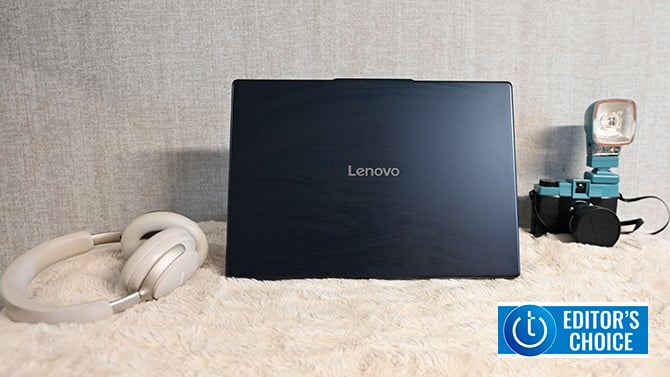
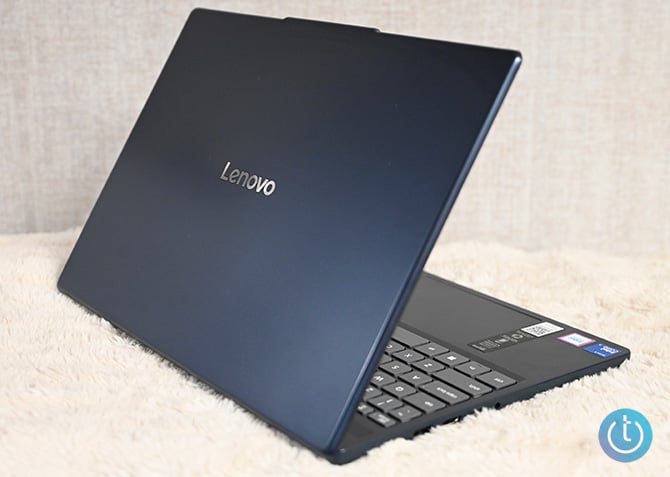
Ooh, a color other than some shade of gray. The Slim 3i’s entire chassis is made of plastic Lenovo’s calling Cosmic Blue. The lid and keydeck are smooth while the system’s bottom has a more textured feel. Outside of the color, the IdeaPad Slim 3i doesn’t have much in the way of bedazzled flair. You have the glossy chrome Lenovo logo in the center of the lid and that’s it. But don’t let the plastic fool you, the laptop is MIL-SPEC tested and can take a little bit of a beating.
Open the laptop via the small lip protruding at the top and you’ll see more of that midnight blue aluminum on the keyboard deck. The keyboard rules the middle of the deck sandwiched between a long grille that houses both the speakers and some vents and the touchpad. The display is held in place by a long hinge that allows you to lay the panel flat. The side bezels are nice and slim with the top being a little thicker to accommodate the webcam with its physical shutter.
Sherri L. Smith/Techlicious
Measuring 13.5 x 9.5 x 0.67~0.7 inches, the 3.5-pound Slim is made for commutes. I took it on a day-long jaunt through Queens and Brooklyn stowed in my backpack and I never felt any back strain.
Display and Audio
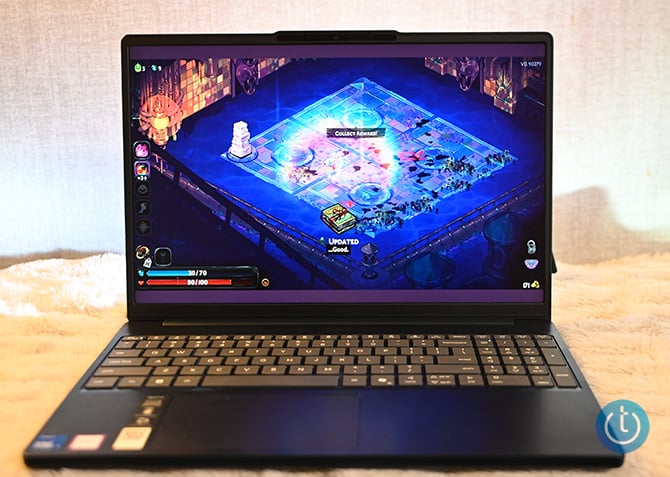
It’s not OLED or Mini LED, but I’ll take it. The Slim 3i’s 15.3-inch, 1920 x 1200 IPS display does a good job with color and detail. Actor/singer Chloe Bailey’s tawny skin looked resplendent against her sultry red gown in the trailer for the movie “Sprung”. Finer details like the delicate etchings in actor Romy Woods’ mask are front and center. And when I took a break to play “Hades 2”, the screen was awash in technicolor goodness. Speaking of gaming, I was pleasantly surprised to learn the screen has a 120Hz refresh rate. Another bonus is that the panel is a touchscreen. I just wish Lenovo could have thrown in a pen.
Sherri L. Smith/Techlicious
Although I appreciate some top-mounted speakers, there’s only so much a sub-$1,000 laptop can do. For what they are however, the pair of 2W speakers can fill up a small room with decent audio. But without a subwoofer, the lows on songs like Kendrick Lamar’s “The Heart Part 6” sounded hollow. And at max volume, Jill Scott’s “Breathe” was congested on the vocals, particularly when the background singers came in. Lenovo preinstalled Dolby music settings which features four presets and a custom setup to assist. And while there is a notable difference, it’s not enough to warrant listening to music or watching a movie without a pair of headphones or earbuds handy.
Ports and Connectivity
Lenovo hooked the Slim 3i up with a solid lineup of ports, including a USB-C port, two USB-A ports, HDMI 1.4, an SD card reader, a headset jack, and a power input. While I definitely appreciate the card reader, I wish there was an extra USB-C port and HDMI 2.1 instead of 1.4 as the latter offer 4 times the bandwidth and can support 4K video at 120Hz. But it’s a minor quibble since the display’s resolution only goes to 1200p.
The notebook supports Wi-Fi 6 thanks to its 802.11ax 2x2 card. The laptop also has Bluetooth 5.3 compatibility, which plays nicely with most modern devices. However, it doesn’t support spatial audio, which is fine because the speakers aren’t strong enough to convey that surround sound immersion.
Keyboard and Usability
I typed the Slim 3i’s review on its keyboard and it was a comfortable experience. The squarish keys with the curved bottom are large and nice spacing. The keys depress with a quiet click and key actuation is deep enough that I never felt my fingers bottom out. I hit my normal 70 words per minute on the Monkeytype typing test. I was a bit disappointed that there’s no backlighting as I tend to do a lot of late night work. But again, with an entry-level system like this, sacrifices have to be made.

Sherri L. Smith/Techlicious
Webcam
The 720p webcam is fine for your average video call. It can even snap a cute selfie or two. But if you’re looking for higher performance with sharper detail, then you’ll want to invest in an external webcam. The test shots I took were passable. My skin color looked slightly washed out, but the color in my locs looked vibrant. The more prominent details are easy to see, but there is an overall fuzziness in the shots that make it look like a low-grade mosaic effect is in play.

Sherri L. Smith/Techlicious
Performance
The IdeaPad Slim 3i isn’t the laptop to pore through data-heavy spreadsheets or batch edit RAW photos and videos. It is, however, the laptop that can handle creating papers, reports, editing a few photos or watching a movie. This is all thanks to the notebook’s Intel Core 7 350 processor with 16GB of RAM. One of Intel’s new Wildcat Lake processors, the Core 7 350 is designed for all-day battery life rather than blistering performance. The notebook also has an integrated NPU for your AI tasks, but at 17 TOPS, it’s not built for heavy duty LLMs or any engineering simulations.
So what can the Slim 3i do? Well, I batch-edited 10 photos from 4K to 1080p. I caught up on “The Vampire Lestat” and “Cape Fear”. I had to go easy on my usual menagerie of Google Chrome tabs, opting for 45 instead of the 70. And the Slim 3i handled everything with little complaint. There was a bit of a hiccup when I encoded a 5-minute 4K video down to 1080p, but this really isn’t a laptop designed for demanding content creation.
Still, that’s not to say the Slim 3i doesn’t have any oomph. I played “Hades 2”, relying on the laptop’s integrated Intel Graphics. My myriad of run throughs in both the underworld and surface ran smoothly as did the hour of “Octopath Traveller 2” I played. Keep in mind that neither game is particularly graphically taxing. This isn’t the machine to play “Pragmata” or “Resident Evil Requiem”.

Sherri L. Smith/Techlicious
Battery Life
Although the IdeaPad Slim 3i isn’t made for power, it’s absolutely made for longevity. I lowered the screen brightness to 50% and ran the PCMark Office Productivity Battery test. It’s a continuous script of web surfing, word processing, video conferencing and social media that runs until the battery dies. The Slim 3i ran the test for 14 hours and 24 minutes before it finally died. It’s not exactly all-day battery life, but that’s definitely a full day’s work with plenty left in the tank to watch a movie or two.
Verdict
The Lenovo IdeaPad Slim 3i is a great choice for people who want a laptop that can handle day-to-day tasks along with some social media and multimedia with just a touch of content creation. And depending on the title, you can do some gaming, all for around $1,000. The Slim 3i is lightweight, has a nice display and a comfortable keyboard. But the real star here is the battery life which lasts over 14 hours. Sure it’s not exactly a powerhouse, but thanks to its NPU, it can handle some light AI tasks, which for an entry-level user, is more than enough.
For budget-conscious shoppers and people looking for a portable laptop capable of light-to-mid productivity tasks with long battery life, the Lenovo IdeaPad Slim 3i (Gen 11) is a steal.

