

Google previewed Android 17 at I/O 2026, and the anti-theft and privacy features are the standout additions. Most security features require you to turn them on before they can protect you — which means they don't protect the people who need them most. Android 17 changes that by enabling several of the most important protections by default.
Google previewed Android 17 at I/O 2026, and the anti-theft and privacy features are the standout additions. Several of them are on by default, which matters more than it sounds.
Theft protection will turn on automatically
Theft Detection Lock and Remote Lock will be enabled by default on all new Android 17 devices and on freshly reset phones. If your phone detects that someone grabbed it, it will lock itself without any setup required. Remote Lock through Google's Find Hub will also let you lock your phone, hide Quick Settings, and disable biometrics and new Wi-Fi or Bluetooth connections from another device.
Factory reset protection has been strengthened too. If someone tries to bypass the setup wizard after resetting your phone, it will force another factory reset, so a thief can't reach the home screen.
Read more: New Android features guard your phone whenever it's out of your hands
New controls for location, contacts, and calls
Android 17 will show a persistent blue indicator at the top of your screen whenever a non-system app is accessing your location. Tap it to see which app is doing it and manage permissions right from there. A new Location Button gives apps one-time access to your precise location for a single session, so you don't have to grant permanent access just because you needed directions once.
Apps will also be limited in how they can request your contacts. Instead of asking for your entire contact list, apps will only be able to request access to the individual contacts you choose. Fewer apps sitting on your full address book is a meaningful privacy win.
Spoofed Call Protection will let Android 17 verify whether a call claiming to be from a financial institution is actually legitimate. Google has partnered with Revolut, Itaú, and Nubank so far, which are mostly international banks. More U.S. institutions need to sign on for this to matter to most American users. The feature works on phones running Android 11 and newer, so you won't need the latest hardware.
Protecting your verification codes
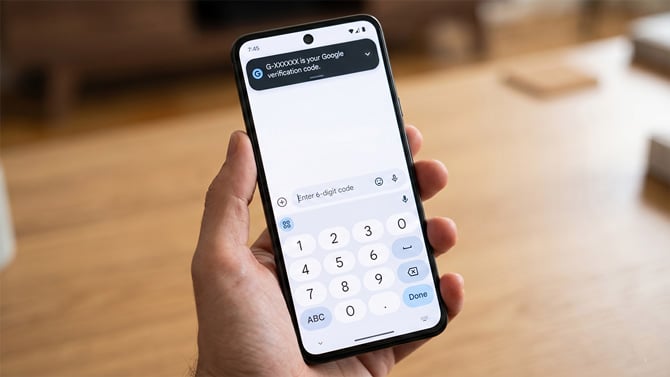
Those six-digit codes you get via text when you log into your bank or email? Any app on your phone with permission to read your messages can see those codes too — including apps that have no business reading your texts but asked for the permission anyway, like a flashlight app or a QR code scanner.
Android 17 fixes that with a feature that hides one-time passwords (OTPs) from other apps for three hours after they arrive. Three hours is more than enough time to use the code, and most verification codes expire within minutes anyway. Default text message apps and approved companion apps will still work normally. If you use an app that auto-fills verification codes, the developer will need to update it to use Google's official OTP system.
A lot of people have apps on their phones that can read text messages, even if they don't remember granting that permission. If one of those apps turns out to be malicious, it could grab your login codes before you even see them. Android 17 closes that window.
Read More: Android's new Gemini AI acts on your behalf. Here's the catch.
[Image credits: Palash Volvoikar/Techlicious generated with Gemini]

