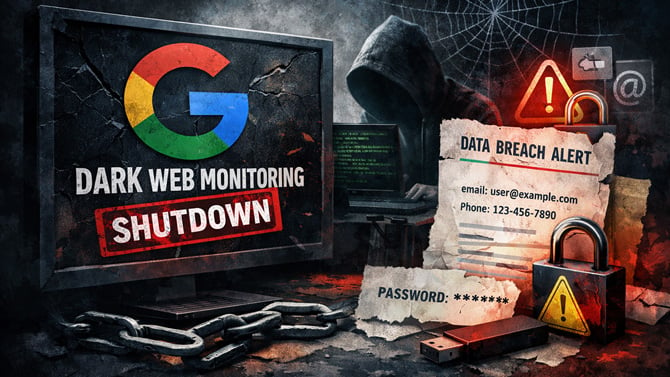
Google is shutting down its dark web monitoring service for personal information like your name, email address, and phone number. Monitoring will stop on January 15, 2026, and the reports and related data will be removed on February 16, 2026. In my experience, it’s not much of a loss.
I’ve used Google’s Dark Web Report, and while it sounds reassuring, I never found it especially helpful. The alerts were vague, the guidance was generic, and the system didn’t seem to understand what I was already doing to protect myself. In one alert, Google warned me that my email address had been found on the dark web and suggested I “set up two-factor authentication,” even though I already use two-factor authentication on my Gmail account. Advice like that doesn’t make you safer. It just adds noise.
Google now says it’s discontinuing the feature because feedback showed it didn’t provide helpful next steps. That’s the right conclusion. Knowing your data has been exposed isn’t the same thing as being protected, and most dark web alerts arrive long after any damage has already been done.
The more important thing to understand is this: You should assume that at least some of your personal information is already out there. Email addresses, phone numbers, and even old passwords from forgotten breaches circulate constantly. Waiting for a company to warn you after the fact is reactive at best. What really matters is how well your accounts and identity are protected when that exposure happens, because eventually, it will.
Why dark web monitoring falls short
Dark web monitoring feels proactive, but in practice, it’s mostly informational. It tells you something you can’t undo and often can’t act on. It doesn’t stop phishing. It doesn’t prevent account takeovers. And it doesn’t reduce the amount of personal data floating around in the first place.
In other words, it can confirm the problem, but it doesn’t meaningfully reduce the risk.
What actually makes a difference
What does reduce risk is putting friction in the right places, making it harder for attackers to log in, impersonate you, or use your personal information against you.
Use a password manager and stop reusing credentials
Credential (login) reuse is still the most common way people get hacked. A password manager prevents that by making it easy to use strong, unique passwords everywhere, flagging reused or weak passwords, and securely storing things like recovery keys, backup codes, and secure notes. I recommend 1Password and Dashlane. They’re mature, audited, and designed around zero-knowledge encryption, meaning even the company can’t see your data.
This one change alone dramatically reduces the fallout from any breach.
Use a data monitoring and removal service that actually acts
If you care about your personal information floating around data broker sites, use a service that removes it rather than just pointing at it. I feel comfortable recommending Incogni and DeleteMe because I’ve used them, they’re transparent about what they’re doing, and their privacy policies are clear about how your data is handled.
These services don’t make you invisible, but they reduce the amount of structured, easily abused personal data available to scammers and identity thieves.
Use multi-factor authentication or passkeys everywhere you can
This is one of the most effective controls against account takeover. Even if someone has your password, they still can’t log in without a second factor, like a one-time code sent to your cellphone, or a passkey tied to your device. Passkeys in particular are resistant to phishing and credential stuffing by design.
Yes, they add friction. That friction is the point.
Use a VPN on public networks
Public Wi-Fi is still a soft target. A VPN encrypts your traffic so people on the same network can’t intercept logins, session cookies, or personal data. It doesn’t make you anonymous, and it doesn’t fix bad security hygiene, but it does close a very real exposure vector. Our favorite VPN for most people is Surfshark, which is third-party audited for privacy, fast, and inexpensive.
Read more: How to Stop Cookie Jacking and Keep Hackers Out of Your Accounts
Be deliberate about what you share publicly
Scammers increasingly use personal details to craft convincing, personalized attacks, especially when they already have your email address or phone number. The more you broadcast about your family, travel, workplace, or habits, the easier it is to build a believable scam narrative around you.
You don’t need to disappear from the internet. You just need to stop making reconnaissance effortless.
What this means for you
Google is right that its dark web report didn’t deliver much value. But the real takeaway isn’t that we need better alerts. It’s that alerts aren’t the point.
Real protection comes from reducing how useful your data is to someone else and how much damage it can do if it leaks. That means strong, unique logins, real second-factor protection, less personal data in circulation, and fewer easy opportunities for attackers to exploit.
This is what actually keeps you safer, and that’s what matters.
[Image credit: Screenshot via Techlicious, dark web concept image Suzanne Kantra/Techlicious via ChatGPT]