

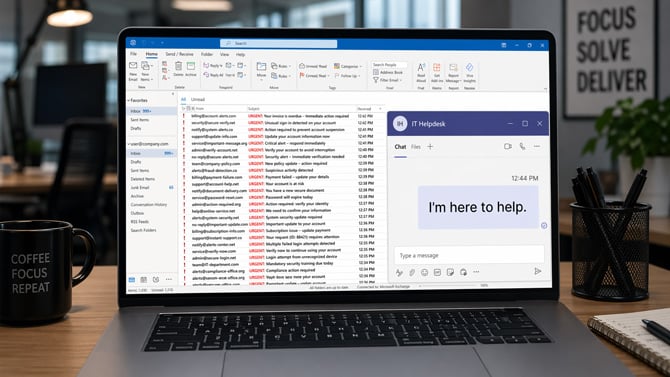
Researchers at Google have documented a new attack campaign that weaponizes your own frustration against you. The scheme starts by burying your inbox in spam – hundreds of messages arriving in minutes. Then, right on cue, someone from "IT" reaches out over Microsoft Teams to offer help. If you take that help, you hand attackers the keys to your entire network.
The campaign, detailed in a report by Google Threat Intelligence Group (GTIG) and tracked under the name UNC6692, is a prime example of what security researchers call social engineering: attacks that exploit human behavior rather than software vulnerabilities. The technical malware involved is sophisticated, but none of it works without the victim's cooperation at the first step.
The setup: manufacture the panic
The attack begins a mass email campaign aimed at a single recipient. The goal isn't to phish anyone through email – those messages are just noise, designed to overwhelm the victim and manufacture a sense of crisis. Once the target is rattled and distracted, the attackers pivot to Microsoft Teams.
A Teams chat request arrives from an account outside your organization, posing as helpdesk personnel. The message offers to fix the very problem the attackers just created. That timing is the whole trick. When you're staring at a flooded inbox, and someone offers a solution, skepticism takes a back seat.
The fake fix: a browser trap
The helpdesk impersonator sends a link to install what they describe as a "local patch" to stop the spam. Clicking it opens a webpage designed to look like an official Microsoft Mailbox Repair and Sync Utility. It's convincing enough: professional layout, version number, on-screen buttons, the works.
Once inside the fake utility page, a "Health Check" button triggers an authentication prompt. It asks for your work email and password. And here's where the hackers are getting even sneakier. When you type them in and hit submit, the form tells you the password is wrong. You try again. Wrong again. On the third attempt, it goes through.
That rejection sequence is deliberate. Psychologically, it reinforces the illusion that the system is performing genuine validation – real login systems do reject incorrect passwords, after all. Practically, it ensures the attackers capture your credentials twice, reducing the chance that a typo makes the stolen password unusable. By the time the fake "Configuration completed successfully" message appears, your credentials are already sitting in the attacker’s hands, and the site has quietly downloaded malware to your machine in the background.
Stealing one employee's password and installing malware on their machine is just the first step. From there, UNC6692 deploys a trio of malicious tools, which researchers have named the "SNOW ecosystem", that work together to burrow deeper into your organization. From that single compromised machine, the attackers can scan your internal network and extract a trove of stored passwords and authentication data from Windows.
How to protect yourself
The technical malware here is beyond what most individuals can detect once installed. However, the attack can be stopped at step one, so awareness of this threat is key to preventing this from happening at your company.
Legitimate IT departments do not initiate contact through Microsoft Teams chat requests from outside your organization. If someone reaches out this way, offering to fix a problem, especially one that just appeared, call your actual IT helpdesk using a number you find independently, not one provided in the chat. Don't click any links sent through Teams from external accounts, and don't install anything a chat contact directs you to download.
And while this attack is current being directed at organizations, home users should remain vigilant for copycat threats.
Read next: How to Tell if an Email Has Been Spoofed
[Image credit: Suzanne Kantra/Techlicious via ChatGPT]

