

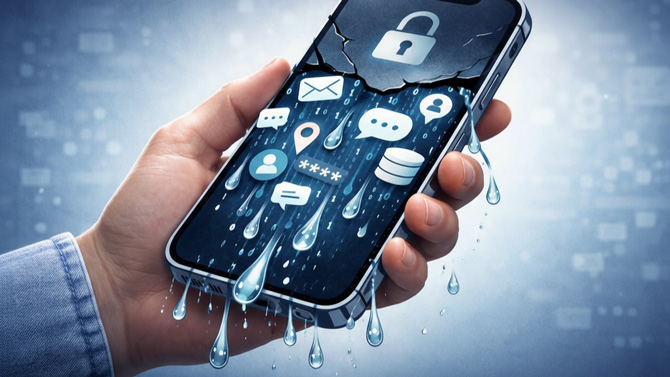
If you've been assuming that Apple's App Store vetting process keeps you safe from insecure apps, a new report should give you pause. Security researchers at CovertLabs have launched Firehound, a public directory listing iOS apps that don't securely store user data online. The directory has so far found and listed 196 apps confirmed to be vulnerable.
At the top of the offender list is a chatbot called Chat & Ask AI by Codeway, which reportedly exposed 406 million records from over 18 million users. These records include names, email addresses, and complete chat histories totaling 380 million messages. Given the kinds of personal questions people ask AI chatbots, this would be a rather serious privacy breach.
AI apps are the worst offenders
While AI-powered apps dominate this list of leakers, they’re not the only category of apps doing so. Others in the directory include art apps like GenZArt (18.9 million records exposed) and Pigment, a popular adult coloring app (7.7 million records). There's also Kiddopia, a kids' learning game with 1 million exposed records, and dating app Paktor (1.6 million records).
Read More: ChatGPT Health Wants Your Medical Data – Should You Trust It?
The common thread seems to be that these app companies store this data in improperly set-up databases. They’re storing your information in such a manner that it could be accessed with relative ease if a malicious party tried.
Data-leaking apps aren’t a new thing
This follows research from March 2025 that examined 156,000 iOS apps and found that 71% of them leave at least one piece of sensitive information vulnerable. That study found 78,000 apps had cloud storage with users’ private information left unprotected, often including financial data, location data, and other personal information.
Apple's App Store review process is generally pretty solid at catching malicious apps, but apparently not incompetently managed ones. As a result, you shouldn’t trust an app to protect your information well only because it’s on the App Store.
With AI-assisted coding tools making app development more accessible to people without programming or security expertise, we're likely to see more of these problems. Given that, you should be extra careful about which apps you install and what data you share with them.
How to protect yourself from unsafe apps
To be safe, check whether any apps you use are on the Firehound list. If you find one, stop using it, delete any data in the app, delete your account data, and then delete your online account. (Often, companies hold onto data even if you delete an account. So make sure it's been wiped from the servers before you close your account.) Also, change any of your other online accounts that may have used the same passwords. (Reusing passwords is something you should avoid in general.)
Read More: Your Weak, Old, Reused Passwords Are All Over the Internet. Here's What to Do
Beyond that, you should be very selective about what you install, especially if the apps are from lesser-known developers. Check permissions carefully and only grant those that make sense. A coloring app, for example, doesn't need your contacts or location. You should also use a password manager like Apple Passwords, 1Password, NordPass, or Dashlane to create unique passwords for each app. That way, if one app exposes your password and other data, a unique password means attackers can't use it to break into your other accounts.
I also recommend that you exercise caution when sharing with AI chatbots, especially custom-built ones from startups, as they may lack the security resources and expertise. (Although even OpenAI admits it may not be able to fully protect your info.) Ideally, you shouldn’t tell them anything you wouldn't want exposed publicly, because as of now, the safety and privacy safeguards seem to be a bit loose.
[Image credit: Sean Captain/Techlicious via ChatGPT and Gemini Nano Banana]

