

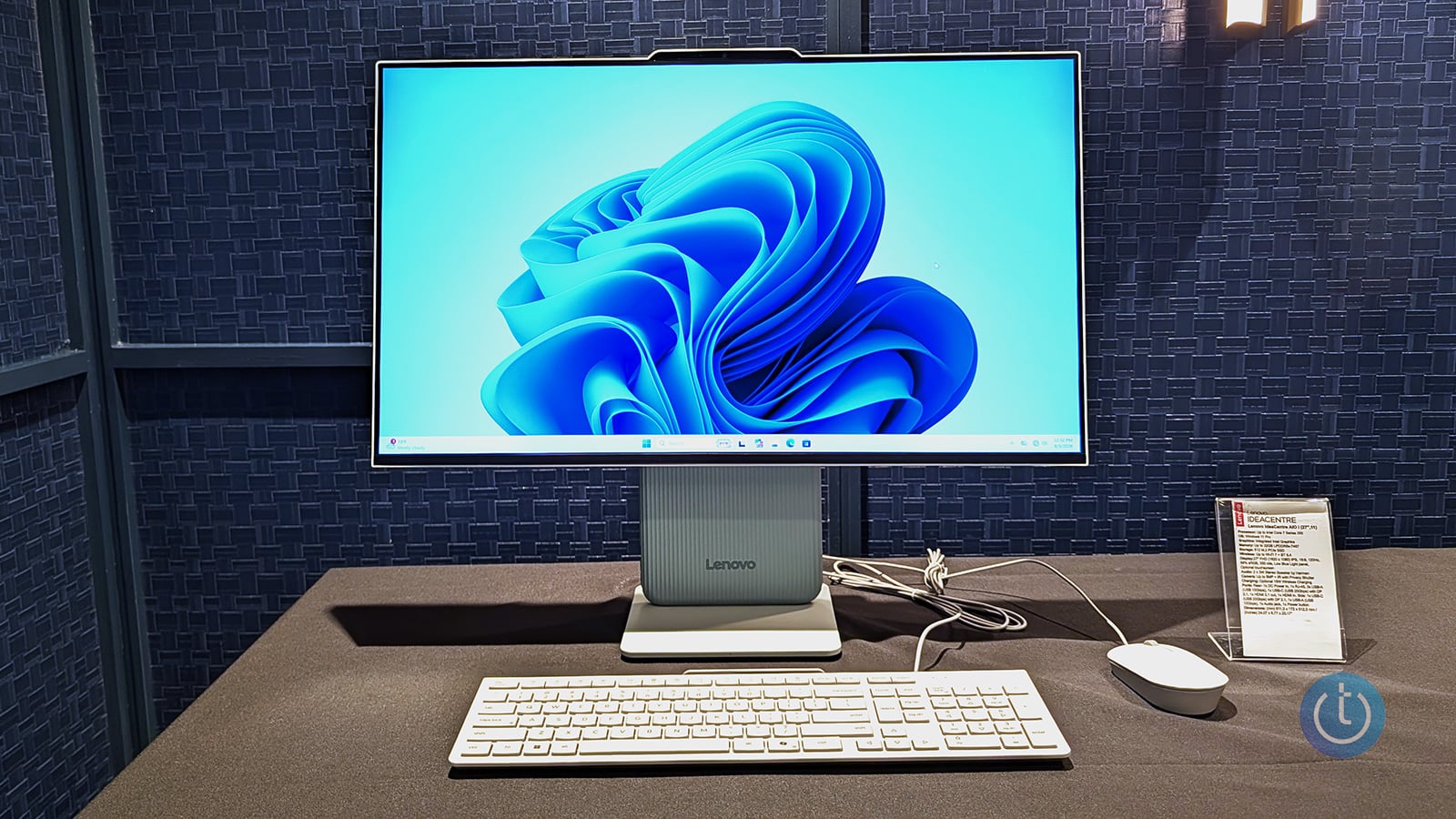
Image credit: Josh Kirschner/Techlicious
Nowadays, you typically see an All-in-One desktop marketed towards the business and enterprise sector, but Lenovo thinks they should come home, preferably to your home. And after taking a gander at the Lenovo IdeaCentre AIO i, I think I see the company's point. After losing ground to laptops, tablets, and smartphones, the IdeaCentre AIO i is ready to reclaim its spot in the home as a shared family device. Starting in November 2026, the AIO will be available in 24-inch ($939.99) and 27-inch ($1,149.99) models.
The first thing you'll notice about the IdeaCentre AIO i is the colors. I don't think I've seen such a variety of vibrancy in an all-in-one since the Apple iMac days. Working with the Pantone Color Institute, Lenovo has given the IdeaCentre hues such as Dreamy Violet, Radiant Coral, Zen Green, Chill Blue, Luna Grey, and Cloud Grey. The palette consists of softer pastels designed to blend seamlessly into a home environment. The look is completed with matching Lenovo Essential Wireless Combo Gen 3 Keyboard and Mouse. Lenovo also added its ambient Adaptive Lighting, broken out into three modes: Boot-up, Default, and Music Lighting. However, users can also create their own custom lighting effects and colors.
In addition to the softer colorways, Lenovo has also smoothed out the all-in-one's design as the IdeaCentre looks more like an elegant monitor than a workplace behemoth with a chunky box bolted onto the back. You have two display options: either a 24-inch or 27-inch 1080p panel with up to a 120Hz refresh rate and a brightness of 300 nits. The system can also be configured with touchscreens if you prefer a more hands-on experience, and it features an E-book mode that focuses on creating a more comfortable reading experience by reducing blue light, which can cause eye strain. The IdeaCentre also features integrated Harman speakers so you don't have to grab a pair of headphones when it's time to hop on a video call, listen to music, or watch a show. The AIO i also has a 5-megapixel webcam with a physical privacy shutter for video calls.
You'll find your ports along the neck of the stand, with the majority located along the back and the remaining few placed along the left side, including six USB ports up to USB 3.0, an HDMI-in/HDMI-out combo, and a headset jack. The stand has a 30-millimeter vertical adjustment with -5° to 15° tilt so that everyone can find their optimal position. Lenovo also offers a wireless charging option at the base of the stand to free up one of those USB ports.
The AIO i is designed to be a shared family system, so it's not packing the most powerful specs. However, with up to an Intel Core 7 350 processor with up to 40 TOPS of AI performance, up to 32GB of LPDDR5x RAM, and a max of 1TB of storage, it's nothing to sneeze at. That's more than enough power to handle most mid-tier productivity and content-creation tasks, with plenty left over to stream a movie or TV show. It's ideal for school, work, and everything in between.
Ultimately, the Lenovo IdeaCentre AIO i isn't trying to take either your laptop or desktop's spot in the home – frankly it can't. But what it can do is create a computing hub the entire family can use that is stylish, unobtrusive, and just powerful enough to make everyone happy. I'm eager to see if the IdeaCentre can get the job done.
Follow our coverage of the IFA 2026 Tech Show.

