

Browsers used to compete on one thing: speed. Then privacy took over as the battleground.
Now, many browsers include some form of AI among their built-in features. Heading further into 2026, a different question is shaping the future of web browsers: not just what a browser can do for you, but what your use of it can do for the world around you.
That question shows up in how people choose their default browser, and it's showing up in how companies talk about what they build.
One example is Wave Browser, which combines productivity features with a verified environmental initiative. It is built for how people actually browse and work today. A simple idea, which is to convert everyday browsing habits into ocean cleanup.
This combination reflects how some browsers are expanding beyond traditional performance features by adding productivity tools and broader initiatives to the browsing experience.
Where Are Browsers Headed in 2026?
Before 2025, browsers often competed through faster load times, extension support, and more efficient memory usage.
Now, in 2026, when selecting a browser, these are still the factors that matter, but they do not win the argument for the best browser alone. Currently, most browsers on the market load fast, block trackers, and offer some flavor of built-in AI.
Having these features is now basic, not a pitch for something new.
The future of browsing is now a bigger question about what a browser is even for. Speed remains important, but browsers are also differentiating through productivity tools, customization, and features that reflect broader user priorities.
That is part of why sustainable technology has now moved from just a footnote on a company's About Us page to a real product and research category. This is why browsers are starting to get evaluated the way people evaluate their coffee or their clothes: not just on function, but on what stands behind them.
Wave Browser applies this broader approach by connecting productivity features with a verified environmental initiative. Wave doesn't treat environmental commitment as a side campaign but connects that commitment directly to the browsing experience through a Certified Cleanup Partnership with 4ocean. It funds the removal of plastic and trash from our ocean, rivers, and coastlines through the same browsing you were already doing.
What is Wave Browser?
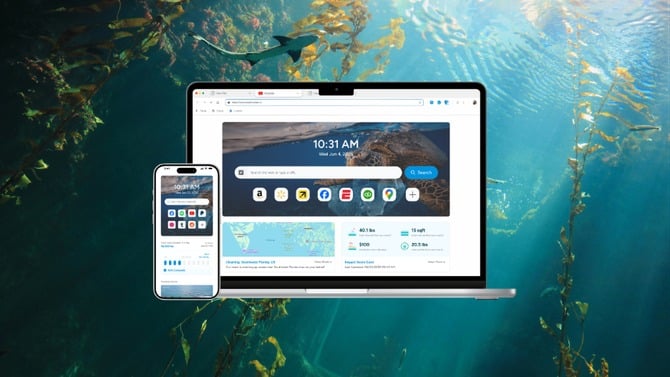
Wave Browser is a web browser that helps turn everyday browsing into verified environmental impact. Through its partnership with 4ocean, Wave Browser helps fund the removal of plastic and trash from our ocean, rivers, and coastlines while offering features designed to support productivity, organization, and a more efficient browsing experience.
Wave Browser is available on Windows, Mac, Android, and iOS.
Trust and Safety
Trust is an important consideration when choosing a web browser. Wave Browser is certified by AppEsteem, an organization that evaluates software against standards for security, transparency, and responsible software behavior.
This certification reflects compliance with independently established criteria designed to promote a clean and trustworthy software experience.
Productivity With Purpose, Not Just Productivity
Building a browser that helps people get more done isn't hard. Building one where productivity is connected to something beyond the task list presents a different challenge, and it is one Wave Browser has set out to address.
Being productive with purpose does not mean performing separate tasks or adding steps. It means a browser where the tools people already need or use, such as staying organized across devices, tab management or quick research, directly fund the verified ocean cleanup. There is no toggle to switch on, no layout changes, and no reward programs to join. Just daily browsing that you already do, converting into productivity with purpose.
Sustainability matters more in 2026 than it did a few years back.
Therefore, now the attention has shifted from a fast browser to a browser that quietly does its job and simultaneously funds something environment-friendly in the background. This approach allows environmental support to remain part of the browsing experience without requiring additional tasks from users.
Browser Productivity Features Built for the Way We Work Now
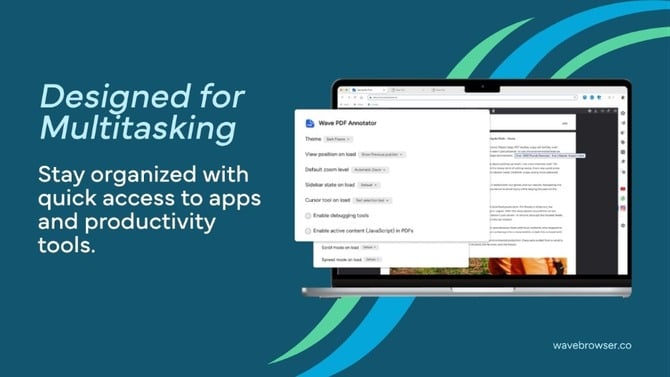
These features are only valuable if the browser supports everyday browsing effectively. Wave Browser backs up its mission with a full set of browser productivity features built around how people actually spend their day online in 2026:
- AI Assistant, for quick answers and everyday research without leaving the current tab.
- Tab grouping and organization, for separating work, research, and personal browsing without losing track of any of it.
- Split-screen browsing, useful for anyone referencing one page while working in another.
- Reading Lists, for saving content to revisit later instead of letting tabs pile up indefinitely.
- Translation tools for browsing and working across languages without a separate extension.
- Package tracking and price tracking are built directly into the browser instead of scattered across apps.
- Content notifications for staying current without constantly refreshing pages.
- Memory Saver and Energy Saver for steady performance during long sessions with dozens of open tabs.
- Built-in ad blocker (available on Android, Mac, and Windows) for a cleaner, less cluttered browsing experience.
- Customizable browsing experience, so the interface adapts to you instead of forcing one layout on everyone.
None of these features is groundbreaking on its own. Together, they're what a modern productivity browser is expected to deliver as a baseline in 2026: fewer separate apps, fewer interruptions, a browsing experience that stays out of your way until you need it.
Sustainable Technology Is Not an Add-On Anymore
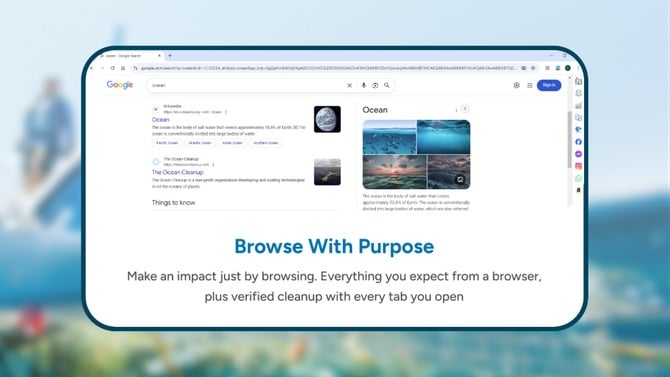
Sustainability used to be separate from the products; it used to rest in an annual report, a donation announced once a year, which used to be forgotten and a business self-claiming responsibility page.
This type of sustainability in books is not the trend anymore, as people want real impact. Now people are asking a sharper question: does using this browser or product daily actually connect to anything real, or is the mission statement just a page nobody reads?
Wave Browser addresses this by connecting its environmental initiative directly to the browsing experience.
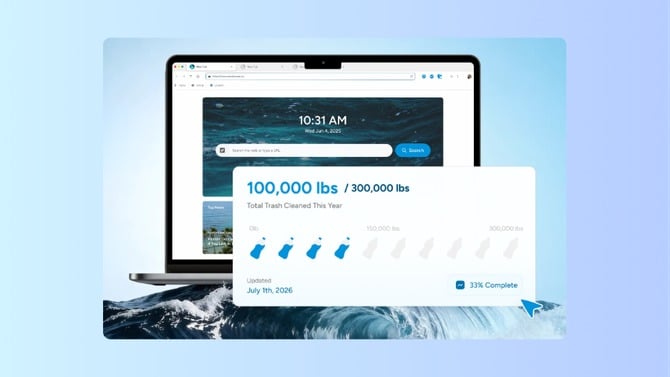
In Wave Browser's case, the environmental initiative extends beyond website messaging and supports specific, trackable cleanup outcomes. It's a browser that funds specific, trackable outcomes through an ongoing certified partnership, which is backed by a live impact tracker that shows verified impact milestones as they happen in real-time.
Verified Ocean Cleanup: What Makes Wave's Approach Different

Ocean cleanup can feel distant from everyday browsing, but Wave Browser connects the two through measurable progress reported through its 4ocean partnership.
Through the 4ocean partnership, Wave Browser has already helped support the removal of more than 100,000 pounds of trash and plastic from our rivers, coastlines, and oceans, with a long-term goal of helping fund the removal of 300,000 pounds by 2028.
The number matters, but the way these numbers are being obtained matters more. Wave doesn't ask its users to donate separately or complete extra tasks but ties the environmental commitment directly to the product itself.
The browsing you're already doing, checking email, researching a purchase, and reading the news, is the mechanism. There is no added friction and no ambiguity about who's accountable. Progress is tracked and visible, not just asserted.
That structure reflects Wave's broader voice, too, which is to be confident, clear, and focused on outcomes that people can actually measure. The emphasis remains on measurable outcomes rather than broad environmental messaging. The goal is not to place additional pressure on users, but to connect an existing browsing habit with measurable environmental support.
Why This Model May Define the Next Generation of Browsers
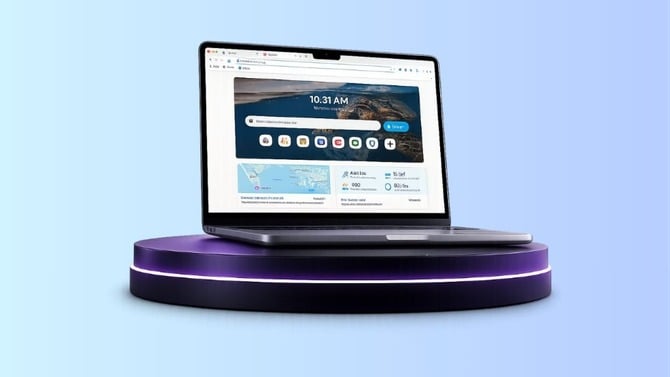
If the last few years of browser development were about matching feature checklists, the upcoming trend is about differentiation through values, which need to be backed by real evidence rather than just empty slogans.
Purpose-driven technology used to sit in a niche corner aimed at a small, environmentally conscious audience. It's becoming a mainstream expectation instead, especially as more of daily life runs through a handful of core digital tools people open dozens of times a day.
Browsers are uniquely positioned for that shift because they sit underneath almost everything else you do online:
- A calendar app touches a slice of your day.
- A shopping app touches another slice.
- A browser touches nearly all of it.
This gives Wave Browser a clear way to connect everyday browsing with measurable environmental outcomes. Whether that becomes the industry standard remains to be seen.
But Wave Browser's approach, pairing real browser productivity features with a transparent, verified environmental partnership, is a working answer to where the future of web browsers is headed: not a browser that asks you to do more, but one that makes what you were already doing count for more.
You don't need separate sign-ups to start supporting verified ocean cleanup through the browsing you were already going to do anyway. Set Wave as your default browser, and the rest happens in the background.

