
We may earn commissions when you buy from links on our site. Why you can trust us.

Back-to-school tech 2026: 10 gadgets students and families need
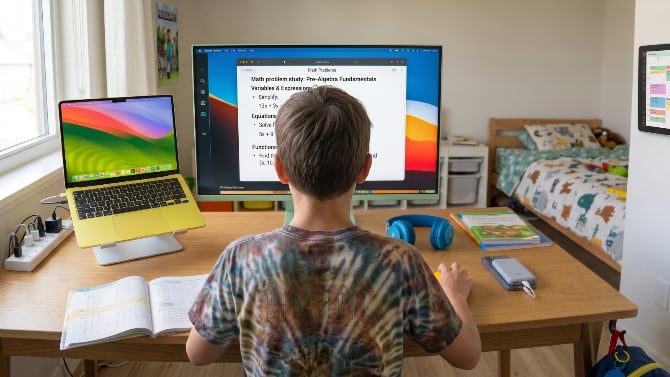
Image credit: Generated with Gemini
Back to school shopping is about a lot more than composition notebooks and clothes now. With kids having more advanced schoolwork and more complicated schedules, the tech on the list is the part that needs the most thought. We put together a set of picks that will carry a student through the school year, from a budget MacBook that can handle all of their schoolwork to a family calendar that keeps everyone's schedules straight.

Image credit: Apple
Apple MacBook Neo: The budget Mac built for school
The price: $699.99
When Apple launched the MacBook Neo earlier this year, it became the budget laptop pick for students almost overnight. I've used the Neo, and it's perfect for schoolwork. Macs also don't slow down over the years as easily as a budget Windows laptop will, so it should last your kid well beyond one grade. I'd also pick it over a Chromebook for a student, since you get proper macOS apps and easy iPhone integration for not much more money.
You get Apple's A18 Pro chip, the same one that powers the iPhone 16 Pro, with a sharp 13-inch Liquid Retina display, a 1080p camera for video calls, and up to 16 hours of battery life, so it'll get through a school day without the charger. The aluminum body is light and comes in four colors, and there are no fans inside, so it runs silently. The 8GB of RAM may seem low on paper, but macOS handles it well, and it's fine for documents, browsing, and streaming, which is mostly what a student needs. It's $699 for the 256GB model on Amazon, and if you're buying for a college student, you can buy it from Apple for $599 through its education store.
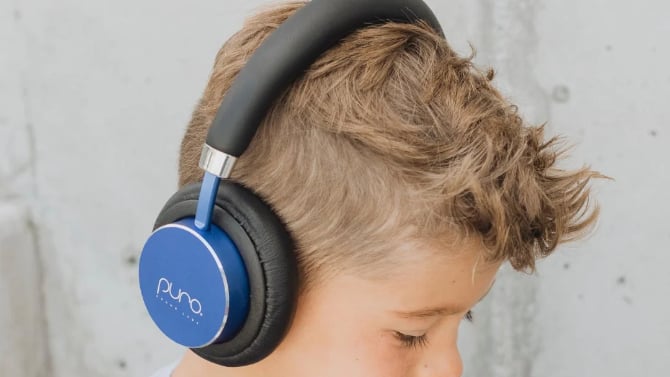
Image credit: Puro Sound Labs
Puro Sound Labs BT2200 Plus: Headphones that protect young ears
The price: $99.00
Kids have the habit of cranking the volume on any headphones you give them, and the BT2200 Plus caps it at a safe 85dB, so their hearing doesn't pay for their music habit. We have tested and recommended these in the past, and found surprisingly good sound quality for a kids' pair, with soft earcups and a soft headband, which keeps kids' hair from being pulled.
You get up to 20 hours of Bluetooth playtime, and the included 3.5mm cable will let you use them wired when the battery runs out. You can swap the cushions between on-ear and over-ear fits as your kid grows, and there's a hard case to protect them in a backpack. There's also a daisy-chain cable in the box that can connect two headphones to one device, so siblings can share a screen without sharing an earbud. They come in blue, pink, purple, and teal.
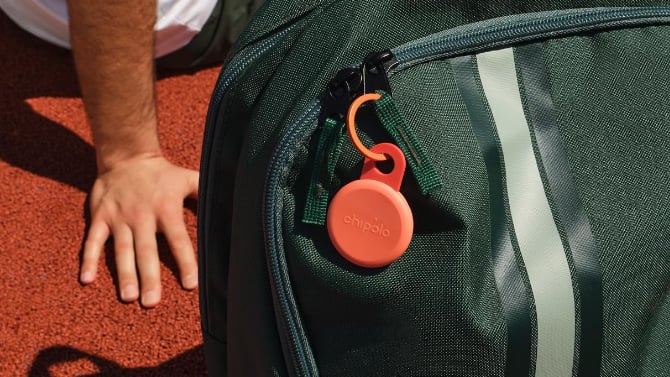
Image credit: Chipolo
Chipolo Loop: A tracker for the backpack that keeps it safe
The price: $39.00
I forgot my bag at school once, and it's scary when you're that young. With everybody carrying phones now, it just makes sense to put a tracker on your kid's bag. The Chipolo Loop's flexible silicone strap attaches to a backpack zipper or handle, with no keychain or accessories needed. That saves a few bucks extra by skipping a separate keychain holder.
It works with either Apple Find My or Google's Find Hub, so it'll match whatever phone your family runs, and the 125dB ring is loud enough to hear from rooms away if you’ve lost the bag at home. Unlike an AirTag, you can recharge it over USB-C instead of replacing coin batteries, and a charge will last up to a year. It comes in a bunch of colors, including a six-pack if you have more than one child that may lose more than one bag.
IN PARTNERSHIP WITH INIU
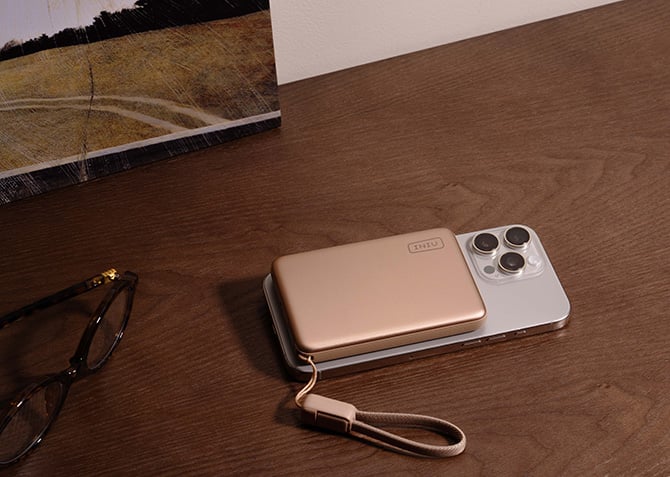
Image credit: INIU
INIU SnapGo Air: A snap-on power bank for a kid’s phone
The price: $54.99
A dead phone after classes or practice means a kid you can't reach, and for a child with a phone, a small snap-on power bank makes far more sense than a big one. I remember my early college years, when keeping my phone alive meant hauling around a big, bulky power bank, and it was a pain to take anywhere. Magnetic banks solve all of those issues, and the SnapGo Air will charge an iPhone wirelessly through its magnetic mount, with nothing to plug in and nothing for a kid to lose.
The whole power bank measures half an inch thick, holds 10,000mAh, and will refill an iPhone 17 about 1.8 times by INIU's numbers. Its Qi2.2 certification means you can get 25W wireless speeds on the iPhone 16 Plus, 16 Pro Max, and the 17 series, with standard magnetic charging on the iPhone 12 through 15. It also works with Google's Pixel 10 and Pixel 11 phones. If the school run needs a faster top-up, the detachable GoCord cable can deliver 45W over USB-C, and the built-in display will read out the remaining charge, so your kid will know before leaving whether the bank needs to be recharged. It comes in black, blue, brown, purple, white, and orange, so your kid can pick their color.
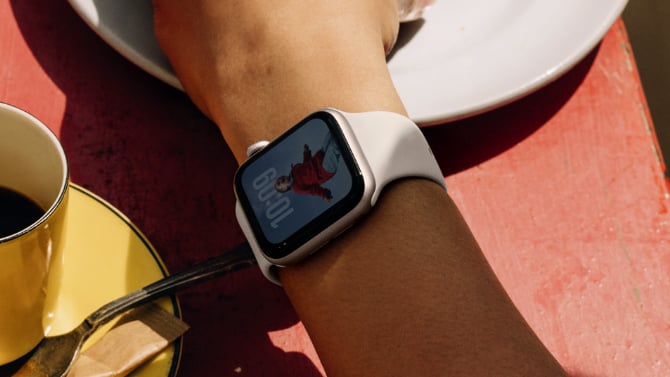
Image credit: Apple
Apple Watch SE 3: The best-value accessory for a kid’s wrist
The deal: $219.00 (usually $249.00) — 12% off
The first-generation SE was the Apple Watch I owned in college, and it was excellent for the price. I found it less distracting than a phone when I needed to focus, since I could watch for calls without picking my phone up again and again, and that logic works even better for a younger student.
The SE 3 is the one I'd recommend, because it's the best value in the Apple Watch lineup. The pricier models, like the $299 Series 11, mostly add things a student can live without, like a bigger screen and more health sensors. Also, non-Apple alternatives don’t play as nicely with the iPhone, which is the overwhelmingly popular phone choice among students.
Apple's family setup means kids can call, text, and share their location without owning an iPhone, since you can set it up from a parent's phone. If you want your student to use the watch without a phone, you'll have to get the GPS + Cellular model, which costs $269 and needs a carrier plan for the watch (usually a $10-$15 add-on). The watch can also detect a hard fall or a car crash and help connect to emergency services. The Check In feature can notify you automatically when your kid arrives where they're going. You get an always-on display, sleep tracking, and 18-hour battery life. Fast charging adds up to 8 hours of use in 15 minutes. You can choose from 40mm and 44mm sizes.

Image credit: Samsung
Samsung 32" Smart Monitor M8: One screen for homework and entertainment
The deal: $399.99 (usually $699.99) — 43% off
A laptop is solid for work on the go, but when your kid needs to sit down and concentrate, it makes sense to dock it at a desk with a big monitor. The Samsung 32" Smart Monitor M8 is 4K, and I'd recommend not skimping on resolution. I've spent my whole life in front of screens that were thankfully sharp enough, and my eyes never paid a price for it.
You can also use the M8 as the room's TV, with Samsung's smart TV apps and live channels built in, and your kid can stream Xbox and other game services through Gaming Hub without a console. That way you're buying one screen instead of a separate monitor and TV for their room. A single USB-C cable will dock a laptop like the MacBook Neo and charge it while driving the screen. The 43% discount makes it the biggest price cut on this list, so this is the one to grab while the deal holds.
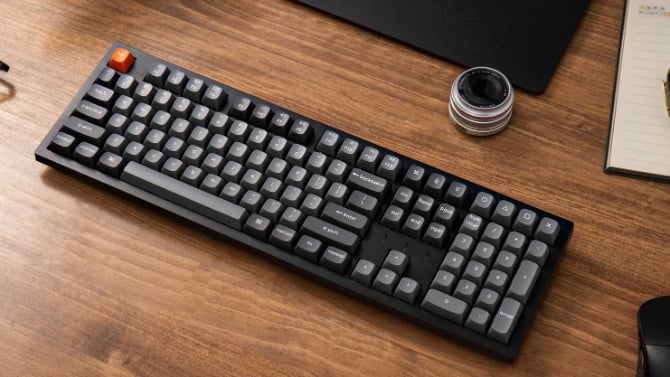
Image credit: Keychron
Keychron K10 Max: A mechanical keyboard that helps improve typing
The deal: $89.99 (usually $119.99) — 25% off
Keychron is one of the best mechanical keyboard brands around, and I recommend its keyboards regularly. In my experience, a proper mechanical keyboard will actually help a school kid become better at typing than a laptop's flat keys or a touchscreen ever could, and typing is one school skill that pays off forever.
The K10 Max is a full-size board with 108 keys, which means your kid also gets a proper number pad for math homework, and it can connect over 2.4GHz wireless, Bluetooth (three devices at once), or a cable, and it works with Mac, Windows, and Linux. Mechanical keyboards are also typically easier to repair in case of a spill, and this model has hot-swappable switches, which means you can replace the mechanism for each key instead of needing a costly overall repair. You also get durable PBT keycaps and RGB backlighting, and it's currently at its lowest price in the past 30 days.

Image credit: Logitech
Logitech POP Mouse: A small mouse for small hands
The deal: $23.99 (usually $39.99) — 40% off
Most mice are made for adult hands, and a kid gets a better grip on something smaller. The POP Mouse is a compact mouse that will fit a middle or high schooler's hand properly, and it's light enough to live in the backpack if your kid doesn't like using the laptop's trackpad. There's also a customizable button on top, which your kid can map to something they use constantly, like copy-paste or screenshots, through Logitech's app.
Logitech says its Silent Touch clicks cut 90% of the click noise, so it won't bother anyone in a quiet classroom or library. We've used other "silent" mice from Logitech and they are much quieter than a regular mouse. It can pair with up to three devices over Bluetooth, with a button to switch between them. The POP Mouse runs off a single AA battery for up to two years, and it comes in eight colors your kid can pick from. This is a limited-time deal, and some colors drop as low as $15.
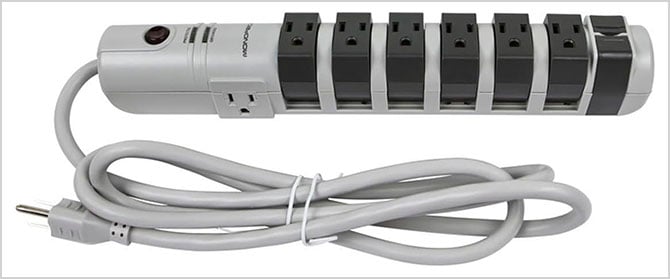
Image credit: Monoprice
Monoprice Rotating Surge Strip: Eight outlets for the after-school recharge
The price: $36.79
I've watched my nephew charge his phone, headphones, and laptop all at once, because kids come home, top everything up, and head back out with all of it. I kept a power strip in my room at school so my phone and laptop could charge together, and it's one of those basic things that adds a lot of convenience to a kid's room.
The Monoprice Rotating Surge Strip has a 6-foot cord and a slim space-saving design with six rotating outlets and two stationary to accommodate bulk AC power adapters. Most slim surge protectors don't have enough room between outlets to plug in big bricks.
The cheapest power strips tend to skip the protection features, and that's where this one earns its price. A surge protector lets power through until it reaches what's called the clamping voltage, the point at which it absorbs the excess to protect your devices and shuts off if it fails. The lower a surge protector's clamping voltage, the better the protection. The Rotating Surge Strip clamps at 330V, low enough to protect your most sensitive devices. It also offers 2,160 joules of protection before it wears out, enough for one big power spike or a few smaller ones. (Learn more in our article How to pick the best surge protector.)
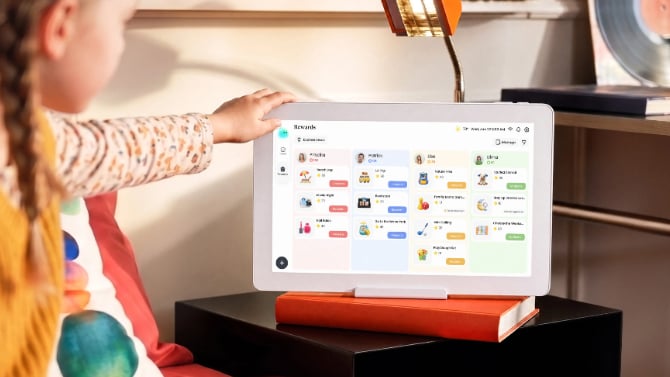
Image credit: Cozyla
Cozyla Calendar Neo: The schedule, off the fridge and onto a screen
The price: $169.99
My mom tracked everything on paper notes and schedules when I was in school, and a shared screen like this would've helped a lot, given how much kids have going on now. The Calendar Neo is a 15.6-inch touchscreen that can sync Google, Apple, and Outlook calendars onto one family timeline, with color-coded profiles, chore charts, to-do lists, and a parental lock, and you can put it on a counter or mount it to the kitchen wall.
Popular alternatives cost a lot more upfront and their best features are locked behind subscription plans, so the Calendar Neo is the cheapest way into this category that still covers the basics. The $169.99 price includes a free month of Cozyla's Essential plan, which unlocks the voice assistant, the rewards system, and meal planning, and it'll auto-renew at $79.99 a year after 30 days. The core features, including the synced calendars, chores, and to-dos, keep working without paying anything.

