

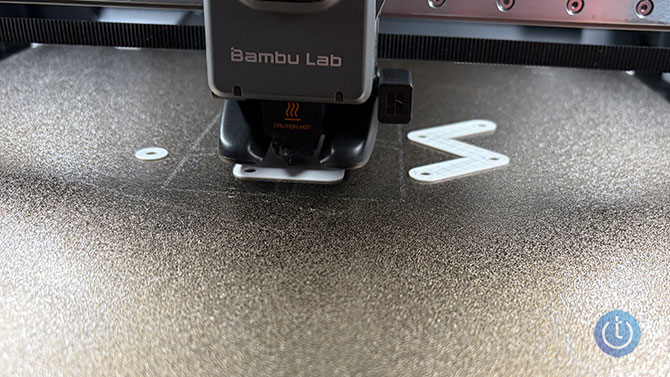
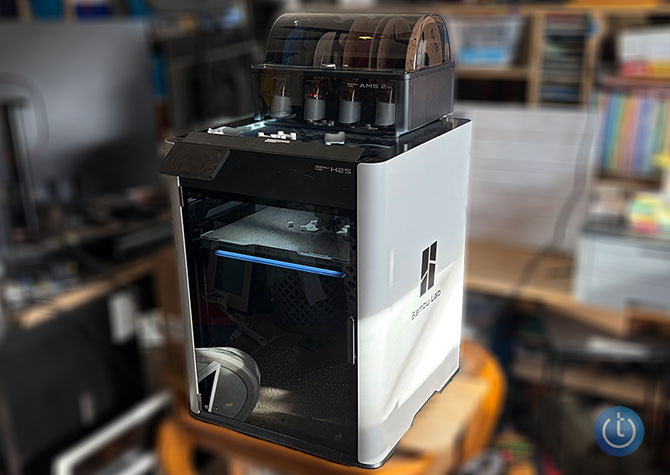
3D printing was long an area of tech that I felt extremely unqualified (and unmotivated) to get into. As potentially interesting as the idea was – make anything you want – there was a lot to learn: filament types, balancing, print plate textures, 3D modeling. But I've discovered that things are not as complex as they seemed, or once were, while testing the Bambu H2S 3D printer with the AMS Pro2 kit that enables multi-color printing. It has been absolutely eye-opening, and it's fair to say the printer has been running almost constantly since it arrived around six weeks ago.
During that time, I've learned quite a bit about today's 3D printing that I want to share with you.
1. 3D Printing is Easier and More Accessible than You'd Think
The technology behind 3D printing has advanced significantly in just a few years. The process used to involve a table with an extruder above it that was open to the elements and had to be adjusted, balanced, and tweaked to get acceptable results. Today, even entry-level 3D printers handle much of that work automatically, with enclosed designs that help keep the printer neat and free of dust and dirt during its downtime. It also makes it less prone to jostling during a print.
A basic enclosed 3D printer can now be had for less than $400. To be fair, the H2S that I've been using costs considerably more (about $1,499). It has more advanced features like the ability to print in multiple colors and to spot and terminate failed prints early on (saving time and the filament that prints are made from).
But if you're on a budget or just starting out, you can find plenty of capable options in the lower price range, such as the Elegoo Centauri Carbon, priced between $300-$400.
These printers are great for beginners because you can pull them out of the box, set them up, and be printing within an hour. Some even come with designs for 3D prints already stored in memory to get you started. Most printers now work over Wi-Fi, no cables required. The Bambu H2S also lets you control the printer through a smartphone app or via the traditional method – software you install on your PC or Mac. 2. There are many freely available tools to help you along the way.
A 3D printer builds an object up one layer at a time, with each layer configured by what's called slicing software. Most printers have their own slicing software, but 3rd party options are also available. Thus far I have only used the software that comes with the printer, but Reddit is full of examples of slicing software that people prefer.
Additionally, there are the 3D print models themselves. There are plenty of files for models that have been designed by others and uploaded to one of several repositories, including Thingiverse, Yeggi, MarkerWorld and more.
You can also design or modify your own print files using tools like Tinkercad, a browser-based service that lets you build simple objects online. This becomes more important the longer you stick with 3D printing as your ambitions grow. There are also specialized tools for particular projects, like Bento3D, which can generate boxes with dividers.
Read more: I Found the Logitech MX Master 4 Makes Everyday Tasks Faster
3. Multi-Color Printing is Now Easy
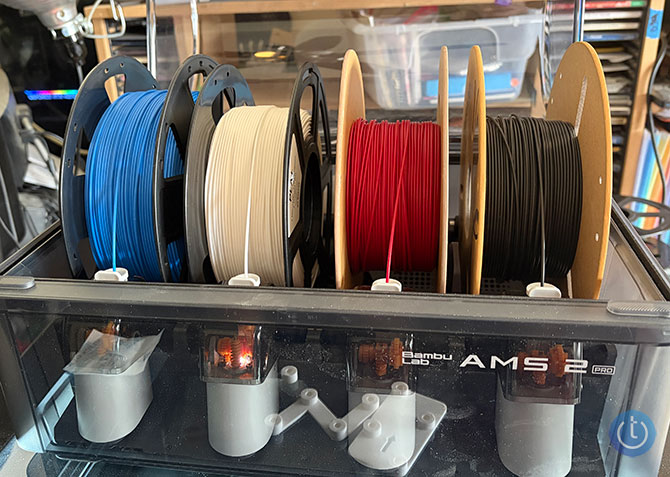
The Bambu H2S is also expandable with the AMS Pro 2 ($299), which allows you to print with up to four different color filaments to make multi-color objects. For example, I printed the "Toothless" character from “How to Train Your Dragon,” which is black with blue eyes.
You can control this in the slicing software simply by highlighting where you want each color to appear in the item you are printing. The Bambu slicer makes this especially easy. When it’s time to change colors, the AMS Pro 2 retracts the current color filament and feeds in the next one.
4. There are Various Levels of Complexity
While the bar for everyday printing has been significantly lowered, the learning curve rises steeply if you want to create something more complex or customized. It's one thing to download and print existing models, and another to design your own. The process isn’t always straightforward.
In the months that I’ve been 3D printing, I have successfully designed one item for my own use, and it’s not perfect. I wanted to build a box to hold a couple of items on my nightstand that I kept knocking onto the floor. So, using Tinkercad, I tried to design a box with a hook that I could hang on my nightstand. I took the measurements, watched instructional videos on YouTube, and eventually designed and printed a box that mostly works. I couldn't figure out how to build the hook, however, so I resorted to double-sided tape. Plus, my measurements must've been off because one thing I wanted it to hold – a stick of deodorant – is a very tight fit, and the other thing – a hairbrush – is very loose. But still, my creation does what I wanted it to do.
5. One person’s Treasure is Another Person's Trash
Searching for things to print can be labor-intensive, and there’s a reason for that. Most designs are created to solve a specific problem for a specific person. That’s why searches for “best 3D prints” often turn up long Reddit threads full of “I needed this exact thing, so I made it,” which may not be helpful for your own needs.
I’ve found plenty of prints that are cool, but only in a decorative sense. I have printed statues and other tchotchkes to put on shelves, but few truly useful items. Until you learn how to modify existing designs, you'll be stuck with things built for someone else's use case.
That’s not necessarily a bad thing, as it serves as an introduction to the technology, but it does limit how useful 3D printing can be at first. Still, the technology is far more approachable than it used to be. If you’ve been curious about 3D printing but assumed it was too complicated to get into, I'm happy to tell you that times have changed.
Read more: Black Myth: Wukong Keyboard Turns Your Desk Into a Showpiece
[Image credit: Adam Doud/Techlicious]

