

Image credit: Delta
A fake Wi-Fi network popped up on a Delta Air Lines flight this week, serving as a wakeup call that a scam can hit any public Wi-Fi network, even in the air.
According to Delta, an unauthorized Wi-Fi network, called called "DELTA WIFI FAST", appeared on flight DL591 from Las Vegas to Atlanta on August 10. The flight crew believed that a passenger set up the network to scam other passengers. The crew disabled the plane's Wi-Fi for about 30 minutes as a precaution. Delta says there was no hack of its aircraft systems and that flight safety was never at risk. The airline is investigating the incident with federal law enforcement.
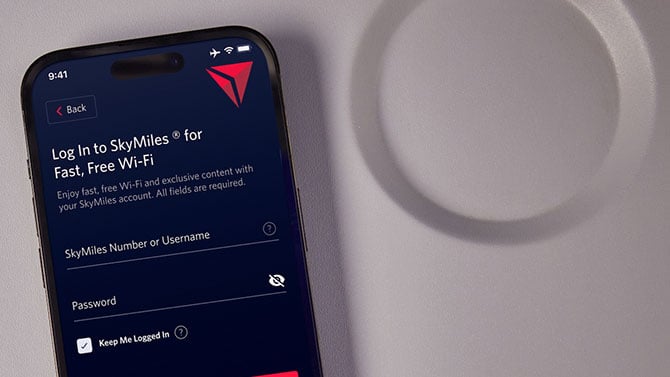
This is a classic example of a "honeypot" or "evil twin" attack: a fake Wi-Fi network created to look like a real one, using a name that's identical or nearly identical to the legitimate service. Once a device connects, the attacker can inspect its traffic, probe it for vulnerabilities, or redirect it to a fake website designed to steal logins or payment details. In this instance, it would have been easy to harvest SkyMiles account login information since passengers expect to log in to their accounts to access free Wi-Fi onboard.
Read more: How to protect your privacy on public Wi-Fi
There are a few things you can do to avoid connecting to a fake Wi-Fi hotspot on a flight. First, turn-off auto-join for Wi-Fi hotspots. You can do this inside your device's Wi-Fi settings. This will prevent your phone or laptop from automatically connecting to a fake Wi-Fi hotspot with the same name as the real one.
When connecting to in-flight Wi-Fi, double check the name of the network with seat-pocket information or a flight attendant. There should only be one public network for your plane (one without a lock symbol), so if you see two, that's a red flag.
You can also use a VPN to prevent a malicious Wi-Fi hotspot from redirecting you to a fake website to steal your passwords and credit card information. The challenge with using a VPN on planes is that it often needs to be turned off during the initial login, which leaves your SkyMiles account information exposed. However, once you are logged in, it can be turned on to prevent any further exposure from a potentially malicious network.
Read next: The best VPNs for protecting your privacy

