

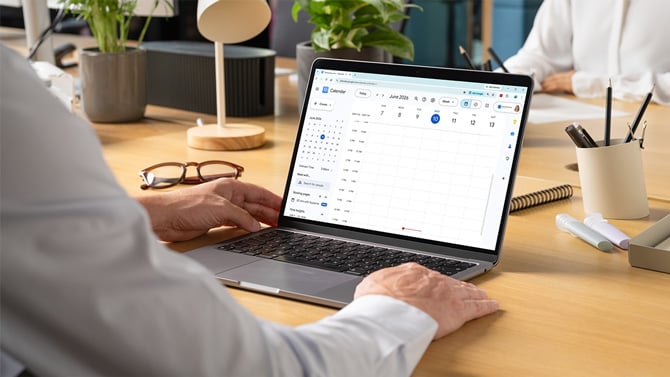
Google's Trust and Safety team is warning about a phishing tactic that delivers fake billing notices straight to Google Calendar, bypassing the email filters that would normally screen them out. According to the company's June 2026 fraud and scams advisory, criminals are adding fake subscription renewal receipts as calendar events, with large dollar amounts, invented transaction IDs, and a phone number to call.
Part of what makes the tactic effective is a Google Calendar default. Unless you've changed the setting, Calendar automatically adds event invitations to your schedule from people you've never interacted with. The malicious invite can land on your calendar without you opening any email or pressing accept.
Security firm Malwarebytes documented an active campaign in March 2026 where scammers impersonated Malwarebytes itself. Victims were sent fake four-year renewal receipts loaded with invented membership IDs and transaction codes, plus a phone number in the event description to call and "dispute the charge." Once on the phone, the goal is your credit card number, bank details, or remote access to your computer.
Calendar phishing invites can also show up as prize notifications, wire transfer alerts, and overdue invoice notices. Like any other scam, the invite could be anything designed to feel urgent enough to act on immediately.
The best way to protect yourself is to limit who can drop events onto your Google Calendar. Open Google Calendar on your computer, click the gear icon, select “Settings,” then “Event Settings.” Under "Add invitations to my calendar," switch from "From everyone" to "Only if the sender is known" or “Only when I respond to the invitation in email.” For most people, I’d recommend selecting "Only if the sender is known." With that setting, invitations from people in your contacts, your organization, or anyone you've previously emailed still appear automatically. Invitations from unknown senders go to your inbox as an email instead, where you can decide whether to add them.
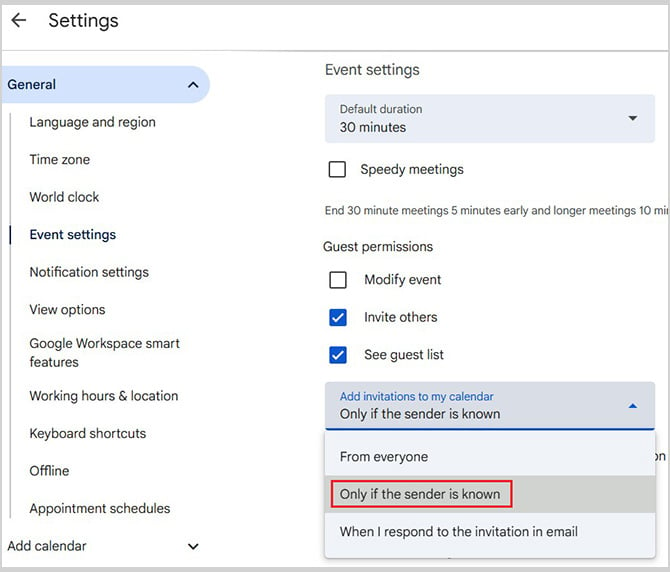
Changing the “Event settings” only controls calendar invitations from other people. “Events from Gmail,” including flights, hotel reservations, and other booking confirmations, are a separate feature and continue to work normally.
If a suspicious invite has already appeared in your calendar, don't just delete it. Open the event, click the three-dot menu, select "Report as spam," then delete. Reporting helps Google's systems flag similar senders.
[Image credit: Screenshot via Techlicious, laptop mockup via Canva]

