

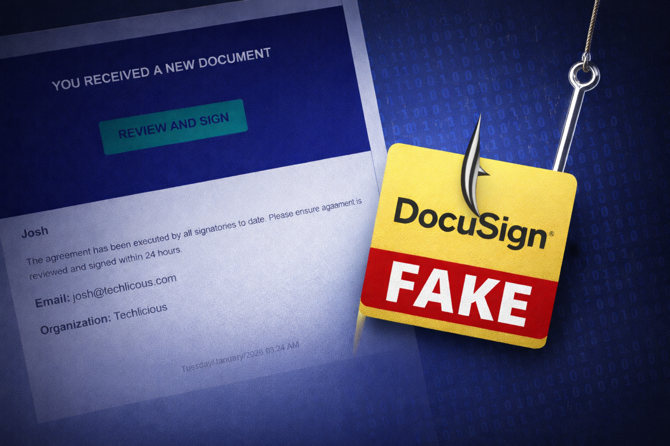
I’m usually pretty good at spotting phishing emails. It’s part of the job when you write about consumer tech every day. But this one almost got me – and that’s exactly why I’m talking about it.
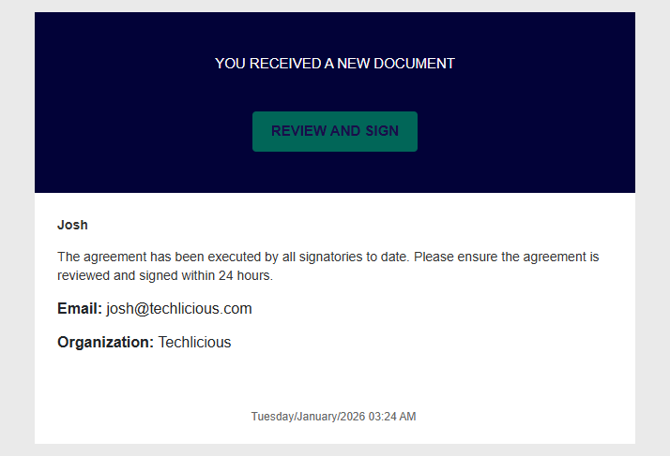
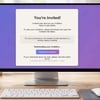
The email looked like a standard DocuSign notification. Same tone. Same formatting. Same “Review and Sign” button. And it hit my inbox at the perfect moment: right when I was expecting a legitimate contract from a client. That timing matters, because phishing attacks don’t need to fool you all the time – they just have to line up with the one moment you’re moving fast.
What pushed this over the line is how personalized it was. The email included my name, my company name, and my actual email address right in the body of the message. That kind of detail makes you less suspicious, especially if you’re multitasking. And with the number of data breaches we’ve seen over the past decade, it doesn’t take much for scammers to stitch together enough personal information to make an email look legitimate.
Once I clicked in, the first red flag hit. Instead of taking me to DocuSign, the page asked for my Google credentials. DocuSign uses secure tokenized links – it doesn’t ask you to log into Google just to view a document. The URL also wasn’t a Google domain. And crucially, 1Password didn’t autofill my login. For me, that’s the universal “stop right now” signal. Password managers won’t fill in credentials unless the domain matches exactly.
Read More: Your Weak, Old, Reused Passwords Are All Over the Internet
After I stopped and dug into the message, the whole setup became obvious. The email came from a nifty.com address – a free Japanese email service – spoofed to look like an internal sender. Mine was sent from techlicious@nifty.com, and online threads show the same trick: [your company name]@nifty.com. The underlying email headers confirm it wasn’t sent by DocuSign or any associated service (Nifty is a legitimate free email provider based in Japan).
When I searched for more information, I found multiple Reddit threads and forum posts discussing this exact scam, all coming from Nifty addresses. The emails share the same personalization, the same DocuSign-style design, and the same attempt to divert you to a fake login page.
How to prevent real damage
Two things protected me: two-factor authentication (2FA) and a password manager. If I had typed my Google password into that fake page, the attacker still wouldn’t have been able to break into my account because my Google account requires two-factor authentication (2FA). If you don’t have 2FA turned on for your critical accounts, you should. This is a non-negotiable with today’s internet.
Password managers won’t autofill your information unless the website’s domain is an exact match. When 1Password didn’t fill my Google login, it immediately snapped me out of autopilot. Password managers also make it painless to maintain strong, unique passwords for each site so a single compromised credential doesn’t cause a cascade of account breaches.
I use 1Password and love it, but any of the leading password managers – Dashlane, NordPass, Apple Passwords or Google Password Manager – used consistently will work just fine. Like 2FA, using a password manager is a necessity for proper security.
I deal with scams like this all the time, and this one still almost got me. That’s why it’s worth building multiple layers of protection. And when something feels even slightly off, assume it’s a trap until you prove otherwise.
Because “almost” is the difference between a close call and a crisis.
Read More: How to Tell if an Email Has Been Spoofed
[Image credit: Josh Kirschner/Techlicious, Josh Kirschner/Techlicious via ChatGPT]














From ron wright on January 20, 2026 :: 11:50 pm
I have a similar scam attempt recently where the email appeared to come from Zoom, because it DID come from Zoom. It was an invitation to a Zoom call to dispute the charges for $350 for Norton Antivirus or whatever. The thing that made this attempt different from the many I’ve had begore, is that being a Zoom invitation it actually did come from Zoom, but, of course, accepting yhevZoom invitation is like calling the 800 number to dispute those charges.
Reply