


MSI Stealth 16 AI+
What is the difference between MSI Crosshair and Stealth, and which one should I buy?
Choose an MSI Crosshair 16 laptop if sustained gaming performance and high CPU/GPU power are your priorities. The Crosshair A16 HX pairs AMD Ryzen HX processors with up to RTX 5070 graphics, while the Crosshair 16 Max HX uses Intel Core Ultra HX processors and reaches up to 200W combined CPU/GPU power. Choose the Stealth 16 AI+ if you want stronger portability, a 240Hz OLED display and up to RTX 5080 graphics in a 4.39-pound chassis.
| Spec | MSI Crosshair 16 Max HX | MSI Crosshair A16 HX | MSI Stealth 16 AI+ |
|---|---|---|---|
| Price | $2,599.99 | $2,699 | $3,999.99 |
| CPU | Up to Intel Core Ultra 9 290HX Plus | Up to AMD Ryzen 9 8940HX | Up to Intel Core Ultra 9 Series 3 |
| GPU | Up to NVIDIA GeForce RTX 5070 | Up to NVIDIA GeForce RTX 5070 | Up to NVIDIA GeForce RTX 5080 |
| RAM | 32GB DDR5 | 32GB DDR5 | 32GB DDR5 |
| VRAM | 12GB GDDR7 | 8GB GDDR7 | 16GB GDDR7 |
| Storage | 1TB NVMe | 1TB NVMe | 2TB NVMe SSD |
| Display |
16" QHD+ OLED, 165Hz or 16" QHD+ IPS-level, 240Hz |
16" QHD+ IPS-level, 240Hz | 16" QHD+ OLED, 240Hz |
| Ports |
3 x USB-A 3.2 Gen 2 1 x USB-C 3.2 Gen 2 (DisplayPort, Power Delivery) 1 x Thunderbolt 4 (DisplayPort, Power Delivery) 1 x HDMI 2.1 2.5Gb Ethernet |
3 x USB-A 3.2 Gen 1 2 x USB-C 3.2 Gen 2 (DisplayPort, Power Delivery) 1 x HDMI 2.1 Gigabit Ethernet |
2 x Thunderbolt 4 USB-C (DisplayPort, Power Delivery) 2 x USB-A 3.2 Gen 2 1 x HDMI 2.1 2.5Gb Ethernet |
| Weight | Up to 5.1 lbs. | Up to 5.07 lbs. | Up to 4.39 lbs. |
| Dimensions | 14.29" x 10.62" x 0.86–0.94" | 14.29" x 10.62" x 0.86–1.01" | 13.94" x 9.69" x 0.66–0.79" |
| Best for | Maximum features and more immersive gaming experience with 24-zone RGB keyboard | AMD platform | Combines portable form factor and minimalistic design for a premium feel |
The MSI Crosshair series laptops are high-performance gaming laptops offering different models. First, you have the Crosshair 16 Max with the Intel Core Ultra 9 290HX processor that can deliver up to 200W of total performance. Next, there’s the Crosshair A16 HX configured with the AMD Ryzen 9 8940HX processor and delivering up to 190W. Configurable with top specs from either AMD or Intel with powerful NVIDIA RTX Graphics, the 16-inch laptop is a jack of all trades, able to run AI workloads and robotics simulations or create a presentation for work or school. And yes, it can absolutely deliver buttery-smooth frame rates and beautiful graphics when it’s game time. It’s the ideal powerhouse for creatives, students, professionals, gamers, and programmers.
But say you need extreme portability injected into the equation. Then the lightweight MSI Stealth series is the way to go. The Stealth 16 AI+ seamlessly combines power and portability by outfitting an Intel® Core™ Ultra 9 processor 386H and up to NVIDIA RTX 5080 Laptop GPU into a sleek aluminum chassis that weighs less than 5 pounds with a thickness of only 0.66 inches. This is the laptop for mobile professionals and anyone who wants a versatile notebook that can handle heavy workloads including productivity and AI, as well as gaming, and that doesn’t look like a gaming PC.
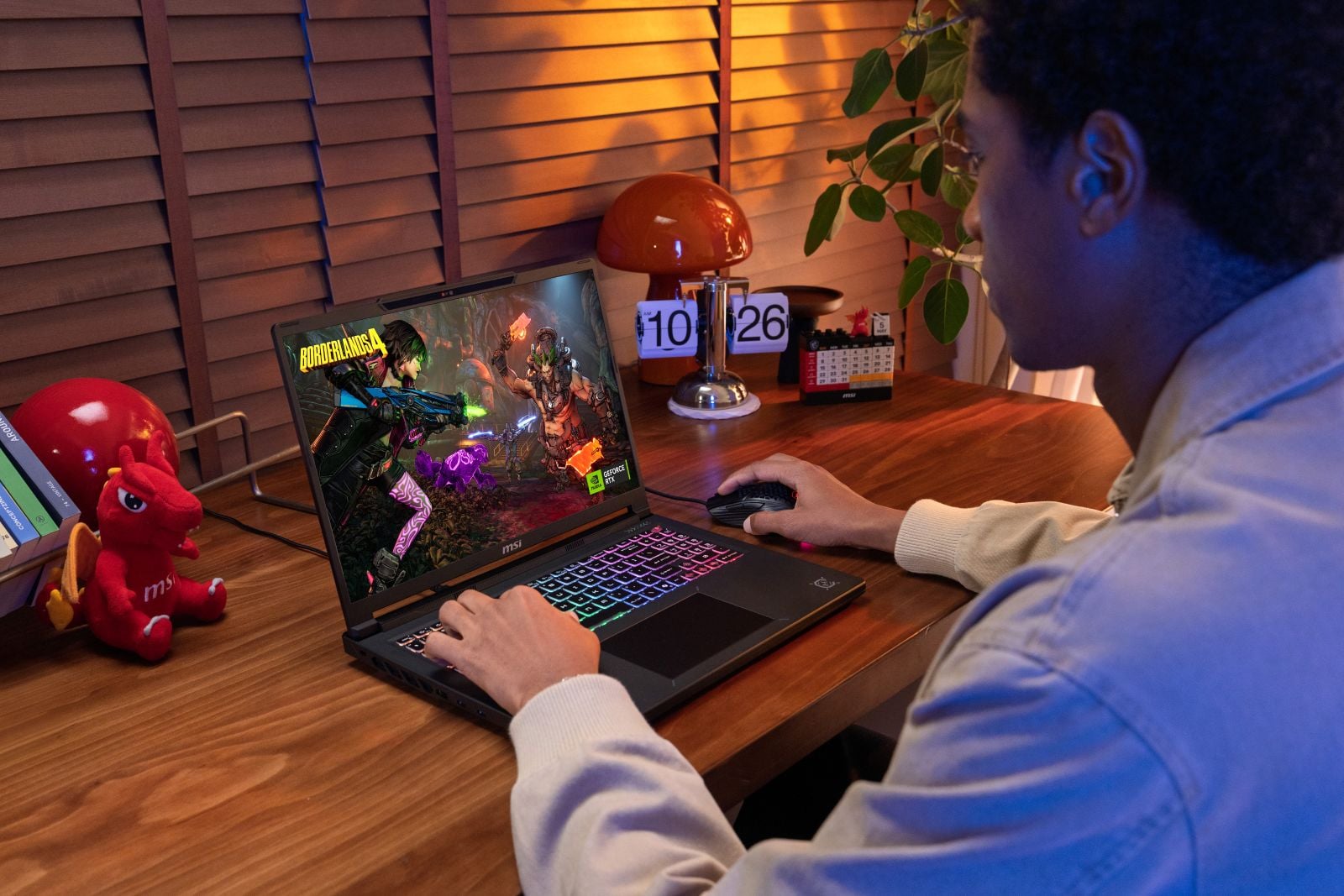
MSI Crosshair A16 HX
MSI Crosshair Series: the Gaming Laptop for Any Scenario
MSI offers several models of the Crosshair 16 series including the Crosshair A16 with AMD Ryzen 9 8940HX processor and the MSI Crosshair 16 Max with Intel Core Ultra 9 290HX Plus processor. For the graphics card, both iterations top out at an NVIDIA GeForce RTX 5070 Laptop GPU with 12GB GDDR7 VRAM for the Crosshair 16 Max, and 8GB GDDR7 VRAM for the Crosshair A16. It’s a combination ripe for heavy productivity and multitasking, including large spreadsheets, STEM applications, and research.
But let’s start with gaming and that NVIDIA GPU. The Crosshair 16 series uses NVIDIA’s powerful Blackwell architecture that includes ray and path tracing for more realistic lights, shadows, and reflections. To ensure optimal graphics, DLSS 4.5 employs AI-powered rendering and frame generation, which also produces higher frame rates. There’s also NVIDIA Reflex 2 that works to significantly reduce input lag. It’s a clutch feature for anyone who plays FPS or DOTA-style games. As it stands, expect to play most of your games at the highest settings with little to no compromise.
How do the Crosshair 16 series laptops perform under demanding workloads?
Outside of running games at some of the highest settings with little to no latency, the RTX 5070 lends itself to plenty of non-gaming activities. Creatives, architects, engineers, and students should appreciate the GPU’s efficiency in accelerating video effects and exports, rendering 3D models, visualizing CAD projects, and encoding livestreams. Meanwhile, comp-sci and STEM students have a platform for learning CUDA programming, experimenting with smaller local AI models, and building projects in Unity or Unreal Engine.
But we can’t forget the CPUs. Both the Ryzen 9 8940HX and Core Ultra 9 290HX Plus processor can power through the most demanding tasks you throw at them. That level of processing comes in clutch when you’ve got your latest class assignment, 30 browser tabs, a video call, and an unwieldy Excel workbook all competing for attention. The Crosshair 16 series can also tackle more demanding coursework, including compiling code, analyzing large datasets, creating CAD models, and running engineering simulations.
How well does the Crosshair 16 series handle AI workloads?
Thanks to the GPU’s Tensor Cores, the Crosshair 16 series is a great starting point for learning the ropes of AI development. It can easily run smaller LLM workloads as well as AI-powered photo and video editing and GenAI tasks. Students could build handy chatbots to manage notes, transcribe lectures, or assist with projects.
I’d be remiss if I didn’t talk about the Crosshair 16’s design and other key features. The MSI Crosshair 16 Max weighs up to 5.1 pounds, and measuring up to 14.29" x 10.62" x 0.86 - 0.94" while the Crosshair A16 HX has dimensions of 5.07 lbs,14.29” x 10.62” x 0.86 - 1.01”. The Crosshair 16 series are 8% lighter and thinner than the previous model. And they’re giving Gundam in all the best ways. The etchings on the lid resemble the gridlines on the pilot’s head-up display, with MSI’s dragon mascot, Lucky, lit up in beautiful RGB backlighting. Crosshair is written in a funky, futuristic font that makes the notebook stand out from other MSI laptops, as does the graphic detailing and Crosshair icon on the palm deck.
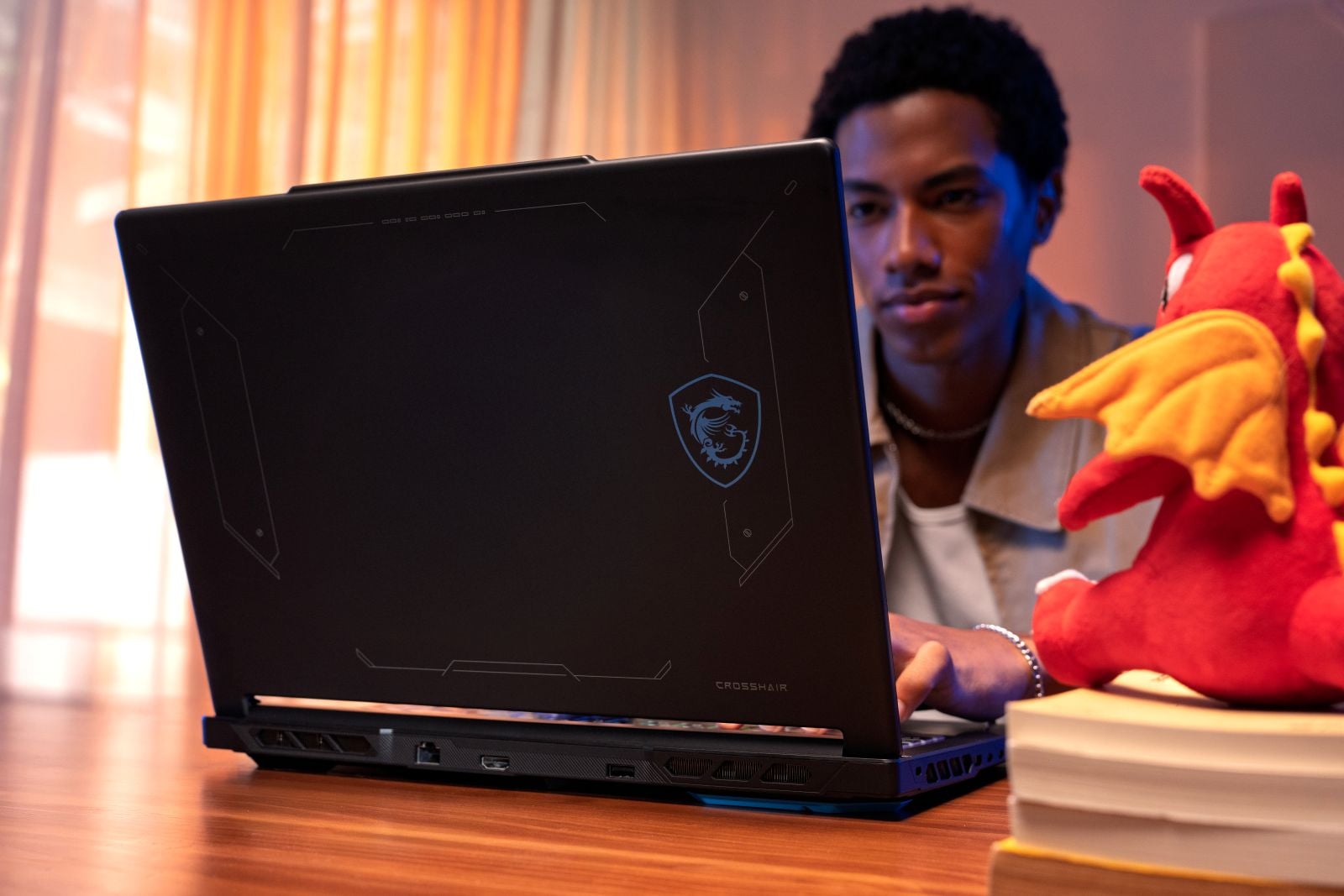
MSI Crosshair A16 backlid design
There’s more RGB goodness emanating from the full-size, island-style keyboard with full num pad. The Crosshair A16 HX has a 4-zone RGB keyboard, while the Crosshair 16 Max HX steps up to 24 zones. The laptop’s undercarriage is basically a massive stylishly designed vent, which helps airflow to the redesigned Cooler Boost technology with 2 fans and 4 exhaust vents. MSI says the redesign brings in up to 51% airflow, which will help keep everything cool for longer stretches of high performance. That will definitely come in handy, as the Crosshair 16 series has MSI Overboost technology onboard, which pushes combined wattage to up to 190W for the Crosshair A16 and up to 200W for the Crosshair 16 Max.
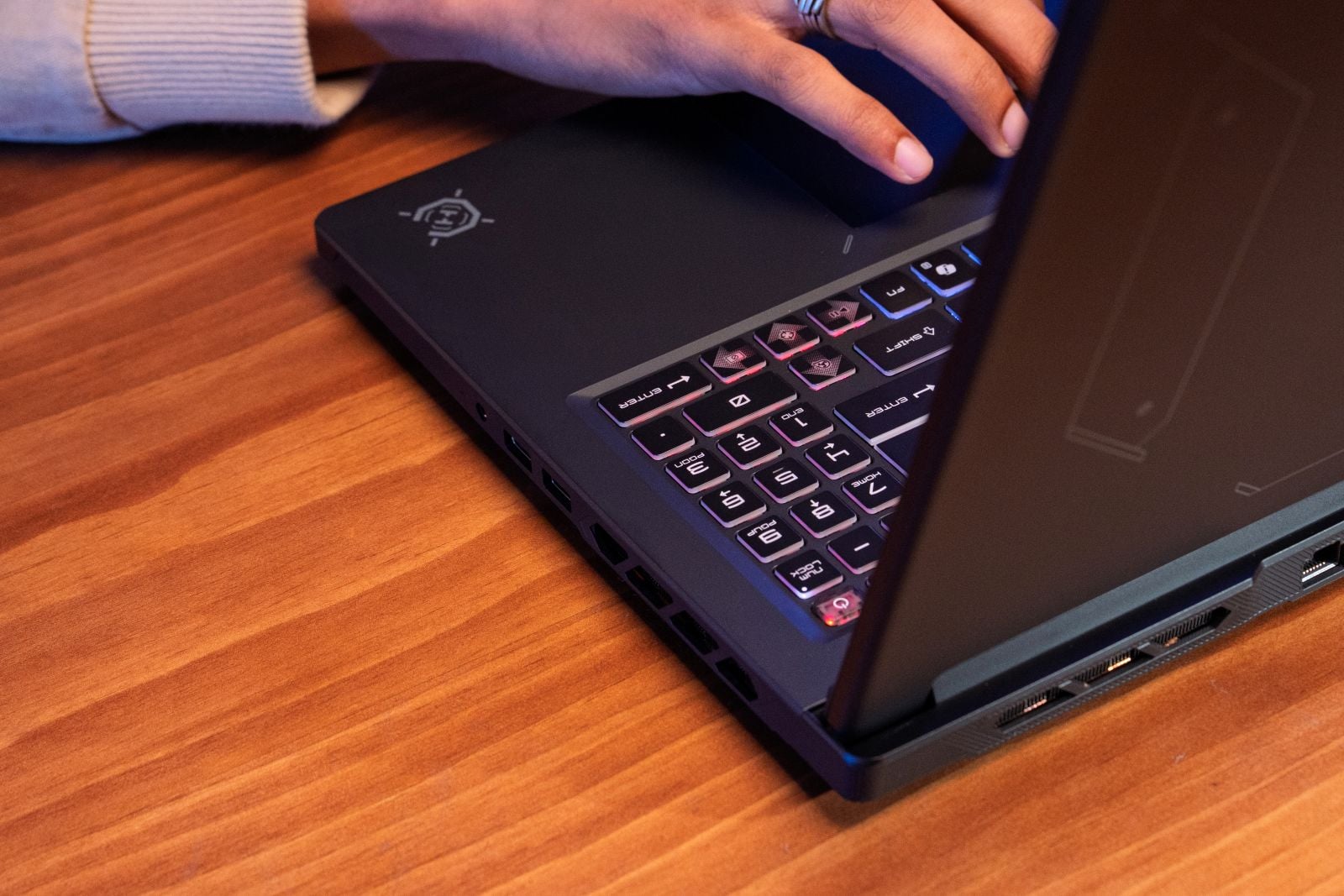
MSI Crosshair A16 HX keyboard
The Crosshair 16 series offers a healthy variety of ports, including two USB-C 3.2 Gen 2 ports, three USB-A 3.2 Gen 1 ports, Ethernet, HDMI 2.1, a headset jack, DC-in, and a Kensington lock.
Whether you’re gaming, studying, watching video, or editing it, the Crosshair 16’s display is one to watch. The Crosshair A16 HX pairs a 2560 x 1600 QHD+ resolution with a fast 240Hz refresh rate and 100% DCI-P3 color coverage, delivering fluid motion for competitive games and detailed visuals for creative work.
The Crosshair 16 Max HX offers two QHD+ display options. The 240Hz IPS-level panel prioritizes responsiveness and fluid motion, while the 165Hz OLED panel with VESA DisplayHDR True Black 1000 delivers deeper blacks, richer contrast, and more immersive visuals. Buyers can choose based on whether refresh rate or OLED image quality matters more to them.
The MSI Crosshair 16 is working with a stacked deck, and it’s dealing consumers a winning hand. Thanks to its powerful specs and thoughtful features, the laptop is a tried-and-true beast whether you’re racking up the kills in your favorite shooter or working on your latest LLM or GenAI project. Built for performance, the Crosshair 16 can tackle a wide swath of tasks without breaking a sweat.
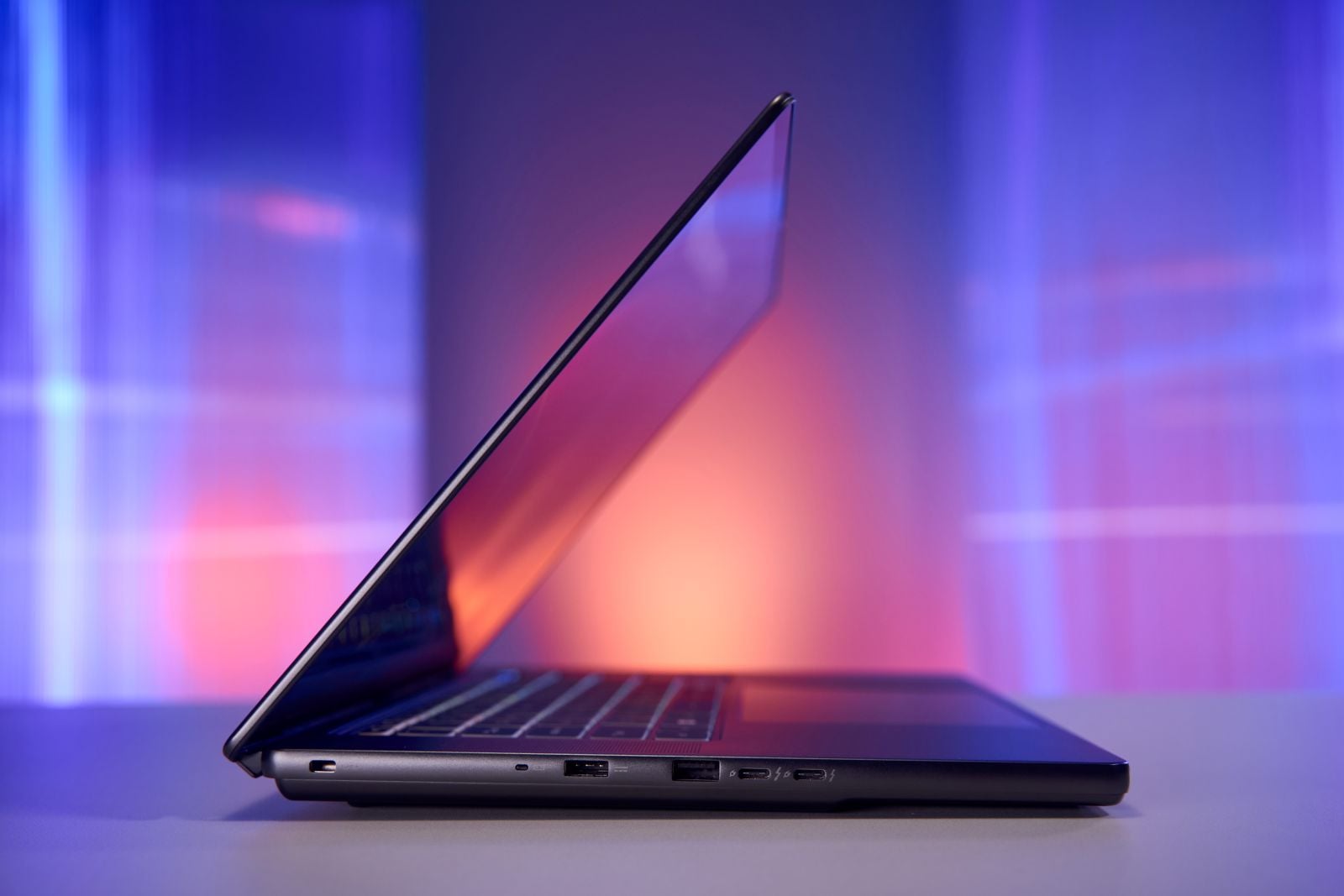
MSI Stealth 16 AI+ slim design
MSI Stealth 16 AI+: premium performance meets maximum portability
Everyone loves a powerful laptop. However, a lot of those powerful systems are absolute units. That’s fine for the home office, but for those of us who are constantly on the run, it’s a no-go, with our aching backs as testament. So what’s a student or mobile professional supposed to do?
Rather than play the compromise game, I’d like to suggest the MSI Stealth 16 AI+. A thin-and-light system weighing only 4.39 pounds with a svelte thickness of 0.66 inches, the Stealth 16 AI+ was built for the work-on-the-go crowd. But don’t write off the laptop as one of those performance-lite machines. You know the ones. Can only handle bare-minimum productivity and multitasking with laughable gaming capability.
No, my friends, MSI found a way to cram a whole lot of power into that tiny chassis. The laptop is available with up to an Intel Core Ultra 9 processor, NVIDIA GeForce RTX 5080 Laptop GPU 16GB GDDR7 VRAM, and an NPU that can reach up to 50 TOPS. All in all, the Stealth 16 AI+ is a lean, mean multitasking/AI/productivity/gaming machine. And it’s got some upgradability. The laptop has two RAM slots and two SSD slots in case you need a memory or storage boost.
But before we get into the performance and use cases, let’s talk about the design, because the redesigned Stealth 16 AI+ is an absolute beaut. The Charcoal Black all-aluminum chassis is elegant and doesn’t indulge in the bright RGB-saturated light show that screams “gamer” unless you want it to. Instead, the notebook is all rounded edges with a lid that has a pair of interlocking geometric rings that subtly form an S along the right and the MSI iconography and Stealth wordmark along the bottom left.
A 240Hz OLED Display for Gaming and Content Creation
Opening the laptop is your first hint that this is not your average laptop with the glowing 4-zone RGB keyboard sandwiched between a pair of speakers. A stunning 16-inch, 2560 x 1600 OLED display with a 240Hz refresh rate is the centerpiece of the show, ensconced in barely-there bezels. The display is designed with low blue light and eye care features such as VESA HDR True Black 600 and SGS Eye Care certification. Plus, the panel has 100% DCI-P3 coverage with Delta E<1 color accuracy, which designers, photo and video editors will appreciate.
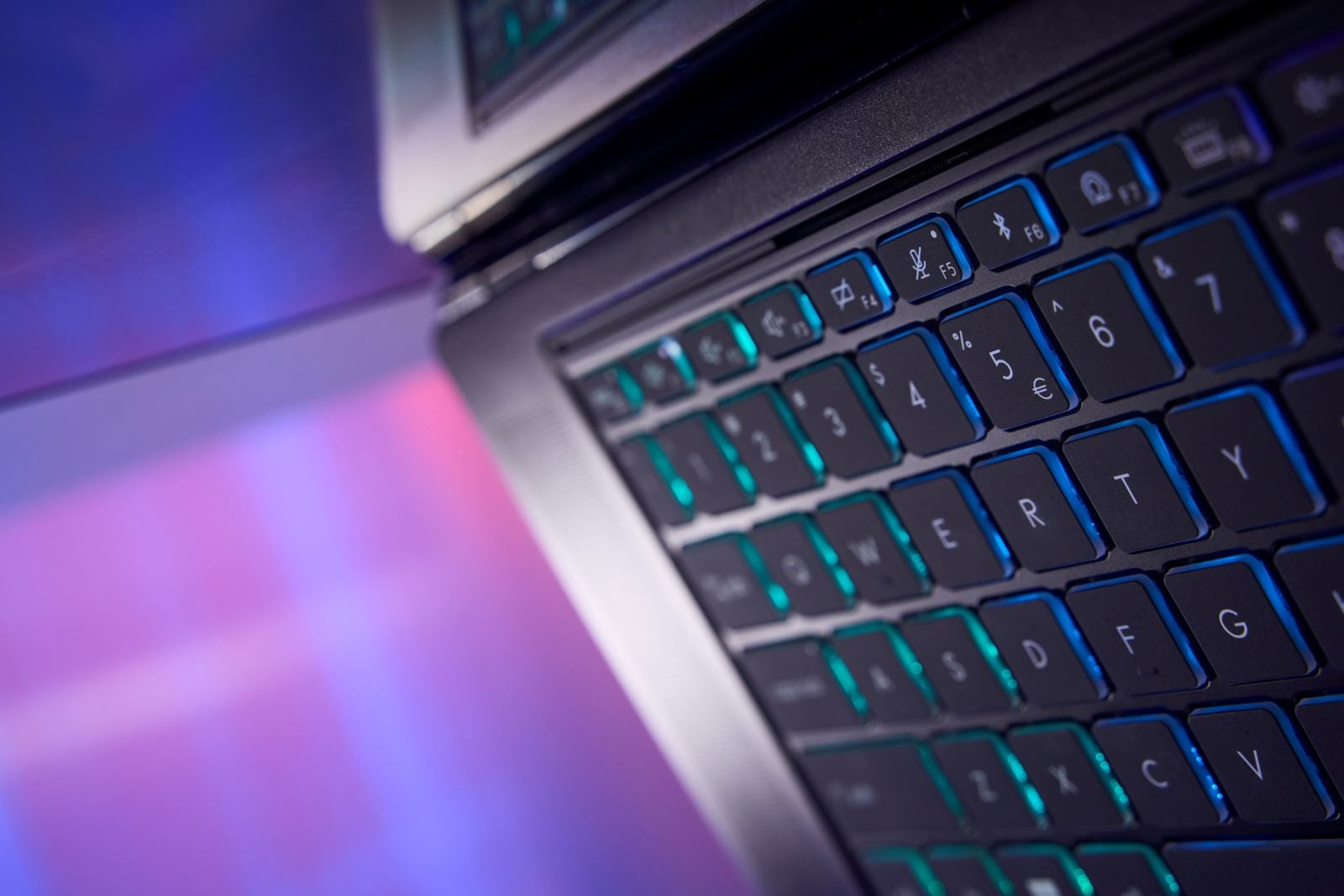
MSI Stealth 16 AI+ keyboard
For such a slim system, the Stealth 16 AI+ has a healthy line of ports, including a pair of Thunderbolt 4 ports, two USB-A 3.2 Gen 2 ports, HDMI 2.1, Ethernet, a headset jack, DC-in, and a Kensington lock slot.
The Stealth 16 AI+ undoubtedly has gamer DNA. But the notebook is more than that, particularly for creative professionals. That lovely, color-accurate display and high refresh rate lend themselves to smoother motion when scrubbing through video timelines, moving objects across a canvas, or navigating complex 3D scenes. NVIDIA Studio, a hardware and software platform designed for video editors, photographers and graphic designers, is also on board. Paired with the RTX 5080 GPU and its 16GB of VRAM, NVIDIA Studio can boost high-resolution video editing, motion graphics, 3D rendering, and AI-powered creative apps, essentially transforming the Stealth 16 AI+ into a portable creative studio.
And let’s not forget the Intel® Core™ Ultra 9 processor 386H. With its 16 cores (4 performance / 8 efficiency / 4 low-power efficiency), the Stealth 16 AI+ is a multitasking/productivity master. For instance, a video producer could use the Stealth to edit high-resolution footage while running Photoshop, managing project files, and researching assets in a browser. The processor’s cores can distribute demanding production work and lighter background tasks across its performance, efficiency, and low-power efficiency cores. Meanwhile, its NPU can also accelerate supported AI features such as transcription, background removal, subject tracking, and noise suppression, leaving more CPU and GPU resources available for editing and rendering.
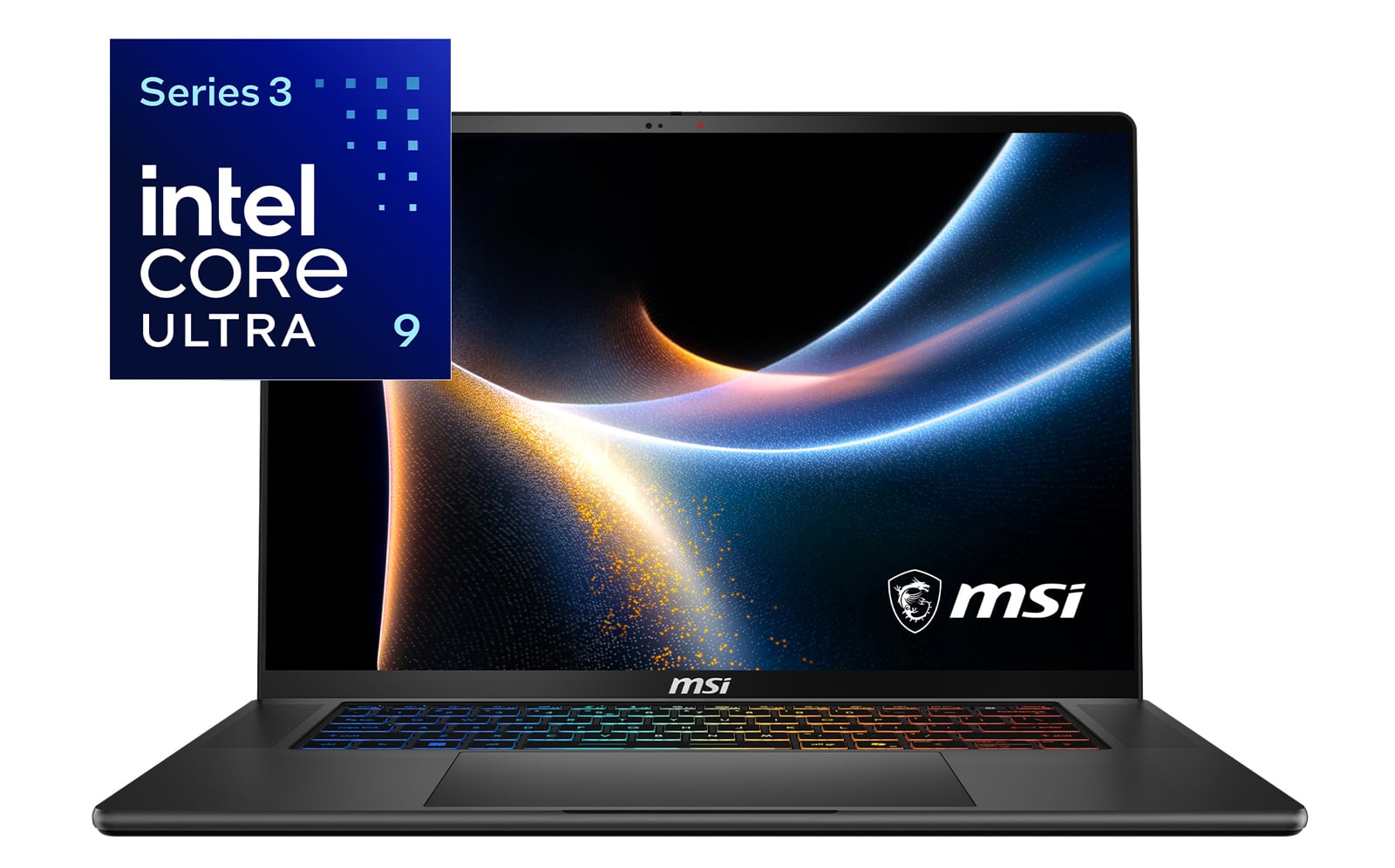
Powered by Intel® Core™ Ultra 9 Series 3 processor
So, if the Stealth 16 AI+ can do all of that for creatives, what about its bread-and-butter audience: gamers? Rocking the second most powerful mobile GPU in NVIDIA’s Blackwell lineup, the laptop should have little trouble running today’s most demanding games. Ray tracing can produce more realistic lighting, shadows, and reflections, while DLSS 4.5 can help offset the resulting performance hit and deliver higher frame rates. The results should look particularly captivating on the Stealth’s 240Hz OLED display.
Supporting all that performance is a combined CPU and GPU power budget of up to 175W when the laptop is plugged in and set to its maximum-performance mode. MSI’s Cooler Boost with Intra Flow system manages the resulting heat, helping the components sustain performance within the Stealth’s thin chassis.
The RTX 5080 handles the visual workload, while the Core Ultra 9 386H processes game logic, physics, player inputs, character behavior, and the instructions sent to the GPU. Its performance cores tackle the game’s most time-sensitive tasks, while the efficiency cores can manage background applications such as Discord, recording software, and web browsers. This division of labor helps maintain responsive gameplay and the high frame rates needed to take advantage of the Stealth’s 240Hz display.
And since it’s in the name, we definitely have to talk about AI. With the Core Ultra 9 386H comes an NPU that can reach up to 50 TOPS. The Stealth’s AI hardware has uses beyond novelty image generators. The processor’s NPU can handle supported background features more efficiently, leaving the CPU and GPU available for more demanding work. Creators can use compatible tools to track subjects, remove backgrounds, reduce noise, upscale footage, or generate captions, while developers can prototype private document assistants and other local AI applications.
The Stealth 16 AI+’s RTX 5080 can accelerate local language models, video transcription, AI-assisted editing, image generation, computer vision, and application development. Its 16GB of VRAM provides plenty of room to store and process the data before calculations, but it remains a mobile development and inference system. However, it’s not a replacement for the infrastructure used to train large foundation models.
Which Laptop Should You Pick, the MSI Crosshair or Stealth?
So, we have two MSI laptops, both powerful and capable of pulling multiple tasks outside of their gaming footprint. But which one’s right for you? Choose the MSI Crosshair if you prioritize sustained CPU/GPU performance and expect to spend most of your time gaming, rendering, coding, working with engineering applications or running demanding workloads.
Choose the MSI Stealth 16 AI+ if you want strong gaming and creator performance but frequently carry your laptop. Its lighter aluminum chassis, 240Hz OLED display and RTX 5080 option make it especially suitable for mobile creators, professionals and students.
Both are gaming laptops, but their priorities are different: Crosshair emphasizes sustained performance. Stealth emphasizes performance with portability
FAQs
How much does the MSI Crosshair 16 series laptops cost?
There are several versions of the MSI Crosshair 16. The MSI Crosshair Max 16 HX starts at $2,599 while the Crosshair A16 HX costs $2,699. Keep in mind, both versions of the laptop have different configurations along with different pricing.
Is the MSI Stealth 16 AI+ good for gaming?
Yes, the MSI Stealth 16 AI+ is a strong gaming laptop, especially when configured with an NVIDIA GeForce RTX 5080 Laptop GPU. It can run modern AAA games at high settings, while NVIDIA DLSS 4.5 can improve frame rates and image quality through AI-powered upscaling and frame generation. Its 240Hz OLED display also delivers smooth motion, fast response times, vivid color, and deep contrast.
For the best gaming performance, the laptop should be plugged in and set to its highest performance mode, which allows the CPU and GPU to use up to 175 watts of combined power. Performance will vary by configuration, game, resolution, cooling, and graphics settings.
Which is better for students: MSI Crosshair or MSI Stealth?
Crosshair makes more sense for students who prioritize sustained gaming, STEM, engineering, or creator performance. Stealth is better suited to students who frequently carry their laptop and value a lighter chassis, professional design, and OLED display.
Which laptop is better for content creation?
Although both laptops have high-resolution screens, for content creation, OLED is king. That’s why I’m giving it to the Stealth with its QHD+ OLED panel, 100% DCI-P3 coverage, and a Delta E score below 1. Plus, it’s got NVIDIA Studio support, and the more powerful RTX 5080 option. But don’t write the Crosshair off just yet, as it remains a strong choice for creators who prioritize sustained CPU/GPU performance over portability.
Can MSI Crosshair and Stealth run AI locally?
Yes, depending on the application and selected configuration. Both product families use NVIDIA RTX GPUs capable of accelerating compatible local AI applications. Common workloads can include: local language-model inference, transcription, AI-assisted photo and video editing, image generation, computer vision and application development. However, local AI performance depends heavily on the selected GPU, VRAM capacity, system memory, model size, quantization, software framework and power settings.
Why is a 240Hz display important?
A 240Hz display refreshes its image up to 240 times per second, producing smoother motion and clearer fast-moving action than a regular 60Hz screen. That can make opponents easier to track and controls feel more responsive in shooters. The higher refresh rate also adds fluidity to scrolling, video timelines, and 3D creative work. To realize its full benefit, however, the laptop must render the application or game at correspondingly high frame rates.

