

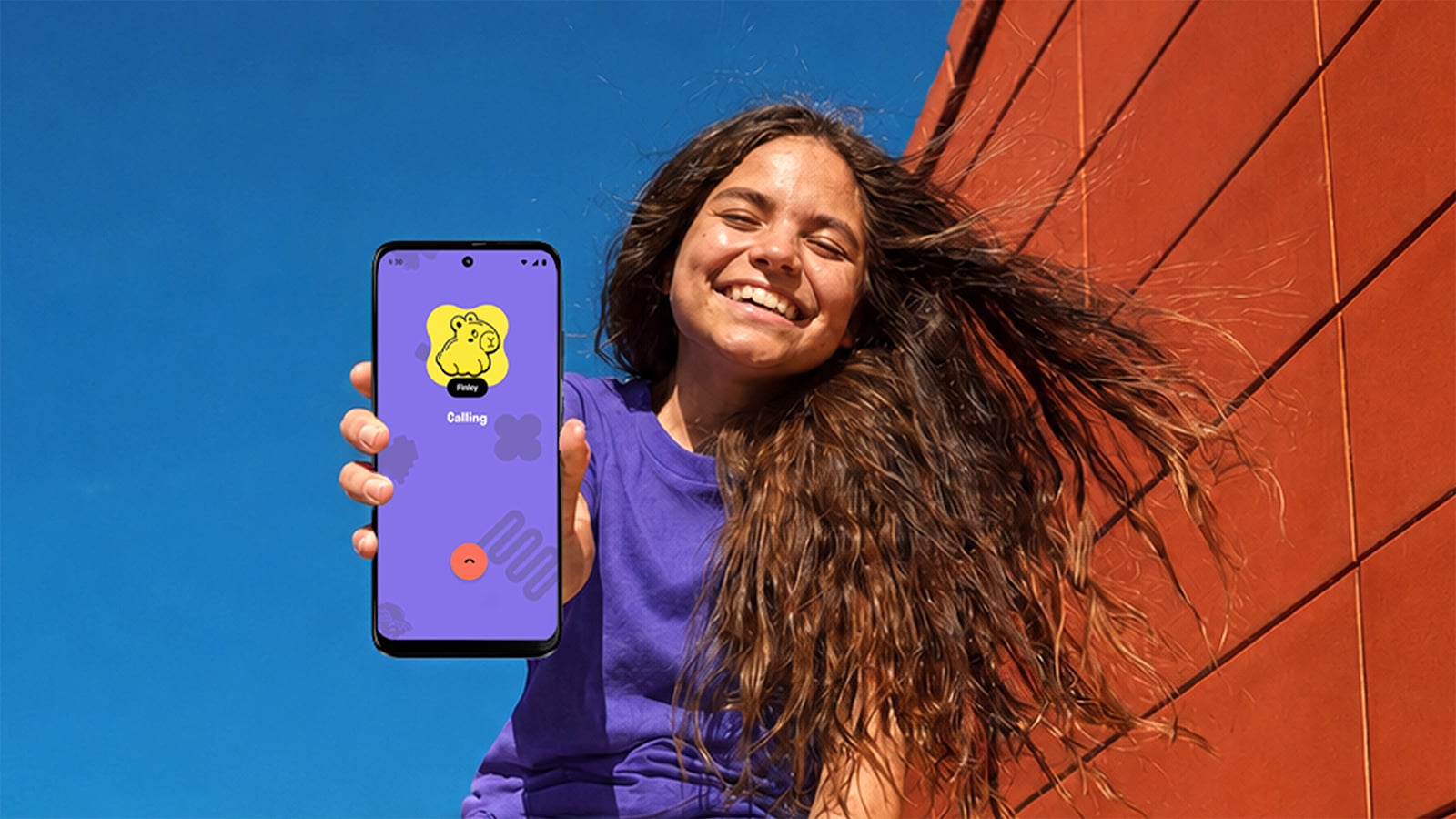
TextNow’s Yello! offers a modified Motorola Moto G Play.
Image credit: TextNow
Plenty of parents want a child to coordinate pickup, call friends, or check in on the walk home well before they’re comfortable handing over a smartphone and everything that comes with it. TextNow's Yello! enters a field that now runs from screen-free devices to modified smartphones parents can gradually unlock, and the right choice depends on where and how your child needs to communicate.
Yello! phone rings only for people you approve, giving kids ages 5 to 12 a real phone with a built-in guest list. The limit lives in the cellular service itself. The network blocks calls and texts from unapproved numbers before they reach the phone, and the same list controls who your child can call or text. Parents manage it from a web portal, so there is no app to install on your own phone. TextNow provides the cellular service.
The phone is a preconfigured Motorola Moto G Play with big buttons. TextNow charges $149.99 for a new one or $119.99 for a pre-owned one, plus $19.99 a month with no contract. That works out to $389.87 for the first year with a new phone and $359.87 with a pre-owned one. The first production run has already sold out, and TextNow is taking reservations for the next batch.
Kids can call and text approved contacts, send short voice messages, join group chats started by an approved contact, take photos, and call 911. A calculator, weather app, clock with alarms, and a few simple games (which parents can switch off) round out the phone. Photos and videos go only one-on-one to contacts a parent marks as Parent/Guardian, so permission to text a friend does not extend to sending that friend pictures. Links can’t be sent or received, and there is no browser, app store, or social media.
The parent portal shows the phone’s live location, battery level, and signal strength. TextNow notes that location requires the phone to be powered on and connected, and that accuracy is not guaranteed. The phone number belongs to your child and can later move to another carrier.
The kid phone competition
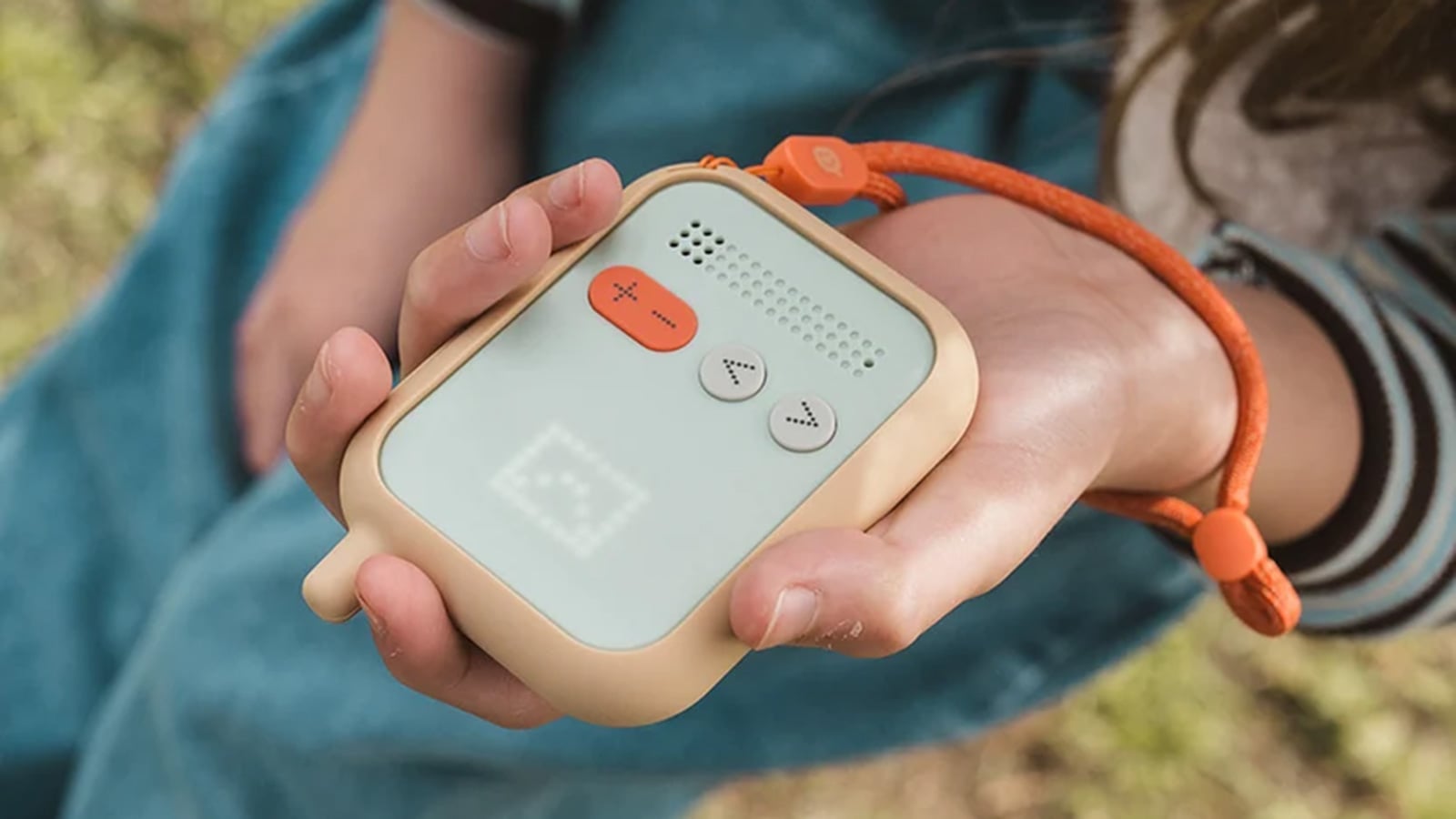
Waffle Go offers a screen-free option.
Image credit: Just Waffle
Waffle Go fits parents who want their child reachable outside the house while keeping communication focused on voice. Mobile connectivity lets children call from activities or a friend’s house, while GPS tracking and geofencing alerts let parents check the device’s location and receive notifications when it enters or leaves designated places. Its lack of texting may appeal to families who want to postpone group chats, although it also means children cannot send a quick typed pickup request. Waffle Go costs $169 plus $17.99 monthly, with shipping listed for mid-November.
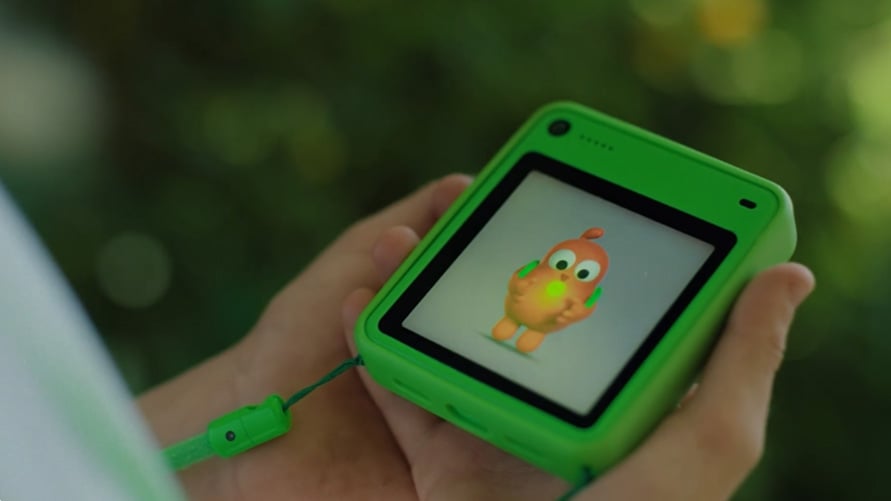
Freckle uses on-screen characters to guide kids while they explore outdoors.
Image credit: Freckle
Freckle is for parents who want managed calling and texting plus photo scavenger hunts, such as finding bugs in the backyard. Its AI camera identifies children’s finds and adds them to a digital collection. Its custom hardware is sized for smaller hands, and its proprietary software lets parents introduce capabilities over time. The appeal is a device built specifically for children, although it remains a preorder product which hasn't been tested in the real world. It costs $199, with one month of service included and $25 monthly thereafter. Orders are expected to ship after the holidays, making it a future option for families who can wait.

The Pinwheel Genesis 4
Image credit: Pinwheel
Pinwheel smartphones lets parents introduce smartphone functions gradually and manage them in detail. A family can start with approved contacts and limited functions, then add selected apps as a child’s needs change. App and contact schedules let parents restrict access during school or overnight, while text monitoring, location tracking, and arrival or departure alerts provide additional oversight. That flexibility makes Pinwheel an option for children who need more than basic communication, though parents must decide how much monitoring is appropriate as their child gets older.

