
We may earn commissions when you buy from links on our site. Why you can trust us.

Back Up Your Phone in Minutes – Best USB-C Flash Drives & SSDs

There are moments when you suddenly realize just how much of your life lives on your phone – and how painful it would be to lose it. Maybe you’re sending your phone in for repair. Or, maybe your storage is full, and you need to offload years of photos and videos before installing the next OS update.
In those moments, cloud backups can feel slow, frustrating, and out of your control. Uploading hundreds of gigabytes over Wi-Fi can take hours. And you’re often paying a monthly subscription for the privilege.
A fast USB-C flash drive or portable SSD gives you a simple alternative. Plug it into your iPhone or Android phone, and you can copy your entire photo library in minutes – no internet, no subscription, no waiting. Your data goes straight from your phone to storage you physically control.
Pricing varies by capacity, speed, and security features, but expect to spend roughly $80 to $250 for a drive that can handle a full phone backup or two.
Quick Picks
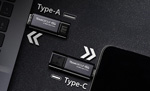 |
Best flash drive TeamGroup X1 Max Jump to details ↓ |
| CHECK PRICE ON AMAZON | |
|
|
|
 |
Best Lightning flash drive SanDisk Creator Phone Drive Jump to details ↓ |
| CHECK PRICE ON AMAZON | |
|
|
|
 |
Best portable SSD for Speed & Security Samsung T9 Jump to details ↓ |
| CHECK PRICE ON AMAZON | |
|
|
|
 |
Best SSD for iPhone users SanDisk Creator Phone SSD Jump to details ↓ |
| CHECK PRICE ON AMAZON | |
|
|
|
What matters when buying a USB-C drive for your phone
Not all USB-C drives are created equal. These are the features that actually matter when you’re choosing one.
Portable SSDs vs flash drives
Flash drives (the classic thumb drives) are small and easy to carry, but they’re slower and not designed for heavy, repeated use. Many top out around 400MB/s, with some reaching 1,000MB/s like the TeamGroup X1 Max.
Portable SSDs are larger, but much faster and more durable. Most deliver around 1,000MB/s and some reach 2,000MB/s, like the Samsung T9. They also handle sustained transfers better and generate less heat.
Speed has a direct impact on how long you’re waiting. A 512GB photo library can take roughly 6–15 minutes to copy to a fast 2,000MB/s SSD. On a slower 400MB/s flash drive, that same transfer can take 30–60 minutes. Transfers also slow down as drives heat up, especially smaller flash drives.
File type matters, too. Lots of small photo files take longer to transfer than a handful of large 4K video files.
Apps and compatibility
You can copy files manually using the built-in Files app on iPhone or Android. But many drives also offer companion apps that can automatically back up your photos, videos, or even your full device.
Both iPhones and Android phones let you copy files using their built-in Files apps, but it's tedious for thousands of photos. SanDisk's Memory Zone app automates the whole process – plug in the drive, and it backs up new photos and videos automatically. Samsung also offers a mobile app for its drives, but it’s only for Android and doesn’t have automatic backups.
If you only plan to do a one-time backup, the app doesn’t matter. If you want ongoing, automatic backups, an easy-to-use app makes a big difference.
Capacity
Buy more storage than you think you need. A good rule is to double your phone’s capacity. If you have a 256GB phone, buy at least a 512GB drive so you have room for future backups.
Encryption
If you’re just temporarily offloading files to free up space, encryption isn’t essential. But for long-term storage, it’s worth having.
Samsung's T9 includes hardware encryption, where the chip is built into the drive itself. SanDisk Creator SSD uses software-based encryption to protect your files, which isn’t as fast or secure as hardware encryption, but still keeps your files safe for everyday use.
Reputable brands
Stick with reputable brands like Kingston, Lexar, Samsung, SanDisk, and TeamGroup. Cheap drives often don’t deliver their advertised speeds, overheat quickly, fail unexpectedly, or don’t work reliably with phones.
A note on Crucial drives: I’ve used Crucial’s X9 and X10 Pro drives for years, and they’ve been fast and reliable. But Crucial recently announced it’s exiting the consumer storage market. Existing drives will keep working, but long-term support and replacements may become harder to find, so I’m not recommending them for new purchases.
The best flash drives for phone backup
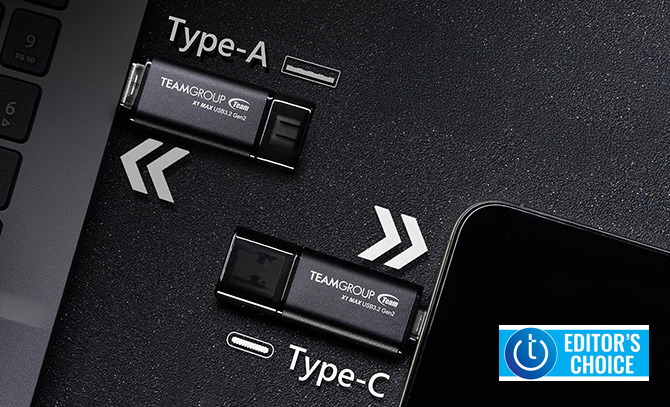
TeamGroup X1 Max flash drive – Best flash drive
If you regularly move files between your phone and your computer, this is one of the most convenient options. It has both USB-C and USB-A connectors, and both sides support full 1,000MB/s speeds so you don’t lose performance when switching devices.
The aluminum body helps manage heat during long transfers. There’s no encryption and you do have to keep track of two caps, but the flexibility is hard to beat.
Why you’d buy it: You move files between your phone and computers and don’t want to carry adapters.
Price: $79.99 for 512GB
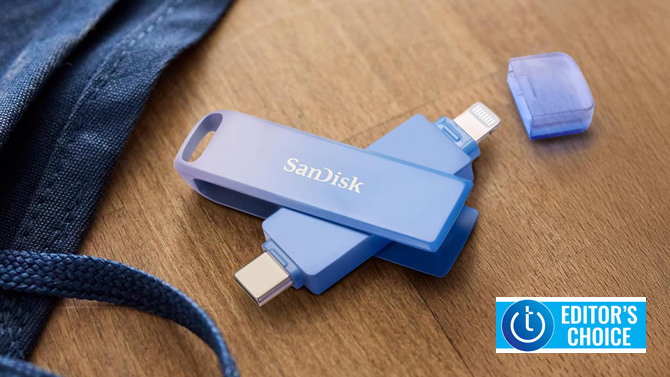
SanDisk Creator Phone Drive – Best Lightning flash drive
If you have an older iPhone (iPhone 14 or earlier), this is one of the easiest ways to back up your photos and files. After setup, it can automatically back up content when you plug it in using the Memory Zone app. You can also store files in an encrypted vault.
Speeds top out at about 90MB/s, which is the limit of Lightning, so it’s not fast. But it’s compact, durable, and designed for everyday carry with a built-in keyring loop.
Why you’d buy it: You want automatic backups for an older Lightning iPhone.
Price: $84.99 for 256GB
The best SSD drives for phone backup
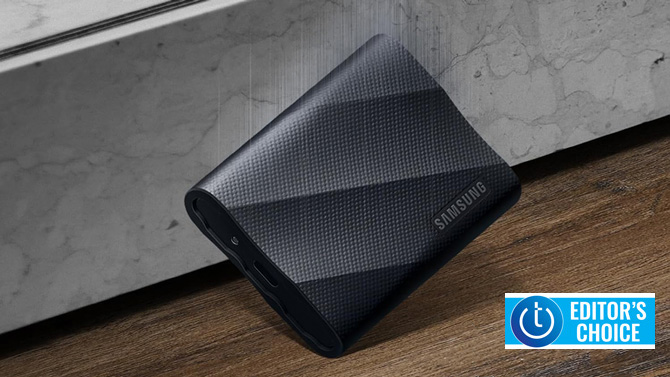
Samsung T9 – Best portable SSD for speed & security
The Samsung T9 delivers one of the best combinations of speed and security. It supports AES 256-bit hardware encryption, so your data is protected even if the drive is lost or stolen. It also delivers up to 2,000MB/s speeds – about twice as fast as most standard drives.
You’ll only get those top speeds on devices that support USB 3.2 Gen 2x2, but even on slower ports, performance is excellent.
Why you’d buy it: You want maximum speed and strong hardware encryption for long-term storage.
Price: $224.99 for 1TB
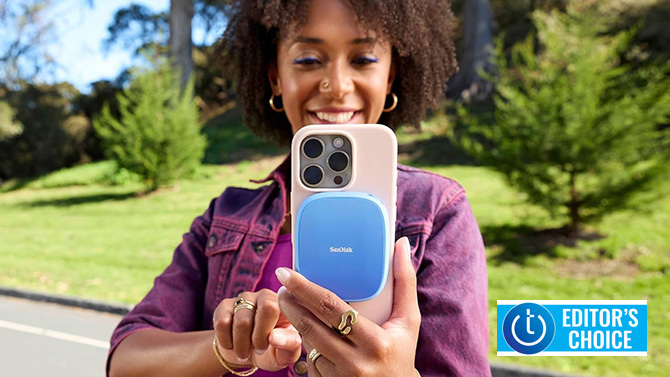
SanDisk Creator Phone SSD – Best portable SSD for iPhone users
This drive is designed for iPhone 15 and newer. It attaches magnetically to the back of MagSafe-compatible iPhones, so it stays in place while you back up. The Memory Zone app can automatically back up photos, videos, contacts, and other files, and you can lock folders with Face ID.
It works with Android phones as well, but you lose the magnetic mounting advantage unless you have a Pixel device with Pixelsnap.
Why you’d buy it: You want the easiest, most integrated backup experience for an iPhone.
Price: $209.99 for 1TB
Read more: What to Do if You Forget Your Android Phone Password
FAQs
How do I back up my iPhone to a USB drive?
Plug a USB-C flash drive or SSD into an iPhone 15 or newer and use the Files app to drag files on the drive or install and use the drive’s app. For iPhone 14 and older, use a Lightning flash drive with the manufacturer’s app.
Can Android phones back up directly to an external SSD?
Yes. Android phones support external storage via USB-C. You can copy files using the Files app or the drive manufacturer’s app.
Do I need an app to use a external storage drive with my phone?
No. Both iPhone and Android support USB-attached storage natively. Apps are helpful if you want automatic backups or built-in encryption tools.
How fast is backing up via a USB-C drive compared to the cloud?
A 128GB library can copy in about two minutes on a fast 1,000MB/s drive. Uploading the same data to the cloud over a 50 Mbps connection can take five to six hours under ideal conditions.
[Image credit: TeamGroup, Sandisk, Samsung]


From grmells on March 25, 2026 :: 10:37 pm
I didn’t see a reference to using the micro SD card many phones support for backup storage. I think the OS permits copying the internal RAM to the card but if nor there must be an app that does it. Yeah not as easy as using an external unit but it lets backup be done in phases.
Reply