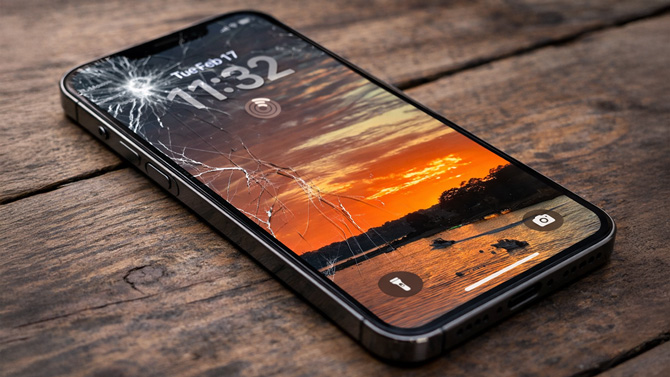
There are moments when you realize just how much your phone is worth to you – and not just the price you paid for it. It’s your photos, your banking apps, your work messages, your two-factor authentication, your memories. And when a near-$1,000 device like the iPhone Air or Samsung Galaxy S25+ gets lost, stolen, or shattered, the replacement cost can hit hard.
That’s where phone insurance comes in. If you haven't looked into phone insurance recently, the landscape in 2026 looks very different from what it was a few years ago. Back then, the choice mostly came down to convenience versus cost. That’s still true, but in 2026, the lines are clearer: manufacturer plans have become more competitive on price and repairs, carriers lean into convenience and extras, and third-party plans remain the most flexible but with more trade-offs.
To make this easy to compare, I looked at three current premium phones that all sit right around $999 – the iPhone Air, Google Pixel 10 Pro, and Samsung Galaxy S25+ (256GB). Here’s what you’ll pay today and what you get.
2026 phone insurance cost comparison
Here’s how the major options stack up for a $999 phone like the iPhone Air, Pixel 10 Pro, or Galaxy S25+. All price and plan information is accurate as of February 19, 2026.
| Provider | Coverage & fees (at a glance) |
|---|---|
|
AppleCare+ Loss & theft $14/mo |
Loss & theft; damage; Apple Store same-day service Fees: $0 battery; $29 screen; $99 other repairs; $149 replacement |
|
Google Pixel Care+ with Loss & Theft $15/mo |
Loss & theft; damage; uBreakiFix same-day service Fees: $0 battery; $0 screen; $0 malfunction; $99 other repairs; $149 replacement |
|
Samsung Care+ Loss & theft $10/mo |
Loss & theft; damage; uBreakiFix same-day service Fees: $0 battery; $0 screen; $99 other repairs; $149 replacement |
|
AT&T Protect Advantage $19/mo |
Loss & theft; damage; as soon as same-day replacement; in-home service (select devices) Fees: $0 battery; $0 screen; $99 other repairs; $275 replacement |
|
T-Mobile Protection 360 $18/mo |
Loss & theft; damage; as soon as next-day replacement Fees: $0 battery; $0 screen; $99 other repairs; $249 replacement |
|
Verizon Mobile Protect $19/mo |
Loss & theft; damage; as soon as same-day replacement; in-home service (select devices) Fees: $0 battery; $0 screen (1st claim); $99 other repairs; $229 replacement |
|
Allstate (SquareTrade) $9/mo |
Damage; claims ~2 days; mail-in repair (3–5 days) Fees: $149 deductible |
|
AKKO $12/mo |
Theft; damage; claims ~2 days; approved shop Fees: $29–$99 deductible; $99 replacement |
|
Worth Ave. Group $10.50/mo |
Theft; damage; claims ~2 days; approved shop or mail-in Fees: $75 deductible; $75 replacement |
What is a replacement phone?
Replacement phones are rarely brand new and don’t even have to be the exact same model – just “comparable,” according to the insurer. That’s true across all plans. You might receive a refurbished phone (repaired with replacement parts), a remanufactured phone (restored to original factory specs), or, in some cases, a new device.
If you can handle the replacement in person, you may have more control over what you get. When my son’s iPhone was beyond repair, I took it to the Apple Store and was given a choice: a free refurbished replacement or a big discount on a brand-new phone from similar available models.
The real decisions: convenience vs cost vs flexibility
There's no one type of plan that is best for everyone. Determining which is best for you is a matter of balancing monthly fees, convenience of repair options (which will vary depending on where you live), and what your monetary outlay will be should you need a replacement device. Here’s how each category lines up.
Apple, Google, and Samsung plans – best overall value for new phones
If you just bought a new phone, the manufacturer’s plan is almost always the smartest choice.
Repairs are handled by certified technicians using original parts, which are typically higher quality than the third-party components many independent shops rely on. Screen and battery repairs are free or very low cost, and replacement fees are consistently lower than what carriers charge.
The downsides are timing and logistics. You generally have a 60-day window to enroll, and if you don’t live near an Apple Store or uBreakiFix location, you’ll likely be dealing with mail-in service. That' means days without a working phone. Apple’s Express Replacement Service, for example, typically gets a replacement to you in one to two business days, but it can take up to four.
Carrier plans – best for convenience
Carrier plans are still the easiest “set it and forget it” option.
Screen and battery repairs are free, and many plans advertise same-day or next-day replacements, though those aren’t guaranteed and depend on when you file your claim. Some carriers also offer in-home repair or device setup in select service areas, which can be a big help if you’re not comfortable troubleshooting your own tech. You’ll often get extras bundled in, like tech support, cloud storage, or identity protection.
The trade-off is cost. Monthly prices are higher, and replacement fees are the highest in the industry. You also typically have just 30 days to enroll a new phone, although carriers do run periodic open enrollment windows for older devices. AT&T, for example, is currently open through March 13, 2026.
Third-party plans – best for flexibility and lower monthly cost
Third-party insurance is a good option for folks who didn't purchase insurance within the 30 or 60-day window required by carriers and manufacturers, respectively. They also offer the lowest monthly cost and some plans will even cover used or refurbished phones.
The downside is you may need to find your own repair place, repairs take longer, and you usually have to pay for repairs upfront then wait to get reimbursed. In some cases, instead of a direct replacement, you’ll receive the value of a comparable refurbished device minus your deductible, leaving you to source your next phone yourself. And like any insurance claim, you’ll need to file and get approval before anything moves forward.
So, here's how to pick the best plan for you
If you want the best repair experience and low replacement costs, go with a manufacturer plan.
If you want the fastest replacement with minimal hassle and don’t mind paying more, go with a carrier plan.
If you want the lowest monthly cost and are comfortable scheduling repairs yourself and dealing with reimbursement, go with a third-party plan. And if you missed all the enrollment windows or have a used/refurbished phone? Third-party insurance is your only real option.
[Image credit: Suzanne Kantra/Techlicious via ChatGPT]