

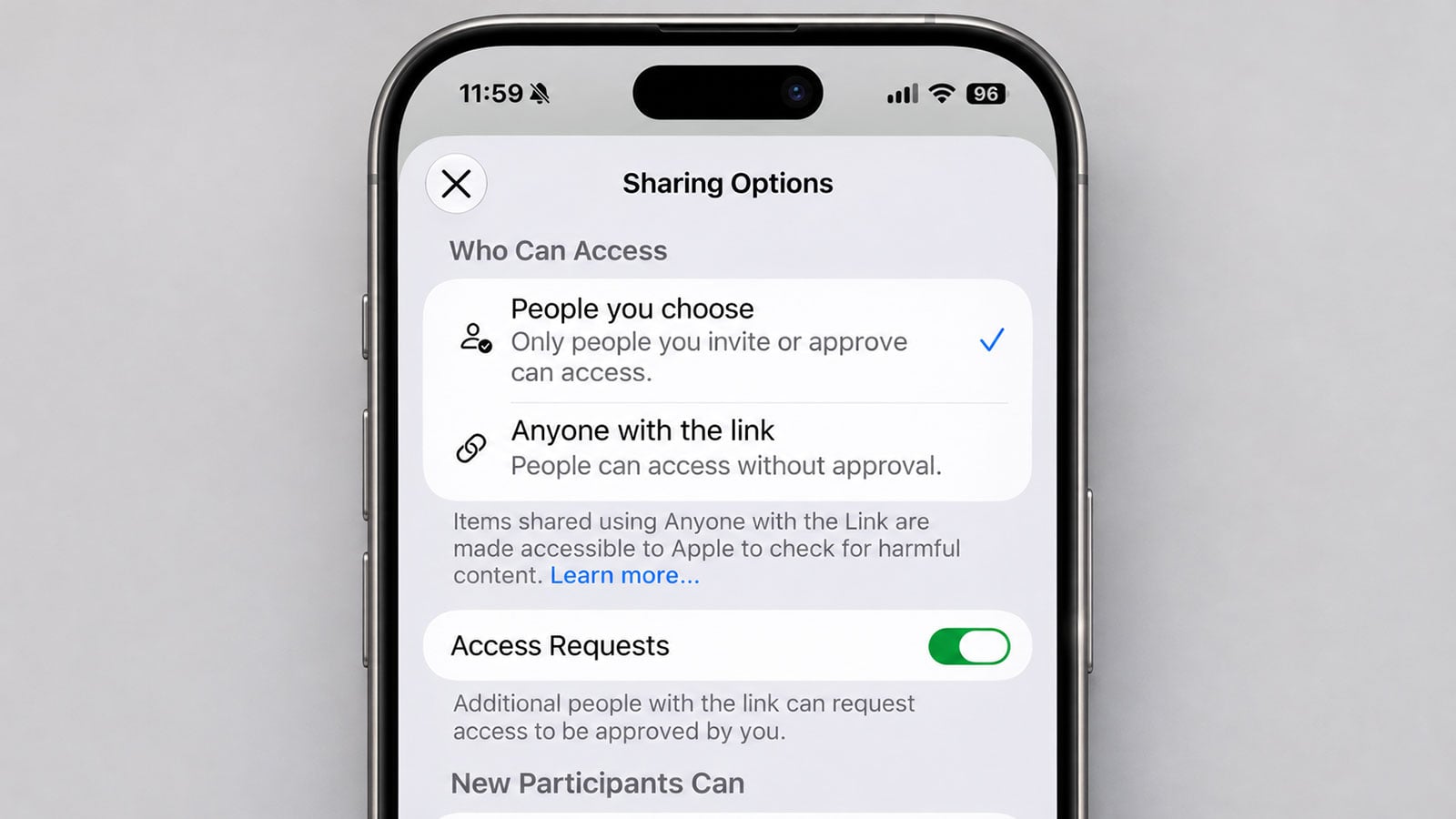
Apple's iCloud sharing settings warn that content shared through public links can be checked for harmful material.
Image credit: screenshot via Suzanne Kantra/Techlicious composited by ChatGPT
Apple will soon start checking photos, files, and other items you share from iCloud through a public link. If it decides something is harmful, you could lose your Apple Account or be reported to law enforcement. The change comes with iOS 27.3 and the matching iPad, Mac, and Vision Pro updates, expected in December. If you’ve ever shared sensitive documents or photos with a link anyone can open, it’s time to review those shares.
On November 3, Apple announced the change in a support document, saying that items shared using the Anyone with the Link option “will be checked by Apple for harmful content.” Apple also notes that content shared with "Anyone with the Link" setting turned on isn't end-to-end encrypted, even if you've enabled Advanced Data Protection, Apple's optional feature for stronger iCloud encryption.
The new checks don't apply when you send someone a copy of a photo or file through Messages, Mail, or AirDrop. They also don't apply to iCloud files shared only with people you choose or Shared Albums limited to people you invite. But if you send an iCloud link that anyone can open, it doesn't matter whether you deliver that link through Messages, Mail, or another app.
Checking content that anyone on the internet can view is a reasonable step for the company hosting it. The trouble is that Apple hasn't defined what counts as harmful or explained how it will identify it. The penalties are severe. Apple can delete the content, disable your Apple Account, and block you from creating a new one with the same email address or phone number. And the company doesn't say how you'd find out something was flagged or whether you could appeal.
Apple also hasn’t clarified whether links you created before the update will be checked, so it’s smart to clean up old shares now.
How to unshare your iCloud files
To review files you’ve shared from iCloud, open the Files app on your iPhone and tap Shared. If you want to unshare, touch and hold a shared item, tap Manage Shared File (or Manage Shared Folder), and then tap Sharing Options. Switching access to “People you choose” turns off the original link, and only people who get a new invitation from you can open the item. If you don’t need to share it anymore, tap Stop Sharing instead.
Read more: How to Hide Photos on iPhone

