

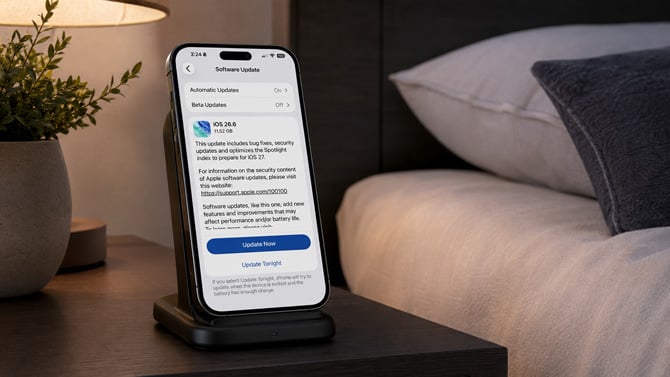
Screenshot via Suzanne Kantra/Techlicious generated by ChatGPT
Apple released security updates for iPhone, iPad, Mac, Apple Watch, Apple TV, and Vision Pro this week, closing out dozens of vulnerabilities in one of its broadest patch batches this year. Several of the fixed bugs could have let a malicious app take over root access, the highest level of control a device can grant, according to Apple.
Root access removes the walls Apple normally builds between apps. An app with root privileges can read files, change system settings, and reach data that would otherwise stay locked away from it. Two of the bugs patched today reached that level through the same kind of flaw: a parsing issue in how the operating system read directory paths, which a specially crafted app could exploit to climb from ordinary app permissions to root. A related path-handling bug in Apple's MediaRemote framework, patched across iOS, iPadOS, and both macOS versions, could let an app gain root privileges the same way.
Mac owners get an additional fix to a flaw in Siri, tracked as CVE-2026-64745. It could let someone with physical access to a locked Mac view contacts and photos through Siri's lock-screen shortcuts. Apple's fix adds new restrictions to what Siri can surface before a device is unlocked. The update batch also closes two root-privilege holes in CUPS, the printing system built into every Mac, and a Gatekeeper bypass that could let a maliciously crafted ZIP file skip the checks macOS normally runs on downloaded software before letting it open.
Read more: New Mac malware locks your screen until you hand over your password
On the iPhone and iPad side, there's a fix for a bug that could let someone with physical access to a device pull sensitive data during an iPhone Mirroring session, the feature that lets an iPhone's screen and apps appear on a nearby Mac.
Apple's security notes don't flag any of the issues fixed in this batch as already under active attack, a distinction the company usually calls out explicitly when it applies.
iPhone and iPad owners can install the update by opening Settings, tapping General, then Software Update. On a Mac, open System Settings, click General, then Software Update. Apple Watch updates through the paired iPhone's Watch app, and Apple TV and Vision Pro can be updated from their own Settings apps. Most devices set to automatic updates will install these in the background within a few days, but given the number of root-access fixes in this batch, it's worth checking today rather than waiting.

