

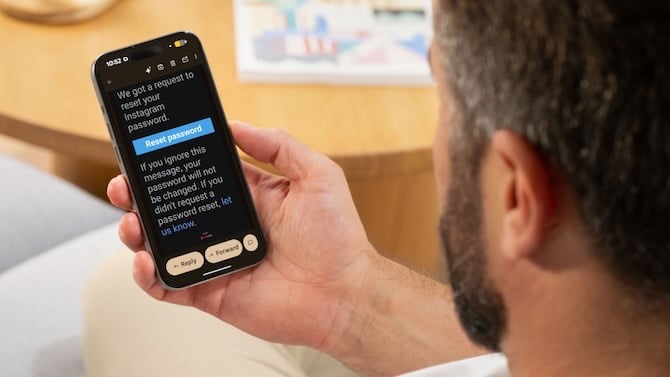
If you got an unexpected email from Instagram asking you to reset your password last week, you weren't alone. Users received these emails starting around January 8, but parent company Meta has not made clear how many people may have been affected. Because they came from Instagram's legitimate email address (security@mail.instagram.com), many people understandably panicked.
The good news: Meta says you can safely ignore them. Instagram confirmed on X that it fixed an issue that let an external party request password reset emails for some people. The company insists that there was no breach of their systems and that your Instagram accounts are secure.
The "17 million" number explained
You may have seen alarming headlines about 17.5 million Instagram accounts being compromised. That claim originated from antivirus company Malwarebytes, which posted on X (Twitter) that "cybercriminals stole the sensitive information of 17.5 million Instagram accounts, including usernames, physical addresses, phone numbers, email addresses, and more."
This appears to be a separate issue that resurfaced at the wrong time. A dataset with 17 million rows of Instagram user data did surface on hacking forums in early January, but Have I Been Pwned, which tracks data breaches, says it appears to be old scraped data from public profiles, not a new breach. The leak contains no passwords.
Read More: Safeguarding Your Instagram Friends: Tips to Prevent Account Cloning
What you should do
If you received one of these password reset emails and didn't click anything, you're fine. If you did click the reset link but didn't actually change your password, you're also fine. If you changed your password, you should likely have nothing to worry about as long as you didn't enter it on an app or website other than the official Instagram ones. But as a precaution, you should log in to Instagram on the web or in your app and create a new password again. As a general precaution, you should always manually go to the website or app you get an email about, rather than clicking the link (which could direct you to a phishing site).
Read more: Your Weak, Old, Reused Passwords Are All Over the Internet
This is a good reminder to enable two-factor authentication if you haven't already. To turn it on, go to Settings and activity by tapping the three-line menu button at the top right of your Instagram profile. Then tap "Accounts Center." From there, select "Password and security," then "Two-factor authentication." Choose your Instagram account and pick your preferred method.
An authenticator app that generates login codes like Google Authenticator, Microsoft Authenticator, or Authy is more secure than SMS codes as your authentication method, since phone numbers can be hijacked through sophisticated attacks. But SMS is better than nothing.
You can also check which devices are logged into your account by going to Accounts Center and selecting "Password and security," then "Where you're logged in." If you see anything unfamiliar, tap it and select Log out.
[Image credit: Screenshot by Sean Captain/Techlicious, phone mockup via Canva]

















From Jaime Abel on February 11, 2026 :: 12:59 pm
No me acuerdo dé mí contraseña y la tenía vinculada a mí facebook, pero ya no tengo acceso a mí facebook y no quiero perder mí cuenta dé Instagram
Reply