

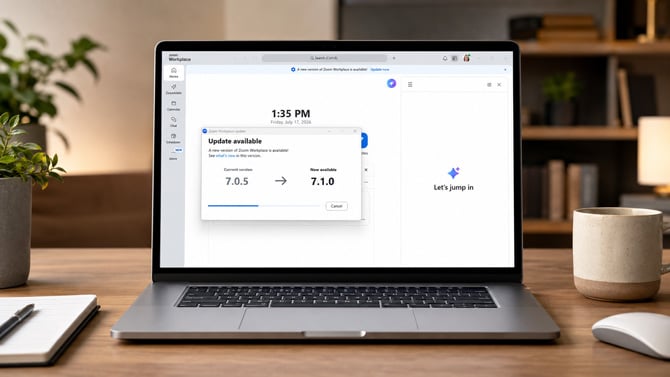
Screenshot via Suzanne Kantra/Techlicious generated by ChatGPT
Zoom has fixed a critical security flaw in its Windows software that could let an attacker take over a user's account without ever knowing their password. The bug, tracked as CVE-2026-53412, scored 9.8 out of 10 on the severity scale, according to Zoom's own security bulletin.
The flaw is what security researchers call "unauthenticated," meaning an attacker didn't need to log in, guess a password or trick anyone into clicking a link. Zoom's describes it as a coding flaw where the software failed to properly check the data it was handed before acting on it, that "may allow an unauthenticated user to conduct an account takeover via network access." In plain terms, an attacker just needed network access to a vulnerable Windows computer to hijack the Zoom account running on it.
The bug affects the Zoom desktop client for Windows before version 7.0.0 and the Windows VDI (Virtual Desktop Infrastructure) client before versions 7.0.10, 6.6.15 and 6.5.18. Zoom says its Meeting SDK for Windows isn't part of this particular flaw.
Zoom credits its own internal Offensive Security team with finding and reporting the bug. Zoom didn't provided any evidence whether anyone exploited the critical flaw before the fix became available.
Given the 9.8 severity score for a potential unauthenticated account takeover, it's worth taking time to update your Zoom software now. Zoom accounts often connect to your work calendar, cloud recordings, shared meeting links and, for many households, even telehealth appointments. An attacker sitting on a hijacked account could join or record meetings, dig through saved recordings, or use the account as a foothold to reach whatever else it's connected to.
Updating Zoom and turning on automatic updates are simple. Open the Zoom desktop app, click the profile picture in the top right corner, and select “Check for Updates.” If automatic updates are on, you’ll see a “You are up to date” message and the version number will be 7.1.0 or higher. To enable automatic updates in the future, click the profile picture, then Settings, then General, and in the “Zoom Workplace App” section, toggle on "Update app automatically," so future fixes like this one install without a reminder.
Read next: Best antivirus software 2026: free and paid picks

