
We may earn commissions when you buy from links on our site. Why you can trust us.

Best antivirus software 2026: free and paid picks
Viruses and malware aren't what they used to be. Gone are the days when your biggest worry was downloading a bad file from some sketchy website. Now threats show up as phishing emails that look exactly like the real thing, AI-generated scam texts, fake customer support chats, even deepfake videos. The FBI says Americans lost $20.9 billion to online scams in 2025. And a growing chunk of those scams are good enough to fool people who think they know better.
So yeah, you need malware protection in 2026. But the answer to "which antivirus should I get?" isn't as simple as it used to be. Your computer already comes with built-in protection that's actually pretty decent these days, and whether it makes sense to pay for something on top of that really depends on how you use your devices and how much risk you're okay with.
How I picked the best antivirus software
I used the latest results from AV-Test, an independent security research institute that tests antivirus products against real-world malware threats on an ongoing basis. They score each product out of 6 in three categories (protection, performance, and usability) for a max of 18. Every one of my picks scored a perfect 18/18 in the most recent round.
Lab scores only tell part of the story, though. I also looked at how much each program bogs down your computer during scans and day-to-day use, whether the interface is clean or full of pop-ups trying to get you to upgrade, and what you're actually getting for your money. Most antivirus companies now bundle in VPNs, password managers, identity theft protection, the whole works. I wanted to figure out which of those extras are actually useful and which are just there to pad the feature list.
Do you actually need antivirus software?
I get this question a lot. The honest answer is it depends. Windows and Mac both come with built-in malware protection now, and it has gotten surprisingly good. If you keep your OS updated, stick to official app stores, and you're generally careful about what you click on, you can probably get by without paying for anything extra. But "generally careful" is doing a lot of heavy lifting in that sentence, especially now that AI-powered scams are getting harder and harder to spot.
Microsoft Defender scored a perfect 18/18 on AV-Test. That's the same score as every paid product I'm recommending in this article. The free antivirus that's already built into Windows 11 catches malware just as well as Bitdefender, Norton, and McAfee do. It runs in the background, updates automatically through Windows Update, and covers real-time protection against viruses, ransomware, and phishing.
Apple's built-in malware protection is called XProtect, and it works pretty differently from Defender. There's no app to open, nothing to configure. It just runs silently in the background. Apple updates its malware signatures automatically, separate from regular macOS updates, and checks apps for known malware when you first launch them or after they've been updated.
XProtect works alongside Gatekeeper, which blocks software that hasn't been digitally approved by Apple from running without your say-so. Between the two of them, most Mac users who keep their system current are in pretty good shape against known threats. The catch is that XProtect is mostly signature-based. It catches known malware fine, but newer stuff that hasn't made it into Apple's database yet could slip through. If you want that extra safety net, all of the paid picks below cover Mac too.
As for phones, you don't need antivirus on your iPhone. iOS uses sandboxing, which basically means apps can't access each other's data or the core operating system. Traditional malware just can't run on it the way it does on Windows or Android. The actual threats on iOS are phishing, data breaches, and identity theft, not viruses. You're better off with a good password manager and a VPN than any antivirus app.
Android is a different story. You can sideload apps, the Play Store's screening isn't as tight as Apple's, and malware on Android is a real thing. All three paid picks (Bitdefender, McAfee, and Norton) come with Android apps as part of the deal, and I'd recommend using them. If you'd rather not pay, Google Play Protect comes baked into every Android phone and checks your installed apps for bad stuff, but it's not as thorough as the dedicated apps.
I think people who are actually tech-savvy will be fine with free tools. But the thing is, AI is making scams way more convincing, and phishing is getting tougher to tell apart from legitimate emails. The bar for what counts as "being careful" keeps going up. For everybody else, the paid suites offer a kind of safety net that's worth what amounts to a few bucks a month.
Free vs. paid: what you're actually getting
When it comes to just catching malware, the gap between free and paid has pretty much vanished. Microsoft Defender picks up the same threats as Norton and Bitdefender in AV-Test's lab testing. So what exactly are you paying for?
Paid suites typically throw in a VPN (usually more limited than a standalone one like Surfshark or NordVPN), a password manager, identity theft monitoring and dark web scanning, phishing and scam protection that works across all your browsers and not just Edge, ransomware rollback so you can actually recover encrypted files, coverage across Windows, Mac, and Android on one plan, parental controls, and real customer support when you run into trouble.
Whether all that is worth it comes down to your situation, but I think the identity theft monitoring and multi-platform coverage alone make the cost pretty easy to justify for most households. That said, I don't recommend grabbing a free third-party antivirus. If Defender isn't cutting it for you, pay for something from a reputable company rather than trusting a free option that has to make money somehow. Free antivirus programs have a track record of monetizing user data, which is pretty much the opposite of what a security product is supposed to do.
How to avoid the renewal markup
Bitdefender, McAfee, and Norton all lead with a steep first-year discount, then raise the price significantly at renewal. The move is the same across all three: turn off auto-renewal the day you subscribe. When your year is up, either come back as a new customer at the intro rate or buy a license key from a retailer like Amazon, which is usually cheaper than buying direct and won't auto-charge you the following year.
The best antivirus for most people: Bitdefender Total Security
| + Pros | |
|
|
| – Cons | |
|
|
 "The best protection for the money" |
SUBSCRIBE ON BITDEFENDER |
Bitdefender Total Security is my top pick because it pairs perfect malware detection with the lightest system footprint of anything I looked at. It just sits there in the background doing its job without dragging your computer down, and I can't say that about all of its competitors.
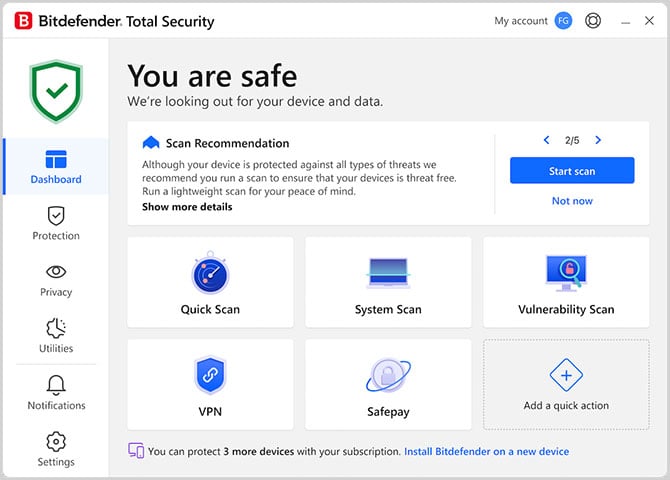
The interface is probably the cleanest of any antivirus out there right now. Big tiles on the dashboard that show your protection status, everything accessible without having to dig through nested menus. The advanced stuff, scan settings, firewall rules, that kind of thing, is there if you want it, but it stays tucked away so it doesn't clutter things up. And there aren't constant pop-ups trying to sell you something else. That might sound like a low bar, but you'd be surprised how many antivirus products can't clear it.
You get a firewall, ransomware remediation (it can roll back files that got encrypted, which is a big deal), webcam and microphone protection, parental controls, a password manager, and anti-phishing tools that work in any browser. All of that covers Windows, Mac, Android, and iOS, up to 5 devices on one plan.
One thing to flag: the bundled VPN is capped at 200MB per day. That's enough for maybe 15 minutes of browsing, so it's basically a non-feature. If you need a VPN, get a dedicated one.
Bitdefender starts at around $59.99 for the first year with their promotional pricing, then goes up to about $109.99 when it renews. That jump is standard across the industry, but Bitdefender's renewal is still cheaper than Norton or McAfee. Same strategy applies.
The best antivirus for families: McAfee+ Premium
| + Pros | |
|
|
| – Cons | |
|
|
 "The only antivirus with unlimited devices" |
SUBSCRIBE ON AMAZON |
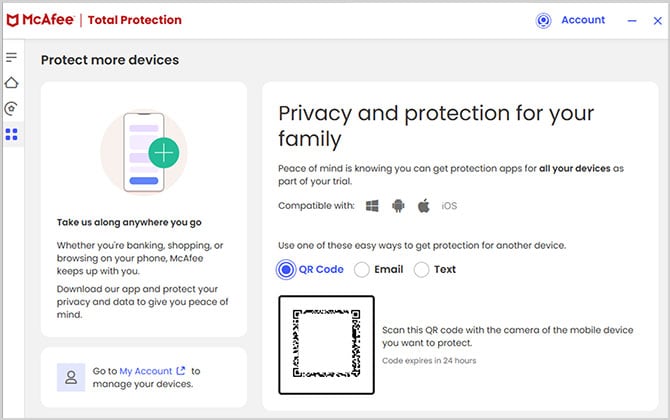
Got a house full of devices? A couple laptops, a few phones, maybe a tablet or two? McAfee+ Premium is the only major antivirus that lets you cover all of them on one plan with no device limit. For bigger families, that's a pretty big deal.
The AI scam detection is actually one of McAfee's stronger features. It flags suspicious texts, scans email links, and can even catch deepfake videos, which, given where AI scams are heading, is the kind of thing that's only going to get more useful. You also get identity monitoring, a password manager, and a VPN.
The VPN is unlimited data-wise, which beats Bitdefender's 200MB cap by a mile, but it's still not going to match a standalone VPN service in terms of speed or server options. If VPN performance is something you care about, I'd pair McAfee with a Surfshark or NordVPN.
The interface looks fine, clean dashboard, security score front and center, but McAfee does nudge you with upgrade suggestions and feature promotions more than I'd like. It's gotten better over the years, but it's still more in-your-face than Bitdefender. McAfee also uses more system resources, so on an older machine, you might feel it during scans.
McAfee+ Premium runs $69.99 for the first year for a family of six, then renews at around $169.99. Same strategy applies.
The best antivirus feature bundle: Norton 360 Deluxe
| + Pros | |
|
|
| – Cons | |
|
|
|
"The most complete security suite" |
SUBSCRIBE ON AMAZON |
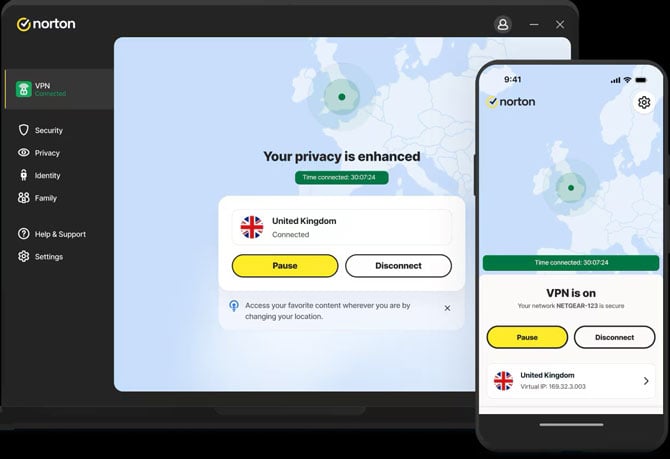
Norton 360 Deluxe gives you the most stuff of anything on this list. An unlimited VPN with no daily cap, 50GB of cloud backup, dark web monitoring that pings you if your personal info turns up in a breach, parental controls, AI scam protection. If you want one subscription that does the most, this is the one.
The interface is nicely laid out. Everything's organized into categories: security, online privacy, identity, performance, with a big scan button right in the middle and green checkmarks that let you see at a glance that things are working. It does pop up the occasional notification, but nothing as persistent as McAfee.
Norton won't slow your machine down either. Day-to-day use feels the same with it running, and scans finish at a reasonable pace. You get coverage for up to 5 devices across Windows, Mac, Android, and iOS.
The first year is $49.99, and for what you're getting, that's honestly a fair deal. But when renewal hits, it jumps to $125, more than double the intro price and a steeper hike than either Bitdefender or McAfee. Same strategy applies.
The best antivirus free antivirus: Microsoft Defender
| + Pros | |
|
|
| – Cons | |
|
|
|
"Free protection that actually works" |
|
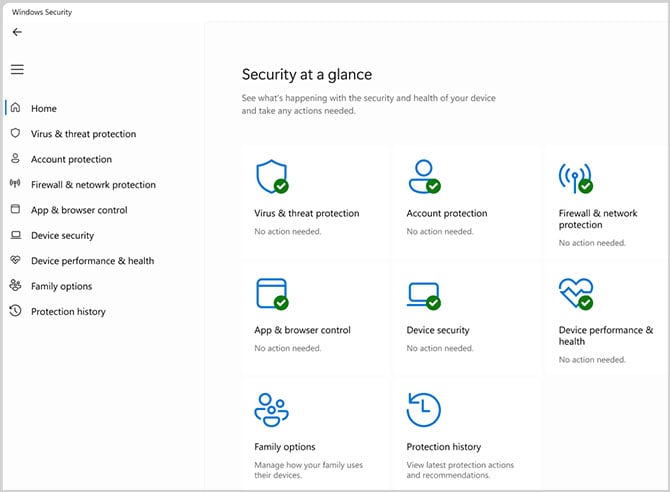
I talked about Defender earlier in the built-in tools section, but it earns its own spot here because it's the only free antivirus I'd actually tell someone to use. Perfect 18/18 on AV-Test, same as every paid option on this list, and it pulls that off with zero ads, zero pop-ups, and zero attempts to upsell you on anything. That's rare, especially given the fact that the rest of Windows isn't in particularly great shape right now.
The ransomware protection is a nice touch: there's a feature called controlled folder access that stops unauthorized apps from messing with files in your Documents, Pictures, and Desktop folders. So if ransomware tries to encrypt your stuff, Defender blocks it. What Defender doesn't do is give you a VPN, identity theft monitoring, dark web scanning, a password manager, or any of the extras you get with paid suites. Its web protections also work best in Microsoft Edge, so if you're a Chrome or Firefox person, you're missing out on some of the phishing filters. For a lot of people, none of that matters. But if you want those extras, or you've got devices across different platforms, a paid option starts making more sense.
I'm not recommending any third-party free antivirus, and the reason is pretty simple. If a company is handing you a security product for free, the money has to come from somewhere. Some of them nag you with constant upgrade prompts, some quietly collect and sell your data, and a few have done both. I think you're better off with Defender (which Microsoft pays for through Windows sales), or, if you need more, just paying for something that has an incentive to actually keep you safe.
Read more: How to Protect Your Privacy on Public WiFi Networks
[Image credit: Norton, Bitdefender, McAfee, concept image Palash Volviokar/Techlicious generated with Gemini]

