
We may earn commissions when you buy from links on our site. Why you can trust us.

Acer Googlebook 14 review: the best starter Googlebook
by Sherri L. Smith on November 16, 2026

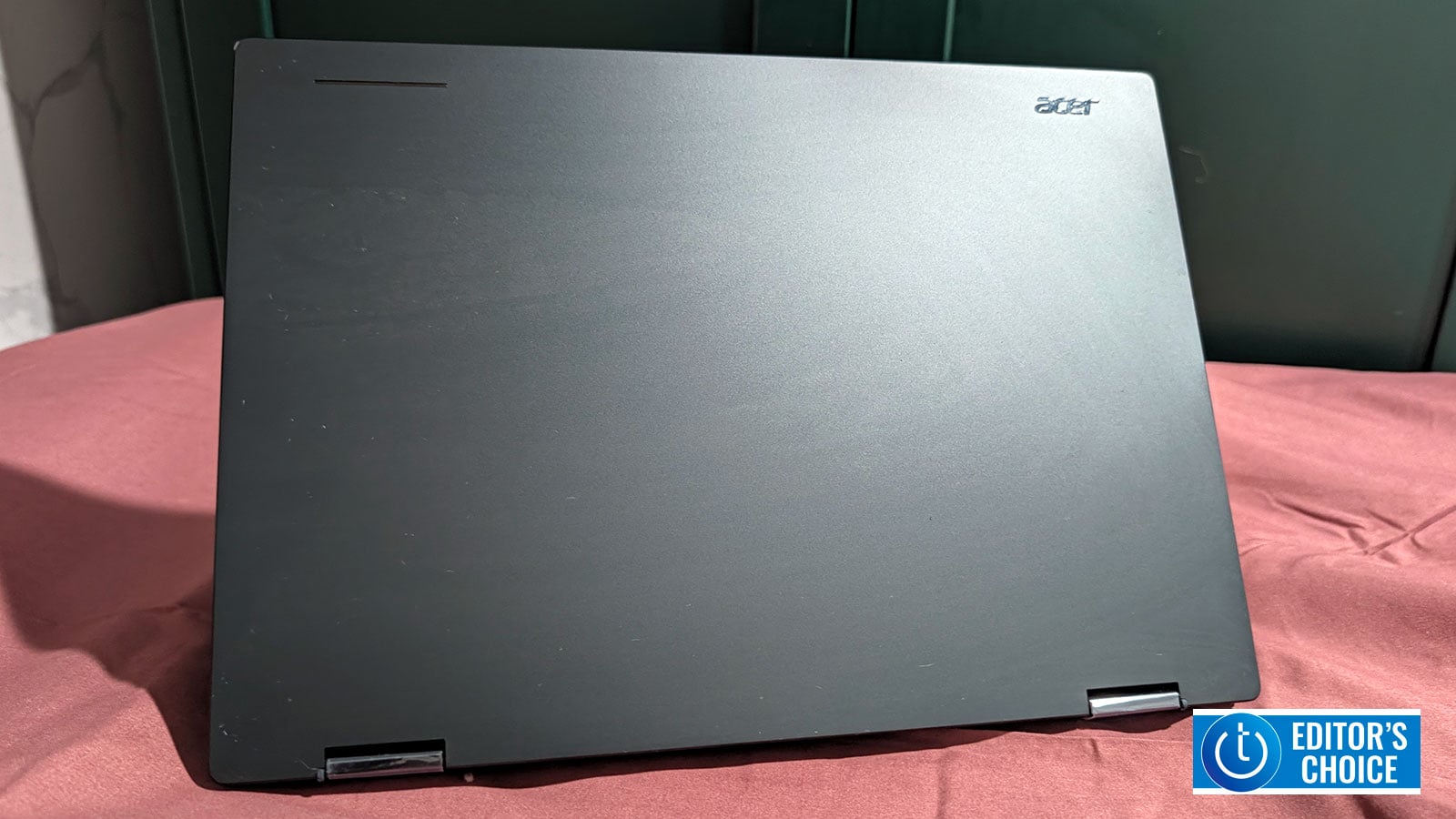
The customizable Glowbar on the Acer Googlebook 14's lid can show battery status and Gemini cues.
Image credit: Sherri L. Smith/Techlicious
Think fast. Google's just announced a new line of Googlebook laptops, and every major OEM has one. How do you stand out? Well, if you're Acer, you make yours the most affordable and the only convertible in the bunch. That's how consumers get the Acer Googlebook 14: a sub-$1,000 notebook that combines serious versatility with an attractive price point.
You also get a lovely OLED touchscreen, a healthy 11 hours of battery life, and a comfy keyboard. There are a few issues, such as weak speakers and a mixed bag of a webcam. But those are minor qualms in the bigger picture.
Pros
- Competitive, affordable price
- Sleek, versatile design
- Stunning OLED display
- Solid battery life
Cons
- Weak speakers
- Webcam is a mixed bag
Key specs
Acer’s only offering one version of the Googlebook 14. It has a 2.1-GHz Intel Core Ultra 5 Series 3 325 processor with 16GB of RAM, a 512GB SSD, integrated Intel Graphics, and a 14-inch, 2880 x 1800 OLED touch display. And at $899, it’s the most inexpensive entry point into this brave new world of computing.
The five Googlebooks from Acer, Asus, Dell, HP, and Lenovo range from $899 to $1,299, with the Dell XPS Googlebook at $999 and the Asus and HP Googlebook 14 models at $1,299. The Lenovo Googlebook 15, which I just reviewed, has nearly the same specs and costs $1,099. It just has a larger screen. For all five side by side, see our Googlebook buying guide.
What's a Googlebook?
TL;DR: Googlebooks are to Android phones what Chromebooks are to the web and cloud. While Chromebooks run ChromeOS and primarily focus on web apps and cloud services, Googlebooks and their new GooglebookOS put AI and smartphone integration front and center.
Built on the Android technology stack with elements of ChromeOS, GooglebookOS brings native Android apps into a desktop environment, complete with resizable windows. It also offers deeper integration with Android smartphones, particularly those running Android 17, allowing users to access files, stream apps, and pick up tasks where they left off.
Gemini also plays a much bigger role. GooglebookOS integrates Google's AI more deeply into the operating system, enabling context-aware tools that can interact with what's on your screen. Although today's Chromebooks offer Gemini through dedicated keys, browser features, and Chromebook Plus tools, Googlebooks take a more system-wide approach, making AI a central part of the laptop experience rather than another feature in the toolbox.
Design
No matter the price point, Acer doesn't make ugly laptops. The Googlebook 14 is rather demure in its presentation. The aluminum-magnesium chassis is a blackish-blue color that Acer calls Elemental Blue. It's really nice to look at, although I wish it were more fingerprint-resistant. A metallic blue Acer emblem sits in the top-left corner, with Google's iconic Glowbar residing in the opposite corner. The LED light strip is customizable and can be used to denote Gemini cues, boot-up, and battery status.
The Googlebook 14's interior has more of that Elemental Blue-colored alloy with a full-size keyboard in a slight recess nestled between a pair of top-firing speakers. The trackpad sits directly below, giving users more than enough space to navigate and perform multi-gesture functions while leaving plenty of space to rest your wrists.
The pair of 360-degree hinges give the laptop the ability to switch from a traditional clamshell to a 14-inch tablet or a screen-forward multimedia machine, or to lie flat for easier collaboration. At 2.54 pounds, the 12.3 x 8.8 x 0.55-inch convertible is a wee wisp of a thing. It’s lighter than the Lenovo Googlebook 15 (2.84 pounds) and HP Googlebook 14 (2.74 pounds). But the Asus and Dell XPS Googlebooks are lighter still at 2.2 pounds each. A 1.5-hour commute from the Bronx to Brooklyn was pretty comfortable, even with the Googlebook 14, a handheld PC, and a few LSAT books in my bookbag.
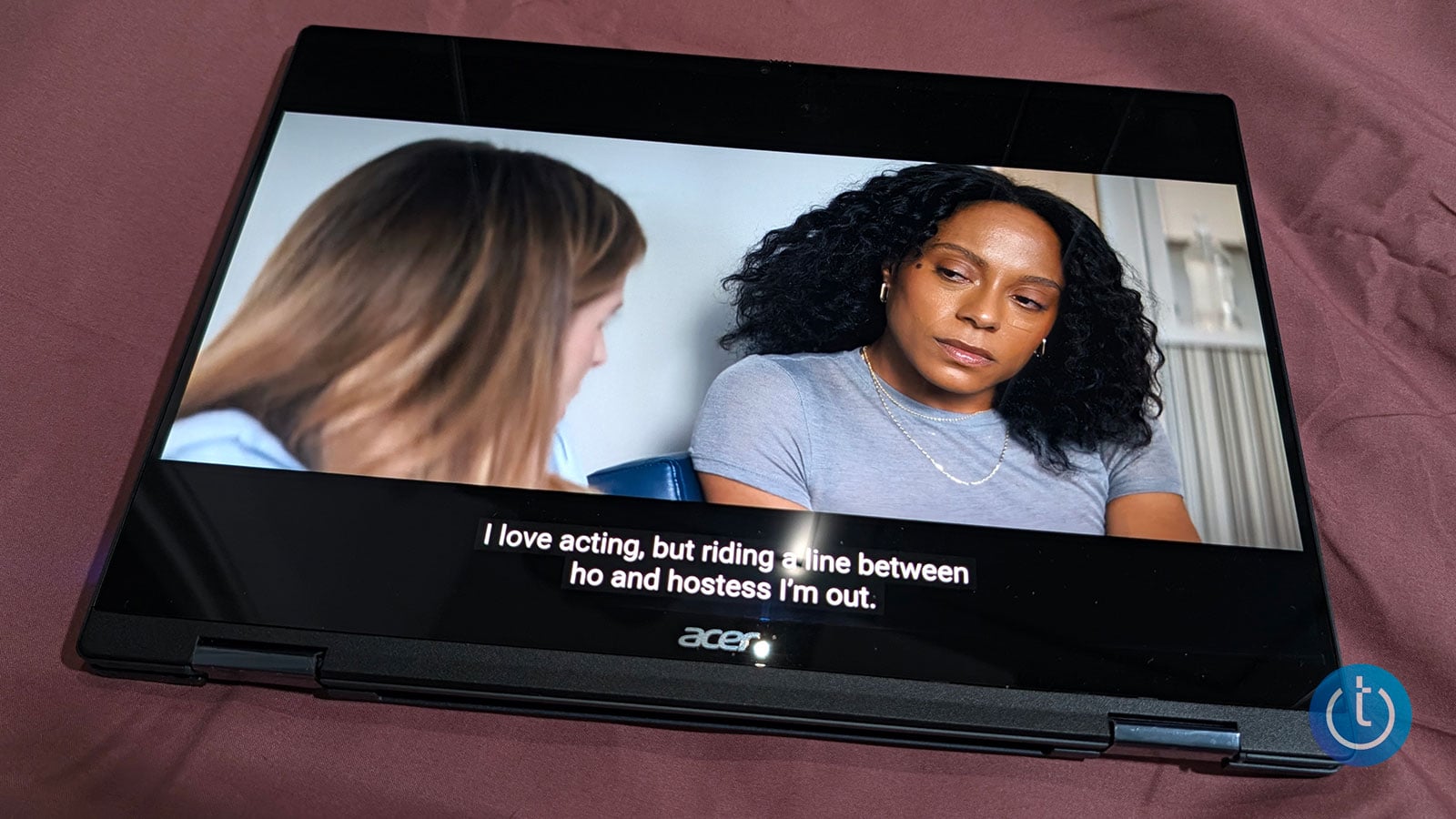
Fold the keyboard behind the screen to use the Googlebook as a 14-inch tablet.
Image credit: Sherri L. Smith/Techlicious
Display and audio
Dell’s $999 XPS Googlebook, the only other sub-$1,000 Googlebook, uses an LCD. Not Acer. Instead, bargain hunters will be treated to a striking 14-inch, 3K OLED touchscreen. Actor Kim Paul looked radiant in the trailer for "Misty Green". Her pale blue sequin dress shimmered as if it were made of thousands of jewels. That, plus the baby blue satin gloves, made her lovely sienna skin look healthy and warm in the scene.
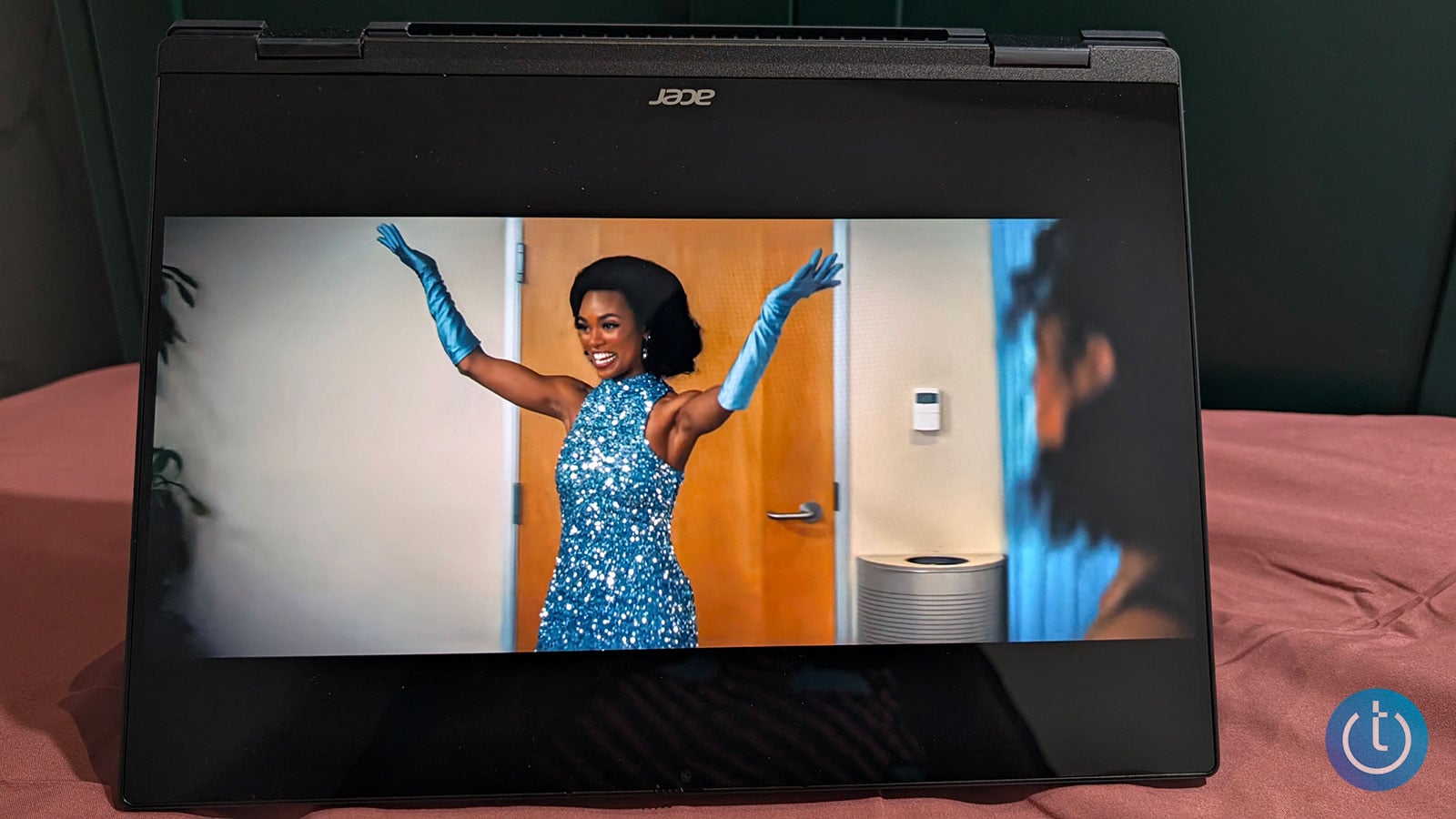
Tent mode props up the OLED screen for hands-free viewing.
Image credit: Sherri L. Smith/Techlicious
Acer's display is rated for 500 nits and averaged 489 nits when I measured the corners and center of the display with a clean white background. It's a little brighter than the Lenovo, which hit 475 nits.
Interacting with the touch panel is agile and responsive; I just wish Acer bundled a pen so my fingers wouldn't smudge the screen. The display has a refresh rate of 120Hz, which is nice. It cut down on blur when I was zipping through documents, and it prevented image tearing and slowdown when I played "Street Fighter VI" on Nvidia's GeForce Now cloud gaming service. Googlebook owners can redeem a year of free Fast Pass access and Google AI Pro service. There's also three free months of YouTube Premium and CapCut.
Although the screen is premium quality, the audio falls short of the mark. The Googlebook 14's pair of top-firing speakers immediately made me reach for a pair of headphones. Even at max volume, the speakers barely filled my small bedroom. The highs and mids were brassy at high levels, while the lows barely registered.
Ports and connectivity
The Acer Googlebook 14 only has four ports to speak of: two USB 3.2 Gen 2 ports, a USB4 port, and a combined mic and headphone jack. The Lenovo has a better variety of ports including two Thunderbolt 4 ports, a USB-A port, and HDMI. The Acer has an IEEE 802.11be Wi-Fi 7 chip and supports Bluetooth 6.0.
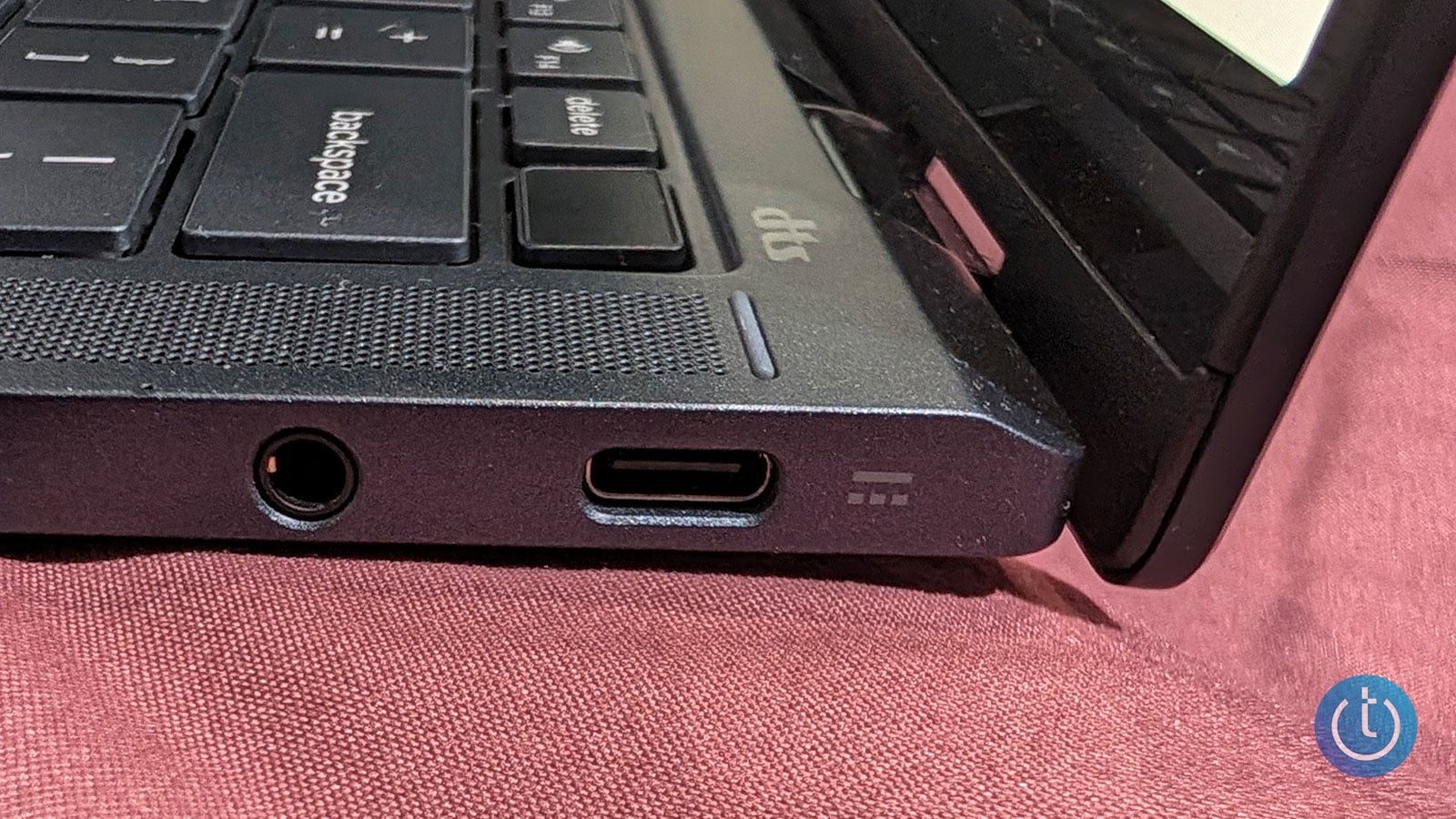
A USB-C port and a combined headphone and microphone jack sit on the right edge.
Image credit: Sherri L. Smith/Techlicious
Keyboard and usability
Typing on the Googlebook 14's island-style keyboard is a comfortable experience. I like the large keycaps and the firm bounce when I press on them. I scored 72 words per minute on the Monkeytype typing test, which is slightly better than my usual 70 wpm. The white backlighting is nice and bright, making it easy to see the keys in darkened settings.
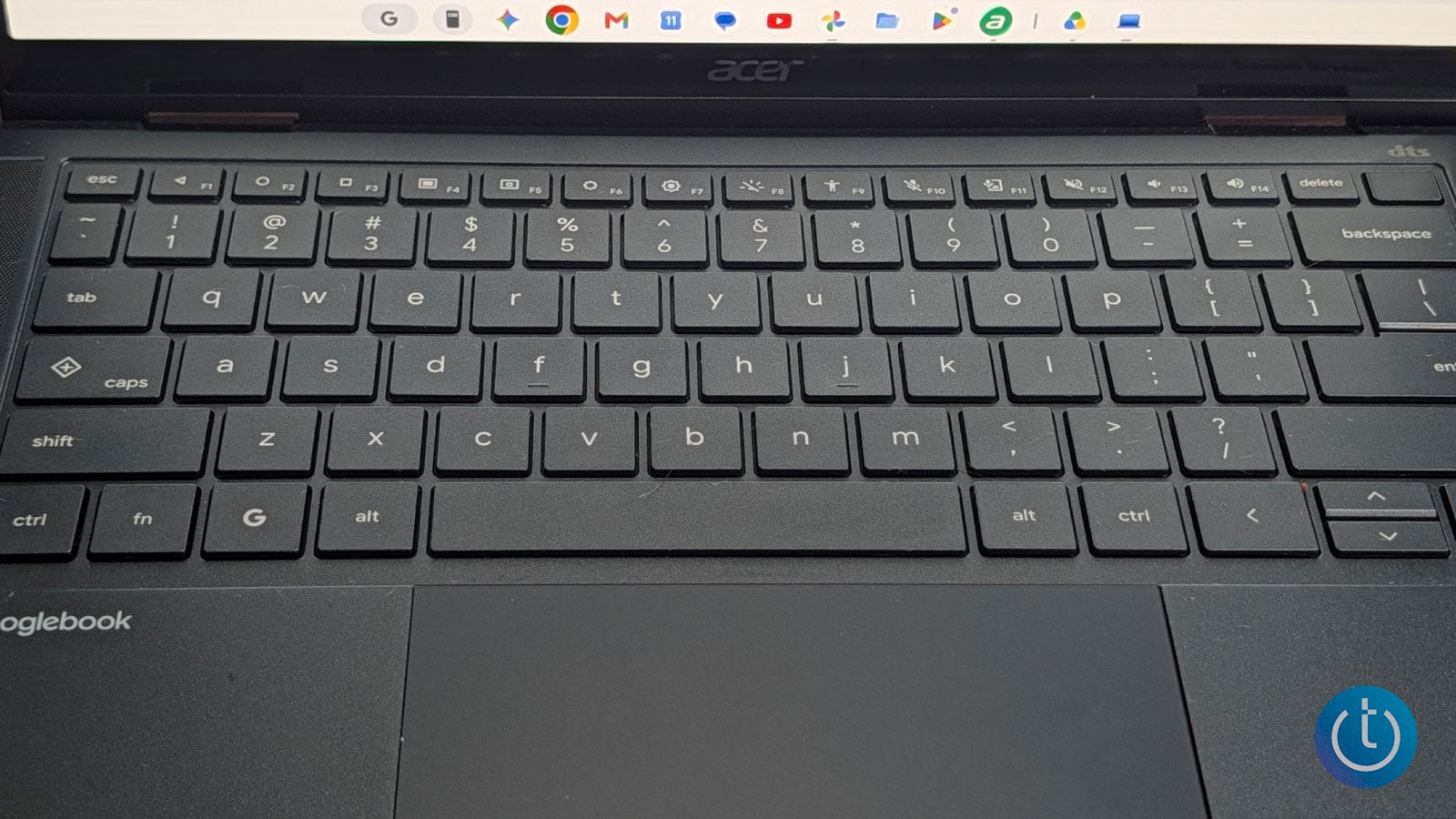
The large keys have a firm bounce, and white backlighting makes them easy to see in the dark.
Image credit: Sherri L. Smith/Techlicious
Interacting with the trackpad is just as smooth as writing on the touchscreen. Scrolling through webpages is a fluid action, as is pinch-to-zoom. Beyond pinch-to-zoom and two-finger scrolling, the Googlebook 14 has a few tricks of its own. Swipe down with three fingers to open the notification tray, or swipe up with two on the home screen to launch the app drawer.
Webcam
It's not the worst webcam I've ever seen, but it's not the best either. The 5-megapixel, 1080p shooter does pretty well on the detail front, capturing the faint striations in my light gray sweater dress. Colors, in particular my skin tone, were muted, and the camera blew out part of the shot despite me being a fair distance away from a direct light source. However, the Googlebook 14's webcam can handle your video conferencing needs. And I appreciate a camera with a physical shutter.
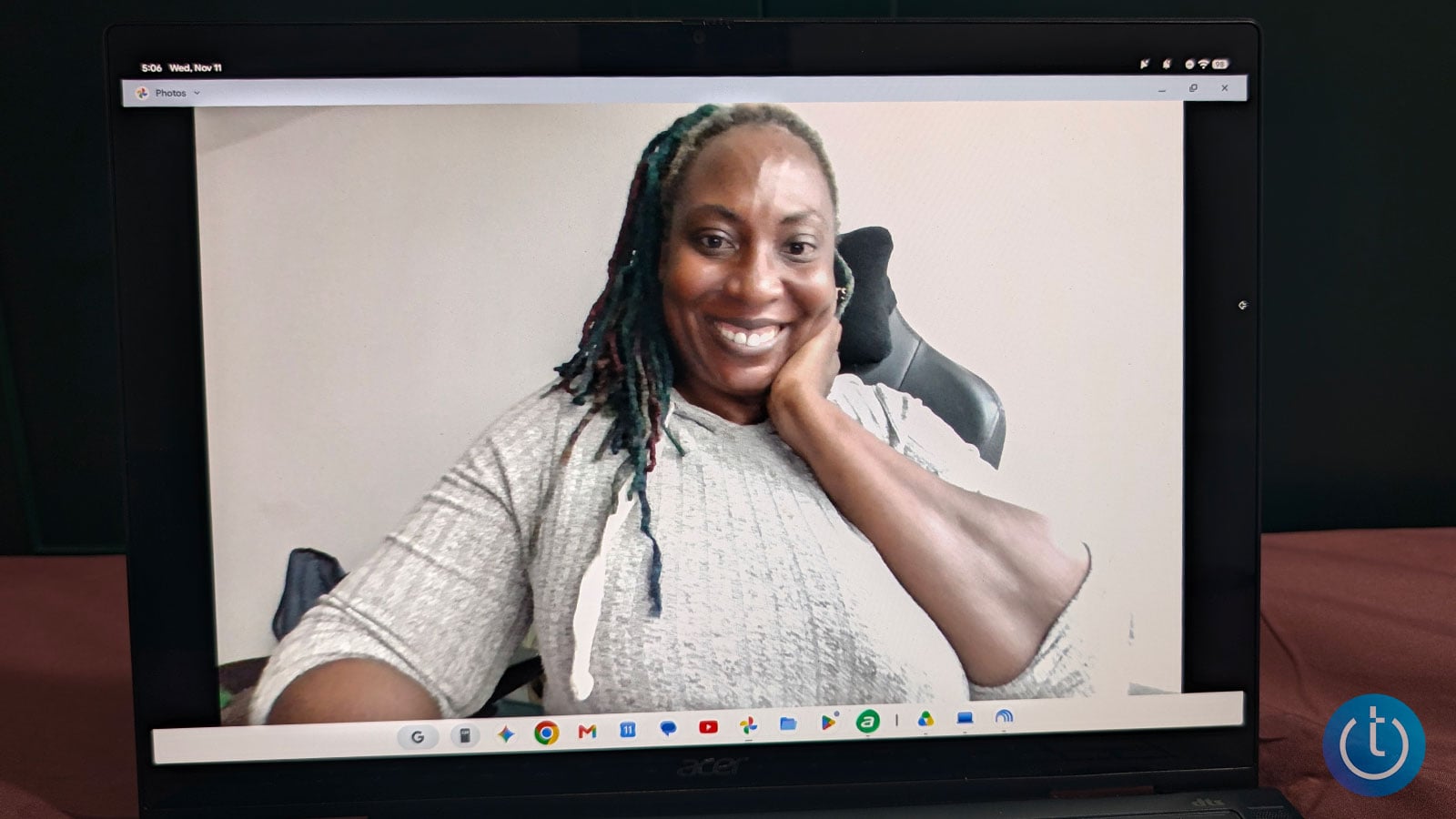
The webcam picked up the texture of my sweater dress, though colors looked muted and some highlights were blown out.
Image credit: Sherri L. Smith/Techlicious
Performance
Acer's outfitted the Googlebook 14 with a 2.1-GHz Intel Core Ultra 5 325 processor. One of the Series 3 Panther Lake chips, it's designed with thin-and-light laptops in mind. Made with 4 Performance Cores and 4 Low-Power Efficiency Cores, Intel's targeting a mid-range workload, focusing on everyday productivity – think lots of tabs, video conferencing, large spreadsheets, and on-device AI tasks such as live captions and GenAI. And what a coincidence, that happens to be the lion's share of my workday.
So I didn't hold back; I quickly unleashed my usual 70–80 Google Chrome tabs with their assortment of Google Workspace apps (Docs, Sheets, and Slides), news sites, YouTube videos, social media, and Slack. The Googlebook 14 plugged along with no signs of slowing down. The laptop's NPU, which can reach up to 46 TOPS, didn't break a sweat when I fired up Gemini Notebook to help compile research for an upcoming article. I also used Gemini to create a few reference images.
Photo editing in the mobile version of Photoshop was fine, but editing and encoding some of my longer videos definitely took longer than it would on a more powerful chip. The Googlebook 14 also performed well on synthetic performance benchmarks such as Geekbench 7 and PCMark Work 3.1. Its results were neck and neck with the Lenovo's: the Acer won on Geekbench, while the Lenovo won on PCMark.
The Acer, Lenovo, and Asus Googlebook 14 all use the Intel Core Ultra 5 325. The Dell XPS Googlebook and HP Googlebook 14 use Qualcomm Snapdragon X Elite chips, so these results don’t apply to them.
The Googlebook 14's integrated Intel Graphics chip fell within the expected performance range on tests like 3DMark Solar Bay Extreme and Wild Life Extreme. However, the chip isn't really cut out for graphically demanding games like "Cyberpunk 2077". But since the Googlebook is an Android system, you can play most mobile games. And if you really want to play AAA PC titles, you can make use of Nvidia's GeForce Now cloud gaming service, which currently has over 4,500 games.
Battery life
Acer estimates the Googlebook 14's 71Wh battery will last up to 16 hours on a charge. I put that to the test with my regular workload, plus watching the latest episode of "Monday Night Raw" with the screen brightness set to half. The laptop lasted 11 hours and 19 minutes, which is short of the estimate. It's also just a bit shy of the Lenovo's time of 11 hours and 30 minutes. However, both times are more than enough to last through a typical work day.
The Snapdragon-powered models promise more: the Dell XPS Googlebook is rated for up to 18 hours and the HP Googlebook 14 for up to 19.
Verdict
At $899, the Acer Googlebook 14 is the cheapest of the bunch and the only one I can flip into a tablet. That alone would get my attention, but the gorgeous 3K OLED touchscreen, comfy keyboard, and 11 hours and 19 minutes of battery life are what would keep me using it.
It held up under my usual avalanche of Chrome tabs, and being able to pull up a PDF from my phone without digging through it made my workday a little easier. The weak speakers had me reaching for headphones, and the webcam could use some work. Still, if you want to see what a Googlebook can do without spending a grand, Acer makes a strong case for starting here.
CHECK PRICE ON BEST BUY
CHECK PRICE ON ACER
FAQ
What AI features are included with Googlebook?
Google loaded the Googlebook up with plenty of Gemini-assisted features that are designed to streamline your workflow and personal life, including two that are unique to Googlebooks. Rambler is a new Gemini-powered voice dictation tool that turns speech into text, organizes thoughts into readable formats, and removes pesky filler words. Magic Pointer lets you launch Gemini by wiggling your cursor. You can then select objects on the screen, and Gemini will offer context-sensitive options for interacting with them.
Does Magic Pointer send what's on my screen to Google?
Google says the first analysis of your screen happens locally on the laptop, and information goes to Gemini in the cloud only after you submit a request. Google also says Magic Pointer works only when you activate it and can be turned off in settings.
Does the Acer Googlebook 14 come with Google AI Pro?
Yes, with 12 months included. Acer says the offer applies to purchases and activations on or after October 1, 2026, and must be redeemed by January 31, 2028. After the trial, Google AI Pro renews at $19.99 per month (or the then-current price) unless you cancel.
What are the phone features included with Googlebook?
Google incorporates your smartphone into the Googlebook’s ecosystem during the initial setup. Notifications & Settings sync lets your phone’s notifications and settings sync with the Googlebook, keeping you abreast of everything happening on your phone. For apps installed on both your phone and the Googlebook, a feature called Continue On lets you seamlessly switch between using the apps on your phone and the Googlebook. And Files lets you search across your phone and the Googlebook and open files as if they are stored locally, regardless of which device they are on.
What is Cast My Apps?
Cast My Apps shows your phone’s apps on the Googlebook, much like casting YouTube to a TV. You can use an app without installing it on the laptop or picking up your phone. You can use it to handle two-factor authentication prompts and to scroll through social media.
Can I use banking apps with Cast My Apps?
Not directly. Sensitive apps such as banking apps and DRM-protected video can't be mirrored, and the Googlebook shows a privacy screen instead.
Which phones work with the Googlebook's phone features?
Google’s setup page lists a compatible Android phone running Android 17 or higher as a requirement for cross-device features. Android 17 alone isn’t enough: Samsung Galaxy phones also need One UI 9.0, the phone and Googlebook must share a personal Google Account (work profiles aren’t supported), and both need Bluetooth and Wi-Fi on. iPhones are not compatible.
Can I connect more than one phone to a Googlebook?
Yes, up to two. Your phone is added during the Googlebook’s initial setup, but you can add a second phone later and switch between them as needed

