
We may earn commissions when you buy from links on our site. Why you can trust us.

Lenovo ThinkPad 8550 headset review: great on calls, weak on music
by Suzanne Kantra on August 24, 2026

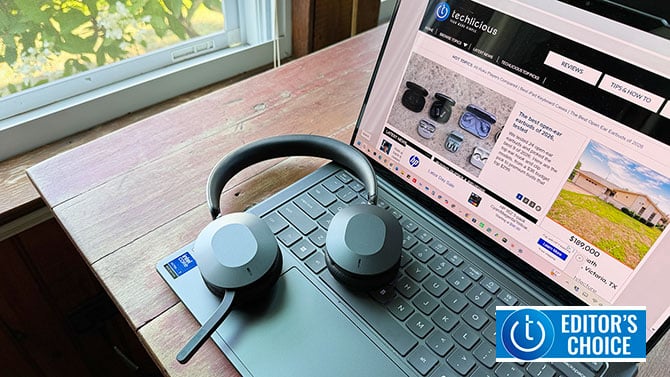
Image credit: Suzanne Kantra/Techlicious
The Lenovo ThinkPad Dual-Mode Wireless ANC Foldable Headset 8550 (Aura Edition) is a headset built around one goal: making you sound good on a work call. It does that job better than almost anything else I've tested, and every design choice, from the controls to the connectivity, is built around that task.
+ Pros
- Outstanding call quality, even in noisy environments
- USB-C dongle crushes Bluetooth range
- Tactile, reliable physical controls
- Smart pull-down boom mic
- Seamless two-device multipoint
– Cons
- Flat, forgettable music sound
- On-ear fit presses on ears
- No mobile app
- Unreliable double-tap playback
- Laggy handoff back to phone
"For anyone who lives on calls, outstanding call quality and noise canceling make this headset easy to recommend."
Call quality is why you'd buy this
Call quality is excellent and is the reason I don't hesitate recommending the ThinkPad 8550. I took a call with a coworker while standing outside in New York City, wind and street noise included, and there was no audible difference between that and a call from a quiet office. A five-microphone array with beamforming and AI-driven noise reduction delivers some of the best mic performance I've gotten out of a headset in that kind of environment.
Noise canceling holds up outside of calls, too, which is important for a headset meant to be worn all day. I used it at my desk with an air conditioner running constantly in the room, and the ANC silenced it almost completely.
Music quality is an afterthought
Music quality is a different story, and it's the clearest sign this is a business headset first. The response is flat: no boosted bass, no scooped mids, nothing that makes a song feel bigger than it is. A flat response can work in a headset's favor if it reproduces audio faithfully, with clean separation between instruments. This one doesn't pull that off. The sound is soft, and even with spatial audio turned on, there's no sense of being transported into the performance. It's fine for background listening while you work, but I wouldn't reach for it to enjoy music at home.
Controls built for someone on calls all day
Physical controls are a must for anyone on calls all day, and the ThinkPad 8550 has them for the functions that matter. A boom mic pulls down to expose the microphone and answer a call, then swings back up to end it, and I like that mechanic more than I expected to. There's a dedicated mute button on the boom itself, which comes in handy the moment you're hunting for a mute toggle mid-meeting. Three separate physical buttons on the earcups handle other core tasks: one for answering and ending calls, one for cycling through ANC modes (talk-through, active noise canceling, and off), and one for cycling through spatial audio modes (fixed, regular, and off). Each has a satisfying tactile feedback that confirms you actually changed something.
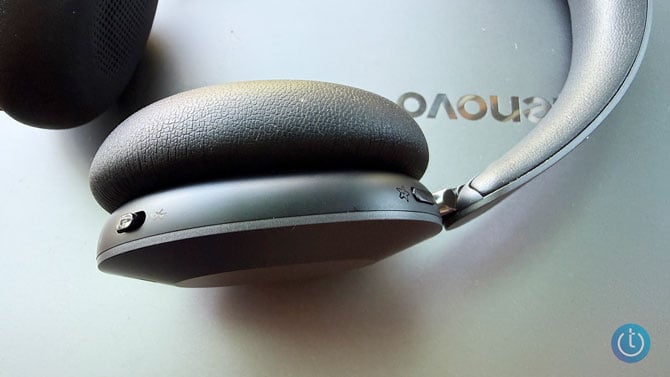
Image credit: Suzanne Kantra/Techlicious
The left earcup also has a touch surface for play/pause, volume, and track changes during music playback. It's sensitive and easy to use for volume, with an audible click confirming each tap, but the double-tap gesture for play and pause isn't reliable. Given the option, I'd take a physical button over touch for that function too.
Another feature of the ThinkPad 8550 headset that I love is the "on a call" indicator. When I'm on the phone, red lights glow at the bottom of both earcups. It's easy for my co-worker and kids to see at a glance that I'm on the phone and we don't have to go through the frantic "I'm on a call" gesturing.
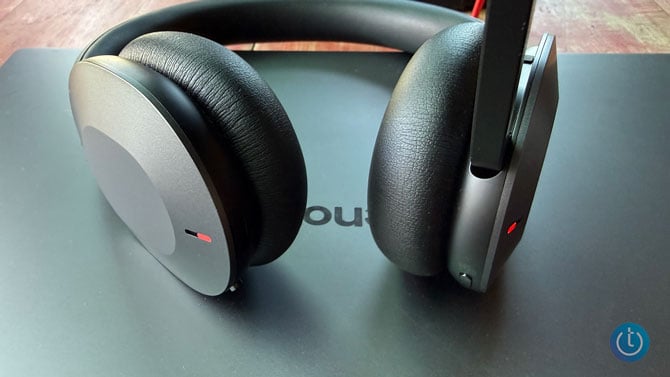
Image credit: Suzanne Kantra/Techlicious
Software customization, but only on desktop
Lenovo has a companion app for Windows 11 and macOS, called Lenovo Accessories and Display Manager. It lets you customize head gestures for answering calls, set adaptive volume, and choose your ANC level or let it adapt automatically. None of that customization is available from your phone, which is a real miss for a headset that also supports phone pairing.
Solid connectivity
Multipoint worked exactly as advertised: connected to both my laptop and my phone at once, it switched between them automatically without me doing anything. Switching from phone audio to your PC happens instantly the moment you stop phone playback, but switching back to the phone lags noticeably, something you'll notice if you bounce between devices often.
The included USB-C wireless receiver is worth using if you like to move around while you talk. My apartment has concrete walls that regularly kill a standard Bluetooth connection. With the USB-C dongle, I can walk around the entire apartment without a drop, which is the kind of range a Bluetooth-only headset can't match.
Comfort and build quality
Comfort depends entirely on whether you prefer on-ear, over-ear, or open-ear headphones. This is an on-ear design with soft, padded ear cups. I could wear them for a couple of hours at a time, but I never forgot I had them on: on-ear means constant, if slight, pressure on your ears the whole time you're wearing it. If you specifically prefer open-ear headphones or an over-ear design that doesn't rest directly on your ear, skip this one.
Build quality is solid without being flashy. The materials feel good, if a little plasticky, and the construction feels durable, but it doesn't have the design flourishes or soft-touch finishes you'll find on premium noise-canceling headphones. The case reads as professional rather than fashionable, with a textured pleather exterior and zipper with the signature ThinkPad red.
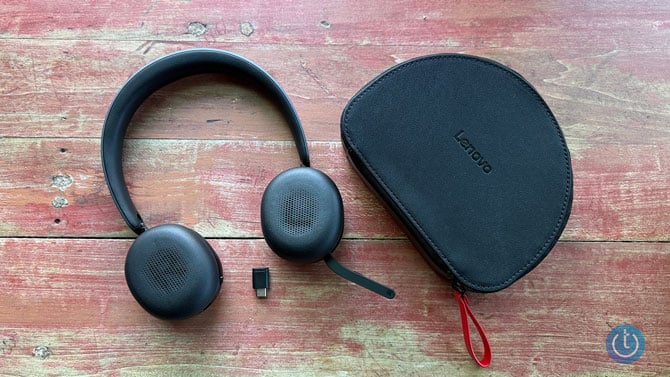
Image credit: Suzanne Kantra/Techlicious
Open the case and the headset folds to fit in snugly. The USB-C dongle is tiny enough that I'd worry about losing it, but the case has a dedicated slot for it, which solves the problem.
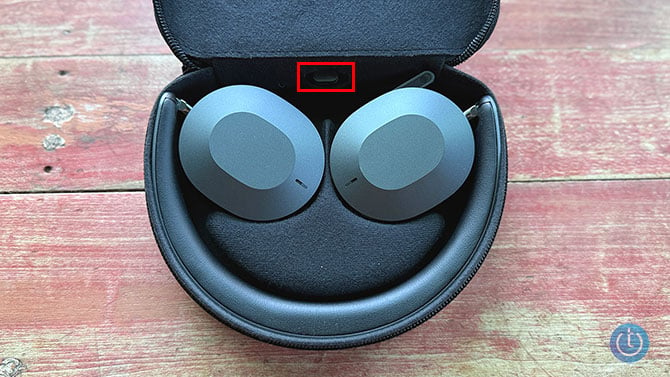
Image credit: Suzanne Kantra/Techlicious
Battery life
I haven't run a formal battery test, but Lenovo's rated 24 hours with ANC on, or 50 hours with it off, tracked with my real-world use. I left it powered on all day with Bluetooth active and got multiple days of use before needing to recharge. It also fast-charges: five minutes on the cable delivers two hours of use.
Verdict: should you buy the ThinkPad 8550?
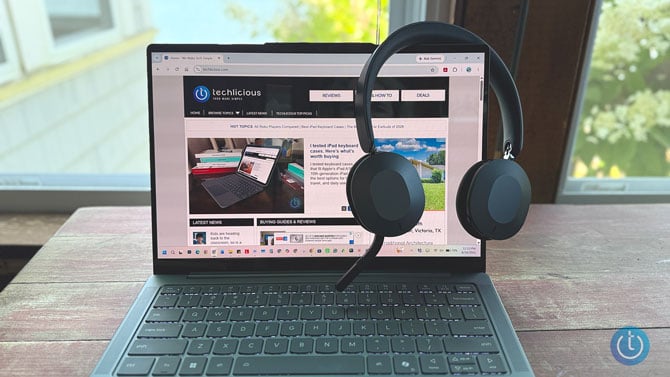
Image credit: Suzanne Kantra/Techlicious
Buy the ThinkPad 8550 headset if you spend your day on video calls and want a headset that makes you sound like you're in a quiet studio, no matter where you actually are. The mic array, ANC, and USB-C range make it a pleasure to use day to day, and the physical controls hold up under constant use.

