

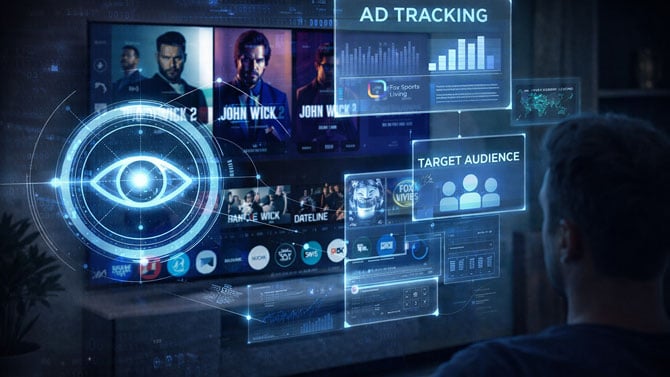
When most people think about privacy-invasive tech, they picture smartphones, social media apps, or smart speakers. The TV in the living room still feels benign – a big screen that plays shows, not something that watches you. That assumption is outdated.
Today’s smart TVs and many streaming boxes actively analyze what’s on your screen, identify what you’re watching, and turn that information into advertising data that’s sold and shared across the ad-tech ecosystem. This isn’t speculation. It’s a core part of how today’s “free” TV platforms make money.
How TVs and streaming boxes know what you’re watching
At the center of this is a technology called Automatic Content Recognition, or ACR. Think of it as Shazam for your television.
Your TV frequently samples what’s playing – either by capturing tiny snippets of audio, screengrabs, or both – and compares those samples to massive databases of known shows, movies, commercials, and even video games. When there’s a match, the TV knows exactly what’s on your screen, when you watched it, and for how long.
Crucially, ACR doesn’t care where the content comes from. Cable box? Streaming app? Antenna TV? Blu-ray player? Game console? If it shows up on the screen or comes through the speakers, the TV can identify it.
Streaming boxes add another layer. Platforms like Roku, Amazon Fire TV, and Google TV may not always “see” everything on screen the way the TV itself does, but they also have ACR built in and can track what apps you open, what you watch inside those apps, how long you stay, and what ads you’re exposed to. That data feeds directly into their advertising businesses.
Read more: Streaming Video Ads Too Loud? Here’s How to Quiet Them Right Now
What data is actually collected
The industry tends to describe this data as “anonymous” or “aggregated,” which sounds reassuring but glosses over how detailed it really is.
At a minimum, this data typically includes:
- The exact shows, movies, and channels you watch
- Which ads you see – and whether you stick around or tune out
- Time of day, viewing duration, and repeat viewing habits
- Which apps and inputs you use
- Device identifiers and IP address, which tie viewing data to a household
From there, the data gets enriched. Advertisers and data brokers use viewing patterns to infer age range, income level, interests, political leanings, and even health concerns. Because your TV shares a network with your phone and laptop, that viewing data can be used to target ads on other devices as well.
This is why you might see an ad on your phone for something that suspiciously resembles what you were watching on TV the night before.
The HDMI back door
Think that plugging in a separate streaming device solves the problem? It often doesn’t.
If ACR is enabled on the TV itself, the TV can still analyze whatever comes through its HDMI ports – including content from an Apple TV, Roku, Fire TV Stick, or game console. Even if the external device is relatively privacy-friendly, the television it’s connected to may not be.
Why this is in the news now
Smart TV surveillance isn’t new. Regulators and researchers have been flagging it for nearly a decade. What’s changed is the scale – and the legal scrutiny.
Most recently, State Attorney General Ken Paxton has accused major TV manufacturers of collecting and monetizing viewing data without meaningful consumer consent. The lawsuit argues that burying ACR permissions inside long setup screens or scattered settings menus doesn’t constitute real choice, especially when people are nudged to click “agree” just to finish setting up a TV they already paid for.
The timing also matters. As streaming shifts heavily toward ad-supported models, TV manufacturers and platform owners are under pressure to extract more value from their data. Your viewing habits aren’t a side effect anymore – they’re the product.
What happens when you turn it off – and what you lose
You can opt out of much of this tracking, but there’s a trade-off.
Disabling ACR usually means:
- Less personalized recommendations
- Fewer “continue watching” or “more ways to watch” features
- Ads that are still there, just less targeted
In other words, your TV still works as a TV. You’re mostly giving up convenience features designed to keep you watching – and to make advertising more profitable.
The bigger challenge is finding the settings in the first place. On many TVs, ACR controls are buried several layers deep under names like “Viewing Information,” “Smart TV Experience,” or “Interest-Based Advertising.” In some cases, you have to disable multiple settings in different menus to fully opt out. Consumer Reports has an excellent step-by-step guide to turning off ACR for the major TV platforms.
Read more: How to Hide Your TV Cords
The bottom line
Your smart TV isn’t just a display anymore. It’s a data collection device sitting in one of the most private spaces in your home.
For some people, the trade-off is acceptable – better recommendations in exchange for targeted ads. For others, it’s a line they didn’t realize they were crossing when they bought a television.
Either way, this should be a conscious decision, not something that happens by default during a rushed setup process. If you’ve never checked your TV’s privacy settings, now is a good time. You already paid for the screen. You shouldn’t have to pay again with your viewing data unless you choose to.
[Image credit: Suzanne Kantra/Techlicious via ChatGPT]

