

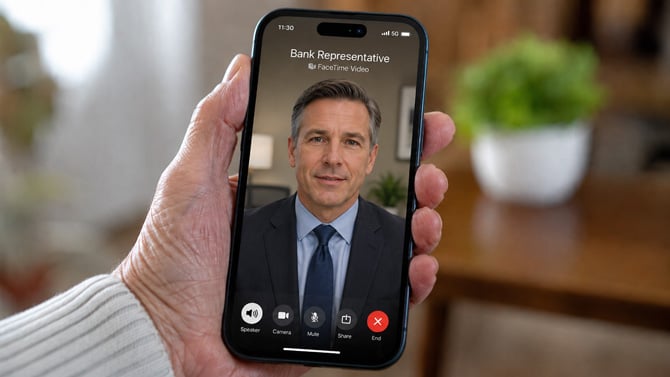
Suzanne Kantra/Techlicious generated by ChatGPT
Apple is warning iPhone and iPad owners to hang up immediately on unexpected FaceTime calls that claim to be from a bank or financial institution. The company says scammers are increasingly using its own video calling app to steal passwords, account numbers and one-time security codes.
The scam typically starts with a text message claiming suspicious activity was flagged on a bank account or credit card, according to Malwarebytes. The message includes a number to call, and that call quickly turns into a FaceTime video session with someone posing as a fraud investigator.
Once the call connects, the scammer asks the victim to share their screen while logging into online banking. That gives the scammer a live view of passwords, account numbers and one-time codes as they're typed in.
TechRepublic found tech support scams using the same playbook. After flashing a fake security warning, callers claim they need to inspect the device over FaceTime, then talk victims through installing remote access software or turning off security settings.
Apple's own support page on avoiding scams lays out the pattern: attackers spoof caller ID to look like a trusted company, mention personal details to build trust, then push urgency so the victim doesn't stop to call the bank directly. Apple says it will never ask a customer to log into a website, approve a login confirmation code, or hand over a password or device passcode.
If a FaceTime call or a link to one shows up out of nowhere, don't answer it. Hang up, then call the bank or Apple using the number printed on a card or listed on the company's official site, not a number given during the call.
If you already shared your screen or handed over login information, move fast:
- Change the password for any account that was exposed, don't reuse it anywhere else, and save it in your password manager.
- Turn on two-factor authentication (2FA) if it isn't already on. Check out my recommendations on the 2FA options you are given.
- Check your Apple ID and bank accounts for any new devices or logins you don't recognize, and disconnect them.
- Call your bank directly, using the number on the back of your ATM or debit card, not any phone number given to you during the call.
Apple has set up a dedicated address for reporting suspicious FaceTime activity: reportfacetimefraud@apple.com. Screenshot the call if you can before you report it. You can also file a report with the FTC at ReportFraud.ftc.gov.
Read next: How to tell if an email has been spoofed

