

Tech Made Simple

Hot Topics: All Roku Players Compared | Best iPad Keyboard Cases | The Best Open Ear Earbuds of 2026

We may earn commissions when you buy from links on our site. Why you can trust us.

author photo

Fake Zoom update scam that hit Windows PCs now targets Macs too

by Suzanne Kantra on August 06, 2026

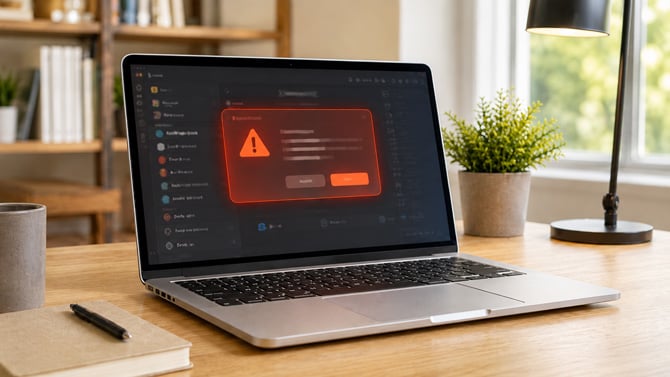
Concept image of a MacBook with a popup warning.

Suzanne Kantra/Techlicious generated by ChatGPT

If you get a prompt telling you to update Zoom, don't click it, at least not without checking first. A scam is using fake Zoom update messages to trick people into installing software that gives an attacker remote control of their computer, and it has just expanded from Windows PCs to Macs.

The scam works because the file victims install doesn't look like malware. In fact, it's a legitimate remote-support tool called ConnectWise ScreenConnect commonly used by IT help desks. Someone who installs it thinking they're updating Zoom is instead handing a stranger the ability to see their screen, access their files, and record anything they type.

Security firm Securonix is tracking the campaign, which researchers have named SMOKE#SCREEN. It reported this week that a new installer built for Mac, named "ZoomUpdateInstaller.pkg," traces back to the same infrastructure as earlier attacks on Windows computers.

This isn't the only time attackers have used a fake Zoom update as bait. We wrote about a related scam earlier this year that abused real emails from Zoom's own system to push the same kind of software.

The safest move is to never install Zoom, or any other software, from a link in an email, text, or pop-up. Zoom updates itself automatically, or you can check for updates manually inside the app: open Zoom, click your profile picture, and select "Check for Updates." Whether you're on Windows or a Mac, if a message asks you to download an update or "desktop app" from anywhere else, be very cautious before you do.

Read next: Best antivirus software 2026: free and paid picks


Topics

News, Computers and Software, Computer Safety & Support, Blog, Privacy


Discussion loading

Home | About | Meet the Team | Contact Us
Media Kit | Newsletter Sponsorships | Licensing & Permissions
Accessibility Statement
Terms of Use | Privacy & Cookie Policy

Techlicious participates in affiliate programs, including the Amazon Services LLC Associates Program, which provide a small commission from some, but not all, of the "click-thru to buy" links contained in our articles. These click-thru links are determined after the article has been written, based on price and product availability — the commissions do not impact our choice of recommended product, nor the price you pay. When you use these links, you help support our ongoing editorial mission to provide you with the best product recommendations.

© Techlicious LLC.