

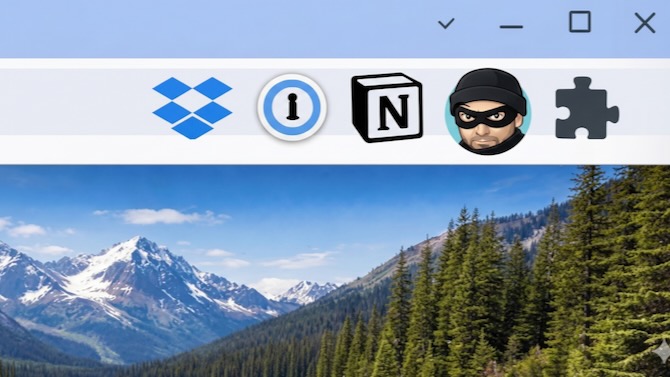
This week, security software firm Socket revealed research showing that two Chrome browser extensions, each named Phantom Shuttle and advertised as VPN-like tools, had been quietly siphoning off nearly all the information going into and out of users’ browsers. The news came on the heels of a separate report earlier this month from Koi Research, which found that another popular extension, Urban VPN Proxy, had been updated in July to intercept people’s conversations with major AI chatbots including ChatGPT, Claude, Gemini, and Microsoft Copilot.
These weren’t obscure extensions that no one was paying attention to. Phantom Shuttle has been available in the Chrome Web Store since at least 2017. (It's tailored to appeal to Chinese users.) Urban VPN Proxy has more than 6 million users on Chrome and over 1.3 million on Microsoft Edge, which is built on the same underlying technology. It has a 4.7-star rating from tens of thousands of reviewers in the Chrome store and even carries a “Featured” badge – something many users may take as a sign of trustworthiness but not one that's backed up by rigorous vetting.
Read more: Why Your Browser Extensions Could Be a Privacy Nightmare
They’re also far from isolated cases. Over the past few years, researchers have repeatedly uncovered browser extensions that quietly collected browsing data, intercepted traffic, or changed behavior long after users installed them. The reason this keeps happening is that extensions are powerful by design. To do their jobs, many – even legitimate ones – are allowed to see the pages you visit, read what you type, and modify how websites behave.
How to Protect Yourself From Sneaky Extensions
Unlike traditional malware, malicious extensions don’t have to sneak onto your computer. You install them yourself. And as these recent examples show, there’s no surefire way to identify and block bad extensions in advance. Still, there are practical steps you can take to reduce your risk.
The most important one is simply to install fewer extensions in the first place. It’s easy to add tools after a quick search or recommendation and then forget about them entirely. If you’re like me, you may be surprised when you actually look at how many are installed. In Chrome, click the three dots in the upper-right corner and choose Extensions > Manage Extensions. In Safari, go to Safari > Safari Extensions. If you don’t remember installing something, that’s a good sign it doesn’t need to be there.
If you’re unsure about an extension, you don’t have to delete it right away. Most browsers let you turn extensions off temporarily. Disabling one for a week is a simple way to see whether you truly rely on it – and reduces your exposure in the meantime.
It also helps to pay attention to permissions before installing anything new. Many extensions request access to every website you visit, your browsing history, or the ability to read and change data on all pages. You have to accept all of those permissions to install the extension, so it’s worth pausing to ask whether the tool really needs that level of access to do what it claims.
Popularity isn’t a guarantee of safety, either. While extensions with lots of users may receive more scrutiny, Urban VPN Proxy shows that even widely used tools can change behavior over time. A healthy dose of skepticism is especially useful with free extensions that promise sweeping benefits like “total privacy,” “free VPN access,” or broad AI enhancements. Those features often require deep access to your browsing activity, which increases risk.
Read more: The Best VPNs for Protecting Your Privacy
Your choice of browser also plays a role. Chrome and Edge are the most popular browsers, and both run on Chromium, making them especially attractive targets. Apple’s Safari can be safer, in part because it’s less widely used and because its extension ecosystem is more tightly controlled. Safari extensions available through Apple’s official Safari Extensions gallery in the App Store are reviewed, more limited in what they can do, and can be remotely disabled by Apple if problems arise.
That safety advantage disappears if you download Safari extensions directly from websites. In many cases, you’re not just installing a browser add-on but a full macOS app with an extension component. Those apps can request broader system permissions and don’t benefit from Apple’s centralized oversight. To stay safer with Safari, it’s best to stick to Apple’s Extension Gallery.
The same logic applies to Chrome and Edge. While their extension stores aren’t as tightly supervised, installing extensions from random websites bypasses even the safeguards those stores provide. Many niche browsers are also based on Chromium and share the same risks. Firefox, which uses a different extension system, is a smaller target, though it hasn’t been completely immune to malicious add-ons either.
Finally, keep your browser and operating system up to date. Browser makers regularly patch security holes and disable extensions that are later found to be malicious. Staying current helps ensure those protections actually reach your device.
[Image credit: Sean Captain/Techlicious via ChatGPT and Nano Banana]

