

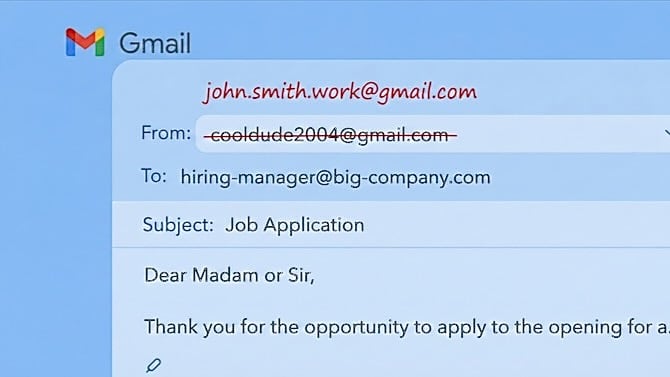
If you've been stuck with an embarrassing Gmail address you created back in high school or college, there's finally some relief on the horizon. Google is rolling out the ability to change your @gmail.com email address without having to start from scratch with a new account. The same inbox will show all the messages that were sent to the old email address, as well as all the messages coming in on either the new or the old address. The change was first spotted in the Telegram group "Google Pixel Hub", as reported by 9to5Google.
The feature has shown up in Google's official support documentation, originally only in Hindi, but now including instructions in English on how to change your Gmail address. The feature is debuting in India, but with Google’s support pages updates, and chances look good that U.S. users can expect it soon. So, keep an eye on your Gmail settings and we will let you know when it officially arrives.
How the Address Change Works
The biggest worry with an address change is what happens to messages sent to your old one. You don’t have to worry here. Google notes that your old email will remain as an alias on your account. That means emails sent to your old address will still arrive in your inbox, and you can still use it to sign in to Google services like Drive, Maps, and YouTube. All your stored data, including Drive files, Google Photos, and purchase history, stays untouched.
So if you're "cooldude2004@gmail.com" and change to something more professional like "john.smith.work@gmail.com," people can still reach you at your old address. You just won't have to give out that cringeworthy email address anymore. (Believe me, I’ve been there.)
The Limitations
Google isn't giving you unlimited do-overs, though. You can change your Gmail address only once every 12 months, and there's a lifetime limit of 3 changes per account. So you'll want to think carefully before making the switch.
This is actually pretty similar to how some other email services handle address changes. Outlook and Proton Mail have offered alias switching for years, but Google is finally catching up. (Yahoo Mail still doesn't offer the capability.)
Read more: How to Switch Email Accounts Without Losing Emails
When Will It Arrive?
Google hasn't made an official announcement about this feature yet, and it's unclear when it will roll out more broadly. The fact that the support documentation is now in English suggests the rollout is expanding beyond the initial test markets, but U.S. users will likely have to wait a bit longer. We are inquiring with Google and will update this article if we get a response.
If you want to check whether you have access, look for the option in your Google Account settings. Click your profile photo or icon in the upper right, then Manage your Google Account > Personal info > Email > Google Account email. Once it arrives, you should see an option to change your Gmail address under the Google Account email settings, alongside your current email information.
Read next: Prepare Now for the Next Big Internet Outage
[Image credit: Sean Captain/Techlicious via ChatGPT]

