

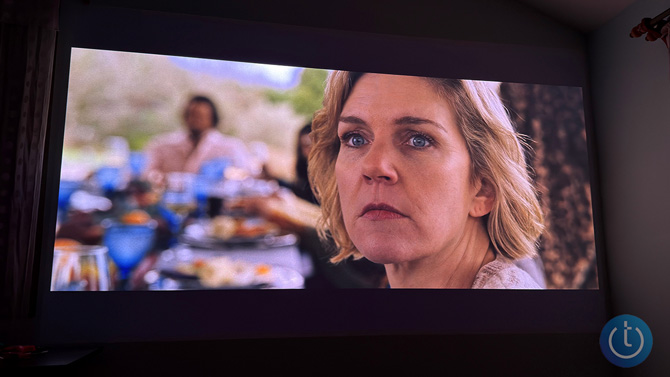
Using a projector with a 100-inch-plus screen sounds complicated. In practice, it’s one of the easiest ways to create a true big-screen experience at home – or in your backyard – without mounting a TV the size of a garage door.
I’ve tested everything from compact battery projectors to ultra-bright home theater models, and the biggest mistake people make isn’t buying the wrong projector. It’s not understanding placement, surfaces, sound, and lighting. Get those four things right, and even a mid-range projector can look impressive.
Whether you're setting up a projector for movies, sports, or backyard watch parties, here’s what actually matters.
Projector placement is math, not guesswork
Most budget and mid-range projectors use a throw ratio between 1.2:1 and 1.4:1. That means for every foot of screen width, the projector needs to sit about 1.2 to 1.4 feet away.
So, if you want a roughly 100-inch diagonal image (about 87 inches wide), a 1.2:1 projector should sit about 8.5 to 9 feet from the wall or screen. That’s why so many setups end up on a coffee table in the middle of the room – that’s usually the “correct” distance.
You don’t need a fancy mount. A media console, table, or even a stack of books works, as long as the lens is roughly centered on the screen.
Most modern projectors include auto-keystone correction to square up the image if the projector isn’t perfectly aligned. It’s useful, but it’s a digital fix. Proper placement always looks better.
Higher-end models I’ve tested and recommend, like the XGIMI Horizon 20 Max ($2,699) and XGIMI Horizon S Max ($1,490), go further with automatic focus, keystone, screen alignment, and even obstacle avoidance if something is in the way. These features are incredibly helpful if you move the projector between rooms or set it up in unfamiliar spaces. With many budget projectors, you won’t get this level of automation.
For ultimate image quality (and if your budget allows), the Valerion VisionMaster Max ($3,999) laser projector offers what many consider to be the best image quality currently on the market. Techlicious awarded it our Top Pick of CES Award in 2025 for its stunning 4K clarity, bright 3,500 ISO lumen rating, wide color gamut (110% Rec.2020) and dynamic contrast levels (50,000:1) that rival high-end TVs.
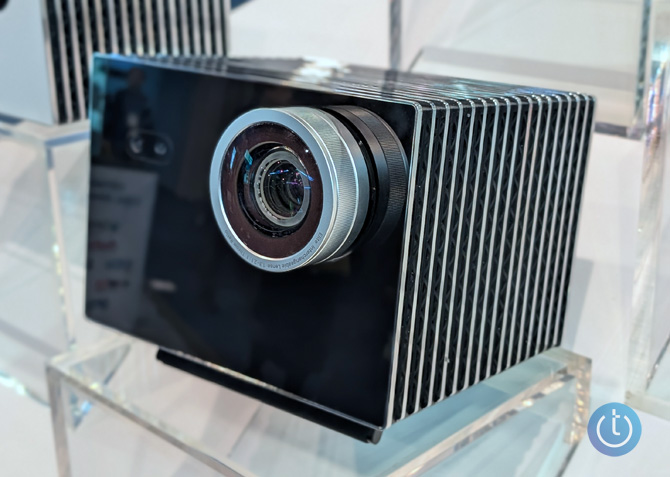
Valerion VisionMaster Max
If you don’t have the space for a standard projector, ultra-short-throw (UST) and short-throw projectors will solve that problem. The XGIMI Aura 2 ($1,899) has a 0.177:1 throw ratio that allows it to create a 100-inch image from only about 1.5 feet away.
Screen vs. wall – when a wall is not good enough
A projector screen is not just an accessory. It’s often the difference between a picture that looks “pretty good” and one that looks like a real home theater.
Most walls have texture (orange peel, eggshell) and slight color shifts that affect brightness and color accuracy. A proper screen is flat, evenly reflective, and designed for projection.
If you’re using a long-throw projector and you have a smooth, flat, white wall, you can often get away without a screen – especially if your projector supports wall color correction. The Horizon 20 Max, for example, includes Wall Color Adaptation, which measures the wall color and adjusts the output accordingly. I use it on a light blue wall, and it works surprisingly well for casual viewing.
Ultra-short-throw (UST) and short-throw projectors are different – the projection angle is so steep that any wall imperfection is magnified. In these cases, a screen is mandatory.
For a reliable outdoor or indoor setup, fixed-frame, tensioned screens like the Elite Screens Yard Master 2 (starting at $154 for the 75”) for HD projectors or the Elite Screens Yard Master Plus (starting at $269 for the 100”) for 4K projectors, provide a noticeably better image. For large backyard events, inflatable screens such as the Vevor Inflatable Projector Screen (starting at $89 for the 16-foot inflatable) are easy to set up, as long as they’re anchored properly.
Audio – test what you have before buying speakers
Many modern projectors have surprisingly capable speakers. The Horizon 20 Max, for instance, includes dual 12W Harman Kardon speakers with Dolby Audio. I’ve extensively used this projector in my home and they’re loud enough that I don’t need anything else. But every home is different. Test your projector’s built-in audio with real content. For a watch party of 10–15 people, you may find it’s perfectly adequate.
If you do need more volume or better bass, a soundbar is the easiest upgrade. For an all-in-one solution that doesn’t require an external sub, the Roku Streambar SE (under $100) is a simple budget option, while the Sonos Beam Gen 2 ($499) delivers much fuller movie sound with Dolby Atmos.
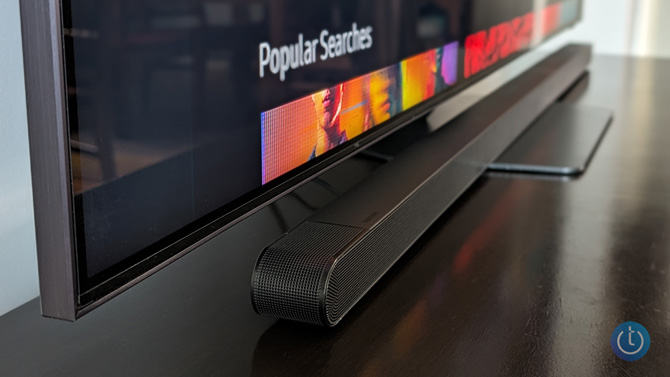
For a better home theater experience, the Samsung HW-S800D ($700), which we’ve listened to extensively, adds a subwoofer and delivers surprisingly rich sound from its ultra-slim profile. Or upgrade to a full 11.1.4 system like the Samsung HW-QS700F ($1,700), which earned 4.5 stars in our 2025 review.
Bluetooth speakers work, but audio delay can happen. For outdoor setups, a portable speaker with an auxiliary input is more reliable. The Soundcore Motion Boom Plus ($159) delivers 80W with strong bass, while the ECOXGEAR Defender ($299), with its 100W amp, can overcome ambient noise from larger groups.
Power – don’t overlook this, especially for outdoor setups
Bright, high-resolution projectors, like the Horizon 20 Max (5,700 ISO lumens), Horizon S Max (3,100 ISO lumens), and Aura 2 (2,300 ISO lumens), require approximately 300W of power and must be plugged in. So, plan your setup around outlet access and bring an extension cord.
For backyard watch parties, a portable power station makes it possible to use these power-hungry projectors without an outlet. The EcoFlow Delta 2 Max (2048Wh, $849, usually $1,399) and Jackery Explorer 2000 v2 (2040Wh, $799, usually $1,199) can run a full-size projector for hours and are useful for camping and power outages, too.
Battery projectors are convenient but limited in functionality. The XGIMI MoGo 4 ($459, usually $549) I’m currently testing delivers 450 ISO lumens and about 2.5 hours of runtime (up to 5 hours with its optional PowerBase stand). That’s fine for nighttime use, but nowhere near bright enough for daylight or well-lit rooms.
Read more: This AI-Powered Portable Projector Casts a Sharp Image on Any Surface
Lighting – the rule most people ignore
If you want to use a projector during the day, brightness matters more than anything else.
You’ll want at least 2,000–3,000 ISO lumens for daytime viewing without direct sunlight (and preferably with nearby blinds or curtains closed). For very large screens (over 120 inches) or brightly lit rooms, 4,000–6,000 ISO lumens is where projectors start to hold up.
A 450 ISO lumen portable projector will disappear in daylight. When the sun sets, position the screen away from porch lights and string lights that can wash out the image.
Final setup checks before guests arrive
Do a full test run before anyone shows up.
Open your streaming apps and log in. Check Wi-Fi signal strength. If you’re using an antenna, confirm reception. Adjust focus, image size, and audio levels with real content, not menus.
For outdoor setups, check the weather. A drizzle can permanently damage a projector, and wind can turn an inflatable screen into a kite if it isn’t anchored well.
Projectors are far more forgiving than people think. Once you understand placement, surfaces, sound, power, and lighting, you can create a true big-screen experience almost anywhere – without turning your living room into a permanent home theater.
Read more: The Best Indoor TV Antennas
[Image credit: Palash Volviokar/Techlicious]

