

While some identity thieves might use stolen information to clear out your bank account or make claims on your insurance policies, a more insidious form of identity fraud exists. Armed with your information, scammers create entirely new accounts – bank accounts, store accounts, credit card accounts – in your name.
Identity thieves can use your personal information to open and max out multiple credit cards, apply for loans, and place deposits on big-ticket items. This activity all goes onto your credit profile, eventually sinking your credit rating. Yet you might never find out about the unauthorized activity until the debt collectors come calling or you find yourself summarily rejected for a loan or mortgage application.
You may have turned to credit monitoring services that will notify you about unusual activity. But that's the equivalent of closing the door after the horse has already left the barn. At that point, thieves have already opened an account and compromised your credit.
So what can you do to thwart identity thieves? The major credit bureaus allow you to place a freeze on your credit or add a fraud alert. Both are free, but each has its limitations.
Is it time to add a credit freeze?
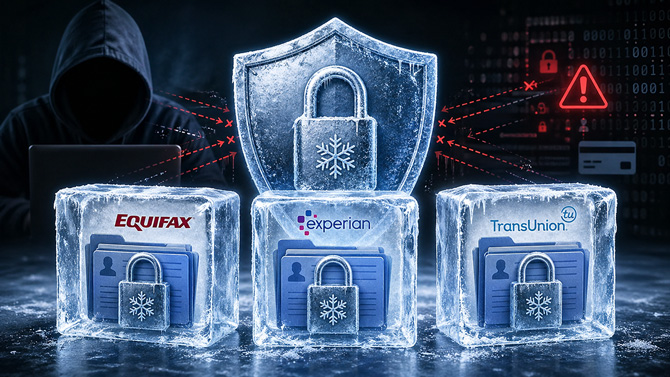
To stop thieves in their tracks, put a security freeze on your credit profile, which prohibits lenders and companies that are trying to check your credit from accessing your profile. This prevents thieves from opening new accounts under your name, because creditors are unable to check your credit history.
"The security freeze is a good tool for someone with recurring fraud issues," says Rod Griffin, senior director of public education for credit reporting agency Experian. "That's the insidious nature of fraud. Once an identity has been stolen, more false accounts may pop up again six months or two years later, and we wouldn't necessarily recognize it as fraud."
A credit freeze is also worth considering even if you have not yet seen fraud. Freezing your credit at Equifax, Experian, and TransUnion gives identity thieves less room to open new accounts in your name.
You need to set up a freeze individually with Equifax, Experian, and TransUnion. We also recommend placing a freeze with Innovis, a smaller consumer reporting agency.
Keep in mind that a credit freeze can add a step when you apply for credit or services that require a credit check, but it is less cumbersome than it used to be. The key is to unfreeze your credit before you apply, then refreeze it after the application is complete. Depending on the bureau, you manage your freeze through an online account, identity verification, or a PIN. Placing, temporarily lifting, and permanently lifting a security freeze are all free.
When is a credit fraud alert better than a credit freeze?
A fraud alert is a notice placed on your credit profile that requires any company requesting your credit report to verify your identity before proceeding. Unlike a freeze, it doesn't block access to your credit – it adds a verification step. If you expect to apply for several things in a short period, such as a mortgage, car loan, apartment, or new phone plan, a fraud alert may be a less disruptive option than a freeze.
When you set up an initial fraud alert at any one of the three major credit bureaus, the bureau you contact is required to notify the other two. This alert lasts for one year and can be renewed. If you apply for anything requiring a credit check during this period, be prepared to provide additional proof of identity.
If confirmed fraud appears on your report, you can escalate to an extended fraud alert that lasts for seven years. To qualify, you'll need an identity theft report, which can be an FTC Identity Theft Report from IdentityTheft.gov or, in some cases, a police report. A fraud alert does not automatically remove fraudulent accounts from your credit report. You still need to dispute them with the credit bureaus and the companies reporting the information.
Preventing other types of account fraud
A freeze at Equifax, Experian, and TransUnion helps prevent many credit card and loan account openings, but does not stop all types of new-account fraud. There are specialized credit agencies that serve specific industries.
To stop someone from opening a bank account in your name, place a freeze with ChexSystems. If you are worried about phone, utility, or cable TV accounts, contact the National Consumer Telecom & Utilities Exchange (NCTUE). For other areas, such as employment or tenant screening agencies, the Consumer Financial Protection Bureau (CFPB) maintains a list of specialty consumer reporting companies and explains how you can request a freeze.
Once you have freezes in place, you should be well protected; but it's still a smart idea to keep an eye on your credit profile. On AnnualCreditReport.com, you can request free weekly credit reports from Equifax, Experian, and TransUnion to make sure your identity is secure.
Read next: The best VPNs for protecting your privacy
Updated on 4/27/2026 with current reporting information.
[credit freeze concept Suzanne Kantra/Techlicious via ChatGPT]

