

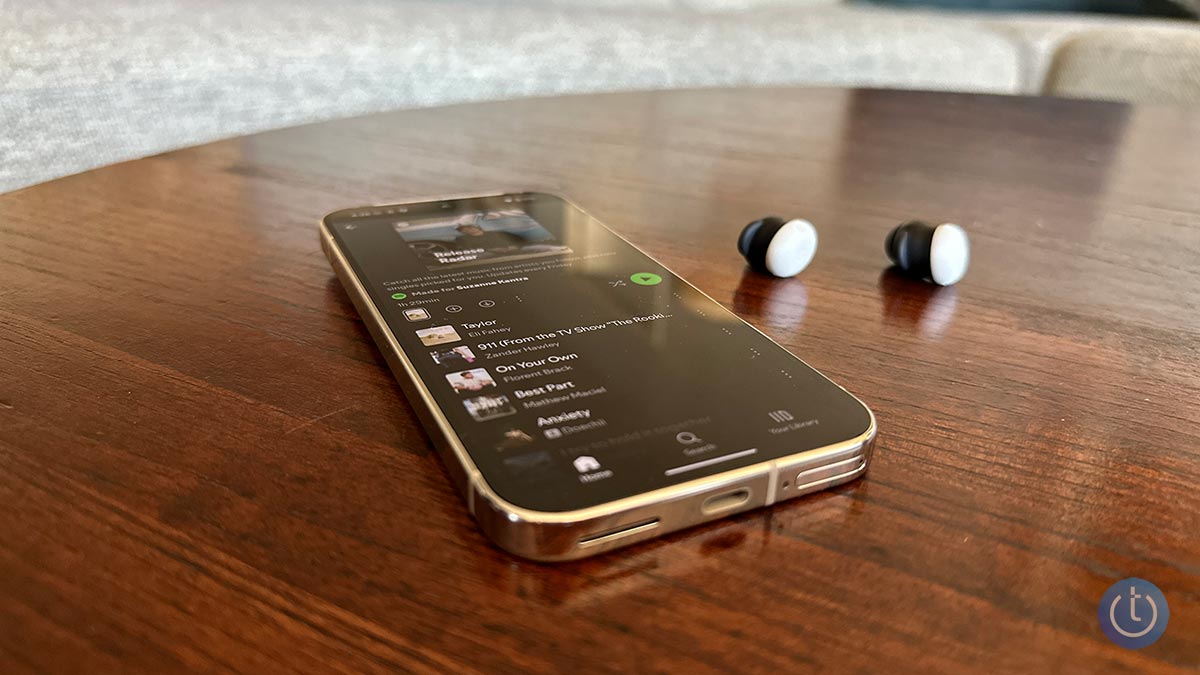
Most of us treat Bluetooth as a basic feature that's just supposed to work. So when it doesn't, it's incredibly frustrating. If you've ever wrestled with headphones that refuse to connect or a speaker that keeps dropping out, you're not alone. And as someone who's reviewed hundreds of Bluetooth gadgets over the years, believe me, I've felt your pain.
Why your Bluetooth device isn't showing up when pairing
If you're trying to connect a Bluetooth accessory and it doesn't appear on the list of available devices, the problem is almost always one of three things: the accessory isn't in pairing mode, it's already connected to another device, or your phone or computer has stale pairing data that needs to be cleared before it can see the accessory again. Work through steps 1 through 5 before anything else.
Why you're seeing a "Pairing Unsuccessful" error
If the device shows up on the available list but fails to connect with an error like "pairing unsuccessful," "pairing rejected," or "pairing not accepted," the usual causes are that the accessory isn't in pairing mode or it's already connected elsewhere. A communications glitch can also trigger these errors. Toggling Bluetooth off and back on and restarting one or both devices usually clears it.
Why your Bluetooth device won't connect after pairing
When a Bluetooth device that previously worked stops connecting, the cause is almost always one of two things: Bluetooth is turned off on one of the devices, or the accessory has already connected to a different phone or computer nearby. Check those two things before working through the steps below.
10 ways to fix Bluetooth pairing problems
If the quick checks above didn't solve it, work through these fixes in order. They're organized from most likely cause to least, and from easiest to most involved.
1. Make sure Bluetooth is turned on
If Bluetooth isn't active on both devices, nothing else will work, so confirm this first.
On Android, swipe down to open Quick Settings. If the Bluetooth tile is highlighted, it's on. On iOS and iPadOS, go to Settings to enable or disable it. Windows users will find Bluetooth under Settings > Devices > Bluetooth (or in the taskbar shortcuts). Mac users will see a Bluetooth status icon in the menu bar.
If Bluetooth won't turn on at all, try restarting the device. If that doesn't help, a driver update may be what's needed (step 8 covers that).
2. Turn on pairing mode
Bluetooth devices fall into two categories: accessories (headphones, keyboards, speakers) and main devices (phones, computers, cars, TVs). They work differently when it comes to pairing.
Accessories typically start in pairing mode right out of the box, indicated by a blinking light. Once paired, you'll need to trigger pairing mode again to connect to a new device. Search for "how to put [product name] into pairing mode.
For main devices, activate Bluetooth first, then put the device into pairing mode through its settings menu. When both sides are in pairing mode, they usually find each other and connect. Some devices require an extra step, like entering a PIN or going through a manufacturer's app.
Pairing a phone with a car's infotainment system trips up more people than almost anything else. Start by activating Bluetooth on your phone and making it discoverable. Then put the car into pairing mode. On older models that typically means a specific button sequence; on newer models, it's usually a menu on the in-dash touchscreen. When the car detects your phone, you'll often see a numeric code on one or both screens to confirm. Both devices stay in pairing mode for only a few minutes, so if it times out before the confirmation step, you'll need to start over. Search for "[your car make and model] Bluetooth pairing" if the process isn't obvious from the screen.
3. Power Bluetooth off and back on
A soft reset clears minor communication glitches. On phones and computers, toggle Bluetooth off and on in Settings. On accessories like keyboards, speakers, or headphones, cycle the power off and back on.
4. Make sure you're connected to the correct device
Bluetooth accessories reconnect automatically to the most recently connected device. If your headphones are already connected to your laptop, they won't also connect to your phone without some intervention. Check whether your accessory is paired and active on another device, disconnect it there, then try again on the one you want to use.
Many modern headphones and speakers support multipoint pairing, which lets them stay connected to up to three devices simultaneously, switching between your phone and computer automatically. If you're running into issues specifically with multipoint, skip to the section below.
5. Forget the device and pair it again
Corrupted or outdated pairing data is a common cause of persistent connection failures. Remove the device from your Bluetooth settings entirely and start fresh. On iOS and iPadOS, tap the "i" icon next to the device name and select "Forget This Device." On Android, tap the device name and choose "Unpair" or "Forget." On Windows, click the three-dot menu next to the device and select "Remove." On Mac, hover over the device and click the X button or "Disconnect" to remove it.
If the accessory won't enter pairing mode at all, it may have reached the limit for stored connections. Most accessories cap out at somewhere between three and eight. Your options are to make one of your existing paired devices forget the accessory, freeing up a slot, or to factory reset the accessory to clear all stored pairings at once. The reset procedure is usually in the manual or findable with a quick search for "[device name] factory reset."
6. Make sure both devices are close enough
Most Bluetooth connections drop significantly after about 30 feet, and even sooner with walls or furniture in the way. During initial pairing, keep devices within five feet of each other.
7. Charge up both devices
Some devices power down Bluetooth automatically when the battery runs low. If a phone, tablet, or accessory is running on fumes, plug it in before trying to pair.
8. Check for software and firmware updates
Most headphones, speakers, and accessories run firmware that quietly controls how they connect and perform. A firmware update can solve pairing problems that seemed impossible to fix. Check the manufacturer's app or support site for anything available.
Older car audio systems sometimes fail to pair with newer phones because their Bluetooth profiles predate current standards. A vehicle firmware update, available from the manufacturer, may fix it. If you're not sure how to get firmware for your car, check the manufacturer's support page or contact the dealer.
If Bluetooth started misbehaving after a recent software update to your phone or computer, the update itself may be the culprit. Manufacturers frequently push follow-up patches for compatibility problems that slip through in major releases. Check under "Software Update" in your device settings.
For computers specifically, check for an updated Bluetooth driver on the manufacturer's support page. Installing it fixes a surprising number of persistent pairing failures on Windows machines.
9. Rule out wireless interference
Several household devices share the same 2.4GHz radio spectrum as Bluetooth: Wi-Fi routers, microwave ovens, baby monitors, and cordless phones can all cause interference.
Zigbee, a wireless protocol used in smart home hubs like Amazon's Echo Show and Samsung's SmartThings Hub as well as a wide range of smart locks, light bulbs, and sensors, operates in the same band. If your home is heavily wired with smart home gear, this is worth testing by moving the affected devices away from the hub.
USB 3 and USB-C ports are another overlooked source of interference. The ports themselves can leak 2.4GHz frequencies, and poorly shielded cables make it worse. If you're having trouble pairing Bluetooth devices near a desktop computer, move them away from USB connections. If you're using a Bluetooth dongle, try switching it to a different port.
10. Reset Bluetooth settings on your phone
If none of the above has worked, resetting your phone's network settings will clear any deep-seated Bluetooth glitches. The trade-off is that it also wipes all saved Wi-Fi networks and Bluetooth pairings, so you'll need to re-enter Wi-Fi passwords and re-pair all your devices afterward.
On iPhone, go to Settings > General > Transfer or Reset iPhone > Reset > Reset Network Settings.
On most Android phones, go to Settings > System > Reset options > Reset Wi-Fi, mobile & Bluetooth.
After the reset, your phone reconnects to your cellular carrier automatically. If you're on an MVNO (Mint, Visible, Cricket, Metro, or similar), you may need to re-enter APN settings manually. Your carrier can provide those.
Solving problems with Bluetooth multipoint pairing
Multipoint lets a Bluetooth device stay connected to more than one device at the same time, like your headphones paired to both your phone and laptop simultaneously. Before troubleshooting, confirm your accessory actually supports it by searching "[product name] multipoint Bluetooth" or checking the manual.
Once confirmed, the standard setup process for pairing headphones with both a phone and a computer looks like this:
- Pair the headphones with your phone the way you would with any standard Bluetooth connection.
- Leave your phone connected, put your headphones back into pairing mode, and pair them with your laptop.
- Once the laptop connection succeeds, you should be simultaneously connected to both devices.
Some manufacturers, including Sony and Bose, require you to enable multipoint through their app before a second connection will work. Check the app before concluding the hardware doesn't support it.
If your headphones keep reconnecting to the wrong device, the most likely explanation is that more paired devices are in range than the headphones can manage simultaneously. I've run into this myself. I spent too long troubleshooting before realizing my headphones had already grabbed a connection to my husband's phone. If your headphones have a companion app, use it to manage which devices get priority. Without an app, put the headphones into pairing mode and re-pair manually with the device you want.
Why Bluetooth pairing fails in the first place
Bluetooth depends on hardware and software working in sync. From a hardware perspective, both devices need to support the same 2.4GHz frequencies. On the software side, they need matching Bluetooth profiles, the protocols that define specific functions. A mouse can't pair with a car's infotainment system because the car doesn't support the Human Interface Device Profile.
Bluetooth is generally backward compatible. A device running Bluetooth 5 should still connect to one running the ancient Bluetooth 2.1 from 2007. Large version gaps can occasionally produce unexpected pairing issues or limited functionality, but it's rarely the main problem.
The good news is that unless there's a true hardware or software incompatibility, nearly every Bluetooth pairing problem traces back to the same handful of causes: pairing mode, saved connections, interference, outdated software, or the accessory already being connected elsewhere. The fix is almost always simpler than it looks.
Updated June 3, 2026 with new recommendations
[Image credit: Techlicious]


From Ray on September 13, 2013 :: 12:26 pm
Need to know how to download all my contacts onto my vehicle device - Bluetooth.
Reply
From k on June 18, 2015 :: 2:47 pm
We’ll get right on that
Reply
From Mike on March 11, 2016 :: 3:31 am
Funniest thing I read all day! )
)
Reply
From Procrastinating on October 18, 2016 :: 6:25 pm
why I browse the internet reply posts. PMSL
From DFender on June 20, 2017 :: 7:19 am
K, please remember to close the service request with closure code and resolution . We don’t want a repeat of last time..
Reply
From BBB on October 18, 2022 :: 8:22 am
Hello
is there anyone who could help me out if mini speaker bluetooth is not discoverable.
From Potato pal on January 31, 2021 :: 11:02 pm
Hai! When I got on Bluetooth I dose not give me the option to connect to eny device it’s just says loading
Reply
From Sam Douglas on January 10, 2022 :: 3:52 pm
Same nothing showing up in my Bluetooth
From Jack on May 28, 2021 :: 11:46 pm
Just bought a new truck today it has a Kenwood deck in it Bluetooth will hook up to phone option but will not play music what am I doing wrong
Reply
From Josh Kirschner on June 01, 2021 :: 8:52 pm
What make and model truck did you buy? Is the Kenwood deck OEM or an aftermarket product?
From I don't know on July 01, 2017 :: 12:11 am
Instructions for no one
Reply
From vincent on January 12, 2020 :: 1:46 pm
my own bluetooth dont on even when i try oning it even i have factory set my phone yet he didnt work
Reply
From Mohammed Tennison on April 08, 2020 :: 10:48 pm
Even if I try to turn on my Bluetooth,it will not turn on
From SirDiamond Williams on July 15, 2021 :: 12:35 am
Kind of strange one time I’ll be having my Bluetooth working fine throughout the month all of a sudden today every time I try to pair it won’t let me fear what am I doing or not doing why I can’t get this to work what am I doing or not doing why when I ask for your assistance to just turn it on it doesn’t work need help please
From SirDiamond Williams on July 15, 2021 :: 12:36 am
My Bluetooth connection why can’t I have the company of someone I can just say please connect my Bluetooth I’m having a problem why can’t they connect it Samsung Tab e will help me but now they don’t seem to answer back so what am I doing or not doing why I can’t get that help
From Pitney Bowes finucane on July 18, 2017 :: 5:42 pm
Go to Bluetooth setup & add a new device; make sure the phone shows car multimedia (might be different for the other vehicles) make sure the passcode on the phone & the stereo blues is the same & your phone would ask for something as to messages; but your phone should be paired as to contacts & music;if you’re already paired go back to Bluetooth setup but go to paired list & if your phone is on it make sure your phone is connected to the Bluetooth.
Reply
From Alex on May 11, 2022 :: 4:26 pm
Thank you. Check the ear bud thank you. Needed repair to stop service avg -alias thank thank you
Reply
From Simon on June 10, 2018 :: 6:46 pm
I bought wireless Sony headphones about two weeks ago and have been frustrated that they just wouldn’t pair with my MacBook Pro. Searched the internet to find a solution. Nothing. Until I found this site. Tip # 10, moving it away from the USB port did the trick!!!! Thank you so much for this!!!
Reply
From AJ on September 19, 2018 :: 4:43 pm
I download ing something and it not working its was work 5hours ago in the same place
Reply
From joe on February 25, 2021 :: 3:43 pm
wow
From Mithlesh kumar on May 26, 2021 :: 9:06 am
Ii
Reply