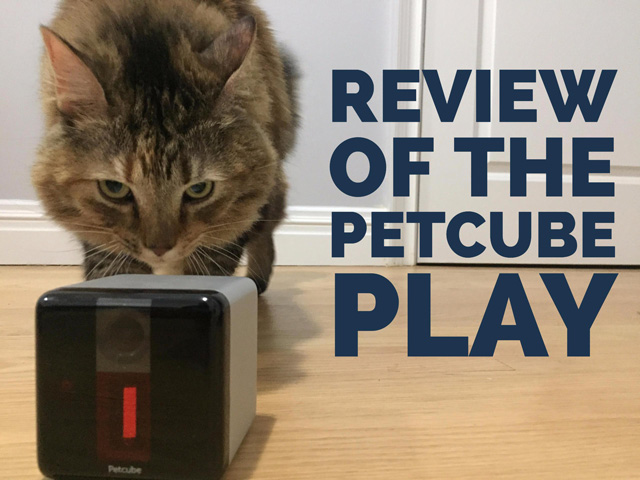
5811 <![CDATA[Petcube Play Monitor Review: Fun for Pets and Owners]]> review-of-the-petcube-play 2017-01-23T22:15:08Z 2017-02-09T19:29:09Z family/petcube-play-review-100px.jpg family/petcube-play-review-100px.jpg Kaitlyn Wells kaitlyn.n.wells@gmail.com 1 open The Petcube Play monitor is designed especially for keeping an eye on your furry friends, including a laser to perk up even the most indifferent pets.

]]>
Petcube Play 4

If you talk to my cat Tanzie, she’ll tell you I'm a huge animal lover. She’ll also tell you I can be a little overzealous when it comes to her well-being. So naturally enough, I was thrilled when monitoring cameras designed specifically for pets hit the marketplace.

There are plenty of reasons to opt for a pet-centric camera if you're trying to keep an eye on a furry friend at home. Like traditional security cameras, most pet cams offer night vision displays and alert you when they sense sudden or extreme movement or sound. But pet cams also include pet-friendly features such as two-way voice controls, laser pointers and treat dispensers that let you interact with your pet while you're away.

At the forefront of this innovation is the Kickstarter-funded Petcube, founded in 2013 by pet lovers who needed a solution to keeping their pets entertained and themselves sane. The company has developed two interactive pet cams, the original Petcube Camera ($149 on Amazon) and the Petcube Play ($199 on Amazon). The Petcube Play offers a simple, sleek design with two-way audio communication capabilities, a camera with 138-degree views and night-vision technology, and an on-board laser light.

Curious to see how the Petcube Play performs, I got my hands (and my cat’s paws) on one — and we were impressed.

Overall design

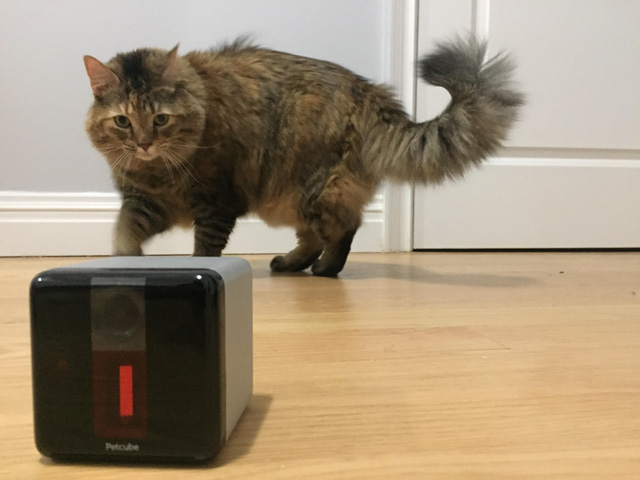
Seeming to follow the style lead of Apple, the Petcube Play comes in matte silver, carbon black or rose gold aluminum with black accents. It's smaller than your average Chihuahua at just 1.3 pounds and 3 by 3 by 3 inches. Its tiny size means you can position it anywhere on a flat surface without being obtrusive. Alternatively, screw it onto a tripod using the built-in mount. The camera leads in interactive pet camera products, offering color and night-vision modes, 1080p HD and a 138-degree viewing angle. A two-way audio stream using the built-in microphone and speaker system lets you talk and bark or meow back and forth with your pet, and a laser pointer lets you interact with your pet even when you’re away.

Setup

Most pet cameras require you to download their app to sync the camera to your Wi-Fi network. Sounds simple enough, so I played it cool and tried setting up the Petcube Play without reading the instructions. I downloaded the accompanying Petcube app (free for Android and iOS devices) to get started, created an account and then followed the on-screen setup instructions. But to my dismay, the darn thing wouldn’t proceed to connect to Wi-Fi. I went back to the printed instructions, and my hubris is now to your benefit.

What some users (like me) may find challenging is the LED bulb notification on the front of the device — or more specifically, its color. The LED light displays yellow, orange, green, white or blue (either steady or pulsing) to inform you if the unit is loading, connecting or online. At first glance, the LED light may look green, but if you cup the light between your hands, you may notice it’s actually yellow,  which means the camera is still loading the software, or orange, which tells you it can’t connect to Petcube’s servers. This issue can particularly be a problem if you are visually impaired or color blind.

If your internet connection is strong or you see the wrong bulb color after more than 10 minutes, go ahead and restart the device by inserting a pin into the restart hole in its base. After a quick restart, setup is simple. From plug to play, I was up and running in under five minutes.

Camera quality

When you buy a camera, seek out the sharpest lens and resolution your budget will allow. Since pet parents’ digital photo albums notoriously rival that of their friends with human children, owners want camera quality that's up to snuff. To review the Petcube Play’s camera quality and features, I installed it in a space I knew Tanzie frequented while I was away: the bedroom. (Hold the shocked gasps.)

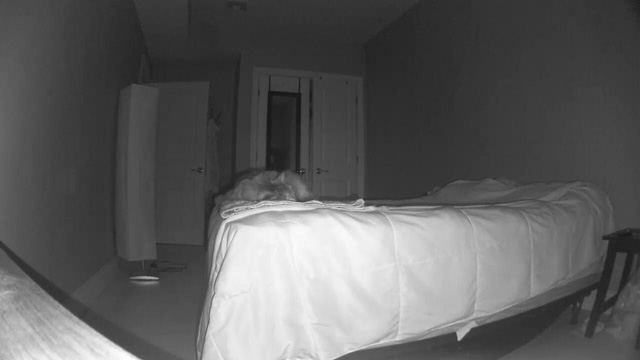
I knew going into testing that the Petcube Play has an impressive, full HD camera with a 138-degree lens. However, I wasn’t convinced that quality would extend to night vision mode as well. Companies have marketed this feature (often referred to as low light mode) as a security measure in the past, and sometimes the image is too grainy or dark to be of any real use to viewers. I was impressed to see that the Petcube Play's automatic night vision function produced good images even in my light-tight bedroom. The camera and audio both seem to have a skittish-cat-fast response time. There was just a 0.5-second delay during testing.

Petcube Play night-mode image

Since the cameras are what really make or break these pet monitoring products, I compared the Petcube Play to its most highly rated competitors, including the PetChatz HD ($379 on Amazon), the Petzila Petzi Treat Cam ($165.95 on Amazon) and the Motorola SCOUT66 ($79.99 on Amazon).

While none of the three are equivalent to the Petcube Play, the Motorola SCOUT66 came pretty close. The SCOUT66 has a lower resolution (720p versus the Petcube Play’s 1080p) and a narrower field of view (60 degrees versus the Petcube Play’s 138-degree lens). But that the narrower field of view makes it easier for the SCOUT66 to hide its lower resolution. Its image quality doesn’t look half bad, especially if you’re more focused on the mess Fido or Fifi made in the kitchen after you forgot to put the lid on the trash can. As for lag time, the SCOUT66’s camera clocked in with a 1.5-second delay, which is manageable.

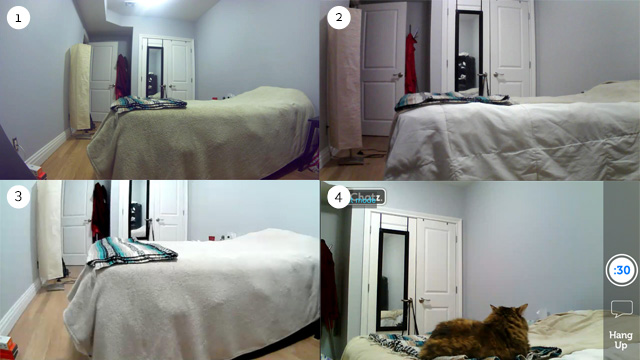
Not convinced? When you review the photographic evidence below, it’s easy to tell how all four cameras visually stack up.

Petcube Play (image 1), Motorola Scount (image 2), Petzi (image 3) and PetChatz (image 4)

Pet-centric interactive features

The Petcube Play has a safe 5mW 3R class laser (that won’t blind you if you don’t point it in anyone’s eyes) designed to help you keep your pet entertained and active. Testing the laser was fun for both my cat and me — clearly, she needs the exercise — although the feature isn’t perfect. The laser wasn’t very accurate out of the box because of jostling during shipping. Petcube's solution lets you calibrate the laser through the app, resulting in a much more accurate game of kitty laser tag.

After you calibrate the laser by playing a short game of “find the laser on the screen,” adjust the settings to auto, on or off. Then drag or tap your finger on the screen, and watch your pet be mesmerized by its jerky, slightly delayed movements ... at least for a little while. Although it’s not the perfect laser toy, my cat found it much more intriguing than the pen laser I bought her a while back. Go figure. If you want to keep your pet entertained even longer, set the laser to autoplay to create random movements whenever the motion detector goes off.

Other interactive features include snapping photos, taking videos and sharing your Petcube Play feed through a special online portal and allowing viewers to listen in, talk to or play with your pet (or not — you set the limits). Petcube’s original Kickstarter was created with shelter pets in mind, so the community feature lets you interact with shelter pets all across the country.

Another neat out-of-the-box feature: the sensor alerts default to cat purrs or dog barks. I’ve personally set mine to the sweet melody of a bark just to annoy my significant other and remind him that I’d like to adopt a dog this year. (Yes, there’s a Do Not Disturb mode.)

Video recording and storage

The Petcube Play lets you access the video feed on the fly and the last four hours of video through the Petcube Care service for free. Petcube Care saves your footage when the motion and sound sensors are triggered, the laser is set on on auto play or when you interact with your pet. Unfortunately, you can’t connect multiple cameras to the same Petcube/Petcare account, which could be a nuisance in a multi-pet household or when your pet frequents more than one area of the home. 

If you want to store more than four hours, Petcube Care subscriptions cost $10 per month (or $100 annually) for 10 days, or $30 per month (or $300 annually) for 30 days.

Customer reviews and warranty

Petcube Play reviews average 4.2 out of 5 stars on Amazon, with 69 reviews. Complaints centered around the issues I experienced during testing, including connectivity and laser accuracy issues. Verifying internet settings and/or restarting the camera were recommended for Wi-Fi issues. While Petcube reps say laser calibration issues could mean the product was damaged during shipping, consumers are entitled to a free replacement under warranty terms.

The Petcube Play has a 30-day guarantee and a one-year limited warranty.

The bottom line

The Petcube Play is a solid pet monitoring camera that captures crisp images day or night, no matter what the lighting conditions. It's rounded out with a laser toy that intrigues even the most sluggish of pets. At $199 on Amazon, the Petcube Play is an affordable and just about purr-fect companion for your furry (or hairless) friends.

Updated on 2/9/2017 with free 4-hour video storage information.

[Image credit: Kaitlyn Wells/Techlicious]

]]>
0 family-and-parenting pets
5804 <![CDATA[The Best Home Coffee Grinder]]> the-best-home-coffee-grinder 2016-12-23T13:07:06Z 2017-01-13T14:18:07Z health/best-coffee-grinder-krups-100px.jpg health/best-coffee-grinder-krups-100px.jpg Jon Chase j.chase@techlicious.com 1 open We spent days grinding through far too many pounds of fragrant, oily coffee beans to determine which model of highly-rated grinders is truly the best.

]]>
Krups GX5000 Professional Electric Coffee Burr Grinder 5 Techlicious Test: The Best Coffee Grinders

Since the viral spread of Starbucks in the ‘90s we have become a nation of full-fledged coffee aficionados. Now the ability to grind beans at home for the freshest possible cuppa Joe is no longer a luxury, but a mainstream ritual. While reasonable people can disagree on the superior manner of brew—drip, pour, cold, siphon, French press, express, whatever—no one disputes that a righteous brew starts with a proper grind. And to get that grind, you need the right coffee grinder.

The definition of a good coffee grinder is pretty simple: It needs to be able to produce particles of coffee bean at the size you want (which depends on the brew style you prefer) as consistently as possible. The reason being that brewing a nice cup of coffee depends on having the combination of the right water temperature and steeping time, and if your coffee grounds are of different sizes some will give off their oils and flavors at one rate while others won't have time to, and you get coffee that tastes either too strong or weak, too bitter or too flat. Getting coffee grounds that are consistent in size, it turns out, is a little tricky, which we discovered in our testing to determine which of five models of highly-rated grinders is truly the best.

What’s in a grinder?

There are several styles of coffee grinder, but top-of-the-line ones all utilize gear-like steel burrs that are extremely hard and sharp, and which actually shave of flakes from your coffee beans rather than crack them to pieces. True burr grinders can run from around $100 to several thousand dollars at the pro level. This is in contrast with low-end grinders that use extremely fast spinning blades that tend to pulverize the beans, which is far less controlled and essentially random—but these grinders are cheap, about $20.

Besides having a good and durable mechanism for grinding beans, a quality grinder may be decked out with a number of features that may or may not be attractive based on your preferences and habits. The most important is likely the ability to adjust the grind size to meet your coffee brewing needs—some have just a handful of settings or may not be able to create particles large enough for, say, cold brewing, or fine enough for espresso. Another valuable option may be a storage hopper that’s able to accommodate a few days’ worth of beans at a time (though we should note you always want to use beans that are as freshly roasted as possible, within days to weeks, not months old). Grind volume presets are especially appealing, in that they let you select a number of cups or doses, hit start and then auto shut off, letting you grind a precise amount without having to make a mess measuring or weighing your grind afterwards. Some grinders are made of metal or plastics that are static-resistant which solves an unexpected source of messiness. The ability to clean and maintain or even repair a grinder is also a consideration, especially if it’s prone to getting messy, or you’ve invested a lot money into one. 

The sweet-spot: A good all-around player

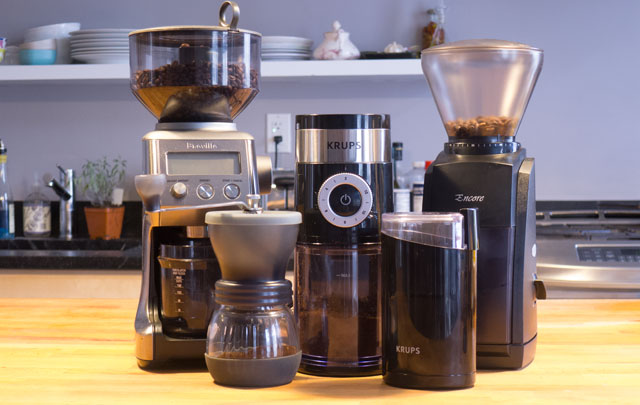
We spent several days grinding through far too many pounds of fragrant, oily coffee beans to test five grinders that had been widely praised by users as well as professional and amateur review publications. We looked in particular for models that had fulfilled as much as the criteria mentioned above while still falling below a $200 price ceiling, though we also opted to try out two outliers: one extremely low-cost model and another mid-priced hand-crank style one. We also declined to test several well-liked models that may be worthy options but that suffered from enough long-term owner complaints to give us concern (for instance, the Cuisinart DMB-8 which seemed to have an inordinately large number of reliability complaints). The models we selected, in order of MSRP: The $20 Krups F203 Electric Spice and Coffee Grinder; the $40 Hario Skerton Ceramic Coffee Mill; the $50 Krups GX5000 Professional Electric Coffee Burr Grinder; the $129 Baratza Encore; and the $180 Breville Smart Grinder Pro (prices listed here were correct as of publication, however many are widely available for lower prices online).

Krups GX5000 Professional Electric Coffee Burr Grinder

Krups GX5000 Professional Electric Coffee Burr Grinder

While there was a measurable difference between all our test models in terms of grind consistency, as well as convenience features, to pick a winner, we were pleased to find there was something to like about each of them. Our overall winner was the Krups GX500 Professional Electric Coffee Burr Grinder, which we’ve found online for as little as $40. We think it’s the best coffee grinder for a typical consumer who craves a nice cup of coffee but nonetheless isn’t an enthusiast-level coffee devotee willing to pay top dollar for the pleasure. It has a number of attractive features found on top tier models that cost many times the price, including dose control, a good size hopper, and a wide range of grinding options to suit most any type of brewing style. While we’d recommend the GX5000 for a typical coffee drinker, it wasn’t the overall best performer, and it wasn’t our absolute favorite to use. That nod goes to the Breville Smart Grinder Pro, which has a full range of features, grinds coffee wonderfully, is easy to clean and use—but costs about four times as much, or 10 times as much as our lowest priced test unit.

The open secret to a great cup

A great cup of coffee may seem like a magical gift in the moment, but creating one is less mystical alchemy than buttoned-up chemistry. There are all kinds of science-y jargon and variables—dissolved solids, extraction levels, brew strength, uh, grams!—but the formula for an ideal cup of coffee is remarkably simple: mix the right amount of hot water (at 195-202 degrees) with the right amount of freshly ground beans (a ratio of 17.42 units of water to 1 unit ground coffee) for the right amount of time (depends on the method of brewing). That’s it. Do this and you should be able to create brain-tingling brew over and over at will.

Where most of us get this wrong is in the beans we use, or how they’re ground. Roasted coffee beans have a relatively brief shelf life, after which they dry up and taste stale and flat—snobs prefer beans roasted fewer than two weeks old, the rest of us have a couple months if the beans are properly stored in an airtight, dark container (and not in the freezer or fridge, please). Fresh pre-ground coffee doesn’t last more than several days, and the vacuum-sealed stuff that’s been moldering on the shelves since antiquity is a pale imitation of what coffee is capable of (mountain crystals or no, whatever they may be).

There are many ways to pulverize a coffee bean but, as we noted above, a burr grinder is the hands-down top-quality choice. The reason being that grinders that use blades similar to a food processor essentially chop and thrash the bean in a frenzied high-speed blur, and so get extremely uneven results—some pieces are huge and random sized, some are typical drip-friendly grinds, some is just dust referred to as “fines” by industry types, which become grit in your coffee or clog up paper filters.

A burr grinder on the other hand is essentially a powerful mechanism that quickly files or shaves beans between two burred surfaces in a very uniform way. There are different types of burr mechanisms, chiefly conical and flat style, and to coffee enthusiasts the quality of the burr is everything in a grinder—how hard it is, how sharp, how long-lasting and whether it is replaceable. (Read coffee blogs and commenters love to talk about the provenance of their burr; Baratza, for instance, sources their high-grade ones from Lichtenstein.) In high-end grinders the burr assembly and a powerful high-torque motor are the most expensive components in the grinder.

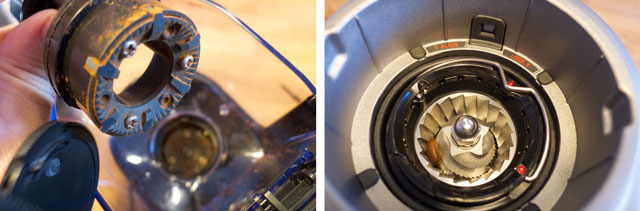
Admittedly, our pick, the Krups GX5000, has a flat burr for grinding that is far less sharp and of lower quality than the conical burrs of the higher priced Baratza and Breville grinders (see photo comparison above). The company’s labeling it as a burr grinder is not without modest controversy, but we didn’t find a dramatic enough difference in grind consistency for us to discount it. To the contrary, it does a solid job of chopping coffee in an acceptably consistent way, the job at hand, after all. It certainly doesn’t compete with high-end burrs, but as we’ll further detail, combined with its other features it all comes together to offer a lot of value in terms of performance and price.

On the high end enthusiasts would take into consideration the motor speed and type—some are direct drive while others might have a geared system to reduce speed and increase torque for more power. We think going deep on that level is too persnickety for this level of purchase, but suffice to say that high speed motors can generate static electricity and may be louder, while low speed ones tend to have greater torque and may be quieter but take longer to work. More relevant are convenience-related features. For instance, grinding little brown beans into small particles tend to make an unholy mess, especially when one must transfer them between containers multiple times. This is compounded when a grinder produces a lot of “fines” or unintentional coffee dust. It goes to superfund levels when the grinder generates a large amount of static electricity that makes the coffee grounds stick to everything, including the hands of the unsuspecting barrista.

Another major consideration in a grinder is the ability to adjust the grind size. This is because different types of coffee brewing rely on different sizes of coffee ground. For scale, a typical particle size for a French Press brew is about 1.5mm, while espresso is just .2mm. So if you attempt to use drip-friendly medium sized grounds in an espresso machine you will extract lightly brown water that tastes faintly of wet cardboard. Should you allow espresso grounds to steep in a French press you will end up with a dark, bitter, muddy slush, as well as throbbing heart palpitations. A good grinder allows you to pick from a number of settings so that you can find a grind size that suits your needs, ideally ranging from the ultra-fine espresso up to coarse grinds for cold brew and French press. (One slight caveat is that, should you want a grinder intended exclusively for espresso you’d do best to buy a dedicated espresso grinder.) That said, we will confess we scratched our heads a bit at the over-the-top ability to fine tune the grind settings—one grinder has 60 possible grind levels—and submit there are few people on planet earth blessed with such exquisite sensitivity as to detect the subtleties offered by such a range of minute changes. A grinder with eight or 10 settings should more than suffice.

Besides the ability to change grind times, some grinders include a dose selector which may be simply a timer or in higher end models may actually be a built-in scale (none of the models we tested used this method). This feature is attractive for the obvious convenience of being able to hit a button and walk away while it does its thing. It also nullifies a potential vector for accidentally sprinkling grounds everywhere when transferring things to your brewer of choice, i.e., with a pre-measured dose you simply dump one container into another, whereas grinders without a timer require you use a scoop to transfer grounds from one container to another. This sounds petty but grinding coffee can be messy business and any chance to cut a corner is worth exploring.

Other considerations we looked for included static-reducing materials, a good-size hopper to hold beans (who wants to fill up every day?) and noise levels, among others: if you’ve ever been woken by the banshee shriek of a loud grinder at dawn, you know the appeal of a more reticent model.

Getting our grind on

Techlicious Test: The Grinds

Job number one of a grinder is, well, to grind well. That was our first focus and to test the merit of our selected models we set them to a medium grind setting (where possible) and then used a sand shaker to sift and separate three tablespoons of the resulting grounds into five groups based on particle size that roughly correspond with typical grind sizes for different brew types of coffee. We then compared the results between the various grinders to see if any of them produced particularly consistent (or wildly inconsistent grounds). We repeated this process for a finer grind.

In an ideal grind, all of our grounds would be of the same precise size, ensuring that when you brew your Joe all of the grinds are having their precious oils and flavors released at the same rate. That is theoretically and practically not possible in real life, however, especially with a consumer level grinder, and so the hope is to find a model with as large a concentration of grounds of a similar size as possible, with as few random chunks and dusty fines.

In performing our tests, we also took note of the machine’s loudness, the ease of inserting and removing beans as well as grounds, the ability to understand and adjust the controls and how much of a mess it was to use the grinder.

Krups coarse grounds

It is here that we’ll make one instant and easy deduction – that the $20 Krups just couldn’t keep up with the big kids (see below for more). At first we were surprised, in that just a few seconds of grinding the Krups pulverized the beans to dust, and without sounding like a leaf blower. Amazing. But filtering the results revealed the weakness of this model’s skills: Though it produced a large amount of usable drip and smaller grounds, it left a huge pile of random-sized coarse grounds. Further experimenting with this model, because it’s terrifically fun to blast things to bits, made us realize it’s impossible to have any control of what grind is produced. A quick burst of 2 seconds creates loads of grounds. Leave it on 10 seconds and you have dust but also still lots of chunks. Anything in between is a mixed bag. It also got hella dusty, with fines caked all around the inner capsule.

Hairo grind adjustment

Similarly, the Hario hand grinder was an anomaly. It took fiddling to figure out what size we were grinding, but once we got there it still resulted in quite a few coarse particles, though very modest fines. More than that, the physical exercise involved to eke out a single serving was more than we would ever care to muster in the wee hours of the morning.

Grounds test results

From the left, the grounds belong to Hario, Breville, Baratza, Krups Pro and Krups 203.

The Baratza, Breville and Krups Pro all produced similar piles of grinds, with the vast amount in the sweet spot and two smaller piles accounting for perhaps 10 percent of the overall grind. The Breville was the standout, producing literally 5 pieces of coarse grounds, versus a teaspoon or so for both of the others. The Krups Pro also produced a fair amount of fines compared with the other models, but overall the three produced grounds that fell within a similar enough size range for the differences to be imperceptible to a typical consumer.

Practicalities make the pick

Based on our grind tests we were left to pick between feature sets from the remaining test models. And after accounting for convenience factors and price point, the Krups Pro was our winner.

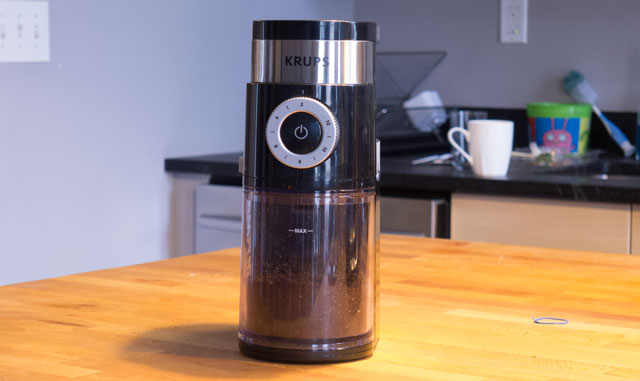
The $50 Krups GX5000 Professional Electric Coffee Burr Grinder is the best grinder for a typical coffee drinker interested in grinding their own beans. It’s extremely easy to use right out of the box with no setup required other than some cleaning of the various removable parts. Adjusting grind size is done easily by rotating a plastic wheel on the side, and it’s well marked to show which direction is more fine or coarse; it has nine man settings plus 5 additional stops in between each for 45 possible settings (which: overkill). On the front is a large power button surrounded by a dose adjustment ring, which you turn to select from two up to 12 doses.

A study cover lifts up on the back to access the hopper, which is plenty big but, as with the rest of the machine, is modest enough to fit in nicely on the counter. Sticking up in the center of the hopper is a large stem that holds a cleaning brush but when twisted reveals access to the hybrid grinding burrs we noted above.  Unlike other models that have a removable hopper, this one is permanently affixed which complicates cleaning a bit compared with models that have a detachable one, but we had no issues and simply raised the whole unit and dumped it over.

The grounds container at the front has a removable top and fits snugly by clicking into place. It has an opening at the rear that allows the chute from the grinding mechanism to dump grounds. It’s generously sized to handle a large amount of grinds, though we wish, nay we pray, that the plastic could be turned into an anti-static breed—the company claims it is but our experience differs. No matter what size of grind the container was filled with fines dust which, glass half full, prevents them from going into our coffee filter but also means we’re frequently rinsing and drying it out. It’s not a deal breaker but is a noteworthy hiccup. Of all the grinders we tested the Krups Pro was on the loud end, but modestly so, and is perfectly usable at early morning hours without fear of inspiring household wrath.

The only long-term concern we have is with the so-called hybrid burrs. We didn’t have issues with them, and so this is likely speculation, but they are so lightweight compared with higher-end models we worry they’ll dull without being replaceable. Still, at this price, it’s worth the risk.

For a coffee drinker who wants to up their game without going all-in on a lifestyle change, we think the Krups Pro GX5000 is a terrific buy. It’s nice looking yet low-profile enough to stay out on the counter full time. It’s easy to use every day with minimal fuss for most any brew style, reliably produces a good grind, is easy to clean and is priced cheaply enough that should anything go wrong it’s not a disaster. 

Head to head results

Breville Smart Grind Pro

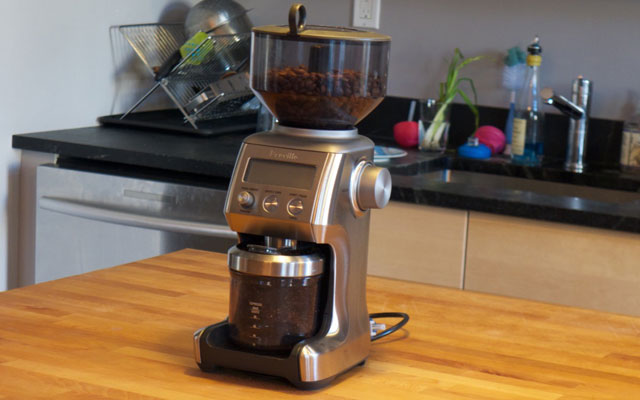
The Breville Smart Grind Pro ($180 on Amazon) was our favorite machine in almost every way except price—which isn’t to say it’s overpriced, but four times the price of our winning pick. (To put that in perspective, however, it’s very easy to spend several hundred dollars, even a thousand, for high-end consumer-level grinders.) It’s so thoughtfully built that we kept finding new details to admire. For instance, the hopper locks in with a twisting stem in the center. Should you want to remove the hopper to clean or change the beans, unlocking it also closes off the bottom of the hopper so that the beans don’t spill everywhere (we made the mistake of pulling the hopper off the Baratza and a quarter cup of beans fell into the machine’s housing and took 20 minutes of shaking to remove). Similarly, the grounds container has a twist off top with cap that slides into the machine and clicks tight thanks to a magnet at the rear. The body is made of easy-to-clean brushed stainless steel that doesn’t scratch, like many fridges do, and the grounds receptacle clicks in and out easily for cleaning. Unlike other models, the Pro comes with accessories to allow directly placing an espresso portafilter, a paper filter a gold tone filter or the regular grinds container underneath. And not least, the Breville produced the most consistent grind of all the models we tested; it wasn’t a landslide and the Baratza offered near identical results. It’s a terrific machine inside and out, and a worthy buy for higher-end budgets.

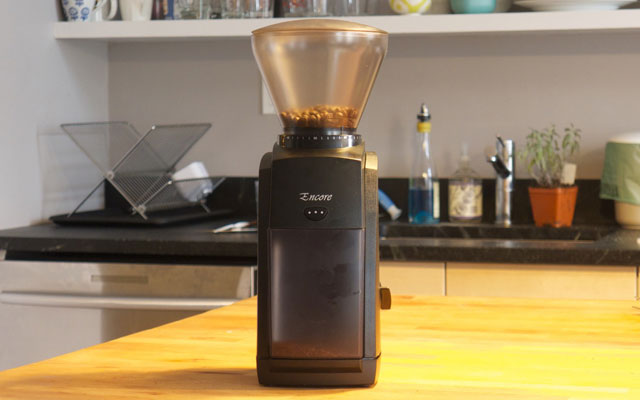
Baratza Encore

The Baratza Encore ($129 on Amazon) is renowned as an “entry” level model for budding coffee enthusiasts. It has a powerful motor that isn’t too loud (or is acceptably loud, if that makes sense), a burr assembly that is top quality and heavy duty, 40 grind settings that you alter by twisting the hopper, which is large enough for several days’ beans. It also has an anti-static plastic grounds holder that prevents some mess. It’s a wonderfully made machine and, as a company, Baratza seemingly ranks up there with Apple in terms of fan loyalty. For a typical user, however, we felt that the lack of a built-in timer or scale makes the Encore a tough sell, and while we’re confident it’s the sort of machine you’ll pass down to your grandkids, for most people the set-it and forget-it simplicity of the Krups makes it a better buy.

Hario Skerton

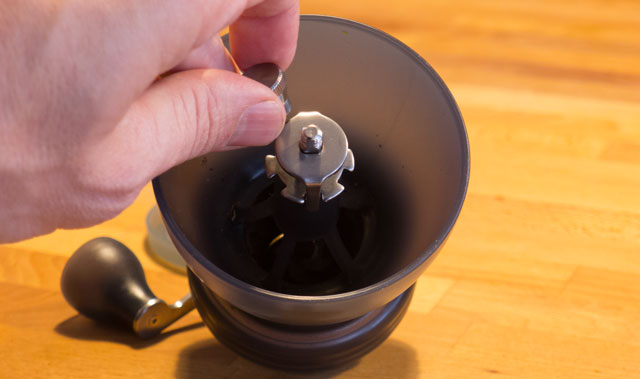
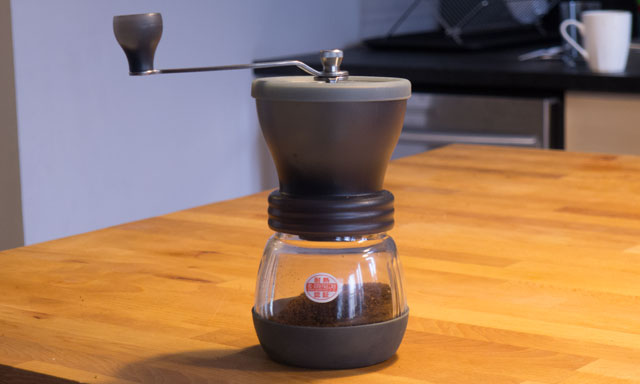
Hario, a Japanese brand, is beloved by coffee fetishists for its line of portable and often mid-priced manual burr grinders, and especially this model, the Skerton ($40 on Amazon). There’s much to like about this and other Harios, and we wholeheartedly recommend it as a portable option for campers, trips and other times when an electric model isn’t an option. It’s compact, capable of producing grinds of all sizes and has a nifty glass container that also happens to be the same diameter and thread size as Bell jars should you want to swap out. That said, its grind adjustment is both imprecise and a chore to adjust (you have to unscrew a bolt, remove the handle, pull a couple pieces out, twist the adjuster screw, reverse the process, grind a bit and if you don't like the process: rinse, repeat.)

Krups Spice and Coffee Electric Grinder

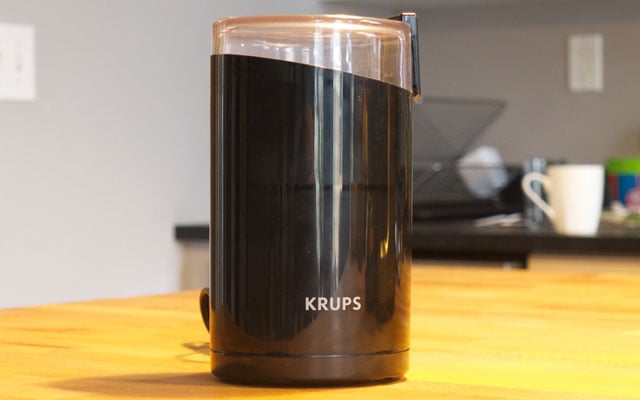
And finally, the Krups Spice and Coffee Electric Grinder ($17 on Amazon). Everything about this model flies in the face of an entire industry’s sober prescription for a proper grinder: It is a rudimentary blade grinder, with a high speed motor (which wasn’t too loud actually), has no grind adjustment setting just an on/off button, no timer, no dose settings, is a veritable static electricity generator and gets dirty and caked after a single grind session. And yet, none other than the esteemed Cook’s Illustrated names this humble and long-lived machine as their top pick. Having taken this unruly puppy for a run, we believe that is complete horsefeathers. (We are calling you out Cook’s Illustrated!)

What other experts say

We think the hive mind that write Amazon user reviews is a great place to start, and indeed the Krups GX5000 Professional Electric Coffee Burr Grinder is the best seller in Burr Coffee Grinders earning it a 4.4 out of 5 stars.

The pros at houseofbaristas.com also loved the value of the GX5000, saying it’s “a machine that provides the perfect combination of luxury, performance, and style, all at a very affordable price.” The review site cofeebeangrinderplus.com tests a wide range of machines and similarly good things to say about the Krups, which they dub “one of the best burr coffee grinders available on the market,” and rates it a 9.33/10. And finally About Home gave it four stars, applauding its performance and ability to keep the counter clean when grinding, unlike many other models.

Echoing our findings, most all of these sites recognized that higher-priced models from Baratza and Breville, as well as Capresso and other companies, offer more “perfect” grinding performance, especially for espresso, however as an all-in-one unit at a terrific price it’s unbeatable.

The takeaway

Krups GX5000 Professional Electric Coffee Burr Grinder

The Krups GX5000 Professional Electric Coffee Burr Grinder ($42 on Amazon) is a terrific buy for anyone interested in grinding their own coffee beans for most any brew style, with as little mess or fuss as possible—and without paying several hundred dollars. While it doesn’t match the performance of most higher priced models, it grinds perfectly well enough for a typical consumer, and has a number of convenient features that make it an exceptionally great value. Unless you only drink espresso or are a fanatical coffee devotee, you’ll be very satisfied with it. 


Krups GX5000 Professional Electric Coffee Burr Grinder - The Best Home Coffee Grinder

 Krups GX5000 Professional Electric Coffee Burr Grinder - The Best Home Coffee Grinder


[Image credit: Jon Chase/Techlicious]

]]>
0 home kitchen-household top-picks
5793 <![CDATA[The Best Soundbar Under $250]]> best-soundbar-under-250 2016-12-02T11:12:45Z 2016-12-02T13:15:46Z av/best-soundbar-under-250-100px.jpg av/best-soundbar-under-250-100px.jpg Al Griffin allgriffin@techlicious.com 1 open The Vizio SB3821-D6 has set a new soundbar price-performance benchmark, delivering authoritative bass, a natural-sounding midrange and clean treble.

]]>
Vizio SB3821-D6 4.5 We tested  the Vizio SB3821-D6, the Samsung HW-K450, the LG SH6, the JBL Boost TV and the Yamaha YAS-106

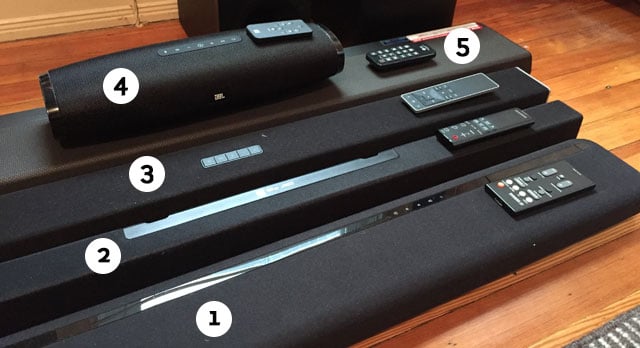
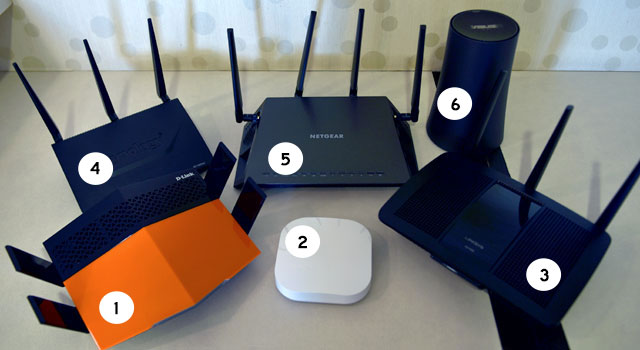
We tested the Yamaha YAS-106 (1), Samsung HW-K450 (2), Vizio SB3821-D6 (3), JBL Boost TV (4) and LG SH6 (5). 

Soundbars offer an affordable, better-sounding alternative to the built-in speakers on today’s ultra-thin TVs. The tiny speaker arrays in flat-panel displays simply aren’t capable of moving enough air to reliably deliver clear dialog, swelling music and explosive sound effects. To pick up the slack, connect a soundbar to your TV’s audio output to enjoy bigger, better speakers, more amplifier power and, in many cases, a subwoofer to convey deep bass.

Decent soundbars that sound good not only with TV and movies but also with music used to be pricey. Today you can buy soundbars that easily satisfy the audio quality needs of most listeners for less than $250. They blow away the speakers built into most flat-panel TVs while also providing wireless features like Bluetooth and Google Cast so you can stream music, internet radio or podcasts from a smartphone or tablet. Most manufacturers provide iOS or Android apps to control the soundbar, so you don’t even have to rely on a regular remote.

Since TVs can be expensive, especially ultra-high-definition TVs, we thought it best to set a price cap for our guide of $250. That’s probably the maximum most people want to spend on a soundbar after dropping a grand or more on a new set.

Top soundbars in our review

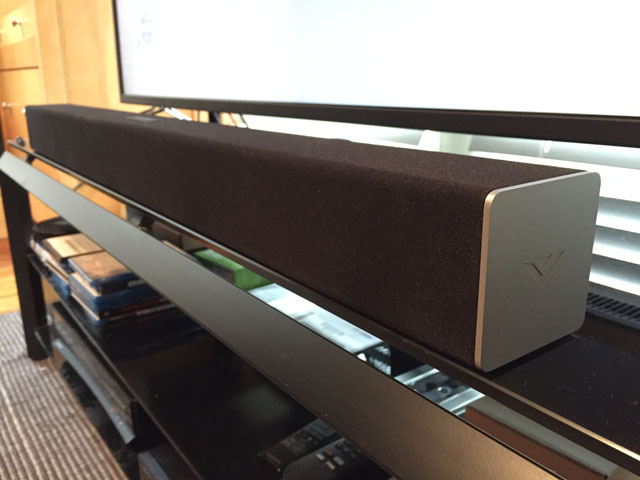
Vizio SB3821-D6

Techlicious Picks: The Best Soundbar Under $250: Vizio SB3821-D6

Every model on our list has a subwoofer, either external or built into the bar itself. All the models listed have either an HDMI input or optical digital audio input to accept audio from a connected TV. They also all have wireless capabilities to allow app control and stream sound from apps like Spotify and TuneIn. We looked at professional reviews for each product along with Amazon ratings to see how each soundbar fared among users out in the real world.

After surveying the field, we reviewed five models that met these criteria and received accolades from end users and critics: the Vizio SB3821-D6 ($218 on Amazon), the Samsung HW-K450 ($228 on Amazon), the LG SH6 ($230 on Amazon), the JBL Boost TV ($200 on Amazon) and the Yamaha YAS-106 ($228 on Amazon).

Of the five soundbars we tested, the Vizio delivered the best mix of features and performance. At $180, it’s an incredible value. The separate wireless subwoofer pairs automatically with the soundbar and shares the same slender, silver-capped design — a huge improvement over the look of earlier Vizio soundbars. The Vizio sounds great with both movies and streamed music. It has superior bass extension and is able to play the loudest of all the systems tested.

With both Bluetooth and Google Cast onboard, the Vizio makes it easy to wirelessly stream music from apps like Spotify. While it lacks HDMI jacks, the Vizio provides plenty of other connection options, including coaxial and optical digital and USB ports. Vizio’s SmartCast app makes setup easy. Use it to create audio groups with other Google Cast-enabled speakers to provide multi-room music playback.

How we tested the soundbars

To evaluate the soundbars, we spent time watching and listening to reference movie clips and music tracks. In each case, we connected the bar to the TV’s optical digital output, which in turn routed sound from a Blu-ray player used for disc playback and movie streaming. For music testing, we streamed uncompressed, CD-quality tracks from a computer over a wired network using the Blu-ray player as a DLNA client. We used the Tidal app to stream CD-quality music to the bars from a phone, though performance here was limited on the units that only provided a Bluetooth wireless connection, which applies lossy compression to streamed audio files.

Since connecting a soundbar to your home’s Wi-Fi for app control is a big part of its setup, our evaluation also took into account how easy it was to step through that process. User-friendly features like front-panel LED displays and hardware remote controls also figured into the final assessment.

Setup and use

The Vizio comes with everything you need to get up and running, including all the necessary audio cables for connecting to a TV, Blu-ray or DVD player and portable device. The package contains hardware brackets and a template for mounting the soundbar to a wall.

Basic setup is simple. Press the pairing button on the back of the wireless subwoofer to make an instant connection with the soundbar. To pair it with the system via Bluetooth, press a button on the bar’s top surface; the Vizio will show up as a device on your phone’s Bluetooth settings screen.

Vizio’s remote control is nothing special, but it does include all the necessary buttons to operate the system and enable its sound EQ and processing features. Those features include DTS TruSurround (a surround effect from the system’s stereo speakers) and DTS TruVolume (which maintains a consistent volume level when switching between TV channels and different sources).

The Vizio SmartCast app offers a more efficient control method than dealing with the hardware remote and front-panel indicator LEDs, which provide more limited feedback than some of the other units tested. Launch the app to be guided through setup. All you need to do is position your phone or tablet near the soundbar, and it will automatically connect the Vizio to your home’s Wi-Fi network. Now you can easily switch inputs, sound EQ and processing settings, and you can stream audio directly from Google Cast-compatible apps, including Tidal, Spotify, Pandora, Google Play Music and TuneIn radio.

Sound Quality

The Vizio soundbar showed a clear advantage over the other models we tested in its ability to play loud without distortion. Watching the action movie Pacific Rim, the sound was dynamic, and we pushed the volume to near-uncomfortable levels before the Vizio revealed any strain. Bass was low-reaching, tight and well-integrated with the higher-frequency sound. Dialogue sounded consistently clear and wasn’t negatively impacted when we enabled TruSurround mode for an authentic sense of surround sound.

Music sounded really good on the Vizio soundbar. Its full midrange presentation made vocals sound natural. Treble was crisp and for the most part clean, and the subwoofer’s potent performance lent bass guitars and drums plenty of kick. We heard a good degree of stereo separation, and the sound easily stretched beyond the confines of the bar.

What others say about the Vizio

Since the Vizio is a new model that arrived in late 2016, we weren’t able to find any professional reviews of it online. User reviews have been almost uniformly positive, with the Vizio earning an average of 4.1 stars on Amazon.

The Runners-Up

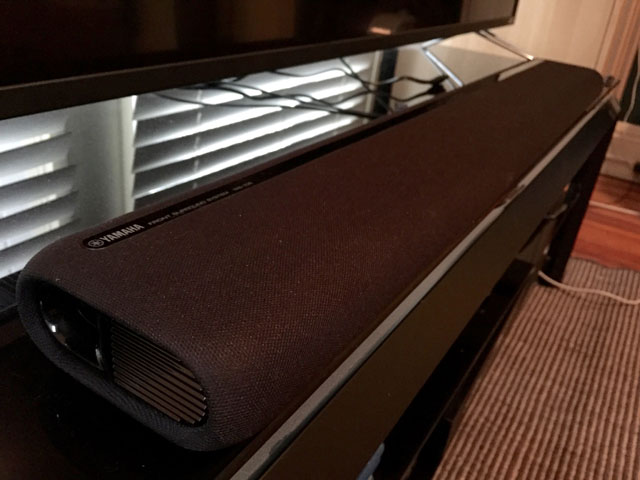
Yamaha YAS-106

Yamaha YAS-106

The Yamaha YAS-106 sells for the same amount as our top choice. It has a similarly compact design, but the Yamaha’s subwoofers are built into the soundbar enclosure for even greater compactness. The design allows for either wall mounting or flat placement on a TV stand. A series of LED indicator lights provide visual feedback when you control the soundbar using the included remote or Yamaha’s excellent HT Controller app.

The Yamaha edges out the top-choice Vizio in the connectivity department, with HDMI input/output ports and HDMI Audio Return Channel (ARC) capability to draw sound directly from a compatible TV. The Yamaha’s RCA-jack subwoofer output lets you hook up an external subwoofer to get even better bass output. However, wireless audio connections are limited to Bluetooth, a technology that doesn’t provide the same sound quality potential as Google Cast, which can stream uncompressed audio.

Other areas where the Yamaha came up short against the Vizio were bass extension and overall sound output. At moderate volumes, the YAS-106 sounded fine, with notably clear dialogue in movies and TV. When pushed beyond its limits, however, the Yamaha’s bass became lumpy and the sound took on a boxed-in quality. Still, if you’re looking for a compact, all-in-one solution, the Yamaha would make an excellent choice.

Price: $180 on Amazon

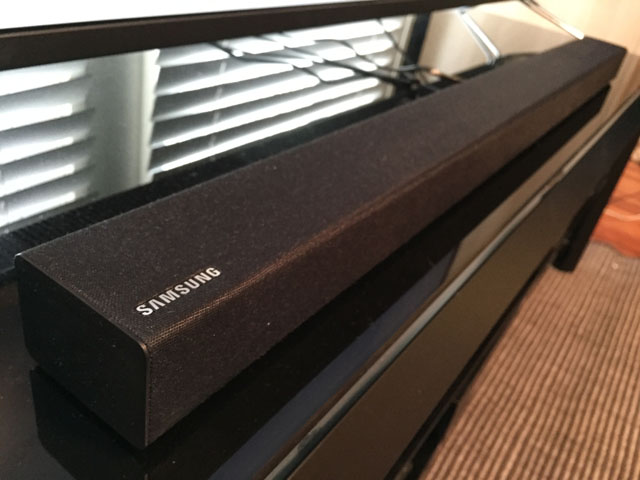
Samsung HW-K450

Samsung HW-K450

Another system with a compact, wireless subwoofer, the Samsung HW-K450, offers user-friendly features like Auto Power Link, which automatically turns on the soundbar when it detects an input signal. It has a good control app and a large, clear alphanumeric LED display on the front panel.

Like the Yamaha, the Samsung provides good all-around performance, although its small subwoofer limits its overall output. There’s nothing really wrong with the Samsung; it just doesn’t perform as well as our top choice, which costs just $30 more.

Price: From $227 on Amazon

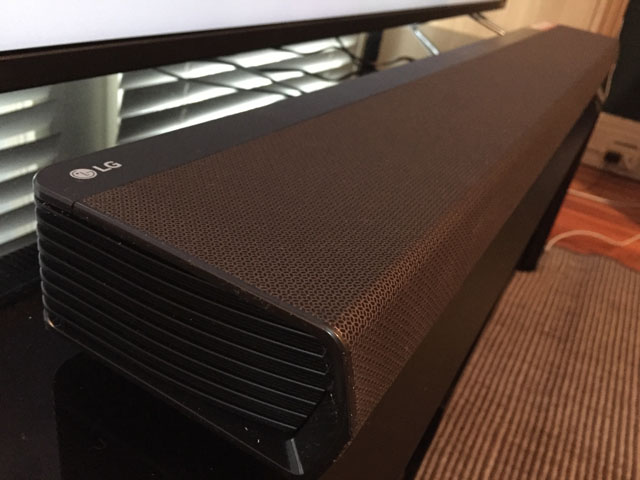
LG SH6

LG SH6

The priciest entrant in our roundup, the LG SH6 offers an impressive mix of features and sound quality. Like the Yamaha, it has built-in subwoofers and provides HDMI input/output ports with ARC support to complement its optical digital and analog inputs. It also offers both Google Cast and Bluetooth wireless streaming.

During listening tests, the LG played loud music without strain, and the bass output delivered by its internal subs was impressive. What we didn’t love was its bulky size compared with the other bars. Setup using the LG app was problematic. We made several attempts before finally getting the app to add the speaker to the network. And while overall sound quality was good, treble could be a bit too crisp at high levels, a situation not helped by the Adaptive Sound Control EQ feature. Still, if you want an all-in-one system like the Yamaha that can play nearly as loudly as the Vizio, the SH6 is worth checking out.

Price: $230 on Amazon

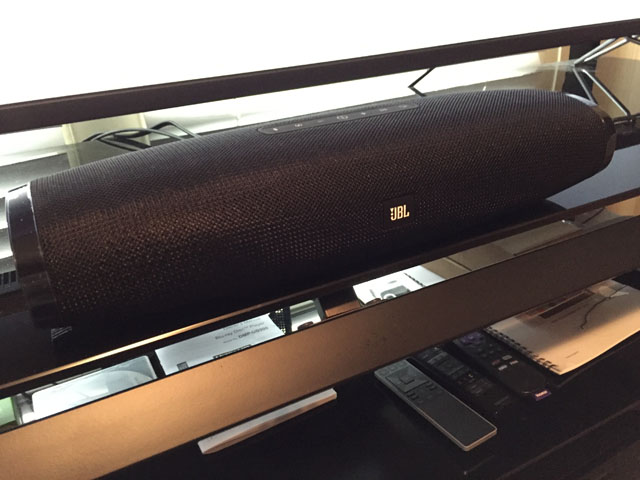
JBL Boost TV

JBL Boost TV

The Boost TV had the smallest footprint of all the models we tested. Despite its diminutive size, it plays reasonably loudly and manages to convey a good degree of surround-sound envelopment when its Harman Display Surround feature is enabled.

What didn’t thrill us about the Boost TV was the toy-like remote control and its somewhat clunky and annoying setup process. Although it sounded good playing music, the stereo image was narrow and somewhat constrained. What type of listener would appreciate the Boost TV? Someone who wants the smallest soundbar possible and can accept the limitations that come with it.

Price: $199.95 on Amazon

The bottom line: Why the Vizio SB3821 -D6 is the best

Vizio SB3821-D6

It’s amazing to think that a soundbar priced under $200 could fulfill the audio needs of an average-size home theater or living room and do so brilliantly. Just two years ago, we wouldn’t have thought it possible.

But the Vizio SB3821-D6 has set a new soundbar price-performance benchmark. It delivers authoritative bass, a natural-sounding midrange and clean treble when playing music. Its TruSurround feature creates an impressive sense of surround envelopment with movies. While other models we tested offer other positives including a good mix of features and performance for the price, the Vizio is the standout of the group.

Vizio SB3821-D6 - The Best Soundbar Under $250

Vizio SB3821-D6 - The Best Soundbar Under $250

[Image credit: Al Griffin/Techlicious, Vizio]

]]>
0 home-entertainment home-audio home-audio top-picks
5641 <![CDATA[The Best Humidifier for Medium & Large Rooms]]> best-room-humidifier 2016-11-15T17:40:48Z 2016-11-15T19:46:49Z health/crane-digital-cool-warm-mist-humidifier-100px.jpg health/crane-digital-cool-warm-mist-humidifier-100px.jpg Kaitlyn Wells kaitlyn.n.wells@gmail.com 1 open The Crane Digital Warm & Cool Mist Humidifier steams up its competition with user-friendly features, whisper-quiet operation and a 19-hour run time.

]]>
Crane Digital Warm & Cool Mist Humidifier EE-6902 4.5 We tested the Boneco (Air-O-Swiss) Ultrasonic Humidifier 7147, Crane Ultrasonic Cool/Warm Mist Humidifier  EE-6902  Vornado Ultra1 Ultrasonic Humidifier to find the best room humidifier.

Crane Ultrasonic Cool/Warm Mist Humidifier EE-6902

Techlicious Picks: The Best Room Humidifier: Crane Ultrasonic Cool/Warm Mist Humidifier EE-6902

Itchy, flaky skin, nosebleeds and chapped lips are all signs that your environment is too dry. One time-honored method of relieving these ailments relies on a machine invented more than 100 years ago: the humidifier.

Today's humidifiers are quite a bit more advanced than the first models patented in 1896. Modern humidifiers cost as little as $20 and connect to the USB port on your laptop or as much as $500 and offer patented "air-multiplier technology."

With so many options on the market, Techlicious set out to find the best. We looked for whole-room models and focused our search on ultrasonic models that can disperse either warm or cool mist into the air using the same machine. We also wanted humidifiers that were easy to fill, claimed they could run for 24 hours on a single tank and could serve a medium to large room of 300 to 900 square feet. We looked for advanced features like a programmable humidistat or hygrometer, a digital display screen and a low water indicator or emergency shut-off function. We reviewed each model’s overall design, ease of use and cleaning, customer reviews and independent lab results.

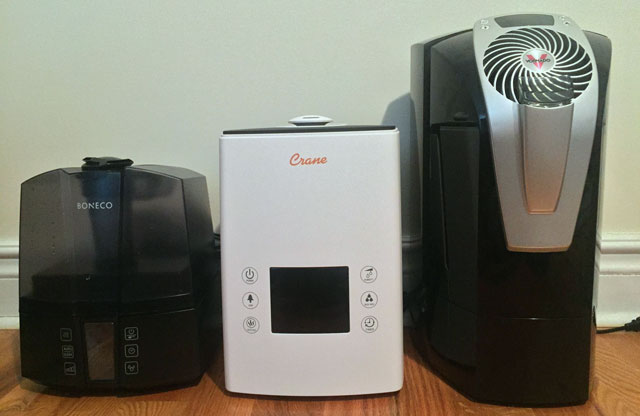
With our criteria in mind, we tested the Boneco (Air-O-Swiss) Ultrasonic Humidifier 7147 ($154.99 on Amazon), the Crane Digital Warm & Cool Mist Humidifier (EE-6902) ($129.99 on Amazon or $149.99 on bestbuy.com) and the Vornado Ultra1 Ultrasonic Humidifier ($177.62 on Amazon). The Crane EE-6902 surpassed the competition to deliver excellent humidifying throughout our testing with features like warning lights, a broad timer function, a remote control and built-in air freshener. The least expensive of the trio, it also kept our bank accounts happy, as it didn’t require any additional replacement parts to keep it working all season long.

Here’s a look at how the Crane Digital Warm & Cool Mist Humidifier became the Techlicious choice for best room humidifier.

Design

The Crane Digital Warm & Cool Mist Humidifier is approximately 10 inches long by 9 inches wide by 14 inches high. It has a 1.3-gallon removable tank accented in black and white, and it is designed to humidify up to a 500-square-foot room.

The Crane EE-6902 was a breeze to operate. The digital screen's large numbers made it easy to glance at the readings from afar, and the corresponding button icons were easy enough to interpret that I didn’t need to check the handbook for help. The 360-degree mist nozzle doesn’t actually allow for the mist to disperse a full 360 degrees at once. Instead, the nozzle can be turned in any direction, but the mist disperses within a 90-degree area.

One of the other units we tested, the Boneco (formerly Air-O-Swiss) 7147, looks a bit like a stunted coffee maker. The removable, translucent black tank holds 1.5 gallons and sits on opaque black base. It is roughly 10 inches by 10 inches by 12 inches, and it’s designed for rooms up to 600 square feet. Its display screen has large readouts like a digital alarm clock, in orange rather than a more traditional blue. Two nice features on this model are dual nozzles you can point in opposite directions and a sleep timer, which is set to six hours and warm or cool mist, depending on the time of year. Its translucent tank makes it easy to see how low the water level was without having to slosh the water around and guess like I had to with the Crane EE-6902 and Ultrasonic Ultra1 models, whose tanks are more opaque and only slightly transparent when you shine a bright light on them.

The Vornado Ultra1 resembles a stubby cousin of a bladeless tower fan. It’s the heaviest of the three models we tested, with a 2-gallon removable tank aimed at reducing refills designed for rooms up to 900 square feet. This black and silver tower is 11 inches by 10 inches by 18 inches. Its LCD display is controlled with a series of buttons that unfortunately routinely got stuck. Another downside to the Vornado Ultra1’s screen is you can’t adjust the display screen’s settings. When you turn the machine on, the bright blue of the screen stays on for a about four seconds and then turns itself off. Without it, you cannot read what it says — at all. Vornado’s customer service said the unit is set to “save energy” mode and “there is nothing you can do to make the display mode stay on all the time.”

Humidification Performance

Optimal humidity levels vary among humidifiers. To maintain comfortable humidity levels in your own home, look for a machine that humidifies in the 30 percent to 60 percent range, with maximum comfort typically hovering around 40 percent to 45 percent. If your humidity level exceeds 60 percent, you may be in danger of growing mold.

The ultrasonic models I tested take the guesswork out of the equation, limiting humidity levels to the optimal range even when the machine is set to run continuously.

To see how well the machines could humidify a room at ideal levels, I tested them one by one in my 300-square-foot living room (a close match to what the National Association of Home Builders calls an average-sized living room at 330 square feet). I closed all of the windows and ran the humidifiers at their highest mist levels on continuous mode until the the tanks were empty. I recorded the humidity levels every half hour, comparing each machine’s internal readings to that of an external humidity monitor, the Honeywell Humidity Monitor HHM10 ($14.99 on Amazon), which has an accuracy rate of plus or minus 5 percent.

As you can see in the chart below, all three models were able to maintain humidity levels within the prescribed range.

Techlicious test: humidity performance of the

The Boneco (AOS) 7147 and Crane EE-6902 models should be placed on an elevated surface such as a coffee table, at least three feet above the floor for the Boneco and two feet for the Crane. This ensures the mist doesn’t fall to the ground too soon and dampen your floors. The Vornado Ultra1 is designed to push air up out of the machine and can be placed on the floor.

Tank Capacity and Longevity

To test run time, I ran the humidifiers on their highest mist settings in continuous mode, which isn’t the ideal operation by any manufacturer's standard. (Ideal conditions according to manufacturer specifications usually means the lowest output.) The Boneco (AOS) 7147 has a 1.5-gallon tank and claims to run up to 24 hours, but it sputtered to a stop after just 12 hours. The Vornado Ultra1 also touts a 24-hour run time on its titanic 2-gallon tank and ended up lasting 18 hours.The Crane EE-6902 has a smaller 1.3-gallon tank and also says it can last up to 24 hours; it lasted the longest, about 19 hours.

When it came to ease of use and run time, the Crane Digital Warm & Cool Mist Humidifier received top marks. The Boneco (AOS) 7147 was equally easy to operate, but its larger tank (1.5 gallons compared to the Crane’s 1.3 gallons) lasted seven hours less than the Crane’s. And the Vornado Ultra1’s massive 2-gallon tank ran for 18 hours.

How Silent are They?

One benefit of ultrasonic humidifiers is they don’t require noisy fans. Instead, they use high-frequency sound waves to vibrate the machine’s diaphragm, which breaks down the water into microscopic particles — a visible mist. I wanted to see if the quietness claims rang true. I turned each machine on to its highest output level on cool mist and recorded the sound levels, or decibel levels, using dB Volume (free on iOS) on my iPhone 6.

Since ultrasonic humidifiers are considered the quietest models on the market, I tested these machines up close at just one foot away. The Vornado Ultra1 was almost as loud as your average refrigerator, humming in at 39dB on its highest setting and 31 on its lowest setting. That’s way too loud for ultrasonic models, which are marketed as ultra-quiet. (For comparison, a whisper is around 30dB, a refrigerator is at 43dB, and a blender is 85dB.) Both the Boneco (AOS) 7147 and Crane EE-6902 came in about 23dB to 24dB on its highest and lowest settings.

Operating Costs

No matter which type of humidifier you use, expect some maintenance costs. Ultrasonic humidifiers typically use demineralization cartridges to remove water impurities and/or hydro cells to trap and kill bacteria before they're dispersed into the air. 

The Vornado Ultra1 and the Boneco (AOS) 7147 use mineral cartridges that need to soak in water for 24 hours prior to their first use. The cartridges are designed to filter the water and remove large particles and minerals, similar to a filtered water pitcher. The cartridges are especially useful if you have hard water because they’ll filter out more impurities. Instead of using mineral cartridges, the Crane uses built-in filter beads that are washable and never need to be replaced, according to Crane’s customer service department.

The Boneco (AOS) 7147 humidifier requires both a cartridge and hydro cell. The hydro cell is sold in a pack for $19.99 and should be replaced every one to two months depending on the water quality. The AOS 7531 replacement cartridge is $14.99 and should be replaced every two to three months. The Vornado Ultra1 also requires a cartridge that should be replaced every 800 hours or roughly every two to three months. The Vornado MD1-0018 replacement cartridge is $12.97. The Crane EE-6902 doesn’t require any replaceable accessories to operate. Instead, it has pearl-sized filter beads housed in the tank cap that should be washed once a week.

In terms of maintenance costs, the Crane Digital Warm & Cool Mist Humidifier pulls ahead with no extra costs. The Boneco (AOS) 7147's replacement costs are potentially astronomical at $145 a year with continual use. You could purchase a second Boneco at that price! The Vornado Ultra1 is more manageable with just $39 in replacement parts annually.

Cleaning and Maintenance

Your humidifier should be easy to fill and clean. The tank should be compact enough that it can fit under the kitchen faucet for easy filling, while its sides should rest flat (or near flat) in the sink so you don’t risk spilling the contents everywhere with a balancing mishap. And when it comes to cleaning it, look for a tank with a large mouth to make accessing the inside easier for cleaning. 

The Crane EE-6902 falls short in the wide opening department. It has a relatively small tank mouth of just 1 ⅞ inches wide. Both the water tank and base should be cleaned weekly using a solution of vinegar and water and left to air dry before its next use. To scrub inside the tank, use a pot cleaning brush or crushed ice to help remove trouble spots. It doesn’t get much simpler than that. The Crane’s base is built using antimicrobial materials that help reduce bacteria and mold growth up to 99.96 percent.

The Boneco (AOS) 7147 has a generous-sized tank opening of 3.5 inches in diameter that makes it easy for those with small hands to reach inside to scrub away mineral buildup. A built-in cleaning reminder activates every two weeks, and it comes with a tiny cleaning brush that should be used weekly to clean the base of the machine. The manufacture only recommends cleaning and descaling the humidifier using its own agents, EZCal A7417 ($7.99 for three, one per use, on Amazon) or EZCal Pro A100 for a deeper cleaning ($9.99 per bottle, per use, on Amazon). The company claims other cleaning solutions will damage the machine, and if you don’t use these cleaning agents, the warranty is considered void.

The Vornado Ultra1’s tank opening is also 3.5 inches wide, making it easy to reach inside to clean. It has a pint-sized cleaning brush, built-in cleaning reminder and a replace mineral cartridge notification. The cleaning notice displays after 400 hours of operation (roughly 17 days if you're running it 24/7), and the cartridge reminder turns on after 800 hours, roughly 33 days when you’re running it 24/7. But you don’t need expensive cleaning agents to refresh the machine. A solution of white vinegar and water will do, or if you forget to clean it for a couple of days, disinfect it with a bleach-and-water mix. That said, it’s still a pain to fill and clean, as the 2-gallon tank is hard to fit in a kitchen sink. 

A recent study from Consumer Reports found you should really be cleaning your humidifier on a daily basis. Rinse and dry daily, and disinfect and descale weekly. Researchers determined that after just three days of continuous use, microbial growth was present in most humidifiers, and all ultrasonic models tested released some airborne bacteria. Follow manufacturer directions and empty the water tanks between use and clean and disinfect them regularly. 

Safety

While there’s a benefit to being able to choose between cool and warm mist settings, this feature may not be useful for everyone. Because warm mist humidifiers heat the water in the tank in order to produce warm mist, small children and pets may be at risk of scalding themselves if they’re too close to the mist when it’s released from the humidifier. And as some ultrasonic models should be placed on an elevated surface, even adults risk stepping into the path of a hot mist stream. Be mindful where you position your humidifier to minimize this risk.

In my test, I ran the humidifiers on warm mist at the 9.5-hour mark for 30 minutes. While I could tell there was a difference in humidity output levels over that period of time (humidity readings slightly dropped), I didn’t notice much of a difference in the “warmth” of the actual mist. All manufacturers stated it takes 10 to 20 minutes for the warm mist function to work and that it only changes the temperature by a couple of degrees. So if your humidifier is working properly, it’s highly unlikely you’ll burn yourself if you get too close. Just make sure it’s out of reach of your pint-sized loved ones.

With that, families should look for a built-in sensor that tells you when the tank is low or empty and reminds you to refill it with an indicator light or beeping sound. Some models even go as far as turning themselves off when they detect there’s no more water to dispel into the air. Among our test models, all three have refill tank indicators, but only the Boneco (AOS) 7147 and Crane EE-6902 actually shut themselves off once they detect the water level is too low. If you try to turn them back on, the low tank indicator light comes back on, but you can’t operate the machine. The Vornado Ultra1 has the low tank notification, but it won’t turn itself off; despite two hours of running on an empty tank, it just kept chugging along like the Energizer bunny.

If you’re keeping the humidifier in a child’s room or want to run it without supervision, play it safe and opt for the Boneco (AOS) 7147 or Crane EE-6902, since they both have automatic shut-offs.

User Reviews

The Crane Digital Warm & Cool Mist Humidifier averages 3.6 out of 5 stars on BestBuy.com, with complaints surrounding the inability to see the water level in the tank. It does come with a water level sensor, so we gave Crane EE-6902 a pass on this one, but the sensor beeps somewhat loudly three times, which could be a problem for light sleepers. (It wasn’t a nuisance to me.) Consumer Reports reviewed five Crane models with an average score of 80/100.

If you have any problems of your own, the Crane EE-6902 comes with a one-year warranty. The Boneco (AOS) 7147 comes with a three-year limited warranty, and the Vornado Ultra1 comes with a five-year limited warranty.

The Competition

The Boneco (AOS) 7147 is a top performer among room humidifiers. What pulled this model out of the No. 1 spot was the expensive replacement and cleaning parts and its shorter running time (12 hours vs. the Crane’s 19 hours). So if you don’t mind the extra expense and prefer a humidifier with dual nozzles that you can turn in different directions, then the Boneco (AOS) 7147 is a great alternative, especially if you want the three-year limited warranty (The Crane has a one-year warranty.). [UPDATE 11/15/2016: The Crane is currently only available from third-party sellers on Amazon. If you prefer to buy direct, The Boneco would be our goo-to alternative.]

The Vornado Ultra1 is the largest model out of the group, but its size didn’t mean it outperformed its smaller competitors. In the end, the tank was a hassle to fill, the machine lacked an auto shut-off function when empty, it had sticky buttons and display screen issues, it lacked directional nozzles, and it made a racket in the noise department.

The Bottom Line

The Crane Digital Warm & Cool Mist Humidifier (EE-6902) surpassed the competition with its “whisper-quiet” mist function, 10 programmable settings, 360-degree nozzle and impressive 19-hour run time. The unit requires no ongoing maintenance costs, and its base is made of antimicrobial materials, so you won’t have to clean it as often as other humidifiers.

Crane Ultrasonic Cool/Warm Mist Humidifier EE-6902 - The Best Room Humidifier

Crane Ultrasonic Cool/Warm Mist Humidifier EE-6902 - The Best Room Humidifier

[Image credit: Kaitlyn Wells/Techlicious, Crane]

]]>
0 home top-picks
5700 <![CDATA[The Best Instant Camera]]> the-best-instant-camera 2016-10-25T13:29:43Z 2016-10-25T19:18:44Z cameras/best-instant-camera-100px.jpg cameras/best-instant-camera-100px.jpg Chelsey B. Coombs chelseybc@gmail.com 1 open Point, shoot, print. It's just like the olden days. Here's our pick for the best instant camera in a mostly digital world.

]]>
Fujifilm Instax Mini 70 Instant Camera 4.5 The Best Instant Camera

The Fujifilm Instax Mini 70 instant camera delivers beautiful, well-exposed photos automatically, plus plenty of other modes to help you get more creative. Even better, it takes amazing, Instagram-ready selfies. 

Fujifilm Instax Mini 70

Best Instant Camera: Instax Mini 70 Instant Camera

People born in or before the early '90s are sure to have fond memories of the instant camera. Regular cameras required a trip to get film rolls developed, but instant camera photos developed right before your eyes (often with a good shake). They looked cool and captured moments quickly, so everyone could take the memories of the day home that same day.

As is the way of the world, the digital camera revolution made instant cameras obsolete. Sure, digital cameras don't give you an instantaneous physical copy of the photo, but you can take a whole series of photos and choose the best to print once you're back home.

Polaroid stopped manufacturing instant cameras and the chemical film the company was known for in 2008. Yet as Instagram came onto the scene, the old grainy, filtered photo look came back into fashion. And until recently, the Instagram app icon resembled one of those old-fashioned Polaroid cameras.

The Impossible Project, which bought the last Polaroid instant camera factory as is and came up with new formulas themselves, is largely credited with keeping the analog instant camera alive. But other companies, including good ol’ Polaroid, have brought the instant camera back by manufacturing their own models — some with new tech, as well.

If you’re looking to up your hipster cred or find a new creative photography outlet, our "Best Of" list is the list you’ve been looking for. We tested the Fujifilm Instax Mini 70 instant camera ($103.56 on Amazon), the Fujifilm Instax Mini 90 instant camera ($121.99 on Amazon), the Lomography Lomo’Instant Wide instant camera ($257.99 on Amazon) and the Polaroid Snap Instant Digital Camera with ZINK Zero Ink Printing Technology ($99.99 on Amazon). The tests we ran focused on five types of photography: selfies, landscape, low light, macro and indoor.

We chose these cameras because they are the newest and most accessible models from the brands that have thrown their hats into the instant camera market ring. The Lomo'Instant Wide is big and unwieldy, especially if you're also carrying its extra lenses and filters. The Mini 70 and Mini 90 are similar in shape, although the positions of the shutter buttons on the Mini 90 are easier to access. The lightweight Snap is about the same size and weight as a point-and-shoot camera.

In the end, we chose the Fujifilm Instax Mini 70 instant camera as the best of the best due to its ease of use and photo quality. The runners-up offer great features, too. Check out our methodology and results below, plus photo highlights from the Instax Mini 70's tests.

Selfies

Instax Mini 70 Instant Camera Selfie Test

Selfies taken by the Instax Mini 70

In this test, we took selfies both indoors and outdoors using the dedicated selfie modes, if they were available. We then compared the print quality and exposure of the shots, both of which are especially important in photographs of faces.

Out of all of the cameras we tested, the Mini 70 is the best for selfies. The Mini 90, Lomo’Instant Wide and Polaroid Snap Instant produced exposures that were often either too dark or washed out, but the Mini 70 almost always got the exposure right. The Mini 70 made it easy to frame shots using the included selfie mirror next to the lens. Both the Mini 90 and the Lomo-Instant Wide cameras also feature mirrors for framing. A dedicated selfie mode on the Mini 70 allows the lens to focus based on the distance people usually hold their cameras while taking selfies. The Mini 70 stood above the rest thanks to a Hi-key Mode that lets you take photos that overexpose skin, giving the photos a high-fashion look.

The Mini 90 was the clear runner-up in this contest, taking photos that were slightly underexposed compared to those of the Mini 70. Even after settings tweaks including exposure and zone focusing, the Lomo’Instant Wide camera’s selfies came out blurry more often than not — a huge drawback. The Polaroid Instant Snap’s selfies were adequately focused, but the print quality seemed muddled and blurry and left the photos darker than the scenes actually were.

Landscape

Instax Mini 70 Instant Camera Landscape Test

Landscape shots taken by the Mini 70

Sharpness is the name of the game in landscape shots. While macro (or close-up) photography uses a shallow depth of field so that the background appears blurry while the subject is focused and clear, landscape photography uses a deeper depth of field to capture all the detail of the scene with minimal blurriness. Photographers often use a shallow depth of field when photographing portraits so the subject is in focus and the background is blurred out, and they use a deep depth of field when photographing mountain scenes so very little is blurry and all the detail is included.

In this test, we took outdoor photos of the Manhattan skyline on a sunny day. All the cameras were able to capture the detail of the scenes to different extents. The Polaroid Snap Instant showed most details in focus, although the printed image itself was a bit muddled and dark. The Instax Mini 70 and Mini 90 as well as the Lomo'Instant Wide showed similar landscape photography capabilities. They did pretty well on their preprogrammed landscape modes (in the case of the Instaxes) or the wide- and ultra wide-angle lenses and focusing (in the case of the Lomo’Instant Wide). The Lomo'Instant Wide's wide- and ultra wide-angle lenses, sold only in the more expensive Lomo'Instant Wide+Lenses pack, showed much more of the scene than the Instax Minis. Differences between these cameras are mainly subjective and come down to personal preference. I prefer the Mini 70's shots because the automatic exposure provides a much better quality yet still vintage look. However, it was nice to also have the option to shoot wide- and ultra wide-angle photos with the Lomo’Instant.

Low light

Instax Mini 70 Instant Camera Low Light Test

Low-light shots taken by the Mini 70

Low-light photos are some of the most difficult shots to take. Without powerful flashes, long exposure times or a fast lens, photos can turn out dark or even completely black. In our low-light test, we used all four cameras to shoot scenes outside at night at a variety of distances. We shot a flowering plant from about a foot away, a neighborhood lit by businesses and street lights about seven feet away, and an unlighted community center twenty feet away.

All of the cameras produced better photos when the flash was on and the distance from the camera to the object was less than seven feet away. All the photos of the neighborhood community center from twenty feet away produced pure black pictures, which is a real problem for instant photography when you have a limited amount of expensive film. We were impressed by the photos of the flowers from about a foot away. The camera flashes lit the scene just enough, without overexposure from the reflection of the flash back to the lens that's so common when you're using flash so close to the subject. The street scenes came out well, too. While the flash didn’t necessarily reach the buildings our lenses were trained upon, there was just enough light within the scene to show the businesses and the street in detail, and the flash was able to light up the closer street signs in the picture.

We were impressed by the Bulb Mode of the Lomo’Instant Wide and the Mini 90, which keeps the camera’s shutter open for a longer amount of time to create a longer exposure. (The Mini 70 and Polaroid Snap don't have this mode.) As the shutter remains open longer, the amount of light captured by the camera increases, leading to greater amounts of detail in night and low-light scenes. This bulb mode comes in handy for light-painting techniques and shooting movement over time of lighted objects like cars. Smartphones can’t do that natively yet, so you have to rely on third-party apps that might not offer the best user interfaces.

While the Mini 70 doesn't have a bulb mode, once again it reigned supreme in our test because its exposure and focus came out just right.

Macro

Instax Mini 70 Instant Camera Macro Test

Macro shots taken by the Mini 70

For our macro photography tests, we took close-up photos indoors of a brick wall and of a Christmas light bulb in front of the brick wall, as well as photos of jewelry arranged in a bowl. Truth be told, none of the instant cameras we tested produced amazing close-up photos. Because you don’t get much focus control with an instant camera, it’s hard to know how far away or close to an object you should place the camera. The Polaroid Snap Instant doesn't have a dedicated macro mode. Even using the manufacturer's recommended distances, most of the close-up photos we shot with all of the cameras turned out blurry. 

Another issue these instant cameras struggle with during macro photography involves exposure. Because the flash often deploys automatically, photos end up incredibly washed out. In the instant cameras with a controllable flash (the Instax Mini 90 and the Lomo’Instant Wide), no-flash images indoors usually turned out too dark. While the Polaroid Snap Instant’s photos came out more balanced in exposure, the ink itself made the resulting photo darker. That said, the Mini 70 focused best and created the most balanced photos despite not allowing user to control the flash. Photos of an indoor brick wall and a bowl of jewelry outside using the Mini 70 came out well in our tests. While the focus was a bit muddled (less so than those taken by the other cameras), the Mini 70 created a more artistic shot than the others, which means less wasted film.

Indoors

Instax Mini 70 Instant Camera Indoor Test

Indoor shots taken by the Mini 70

Indoor photography is always a mixed bag because lighting is so important. White fluorescent light can leave you with colder-looking photos, yet warmer-toned light often leads to underexposed, reddish-orange shots. Neither of those options is desirable, so we made sure to test all of the cameras in both indoor lighting conditions. We conducted the white fluorescent light tests by photographing a gallery wall. We conducted the warmer-toned light tests by photographing a cat. 

All of the cameras we tested produced similar results in the white light test. The exposure matched the white tone of the light, although once again, the Polaroid Snap Instant's printing was muddled. It was in the warmer light that some of the cameras had issues. The Lomo'Instant Wide produced incredibly orange photos in this test, which overshadow the actual subject of the photographs. The flashes of the Instax Mini 70 and Mini 90 cameras compensated for the warm-toned light by cooling it down and making the colors of the photos more natural. The Polaroid Snap Instant did a good job with the exposure in the warmer lighting, but the photo was dark.

The competition

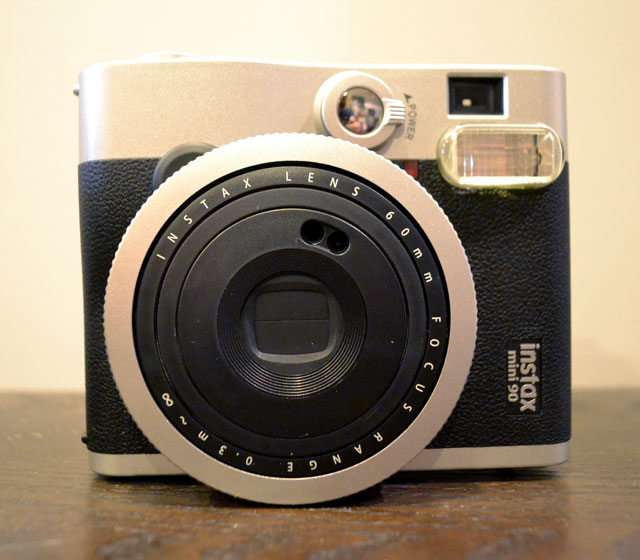
Fujifilm Instax Mini 90

Fujifilm Instax Mini 90

The Fujifilm Instax Mini 90 has a greater amount of modes and flash control than the Mini 70, although it is the older of the two Instax Mini models we tested. As such, the exposure and focus isn’t as fine-tuned as the Mini 70's. The battery on this model is rechargeable, a bonus since no one wants to search for hard-to-find camera batteries. But a lack of a dedicated selfie mode brought about the camera’s downfall in our tests. A 20-shot pack of Fujifilm INSTAX Mini Instant Film costs $11.49 (around 57 cents per shot) on Amazon.

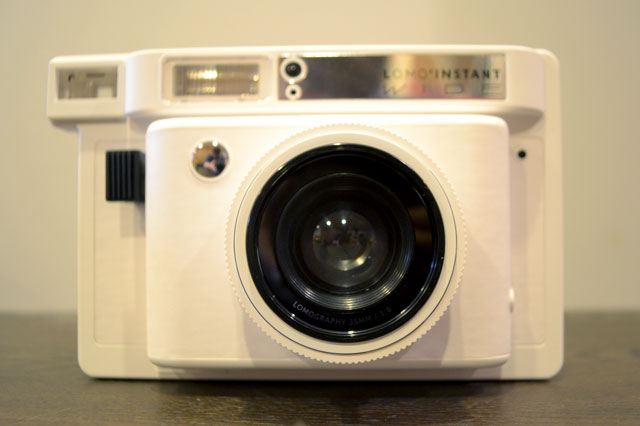
Lomography Lomo'Instant Wide

Lomography Lomo'Instant Wide

The Lomography Lomo’Instant Wide offers so many variable modes and creative options, especially if you buy the Combo Package, which makes this camera great for seasoned photographers who can pick the right exposure for a photo in their sleep. But beginners most likely won't be able to pick up the Lomo’Instant Wide to shoot photos at a party and receive amazing results. With the Lomo’Instant Wide, practice makes perfect. Unfortunately, with Fujifilm Instax Wide Film selling for $22.95 for 20 photos ($1.15 per shot) on Amazon, experimenting isn’t economical. The camera’s huge size makes carrying the camera a hassle.

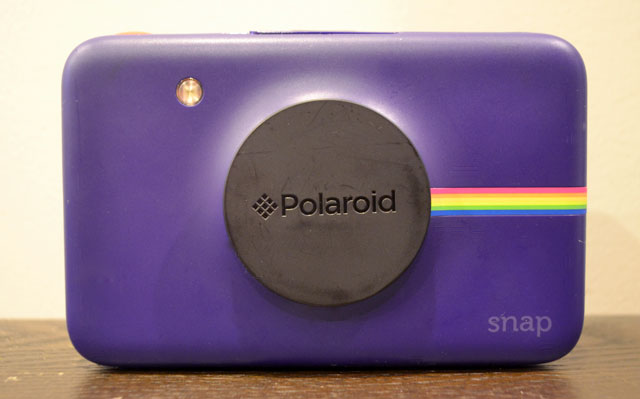
Polaroid Snap Instant Digital Camera

Polaroid Snap Instant Digital Camera

The Polaroid Snap Instant on the whole produces pictures that work well. Unfortunately, there are few modes, and the photos often look dark and muddied. You can go digital with this camera, though, with up to a 32 GB MicroSD card. The photo paper this camera uses is the least expensive of all the types for our test cameras, with a 30-sheet Premium ZINK Paper package selling for $11.50 on Amazon (38 cents per shot). The Polaroid Snap Instant would work great for kids just getting into photography because they get both the instant gratification of a printed photo and a digital photo to share on their social networks. The camera design is cool and retro too, with a variety of colors to choose from.

Specs

Model Fujifilm Instax Mini 70 Fujifilm Instax Mini 90 Neo Classic Instant Film Camera Polaroid Snap Instant Digital Camera with ZINK Zero Ink Printing Technology Lomography Lomo'Instant Wide Camera
Price $103.56 on Amazon $121.99 on Amazon $99.99 on Amazon $257.99 on Amazon
Size 3.25 x 4.5 x 7 inches 4.5 x 2.25 x 3.61 inches 6.6 x 6 x 1.9 inches 5.75 x 7.5 x 3.75 inches
Weight 0.5 pounds 0.65 pounds 1.1 pounds 3.04 pounds
Lens 60mm, f 12.7  60mm, f 12.7 Not available 90mm, comes with ultra wide-angle lens & close-up lens
Selfie options Selfie mirror, selfie mode Selfie mirror, no selfie mode None Selfie mirror, selfie lens focus (1-2 meters)
Modes Automatic exposure control, hi-key, macro, landscape Party, kids, landscape, macro, brightness control, bulb exposure, double exposure  Three color modes: normal, black-and-white, vintage sepia; Polaroid border mode Auto, bulb, fixed shutter speed (1/30), multiple exposure, exposure compensation (+1, 0, -1)
Battery Two CR2/DL CR2 lithium batteries Rechargeable NP-45A lithium-ion battery Non-removable 7.4 V battery; rechargeable with included micro-USB 4 AA batteries
Pros Easiest camera to use for beautiful automatic shots; best for selfies and photos of people Many modes for instant customization; two shutter buttons for different orientations; cool styling Prints instantly so you don't have to wait for development; cute design; easily digitizes photos with microSD card slot The most creative customization options, including additional lenses; lens cap also a shutter remote
Cons Does not have as many creative modes as the Mini 90 Photos are nice, but exposure and focus not as good as the Instax Mini 70 Very few customization settings and modes; pictures can look dull Despite including many directions and tutorials, difficult for beginner photographers to use, even on auto mode

The bottom line

Because most users want the novelty of taking selfies with beautiful, instant results and real ease of use, we picked Fujifilm’s Instax Mini 70 as the Best Instant Camera. While users can’t control the flash on the Mini 70, more often than not, the camera produced well-exposed and well-focused photographs. The Mini 70 has fewer customization options than the Fujifilm Instax Mini 90 and the Lomography Lomo’Instant Wide; for someone who wants to pick up an instant camera and start shooting (and waste less expensive instant camera film), it’s a great choice. A 20-shot pack of Fujifilm INSTAX Mini Instant Film costs $11.49 (around 57 cents per shot) on Amazon.


Fujifilm Instax Mini 70 - The Best Instant Camera

Best Instant Camera: Fujifilm Instax Mini 70

]]>
0 cameras top-picks
5760 <![CDATA[Review of the Philips Pasta Maker]]> philips-pasta-maker-review 2016-10-04T11:59:36Z 2016-10-04T14:36:37Z health/pasta-maker-spaghetti-extrusion-100px.jpg health/pasta-maker-spaghetti-extrusion-100px.jpg Eden Pontz eden.pontz@gmail.com 1 open With the Philips Pasta Maker, even beginners can churn out a pound of fresh pasta in 15 minutes. 

]]>
Philips Pasta Maker 4 Philips Pasta Maker

The Philips Pasta Maker gives even beginners the ability to make fresh pasta at home in fifteen minutes or less. Add a few ingredients (flour, water and/or egg), press a few buttons, and you’ll have fresh pasta with a smooth, consistent texture ready to go in minutes — more time for prepping your sauce! Shaping discs let you make spaghetti, fettuccine, penne or lasagna noodles, which you can use to make dumplings or ravioli.

With this pasta-making machine, you don’t have to be a practiced chef to achieve pasta that tastes homemade. It’s easy enough that children can get in on the action as well. And while cleanup does take a little hand work afterwards, key parts can go into the dishwasher, and others pop right out of the machine for easy access and hand cleaning.

How it works

Philips Pasta Maker with accessories

The Philips Pasta Maker ($239 on Amazon, retails for $349) comes with a base, a lid, a mixing paddle and a series of shaping discs to create spaghetti, fettuccine, penne and lasagna (You can buy additional pasta discs. There are sets of Thick Spaghetti and Tagliatelle Pasta or Angel Hair and Pappardelle Pasta, each available for $24.95 on Amazon). Additionally, there are flour and liquid measuring cups, a flat cleaning tool that doubles as a dough blade and a cleaning tool for two of the pasta discs, a user guide and a recipe book (in English, French and Spanish) for flavored pastas and more than two dozen pasta dishes.

I read the directions and found the machine easy to put together straight out of the box in only a little over two minutes. The machine weighs in at 20.7 pounds, with dimensions of 13.4 inches by 15.9 inches by 12 inches. It’s powered by a 200-watt motor that produces 1,600 pounds of force on the dough during extrusion, according to Philips.

The control panel has four key buttons: the on/off power switch, a start/pause button, a servings selector and a program button. The display screen counts down time as the pasta is being made and shows the serving size you’re making. All the buttons are clear and easy to read, and the program button lets you to choose an automatic program or an extrusion-only program.

After opening the lid and adding flour into the mixing chamber, close the lid, turn on the machine and select program 1 (for one to three servings) or 2 (for a large batch of three to five servings, about 1.3 pounds or pasta). Press start. After the flour has rotated around a few times, begin pouring in the liquid ingredients (either water, egg, vegetable juice or a combination) through the small holes in the lid.

The machine blends the dough through a mixing paddle that looks like a long, wide metal corkscrew, first one direction and then the other.

Once the dough is ready, the machine extrudes it through a disc on the front panel. It feels rather like playing with a grown-up Paly-Doh Fun Factory set — remember the one where you press the lever to extrude the Play-Doh and then cut it off as it comes through the molds? This machine does not cut the pasta as it comes out of the machine, so you’ll need to be prepared to do that manually with a dough blade, sharp knife, kitchen scissors or the side of the included flat cleaning tool/dough blade. My 11-year-old loved having the chance to cut it straight from the machine. Cut it off as it comes out of the machine, or allow it to come out in longer strands to cut later.

The Philips Pasta Maker does make some noise, but it’s much quieter than a mixer or blender. It’s surprisingly speedy, so you can make multiple batches of pasta quickly.

I found that each batch of pasta (no matter which style or flavor) leaves behind a small bit of dough, usually about the size of a medium to large gumball, in the bottom of the machine. When I’m making multiple batches of the same style of pasta, I leave it to be swallowed up by the next batch. If you don’t want to waste it, you could try forming a bit of pasta by hand or freezing and storing it for the next time you’re making pasta. If you happen to have kids, they’ll likely be happy to play with it like a blob of molding clay.

Before using your pasta machine for the first time, take out all the parts that come into contact with the dough, as well as the accessories, and wash and dry them. Water and a little dish soap is all you need. The main base of the machine where the electronics are housed should be kept dry.

Texture and flavors

While Philips says you can use any type of wheat flour or white bread flour in your pasta machine, it recommends a mix of durum semolina and all-purpose flour for the best results. For soba noodles, try spelt, whole wheat or buckwheat flour. We tested the machine using King Arthur Flour, Pillsbury and Bob’s Red Mill Whole Wheat Flour, depending on the pasta. Our very first test batch was slightly drier than expected, but it made the pasta easy to handle and there was less sticking to itself or the machine, which admittedly made for easier cleaning at the end of the process.

The key with this machine is precise measurements. Measure flour and liquid quantities carefully so as not to affect the recommended volume and ratio of solids to liquids. If you’ve used other machines and are used to doing things like adding more flour or liquids as it’s mixing or letting the dough rest, I’d advise against that with this machine. Just let the machine do what it’s supposed to do automatically.

It’s worth noting the flour cup that’s included with the pasta maker is not a standard 8-ounce measuring cup; instead, it holds 250 grams (1-2/3 cups) of flour. If you’re not using the measuring cups provided, use a kitchen scale that measures in grams to weigh the ingredients. (You can pick one up for less than $15 on Amazon.)

The pasta it produces is not particularly thin, although it’s not too thick either. There is no ability to adjust the thickness of the pasta, so if you like your pasta on the very thin side or extra thick or you want the ability to control the thickness, you’re out of luck with this machine. The lasagna attachment makes for some additional work in that you need to both cut the pasta and then flatten it. It comes out through a circular extrusion that leaves the edges slightly turned up. And one test batch of penne (in which I’d added slightly more liquid) came out with the ends pinched together. I was able to give them a gentle squeeze and they popped back open.

Beet pasta made with Philips Pasta Maker

You can alter the taste and slightly alter the texture of your pasta by using different types of flours or changing up ingredients. We made test pasta both without and with egg, with beet juice and with carrot juice. Other ingredients like spinach juice, tomato juice, squid ink and herbs will change the taste or appearance of the pastas.

Juices make for only a little additional flavor, but because the machine does better with a drier dough, I’d hesitate to add much in order to achieve flavor from the liquid. But juices do add lovely coloring to the pasta. For one batch, I deliberately added more than the recommended amount of liquid (beet juice), and it did make the pasta a bit stickier.

The fresh pasta cooked in about three to four minutes. It was light, tasty and fresh, making us want to avoid heavy sauces and enjoy with things like fresh vegetables, olive oil and fresh grated cheese.

Spaghetti drying after being extruded from the Philips Pasta Maker

A friend who’d helped make one of the pasta batches with me pointed out the instruction manual should provide better suggestions for pasta “aftercare.” Should we hang it? Dry it on the counter? Put it in the fridge? In our case, we used just a bit of flour in one batch and a bit of cornmeal in another batch, and both worked well for storage in the fridge so we could cook the pasta later. Other batches we made within minutes of making the pasta.

Comments from friends, family and neighbors who tasted the final product included, “Wow! Who knew flour and water could be so great?” and “This pasta makes me want to never buy it from the market again.”

Safety

The Philips Pasta Maker has an automatic shut-off in the case of overheating. The manual suggests not using it for more than 45 minutes at a time (which would allow you to make as much as three pounds of pasta) before giving it a 15-minute break. The machine has a safety switch and lever that will not allow the machine to work if the lid isn’t properly installed onto the mixing chamber or if the shaping discs are not properly inserted.

The front panel on the machine that screws on and off in order to change the pasta discs and is made of metal and is quite heavy. If you aren’t careful, you could easily smash a finger or hand if it fell off while you were putting it on or taking it off.

Cleanup

One of the biggest complaints typically launched against automatic pasta makers is they are hard to clean. With soft pasta dough caught throughout the device, it’s certainly possible to find yourself spending as much time cleaning it as you did making the actual pasta.

Philips Pasta Maker specialty pasta discs

The Philips Pasta Maker includes a number of specially designed cleaning devices, including two plastic pieces that match the shapes of the spaghetti and fettuccini discs, with small protruding pieces of plastic that push through the holes where the pastas extrude. I’m not sure why Philips didn’t design the protruding pieces to be just another quarter of an inch longer. When you push them through, they finish flush with the surface, potentially allowing just a minuscule amount of dough to remain. I suspect that was done so the tools can store upright snugly in the shaping discs.

Another cleaning tool, which serves double duty as a dough blade, is made of a hard plastic and looks like a small, spatula-like head with small pieces of metal on either end. One of the metal pieces is for poking through very small holes in the pasta discs, and the second is for slightly larger areas. They will help you dislodge any leftover dough bits.

Overall, cleaning this machine is pretty easy. The dough pulls off or crumbles into pieces you can wipe away with your hand, a towel or a cloth. Extracting dough from the shaping discs is a bit harder but not bad if you use the cleaning tools. The manual suggests putting the discs into the freezer for a few hours before using the cleaning tool to push the dough out; this did work when I tested it, but I didn’t find it necessary. I was able to push extra dough through the holes with my fingers or cleaning tool.

The mixing chamber itself pulls right out of the machine and can be put into the dishwasher or washed by hand. I’d recommend that if you don’t need to put any of the plastic pieces in the dishwasher, don’t. You never know what will happen with plastic if your dishwasher is particularly hot. The mixing paddle also pulls right out and can be easily wiped down. Use a dry cloth to clean out any flour that may have made its way into the hole where the mixing paddle goes. I didn’t find any flour in there during any of our pasta making.

Philips discourages the use of scourers or gritty cleaners, which it says can “scratch the plastic surface and affect the lifetime of the pasta maker.”

A storage bonus

At the bottom of the pasta maker is a hidden drawer designed to store the various shaping discs as well as the cleaning tools provided for the discs. I found this to be quite convenient compared to some other pasta makers that require you to store the accessories separately. It’s worth noting that the drawer fits all the discs that come with the machine, but if you purchase others for additional varieties of pasta, some will have to be stored separately.

In the event of problems, the machine comes with a one-year warranty.

User reviews

The Philips Pasta Maker gets high reviews from users on Amazon, with a strong rating of 4.6 out of 5 stars with 218 reviews. Most users compliment the machine’s complete ease of use as well as the short amount of time it takes to make a pound of pasta.

The bottom line

Philips Pasta Maker

Philips Pasta Maker

Pasta lovers, whether you’re a novice pasta maker or a pro, will enjoy quickly and easily churning out fresh pasta in fifteen minutes or less. If you stick with the provided recipe, the pasta you turn out will be consistent.

And while you may think having pasta made on demand is something of a novelty, if you choose to make a space for this on your counter, you could find yourself making it on a regular basis with little effort and at an affordable price. With some experimentation and variations in flavors and flours, you can offer up pastas considered healthier than some more conventional pastas. And clean-up of the machine won’t take you longer than it takes to do your dishes.

Some might consider the Philips Pasta Maker an extravagance at $239 (on Amazon, plus $24.95 per set if you want Thick Spaghetti and Tagliatelle Pasta or Angel Hair and Pappardelle Pasta ), but if you like the ability to make your own pasta on short order, the Philips Pasta Maker will pay for itself down the line. 

[Image credits: Eden Pontz/Techlicious]

]]>
0 home kitchen-household
5734 <![CDATA[The Best Beard Trimmer]]> the-best-beard-trimmer 2016-08-23T16:03:18Z 2016-08-26T20:10:19Z health/best-beard-trimmer-panasonic-er-gb80-100px.jpg health/best-beard-trimmer-panasonic-er-gb80-100px.jpg Jon Chase j.chase@techlicious.com 1 open The Panasonic ER-GB80 makes trimming a typical beard easy and consistent, it is easy to keep clean and convenient to use at home or on the road. 

]]>
Panasonic ER-GB80 4.5 The Best Beard Trimmer

We are living in a golden age of facial hair, when men of every stripe choose to throw caution and their safety razors to the wind and let their beards grow as nature intended. Sartorial choices aside, this follicular freedom is not without its challenges, namely keeping all those wiry hairs in check. As anyone who has tried will agree, this is no mean feat—one errant snip or shave and you're either trimming back to a 'stache or starting from scratch. But, as with seemingly every category of self-maintenance today, there is a technological solution with today's breed of high-performance, and surprisingly affordable, purpose-built, beard trimmers. 

Unlike yesteryear's selection of corded, multi-purposed trimmers that were meant for haircuts and were either prohibitively pricey or essentially disposable, today's trimmers are user-friendly, easier to maintain, completely portable and in many cases are built to handle any hair needs you may have south of your eyebrows. 

With dozens of beard trimmer options available on the market, we narrowed our testing list to models that met a handful of key qualifications. For starters, the blades needed to be high-quality stainless steel, both to maintain an edge and also to thwart rusting (and, ideally, require infrequent maintenance). For power, we looked for models that could function while plugged in or via battery, or at a minimum, had a fast-charge system to allow for last-minute shaves when the battery is on empty—a common pitfall of earlier generation trimmers. In order to accommodate a wide range of possible hair lengths, we limited our search to models with a minimum of eight length settings or swappable combs. And models we considered needed to be comfortable to hold and use, easy to clean and ideally be water-resistant. In order to narrow down the choices, we also looked at existing tests from professional sources and user reviews, such as Amazon ratings, to see how the trimmers hold up across a range of real-world conditions.

Techlicious Best Beard Trimmer test group

Product test group from the left: Panasonic ER-GB80, the Philips Norelco BT7215, the Remington PG6171 The Crafter
Style and Detail Kit and the Wahl Lithium Ion+ .

Our search resulted in four standout models that met our criteria and had received a critical amount of praise: The Panasonic ER-GB80 ($88); the Philips Norelco BT7215 ($60); the Remington PG6171 The Crafter Style and Detail Kit (technically called the Crafter Beard Boss Style, $37); and the Wahl Lithium Ion+ ($60). 

Panasonic ER-GB80

Panasonic ER-GB80

After months putting our trimmer choices to work on my unkempt mug (and another couple rounds with a particularly hirsute friend), I found the Panasonic ER-GB80 to be the best overall beard trimmer. I liked that it can cut 39 possible hair lengths in .5mm increments, and that adjusting the length is simple, thanks to a built-in thumb dial that's easy to read and doesn't slip. Charge time for a full battery is about an hour, but it can work when plugged in, too. Cleanup is relatively easy and I appreciate that it's water-resistant enough to hold under running water—a big help with cleaning. And most importantly, the GB80 is capable of shaving a beard to an even length without hair-pulling or much hassle. While there was much to like about the other models—and a couple of them might make good options for certain users—we think the Panasonic GB80 is the best beard trimmer for everyday use.

How we tested

The baseline judgment of a trimmer has to be its ability to cut hair cleanly, and quickly, with as few strokes as possible and ideally no pinching and pulling hairs in the process (or nicks either). Other factors noted above, such as convenience, charging times, accessories, and so on, are all important but not the major concern. To test the beard trimmers, we allowed our facial hair to grow out to about a quarter or half inch and then shaved swaths on our faces. The goal was to find a razor that could cut the hair evenly without taking more than a swipe or two so that we ended up with an even stubble 2 mms long. After that, we ended up trying out all of the trimmers for full-face trims on two faces at least twice, and at a couple different lengths ranging from zero (essentially a shave) to 3.5 or 4mm.

Look and feel

Panasonic ER-GB80

The ER-GB80 is the updated model to Panasonic's well-rated line of trimmers (including the 60 and 40 model) and feels sturdy, polished, and thoughtfully designed. In particular, the dial for adjusting the trimming length clicks into each setting position and is essentially slip-proof—an issue I've experienced with other trimmers in the past and which inevitably leads to a fiasco when the length setting slips mid-shave and you end up with a bald patch. On the dial there are two rows of numbers and a letter corresponding with one of the included comb heads (the A comb is for shorter beards up to one cm, the B for hair lengths up to 2 centimeters, and a third rounded comb is intended for “manscaping” that cuts hair to a uniform 1/16 of an inch, apparently the international standard for body hair.) A second, finer-grade razor, intended for sideburns, brows, and facial finesse work, is tucked just above the dial and emerges with a thumb push. 

Panasonic ER-GB80 can be washed under running water

The razor is made of stainless steel and was among the wider blades we tested at about two inches. It can be removed easily either for cleaning or for replacement should it dull. (Panasonic suggests both the blade and the rechargeable batteries should last about three years apiece before needing to be replaced, a reasonable-enough duration in my estimation.) The GB80 is water-resistant but not waterproof, and there's a port just above the smaller razor that allows you to run water through the blade compartment and flush out all your shorn stubble; for deeper cleans the blade pops off and an included brush can be used to flick off particularly tenacious follicles. One tedious facet of the GB80 is the need to oil it early and often. This protects the blade from rust (and helps maintain sharpness, too), and is necessary if you're washing the blade with water as intended. Oil also keeps the blade from heating up as quickly, helps prevent clogging from hairs and also pulling of hair, which is why Panasonic specifies oiling both before and after each shave. (Pro tip: If you run out of the supplied oil for this or any trimmer, pop down to the hardware or drug store and buy a bottle of mineral oil, which will keep your blades happy and won’t smell or mess up your skin like other oils and lubricants.)

Power and battery life

The power button is a sturdy metallic-plastic, and below it is an array of LEDs showing that the battery is charging. The lithium-ion batteries last about 50 minutes on a full charge, which takes an hour from empty. That's plenty of time for those doing a basic trim—our test shaves lasted less than 5 minutes. (Note that Panasonic cautions that if the batteries go uncharged for extended periods of weeks or months it may be necessary to charge them for an 8-hour stretch to restore them.) In the event you are in a rush and discover the razor's batteries are flagging or already kaput, simply plug in the charging cord, give it a minute to resurrect the batteries a bit, and then you're able to shave as needed. That may seem like a minor detail but in fact anyone who has owned a trimmer, particularly old style ones with NiCad batteries, knows the frustration of being caught short-handed and long-haired with no option but to wait out a half-hour of charging or more—and full charge times could take 8 hours or even a full day. Also worth noting is that unlike some models, the GB80 can be charged in foreign countries with 220 voltage, a boon for travelers.

How well they trim

In my test trims the Panasonic took just a few passes to through facial growth that was about 1/4 inch or so long, leaving few stray hairs and without pulling, at the #2 setting and #3 setting. Nicely, the Panasonic maintains a consistent speed without fluctuating (that wah wah sound you hear) as I’ve experienced with other trimmers, and which can result in poor cutting or pulling. Getting a close cut near our nostrils was trickier than with some of the small-bladed trimmers such as the Remington, but I realized the secondary detail trimmer does the job well enough. I used the detail trimmer for the cheek line and sideburn as well and it does a fine job. I especially like the included adjustable hair guide or comb (it comes with three: an A for short lengths, a B for longer, and a third for body hair) which glides smoothly on skin and worked better than individual clip-on combs, which can be fussy to attach and align correctly—with the Wahl trimmer we did a test trim and realized afterward the comb was on crooked. Overall the Panasonic was the trimmer that offered the best total package: it's easy to use, performed well, was easy to maintain, was easy to travel with and is reliable.

What others are saying

While MaleGroomings.com loved the Panasonic ER-GB80 in its 2016 guide to beard trimmers, it found it came in a close second place, while still noting the quality of the shave, and its overall design: "Panasonic does ergonomic better than everyone. The rubberized grip is outstanding." Their top pick, the Remington MB4040, is largely well-regarded except earns complaints for its flimsy combs and the inability to trim beards to stubble-length. And though Remington offers a substantial 2-year warranty, there were enough user complaints about devices crapping out in under a year for me to consider other models.

Grooming site ToolsOfMen.com is equally enamored with the GB80, giving it a rating of 9.1 out of 10, and praising its convenience, thoughtful design and versatility as a corded or cordless shaver that's water-washable. In terms of its trimming prowess, ToM enthuses: "The Panasonic ER-GB80-S simply feels like you are getting a barber quality shave without having to actually visit the barbershop." While I didn’t test their top pick, the Norelco 7300, I tried its newer brother, the 7200 which shares many of the same features and pitfalls, such as difficulty in keeping it clean and flimsy combs that are difficult to attach correctly.

And the ER-GB80 is well-rated by Amazon users, earning 4.4 out of 5 stars with 152 customer reviews. Most users praise the build quality and design in particular.

The Runners Up

Remington Crafter Beard Boss Style (PG6171)

Remington Crafter Beard Boss Style (PG6171)

Remington went all-in with the beard trend, and this model, part of its Beard Boss line of trimmers comes in a kit festooned with old timey fonts and photos of gentlemen—the official Beard Boss team—with admirably complicated facial hair getups. The 11-piece kit includes an array of long-length combs, an adjustable height comb with 10 settings, and three replacement razor heads for exquisitely precise facial hair sculpting, as well as nose, ear, and eyebrow trimming.

The Remington was a close second for us, and edged out the Panasonic in terms of cutting the most hair per swipe, which we attribute both to the smaller, finer razor size and a "turbo" mode which jacks the razor speed to 11—because it's half the width of the Panasonic's blade, though, it required far more swipes to fully shave It also has a 5-minute quick charge and a sprawling 180 minute run time, both of which are nice features.

What bumped the Remington down in our estimation, in addition to its smaller razor head size, was the cheapness of the adjustable trimmer comb-for most users the main one they'd rely on-which is tricky to adjust due to an imprecise mechanical lever on the rear and increment labels that are tough to line up straight; it's very hard to tell if you've selected 2mm or 4mm or 6mm and you can either zip it out all the way and try to count the clicks again or hope for the best and literally come up short. It's an odd misfire. And while we know this trimmer is steered very clearly toward a buyer who has an involved and complex relationship with his facial hair, to the rest of us the pile of clips and razor heads are a drawer-cluttering mess. Still, it's our pick for those with fussy facial hair—or who aspire to it in the future. Price: $37 on Amazon

Philips-Norelco BT7215

Philips-Norelco BT7215

The Philips-Norelco BT7215 was a mixed bag in our experience, with a lot to like but a few convenience hiccups. It has a novel built-in vacuum cleaner that does an impressively good job of sucking up trimmed hairs, but you can't choose to turn off the vacuum, which is a pain to clean and gets impossibly clogged if you are trimming long hairs. The blades feel like the flimsiest of all we tested, so we worry about their longevity. However, in our tests they trimmed on par with Panasonic. Also like the Panasonic, the BT7215 has a thumb dial for adjusting hair length with 20 possible heights in .5mm increments that functions nicely, as well as some longer hair combs and a snap-on fine-tuning razor. The clip-on combs don't go in particularly smoothly and the flimsy plastic stems have to line-up just so, which I also didn't love. Overall it's a good option for someone only looking to maintain stubble rather than a lengthy beard, but not our top pick overall. Price: $60 on Amazon

Wahl Lithium Ion+

Wahl Lithium Ion+

The first trimmer I tested, the Wahl Lithium Ion+ is a gorgeous-looking piece of industrial design- a sleek, sculpted, brushed metal piece of art. Unfortunately, it doesn't rate as a day-to-day trimmer. Instead of the built-in adjustable combs of the other models, it relies on a bag's-worth of clip on combs that are a pain to keep track of, and don't attach to the razor head particularly cleanly—they're easy to get on crooked, and when removing them they often pulled the razor head off as well. Granted, a typical user might rely on the same one or two combs for day-to-day upkeep, however, the trimming experience wasn't ideal either. I and my other test fellows each experienced hair pulling, either due to inefficiencies of the blades or from the manner in which the combs attach (this can be fixed by applying oil to the blades ahead of time, however it's not what we'd expect from a razor right out of the gate). It's also not waterproof at all, making cleanup dicey. As much as we wanted to love the Wahl, it was our least convincing test model. Price: $60 on Amazon

The bottom line

While it was the priciest model we tested, at $87, the Panasonic ER-GB80 was worth the price for a quality, long-lasting beard trimmer that is easy and convenient to use and maintain. And though all four of the trimmers are worth consideration depending on your needs or preferences, the Panasonic was the best overall model: it made trimming a typical beard easy and consistent, it is easy to keep clean, and convenient to use at home or on the road.  

Panasonic ER-BG80 - The Best Beard Trimmer

Panasonic ER-GB80

[Image credits: Jon Chase/Techlicious]

]]>
0 home health-fitness top-picks
5724 <![CDATA[The Best Wi-Fi Router]]> the-best-wi-fi-router 2016-08-10T17:38:51Z 2016-08-11T17:46:52Z computers/best-router-linksys-ea7500-100-px.jpg computers/best-router-linksys-ea7500-100-px.jpg Ted Kritsonis ted@byteddyk.com 1 open The Linksys EA7500 router offers the best combination of performance, features and price, and has future-proof technology built-in  that will make it get even better.

]]>
Linksys EA7500 4.5

Product test group: D-Link DIR-879 EXO (1), Eero Wi-Fi System (2), Linksys EA7500 (3), Synology RT1900ac (4),
Netgear Nighthawk X4S R7800 (5) and Asus Google OnHub SRT-AC1900 (6)

The Linksys EA7500 router offers the best combination of performance, features and price, and has future-proof technology built-in that will make it get even better.

Linksys EA7500 router

The Best Wi-Fi Router: Linksys EA7500

Routers are engrained in our everyday lives, as they provide Internet access to the connected devices in our homes. But, like other utilities, they garner little attention unless something goes wrong or Internet access becomes unbearably slow. In fact, many people have never set up a router. They use the one built into the modem supplied by their Internet provider, which is not a good idea because these combo modem-routers generally work terribly as routers

Now is a good time to upgrade to something better. Today’s routers are highly flexible, offering user-friendly administrative tools that make them easier to manage for users of all skill levels. This coincides well with the increased speed and higher bandwidth they are able to dole out.

Not all routers are created equal, of course. In finding the best, we determined the sweet spot of price and performance for most people is found in models with a maximum theoretical bandwidth of 1900Mbps. Hence, why the term “AC1900” is prevalent among all of them. This means they are more than capable of delivering the faster speeds required for multi-user households or streaming-heavy users, but don’t have as many high-bandwidth channels as high-end routers do.

On our spec checklist for the best router were: dual-band with Wireless-N (802.11n) and Wireless-AC (802.11ac) bands, beamforming technology for boosting a signal to a specific device, app-based controls (and set up), parental controls and guest access. Among the models that met these criteria, six made the cut for testing, based on high ratings from professional and consumer reviewers: the Asus Google OnHub SRT-AC1900 ($164 on Amazon),  D-Link DIR-879 EXO ($149 on Amazon),  Eero Wi-Fi System ($499 for set of three on Amazon), Linksys EA7500 ($170 on Amazon), Netgear Nighthawk X4S R7800 ($239 on Amazon) and Synology RT1900ac ($149.99 on Amazon).

During the test over the course of five weeks, all six routers were connected to Internet Service Providers (ISPs) offering at least 50-100Mbps download speeds to check for speed. And, we set up in two types of residences, a condominium and a house.

Who came out on top? In what was a tight contest among a group of very capable routers, the Linksys EA7500 impressed us with its combination of powerful performance, good range, stellar external storage options and user-friendly management software. And, the exceptional EA7500 doesn’t even fully reach its growth potential yet, since it’s future-proofed with some near-in-the-future technologies, like MU-MIMO and Seamless Roaming.

Design

When it comes to aesthetics, the Linksys EA7500 is anything but a beauty pageant winner. With the possible exception of Synology’s unit, all the others look better.

Asus Google OnHubPart of the aesthetic is the number of antennas, which vary. The Netgear Nighthawk X4S and D-Link EXO each have four, the Linksys EA7500 and Synology RT1900ac have three each, and the OnHub and Eero have no visible antennas at all. Routers without visible antennas still have them, only they are inside the unit itself, and exposed antennas have traditionally been used to angle a signal or for boosting it with longer ones.

Size also matters, and here, the Linksys takes up quite a bit of space at 10 inches long and 7 inches wide.  The Eero overwhelmingly wins as the smallest of the bunch, even though up to three units can be require for coverage throughout a home. The Eero can function with only one unit, but the purpose of the trio is to spread the connection throughout a home that may have connectivity issues or dead zones. The OnHub is the only upright model, taking up less of a footprint on a desk or table, though needing unimpeded height to stand up. The others are more traditional flatbed form factors with flexible antennas. The added size affords the larger models the space to have extra Ethernet LAN ports to connect wired components, along with at least two USB ports for networking external hard drives or printers.

Setup

The Eero and OnHub are designed with mobile device owners in mind, and neither requires a computer to set up. In fact, the OnHub can’t be set up with one anyway. Setting both of them up takes about five minutes apiece, making each among the quickest routers to set up on the market.

The four others do have mobile components, but the setup is made easier when done through a computer (PC or Mac). That’s because they all have more advanced management features than the Eero and OnHub. The process in each case takes less than 10 minutes, and step-by-step guides are easy to follow, removing any serious guesswork to getting started.

Linksys Smart Wi-Fi appThe Linksys EA7500 stands out here because it offers a nice mix of beginner and advanced features through Linksys’ Smart Wi-Fi browser-based interface. The free Linksys Smart Wi-Fi app for iOS and Android doesn’t present the full breadth of administrator features and options in that it doesn’t provide access to advanced settings, like port forwarding or MAC filtering, for example, but is still well laid out and easy to use, even when not at home. Multiple Linksys routers set up under an account and all their respective network bands are accessible, meaning we could help manage a relative or friend’s Linksys router, if need be.

We also liked that Linksys updated the firmware on the router automatically. We didn’t even notice. The others have the option to download firmware automatically, though we had to do it manually with the D-Link EXO, Google OnHub and Eero.

All six routers offer the option to have a guest Wi-Fi network, with a different name and password, that visitors can log into. This way, they can access the Internet, yet have no way of accessing the network or router administrator features.

Ease of use

We mentioned the user-friendliness of the Linksys Smart Wi-Fi browser and mobile apps, and that extends to setting up more advanced features. For instance, Media Prioritization is useful for putting up to three devices at the top of the queue to get available bandwidth first before anything else. MU-MIMO will make that less relevant but for now, it’s a great feature in a crowded home.

Parental controls are fairly standard with routers nowadays, and the setup doesn’t deviate much, either. You can block certain websites, or block Internet access for a certain user if they are logging in to a shared computer on their own account, or a specific device entirely at all times or within set intervals. Websites can also be blocked, though it’s not easy to block a whole category of sites, like adult or hate sites, for example, as they would need to be added one-by-one.

Moreover, blocking social media sites that use https is also problematic. This affects all the routers, so it’s not prone to one over another. The result is that, while Facebook, Twitter and Instagram could be blocked with the http prefix, those sites also use https, which are tougher to block because they are more secure connections within the browser.

Setting up a guest network is easy on all six routers, so there isn’t a major differentiation that sets any of them apart.

In keeping things simple, the Eero and OnHub are thin on management features, while the Synology router may offer too many to understand for the average user who isn’t otherwise acclimated to the company’s products. The other three are more laden with options, but Linksys has them beat on simplicity and navigation. To sum it up, basic features and options, like the network map to see what is connected, parental controls and Wi-Fi settings are always available. More advanced features that include port forwarding, dynamic routing, firewalls, static IPs and others are there to use, but do require some know-how to configure, and may not be necessary to set up for the average user.

Performance                                

This is where things got tight. Previously, some Linksys routers struggled with range on the faster 5GHz band, but we were more than satisfied with how the EA7500 performed. The 2.4GHz band, which we used primarily with legacy and low-priority devices, also showed stellar results.

Within 10 feet of the router, we were hitting very close to the top speed of 50Mbps on the house Internet connection. When moving 30 feet away with a floor or wall in between, the connection remained fairly steady with about 25-30Mbps. Being a multistory house, we were impressed to get the same speed (both in download and upload) in the bedroom with the router in the basement.

In fairness, the Asus Google OnHub performed the best in our tests and the D-Link EXO more than matched the EA7500 until we got to the bedroom, where we experienced a precipitous drop down to 15Mbps. In the condo, the Nighthawk X4S blazed up to the 100Mbps connection coming from our ISP. The Eero casts a nice connectivity web using its three boxes, except it can be adversely affected when the units don’t have line of sight with one another, and so, we noted that speed halved when the second unit was set up one floor above the first.

Router performance chart

The other factor in the EA7500’s performance is that it only truly hits its full potential when MU-MIMO is used, even though it outperformed most of the others in this test without it. Short for multi-user, multi-input, multi-output, the general premise is that compatible devices are prioritized in bandwidth equally and simultaneously. Basically, the way it has been with routers to this point is that devices get the bandwidth they need in a queue. You wouldn’t understand that it’s happening, but it does, and that can sometimes lead to slowdowns or buffering if there is a lot of network traffic.

Linksys MU-MIMO USB adapterWhile devices supporting the new protocol aren’t really available yet, it is possible to use a Linksys MU-MIMO USB adapter ($50 on Amazon) on a Windows PC to make it work. Mac computers will likely be compatible in the fall, though it’s not clear how many years back that compatibility will go. We tried it on a Dell laptop and loved the fact we were able to consistently get faster speeds at the same distances. Having the feature does future-proof the EA7500 a little, since new devices that will support the new standard moving forward should make the router even more efficient.

Extras

The most interesting router in this regard is Synology’s unit for its network attached storage (NAS) features, which is what Synology is known for. Plugging in an external hard drive or SD memory card turns the drive into a server that makes the contents accessible via Synology’s apps for mobile devices and the Roku. For example, video files will be seen in DS Video, while documents would show up in DS File.

If you’ve used Synology servers and the Diskstation Manager software that goes with them, all of it will feel very much the same. The drive would also be accessible under “Shared” in Finder on a Mac or through Network Devices on a Windows PC.

Drives connected to the Linksys and Netgear routers are also accessible under “Shared” in Finder on a Mac or through Network Devices on a Windows PC, though we did run into some issues with the Nighthawk X4S on an older MacBook Air, which couldn’t see it in the Finder.

Linksys outpaced the others with faster data transfer speeds on a 500MB external hard drive plugged into the USB 3.0 port, sometimes doubling the competition. Netgear consistently trailed behind enough to notice a difference.

The OnHub and Eero have lone USB ports, but neither allow for storage expansion or networked devices, so they’re otherwise non-functional. The D-Link EXO doesn’t even have a USB port.

The competition

This group is really a testament to how much better routers have become as a category, and that does include some calibration in who they’re for.

For example, the Eero and OnHub are capable models, clearly aimed at consumers who want the basics on setup, with reliable performance that covers a home. However, they are pricey for what they offer.

The Synology RT1900ac may not have emerged as the winner because it’s not quite as robust and needs more time to navigate and get comfortable, but it is a winning product, in many respects. A good price for its performance and network storage features, it’s a solid alternative.

The Netgear Nighthawk X4S is robust and a solid performer, yet couldn’t quite match its rival at Linksys in all categories. It also needs a better mobile app for management and to make it easier to backup a computer regularly using Time Machine on a Mac.

The D-Link DIR-879 EXO has a sleek design, and offers great speed, but needs a better user interface to manage the router. The lack of any USB ports is another noticeable omission.

What other critics say

Professional reviewers have come away with positive impressions of the Linksys EA7500 and its overall value proposition. And customers on Amazon have expressed their satisfaction on the same merits, collectively rating it 4 out of 5 stars with more than 125 customer reviews.

Bottom line

All told, the Linksys EA7500 offers the best overall mix of performance, usability and connectivity, especially for the price. For those who are new to setting up routers, the settings are easy to find and adjust.  It is an excellent choice for any home that needs an effective router and it still has room to get even better with its compatibility with upcoming technologies.


Linksys EA7500 - The Wi-Fi Router

Linksys EA7500

]]>
0 computers computers internet-networking top-picks
5722 <![CDATA[Comparing the New Xbox One S vs. the Xbox One]]> xbox-one-s-vs-xbox-one 2016-08-02T18:13:58Z 2016-08-03T22:47:59Z av/xbox-one-s-verticle-100px.jpg av/xbox-one-s-verticle-100px.jpg Barb Gonzalez barb@simpletechguru.com 1 open The Xbox One S obviously has remarkable ultra-high definition picture and sound quality. Should you get it?

]]>
Xbox One S 4 Xbox One S

I’m not exactly a gamer; I’m that klutz who gets killed in the first level of any game. Still, I love my Xbox One. It’s the main streaming and TV entertainment hub for my home theater.

The new Xbox One S adds 4k ultra-high definition with high dynamic range. This is the device I’ve needed to go with my UHD TV. Because its disc player is a new Ultra HD Blu-ray (4K) disc player, the Xbox One S ($399 for the 2TB launch edition on Amazon, a 1 TB Madden NFL edition for $349 or $299 for the 500GB Halo Collection Bundle on Amazon) can handle the new discs in all their ultra-high-definition picture and sound quality. I won’t have to buy a standalone UHD player for almost the same price.

Sleek new design

Xbox One S set up vertically next to a TV

New 4K capability and a sleek design that allows the Xbox One S to stand upright are the biggest differences between the Xbox One and the new Xbox One S. Because the One S can stand vertically, it takes up less space; in many cases, it can be placed alongside your TV. The power supply is now built in — no more huge, unsightly brick attached to the power cord. Better placement of USB ports and a controller pairing button on the front and side also help make the unit more convenient than its predecessor.

Summer upgrades for both systems

This summer will bring a software upgrade to both the Xbox One and the Xbox One S. I’m looking forward to the addition of background music (which wasn’t available on my review unit but should come out today). Once you start the music playing, you can leave the app and the music will continue to play as you do other things on the Xbox One. Initially, background music will only work with the Pandora app. Support for Groove Music and iHeart Radio will be added soon.

The upgrade also brings changes to the Xbox store. You’ll now be able to buy Xbox games from a Windows 10 computer. This fall, Xbox and Windows 10 game integration will expand with a number of games on Xbox Play Anywhere. Once you buy an Xbox Play Anywhere game, you’ll be able to play it on the PC or the game console.

If you like to chat with friends on Xbox Live, it will be easier to keep in touch when you’re away from your console. The Xbox app for iOS and Android will include notifications to let you know when your friends have come online or when they send you a message.

Complete entertainment systems

My Xbox One has been my main home theater entertainment hub since it was released in November 2013. Its vast array of video streaming apps include Netflix, Hulu, Amazon Instant Video, Comedy Central, Crackle, Encore Play, Epix, HBO Go, HBO Now, NBC, Showtime Anytime, Starz Play, SyFy Now, Telemundo Now, Plex, Vudu and YouTube. Sports apps include ESPN, NFL, MLB, WWE and NHL.

At launch, the Xbox One S will be able to stream Netflix in 4K. In the coming months, 4K content will come to the Amazon Instant Video app and others. I’ve always been surprised how regularly the Xbox One has added apps and upgrades, and I expect that will stay the same for 4K apps.

Along with streaming video, the Xbox One offers live TV. Sling TV is available for watching live premium channels like Food TV, A&E, the Travel Channel, TBS, AMC and more. If you haven’t cut the cord, the Xbox One improves the experience of watching TV from a cable, satellite or telecom receiver. Connect your TV provider’s box to the Xbox One, and the One Guide integrates both live TV and streaming apps so you can choose anything you want to watch from one place. It is both a robust guide of your live TV programming and a list of popular videos that can be streamed from apps.

The current upgrade lets you choose genres in each app. You could choose to see a short list of popular comedies from Amazon, critically acclaimed movies on Vudu, or original programming on Starz Play.

The One Guide is now a page in the home screen that shows suggested and trending live TV programs. Navigate to a comprehensive guide to live TV, movies from apps, TV shows from apps, app channels or movies you own in the Microsoft Movies and TV app. When you’re watching live TV, use the mini-guide to discreetly see what’s on other channels without leaving or covering up the show you’re currently viewing.

New Cortana voice commands

Cortana voice commands are part of the Xbox One’s summer upgrade. I’m a big fan of voice commands; they’re one of the main reasons I like to watch videos on the Xbox.

Cortana is the voice control feature of Windows 10. It can search the internet for information, launch apps and control volume and media playback. Like Cortana on a PC, it wakes to the command “Hey Cortana.”  It will readily search the internet in a sidebar snap screen. This is handy when you want to look something up about the video you are watching or game you are playing.

Unlike the Xbox One, which uses the Kinect accessory for voice commands, the Xbox One S doesn’t include a Kinect. To use voice commands on an Xbox One S, you must connect a headset with a microphone (a gaming headset or the headphones for your phone) to the wireless game controller. The microphone is used to speak to Cortana, so you can tell the Xbox to launch apps, pause and play videos, mute or change volume or music, and navigate and select items displayed on screen.

Cortana fail on Xbox One SMy initial experience with Cortana has been erratic and about as unpleasant as using Siri on my iPhone. Often I would use a command like “play video,” and Cortana would look up the phrase “play video” and show results from the web.

When launching an app, Cortana displays labels for choosing a video title or menu item. While these word are onscreen, you don’t need to say “Hey Cortana.” After the screen times out, Cortana sometimes reacts to the select command to show onscreen choices. At other times, I couldn’t access it and had to pick up the remote.

Why you’ll want to add a Kinect

Once I connected my Kinect to the Xbox One S, Cortana understood me much better. In fact, it worked as well as the Kinect did on my Xbox One (which has been near flawless for me). The only difference is that I now say “Hey Cortana” rather than “Xbox.”

For me, the Kinect is my other reason for having an Xbox One. The only games I play are workouts — Dance Central, Zumba and Xbox Fitness — which require the Kinect camera to “see” where I am and what my body is doing.

The Xbox app

The Xbox AppGame controllers aren’t a natural extension of my hand the way they seem to be for my son. They don’t look or feel like a TV remote. That’s why I’m happy about the Xbox app for iPhones and Android. Once you connect the app, swiping and tapping your smartphone screen lets you navigate around the Xbox. If you’ve connected a cable or satellite receiver to the Xbox One, the app includes a cable/TV remote with channel buttons, navigation, sound, playback and DVR.

The One Guide is available in the app, so you can browse for what you want to watch on your mobile device and play it immediately on the Xbox One.

Unfortunately, the Xbox app has replaced the previous Smartglass app. Many of the cool second-screen features that let you see and otherwise interact with what’s showing on the Xbox have been removed. The Xbox app is now mostly about control and social interaction with friends on Xbox Live.

I’d love to see Cortana added to the phone app so I wouldn’t need to connect to the game controller.

Xbox games in 4K

Although I’ve first focused on the entertainment aspects of the Xbox One S, it is first and foremost a video game console. The Xbox One’s 4K resolution improves its already clear and immersive gaming experience.

Current high-definition video games get upscaled to 4K for a gorgeous picture that lets you sit close to your UHD TV. This fall, Gears of War 4, Forza Horizon 3 and Scalebound will be released in high dynamic range. The contrast and added color depth should be a stunning way to play these games.

We downloaded a couple of games to try (OK, my son tried them and I watched) on the Xbox One S. The games are huge files. Halo 5: Guardians is an 87GB file, and it’s neither 4K nor HDR. Not only do you need a fast internet connection to download these games, but it can use up a lot of your internet allowance for the month if you have a low cap (below 300GB per month).

Still, the experience was worth it. Gameplay looked even more realistic and vivid on the Xbox One S. The 4K resolution allows players to sit closer to the big screen and become thoroughly immersed.

First impressions and recommendations

The Xbox One S obviously has remarkable ultra-high definition picture and sound quality. Microsoft sent along the new Star Trek Ultra HD Blu-ray disc, and it was phenomenal. The picture quality is also excellent when the Xbox One S upscales high definition and standard definition streaming content to 4K when attached to a UHD TV.

Like other 4K streaming devices, the Xbox One S requires the TV to have a HDMI port with HDCP 2.2 copy protection. If you have a UHD TV with HDR that can take full advantage of the picture quality coming from the Xbox One S, the model will likely have the right connections. If you have a 4K TV made earlier than 2015, check the specs to be sure that it can connect to an external 4K source.

Should you buy the new Xbox One S?

If you already own an Xbox One, you probably won’t want to buy a new Xbox One S unless you have a 4K UHD TV with HDR. If you’ve invested in a UHD TV because you love the improved picture quality and you’re interested in buying an Ultra HD Blu-ray player, you can get an Xbox One S for close to the same price.

Prices are dropping on the Xbox One. Because the operating systems are the same, if you aren’t getting a new 4K TV anytime soon, take advantage of the price drop and get the Xbox One. You can get a 500GB model for about $250. The 2TB launch edition of the Xbox One S starts at $399, and the 1TB Madden FNL edition ($349) and 500GB Halo Collection ($299) are availble for pre-order and are being released on August 23, 2016.

At this year’s E3 Entertainment Expo, Microsoft announced the Xbox Project Scorpio, the successor to the Xbox One S. No details have been revealed other than it’s extremely powerful and won’t be available until the end of 2017. If you have an Xbox One, it’s probably best to wait it out; if you don’t have an Xbox One, get the Xbox One model that matches the capabilities of your home theater. 

]]>
0 home-entertainment video-games
5714 <![CDATA[Review of the Fisher-Price Think & Learn Code-a-Pillar]]> fisher-price-think-learn-code-a-pillar-review 2016-07-19T11:45:03Z 2016-08-02T16:01:04Z family/code-a-pillar-team-settembre-techlicious-100px.jpg family/code-a-pillar-team-settembre-techlicious-100px.jpg Tara Settembre tara@techlicious.com 1 open I was really surprised how much my kids enjoy the Fisher-Price Think & Learn Code-a-Pillar. In fact, they are addicted to it.

]]>
Fisher-Price Think & Learn Code-a-Pillar 4.5 Playing with the Think & Learn Code-a-Pillar

Knowing the importance of STEM in education and having a husband who is a programmer, I have been eager to start my twin preschool boys learn coding concepts, but I assumed they were too young to start. The Think & Learn Code-a-Pillar from Fisher-Price ($49.99 on Amazon) is a caterpillar that encourages kids to experiment and play while developing coding, sequencing and critical thinking skills — all before they reach school age.

This learning toy is aimed for little minds ages 3 through 6. Best of all, it’s not tablet- or app-based either, thus, freeing parents from worry about the effects of screen time.

Preschoolers arrange the Code-a-Pillar’s easy-to-connect body pieces in endless combinations to send the robot on its path: forward, left, right or wait for a couple of seconds before moving again. Kids configure the segments to reach targets parents set up throughout the room.

But what does that have to do with coding? When kids connect the segments to make the Code-a-Pillar move, that’s sequencing. When they figure out a sequence that creates a path to their target, that’s programming (and problem-solving, too). It’s all coding—and it’s all fun! My boys bounce and dance around to the music and squeal when the Code-a-Pillar pivots and moves towards them.

Code-a-Pillar segments

While I’m not sure my three-year-old understand how order works, they are grasping the concepts of sequence and logic. They can see that the arrow makes it turn and the green straight arrow makes it go straight and that the piece with the speaker icon makes the Code-a-pillar play a tune.  Now we are trying to show them how to place the pieces in such a way that it eventually reaches the included red target disc. They now get the goal and work with us to help get the device there. They do a better job at putting together the pieces of the body than I do. They also piece it together seamlessly and have no problem starting it, either.

I was really surprised how much my kids enjoy this toy. In fact, they are addicted to it. It’s not the type of toy they play with for hours, but they do want to play with it daily and request that we bring it out of the closet for them. As a mom of multiples, it’s great to see that they can play with it together and enjoy having mom and dad play too—team-building!

Code-a-Pillar Silly Sounds & Lights

The Think & Learn Code-a-Pillar includes eight light-up segments, a motorized head segment with lights, sounds and blinking eyes, and two targets. Additional segment add-ons are sold separately, including the Silly Sounds & Lights (above) and Master Moves (below) expansion packs, priced at $15 on Fisher-Price.com. We look forward to expanding our bug.

Code-a-Pillar Master Moves

A free companion app just launched that enhances the learning fun, posing new challenges for the Code-a-Pillar that children have to plan and sequence. The app also covers overt learning like counting and patterning.

Price: $49.99 on Amazon

Ages: 3 to 6 years

Try these Code-a-Pillar play tips from Fisher-Price

Try these Code-a-Pillar play tips

Start a Code-a-Pillar journal. Ask kids to imagine Code-A-Pillar as a real caterpillar and think of the things they would do together. Next, ask them to write down or draw a story about their adventures with Code-A-Pillar. Don’t forget to plan how you’ll make Code-A-Pillar go!

Have your adventurers draw a map of all the places they and Code-A-Pillar visit together.

Build an obstacle course for Code-a-Pillar. Help your map makers draw an obstacle course on paper — just like drawing a treasure map! Then arrange the obstacles around the floor. Place Code-a-Pillar on the start target. How can he get to his finish target?

Suggest trying a few segments at a time to see if your children can figure out how each one works. Use a ruler or measuring tape to measure how far Code-a-Pillar traveled! If Code-a-Pillar takes wrong turns, what segments do you need to change?

Make up a game together. Draw pictures of Code-a-Pillar’s pieces on index cards, using one segment symbol for each card. Place the cards face down in a pile. Next, place the start and finish targets on the floor. Make sure you space them out so Code-a-Pillar has room to move.

Now take turns picking index cards from the pile and connecting the matching segment to Code-a-Pillar. Place Code-a-Pillar on the start target, press his button and watch him go. The first person to get Code-a-Pillar from start to finish wins.


Fisher-Price Think and Learn Code-a-Pillar

Fisher-Price Think and Learn Code-a-Pillar

[Image credits: Tara Settembre/Techlicious, Fisher-Price]

]]>
0 family-and-parenting family-and-parenting family-and-parenting top-picks
5166 <![CDATA[The Best Toaster Oven]]> best-toaster-oven 2016-06-06T17:45:44Z 2021-10-15T15:57:45Z health/best-toaster-oven-cuisinart-tob-260-toaster-oven-100px.jpg health/best-toaster-oven-cuisinart-tob-260-toaster-oven-100px.jpg Josh Kirschner joshkirschner@gmail.com 1 open The Cuisinart Chef’s Convection Toaster Oven offers the right combination of excellent cooking results, food capacity and convenience features.

]]>
Cuisinart Chef’s Convection Toaster Oven (TOB-260N) 4.5 The Cuisinart Chef’s Convection Toaster Oven (model TOB-260N) wins our award for the Best Toaster Oven based on its combination of excellent cooking results, food capacity and convenience features.

Cuisinart Chef's Convection Toaster Oven
(model TOB-260N)

Cuisinart TOB-260 Chef's Convection Toaster Oven

Toaster ovens are one of the most versatile appliances in our kitchen. We rely on them to make toast, reheat pizzas and bake smaller items when it doesn’t make sense to heat up our full-sized ovens. Too often, however, toaster ovens end up being a jack-of-all-trades, but a master of none; delivering unevenly cooked toast and burnt pizzas and having too little capacity to really be useful for baking.

So we set out to find the best toaster oven, one that would nail all the day-to-day basics, as well as serve as a reliable oven substitute.  We looked for full-size models that had enough capacity to handle six slices of toast, a 12-inch frozen pizza or roast a 3-lb chicken. Convection cooking was also key for both the speed and cooking evenness it offers. And finally, we looked at both consumer reviews and other professional reviewers to ensure that the models we picked offered the highest levels of consistent performance.

We ended up settling on four models: the Breville Smart Oven Plus #BOV810BSS ($250 on Breville.com), the Cuisinart Chef’s Convection Toaster Oven #TOB-260N ($235.45 on Amazon), the Hamilton Beach Set & Forget Toaster Oven #31230 ($89.99 on Amazon) and the Kenmore Elite Digital Countertop Convection Oven #0876771 ($149.99 on Kenmore.com and through Sears). And we found our pick in the Cuisinart Chef’s Convection Toaster Oven (model TOB-260N). The Cuisinart delivered excellent cooking results throughout our testing and offered more food capacity and convenience features than any of the other contenders. It is the Best Toaster Oven.

Note: most of our commentary on the Breville BOV810 applies equally to the BOV800XL ($249.95 on Amazon - same features, except without slow cooking feature) and BOV845BSS ($269.95 on Amazon - same features, except includes oven light).

Cooking capacity

Size comparison - Breville vs Cuisinart vs Hamilton Beach vs Kenmore

From top: Hamilton Beach, Kenmore, Breville & Cuisinart

Each model we tested could fit our 3-lb chickens and 12-inch pizzas without issue. However, the Hamilton Beach Set & Forget Toaster Oven, the smallest unit we tested, could not fit 6 slices of toast as advertised, requiring us to trim off about a half-inch for testing.

The Cuisinart Chef’s Convection Toaster Oven offered the most interior capacity of .95 cubic feet, about 20% more than the second largest contender, the Breville Smart Oven (.8 cubic feet). In fact, the Cuisinart’s interior is large enough that it can actually cook with two interior racks at once (included in the box).

The Kenmore Elite Digital Countertop Convection Oven, which doesn’t provide an official interior capacity, falls between the Breville and Hamilton Beach.

While there’s no doubt that the superior interior space of the Cuisinart makes it the winner in this category, those with little countertop space should remember that big inside also means big outside. With my NYC- sized kitchen, only the Hamilton Beach fit in the space where we typically keep our toaster oven.

Cooking performance

Toasting performance

Any device that includes “toaster” in its name should be able to toast. Not something that my old Cuisinart lived up to. We were looking for six slices of toast that were evenly cooked no matter where on the rack they were in and had the same level of toastiness on the bottom. So we popped the slices in, set each toaster to “Medium” and let them go.

Toaster oven toasting eveness comparison

What we found was:

  1. Toasting evenness has a lot more to do with your bread than your toaster. As you can see in the comparison shots, the top of the slice was consistently more toasted than the bottom, regardless of toaster or orientation. We presume this is due to lower moisture levels at the top of the loaf.
  2. Once you get past the issues with the bread itself, all the toasters offered roughly the same level of evenness.
  3. “Medium” means different things to different manufacturers. The Kenmore slices were very lightly cooked, while the Cuisinart were bordering on overcooked. For whichever toaster you get, you will learn the settings and plan accordingly. (This video clip says more about arbitrary consumer electronics scales than we ever could).

Toasting speed comparison

Next, we wanted to test out toasting speed.  After all, no one wants to sit around in the morning waiting for their toast to get done. We let each model go for 4 minutes then pulled out the bread to evaluate the level of toastiness.

What we found is that the Kenmore provided the most toasting, just ahead of the Cuisinart and Breville, while the Hamilton Beach provided the least. And if you like your English muffins crispy, the Hamilton Beach was also unable to fully brown one, even when set on “Dark”.

We also didn't like the fact that Hamilton Beach didn’t have a “bagel mode”, which lets you brown just the top part of your bagel or English muffin, nor did it have a countdown timer to tell you when your toast would be done. All the other models offered both.

Cooking frozen pizza

We tested each of the ovens on a frozen 12-inch pizza using their pre-defined “pizza modes”, when available, or else followed the directions on the pizza box. Two of the ovens, the Cuisinart and the Kenmore, also come with pizza stones included in the box. However, since both stones arrived broken and the other ovens didn’t include them, we went without.

The results were clear that those ovens that cooked slowest, the Kenmore and the Hamilton Beach, also cooked the most evenly. The Cuisinart, which cranked out the pizza a few minutes faster than the others, was the least even.

Toaster oven pizza comparison

That being said, I'm actually calling this one a tie. Because the pizza modes on any of the ovens can be customized to cook at whatever temperature you want (you don't need to stick with the factory preset), it’s a simple matter to dial down the Cuisinart and Breville to cook slightly slower. And our six person taste test (including three hungry kids), found that all the pizzas tasted pretty much the same, regardless of how even they appeared on top.

Roasting chicken

Cooking pizzas is fine, and all that, but to really be an “oven” the contenders needed to prove their worth as a true substitute or backup for the full-sized oven in our kitchen. So, we went with the standard dish that every oven needs to be able to nail—roasting a chicken.

We used four identical 3.5-pound birds for our test.  The birds were seasoned with salt and herbs and popped in the ovens to convection cook at 400F until our thigh temperature measurements were at 160F using a Thermopen. The Hamilton Beach includes a built-in temperature probe, so we stuck that in the chicken and set it to 160F, as well (at which point the oven beeps and shut off).

All four of the ovens did a surprisingly good job with the birds - better, actually, than our non-convection standard kitchen range. But the Cuisinart Chef’s Convection Toaster Oven was the runaway winner here. Its “Speed Convection” mode delivered the fastest cooking time, evenly cooked meat and, most importantly, beautifully browned skin.  The Kenmore was the slowest of the lot, taking 10 minutes longer than the Cuisinart to fully cook the bird. The small Hamilton Beach produced chicken that was paler on the sides than the others. Its temperature probe was useful, but still required double checking with our Thermopen to make sure that there weren't underdone areas.

Toaster oven roast chicken comparison

Baking cookies

Hamilton Beach cookie tray

Hamilton Beach's drooping cookies

What better way to finish off our testing than with trays of freshly-baked chocolate chip cookies? We used store-bought dough (hey, this is a toaster oven review, not a cooking class!) and baked at 350F for 12 minutes.

The slower cooking Kenmore delivered the most evenly browned cookies, followed closely by the Breville, but the Cuisinart and Hamilton Beach weren't far behind. The Hamilton Beach’s tray’s raised center caused the cookies to have a drooping effect, similar to the melting clocks in a Salvador Dali painting, but it didn't affect the taste.

Controls & Display

The Breville Smart Oven Plus, the Cuisinart Chef’s Convection Toaster Oven and the Kenmore Elite Digital Countertop Convection Oven all use a combination of knobs and buttons to set the various cooking modes and temperatures, whereas the Hamilton Beach Set & Forget uses a digital touchpad.

The Hamilton Beach controls are the easiest to use, though they lack certain basic functions, like a bagel mode and a countdown timer for toast. The Cuisinart and Breville were more complicated, with various cooking settings – from the type of food, to the number of toast slices, to whether your dish is frozen or not frozen – as well as convection levels and cooking times.

If it all sounds confusing, it is. But after a few times through you get the hang of it. And, once you have your cooking presets set the way you want them (e.g., you can dial down the temperature for Pizza mode or turn off convection for Cookies), the process is pretty easy. The Kenmore operates the same way as the Cuisinart and Breville, but doesn't display the entire list of presets as you’re scrolling, showing only the preset you’re on and forcing you to guess when the preset you’re really looking for is going to come up. Surprisingly, given its high price, the Cuisinart’s control knob felt cheaper than the Breville and the Kenmore’s, with the “clicks” not always lining up to menu choices on the display.

The Breville was unique among the models in offering a slow cooking feature, allowing you to cook for up to 10 hours at a low temperature. Nice to have, but we usually associate slow cooking with larger quantities, where a Crock-Pot or standard oven seems more appropriate.

The Cuisinart and the Breville both have clocks on their displays; the Hamilton Beach and Kenmore do not.

Safety

With their small door openings and hot metal surfaces, both inside and out, we considered the safety of my toaster oven to be an important consideration. This is especially true for families where children use the toaster oven frequently to make toast and reheat pizza.

In this department, the Breville and Cuisinart again stood out from the less expensive contenders. Both have catches on the doors (magnetic for the Breville and a hook for the Cuisinart) that will automatically pull out the cooking rack – no need to reach in to grab your hot trays. Each also has a safety catch on the main rack level to prevent the rack from sliding out all the way. The Kenmore won’t pull the rack out automatically, but it, too, has a safety catch. The Hamilton Beach has neither auto pull out nor a safety catch, making it the most dangerous of the lineup; on more than one occasion, we accidentally pulled out the entire rack, and then scrambled to keep a burning hot rack of food from sliding onto the floor.

The Kenmore Elite Digital Countertop Convection Oven’s metal handle is attached directly to the toaster, with no insulating material in between. As a result, during long cooking times, the handle becomes extremely hot, creating a burn risk. None of the other toasters suffered from this defect.

The Cuisinart was the only model in our group that had an interior light, which we found handy, especially given the oven’s relatively cavernous size. The Breville BOV845BSS, which wasn't available at time of testing, includes an oven light for an extra $20 over our tested model, the BOV810BSS.

User Reviews

All of the ovens in our test have a large number of user reviews available, except the Kenmore, making it easy to evaluate how reliable they would be and whether our results were “typical” for the model.

The Cuisinart tops the charts with a very strong 4.8 out of 5 star rating on Amazon and no major complaints. The Breville does pretty well, too, with 4.5 out of 5 stars for the similar models (Amazon doesn't carry the BOV810 yet), though there were some issues with units dying shortly after warranty and poor customer service. Hamilton Beach rated a 4.1 out of 5 stars, with 15% 1 and 2 star reviews, mostly due to product failures. The Kenmore is only sold through Sears stores; there were 14 reviews available, 13 of which were positive.

Should you experience problems, the Kenmore comes with a full 5-year warranty; the Cuisinart has a 3-year warranty; while the Breville and Hamilton Beach only come with 1-year warranties.

Top Pick: Cuisinart Chef’s Convection Toaster Oven (TOB-260N)

The Cuisinart Chef’s Convection Toaster Oven performed at or near the top in all of our cooking tests. And, it offers more food capacity than any of the other models we tested, making it the most viable substitute for your full-sized home oven. It also happened to get the strongest user reviews on Amazon, demonstrating that this is a consistent top performer. It gets our pick for the Best Toaster Oven.

The Breville Smart Oven Plus was nearly an equal to the Cuisinart in performance and had a control knob that felt more robust. It only missed being our pick due to its smaller interior capacity (.8 cubic feet vs the Cuisinart’s .95). For those looking for a slightly smaller model (or who value a slow cooker function), this would be an excellent alternative to the Cuisinart.

The Hamilton Beach Set & Forget Toaster Oven didn't excel in any category, and it’s not nearly as stylish as the modern, upscale design of the other models, but is definitely the “best buy” of the group. At around $90 on Amazon, it’s a whopping $130 less than our winner’s discounted Amazon price. The Hamilton Beach is also the only model we tested that fit onto our NYC-sized kitchen countertop. [EDITOR'S NOTE 6/6/16: The Set & Forget Toaster Oven has been discontinued by Hamilton Beach. Those looking for a cheaper toaster oven should strongly consider the Panasonic Flash Express (around $120 on Amazon), Its infrared technology heats up instantly and it gets excellent professional and user reviews. The downside is that it has a 4-slice capacity.]

Meanwhile, the Kenmore Elite Digital Countertop Convection Oven was stuck in the middle; not as good as the leaders, not as cheap as the Hamilton Beach. You probably wouldn't be unhappy with it but, if you have the money, you're better off with the Cuisinart.


The Best Toaster Oven
Cuisinart Chef's Convection Toaster Oven (TOB-260N)

Cuisinart TOB-260 Chef's Convection Toaster Oven


Image Credits: Cuisinart, Techlicious

]]>
0 home kitchen-household top-picks
5675 <![CDATA[Review of the Breville Smart Oven Convection Toaster]]> review-breville-smart-oven-toaster-oven 2016-05-19T15:50:26Z 2019-10-03T16:57:27Z health/breville-smart-oven-convection-toaster-100px.jpg health/breville-smart-oven-convection-toaster-100px.jpg Josh Kirschner joshkirschner@gmail.com 1 open The Breville Smart Oven is an excellent performer that offers enough food capacity to make it a viable substitute for your full-sized home oven.

]]>
Breville Smart Oven 4 Breville Smart Oven convection toaster

[Editor's Note: Some of this content is taken directly from our Best Toaster Oven review article]

We recently reviewed four of the top toaster convection ovens to determine which was truly the best:  the Breville Smart Oven Plus #BOV810BSS ($250 on Breville.com), the Cuisinart Chef’s Convection Toaster Oven #TOB-260N ($235.45 on Amazon), the Hamilton Beach Set & Forget Toaster Oven #31230 ($89.99 on Amazon) and the Kenmore Elite Digital Countertop Convection Oven #0876771 ($149.99 on Kenmore.com and through Sears). Our top pick was the Cuisinart Chef’s Convection Toaster Oven for its excellent cooking results, food capacity and convenience features. However, the Breville was close on its heels. And for those with a little less countertop space, it may be the better choice.

Comparison of Breville Smart Oven models

Breville has three models in its full-size Smart Oven line: the Smart Oven (BOV800XL), the Smart Oven Plus (BOV810BSS) and the Smart Oven Pro (BOV845BSS). Each model has the exact same dimensions, design and cooking technology. The Smart Oven Plus adds a slow cooking feature that lets you cook for up to 10 hours before automatically turning to a keep warm mode. The Smart Oven Pro has the slow cooking feature and an interior oven light.

The Smart Oven is available on Amazon and multiple other outlets for $249.99. The Smart Oven Plus is a William Sonoma exclusive for $249.95. And the Smart Oven Pro is $269.95 through Amazon and other sources.

Our review was done with the Smart Oven Plus. However, the results would apply equally to any of the three models. We didn't test the slow cooking feature as it seemed unlikely that most owners would make use of it and, frankly, we felt a little uncomfortable leaving a hot toaster unattended for 6-10 hours at a time. But based on the overall performance of the Breville, there's no reason to suspect that the slow cooking feature wouldn't perform as expected.

Cooking capacity

Size comparison - Breville vs Cuisinart vs Hamilton Beach vs Kenmore

From top: Hamilton Beach, Kenmore, Breville & Cuisinart

Each model we tested could fit our 3-lb chickens and 12-inch pizzas without issue. 

The Cuisinart Chef’s Convection Toaster Oven offered the most interior capacity of .95 cubic feet, while the Breville Smart Oven was about 20% smaller (.8 cubic feet). In practice, this didn't make much difference with any of our tests. However, the Cuisinart is large enough that it can actually cook with two interior racks, a nice bonus.

The trade-off for that extra capacity is less counter space. The Breville dimensions are 18.5 inches wide vs 20 inches for the Cuisinart, and 15.75 inches deep vs 17 inches. The Breville is a little shorter, too, at 11 inches vs 12 inches.

Cooking performance

Toasting performance

Any device that includes “toaster” in its name should be able to toast; not something that many toasters live up to, sadly. We were looking for six slices of toast that were evenly cooked no matter where on the rack they were in and had the same level of toastiness on the bottom. So, we popped the slices in, set each toaster to “Medium” and let them go. The Breville also offers a “bagel mode”, which lets you brown just the top part of your bagel or English muffin.

Here's how the Breville performed versus the other models.

Toaster oven toasting eveness comparison

Interestingly, we found that toasting evenness has a lot more to do with your bread than your toaster. As you can see in the comparison shot, the top of the slice was consistently more toasted than the bottom, regardless of toaster or orientation. We presume this is due to lower moisture levels at the top of the loaf.

Toasting speed comparison

Next, we wanted to test out toasting speed.  After all, no one wants to sit around in the morning waiting for their toast to get done. We let each model go for 4 minutes then pulled out the bread to evaluate the level of toastiness.

We found that the Kenmore provided the most toasting, just ahead of the Cuisinart and Breville.

Cooking frozen pizza

We tested each of the ovens on a frozen 12-inch pizza using their pre-defined “pizza modes”, when available, or else followed the directions on the pizza box. Two of the ovens, the Cuisinart and the Kenmore, come with pizza stones included in the box. However, both stones arrived broken, so it's hard to count this as a "feature". Buying your own stone with the Breville, if desired, may be less trying on your sanity.

The results were clear that those ovens that cooked slowest, the Kenmore and the Hamilton Beach, also cooked the most evenly. The Cuisinart, which cranked out the pizza a few minutes faster than the others, was the least even. The Breville was close behind the leaders.

Toaster oven pizza comparison

That being said, we're actually calling this one a tie, because the pizza modes on any of the ovens can be customized to cook at whatever temperature you want (you don't need to stick with the factory preset). It’s a simple matter to dial down the Breville to cook slightly slower. And our six-person taste test (including three hungry kids), found that all the pizzas tasted pretty much the same, regardless of how even they appeared on top.

Roasting chicken

Cooking pizzas is fine, and all that, but to really be an “oven” the contenders needed to prove their worth as a true substitute or backup for the full-sized oven in our kitchen. So we went with the standard dish that every oven needs to be able to nail—roasting a chicken.

We used four identical 3.5-pound birds for our test.  The birds were seasoned with salt and herbs and popped in the ovens to convection cook at 400F until our thigh temperature measurements were at 160F using a Thermopen. The Hamilton Beach includes a built-in temperature probe, so we stuck that in the chicken and set it to 160F, as well (at which point the oven beeps and shut off).

All four of the ovens did a surprisingly good job with the birds - better, actually, than our non-convection standard kitchen range. But the Cuisinart Chef’s Convection Toaster Oven was the runaway winner here. Its “Speed Convection” mode delivered the fastest cooking time, evenly cooked meat and, most importantly, beautifully browned skin.  The Breville, again, was in second place behind the Cuisinart. While Kenmore was the slowest of the lot, taking 10 minutes longer than the Cuisinart to fully cook the bird. And the small Hamilton Beach produced chicken that was paler on the sides than the others. Its temperature probe was useful, but still required double checking with our Thermopen to make sure that there weren't underdone areas.

Toaster oven roast chicken comparison

Baking cookies

What better way to finish off our testing than with trays of freshly-baked chocolate chip cookies? We used store-bought dough (hey, this is a toaster oven review, not a cooking class!) and baked at 350F for 12 minutes.

The slower cooking Kenmore delivered the most even browned cookies, followed closely by the Breville, but the Cuisinart and Hamilton Beach weren't far behind.

Controls & Display

The Breville Smart Oven Plus uses a combination of knobs and buttons to set the various cooking modes and temperatures. If it all sounds confusing, it is. But after a few times through you get the hang of it. And, once you have your cooking presets set the way you want them (e.g., you can dial down the temperature for Pizza mode or turn off convection for Cookies), the process is pretty easy. The Breville's control knob had a higher quality feel to it than the Cuisinart, which felt surprisingly cheap, given its higher price.

The Breville has a clock on its display to remind you that you're late for work.

Safety

With their small door openings and hot metal surfaces, both inside and out, we considered the safety of my toaster oven to be an important consideration. This is especially true for families where children use the toaster oven frequently to make toast and reheat pizza.

In this department, the Breville and Cuisinart again stood out from the less expensive contenders. Both have catches on the doors (magnetic for the Breville and a hook for the Cuisinart) that will automatically pull out the cooking rack – no need to reach in to grab your hot trays. Each also has a safety catch on the main rack level to prevent the rack from sliding out all the way. The Kenmore won’t pull the rack out automatically, but it, too, has a safety catch. The Hamilton Beach has neither auto pull out nor a safety catch, making it the most dangerous of the lineup; on more than one occasion, we accidentally pulled out the entire rack, and then scrambled to keep a burning hot rack of food from sliding onto the floor.

Our tested model, the Smart Oven Plus, does not come with an interior light. However, the slightly more expensive Smart Oven Pro does. I don't think a light is really necessary for a toaster oven, so up to you if you want to pay $20 more to get it.

User Reviews

The Cuisinart tops the charts with a very strong 4.8 out of 5 star rating on Amazon and no major complaints. The Breville Smart Oven line does pretty well, too, with 4.5 out of 5 stars on Amazon, though there were some issues with units dying shortly after warranty and poor customer service. The reviews for the Smart Oven Plus on William Sonoma were similar, with strong reviews overall, but a not insignificant number of people complaining about falling units. That's a little bit of a concern because the Breville comes with only a 1-year warranty versus 3 years for the Cuisinart.

Overall recommendation for the Breville Smart Oven

The Breville Smart Oven Plus (and the other models in the line) is an excellent oven that performed well across the board. It offers enough food capacity to make it a viable substitute for your full-sized home oven. It missed being our top pick to the Cuisinart due to its smaller interior capacity (.8 cubic feet vs the Cuisinart’s .95), lower user ratings and shorter warranty. For those looking for a slightly smaller model (or who value a slow cooker function), the Breville would be an excellent alternative to the Cuisinart.

When choosing which Breville model to get, the Smart Oven Plus offers the best value—it's the same price as the Smart Oven but includes the Slow Cooking feature (though only available through William Sonoma). If you want a light for not much more, go with the Smart Oven Pro.


Breville Smart Oven/Smart Oven Plus/Smart Oven Pro

Breville Smart Oven Convection Toaster


Image Credits: Breville, Techlicious

]]>
0 home kitchen-household top-picks
5673 <![CDATA[Review of the Cuisinart Chef’s Convection Toaster Oven (TOB-260N)]]> review-cuisinart-chef-convection-toaster-oven-tob260n 2016-05-19T13:33:25Z 2019-09-16T22:32:26Z health/cuisinart-toaster-tob-260n1-100px.jpg health/cuisinart-toaster-tob-260n1-640px.jpg Josh Kirschner joshkirschner@gmail.com 1 open The Cuisinart Chef’s Convection Toaster Oven offers the right combination of excellent cooking results, food capacity and convenience features.

]]>
Cuisinart Chef’s Convection Toaster Oven (TOB-260N) 4.5 The Cuisinart Chef’s Convection Toaster Oven (model TOB-260N) is our award winner for the best toaster oven based on its combination of excellent cooking results, food capacity and convenience features (click here to see our full Best Toaster Oven test results)  The Cuisinart nails all the day-to-day basics and can easily serve as a full-size oven substitute.

[Editor's Note: Some of this content is taken directly from our Best Toaster Oven review article]

Cooking capacity

Size comparison - Breville vs Cuisinart vs Hamilton Beach vs Kenmore

From top: Hamilton Beach, Kenmore, Breville & Cuisinart

The Cuisinart Chef’s Convection Toaster Oven is a full-size model that has plenty of capacity to handle six slices of toast, a 12-inch frozen pizza or roast a 3-lb chicken. The Cuisinart Chef’s Convection Toaster Oven offers more interior capacity (.95 cubic feet) than the highly-popular Breville Smart Oven line (.8 cubic feet), and dwarfs the Hamilton Beach Set & Forget Toaster Oven and Kenmore Elite Digital Countertop Convection Oven.  In fact, the Cuisinart’s interior is large enough that it can actually cook with two interior racks at once (included in the box), a major benefit.

The downside to the extra capacity is the extra counter space it takes up in your kitchen. With my dainty NYC- sized kitchen, the Cuisinart was too big an appliance.

Cooking performance

Toasting performance

Any device that includes “toaster” in its name should be able to toast; something my old Cuisinart never lived up to. However, the new Cuisinart is far better, with bread relatively equally toasted between top and bottom. The Cuisinart also offers a “bagel mode”, which lets you brown just the top part of your bagel or English muffin. Here's how the Cuisinart performed versus the other models.


Toaster oven toasting eveness comparison

Interestingly, we found that toasting evenness has a lot more to do with your bread than your toaster. As you can see in the comparison shot, the top of the slice was consistently more toasted than the bottom, regardless of toaster or orientation. We presume this is due to lower moisture levels at the top of the loaf.

Next, we tested toasting speed.  After all, no one wants to sit around in the morning waiting for their toast to get done. So we let each model go for 4 minutes then pulled out the bread to evaluate the level of toastiness.

Toasting speed comparison

The Kenmore provided the most toasting, just ahead of the Cuisinart.  While the Cuisinart was neck-and-neck with the Breville.

Cooking frozen pizza

We tested the Cuisinart on a frozen 12-inch pizza using its pre-defined “pizza mode”. The Cuisinart also comes with a pizza stone included in the box. However, it arrived broken, so we had to go without.

The Cuisinart, cranked out pizza a few minutes faster than the other ovens in our test, but was the least even.Those ovens that cooked slowest, the Kenmore and the Hamilton Beach, also cooked the most evenly. 

Toaster oven pizza comparison

That being said, we're actually calling this one a tie, because the pizza modes on any of the ovens can be customized to cook at whatever temperature you want (you don't need to stick with the factory preset). It’s a simple matter to dial down the Cuisinart to cook slightly slower. And our six person taste test (including three hungry kids), found that all the pizzas tasted pretty much the same, regardless of how even they appeared on top.

Roasting chicken

Cooking pizzas is fine, and all that, but to really be an “oven” the contenders needed to prove their worth as a true substitute or backup for the full-sized oven in our kitchen. So, we went with the standard dish that every oven needs to be able to nail—roasting a chicken.

We used four identical 3.5-pound birds for our test.  The birds were seasoned with salt and herbs and popped in the ovens to convection cook at 400F until our thigh temperature measurements were at 160F using a Thermopen. The Hamilton Beach includes a built-in temperature probe, so we stuck that in the chicken and set it to 160F, as well (at which point the oven beeps and shut off).

All four of the ovens did a surprisingly good job with the birds - better, actually, than our non-convection standard kitchen range. But the Cuisinart Chef’s Convection Toaster Oven was the runaway winner here. Its “Speed Convection” mode delivered the fastest cooking time, evenly cooked meat and, most importantly, beautifully browned skin.

Toaster oven roast chicken comparison

Baking cookies

What better way to finish off our testing than with trays of freshly-baked chocolate chip cookies? We used store-bought dough (hey, this is a toaster oven review, not a cooking class!) and baked at 350F for 12 minutes.

The slower cooking Kenmore delivered the most even browned cookies, followed closely by the Breville, but the Cuisinart and Hamilton Beach weren't far behind. You'll be happy with the Cuisinart's results.

Controls & Display

The Cuisinart Chef’s Convection Toaster Oven uses a combination of knobs and buttons to set the various cooking modes and temperatures. If it all sounds confusing, it is. But after a few times through you get the hang of it. And, once you have your cooking presets set the way you want them (e.g., you can dial down the temperature for Pizza mode or turn off convection for Cookies), the process is pretty easy. Surprisingly, given its high price, the Cuisinart’s control knob felt cheaper than the Breville and the Kenmore’s, with the “clicks” not always lining up to menu choices on the display.

The Cuisinart has a clock on its display; in case you rely on your toaster oven to keep you on schedule.

Safety

With their small door openings and hot metal surfaces, both inside and out, we considered the safety of my toaster oven to be an important consideration. This is especially true for families where children use the toaster oven frequently to make toast and reheat pizza.

In this department, the Breville and Cuisinart again stood out from the less expensive contenders. Both have catches on the doors (magnetic for the Breville and a hook for the Cuisinart) that will automatically pull out the cooking rack – no need to reach in to grab your hot trays. Each also has a safety catch on the main rack level to prevent the rack from sliding out all the way.

The Cuisinart was the only model in our group that had an interior light, which we found handy, especially given the oven’s relatively cavernous size. The Breville BOV845BSS, which wasn't available at time of testing, includes an oven light for an extra $20 over our tested model, the BOV810BSS.

User Reviews

The Cuisinart tops the charts with a very strong 4.8 out of 5 star rating on Amazon and no major complaints.

Should you experience problems, the Cuisinart has a 3-year warranty; while the Breville only comes with a 1-year warranty.

Overall recommendation for the Cuisinart Chef’s Convection Toaster Oven

The Cuisinart Chef’s Convection Toaster Oven performed at or near the top in all of our cooking tests. And, it offers more food capacity than any of the other models we tested, making it the most viable substitute for your full-sized home oven. It also happened to get the strongest user reviews on Amazon, demonstrating that this is a consistent top performer. It gets our pick for the Best Toaster Oven.


The Best Toaster Oven
Cuisinart Chef's Convection Toaster Oven (TOB-260N)

Cuisinart TOB-260 Chef's Convection Toaster Oven


Image Credits: Cuisinart, Techlicious

]]>
0 home kitchen-household top-picks
5672 <![CDATA[The Best Heart Rate Monitor]]> the-best-heart-rate-monitor 2016-05-18T12:39:12Z 2016-05-19T12:54:13Z health/wahoo-tickr-x-100px.jpg health/wahoo-tickr-x-100px.jpg Morgan Nederhood morgan.nederhood@gmail.com 1 open An intuitive user interface, wide compatibility with other products and advanced tracking features make the Wahoo Tickr X the top heart rate monitor.

]]>
Wahoo TICKR X 5 Techlicious Picks: The Best Heart Rate Monitor

An intuitive user interface, extensive compatibility with products and advanced tracking features make the Wahoo Tickr X the best heart rate monitor.

Wahoo TICKR X 

Wahoo TICKR X

Monitoring your heart rate during workouts is a valuable fitness tool, whether your goal is losing weight or running a faster mile. Knowing your heart rate ensures you are working hard enough and resting appropriately to get the most out of your workouts without overtraining. 

In our search for the best heart rate monitor, we looked for models that consistently delivered accurate readings. That meant we limited our field to chest strap monitors, the type widely acknowledged to be the most accurate. Our contenders had to be waterproof, so you could wear them for any type of fitness activity. They had to be compatible with a wide range of mobile apps and devices that you already own and use. And they had to be comfortable to wear.

Four highly rated models met our criteria: the Wahoo Tickr X, ($99.99 on Amazon), the Suunto Smart Sensor ($64.16 on Amazon), the Polar H7 (starting at $49.14 on Amazon) and the 4iiii Innovations Viiiiva ($79.99 on Amazon). After weeks of testing, we chose the Wahoo Tickr X as the best heart rate monitor based on its usability, extensive app compatibility, reliable device pairing and advanced motion tracking features.

Tracking connectivity and reliability

There are two types of connectivity that are built into heart rate monitors: Bluetooth Smart, a low-power type of Bluetooth also found on most smartphones today, and ANT+, a wireless technology that allows monitoring devices, smartphones, gym equipment, sports watches and other devices to speak to one another. ANT+ allow devices to send data to multiple devices, so your heart rate monitor can send data to your sports watch and smartphone at the same time. (Here’s a directory of products using ANT+ technology.)

To test reliability, we paired each model with smartphones to test Bluetooth Smart or with sports watches to test ANT+ technology. Then we used them while performing a number of common exercises, including outdoor running and cycling, treadmill running, and indoor workouts and fitness classes.

Every unit easily connected to compatible mobile phones, sports watches and gym equipment. The Suunto Smart Sensor suffered multiple instances of lost sensor connectivity with another piece of equipment or its own mobile app called Movescount. In our field of otherwise reliable units, the Suunto Smart Sensor was the only one with unreliable connectivity and data reporting for the duration of a workout.

Tracking beyond heart rate monitoring

Wahoo’s Tickr X goes beyond basic heart rate monitoring to offer 16 hours of memory for tracking heart rate and workout duration metrics. This lets you complete a workout without needing to carry a smartphone or other device. Start and stop recording your workout without your phone by tapping the sensor. After completing a workout, sync the device to your Wahoo mobile app and receive heart rate data (max and average), workout duration and calories burned. For more detailed information, you'll need to keep a smartphone or smart watch on hand during your workout.

The Suunto can also store your data, but you’ll need to start and stop your workout with your smartphone or sports watch.

The Tickr X offers vibration alerts and tapping features during a workout. Tap the device to start and stop workouts, mark a completed lap or splits, or skip songs.  The Tickr X vibrates at predetermined markers every five minutes, every mile completed, or whatever other marker you choose. Unfortunately, we had a hard time feeling the vibrations during active exercise like sprint intervals.

The Tickr X's built-in accelerometer can provide stride rate data, ground contact time and other metrics that would normally come from an additional foot pod. The accelerometer also records overall running smoothness, based on measurements from three different planes of movement: sway, ground strike and bounce. These metrics are synced through the RunFit app, which is only available to iPhone users; if you use an Android smartphone, you won't be able to use this app and data together.

Design and comfort

The Wahoo Tickr X was the only unit we tested that offered any way to tell if the monitor was actually on. A blue light blinks to signal its connection to a device, and a red light blinks to signal that the heart rate monitoring function is working.

Wahoo TICKR X has blinking LEDs to let you know it's working

With all other units, the only way to verify monitoring and connectivity is to wear the unit, open a mobile app or connect the monitor to a watch and wait for confirmation that it’s synced. If you’re using the monitors device-free, there’s no way to know if it's stopped working halfway through a workout. You'd only find out at the end when it’s unable to sync to another device and you discover that readings for the workout have been lost.

In terms of comfort, all the styles tested were easy to put on and adjust. They were all unobtrusive to wearers, and there was no clear discernable difference between wearing any of the units. While the Suunto is the smallest device, all the units we tested are small to begin with, making it impossible to discern any difference in feel or comfort between them once they're on your body. Both the Polar and Suunto snap directly onto the belt, while Viiiva and Wahoo have clips on either side where you close the belt. All were easy to clip on and quickly became virtually unnoticeable against the body. Each of these heart rate monitors leaves marks from being worn so closely against the body, but it's nothing worse than the effect you'd get from wearing compression clothing like bike shorts or a sports bra.

Each of the models we tested let you get them wet, but only the Suunto is really designed for swimming with water resistance rating to 100 feet. The others are rated as water-resistant between five and 10 feet.

Battery Life

The Wahoo Tickr X comes with up to 12 months of battery life, the Suunto Smart Sensor delivers up to 500 hours of use and the 4iiii Viiiiva and Polar H7 provide up to 200 hours of use. Detach the sensor from the band and dry it after use, because the sweat and moisture in the band may keep the electrodes wet, which could keep the sensor on longer than necessary.

Mobile Applications

All of the heart rate monitors work with third-party apps that support a heart rate monitor like the Pear Personal Coach, the RunKeeper and the Strava. If you’re already using an app you like or want to use a specific app that supports a heart rate monitor, you can connect your monitor to the app and keep using it. There’s no need to use the manufacturer’s app, although some provide additional features and value.

Wahoo makes three apps that are compatible with the Tickr X: Wahoo Fitness (for Android and iOS), 7 Minute Workout (for Android and iOS) and RunFit (iOS only). Out of the units we tested, only Wahoo and Polar provided fitness feedback on heart rate zones throughout the workout. The Wahoo Fitness app was much easier to read, breaking down the time spent in each targeted zone and charting the course of your heart rate throughout the workout. The Wahoo and Polar apps also showed calories burned and provided a map of your route at the end — good information to have, but information you can also get from apps that run with the other two devices we tested.

Wahoo’s RunFit app takes advantage of the motion sensor in the device to track your running form, report your cadence and provide advanced running information. For instance, it looks at your ground contact time and smoothness across three planes of movement: sway, ground strike and bounce. These are capabilities typically only available to users who purchase and wear a second device like a foot pod. For now, the app is only available for iOS devices. Android users interested in this data need to purchase a foot pod and use it in conjunction with an app like Runkeeper or Strava.

In addition, Wahoo offers 7 Minute Workout, a series of exercises performed without any equipment. It’s specifically designed to take advantage of the Wahoo Tickr X’s motion sensor, using it to track and count repetitions out loud for users.

One downside to the Wahoo apps is the fact that stats are only saved locally, unless you share them with another app like Nike+, Strava, Apple Health or MapMyFitness. You can turn this feature on to automatically sync in the app. If you’ve only saved your workouts in the app, you’ll lose your data when you move to a new device unless you first sync your data with another app.

The Polar H7 works with the Polar Beat app (for Android and iOS). Polar Beat tracks workouts like Wahoo Fitness, providing real-time heart rate, heart rate zone information and a map of our route. A number of upgrades ranging from $2.99 to $3.99 include a fitness test, real-time coaching and a running index. Data received through upgrades syncs to an online portal called the Polar Personal Trainer, where you'll find even more personalized programs and additional analysis. Through Polar Beat, the Polar H7 is also now compatible with the Apple Watch.   

For the Viiiiva, 4iiii Innovations offers the 4iiii Device Configuration app for Android and the 4iiii app for iOS. Both apps are extremely bare-bones applications. The iOS system is the more advanced of the two, breaking down heart rate into zones; the Android app simply charts the heart rate in general. You’ll definitely want to use a third-party app with this heart rate monitor.

The app for Suunto’s Smart Sensor, Movescount (Android and iOS), tracks your heart rate plus speed, distance and calories.  There’s route tracking and even a 3D map. Movescount’s main focus is social media. It allows users to create 3D movies of their training and upload workout photos featuring real-time data overlaid on the picture. We didn't find the app easy to use. Pressing “Start Workout” is only the first of two steps required to begin recording, and there were multiple instances where the application closed halfway through a workout when we tried to use the camera function and other in-workout features.

Compatibility with Sports Watches and Gym Equipment

In addition to using apps for training, pair your heart rate monitor to sports watches and gym equipment. For the best shot at connectivity, you’ll want a monitor with both Bluetooth and ANT+.

Of the monitors in our group, only the Wahoo Tickr X and the 4iiii Viiiiva have Bluetooth and ANT+. The Viiiiva goes one step further and acts as a bridge between Bluetooth Smart and ANT+ technology, translating a device’s ANT+ signal over Bluetooth Smart (BTLE.) By acting as a bridge, the Viiiiva can receive multiple (when paired together) or single signals from ANT+ sensors such as foot pods, power meters, or speed and cadence sensors. Viiiiva can then transmit the information to ANT+ devices like bike computers and sport watches or translate the ANT+ to BTLE and send the signal to smartphones and other Bluetooth devices.

The Suunto Smart Sensor and Polar H7 have Bluetooth and no ANT+. The Polar H7 also works with gym equipment bearing the Polar logo through its proprietary system, GymLink.   

Owner Ratings

All of the monitors we tested receive high ratings on Amazon. The Wahoo Tickr X receives a 3.9 on Amazon and 4.5 stars on Apple.com.

The Bottom Line

The Wahoo Tickr X ($99.99 on Amazon) offers the most advanced features, can be used without a smartphone and is compatible with a wide range of devices and apps. This makes the Tickr X the most versatile heart rate monitor, letting you work out the way you want without limitations. While it's a little more expensive than the other monitors, the features and performance are well worth the premium. If you don’t need the built-in memory, rep counting or vibration alerts, Wahoo offers the Tickr Run ($79.99 on Amazon), which tracks running form and cadence, or the Tickr ($49.99 on Amazon), which is a basic heart rate monitor. 


Wahoo Tickr X — The Best Heart Rate Monitor

Wahoo TICKR X

[Image credits: Morgan Nederhood/Techlicious, Wahoo Fitness]

]]>
0 home health-fitness health-fitness top-picks
5667 <![CDATA[The Best Radar Detector Under $200]]> the-best-radar-detector-under-200 2016-05-12T17:09:48Z 2017-03-10T13:48:49Z misc/whistler-cr90-radar-detector-100px.jpg misc/whistler-cr90-radar-detector-100px.jpg Josh Kirschner joshkirschner@gmail.com 1 open The Whistler CR90 is our pick for Best Radar Detector under $200. Find out how it compares and why it's our top pick.

]]>
Whistler CR90 4 The Whistler CR90 wins the award for Best Radar Detector Under $200 for its lack of compromise, including the detection of a wide range of crucial radar and laser frequencies, excellent performance and solid feature set, including built-in GPS and red light camera database.

[Editor's note: This story is an update from our 2013 review based on significant additional testing of the Whistler CR line head-to-head with Escort’s Passport Max series, Beltronics’ latest GT-7 model and Cobra’s 9200 BT. The testing continued to confirm the Whistler’s high level of performance relative to other detectors. Our previous pick was the non-GPS enabled Whistler CR85. However, due to significant price drops, the GPS-enabled Whistler CR90 is now well below $200 and is our new top pick.]

Whistler CR90

Techlicious Best Whistler CR90Radar/laser detector prices range from below $100 to more than $1,000, with the sweet spot for some of the best in the $400-$600 price range. We’ve reviewed Escort’s Passport Max line, its sibling the Beltronics GT-7 and Cobra’s latest 9200 BT, all of which offer excellent performance, at a cost.

These models start at $350 for the Cobra and range up to a quite pricey $650 for the top-of-the-line Escort Passport Max 360. That's probably much more than the average driver would be willing to spend, however. Could something priced for a more budget-conscious consumer match these high-end devices?

The answer is yes, for the most part. The Whistler CR90 offers radar detection capabilities that near those of far more expensive alternatives, for a fraction of the price. At around $150 on Amazon, you could buy almost four Whistler CR90s for the cost of one Passport Max 2.

Of course, with that much of a price difference, there are tradeoffs. The Whistler suffers from more false alerts, thanks to its sensitivity to vehicle collision avoidance systems, and doesn’t have a multi-color, hi-res display with detailed alert information. However, if you can put up with those inconveniences, the Whistler CR90 offers superb bang for the buck in radar detection.

Radar detection performance

[Note: Our performance review is based on our extensive testing with the Whistler CR85 model. The CR85 and CR90 are identical as far as radar detection technology.]

I’ve driven hundreds of miles across multiple states using the Whistler CR85 on its own and head-to-head with other detectors. In almost every instance, the CR85 provided ample warning of police radar to slow down in time. The Passport Max units were usually a hair quicker to go off, though this wouldn't matter in most scenarios.

The extra sensitivity of the Passport paid off in the mountain highways of Pennsylvania. Coming down a long hill, the Passport started beeping with no cop in sight. As I started to round a turn at the bottom, the Whistler started squawking, too, and there, tucked inside the curve, was the LEO (law enforcement officer). The Passport warned me in time, I don't know if I would have been as lucky with the Whistler.

On K Band, commonly used for photo radar, detection distances were identical between the Max 2 and the CR85. Both provided adequate warning. I never encountered a LEO using X band radar, and it's unlikely you will either as this band has largely fallen out of use for vehicle speed detection.

I did not test laser detection. Because laser guns have such a narrow beam, the only time you're going to get a laser warning is when you're already nailed and I didn’t encounter laser in use in my driving.

False alarm avoidance

Limiting false alarms is almost as important as detecting "real" signals. Too many false alarms may cause you to ignore the next valid alert or decide to stop using the radar detector altogether. And, if nothing else, they’ll annoy the bejezus out of you.

In this area, the Whistler CR85/90 can’t keep up with the newer DSP (digital signal processing) technology in the Escort, Beltronics and Cobra 9200 BT models. It’s not terrible, but the Whistler does have a particular affinity for the collision avoidance system in Audis. In the city, the Whistler generated about the same number of X-band and K-band alerts from automatic door openers and the like as the Passport Max models. Turning off X-band on the CR85/90 helps, and I would go as far as to turn off K-Band, too, unless you know LEOs are using it in your driving area.

The CR90 has a built-in red light camera database, and that can lead to unnecessary warnings, as well. If you’re driving on an urban highway, the CR90 will alert you to red light cameras on nearby side roads. These alerts are easy to ignore, since they’re obviously irrelevant, but they can get irritating. If red light cameras aren’t a concern for you, you’re better off going with the non-GPS CR85.

Unlike Escort and Beltronics, the Whistler has no way to store known false alerts in its on-board database – a definite minus.

Design

The Whistler CR85/90 (the two have identical cases) looks like your typical radar detector, with a black, rectangular case (2.9 x 1.2 x 4.5 inches). It’s not as big as the Passport Max line, but considerably larger than the Cobra 9200 BT (if you want flashy, the copper-accented Beltronics GT-7 is the one for you). The CR90 is also light at 12.6 ounces, so there is less jiggling on its dual suction cup mount than with the very heavy Passport Max lineup or GT-7.

Radar detector size  comparion Cobra 9200, Whistler CR85, Passport Max, Beltroinics GT=7

Left to right: Cobra DSP 9200 BT, Whistler CR85, Escort Passport Max (tape & super glue, not OEM), Beltronics GT-7

The display on the CR90 is pretty spartan – monochrome blue with basic information about radar frequencies, red light distance, etc. That said, it is very easy to read, even in bright sunlight. And Whistler includes two additional “periscope” lights on the top of the unit that flash during alerts, just in case you miss the squawking of the unit and the main display’s alert. “Real Voice Alerts” provide an initial verbal warning of the detected radar band.

Both the CR85 and CR90 have four buttons on the top: Dark, Quiet, City and Menu. Unfortunately, they share the characteristic of most other radar detectors in being small and hard to distinguish from a driving position. On the side is the switch that controls power and volume; this one is pretty easy to use.

Red light & speed camera notifications

The CR90 contains internal GPS along with a pre-loaded speed and red light camera database, which can be updated via USB from your computer. There is no charge for updates, unlike Beltronics and Escort. As you near a camera, the CR90 provides an alert for the type of camera (red light or speed camera) and the display will count down the distance. You can manually add new cameras when in the same location.

App integration

Competitors to the CR90 offer smartphone apps that connect with other users of their detectors to report real-time speed trap alerts (Cobra’s iRadar and Escort/Beltronics’ Escort Live). Whistler doesn’t have a comparable offering, but I don’t see that as a major drawback. First of all, those services can be very expensive ($49.99 a year, in the case of Escort Live). Secondly, you can download free apps, like Waze, that offer similar functionality. And, if you really were hell-bent on using Escort Live, you can still download the app and subscribe even if you’re not an Escort user, you just would have to rely on your phone for notifications, rather than getting them through a Bluetooth connection on your detector.

Other reviews

Radar detectors are one of those products that are extremely difficult to test because of idiosyncrasies in the test environment – the type of radar used, the elevation and curvature of the road, obstacles in the radar path, etc. I’ve driven hundreds of miles across multiple states the CR85, yet I still look at other people’s experiences to get a holistic view of the performance.

Among professional reviewers, most were very impressed with the Whistler’s performance, with one notable exception.

Radarbusters.com, one of the best known testing sites, found that “Both the Whistler CR85 and CR90’s performance out ranks all of the other radar detectors we have tested in the under $200 price category.”

Veil Guy, another long-time reviewer, found that “The CR90 and CR85 are without question the best values currently on the market.  Either one should definitely be on your short list.”

And Radartest.org agrees that the “Whistler CR90 stands out for its elegant, intelligently-engineered and sophisticated design, not to mention its effectiveness in countering radar, lidar and red light cameras.”

The contrarian opinion is provided by Vortexradar.com, who found the performance of the CR85 to be the worst performing among a group of ten detectors in its test. However, their results are so out-of-line with the other testers and my own experiences that I suspect that the unit they were using may have had issues.

User reviews on Amazon support my hypothesis. Overall, the CR90 gets a very respectable 3.8 out of 5 stars on Amazon, with about 70% of reviewers giving it 4 or 5 stars. However, there is a 20% minority who has issues with the unit, including poor detection. I would recommend testing your unit after purchase with a known speed camera or speed trap location and returning for a replacement if you have issues with detection range. Note that defective detectors are not an issue unique to Whistler, as there are similar reports about units from other manufacturers, including market leader Escort (also see note on Uniden below).

Competing radar detectors under $200

Bel Pro 200

Bel Pro 200 radar detectorWhile there is no shortage of detectors under $200, most are old models that have performed poorly in reviews. One exception is the Bel Pro 200. While nearly a decade old and running Beltronics’ older analog technology, it has performed very strongly in detection tests, beating the Whistler CR85/90’s predecessor, the Pro 78 SE, across K and Ka-bands, according to radartest.com. The difference between the two wasn’t huge, but the Bel Pro 200 was the victor. Similarly, Radar Roy also had great test experience with the Pro 200, declaring it the “best radar detector costing less than $250”. Owner reviews have been strong as well, with 4.4 out of 5 stars on Amazon.

Feature-wise, the CR90 has the Pro 200 beat. There is no GPS or red light/speed camera database on the Pro 200. And the Pro 200 has a very old school low-resolution, though still functional, display.

Price for the Bel Pro 200 has come down considerably and is now in the $170 range on Amazon, a little higher than the CR90, and about $45 over the CR85. So if the lack of red light camera detection isn’t an issue, this is a potential alternative. Be sure to only buy direct from Amazon—Beltronics will not honor the warranty if purchased from an unauthorized dealer.

Cobra SPX 7800BT

Conra SPX 7800BTAt only $109 on Amazon, you may be tempted to give the Cobra SPX 7800BT a shot. Don’t. It gets terrible reviews for detection and will drive you nuts with false alerts. Vortex Radar found that it failed to detect Ka-band until within range of a police officer’s radar gun. Radar Roy was equally unkind after testing the 7800BT’s performance, summarizing the unit as “Garbage in, Garbage out, Garbage Throughout.

Uniden LRD950

Uniden LRD950 radar detectorThe LRD950 was highly rated by Vortex Radar, though Radar Roy initially flunked it for poor performance. Radar Roy later amended his review believing that his unit may have been defective since his results differed so much from other reviewers (see my note above about defective detectors in my own testing of the CR90 compared to Vortex Radar).

In any regard, this model was recently discontinued and is out of stock on Amazon and many other sources. Its replacement, the Uniden DFR7 will be priced considerably above $200 when it hits stores soon. Its sibling, the DFR6 will be under $200, but lack the GPS capabilities of the DFR7 or Whistler CR90. While the new models are being highly talked up, I have yet to see any actual hands-on testing and we have not yet received a response from Uniden on exact availability dates.

Review Summary

At around $150, the Whistler CR90 offers solid detection performance and a wide range of features. If you’re in the market for a detector that includes red light/speed camera warnings, you won’t find anything else close to this price point worth considering. The next best option would be the Beltronics GT-7, which currently retails for around $500. The GT-7 has slightly better detection, fewer false alerts and convenient features, such as the ability to lock out known false alarm locations. So if you have the money, go for the GT-7. Uniden’s DFR7 will offer a less expensive alternative at around $300, when it comes to market later this year, but we don’t have timing for that nor has there been any testing to confirm its performance. So if you’re in the market for a budget GPS-enabled radar detector today, the CR90 is the one for you.

For those who don’t want red light/speed camera warnings, the Whistler CR85 is a reliable performer. The Bel Pro 200, though, may be a slightly better choice, depending on the current price differential on Amazon. And since Beltronics will not honor warranties from unauthorized dealers, you need to be sure you order directly from Amazon, not a third party seller. Uniden’s new DFR6 will also be in competition for under $200. However, similar to the DFR7, we don’t have an exact release date nor test results.

Whistler CR90 Radar Detector


]]>
0 cars top-picks
5664 <![CDATA[Review of the Quell Wearable Pain Relief Device]]> review-of-neurometrix-quell-pain-relief-wearable 2016-05-09T19:57:12Z 2018-01-05T15:59:13Z health/quell-being-worn-100px.jpg health/quell-being-worn-100px.jpg Ted Kritsonis ted@byteddyk.com 1 open For those eager to try a pain reliever that doesn’t require popping pills, Quell's wearable TENS device and neuroscience may have an answer.

]]>
Quell Pain Relief Device 4 Quell delivers drug-free pain relief

Being “drug-free” usually references illegal substance abuse, but prescriptions for chronic pain can lead to damaging dependency as well. For those eager to try a pain reliever that doesn’t require popping pills, wearable technology and neuroscience may have an answer.

NeuroMetrix claims to have found a workable solution that could apply to anyone dealing with chronic pain from illness, injuries or disability. The Quell ($249 on Amazon) is a device that you wear on your calf, but treats pain anywhere—your back, shoulder, knee—using electro-stimulation to provide relief through the body’s own internal painkillers.

On its base premise alone, you could be forgiven for viewing this as pie in the sky out of an infomercial, but there is evidence to back it up, and the Food and Drug Administration (FDA) has approved it through the 510(k) process as a Class II Medical Device for chronic pain relief. Where it’s placed also makes it easy to discount Quell’s ability to provide relief. But that too is based in science.

The upper calf holds a number of different nerve endings that traverse the body. The technology in the Quell makes it a Transcutaneous Electrical Nerve Stimulation (TENS) unit because it essentially sends pulses through that area and up the spinal cord, triggering the brain to raise endorphins. This prevents or reduces pain signals from reaching the brain, while releasing opioids to relieve pain in the process.

Opioids are the key here. Medical research going back to the 1960s experimented with high frequency peripheral nerve stimulation to gauge how they can respond and elevate natural pain modulating chemicals in the cerebrospinal fluid (CSF). Without getting into too much medical terminology, hydrocodone, meperidine and oxycodone are prescription opioids that can do the same thing, except they do so through a different receptor in the body than electro-stimulation does. The results may be similar, but the path to get there isn’t necessarily the same, according to a whitepaper written by Dr. Shai Gozani, founder and CEO at NeuroMetrix.

In other words, the pills could have side-effects, while the Quell shouldn’t.

As opioid levels increase, they stick around for about 40 minutes after the stimulation ceases. This is why the Quell stimulates for one hour, and then automatically turns off on its own for another hour, before turning back on again. The on-off process allows the opioids to keep working until they go back to baseline levels, avoiding overstimulation.

While there are other over-the-counter TENS units available, like the Icy Hot line, none of the others are designed for chronic pain and all-day wear, including while sleeping. And, none of the others qualify for insurance reimbursement.

Using Quell

Quell being worn

Getting set up and started is a breeze. The flexible sports band includes a holster for the device, which also has an open slit on either side — one for the power button, the other revealing two clips. The latter are meant to attach to a strip of gels that adhere to the skin, holding it all in place, while also pushing through the electric pulses the device generates.

The strap has to be worn on the upper calf (left or right, doesn’t matter), and go through a quick calibration process consisting of holding the power button for five seconds each time to increase pulse strength to a comfortable level of tolerance that doesn’t feel like being shocked. You should feel it work, though feel relaxed at the same time.

Quell appIt’s designed to be worn anytime you need the relief, which can vary from all times of the day to instances where pain may be more prominent. This also includes during sleep, and the device has been optimized to recognize the wearer is in a slumber when the user sets it manually on the free Quell iOS or Android app, or reduces pulse strength to a gentler mode that isn’t distracting by pressing the button on the side. Wearing it during sleep is somewhat of a novelty, considering NeuroMetrix is currently the only company to have a TENS device available over the counter that is cleared for use while asleep.

Neither waterproof nor especially sweatproof, there’s something of a fine line when and where the Quell can be used during activity. Marketing materials and images show a runner and golfer, and those two activities probably could work, given that the device can excel in more passive sports and activities — of which there are many. Golf, table tennis, rollerblading, hiking, brisk walking, bike riding, billiards and driving, among others.

Even in the gym, the bike, elliptical, treadmill and other machines should be fine. It is possible to wear the Quell during a gym workout, but I personally found it to be distracting. For example, leg exercises can feel a little off if the Quell is pulsing at the same time. Upper body exercises are generally fine, though I personally opted not to wear it during heavy cardio activity. 

Activities that probably wouldn’t work, either because of equipment or environment, would be ice hockey, beach volleyball, football or almost any other sport where diving, water or physical contact is going to happen. The device doesn’t have any serious protection and isn’t ruggedized to withstand punishment.

Note that people with a cardiac pacemaker, implanted defibrillator or other implanted metallic or electronic device are best served to consult with their doctor first before using the device

Does Quell work?

I’ve battled tendinitis in both knees in the past, and have a hip flexor issue that sometimes leads to pain and discomfort. Both problems made me a good candidate to discover what kind of pain relief could be achieved from this device.

In my case, I’ve worn the device since January. It took three days before I started feeling a positive effect, yet took weeks before a lasting impact left an impression on me. NeuroMetrix recommends four-to-six hours “for the first several weeks,” which I would agree with. I wore it all the time, regardless of whether I was home or out at a social gathering. I even traveled with it. Under a pair of jeans or pants, the device was pretty inconspicuous.

The Quell soon faded into the background, to the point where I neither noticed the pulses nor the pain unless I strained or twisted my body too much. It never woke me up from sleep and the gel strips held up well, though I never used them during rigorous workouts.

The company says that some users may experience skin irritation. Other than a little itchiness at the start, I experienced nothing like that.

One thing that’s difficult to assess when testing a product like Quell is how it might impact someone else.  A review on Forbes from someone with myofascial pain syndrome found it lessened her pain. Know that the device is inherently subjective because the wearer’s body reacts to it at different intensities. By no means, is it a cure for chronic pain, only a medication-free substitute that can do away with prescriptions to painkillers. 

That being said, the Quell isn’t going to do anything for chronic headaches and migraines because they occur in a different area of the brain. Debilitating injuries that are really severe, like fractures, cracked ribs or torn tendons may not benefit from the Quell’s pulses, but you should consult a doctor before using the device, in any case.

This is why NeuroMetrix seems to try not promising too much, noting that the Quell is well-suited for those suffering from sciatica pain, fibromyalgia, diabetic neuropathy and osteoarthritis. All of those are chronic musculoskeletal conditions that require regular maintenance, which is what the device is designed for. Standard and temporary aches and pains from tough games or workouts can be lessened with it, but that’s not the main purpose.

Battery life

Battery life is rated at about 30-40 hours, which is mostly accurate, as the number is affected by how intense the pulses are. I easily went a full 36 hours using it before needing to recharge the unit (which takes about two hours to recharge), but found that I had to take it off every few hours or so to let my skin breathe in my upper calf. 

The Quell app

The free Quell app isn’t required to operate the device, but exists as a way to learn how to use the device and track progress over a current therapy session or over the course of a day. Manual controls are limited, except it is possible to set the device to Full Power, Bedtime Only or Gentle Overnight. Bedtime Only limits therapy only to when falling asleep. The setting only applies, however, to when the device itself is on Auto-Restart (which it is by default), meaning that a new 60-minute cycle begins every second hour.

Beyond that, you can use the app to note when you replaced the electrode strips, and then get a notification on your phone that they are due for replacement later on. The app is helpful for troubleshooting Bluetooth pairing issues and offers a direct link to purchase new strips from the company website.

Paying for Quell

At $250 to start (it comes with two strips in the box), the Quell isn’t inexpensive, yet isn’t priced out of reach, either. Despite clearance from the FDA to sell the Quell without a prescription, the company concedes most insurance companies will not cover the cost directly. Instead, it encourages prospective buyers to contact their insurer to find out for sure. For those enrolled in either the Flexible Spending Account (FSA) or Health Savings Account (HSA) programs, the device is entirely eligible for reimbursement. There is a 60-day money back guarantee in case you come away feeling like it did nothing for you.

Quell with gel strip

The gel strips are where NeuroMetrix ultimately derives its earnings. At $30 for a pair (or $29.95 on Amazon), each of which last two weeks upon daily usage, the Quell effectively becomes a monthly expense for the regular wearer. Readily available through the company website or Amazon, users can save a little money buying larger packs that include more strips at a reduced price.

It’s the residual cost that has to be measured because, assuming that it’s to be worn daily, that’s another $30 per month. If prescriptions are costing more than that, there may be a savings to consider here, both in monetary and health terms.

The bottom line

Wearable technology may still be unproven, in many respects, but the Quell bucked the trend, showing me that it was anything but snake oil. It shouldn’t be misconstrued as a replacement for physiotherapy and other treatments that can reverse chronic pain or injury, but when it comes to management, this is one device that can make a difference.

While skeptical at first, I’ve since come away feeling like it worked for me. I know not to shirk my exercise and rehab routine, but at least the Quell helps in between when I could use some relief. It is worth a try if you find yourself in the same position.

Quell Wearable Pain Relief Device

Quell Wearable Pain Relief Device

[Image credits: Ted Kritsonis/Techlicious, Quell]

]]>
0 home health-fitness
5648 <![CDATA[Review of the BeOn Home Protection System]]> beon-home-protection-system-review 2016-05-02T19:55:18Z 2016-05-07T15:57:19Z health/beon-home-100px.jpg health/beon-home-100px.jpg Stewart Wolpin sw@stewartwolpin.com 1 open BeON's Home Protection System is a sophisticated early warning system for your home, disguised and doubling, as smart bulbs.

]]>
BeOn Home Protection System 4 BeON's Home Protection System is a sophisticated early warning system for your home, disguised and doubling, as smart bulbs.

At first glance, the BeON Home Protection system looks like a trio of odd-looking smart LED bulbs. But BeON's Home Protection System (3 bulbs: $225, discounted to $199 on Amazon) is actually a sophisticated early warning system for your home, disguised and doubling as smart bulbs.

In most respects, BeON's soft-white 60-watt equivalent (800 lumen) bulbs to work like a standard smart bulb; you can turn them on and off singularly or in groups via the app. And, like most LEDs, the BeON bulbs have a lifespan of around 25,000 hours, or around 23 years if used an average of three hours a day.

Once you insert the yellow BeON peg module through the bulb and screw them into a standard A21 (Edison base) lighting fixture, each BeON bulb becomes a listening post that can hear and react to your front door bell ringing or your smoke/CO alarm sounding. When the BeONs hears one of these, the bulbs light up in an automatic or programmed sequence to either make it appear as if you're home to scare off intruders, or light your way to escape potential danger. The BeOns are UL certified for use outside and in enclosed fixtures, so you can use them just about anywhere you have a regular fixture.

All the BeON bulbs act together thanks to smart Bluetooth mesh technology. Once one bulb hears a noise, all the bulbs know it, and therefore act as a preventative to potential problems. Keep in mind that because Bluetooth has a maximum range of 100 feet, you'll need to ensure each bulb is within 100 feet of at least one other bulb to keep them all connected. And, since the system is Bluetooth only, you won't be able to access it from outside your home. 

"The goal of the system is to get inside a potential intruder's head days and days in advance and put doubt in their mind that your house might not be the one they want to try and break into," a BeON spokesperson explained. "The system picks up on your natural lighting habits so that there's seamlessly no noticeable difference between you being home and away. Since the goal of the system is preventative security, BeON wants the system to act as a deterrent days in advance, rather than as a reactive security system."

Perhaps the most innovative aspect of the BeON bulbs is their built-in rechargeable battery. Unlike standard smart bulbs, which require power from the light fixture being turned on, the BeONs can run on their rechargeable battery. That means BeON bulbs can continue to perform their protective functions for days after you turn off the lights or when the power goes out . In fact, if you're home, you are encouraged to simply act as if the BeONs are normal bulbs and just turn them on and off from the lamp or wall switch, which you'll want to do because using the app takes 15 or more seconds to connect to the bulb to relay the command. And thanks to the battery, you'll also get at least four hours of lighting in case of a power outage.

Setting up your BeOn Home Protection System

Once you download the BeON app (free for iOS or Android), push and click-in the yellow peg modules through the BeON bulb, screw the bulb into a socket and turn on the light. Then, you then pair it with your home network. Along the way, there are video tutorials within the app to help guide you along. 

Once installed, BeON's bulbs can be renamed, then programmed or used in three operational groupings –

  • Security Lighting
  • Welcome Home
  • Safety Lighting

– with each grouping enabling its own set of options.

Swipe up from these three options to get status and control over each individual BeON bulb – turn each on or off, dim it, and see each bulb's battery charge condition and level.

Security Lighting

BeON Home Security LightingSecurity Lighting's primary purpose is to have your lights go on and off on an erratic, non-predictable schedule pattern while you're away, to make it appear as if someone is home. Front and center of the Security Lighting pane is a giant Home/Away touch toggle. "Away" is what activates the three options below this toggle.

"Lighting," gives you a scrollable or time lapse preview of this "Away" lighting schedule. Sliding a vertical day/hour scroll bar, your BeON bulbs will go on and off as they would if they were actually in "Away" mode; green shading in the hourly scale indicates when a bulb will turn itself on. If a lighting fixture is switched off, you'll be prompted to turn it on so an illuminated BeON bulb doesn't burn out its battery before you get home.

The far right option on the Security Lighting screen is "Activation," which lets you disable specific bulbs from participating in the Away sequence.

Currently, the Away schedule is pre-programmed; the bulbs then learn your lighting habits over a seven-day period and adjust the default schedule so your actual lighting habits are mimicked, instead of the lights coming on on a predictable programmed schedule the way most other smart bulbs work. The next BeON app update will include a customization tool so you can create your own on/off Away lighting schedule, as you can see in the screen shots below. You can either modify the schedule the app has learned or develop a custom schedule for every day of the week.

New BeOn scheduling tool

Doorbell Training

Between "Lighting" ("Preview" would be a better name since this is what this feature actually is) and "Activation" is "Doorbell," one of BeON's most fascinating functions.

Apparently, according to BeON via security experts, potential burglars who suspect no one is home will actually ring your doorbell as a final confirmation of the lack of current occupation, nine times out of 10. If you happen to answer the door, they'll have some made-up excuse for why they rang the bell, but BeON presumes it won't get this far.

You can train your BeON bulbs to hear your doorbell, and you can set a sequence of which BeON lights go on in reaction. For instance, you can set the sequence so the BeON bulb in the bedroom comes on after a couple of seconds of hearing the doorbell, followed by a downstairs light some seconds later to mimic the length of time it would take you to descend the stairs. Hopefully, once the lights pop on to mimic your responding to the doorbell, the potential burglar would beat a hasty retreat rather than wait for you to answer (or not) the door.

Unfortunately, the doorbell functions only in "Away" mode; you can't use it to create a visual alert to someone ringing the bell while you're home. This would be a nice feature for the hearing impaired or for those of us who can't hear the doorbell from certain distant spots in our home.

When training your BeON to hear the doorbell or smoke detector, it's not your phone that's listening, which is what the instructions and video tutorial imply – it's the BeON bulbs inside that are listening. The phone and app just let you know if the bulbs have been accurately trained to hear. BeON has said it would adjust the instructions to correct this misconception. It did take me a couple of tries to successfully train BeON to hear my Manhattan apartment buzzer.

BeON Home Welcome HomeWelcome Home and Safety Lighting

"Welcome Home" is a far simpler construct. As you pull into your driveway or walk-up your walk, you can illuminate all or some of your BeON bulbs for three minutes so you don't walk in to a dark house – whether each bulb's physical light switch is on or off. BeON has said it will, at some point, add geofencing so your lights turn on automatically when you get to within a certain, specified distance from your abode.

Like doorbell detecting, you can train your BeON bulbs to hear your smoke/CO detector alarm, under the "Exit Lighting" option on the "Safety Lighting" pane. Unlike the programmable doorbell sequence reaction, all your BeON bulbs will light up automatically if it hears the alarm so you can find the door in case of blinding smoke, God forbid.

Under "Power Outage," you can manually turn on all or some of the BeON bulbs for up to four hours; "Slow Fade" lets you dim some or all of your BeON bulbs to completely off over 10 minutes, presumably when you're just leaving the house.

Conclusion

The big benefit is the BeOn Home Protection system's ability to hear your doorbell or smoke/CO detector, alert you and provide emergency lighting. The lighting system providing lighting to the nearest exit in case of fire, and when the doorbell rings while you're away, both mimics someone approaching the front door and mimics your typical lighting patterns so you appear to be at home.

Once you understand that the BeON Home Protection system puts safety, rather than lighting control, first, you'll appreciate your BeON bulbs as much as I do. You won't have the remote or instant control you get with other smart bulbs, like the Philips Hue that are always connected to your home Wi-Fi, but you also won't have to change the way you currently use your lights to get the benefits of smart bulbs. You can still use your existing switches without knocking out the system's smarts. And BeON has more capabilities coming soon that will make its Home Protection System even smarter. It will recognize new trigger sounds, think crying baby or dog barking, and there are new modules in the works.

BeOn Home Protection System

BeOn Home Protection System

[Image credits: Stewart Wolpin/Techlicious, BeON Home] ]]> 0 home home-security home-improvement 5640 <![CDATA[Review of the Philips Hue White and Color Ambiance Kit]]> philips-hue-white-and-color-ambiance-starter-kit-review 2016-04-14T21:31:10Z 2016-12-29T18:59:11Z health/philips-hue-white-color-kit-100px.jpg health/philips-hue-white-color-kit-100px.jpg Tobey Grumet Segal tobey@techlicious.com 1 open There’s no denying the “gee whiz” factor of the newest iteration of the Philips Hue smart lighting system. But is it worth the price?

]]> Philips Hue White and Color Ambiance Kit 4 Philips 456210 Hue White and Color Ambiance

Philips Hue White and Color Ambiance Kit

Philips 456210 Hue White and Color Ambiance

Let there be light! In your smart home, that is. There are a few ways to get smart lighting in your home—through smart light fixtures, smart outlets, smart switches and smart bulbs. Each has its advantages.

For smart light fixtures, you’ll obviously have to switch out your existing hardware, whether it’s a ceiling light or wall sconce. But, you’ll have the flexibility of using any type of light bulb, and any smart home system you’re using will always be able to turn them on and off. With bulbs, outlets and switches, you run the risk of someone physically turning the light switch or fixture off, which makes it invisible to your other smart home devices.

Smart outlets and switches have the advantage of you not having to replace any of your current fixtures or bulbs. And they are usually able to be controlled on their own without a hub. Examples include the WeMo Switch outlet ($39.99 on Amazon) and WeMo Light Switch ($48.33 on Amazon). 

Smart light bulbs, like smart switches and outlets, can be used in existing fixtures and lamps. The big benefit to going with a smart bulb is that you can change the color of light that the bulbs produce. If you like a warm white light, you've got it. If you want to adjust the amount of blue light so you have warm tones at night to help you sleep and cool tones in the morning to wake you up, you’re covered. Some bulbs even let you go beyond white, letting you create the mood with any color of light, like the Philips Hue White and Color Ambiance Kit.

Review of the Philips Hue White and Color Ambiance Kit

Philips HueThe Hue White and Color Ambiance Kit is the second generation of Philips remarkable color-changing smart bulbs, and the new Hue bridge now boasts compatibility to a host of platforms and products—including Amazon Alexa compatible devices, like Echo and Tap, and Apple HomeKit. So not only can you use a smartphone or tablet to control your lights, now there is voice-activation as well.

The kit, which is a somewhat pricey ($199 on Amazon), comes with three, updated bulbs which shine 800 lumens rather than the 600 lumens in the original Hue package, and a small, shiny white bridge. Set-up is a snap, we just screwed the Philips bulbs into our chosen light fixtures—which included a standing lamp, a table lamp and the ceiling fixture in our shared apartment hallway—plugged the Hue bridge into our Wi-Fi router and downloaded the app (free for iOS and Android).

The light bulbs themselves are nothing special. They have a flat top, unlike your everyday, globe-like bulbs, and they look fine in fixtures—though we wouldn’t be prone to using one as a decorative bulb without a shade.

Out of the box, we weren’t thrilled with the bulbs’ white light. However, the type of white, or color temperature, that the Philips Hue bulbs produce can be modified with the Philips Hue app to match your tastes exactly. The easiest place to start is Scenes, which offers an array of different, pre-set shades with names like Deep Sea, Beach and Ski. Want to try to your hand at creating your own color? Tap on Light Recipe to mix and match between moods like Relax, Concentrate, Energize and Reading.

Color scenes in the Hue app

The warm tones shown in the scene on top help you relax at night, while
the cool tones in the scene below energize you in the morning.

While exploring the color temperature and scenes with the app, we found that some hues were better than others. Using the scenes in Hue’s arsenal, we found the reds, yellows and whites to be more accurate than the greens, which scream fluorescent, and the blues, which tend to be dim, cold and indigo, sometimes looking almost like a black light. When untouched by yellow or red, scenes like Ski reminded us of a hospital waiting room, certainly not the slopes. Our favorite scenes tended towards soft yellow and orange tints, like Laila or Sunset, which we adjusted depending on the time of day. There’s also a wealth of third-party apps under the More Apps for Hue setting such as OnSwitch, which allows you to try even more scenes based on categories like Nature, Skies or Candle Light, or IF, which when connected to Hue, allows you to create light recipes based on actions. Like, If it begins to rain then change the light colors to blue, or Flash your lights when you’re tagged in a new Facebook post.

Each bulb can work independently or within a group for more unified lighting. So you could group all of the bulbs into a “kitchen” group and all of the into a “downstairs.” If you’re planning on using voice control, think carefully about the names of the bulbs and groups. You’ll have to say the name of the bulb or group every time you issue a command, so shorter is better. Instead of naming a bulb “living room short lamp right end table,” you might want to shorten it to “short lamp right.”

You can also automate operation of your bulbs by assigning timers and even geofencing them so they’ll track your location and automatically turn lights on and off when you come in and out of your home. Recurring schedules are also available, allowing you to program a gradual brightening to wake up or dim as you go to sleep. For us, it was a great help to simply put our hallway light on a timer to come on at sunset and go off in the morning.

If, however, you want to be old school, you can also turn off your smart lights with the Hue Tap Switch ($59.97) and the Hue Wireless Dimming Switch ($24.99). Both connect to the bridge, and can be used as stand-alone lighting controls or mounted as a wall switch.

What you can’t do is turn on and off that lights with a regular wall switch or switch on the fixture. When you turn off the light manually, the socket isn’t getting power. No power means the bulb won’t be connected to your hub and won’t respond to your commands. It will take some time to get used to using your phone, voice or new switches, and you’ll need to notify guests. Fortunately fixing the problem is easy if someone forgets and uses the wrong control. Reconnecting is a simple matter of flipping the switch back on.

Connecting to other smart home devices

Now about that smart home connection. We used our Amazon Echo, which has Amazon Alexa Voice Service. Alexa is also available through the new Amazon Tap ($129.99), Amazon Fire TV ($84.99) and Fire TV Stick with Voice Remote ($49.99). For Echo, we simply went to the Amazon Alexa app on our phone, selected Smart Home and connected the Philips Hue service through the third party page, where it was immediately discovered our system. And then the fun began.

Through Alexa’s voice control, turning lights on and off became not only a simple, hands-free directive, but a parlor trick for the kids. We could also ask Alexa to make the lights brighter or dimmer as well.

The Alexa app will pull in all of your light bulb names and group names, so the naming only happens within the Hue App. If you have a Fire TV or Fire TV stick and use the iOS or Android app as a controller, you also use the app to issue voice commands to Alexa.

If you have an iPad or iPhone, Siri provides similar voice control and functionality. Instead of using an Amazon Alexa powered device, you’ll connect your Hue bulbs’ hub with the Hue app. Apple’s HomeKit, which is part of iOS 8.1 or higher, provides the bridge so you can use Siri to operate the Philips Hue bulbs. And since Siri is built into iOS, there’s no configuring. Your bulbs will work with any of the lighting appropriate commands available through HomeKit.

Philips Hue bulbs, through the Hue bridge, are also easily integrated into other smart home systems, like Samsung SmartThings, Works with Nest products and products that support IFTTT. (Check out some of the useful things you can do with IFTTT)

The bottom line

There’s no denying the “gee whiz” factor of the newest iteration of Hue, and we’ve enjoyed the geofencing, timer function, and ease of voice control through Alexa. But, since we don’t live in a dorm room or a brothel, we’re not thrilled with the blue, purple and green colors Hue is capable of. However, sticking with the warmer shades of white, orange and yellow, we’ve found great recipes that work for all our moods.

A connected home is a big part of the future, but the price needs to come down to make this particular part of it more accessible. Fortunately, there is a less expensive (though less flexible) option: the  Philips Hue White starter kit ($79.99). The Hue white bulbs emit a single color, a warm 2700K light at a maximum of 800 lumens. But if you’re willing forgo the color changes, it’s a great option.

Bulbs to expand your system are available: a Hue White bulb 2-pack, costs ($29.99) and a single Hue White and Color bulb costs ($59.99). Both bulbs can be used with the Hue bridge that comes as part of both starter packs.

Philips Hue White and Color Ambiance Kit

Philips Hue White and Color Ambiance Kit

[Image credits: Philips, Tobey Grumet Segal/Techlicious]

]]>
0 home home-improvement
5592 <![CDATA[Review of the Eero Home Wi-Fi System]]> eero-home-wi-fi-system-review 2016-03-18T11:42:44Z 2016-03-18T13:44:45Z computers/eero-lifestyle-100px.jpg computers/eero-lifestyle-100px.jpg Tobey Grumet Segal tobey@techlicious.com 1 open If your pockets are deep, the Eero Home Wi-Fi System is well worth the money.

]]>
Eero Home Wi-Fi System 4.5 Eero Home Wi-Fi System

Techlicious Top PickWe’ve all been there: The popcorn is popped, the family is gathered and then — come on, you know what happens next — you get the dreaded video buffering wheel. And just like that, movie night goes up in smoke. Or the YouTube video won’t load on your tablet. Or your video game hangs right as you’re about to hit the next level. The scenarios may vary, but the conclusion is always the same: Your Wi-Fi just doesn’t cut it.

That’s where the Eero Home Wi-Fi System comes in. Eero is a set of powerful devices that piggyback off one another to deliver strong, fast Wi-Fi anywhere in your home, even in pesky dead zones and hard-to-reach nooks and crannies.

The system consists of a main unit you plug into your modem and multiple Eero devices that plug into any power outlet. The number of units you’ll need depends on the size of your home. Each Eero works in concert with the others to form a robust personal mesh network. All you need to do is connect to that network and you’re ready to watch, browse or play.

The units themselves are small, sleek and inconspicuous. They're designed by Fred Bould, designer of the Nest Learning Thermostat and GoPro HERO 3. The guts of the devices include two 802.11ac Wi-Fi radios, seven antennas, a 1 GHz dual-core processor and 512MB of RAM and 4GB of flash storage. There's plenty here to power your home Wi-Fi network.

EeroFor our test, we received a three-pack from the company. It took approximately 10 minutes to set up the entire thing. The companion app (available for iOS and Android), which we downloaded onto our Samsung Note 5, used a clean, simple interface to direct us through creating an account and walking us through the set-up process. We connected the main unit to our modem on the second floor of our apartment, then created a network name and password.

The app also helps you correctly position your Eero units. You’ll want to keep 40 feet or less between units, limit obstructions (no big pieces of furniture between units) and think about keeping the units elevated and out in the open (on a shelf or table). We decided to plug in the other two in downstairs, one on the kitchen counter for our all-in-one PC and one on the TV stand in the living room next to our Internet-enabled TV. The light on the front of the unit blinked for less than a minute while it was pairing, and then voila, our new network was up and running.

To check if the new Wi-Fi network was speedier than our already beefed-up dual-band, Gigabit-speed D-Link Smartbeam router ($129 on Amazon), we used the Ookla speed test at www.speedtest.net on both our computer and phone (with the mobile apps for iOS and Android). We checked our Wi-Fi on both devices using both the D-Link and the Eero system at noon and 8 p.m. with and without streaming video. One caveat: We use Time Warner broadband, which is and has always been fairly atrocious in our South Brooklyn neighborhood, so even at its best, our download speeds are way below what they should be. Our tests showed Eero’s download speeds doubled both in the afternoon and more than doubled in the evening, topping out at nearly 60 megabits per second, while the highest we previously clocked was 22.19 Mbps.

For us, it was like a secret Wi-Fi switch was turned on, letting us watch Netflix, Amazon Prime video and On-Demand DirecTV programming at a much higher resolution. But the biggest change we saw was on our PC. For months, we'd been struggling to smoothly stream DirecTV online, sometimes dealing with up to 10 minutes of buffering time, repeatedly restarting the video player, and sometimes getting nothing at all. Like magic, the moment our Eero was set up, the stream played with no complications or waiting. Hallelujah!

The canny Eero app sends out login details via text or email to friends and family for guest access. It can run its own speed test; when we checked, it produced almost exactly the same results as Speedtest.net. Security and software updates are automatically downloaded straight to the Eeroboxes, and the system runs regular checkups and claims it mends itself if need be. 

Noon Download speed without streaming Download speed with streaming Upload speed without streaming Upload speed with streaming
D-Link Router with Windows 10 PC 22.19 Mbps 17.49 Mbps  5.92 Mbps  5.87 Mbps
Eero with Windows 10 PC 58.86 Mbps 57.94 Mbps 11.82 Mbps 10.40 Mbps
D-Links Router with Samsung Galaxy Note 5 20.43 Mbps 15.32 Mbps 5.92 Mbps 5.87 Mbps
Eero with Samsung Galaxy Note 5 57.74 Mbps 56.72 Mbps 11.82 Mbps 10.40 Mbps
8PM        
D-Link Router with Windows 10 PC 26.34 Mbps 22.13 Mbps 6.06 Mbps 5.98 Mbps
Eero with Windows 10 PC 57.26 Mbps 58.71 Mbps 11.82 Mbps 10.43 Mbps
D-Links Router with Samsung Galaxy Note 5 25.21 Mbps 22.87 Mbps 7.03 Mbps 6.48 Mbps
Eero with Samsung Galaxy Note 5 50.38 Mbps 56.24 Mbps 12.87 Mbps 11.01 Mbps

Our final word on the Eero system has more to do with your wallet than your wish list. What is super speedy, reliable Internet worth to you? Most routers run about $100, while more complex products like the D-Link Ultra Tri-band Wi-Fi router sell for more than $250 on Amazon. Eero, on the other hand, is asking $499 for the basic three-pack set-up. You can buy a single Eero unit for $199, but without a few mates, the system simply can't work up to its potential. So is a base investment of $500 for better Wi-Fi worth it? If your answer is yes, then this painless system simply can’t be beat.


Eero Home Wi-Fi System

Eero Home Wi-Fi System


[Image credits: Eero, Tobey Grumet Segal/Techlicious]

]]>
0 computers internet-networking top-picks
5555 <![CDATA[The Best Bluetooth In-Ear Headphones]]> the-best-bluetooth-in-ear-headphones 2016-02-26T17:31:09Z 2016-02-26T19:32:10Z phones/kicker-eb300-award-logo-100x100px.jpg phones/kicker-eb300-award-logo-100x100px.jpg Stewart Wolpin sw@stewartwolpin.com 1 open The Kicker EB300's unique combination of audio quality, fit, battery life, water resistance and price make them the best Bluetooth in-ear headphones.

]]>
Kicker EB300 4 Techlicious Best: In-Ear Bluetooth Headphones: Kicker EB300

The Kicker EB300's unique combination of audio quality, fit, battery life, water resistance and price make them the best Bluetooth in-ear headphones.

How you choose the "best" wireless Bluetooth in-ear headphones depends on how you're going to wear and listen to them. Are you a runner or gym rat that needs a sweat-resistant set of buds that will stay put in your ears, with plenty of bass to help pace your movements? Or, are you a daily commuter looking for an audiophile experience, long battery life and good conference call quality?

As we researched and tested products to find the best Bluetooth in-ear headphones, we were looking for a pair that could satisfy users at both ends of this mobile music-listening spectrum. They needed to have good sound-quality—music with strong bass as well as good voice call quality. They had to be exercise-friendly, comfortable and fit well enough to stay put during vigorous workouts. And the battery had to last long enough to cover a workday.

Kicker EB300

Kicker EB300

We narrowed the field to 13 contenders: Jabra Sport Pace ($79.99 on Amazon), Jabra Sport Pulse ($118.99 on Amazon), JayBird X2 ($149.00 on Amazon), Kicker EB300 ($79.95 on Amazon), LG Tone Pro HBS-760 ($45.02 on Amazon), LG Tone Ultra HBS-800 ($49.99 on Amazon), LG Tone Active HBS-850 ($72.99 on Amazon), LG Tone Infinim HBS-900 ($89.99 on Amazon), Motorola Surround ($33.99 on Amazon), Optoma NuForce BE6 ($120.93 on Amazon), Plantronics BackBeat Fit ($77.99 on Amazon), Samsung Level U ($53.96 on Amazon) and Sol Republic Shadow ($99.99 on Amazon).

After days of testing, we picked the Kicker EB300. The Kicker EB300 offers a unique combination of music and conversation quality, comfort and fit, battery life, water resistance and price that makes them our all-round pick for the best Bluetooth in-ear headphones.

Music Audio Quality

Other than the Optoma NuForce BE6, the Kicker EB300 offered the widest soundstage and presence of all the headphones we listened to, and easily produced the boomiest base of the Bluetooth bunch. It ‘kicks’, hence the name of the company.

For music listening, the Kicker’s present a thicker, less-airy tone, and you get a lot of bass. They don't destroy the midrange, as the tsunamic boom produced by the popular and pricier Beats, but the Kicker’s ‘kick’ was still a bit overwhelming to many of the vocals of my favorite dinosaur rock selections that lack modern mixing. As such, the Kickers’ pounding 'a plenty may appeal more to more modern millennial ears than those of boomers. 

On more 21st century material, including Adele's "Skyfall," Mark Ronson's and Bruno Mars' "Uptown Funk," the Black Eyed Peas' "Let's Get It Started" and several selections from Queen Bey's "I Am… Sasha Fierce,"  the Kicker still muffled a bit of the midrange but offered more bright "presence" than the other headphones we tested. In other words, a good, if boomy, sound. If you want Bluetooth buds with more even-tempered and airy quality, opt instead for the Optoma NuForce BE6.

Conversation Audio Quality

You get plenty of voice volume and clarity for clear conversations. But, there is no noise-elimination circuitry, so there will be a lot of "What did you say?" if you're trying to hold a conversation in a noisy or windy environment. In fact, that's how we tested all these headphones – on a cold and blustery winter night approximately 100 feet from a busy New York City intersection while chatting with one of Techlicious' editors.

Comparatively speaking, the Kicker fell just below the middle of the pack of our test phones where unwanted background noise was concerned. For running/exercise, or if you want to be aurally aware of your environment, ambient noise leakage shouldn't be an issue. But if noise canceling for urban pedestrian conversation is a high priority, the noise-canceling LG Tone Active HBS-850 is your best choice.

Exercise Friendliness

The Kickers are both sweat and water-resistant but not IP rated; if you're going to clean them, use a damp cloth, not running water.

Kicker EB300Instead of a pre-formed plastic hook, the cord turns into a twist-tie-like flexible cord that can be bent around your ear to get a customizable and unshakable in- and over-ear fit. I find this design far more comfortable than in-lobe "wings" or "stabilizers," which can make your ears feel as if they've been stuffed, or stiff over-ear hooks. We admit that this is subjective criteria. Overall, the Kicker's fit feels snug but not stuffed, and can withstand the most violent of workout jerks, more so than the simple buds on other models and especially the collar-style phones.

Included with the Kicker are the usual small, medium and large silicon tips; other fancier phones may include a wider material (i.e. foam) and style selection, but in many cases this is overkill. The in-ear tubes are slightly angled from the exterior hard-plastic black bud to ease insertion and enable hours-long comfort. Again, this comfort is a subjective judgment; with large canals, I admittedly tend to have a high in-ear tolerance level. The crescent 4 x 3 x 1.5-inch zippered case is eminently pocketable for portage.

Ergonomically, we wish the Kicker cord were a bit longer or had buds that magnetically attached to each other so they could stay more steadfastly across our clavicle when not in our ears. The in-line mic should hang a little closer to our mouth than up behind the jawbone. And, the buttons on the in-line controls should be a little easier to discern and differentiate by feel. But these are merely quibbles that in no way detract from either the user experience or the performance of the Kicker.

Battery Life

At 8 hours of music-listening time, the Kicker EB300 doesn't provide the 9 to11 hours of the collar-type earbuds, but do provide more than the 4-6 hours of the other cord-based behind-the-neck models. So they should cover even the most-delayed back-and-forth commuting and workout grooving.

The Bottom Line

The Kicker EB300 is our top Bluetooth earphone pick because our music listening and conversational situations are always variable. While many of the other phones might have excelled at one aspect or another, they also failed in one aspect or another. The Kicker EB300s were the only headphones we tested that ranked at or near the top in ergonomics and sound-quality, making them the most suitable for the widest range of usage situations. These are our go-to Bluetooth in-ear headphones. 


Kicker EB300 - The Best Bluetooth In-ear Headphones

Kicker EB300


Here are our picks for the best Bluetooth phones to satisfy more specific listening needs.

Best For Audiophiles: Optoma NuForce BE6

Optoma NuForce BE6

These in-ear phones are, by several orders of sonic magnitude, the best-sounding, most audiophile wireless phones we've ever stuck in our ears – their audiophile attributes challenge similarly-priced wired models. You get an overall airier sound, with more separation, a wider soundstage with more natural, not pounding, bass, than any of the models we listened to. One music-listening drawback: the NuForce BE6 needed a slightly higher volume setting to achieve full clarity.

Conversationally, however, the BE6's audio wasn't wonderful. Conversations were often a bit more muffled and hollow than we expected with slight variances in volume and inconsistent noise reduction, although background noise was absent most of the time. But when they sounded good, in optimal ambient environments, the BE6 sounded, like music, above average.

Ergonomically, their buds conveniently magnetically stick together to form a necklace that helps prevent loss when they're not in your ears. One major drawback: the BE6 last only up to six hours for music listening and aren't sweat/water resistant so aren't exercise-appropriate.

Price: $123.51 on Amazon

Best for Exercise: Jabra Sport Pace

Best for Exercise: Jabra Sport PaceThe music playback presence, soundstage and clarity of these exercise-centric over-ear hooked phones rank behind only the Optoma NuForce BE6 and the LG HBS850, lacking only some "presence" brightness and the boomy bass that often fuels workouts of these other two alternatives.

What sets the Pace apart is real-time audio coaching via Jabra's Sport Life app. When you set up workouts, voice prompts help you reach and notify you of distance, calorie or burn targets, to reach and maintain a specific workout pace or create your own interval training workout, as well as the 12-minute Cooper test progress and results. The app also historically tracks duration, pace and calorie burn so you can measure your workouts over a period of time, helping you reach achievement goals. You can map your running route as you run it with updated time and distance stats, and you can even play your music through the app.

Ergonomically, the Pace hooks lightly but securely and comfortably, albeit not as lightly, securely and comfortably as the Kicker EB300’s, over the ear, and the angled buds slide easily into your ears. Both sweat- and rain-resistant (IP54 rated) they will survive the nastiest of workouts as well as a light liquid cleansing, but not dunking. Unfortunately, you get just a short 5 hours of battery life for listening and conversation, which should be plenty for getting to and from the gym with your workout in the middle – but not much more.

Price: $79.99 on Amazon

Best for Business Users: LG Tone Active HBS-850

Best for Business Users: LG Tone Active HBS-850

Delivering the highest-quality sound – and the most volume and most solid, but not overwhelming, bass – of all the Bluetooth phones we tested other than the Optoma NuForce BE6 are these rubbery around-the collar phones from LG, which created this form factor. For cellular calls, the Tone Actives also offer the best noise-cancelling capabilities for conversation we experienced, which means hearing your clients over the hubbub of a busy airport hub won't be an issue.

You also get IPX3 water and sweat-resistant, the HBS-850’s cling tighter around your neck so they don't bounce around like other collar-styled phones during workouts, but can feel constricting over time. For serious fitness buffs, the HBS-850’s lack the workout support of the Jabra Pace. When you're not listening or conversing, the HBS-850 ear buds spring-retract into the collar ends so there are no dangling cables to get caught in zippers.

One other drawback is their seasonality. Like most collared-styled phones, the HBS-850’s are awkward to wear when even moderately bundled-up for winter. 

But what you get, which few wireless earphones deliver, is very high-quality music sound, excellent noise-cancelling and call quality and a well-above average 9.5 hours of hands-free music listening and chatting.

Price: $72.99 on Amazon

THE BEST OF THE REST

We tested more than a dozen Bluetooth earphone models; here's a brief rundown of the best-of-the-rest, considering sound quality, at least 7 hours of music-listening battery life and special attributes.

Jabra Sport Pulse ($118.99 on Amazon): Voice "coaching," biometric tracking, water/sweat-resistant, expensive.

JayBird X2 ($149.00 on Amazon): Great audio and bass, water/sweat-proof; pricey compared to other more capable choices.

LG Tone Pro HBS-760 ($45.02 on Amazon): Budget price, decent sound, 11 hours music; not weather/sweat-resistant.

LG Tone Ultra HBS-800 ($49.99 on Amazon): Good noise-elimination, 10 hours music; weak bass, not water/sweat-resistant.

LG Tone Infinim HBS-900 ($89.99 on Amazon): Harman Kardon sound, snap-retractable buds, 14 hours music; not water/sweat-resistant, pricey.

Motorola Surround ($33.99 on Amazon): Great conversation sound, water/sweat-resistant, 12 hours music; music lacks bass "oomph."

Plantronics BackBeat Fit ($77.99 on Amazon): Airy aural quality, water/sweat-proof, 8 hours music; poor noise reduction.

Samsung Level U ($53.96 on Amazon): Deep, solid base and decent sound; loose-fitting buds, not sweat-proof.

Sol Republic Shadow ($99.99 on Amazon): Flexible collar, solid bass, 8 hours music; not sweat/water-resistant.

[Image credits: Kicker, Optoma, Jabra, LG]

]]>
0 tablets headphones top-picks
5522 <![CDATA[Review of Jillian Michaels Ripped in 30 for Xbox One]]> review-of-jilian-michaels-ripped-in-30-xbox-one 2016-02-12T22:16:19Z 2016-02-24T20:07:21Z av/jilian-michaels-ripped-in-30-xbox-100px.jpg av/jilian-michaels-ripped-in-30-xbox-100px.jpg Tobey Grumet Segal tobey@techlicious.com 1 open We’d happily pocket our gym membership and stick with the virtual Jillian Michaels. Find out why.

]]>
Jillian Michaels Ripped in 30 for Xbox One 4 Jilian Michaels: Ripped in 30

Jillian Michaels Ripped for Microsoft’s Xbox One Fitness platform will kick your ass. Based on fitness guru Jillian Michael’s video series of the same name (available for $9.09 on DVD on Amazon), this game consists of 24 minute workouts using a 3-2-1 interval system. That’s three minutes of strength, two minutes of cardio and a minute of abs—plus a warm-up and cool-down. The full-body workout runs on a loop so you’ll be doing about three sets—but never the same one twice.

Scared yet? Don’t be. The idea is to go through the four different versions, labeled Week 1 through 4, in 30 days--but there’s nothing stopping you from working your way up at your own pace. Want to stay on Week 1 for a month? Go right ahead. Think you can skip right to Week 2? It’s your funeral.

To get started, you’ll need a comfortable place to work out, either a mat or carpet should do, and two weights. You’ll be using these more for strength work, but start with a weight you can easily lift.

The moves themselves are simple to follow. Jillian is front and center making sure you’re motivated, and she’s got two fit helpers on either side showing off both a full-throttle version and a modified version for an easier workout. Don’t worry, you won’t be the first to use those modified moves.

Now for the cool stuff. Yes, you’ll be following a world-renowned trainer in your own home like a DVD, but Xbox Fitness with Kinect allows for an extra, interactive layer of information on the screen while you’re working out. This includes a touch-free heart monitor to estimate heart rate, Muscle Mapping to see which muscles are most engaged, and an Energy Meter to track balance, tempo and form.  So, let’s say you’re doing push-ups (and you WILL be doing push-ups). You’ll know if you’re not lowering quickly enough or if your hands are in the wrong position. And, for the competitor in you, the more effective and accurate you are; the more points you rack up against other players in the Xbox Fitness universe--giving you a better overall ranking against other fitness foes within the game. And, let’s be honest, more encouragement next time you play.

If you want to share your results to social media, like Facebook, Instagram or Twitter, you may be disappointed. There’s no social sharing from within the game, but you will be able to sync your workout data with specific apps like Runkeeper and MyFitnessPal using Microsoft Health (available for iOS and Android)

Our final say? We’d happily pocket our gym membership and stick with the virtual Jillian Michaels. Not only can you do this intense workout for 30 days, 90 days or a year, you can supplement it with other intense workout titles on Xbox Fitness, from celeb trainers like Tracy  Anderson, yogi Jake Feree, fitness guru Nike Karpenko and Tony Horton of P90x. Ripped in 30 may be a game, but we promise, it will school you.

$9.99 Download exclusively for Xbox One

[Image credit: Microsoft]

]]>
0 home health-fitness video-games
5489 <![CDATA[Review of the Cobra DSP 9200 BT Radar Detector]]> review-cobra-dsp-9200-bt-radar-detector 2016-02-03T18:47:45Z 2016-03-07T13:40:46Z misc/cobra-dep-9200-bt-radar-detector-mounted-100px.jpg misc/cobra-dep-9200-bt-radar-detector-mounted-100px.jpg Josh Kirschner joshkirschner@gmail.com 1 open The Cobra DSP 9200 BT is an all-around excellent radar detector, limited primarily by its high release price. Discounts will make it even more appealing. 

]]>
Cobra DSP 9200 BT Radar Detector 3.5 Cobra DSP 9200 BT radar detector

Cobra’s newest radar detector, the DSP 9200 BT, dispels any doubt that Cobra isn’t capable of competing with Escort and Valentine in making a top-quality radar detector. The diminutive 9200 BT offers considerable performance in a tiny package, equaling the Beltronics GT-7 and Escort Passport series in both detection and false signal rejection. The only real flaw I found in my review testing is that the 9200 BT’s dim display that gets easily washed out in sunlight.

Unfortunately, with Escort-level performance comes a near-Escort-level price tag of $349.95 on Amazon, discounted from $399.99. That’s nearly the same price as the $400 Valentine One and only $80 less than the Escort Passport Max (now on sale on Amazon for $430), which has built-in GPS and a red light/speed camera database. If we see the price of the DSP 9200 BT getting slashed at retail, as other Cobra models typically have been, the DSP 9200 BT will be a real winner.

Performance & testing

Cobra is now part of the same manufacturing family as Escort and Beltronics and all three companies are sharing the same core digital signal processing components (DSP) in their newest line of detectors. So it wasn’t surprising to find that the Cobra DSP 9200 BT performed nearly identically in my testing to the Escort Max and new Beltronics GT-7.

Driving hundreds of miles across a half-dozen states (New York, New Jersey, Connecticut, Illinois, Delaware and Maryland), the Cobra was very much the equal to it siblings for both radar detection and false alert rejection. The 9200 BT provided ample warning for both K-band and Ka-band radar, with far fewer false alerts than our top budget detector, the analog-based Whistler CR85. Notably, the Cobra has none of the issues with the collision avoidance systems from other vehicles that send the Whistler into squawk mode.

I was not able to evaluate laser detection because I never encountered a laser speed trap (that I’m aware of) in my testing. I’m hedging because laser tracking uses an extremely narrow beam aimed low on the car (usually the license plate or headlight) that is very difficult to pick up. And, even when you do detect it, it’s too late to slow down—your speed is registered nearly instantly. So I chalk up laser detection as largely a marketing gimmick.

I didn’t have a Valentine One to test against the Cobra. Testing by other reviewers has shown the Valentine One to be roughly on par with the Escort-based DSP devices for detection distance. The Valentine One line has been known to be more prone to false alarms, though those can be quieted somewhat if you're willing to get into the device settings and customize the unit, as well as connect it to your phone through an optional Bluetooth module. In this regard, the 9200 BT will be better out of the box for most purchasers.

Features

The built-in features on the Cobra DSP 9200 BT are pretty much what you would expect from a radar detector. There are three modes—Highway, City and City Max—that adjust sensitivity and turn off X-band if not needed, and various dimming and volume options. Unlike the Escort Max 360 or Valentine One, there are no directional arrows to tell you which direction radar signals are coming from, nor built-in GPS to provide location-based false alarm lockouts or red light/speed camera alerts.

Those features can be significantly expanded by connecting the DSP 9200 BT to your smartphone via the built-in Bluetooth and running Cobra’s iRadar app. By leveraging the GPS in your smartphone, you’ll now get real-time alerts for speed & red light cameras, as well as reports of police activity reported by iRadar users or picked up by other Cobra iRadar-connected radar detectors. Though given the relative newness of the Cobra iRadar-capable detectors, I would guess that the community is quite small relative to Escort’s similar Escort Live service.  Additionally, iRadar offers basic navigation with real-time traffic, so you don’t need to run Google Navigation simultaneously (Note: I did not test the effectiveness of Cobra’s navigation versus Google).

Thankfully, Cobra includes a lifetime subscription to iRadar with purchase of the DSP 9200 BT. That’s a huge savings over Escort, which charges $19.95 a year (or $39.95 for three years) to get updates for its red light camera database. Plus, if you want real time alerts from the Escort Live community, you’ll need to purchase yet another subscription of $49.99 a year.

Design

Cobra DSP 9200 BT on windshield

The Cobra DSP 9200 BT is a real standout when it comes to design. Not because it’s especially pretty (it shares the typical black box aesthetic of pretty much every other detector on the road, save the copper-accented Beltronics GT-7), but because of its diminutive size. At only 1.10” H x 2.28” W x 3.35” D, the 9200 BT is far less intrusive on your dashboard, windshield or visor than any other detector I’ve seen on the market.

Radar detector size  comparion Cobra 9200, Whistler CR85, Passport Max, Beltroinics GT=7

Left to right: Cobra DSP 9200 BT, Whistler CR85, Escort Passport Max (tape & super glue, not OEM), Beltronics GT-7

Cobra was also thoughtful enough to add a USB jack to the 9200 BT’s cord, so you can charge your phone while the detector is plugged in—a critical feature for when you want to use your smartphone for navigation or the iRadar app.  And, oddly, a basic feature that Escort still hasn’t figured out yet. Though Cobra could take a cue from Escort by providing a coiled cord (rather than the straight one which tends to dangle all over) and a mute button on the plug so you don’t need to fumble for the tiny one on the device itself – quite a challenge when driving, especially at night.

I was far less impressed with the 9200 BT’s display, which is dim to the point of being unreadable in direct sunlight. In future versions, Cobra needs to make the display brighter, as well as set it back in the device so it is better shielded from direct sun.

[UPDATE 3/6/16: Cobra updated the display on the DSP 9200 after the first production run. I tested one of the newer units and the display is considerably brighter. Kudos to Cobra for listening to user and reviewer feedback.]

The DSP 9200 uses a standard suction cup mount. It worked fine, though I find the sticky mount of the Beltronics GT-7/Escort Passport models easier to get mounted and less prone to losing its grip.

Wrapping it up

The Cobra DSP 9200 BT is an all-around excellent radar detector. It doesn’t have all the bells and whistles of the Beltronics GT-7 or Escort Passport line, though many of those features can be replicated through the iRadar app subscription, which is free for purchasers.  I’m also a big fan of the unit’s unobtrusiveness on my windshield.

What I’m not a fan of is the price. Even at a $349.95 discounted price, it is competing closely with the more full featured Passport Max ($430 on Amazon) and the highly-regarded Valentine One ($400 from Valentine), with its very popular directional alert arrows. And, given the option, I would go with one of those two units, instead. If Cobra lets retailers drop the price to $299 (or better yet, $249), the DSP 9200 BT becomes a very compelling alternative to the pricier models and would be a no-brainer choice over the far noisier Whistler CR85, even at its much lower $130 price.


Cobra DSP 9200 BT Radar Detector

Cobra DSP 9200 BT radar detector

]]>
0 cars
5459 <![CDATA[Review of the Beltronics GT-7 Radar Detector]]> review-beltronics-gt-7-radar-detector 2016-01-29T22:08:37Z 2016-08-10T19:01:38Z misc/beltronics-gt-7-100px.jpg misc/beltronics-gt-7-100px.jpg Josh Kirschner joshkirschner@gmail.com 1 open Our review found the Beltronics GT-7 to be an excellent performer with a solid feature set and a striking design that users will either love or hate.

]]>
Beltronics GT-7 Radar Detector 4 Beltronics GT-7

Editor's PickThe new GT-7 radar detector from Beltronics is essentially a hand-me-down Passport Max from its sister company, Escort. And that’s not a bad thing. In my testing, the Passport Max has been an excellent performer with a solid feature set. And while the guts of the two devices are the same, Beltronics is making its own statement with a striking design (more on that later) and, importantly, a lower price - $499 for the GT-7 versus $549 for the Passport Max. That lower price (plus a couple of other improvements described below) makes the GT-7 the winner in this sibling rivalry.

Performance & testing

With radar detectors, performance outweighs all other factors—if you can’t pick up police radar in time to avoid getting a ticket, nothing else matters. Conversely, you don’t want a detector that is so tweeky that it chirps every time it picks up a stray radar signal. Otherwise, you start to tune out the alarms and when a real one comes along, you don’t react quickly enough (or at all).

For my testing, I ran the GT-7 side-by-side against our top radar detector pick under $200, the Whistler CR85, Cobra’s new DSP 9200 BT (another Beltronics/Escort sister company) and Escort’s Passport Max (which should perform identically to the Max 2 and Max 360) to see how it compared. I used the devices on multiple road trips in New York, New Jersey, Illinois, Delaware and Maryland.

The GT-7 incorporates the digital signal processing circuitry found on the Escort Passport Max line (and, now, the Cobra DSP 9200 BT), which does a commendable job at both providing early alerts for K and Ka band radar while greatly reducing false alarms from door openers and collision avoidance systems from other vehicles. As expected, given the similar guts, all three performed pretty much identically in real world testing.

The Whistler CR85, which uses analog circuitry, performs nearly as well on both K and KA bands. However, when it comes to false alarms, the difference is night and day. While the GT-7 is very quiet on the highway, the CR85 is far more susceptible to picking up radar signals from other vehicles, especially collision avoidance or lane departure radar from Audis. In fact, I’ve come to joke that the Whistler CR85 is my vehicle’s Audi Detection System.

I wasn’t able to test laser detection because I never encountered a laser speed trap. And, even if I had, laser detection is a near-useless feature primarily touted for marketing purposes. Unlike radar signals, the laser beam is incredible narrow and is an instant speed measurement system—by the time you pick it up, it’s too late to do anything about it.

One detector I haven't had the opportunity to test versus the GT-7 is the famed Valentine One. Testing by other reviewers has shown the Valentine One to be roughly on par with the Passport Max/GT-7 lines for detection distance. The Valentine One line has been known to be more prone to false alarms, though those can be quieted somewhat if you're willing to get into the device settings and customize the unit, as well as connect it to your phone through an optional Bluetooth module. In this regard, the GT-7 will be better out of the box for most purchasers.

During my testing, I did encounter an odd bug. While driving through long tunnels, the GT-7 would completely shut down—display went dark and no sound. A Beltronics/Escort spokesperson said that this bug had been resolved in a software update that my review unit hadn't received, and that the detector was still picking up radar, just the display was dark. I didn't have the opportunity to recheck the tunnel issue to confirm detection was still active (I don't think it was) or whether a software update resolves the issue.

[UPDATE 3/6/16: I retested the GT-7 with new firmware and found that the shutdown problem still occurs when driving through tunnels. I also confirmed that radar detection shuts down, as well, not just the display. Beltronics says that their engineers are investigating the issue and when I receive additional information on the status, I will post it here.]

Features

The Beltronics GT-7 is a full-featured detector with numerous customization options. For those familiar with the Passport Max, the features of the two are essentially identical. There are a few small tweaks to the names of certain modes, but nothing notably different.

Not surprisingly, the GT-7 can detect all radar and laser used by US law enforcement across X, K,  Ka, Ka-POP and TSR bands. Detection for each can be turned on or off independently, as required, to match the types of detection used in your area and reduce false alarms. You can also adjust the sensitivity to balance alert speed with false alarm reduction using the Highway, Auto and Auto No X modes. I tested using Auto No X and found alert times to be excellent with a notable reduction in false alarms from my city driving (Note: only turn off X band if you are sure it is not being used in your area). Built-in GPS also allows you to lock-out static false alarm areas.

Unlike the Escort Max 360 or Valentine One, there are no directional arrows to tell you which direction the radar signals are coming from. 

The GT-7 has Escort's built-in Defender database of known red light and speed cameras that leverages the GT-7's GPS to provide alerts. I’ve found the database to be accurate and up to date even in cities like Chicago that, for a time, seemed to be relying on red light cameras to fund the entire city budget. Purchasers get three months of Defender updates, after which they must purchase a subscription ($19.95 for one year or $39.95 for three). Given the GT-7's already premium price, I would have liked to see lower cost subscription options.

One side-effect of red light camera warnings is that they can lead to false alarms, as well. When you’re on the highway, there’s no need to know about red light cameras on nearby roads. Fortunately, these false alerts are obvious and easy to ignore.

The GT-7 can be paired to the Escort Live service (yet another subscription required, $49.99 per year) and smartphone app for real-time speed trap alerts from other Escort Live users and overspeed warnings based on actual posted speed limits. Like the Max, connecting to Escort Live requires purchasing the optional Smart Cord Live for $99.95, putting the GT-7 at the same price as the $599.95 Passport Max 2, which uses built-in Bluetooth to connect the detector and smartphone for Escort Live. That doesn’t seem like a good deal. So for those looking to use Escort Live, the Max 2 is the better option. However, my advice would be to stick with the GT-7 and use Waze, for free, as your community-generated speed trap alert.

Beltronics GT-7 display colorsThe display on the GT-7 is easily readable in all lighting conditions and provides numerous options for what informational and alert data to show. The color can be changed between copper (my favorite), red, blue or green, and provides a heads-up speed indicator on the display, with alerts for when you exceed a customizable preset speed. And there are four display information configurations modes that provide varying levels of technical details about detected threats. I found the "Standard" mode—which displays speed, threat type (Ka, K etc.) and threat signal intensity—to be just fine.

The GPS-based features are not available on models like the Cobra DSP 9200 BT, which doesn’t have GPS on-board (though you can get similar functionality with an optional Cobra service on your smartphone). 

Design

Design is somewhat of an afterthought with radar detectors.  You make a black box, stick some electronics to it and you’re good to go. But Beltronics took a significant departure (for detectors, anyway) from this route by highlighting the case in broad strokes of copper-colored plastic. Beltronics claims the look is more “rugged” and “athletic”. And to match this more macho approach, the GT-7 uses a male voice for alerts rather than the female voice on the Passport line because, you know, rugged men don’t like women telling them when it’s time to slow down.

Radar detector size  comparion Cobra 9200, Whistler CR85, Passport Max, Beltroinics GT=7

Left to right: Cobra DSP 9200 BT, Whistler CR85, Escort Passport Max (tape & super glue, not OEM), Beltronics GT-7

Whether you love or hate the angular, copper-accented design, the case is a little larger than the Passport Max series, and significantly larger than Cobra’s minute DSP 9200 BT. Unlike my Passport Max, which fell apart in a matter of weeks and is now held together with super glue and electrical tape (a common issue with the first generation of the Max, which Escort claims they have addressed in models manufactured since June, 2105), the case on the GT-7 feels solid and has shown no signs of separation during use.

Belltronics Smart CordA convenient feature on the GT-7 (and Passport Max line), lacking on the Cobra, is a button on the plug of the Smart Cord to silence alarms. This simple addition is far easier to use than reaching across your dash to fumble with the mute button on the detector, especially on the dark. Unfortunately, Beltronics was not thoughtful enough to add a USB jack to the cord to allow charging your phone at the same time, something that would seem to be an obvious feature if they want to encourage you to use your phone for Escort Live.

Beltronics/Escort sticky cup mountThe GT-7 uses the same sticky cup mount found on the Passport Maxes. Unlike the terrible version found on the original Passport Max, the new magnetic mount doesn’t allow the GT-7 to constantly bounce off the holder when driving and makes it far easier to mount and remove the device. The sticky mount is also far more resistant to falling off the windshield than typical suction cup mounts used by Whistler and Cobra. There is some vibration when driving, but it's not that bad. [UPDATE 8/1/16: Having spent considerably more time with the GT-7, I am finding the rattling to be more annoying than I originally found (though still not as bad as the Max). Testing side-by-side with the Escort Max 360, the 360's mount design is far better, completely eliminating the rattling issue.]

Wrapping it up

The Beltronics GT-7 is an overall excellent detector and, at $499.95 on escort.com or Amazon, a better value than its Escort doppelgangers, the $549.95 Passport Max and $599.95 Passport Max 2. Similarly, I would choose the GT-7 over the $649.95 Max 360. Not that I don’t find the directional arrows on the Max 360 useful (I do), I just don’t feel that they’re worth the extra $150. And you can get directional arrows on the $400 Valentine One, if that's your pleasure. But, if you have the money, the Max 360 is the only Escort model I would choose over the GT-7.

My biggest complaint with the GT-7 is price. It's not cheap to begin with, and when you add on the optional subscriptions for Escort Live and Defender updates, it gets downright expensive. Fortunately, Waze is a fine alternative to Escort Live and provides red light cameras alerts, too, though it's far more convenient to get the warnings through the detector. 

Versus the Whistler CR85

Compared to lower-priced detectors from Cobra and Whistler, the GT-7 is also my pick. The Whistler CR85, while great at detecting, simply has too many false alarms from collision systems. And its suction cup system is more prone to mid drive detachments than the sticky mount of the GT-7. If you can’t spend more than $150, it’s the one to go for, but you’ll always be wishing you had the GT-7 instead.

Versus the Cobra DSP 9200 BT

The Cobra DSP 9200 BT offers the same detection and false alert rejection performance as the GT-7, just without the GPS features (though you can get similar functionality with a subscription to Cobra’s Aura app and service). I also prefer its attractive, tiny case to the in-your-face design of the GT-7. However, the display on the Cobra can get washed out in sunlight to the point where it’s difficult to tell whether it’s still operating. And the lack of a mute button on the cord is another big minus (though, kudos for offering a USB jack on the plug for phone charging). Given these drawbacks, at $399, the Cobra is simply too close in price to the GT-7 to recommend it. If Cobra allows retailers to start discounting, as it does with all its other detectors, that equation will change. At $299 or below, the 9200 BT would be a serious alternative.

Versus the Valentine One

For speed enthusiasts who are willing to put extra time into getting things set up in the device and to constantly use a connected smartphone for false alarm filtering, the Valentine One is the better choice at $400 directly from Valentine One (the only authorized seller), plus another $49 for the Bluetooth connector. However, I'll take the plug-and-play simplicity of the GT-7 over directional arrows if it means I don't need to run yet another app on my phone to minimize false alarms.

In short, Beltronics has positioned the GT-7 well with price, performance and features to compete against all other detectors on the market. I'm not crazy about the design colors (I prefer radar detectors to be stealthy, not blingy), but to each his or her own. Unless you want to pony up the extra cash for the Max 360 or take on the more complicated Valentine One, the GT-7 is my recommendation as the detector to purchase.


Beltronics GT-7 Radar Detector

Beltronics GT-7 radar detector


[Note: I'm now seeing the Passport Max and Max 2 discounted on Amazon to $469.95 and $492.00, respectively. With the price drops (unusual for Escort), the Max/Max 2 and GT-7 are more neck-and-neck competitors; the choice comes down primarily to aesthetics.]

]]>
0 cars top-picks
5395 <![CDATA[Review of the Temptu Air Airbrush Makeup System]]> temptu-air-review 2016-01-12T17:40:06Z 2016-07-06T15:53:07Z health/temptu-air-100px.jpg health/temptu-air-100px.jpg Crystal G. Martin crystalgenay@gmail.com 1 open The Temptu Air has been touted as a beauty industry game changer for its use anywhere portability. Find out if the hype is real.

]]>
Temptu Air 5 Techlicious Editor's Pick

Temptu Air

Temptu Air

For many of us, airbrush makeup is a treat reserved for wedding days and other special events. But Temptu airbrush systems are slowly making flawless makeup an everyday luxury.

Originally for professional use only, airbrush machines use a stream of air to turn makeup into a micro-fine mist that lightly coats the skin, providing a flawless natural look. Temptu’s popular consumer machines use snap-in pods for foundation, blush, highlighter and bronzer (Whereas professional machines are designed with a small cup that holds liquid foundation and colors). The introduction of Temptu pods has made airbrushing easier for the novice, at-home user.

In September 2015, the company released the Temptu Air ($195 stand alone or $240 with a foundation pod included), the first cordless, handheld airbrush machine. It’s been touted as a beauty industry game changer for its use-anywhere portability, but I wanted to find out for myself. I used the Temptu Air for two weeks straight, and I have to agree. As a beauty editor for more than a decade, I can assure you that the hype is real. Here’s why.

Simple to Use

If you’re new to Temptu, your first step, foundation shade selection, could very well be the most challenging. I found my shade by checking out the models who corresponded to each of the 12 shades on the site. All 12 Temptu Airpod Foundation colors, $45 each, are one of two tones—pink (cool) and yellow (warm). To determine your tone, use a tried-and-true method: Step outside and look at the veins on the underside of your wrist. Warm undertones make veins look greenish, and cool tones make them seem purple. Armed with that info, shade selection should go smoothly. But if you aren’t happy with your pick, Temptu will exchange the pod for free.

Temptu foundation finder

The Airpods are simple to snap in and get perfect color and application. I’ve used the other big-name at-home airbrush system, the Luminess Air, and while the result was beautiful, it’s not as easy to use because you mix your colors and add them to the applicator. While you do get more flexibility by mixing your colors, the range of shades available for the Temptu covers a wide range of skin tones and the pods get you up and going immediately.

The Temptu Air is a point-and-shoot device. Wherever you feel air, that’s where the makeup is going. Unlike professional airbrush machines, which allow users to completely control both the quantity of air and product flow, the Temptu Air keeps things simple. It has three air flow settings and a trigger that controls the density of foundation mist. Senior makeup artist at New York City-based beauty bar Rouge NY, Jessica Sanner, suggests the middle air flow setting. "The Temptu system has a margin of error," she said. "For example, if it feels like you’re in between two foundation colors, it’s OK. You can just pull away to go lighter and get closer for darker color. That’s why this is so good for regular, everyday women."

Coverage provided by 0, 2, 5 and 7 passes with the Temptu Air

Coverage provided by 0, 2, 5 and 7 passes with the Temptu Air

For sheer coverage, apply one light layer and build from there for medium and full the coverage. The key, Sanner said, is to work in light layers and dry the makeup between applications by releasing the trigger to let air flow through. "Just apply a little at a time. And keep your face relaxed — don’t squint or frown — to get the smoothest application." I realized, even after just my first time wearing it, the Temptu foundation feels like second skin and it looks more natural than any other form of foundation I’ve used.

Temptu blushes, highlighters and bronzers are also very subtle and pretty. Because the colors are meant to be applied in layers, they don’t come out too saturated or streaky, as might happen if you go heavy on powder or cream blush.

A couple of things to consider

There is a tradeoff to using the Temptu Air.  Application takes longer to build up coverage than other methods of applying makeup. For example, powder foundation can be dusted on in seconds and a multipurpose tinted moisturizer combines two (or more) steps in one. But airbrushing requires patience. I spent about six minutes applying thin layers to build to full coverage. For the end result, though, I find the extra time getting ready is worth it.

The foundation formula is universally flattering and it works well on all skin types, but those with extremely dry skin might want to do a little prep first. "I do a light peel, like an alpha beta acid peel, and rich moisturizer when someone has patchy dry skin," said Sanner. A physical exfoliator might be a bit abrasive for dry, sensitive skin. The 12 shades cover a solid range, "I’d say they range from the palest, Tilda Swinton-tone, to deep skin, like Lupita Nyong’o's," said Sanner. You don’t need a primer or setting spray, but oily skin types may want to sop up excess sheen with blotting papers or dust a translucent powder on trouble areas. When I used the spray-then-dry method, my foundation lasted about nine hours — a true feat for my oily skin. I’ve tried hundreds of foundations over the years and this is one of the best.

The bottom line

The Temptu Air is worth the investment. The $45 Air Pods are actually a good value, as they deliver more than 300 applications and can last over a year. Remember to clean the tip and foundation plug with an alcohol-soaked cotton swab whenever you see product building up. Given the uniqueness of the long-lasting, natural-looking coverage, the Temptu Air technology is definitely worth its $195 price tag on temptu.com.

[Image credit: Temptu, Crystal Martin/Techlicious]

]]>
0 home health-fitness
5440 <![CDATA[Review of the Fizzics Universal Beer System]]> review-fizzics-universal-beer-system 2016-01-11T20:19:54Z 2016-01-13T20:18:55Z health/fizzics-pour-100px.jpg health/fizzics-pour-100px.jpg Cristina Martin cmmv21@gmail.com 1 open How does the drinking experience of the Fizzics poured beer compare to what you can get in a bar?  Here’s what I found.

]]>
Fizzics Universal Beer System 3.5

Fizzics Universal Beer System

Fizzics Universal Beer System

In my day job in the beverage industry, I help educate people about wine, spirits and drinking culture.  I also spent about 2 years working at a craft beer bar and getting to know plenty of New York brewers. As a result, I can get pretty geeky about what I drink and how I drink it. So, when I saw the Fizzics Universal Beer System, a freestanding at-home draft system that claims to give bar quality pours from growlers and beer bottles alike, my interest was perked. 

Any home brewer or avid beer drinker I know loves a nice draft pour of their favorite suds.  Draft is often thought of to be a better option in terms of freshness and taste when it comes to most beers.  The Fizzics is attempting to offer that same quality of a pour, but in the comfort of your own home. Battery powered, (yes, that means no C02 canisters) the system is able to pressurize the beer for an even pour and then uses sound waves to create a draft quality head.  But how does the drinking experience of the Fizzics poured beer compare to what you can get in a bar?  Here’s what I found.

How it Works

The Fizzics comes with a docking platform, an anti-microbial drip mat, a canister, and a tap handle.  From the box, putting the machine together is intuitive and I was done in less than a minute.  The draft system is powered by 4 AA batteries, which makes it completely portable.  It’s also lightweight—just 3.5 pounds—so it’s relatively easy to lug around to a BBQ or beach gathering.  It’s about 18 inches tall with the tap handle on, so you’ll need to make sure whatever counter top you use has that sort of cabinet clearance. 

When it’s time to pour a drink, you can open any can or bottle of beer and place it in the canister.  It also takes growlers up to 64oz. There’s a tube on the inside that must be guided into the opening of the beer, and then the top of the canister gets sealed shut.  Pulling the tap handle forward will pressurize the canister with air and “taps” the beer.  To get the head of the beer, you then have to push the lever backwards. It only takes a few seconds to get a dense top layer. 

This foaming action differs from other keg systems because it is not  dependent on a CO2 canister or Nitrogen tank.  Instead, the system uses sound waves to produce a smoother foam texture.  Just like a normal keg on tap, the beer in the canister will “kick” when it gets low, meaning the system will spurt a little bit.  The mess is minimal, and as the pros will tell you, a kicked beer is authentic to the draft pouring experience.

The Fizzics does make a slight buzzing noise as you use the tap, but it’s nothing that a little party music can’t drown out.  The tap handle attaches easily to the top of the canister, yet feels loose as you grip it.  I found that it had the tendency to fall off with multiple uses and could easily get lost if used in a group environment. 

Clean up is a breeze. The system only requires a hand wash with warm water and is easy to disassemble for washing and drying. I would keep it out of the dishwasher as it could damage the system and also leave you with soapy flavors in your next pour of beer. 

The Pour

Fizzics pour versus a regular pour

The Fizzics pour on the left has much denser foam than the foam
generated by pouring directly from a bottle.

The draft system boasts minimal foam output on the initial pouring as to conserve all the carbonation in the drink itself.  As I poured through a variety of beers, I found that while the pour was smooth, I still got head on the beer even before I pushed the tap backwards for the foam top-off.  In cases like the Captain Lawrence IPA, I could have done without the backwards tap completely.  The front-pour foam was light, aromatic, and resembled exactly what I had gotten when ordering it at a bar.

When finishing beers with the Fizzics foam, the head is much thicker than what I received from a bar tap.  Its consistency settled somewhere in between a regular draft pour and a nitro pour (think Guinness.)  It had a shinier appearance and a milkier viscosity.  The product manual recommends filling your glass with the frontward tap to about 2/3 and then topping with about 1/3 of foam, but this was way too much head especially with the denser consistency.  When I adjusted the foam to just a little over a finger’s worth in thickness, which is standard in a bar setting, it was easier to enjoy.

Despite the denser and creamier consistency of the foam, the texture of the beer was spot on to how the beers tasted from a regular draft system. In both bar and home situations, the beers gave off the same amount of aromas and tasted relatively similar in terms of mouth feel. 

Keeping Cool

This at-home draft system claims to keep a beer cold for 12 hours on its own, and for at least 24 hours if packed with ice around it, but the canister does not appear to be insulated.  When I tested the beer without the ice, it did not meet the mark.  The beer was at room temperature after 12 hours.  With ice, the beer kept cool for about 16 hours, but at the 24-hour mark the ice had all melted and the beer had lost its chill.  It had also naturally lost a lot of its carbonation, since the bottle was open in the canister.  Yet, when I poured the beer, the Fizzics still managed to give it a little head when I pushed the level backwards, which was a nice surprise. 

Limitations

Aside from not being able to keep a beer cold on its own for the advertised period of time, the only limitation of the Fizzics is that it can only pour carbonated beers.  This excludes nitro beers and other beverages like hard ciders, sparkling wines, and soft drinks.  Should you want to try one of these products with the Fizzics and the system breaks, the warranty would be void. 

The Bottom Line

A lot of what the Fizzics stands on is that the system pours beer the way the brewer intended it to be poured, meaning from draft.  And yes, it definitely gives a drinker the chance to enjoy a draft beer at home.  But the foam technology produces a denser result than you'd get at a bar.  By no means is it bad, and people who enjoy the creamer head of a nitro beer may even prefer it, but I have a hard time believing this is what the brew masters intended.

All that being said, the Fizzics is a fun beer system that would be a conversation starter at any party.  It would also be a neat gadget for any home brewer or beer enthusiast who does not want to invest in a full kegerator system, which can retail around $500.  I won’t say it’s a must have, but it’s definitely a cool novelty item that gives a nice pour and is easy to use. 

Fizzics Universal Beer System

Fizzics Universal Beer System

[Image credit: Cristina Martin/Techlicious]

]]>
0 home kitchen-household
5372 <![CDATA[The Best Portable Space Heater Under $150]]> best-portable-space-heater-under-150 2015-12-03T17:44:51Z 2016-01-27T17:09:52Z health/vornado-ath1-techlicious-best-100px.jpg health/vornado-ath1-techlicious-best-100px.jpg Ronni Berke ronnibnews@aol.com 1 open The Vornado ATH1 is the best portable space heater under $150 with the most efficient heating, easy to use controls and best-in-class safety features.

]]>
Vornado ATH1 Tower Heater 4.5 The Vornado ATH1 is the best portable space heater under $150 with the most efficient heating, easy to use controls and best-in-class safety features.

Vornado ATH1 Tower Heater

The Best Portable Space Heater Under $150: Vornado ATH1 Tower Heater

As most of us living in colder climates know: even after turning up your home’s thermostat, sometimes it’s just not enough to stay warm. A corner bedroom remains drafty. Guests shudder in the dining room. The garage-turned-workshop, unconnected to the central heating system, is downright icy. Space heaters are a popular and effective way to close the chill gap—one room at a time, without burning through too much money.

With many models available, we narrowed down the choices for our testing by looking for portable space heaters that would be well-suited to heating a medium-sized room (12x18 feet) efficiently and safely within 15 minutes; so we selected models with a heating capacity of at least 1500 Watts. We also wanted our heater to weigh less than 10 pounds, so it could easily be carried from room to room. And the space heater must have a range of temperature control settings (just a High and Low wasn’t going to cut it). Finally, the heater should be quiet enough to allow you to sleep. And while it’s possible to spend outrageous amounts on a space heater, we kept the price limit to a reasonable $150 (that eliminated the Dyson AM05 and AM09, which start at a very pricy $399).

For safety, the ability to automatically shut off when airflow is blocked or the unit overheats is a must-have. According to the National Fire Protection Association, space heaters caused one-third of home heating fires between 2007 and 2011. We didn’t want our home to be one of them.

Once we had our initial group of space heaters identified, we then looked at both user and professional reviews, to see which performed best in the lab and in real-world use.

Using these extensive initial screening criteria, we ended up with four heaters to evaluate in our hands-on testing: the Lasko 754200 ($24.97 on Amazon), the Vornado ATH1 tower heater ($119.99 on Amazon), Lasko 6462 Full Circle oscillating heater ($63.61 on Amazon) and the Bionaire BCH9212R-NU tower heater ($61.50 on Amazon).

Lasko 6462, Bionaire BCH9211R-NU, Vornado ATH1 and the Lasko 754200

From the left: Lasko 6462, Bionaire BCH9211R-NU, Vornado ATH1 and the Lasko 754200.

After spending hours testing each heater for heating efficiency, ease of use, portability and housing surface temperate, the Vornado ATH1 tower heater emerged as our pick for the best portable heater under $150. The Vornado ATH1 delivers strong heating performance, convenient features and best-in-class safety, wrapped in an attractive housing that you would be happy to have in any room.

Heating efficiency

The last thing you want going into a freezing room is to have to wait endlessly to take off your coat. Our testing had us start out in a room at 62 degrees. with a goal to break 70 degrees in 15 minutes.

The ATH1 easily heated our 12- by 18-foot room within the allotted time, using the brand’s “V-Flow Circulation”—a system that creates a wide flow of air using specially designed louvers (see the video below). Once the programmed temperature was reached, the Vornado ATH1 continuously adjusted the temperature of the heating element, lowering or raising it as needed, which provided even heating and a consistent noise level. We never felt as if the heater was blowing hot air directly towards us, and yet the room warmed up nicely, while the heater remained cool to the touch.


The Lasko and Bionaire models we tested cycled heat on and off completely to maintain temperature, creating pockets of hot and cold, as well as intermittent noise as the element clicked on. For those looking for instant spot heating, this might be seen as a plus. But for continuous, even heating of a whole room, the gentler method of the Vornado is a better option.

Vorndado ATH1 controlsEase of use

The Vornado ATH1 has touch-sensitive controls that let you set a specific temperature, as did the Bionaire and the Lasko 6462 Full Circle (the Lasko 754200 was the only in our test group that had a basic dial control.) You can choose “Auto Climate Control” mode, which adjusts the fan speed and heat output to maintain the temperature. Or, you can choose between two heat settings—750W or 1500W, to allow for more control over energy consumption—and three fan settings. The Bionaire and Lasko Full Circle have easy-to-use remote controls, a feature the Vornado and Lasko 754200 both lack.

Portability

Portable heaters can range in weight from 3.5 to 35 pounds. We recommend a heater that’s no more than 10 pounds for easy portability. The ATH1 weighs about half of that at 5.35 pounds. It was the second lightest heater of the four we tested, behind the tiny Lasko 754200, which weighs in at 3.7 pounds. The Lasko 6462 Full Circle was the heaviest, weighing in at 7.5 pounds, while the Bionaire was in the middle of the pack at 6.7 pounds.

The sleek, smartly designed Vornado ATH1’s measures 20 inches high, yet has a width of only 5.49 inches—delivering a smaller floor footprint than its four competitors. In comparison, the Bionaire measures 8.9 x 8.2 x 21.6 inches, the Lasko 6462 measures 11 by 9.15 by 25 inches and the 754200 measures 5.75 by 7 by 9.2 inches. Another nice touch: a cutout in the back of the Vornado serves as a grip for easy transport.

Safety features

Safety features are a primary concern when purchasing a space heater.

The models in our test group all automatically shut off when airflow is blocked or the unit overheats. The Vornado ATH1 adds automatic tip-over protection, so the heater shuts off when it senses it’s being knocked over. When we pushed the heater over multiple times, during testing, each time it turned itself off before hitting the floor.

It is also notable that the constant heating method of the Vornado meant the outside of the unit remained notably cooler to the touch than the competitors.

Quiet operation

Noise is another concern, especially if you’ll be using the heater in a bedroom at night. The Vornado ATH1 kept a consistently low noise level, similar to a white noise machine. The three other heaters we tested had similarly-low noise levels, but did occasionally turn off/on to adjust heating levels, which could be distracting.

What people are saying about the Vornado ATH1

The Vornado ATH1 was rated “excellent” by Consumer Reports for its room heating ability and its fire safety. On Amazon, the average rating was 3.5 stars, lower than we like to see, and lower than the other units in our testing, which scored between 4.3 and 4.4 stars. While two-thirds of buyers rated the Vornado four or five stars, about on third were vocally negative about the unit’s heating ability and noise level – quite contrary to our experience and that of Consumer Reports.

Part of the issue appears to be that people are expecting the unit to put out a stream of hot air, as most other space heaters do. Though, as we’ve already explained above, the Vornado ATH1 is a steady heater, not a heat blaster – if you’re looking for instant spot heating Lasko 754200 will serve that purpose better and only cost you $25.

However, a meaningful portion of the negative customers sound like they may have received defective units. For us, this is certainly a ding against the Vornado. But in the event that you get a bad unit, it can always be returned for an exchange if you buy from Amazon. And the Vornado has a 5-year warranty, versus 3 years for the Lasko units and one year for Bionaire, giving you more long-term peace of mind.

The Competition

  The Best Budget Space Heater: Lasko 754200  

The Best Budget Space Heater: Lasko 754200

The 4-pound Lasko 754200 has the simplest design of the group. Unlike the three other models we tested, it has no digital temperature display. A dial switch regulates settings from low to high, so you have to program the thermostat more by feel – shuttling from fan-only to high heat with a dial switch. The other drawback to the Lasko 754200 is that its front grill gets hot to the touch — not enough to burn you, but we would be concerned about using it in areas with children or pets. Despite its small size, it heated our room as quickly as our top pick. And, at $24.97 on Amazon, it’s the best bargain.

Bionaire BCH9212R-NU

The Bionaire BCH9212R-NU shares many of the same features as our top pick, the Vornado ATH1. Like the Vornado, the Bionaire is a compact, tower, is cool to the touch when operational and has a two heat settings, 750 watts and 1500 watts, has automatic tip-over protection, an LED display and remote control.

Unlike the Vornado, the Bionaire cycles heat on and off and oscillates to disperse heat, creating distracting noises and air currents. Plus, it’s slightly bigger at 8.9 x 8.2 x 21.6 inches and heavier than the Vornado at 6.7 pounds. It offers a remote control, which the Vornado does not.

Lasko 6462 Full Circle Ceramic Heater

The Lasko 6462 is an oscillating tower heater that can be programmed to blow heat in a 90-degree, 170-degree or a full 360-degree movement. It our tests it easily heated the room within 15 minutes. The design, although a modern style, makes the unit a bit top-heavy, and at 7.5 pounds, it was the most cumbersome of the four we tested to move around. And, like the Lasko 754200, it was uncomfortably warm to the touch. It offers a remote control, which the Vornado does not.

The bottom line

Based on our testing, the Vornado ATH1 is the best portable space heater under $150, edging out the competition with the most efficient heating method, easy to use controls, best-in-class safety features, a non-oscillating base, which makes it sturdier, and an exterior that stays cool to the touch. And if the Vornado will be placed in a public room, you’ll appreciate its sleek, high-end design.


The Best Portable Space Heater Under $150:
Vornado ATH1 Tower Heater

The Best Portable Space Heater Under $150: Vornado ATH1 Tower Heater

Corrected Bionaire wattage on 1/27/2016

]]>
0 home top-picks
4525 <![CDATA[The Best TV Under $1,000]]> the-best-tv-under-1000 2015-11-26T05:28:58Z 2015-11-26T17:04:59Z av/vizio-e65-c3-100px.jpg av/vizio-e65-c3-100px.jpg Stewart Wolpin sw@stewartwolpin.com 1 open The Vizio E65-C3 has superior picture quality at a very competitive price, while the Vizio M55-C2 offers the best 4K TV on a budget.

]]>
Vizio E65-C3 5 Techlicious Editor's Pick

Best TV under $1,000:
Vizio E65-C3

Techlicious Editor's Pick Best TV Under $1,000: Vizio E65-C3

EDITOR'S NOTE; Updated 11/26/2015 with new product picks]

TV shoppers looking to find the best option for under $1,000 are on the horn of a dilemma: should you spend your money for the latest 4K UHD technology or opt instead for a standard 1080p set in a larger screen size?

The good news is, that we found excellent choices in both categories. As it was last year, our top picks are both from Vizio. Our overall winner is the Vizio E65-C3, offering a terrific blend of quality and price for a large-screen set. While the Vizio M55-C2 is our top pick for those who want to step up to 4K without breaking the bank.

The Best Budget 4K TV

We are entering the age of 4K, aka ultra high definition (UHD), TV. 4K UHDs display 8 million pixels, four times as many as current Full-HD HDTVs. More pixels, of course, mean a smoother and sharper image, and you can sit closer to a 4K UHD without discerning the pixel structure, which makes video gamers looking for an intense immersive experience happy.

We found an excellent 55-inch 4K UHD being sold for less than $1,000 – the Vizio M55-C2, priced at just $849.00 on Amazon. The M55-C2 offers the largest-size/lowest price ratio of any UHD currently on the market. And it also happens to deliver very high quality picture.

According to David Katzmaier at CNET, the M55-C2 "delivers deep black levels and excellent contrast for an LCD TV. Color accuracy and some aspects of video processing are solid, and input lag for gaming is among the lowest we've ever tested."

And consumers love it, too. The Vizio M55-C2 gets 4.2 out of 5 stars on Amazon, with more than 600 ratings,

This smart set also includes perhaps our favorite Vizio accessory – a remote control with a Bluetooth QWERTY keyboard, which vastly simplifies smart TV content searching.

The Best Budget Large-Screen TV

If size is more important to you than pixels, for just a few more shekels, you can pick up Vizio's larger 65-inch 1080p HDTV, the Vizio E65-C3, priced at $948.00 on Amazon.

Cedric Demers at Ratings.com opines that the "E65-C3 is a great option for a large TV, particularly because the price is so low. It has really good picture quality, apart from its black and color uniformity, which aren't great. Still, for the price, it's tough to beat this TV, so pick this up if you want great, but not perfect picture at a large size and without spending too much."

Consumers love the Vizio E65-C3 just as much as its 4K sister, garnering 4.3 out of 5 stars on Amazon, based on more than 1,700 ratings.

Both the M55-C2 and the E65-C3 are smart TVs, equipped with variety of Internet TV choices including Netflix, YouTube, Amazon Prime, Hulu and Vudu.

As with all Vizio HDTVs and UHDs, the M55-C2 and the E65-C3 are equipped with full-array backlighting–a grid of LEDs behind the LCD panel–rather than the less effective edge-lit backlighting techniques of other LCD LED TVs. Behind the M55-C2 is a 32-zone grid of LED backlights, the E65-C3 a 16-zone array (more is better). The E62-C3 provides up to 240Hz (240 frames per second) refresh rate to smooth video and reduce blur with a boost to 480Hz for smoother gaming action, and can display 1.07 billion colors, while the M55-C2 flashes at 120Hz and displays 1.06 billion colors.

For connecting, the E65-C3 includes four HDMI jacks along with single component video, standard RCA video, Ethernet and USB inputs. There's also analog and digital audio outputs for adding a soundbar. This jack pack isn't necessarily special, but gravy for what is already the highest-value big screen TV on the market.

Our Pick

But even with 4K thrown into the mix, we believe the larger E65-C3 offers the best big screen bargain out there because 4K UHD isn't finished yet, so buying one now may be premature.

A chunk of the next year's UHDs that will be unveiled at the upcoming Consumer Electronics Show (CES) in Las Vegas in January will contain new High Dynamic Range (HDR) and Wide Color Gamut (WCG) technologies; the former vastly extends contrast, revealing details in brightly-lit or dark/shadowy scenes never before capable of being displayed, while the latter unveils millions and billions of more of heretofore unseen brighter and truer color tones and hues. To convey this enhanced contrast and color to your 4K UHD, all 4K equipment will likely need to be equipped with HDMI 2.0a jacks, which only a handful of flagship UHDs have.

In addition, it is nearly impossible to tell the difference between HDTV and UHD sets of 55-60 inches or smaller when watched from a normal viewing distance of six feet away or more, and 65-inch sets from 7.5 feet away (most people watch TV from longer distances). At these distances, a 4K UHD TV may yield only barely perceptible improvements over a similarly-sized HDTV, and only by those with eyes trained to see such improvements.

On the other hand, HDR and WCG will make the differences between HDTV and UHD immediately more noticeable to nearly anyone, when they are available.

Until then, there's no reason to spend more than $1,000 on a 55-inch UHD when you can spend half as much on a 55-inch HDTV that will look just as good to you (such as the Vizio E55-C1, our pick for best sub-$500 HDTV). If you want a big screen TV now, the best bargain is the bigger 65-inch Vizio E65-C3.

(Prices as of 11/23/15)

Vizio E65-C3 - The Best TV Under $1,000

Vizio E65-C3

Vizio M55-C2 - The Best 4K TV Under $1,000

Vizio M55-C2
]]>
0 home-entertainment tvs top-picks
5338 <![CDATA[The Best Student Laptop]]> best-student-laptop 2015-11-20T11:24:50Z 2015-11-23T18:28:51Z computers/techlicious-best-student-laptop-lenovo-thinkpad-t450s-100px.jpg computers/techlicious-best-student-laptop-lenovo-thinkpad-t450s-100px.jpg K.T. Bradford kimberley.bradford@gmail.com 1 open The ThinkPad T450s combines powerful performance with road-warrior durability, a great keyboard and a design that makes upgrading easy, making it the perfect choice for students.

]]>
Lenovo ThinkPad T450s 4.5 The Lenovo ThinkPad T450s is our pick for students with its powerful performance, road-warrior durability, great keyboard and design that makes upgrades easy.

Lenovo ThinkPad T450s

Techlicious Best Student Laptop: Lenovo T450s

As assignments, quizzes and test grades begin to populate computerized reports for the first grading period of the school year, the kids are making deals: “Mom, Dad, I could really get my grades up if I had a decent laptop.” It’s a smart strategy from smart kids — so why not get them a smart laptop?

The best student laptop should be tough enough to last at least four years. It should weigh 3.5 pounds or less, so kids can comfortably carry it to class, and the battery charge should last all day.

A good student laptop should have at least a 13-inch screen so kids can watch YouTube videos to explain that confusing science project. It has to be powerful enough to run the programs teachers expect them to use, from Microsoft Word to PowerPoint, and it needs a great keyboard to get them through all the papers they'll have to write.

And it would be nice if it cost around $1,000.

Using these criteria as a starting point, I found five notebook computers that fit all of these qualifications and garnered excellent reviews from both professionals and consumers: the Lenovo ThinkPad T450s, the Dell XPS 13, the ASUS ZenBook UX305, the Apple MacBook Air 13 and the HP Spectre x360 13-4002dx.

After days of testing these laptops' processing power, battery life and ease of use, my top pick for the best student laptop is the ThinkPad T450s. It combines powerful performance with road-warrior durability, a great keyboard and a design that makes upgrading easy.

Tough enough to last

ThinkPads are business laptops designed for environments ranging from corporate offices to traveling salesmen's briefcases to grade schools. Lenovo has made them durable and easy to upgrade, with great keyboards and touchpads. 

The ThinkPad T450s’s magnesium and carbon fiber case passes military specification for shocks and drops, vibration, humidity and other tests of ruggedness. This construction plus a spill-proof keyboard make the laptop more likely to survive accidents than the average consumer system. A spilled drink or a slide from a chatty student’s lap won't endanger their project in progress.

It's true that ThinkPads aren't the prettiest laptops around. The T450s manages to avoid being unattractive by not being too boxy and having an overall svelte design. It just doesn't look as impressive out of the box as the Dell XPS 13, ASUS ZenBook or MacBook Air. Although looks are less important than the ThinkPad's other virtues, it does help to think of the matte black lid as a blank canvas waiting for you to cover it with whatever will make it unique to you.

Light and easy to carry

Students need to lug their laptop with them, so weight is an important factor. The maximum weight I'd recommend is 3.5 pounds and the ThinkPad T450s just makes the cut at 3.5 pounds. While the other laptops in the group are lighter (see the chart below), the combination of other features of the ThinkPad T450s make the extra weight worth it.

Long-lasting battery life

Reviewers found that the touchscreen model lasted between seven and eight hours with the internal three-cell battery and the standard removable three-cell battery. A six-cell battery gave Laptop magazine testers 15 hours and 36 minutes. The six-cell adds some weight and lifts the back of the notebook a little — well worth it if your student needs to be away from an outlet for a really long time.

With the non-touch screen model, battery life is even better. The unit I tested with a 180GB solid-state drive, 12GB of RAM and a Core i7 CPU lasted up to nine hours with heavy use and over 10 with conservative measures such as lower brightness and no Wi-Fi.

Testing the Asus Zenbook UX 305, Dell XPS 13 and Lenovo ThinkPad T450s

The Lenovo ThinkPad T450s's 14-inch screen (middle)  is larger than the
13.3" displays used in the Asus (left) and the Dell (right)

Good-sized screen

Lenovo squeezed a 14-inch display into a case size closer to what you'd expect in a 13.3-inch laptop, making the T450s very easy to carry around while giving your student plenty of screen space. The matte display does well in sunlight and indoors, offers wide viewing angles and displays colors accurately.

The base resolution of 1600 x 900 pixels is a little too low for this size screen, so I recommend upgrading to full HD 1920 x 1080 resolution.

Strong processing power

The ThinkPad T450s comes with three USB 3.0 ports, an SD card slot, mini DisplayPort, Ethernet, VGA and a headphone/mic jack. There's no HDMI port, so you'll have to buy a DisplayPort-to-HDMI adapter dongle to connect to a monitor or TV without DisplayPort support.

The base configuration, which runs around $950 depending on the current discount, comes with an Intel Core i5 processor, 4GB of RAM, a 500GB hard drive and a 1600 x 900 non-touch screen. I recommend upgrading to 8GB of RAM, a 128GB solid-state drive and the 1080p non-touch display, which brings the cost to between $1,100 and $1,200 (again, depending on that week's discounts).

If you have a larger budget, add more RAM and a larger solid-state drive to help future-proof the laptop.

Most reviewers tried a configuration with a Core i5 processor, 8GB of RAM, a 256GB solid-state drive and a touchscreen, so benchmark scores in many reviews reflect that specific combination. That said, the T450s often outscored other consumer and business ultrabooks in its class. ComputerShopper even found the ThinkPad suitable for light video and photo editing.

The T450s is technically an ultrabook, thanks to the 0.83-inch height and 3.5-pound weight (non-touch display version). Unlike most other laptops in this class, you can open it up to upgrade the RAM and internal storage or service it. There's a removable battery as well as an internal one. These features help this machine last a long time. Need more RAM down the line to handle resource-heavy programs? Upgrade to 12GB. Want a bigger solid-state drive when prices will be far lower? Not a problem. Battery longevity not what it was two years ago? Swap it out for a new one.

Comfortable keyboard

Ultrabooks often come with shallow keyboards that aren't comfortable to type on for a long time—but not the T450s. This is the "best laptop keyboard money can buy," according to Laptop magazine's Avram Piltch. The ThinkPad aficionado wrote, “If typing comfort and speed are important to you, there is no better choice than the ThinkPad T450s.”

My own assessment is the same. The keys are nicely sized, easy to press and offer great spring-back, and there are no small, oddly placed keys to trip up students trying to pound out a report.

The touchpad is accurate and benefits from having the mouse buttons positioned above it for people who like to use the TrackPoint nubbin, which many users find more accurate than a touchpad.

What people are saying about the ThinkPad T450s

The ThinkPad T450s quickly garnered 4- and 4.5-star ratings and rave reviews when it came out this spring. Both Wirecutter wrote, "If you want a laptop that will still be kicking in five years, the T450s is one of only a couple I wouldn’t hesitate to recommend," and Laptop’s writer concluded "Even if you're not buying it for business, the ThinkPad T450s is the best notebook for getting work done.”

The T450s has a solid average 4-star rating from Amazon buyers. The only thing that consistently bothered owners was the difference between the claimed battery life (never a number worth counting on) and what they experienced. On Lenovo's website, owners awarded the laptop an average of 4.5 stars, with one person pointing out a particularly useful aspect of the company's warranty service: "[Service and support] is worldwide. I was able to get a new motherboard in Johannesburg in a day. I was able to get a new power supply in Karachi in a day."

The Competition

Dell XPS 13Best Portability: The Dell XPS 13

The XPS 13 is everyone's favorite laptop right now for a lot of good reasons. Dell has packed a 13.3-inch display into a case the same size used by many 11.6-inch laptops. Its dimensions and weight are very close to the 11-inch MacBook Air, but with more screen space. The design is as beautiful as the hardware is impressive. And whether you opt for the touchscreen version or not, you’ll get a really nice display.

So why isn't the Dell XPS 13 my top pick for students? The first drawback is the keyboard. While not too small, it isn't as wide as those on most other 13-inch laptops. Due to the device’s extreme thinness, the depth of keypresses is shallow. That makes for a satisfactory but not great typing experience.

Second, the XPS 13 lacks protection from drops and spills, an important feature for students. It does come with a standard solid-state drive that isn't bothered by shocks and vibration the way traditional hard drives can be.

Third, buyers get far fewer hardware options with this laptop, and none for a solid-state drive over 128GB. Plus, you can't upgrade the internal hardware later or swap out the battery.

For students whose top priority is a laptop that is really light and really small, this laptop is a good pick. The display has wide viewing angles and, in the non-touch version, a matte finish that makes it easier to see in sunlight.

It performs as well as or better than other comparable ultrabooks in benchmark tests. During my testing, I was able to stream video, open over a dozen tabs at a time and edit images without notable lag.

Battery life is off the charts. The non-touch version lasted between 12 and 15 hours in reviewer's benchmark tests and all day during my own hands-on testing. The touch version has a notably lower battery life score—around six or seven hours—due to the higher resolution and the touchscreen itself.

There are four XPS 13 configurations available right now but only one I would recommend. The high-end touch version has a QHD 3200 x 1800 pixel display that sounds awesome on paper and looks amazing but isn't really necessary. Now that Windows 10 is out, having a touchscreen doesn't make navigating the operating system easier the way it did with Windows 8. And a 1920 x 1080 resolution on a 13.3-inch laptop is the perfect balance.

I suggest skipping the touch-enabled model as well as the low-end model with the Intel Core i3 CPU. Instead, opt for the model with Core i5 and 8GB of RAM. The one with 4GB of RAM is about $100 less, which may seem tempting, but 8GB will ensure you'll be able to multitask smoothly.

Asus ZenBook UX305Best Budget Ultrabook: The ASUS ZenBook UX305

If a tight budget is a concern, opt for this ZenBook instead. You'll get 8GB of RAM and a 256GB solid-state drive, which means plenty of space for a small media collection and documents and the ability to multitask without worry.

The ZenBook UX305’s performance can't compete with other top-tier ultrabooks because it runs on a low-power Intel Core M processor. This will be fine if your student will use the laptop primarily for writing papers and researching on the Internet. It will struggle with anything more intense than that, and gaming won't be any fun, even on low settings.

But if you need to save money, there's no better ultraportable at this price point. The ZenBook doesn't look like a cheap laptop. Its beautiful design is reminiscent of the MacBook Air without looking like a copy. The standard ASUS keyboard offers a decent typing experience with large keys. The touchpad is quite large and didn't give me any reason to switch to a mouse during my testing. And the display is both bright and matte, offering wide viewing angles and good visibility in sunlight.

The Apple MacBook Air 13

There is still a lot to love about the Apple MacBook Air, and MacBooks are a staple in education all the way up to the university level. However, the Air is no longer the best option when it comes to light, powerful laptops.

To start, the screen's resolution is still 1440 x 900, when 1920 x 1080 is the standard for high-end machines. The other top laptop picks outperform the newest Air, even on battery life, where the MacBook Air used to shine.

Instead of an Air, the 13-inch MacBook Pro is a better choice for students who absolutely need OS X to run the programs required for school. At $1,300, it's a bit above our preferred price range for a mainstream student laptop. It's not as rugged as the ThinkPad T450s. Owners can upgrade some internal hardware themselves, though Apple doesn't make it easy and you can’t upgrade the battery. But its 3.5-pound weight, Retina display and good keyboard are all marks in its favor.

The HP Spectre x360

Another ultrabook with impressive ratings, the Spectre x360 stands out due to its versatile flip from laptop to tablet. HP designed an impressive hinge mechanism that makes transforming from one mode to another easy while keeping the display steady in the final position.

However, due to its 12.79-inch by 8.6-inch footprint and 3.3-pound weight, the Spectre isn't very comfortable to use as a tablet. Your student will probably end up using it as a regular laptop most of the time — and if that's the case, the ThinkPad T450s and the XPS 13 are better picks, even if you want or need a touchscreen.

Tested Laptops: Features Compared

Laptop Price Screen size Weight (lbs) CPU RAM Storage Battery Life Pros Cons
Lenovo ThinkPad T450s $959.00 on Amazon 14" 3.5 Core i5 8GB 500GB HDD 19 hours Best combination of features and price, easily upgradeable, spill and drop resistant  
Dell XPS 13 $999.00 on Dell 13.3" 2.6 Core i5 8GB 128GB SSD 15 hours Extremely small & portable; long battery life Keyboard not best in class; not upgradable
ASUS ZenBook UX305 $649.00 on Amazon 13.3" 2.65 Core M 8GB 256GB SSD 9 hours Best you can buy at this price; Beautiful design Not good for performance-intensive programs & games
Apple Macbook Air 13 $899.00 on Apple 13.3" 2.95 Core i5 4GB 128GB SSD 12 hours Mac OS X  
HP Spectre x360 13-t $899.00 on HP 13.3" 3.26 Core i5 4 GB 128GB SSD 12.5 hours Yoga-style flip hybrid laptop/tablet Too heavy to use as a tablet

The Best Student Laptop: The Lenovo ThinkPad T450s

The Lenovo ThinkPad T450s is the best student laptop thanks to its excellent keyboard, slim yet durable design, large display squeezed into a not-so-large frame, powerful performance and long battery life. It offers features such as user upgradeability that you won't find on most other laptops in this class, and you can customize it to be exactly the laptop you need at a price you can afford. This notebook will see your student through several years of use at school and at home.


Lenovo ThinkPad T450s - The Best Student Laptop

Lenovo ThinkPad T450s - The Best Student Laptop

]]>
0 computers computers top-picks
5325 <![CDATA[The Best High-Capacity Portable Battery Charger]]> best-high-capacity-portable-battery-charger 2015-11-10T17:21:11Z 2015-11-24T18:30:12Z health/monoprice-select-series-best-charger-100px.jpg health/monoprice-select-series-best-charger-100px.jpg Stewart Wolpin sw@stewartwolpin.com 1 open The Monoprice Select Series 10,000mAh may be slightly bigger and heavier than the competition, but the packs' incredibly low price makes it the clear winner.

]]>
Monoprice Select Series 10,000mAh 4 The Monoprice Select Series 10,000mAh may be slightly bigger and heavier than the competition, but the pack's incredibly low price makes it the clear winner.

Monoprice Select Series

Monoprice Select Series

How many times have you had that sinking feeling that your smartphone or tablet battery is just about dead right when you need it to be charged and ready? There is absolutely no need to fight for the only available AC jack in the waiting room, airport gate seating area, commuter train or anywhere else. All you need is a potent yet portable battery charger to avoid the AC outlet scrum altogether.

But which portable battery is best for you? If you're both a smartphone and tablet toter, or you spend long periods of time away from power jacks, a battery charger packing at least 10,000 milliampere-hours (mAh) is the way to go. With most smartphone batteries ranging between 1,440-3,300mAh, you’ll get at least 3-4 full charges. And you’ll get 1-2 full charges on your tablet, with batteries typically in the 4,000 to 12,000mAh range.

With so many portable chargers on the market, finding the best can be a challenge. I found a dozen that met our capacity criteria, had a strong feature set and were from brands renowned for producing high-quality chargers. And, over the last few months, I ran them through their charging and recharging paces. I also considered each one’s size and weight, if cables were included, the number of charging jacks, charging jack power outputs, included extras and price to determine which was truly the best.

In the end, the Monoprice Select Series came out on top. It didn’t outright win any categories, but it held its own in the front-running group and came in at a ridiculously low price of $19.99. The other top candidates – such as the MyCharge HubUltra, Tylt Energi 10K and uNu Superpaks – ran anywhere from $99.99 to $149.99. Yes, some of them offered slightly better performance or features than the Monoprice. But $80+ worth of features? I don’t think so.

Read on to learn more about the models and test results

Feature comparison

Most 10,000mAh portable batteries include two USB power output jacks: one outputting 1 amp for recharging mobile phones and one putting out 2.1 amps for tablets. Each of these multijack packs is designed to recharge multiple devices simultaneously (Consult the chart below to see the varying jack/output combinations).

Caveat emptor — let the buyer beware — when it comes to advertising claims that more amps equals faster charging. Charging your smartphone using a 2.1-amp or 3-amp jack will not result in faster charging; the phone can only draw 1 amp of power. However, using a 1-amp jack to recharge your tablet will slow the process down considerably.

All the packs are equipped with indicators that show remaining power, usually with four or five LED lights. The Ventev and the uNu Ultrapak Tour display the precise remaining power percentage on small built-in screens – nice, but not critical.

Battery packs vary more widely when it comes to battery pack capacities, plugs, extras and price. Some packs such as the myCharge Hub and the Ventev Powercell 10000+ have built-in micro-USB and Apple Lightning cables, keeping the pack compact and eliminating the need to carry extra cables.

The Ventev’s built-in AC prongs allow you to recharge it simply by plugging it into an AC wall socket. The myCharge Hub comes with an AC wall coupler for wall outlet recharging, or charge via micro-USB cord, which is how the other power packs regain their potency.

A few packs had added conveniences and niceties. Both the Monoprice and the TP-Link 10400 Power Bank include a little LED flashlight, and the uNu Superpak comes bundled with a separate dual micro-USB/Lightning cable.

As far as physical size, we viewed weight as more important than size. Most of the portable charges weighed in around 10 ounces, give or take an ounce. The Lepow Poki was the lightest at 7.36 oz and the MyCharge RazorUltra was by far the heaviest at a whopping 21.12 oz. Too heavy, in my opinion, to consider as an option.

Testing criteria & results

Techlicious testing of high-capacity portable battery chargersOur battery testing took considerable patience. I discharged an iPhone 6 Plus and an iPad Air down to 10 and 5 percent, respectively, by running continuous video; a process that took about 10 hours each, Then I recharged the devices, running multiple tests using each portable battery to double-check initial results. Phones and tablets don't "ping!" when they're done recharging so I literally had to watch them every second as they were getting close to full..

As a group, the packs charged an iPhone 6 Plus in 2 hours and 45 minutes to 3 hours and 45 minutes hours. By comparison, a modern smartphone usually takes about three hours to recharge via a wired AC connection. The MyCharge RazorUltra clocked the fastest recharge time, with the uNu Superpak SP-14-1000B bringing up the rear. The Monoprice Select Series was in the middle at 3 hours 25 minutes. Obviously, faster is better. However, I would say all the times were close enough to keep everyone in the race.

Bigger differences arose recharging an iPad. The ioGear GearPower, TP-LINK 10400, the Lepow Poki and the iBattz BattStation 20400 chargers all took between six and seven hours to recharge an iPad. Even considering the low price and weight of the first two, those results took these models out of contention.

All the packs took between seven and 11 hours to recharge. Battery packs with higher capacities had longer recharge times.

You can compare the results for each model in the chart.

Model Price Capacity (mAh) iPhone 6 Plus Charge Time iPad Air Charge Time Weight (oz) Power Level Meter #/A of Jacks Connected Cables Extras/Caveats
iBattz BattStation 20400 Optimus $129.95 20,400 3:25 6:45 14.11 4 LEDs 1.0A, 2.1A N LED Flashlight
ioGear GearPower $59.95 12,000 2:50 6:55 9.6 4 LEDs 1.0A, 2.1A N none
Lepow Poki $24.99 10,000 2:50 7:30 7.36 LED strip 1: 2.1A N extra colors
Monoprice Select Series Powerbank $19.99 10,000 3:25 3:30 10.2 4 LEDs 1.0A, 2.0A N LED Flashlight
MyCharge HubUltra $149.99 12,000 2:50 3:30 10.88 4 LEDs none Lightning, microUSB AC wall coupler
MyCharge
RazorUltra
$99.99 12,000 2:40 3:05 21.12 4 LEDs 2 ports 3.4A shared N No LED meter until something plugged in; output jacks not labeled
TP-Link 10400 Power Bank $19.99 10,400 3:03 6:45 8.5 4 LEDs 1.0A, 2.0A N LED Flashlight
Tylt Energi 10K $99.99 10,400 3:30 3:45 9.28 5 LEDs 1.0A, 1.0A, 2.1A N none
uNu Superpak SP-14-1000B $99.95 10,000 3:45 3:50 8.0 4 LEDs 1.0A, 2.1A N Bundled dual microUSB/Lightnight cable
uNu Ultrapak Tour $129.95 10,000 3:00 3:30 9.9 LCD % 1.0A, 2.1A N LED Flashlight, proprietary charger
Ventev Powercell 10000+ $99.99 10,000 3:00 3:05 14.24 LCD % 1.0A Lightning, microUSB AC wall prongs
Xtorm Power Bank Free 15.00 XB102 $75.60 15,000 3:40 3:45 10.58 4 LEDs 3.0A, 3.0A, 3.0A Full size USB to recharge none

Choosing a winner

Looking purely at features and test results, the MyCharge HubUltra and Ventev Powercell 10000+ are the clear front runners. They charge faster than any other charger (except the HubUltra’s overweight brother, the RazorUltra), have integrated cables for convenience and to reduce clutter, and even built-in wall chargers, making it a breeze to recharge anywhere. The Ventiv also offers a USB jack for charging a third device, though weighs in four ounces heavier.

But the prices make me shudder. $150 for the HubUltra is an awful lot to drop on a portable charger. And the Ventiv at $70 on Amazon is still a big chunk of change.

By contrast, the Monoprice Select Series offered performance close to that of the MyCharge and Ventiv, in a slightly smaller package and, here’s the clincher, for only $19.99. You could buy seven Select Series for the price of one HubUltra! Nothing else that remained in contention came even close to this price point. And, if you’re looking for even more recharging power, Monoprice has a 16,000mAh Select Series model for only $24.99.

The Monoprice Select Series will also perform just as well for you in the real world as it did in my testing. The Select Series receives 4.6 out of 5 stars from Amazon reviewers among 78 reviewers, with no reviews below three stars.

So, when considered as a package the Monoprice Select Series Powerbank gets my pick for the all-around Best High-Capacity Portable Charger.


Monoprice Select Series — The Best High-Capacity Portable Charger

The Best High-Capacity Portable Battery Charger: Monoprice Select Series

]]>
0 tablets phones top-picks
5070 <![CDATA[The Best iPhone 6 Battery Case]]> best-iphone-6-battery-case 2015-08-03T16:53:19Z 2015-11-02T19:52:20Z phones/boostcase-power-case-award-100px.jpg phones/boostcase-power-case-award-100px.jpg Andrea Smith abcandread@gmail.com 1 open Plenty of portable power in a slim, stylish two-piece design makes the Boostcase Power Case today’s best iPhone 6 battery case.

]]>
Boostcase Power Case 4.5 Plenty of portable power in a slim, stylish two-piece design makes the Boostcase Power Case today’s best iPhone 6 battery case.

Boostcase Power Case

Boostcase Power Case

Even though iPhone battery life improves with every iteration, many users still find it nearly impossible to get through a full day without needing to recharge the battery. More than a few battery cases aim to fill that need. Consumers can choose from cases featuring a slim design, fun colors, price tags under $100, light weight, easy use — and of course, varying levels of charging capacity.

Among the many available options, the Boostcase Power Case ($99.95 on Amazon), the Tylt Energi Sliding Power Case ($99.99 on Amazon), the Incipio OffGRID Express ($79.99, $49.99 on Amazon) and the Otterbox Resurgence ($99.99, $79.61 on Amazon) rose to the top. They're all under $100, provide a full charge to your iPhone 6 and got high marks from both professional reviewers and consumers. I put these models through a week of testing to see which rose to the top. All performed well, but in the end the Boostcase emerged as the overall best battery case for the iPhone 6. Here's why.

Smart, user-friendly design

The Boostcase’s two-piece design allowed me to protect my phone in style while adding the battery sleeve only when I needed it—a big weight savings. I haven't liked this type of two-piece case in the past because they've been difficult to use, but I found attaching and detaching the Boostcase battery sleeve to be easy.

The snap-on design provides holes and grooves for the battery sleeve to snap onto. I thought it looked a little odd at first, but after noticing I could still see the gold color of my iPhone shining through the case, I found it quite attractive. When I wanted to add the battery, I placed the mounting dots into the grooves and slid it into place so that the lightning port fit securely into the connector.

When I was done charging, I slid the case back up and off.I found the Boostcase to be slim enough to fit into my pants pocket, even with the battery sleeve attached. The shell’s smooth, silky finish feels feels luxurious and provides a good grip on the phone.

Tylt Energi case versus Boostcase inner sleeve comparison

The Tylt Energi's inner sleeve (left) doesn't compete
with the Boostcase's more stylish sleeve.

The other two-piece option in my test group, the Tylt Energi Sliding case, uses a similar design, but points go to Boostcase for its more attractive inner case styling and its innovative battery status indicator. A simple tap on the battery sleeve illuminates the blue LED light running along the bottom of the case so I could see how much power was left or if I needed to charge the case before leaving home.

The case is easy take on and off. You can charge and sync your phone and the case at the same time. And there’s a toggle switch to turn the case on and off to preserve its charge.

This LED indicator is a nice improvement over the four or five blinking dots found on the other cases. To my eye, the bar gave me a quicker visual cue on whether I needed to top off. Unlike cases that make you press a button to light the dots, the Boostcase lights when you tap it

As an added bonus, only the Boostcase offers up fun colors like orchid, gold, clear, coral and black.

Boostcase colos

Compact, powerful battery

The Boostcase promises 100% more battery life for your iPhone from its 2700 mAH battery, offering a little less power than the Tylt Energi case (3200 mAh) and the Incipio OffGRID Express (3000mAh), and roughly on par with the OtterBox Resurgense's 2600 mAh battery. In my testing, I found all the cases capable of recharging my iPhone 6 to at least 90 percent, more than enough to get me through the day and back home or to the car to plug in.

Good access to ports

My one complaint with all these cases, not only the Boostcase Power Case, is that the added length at the bottom of the case makes it more difficult to plug in many types of headphones. Apple earbuds will work fine, but if you have headphones with a thicker or L-shaped connector, you will need a cord extender in order to reach the port. Each of these cases includes that extender except Tylt, which says you can request one from the company with proof of purchase.

Our pick last year for The Best iPhone 5 Battery Case, the Mili Power Spring 5 ($39.99 on Amazon), leaves the bottom completely open, providing easy access to both the headphone jack and the lightning port so I could charge the phone directly, if I wanted. Alas, it's not available in the U.S. for the iPhone 6, and it seems that other brands are moving in the direction of a covered bottom.

Another plus for the Boostcase is that it allows you to use the mute switch on your phone through an open slot, and you can see which position it’s in just by looking at it. I like to mute my phone when I'm on a call or in a meeting, so I use this switch a lot. Cases like the Resurgence, that cover the switch, make you toggle up or down to mute and unmute. I found it difficult not only to access the switch but also to know whether my phone was on mute or not.

Easy charging

Charging the Boostcase is simple. The micro-USB port is located on the bottom of the case for quick, easy access.

I had a much more difficult time charging the OtterBox Resurgence. Once I finally located the charging port on the side of the case, I broke a fingernail trying to open the flap that hides the port. The two-piece snap-together design makes it far more cumbersome.

The other cases were not as difficult to use, but I still found the Boostcase’s ease of use and access to ports to be the winner in this category.

The competition

The Tylt Energi Sliding Power Case proved to be a strong contender for best battery case, with a larger battery at the same price as the Boostcase. However, its somewhat bulkier form factor doesn't feel as comfortable to hold as the Boostcase, its inner sleeve for everyday use isn't as attractive and the case only comes in black. The Tylt also doesn’t include a headphone extender, like the other cases do. The battery level indicator on the back of the Tylt isn't as elegant and easy to see as the LED design on the bottom rim of the Boostcase.

If you really need impact protection for your phone, the OtterBox Resurgence may be the right case for you. It’s similar in price and battery capacity to the others but really excels with its trusted military-rated drop protection. There are drawbacks, though. All that protection creates a heavier case with more cumbersome access to ports and switches.

The Incipio offGrid Express Battery Backup Case for iPhone 6 wins on price at $79 and offers solid battery backup performance, but I wasn't a fan of its form factor which requires the battery sleeve to always be attached. The Incipio comes only in black and includes a headphone extender.

What others have to say

In PCMag's testing, the Boostcase's 2,700mAh battery performed nearly as well as the the Tylt Energi. "The 2,700mAh Boostcase added 4 hours, 5 minutes of streaming time. [And] to compare, the 3,200mAh Tylt Energi Sliding Power Case for iPhone 6 added 4 hours, 28 minutes in the same test.

While there were mixed reviews of the iPhone 5 version of the case, Boostcase has improved the quality of the charging connector to address consumer concerns. Currently, there aren't any stores with posted consumer reviews of the iPhone 6 version.

The bottom line

The Boostcase Power Case, with its attractive styling, wide variety of colors, flexible snap-on design and easy-to-access ports, wins my vote for the best iPhone 6 battery case. The case more than holds up to drops and bumps and lets you add battery-boosting power only when you need it. While some of its competitors may offer slightly more power, this doesn't offset the Boostcase's overall complete package of features.


Boostcase Power Case - The Best iPhone 6 Battery Case

Boostcase Power Case


Image Credit: Boostcase, Tylt

]]>
0 tablets phones top-picks
5117 <![CDATA[Review of the Amazon Echo]]> review-of-amazon-echo 2015-07-21T12:13:24Z 2015-07-21T12:45:26Z av/amazon-echo-lifestyle-100px.jpg av/amazon-echo-lifestyle-100px.jpg Stewart Wolpin sw@stewartwolpin.com 1 open Like all prodigies, the Amazon Echo household assistant holds an unknown but portentous future. Even at this early stage, I know I want second one. Here's why.

]]>
Amazon Echo 4.5 Amazon EchoMy wife was helping her boss plan a Silicon Valley trip when she asked me if I knew the distance between Mountain View and San Francisco. Normally, I would have opened my laptop and checked Google Maps. Instead, I spoke — "Alexa?" — and then asked the question. Alexa, the brain inside the new Amazon Echo ($179.99) household assistant, let me know the distance was 33.5 miles.

Well, thanks! That was easy. Unfortunately, Alexa couldn’t understand my follow-up question about the drive time between the two cities, despite my trying a series of different phrasings.

Our experience illustrates the wonder and the frustration of Amazon's startling new household appliance. The Echo is essentially an Ultimate Ears Boom-shaped Bluetooth speaker equipped with a not-so-capable version of Apple's Siri (Alexa even sounds like Siri) for the same $180 as the Boom speaker alone. One cannot help but drool at the Echo's sheer potential while remaining simultaneously chagrined at her current limitations.

The Echo’s Specifications

While Echo is the name of the cylindrical device itself, Alexa is the name of the smart cloud-based software that wakes up when you call her name to answer your questions. Amazon has such high hopes for Alexa's smarts and voice capabilities that it is opening up both for product makers to integrate into their products. For instance, smart home platform developer Wink is planning to include Alexa voice command capabilities into its system and Wink-enabled smart home products.

The cylindrical black Echo measures 9.25 inch x 3.27 inches and 1.7-pounds. It runs on AC from your wall; there's no internal battery, so it isn't portable. The Echo generates sound via a mono up-firing 2-inch tweeter, a 2.5-inch woofer and a reflex port to enhance bass without distortion. Its largely superfluous remote control is identical to the one that comes with the Amazon Fire TV.

Of the controls on top of the Echo —an action button that activates Alexa, an LED light ring that shows the device’s listening or action status, a seven-microphone array around its rim, and a microphone off button — you're likely to use only the microphone control. You’ll set up and customize your Echo with the Echo app available for both Apple iOS and Android devices. The Echo is naturally also compatible with Amazon's own Fire OS. Use the app to set up Echo's connection to your home a/b/g/n Wi-Fi network; tell Alexa where you live so she knows what news, weather and traffic updates to deliver; sign in to available streaming music services (including Amazon Prime Music, Pandora, iHeart Radio and TuneIn, so far); set up Amazon voice shopping; sync with your Google Calendar (sorry, Apple users — no syncing with Mac OS X or iOS Calendar) to ask for your schedule; and sync with any connected smart home products you have that Alexa can voice control.

You can place Echo nearly anywhere in a room. A central location away from a wall is best. Alexa can hear you from nearly anywhere in a normal-sized room, even above the cacophony of TV noise or conversation. If she can't — and I encountered a couple of incidents where she misheard me or even woke up based on extraneous TV conversation (which, as far as I can tell, did not contain the word "Alexa") — you can use the microphone in the remote to communicate with her.

What can (and can't) the Echo do?

Once you've connected the Echo to your home Wi-Fi, just say "Alexa" (or if someone in your home is already named Alexa, you can change the wake word to "Amazon"), wait for the blue LED ring to light up and then enunciate your query or command.

No, the Echo isn't always listening and recording what you say — although I can imagine a future where it could be set to do so, nanny-cam style. Alexa listens only for her name to wake her up.

But Alexa can learn. Alexa’s app includes a short voice training session to help her understand you better. And instead of listening to everything you ask, the app lists everything you ask. Then you go through your interactions and answer "Did Echo hear you correctly?" for each, so Alexa gets to know your voice better.

You can ask Alexa what the time and date is or what the weather is or will be, set a timer or alarm (just a buzzer) with snooze, ask simple, single-fact questions like my mileage query, convert weights and measures ("How many teaspoons in a cup?"), define a word or even tell you a joke.

More complicated questions, such as my driving distance query, confounded Alexa. On my iPhone, however, Siri immediately switched to Apple Maps and outlined both 58- and a 53-minute driving routes. Alexa couldn't tell me the plot of "The Group" by Mary McCarthy, the name of Jake Gyllenhaal's character in "October Sky," where the Yankees were playing that evening (only the score) or on which Hawaiian island Barack Obama was born. In most of these cases, Siri directed me to an online source for the answer (although she couldn't tell me about "The Group," either; she kept looking for Mary McCarthy in my contacts). In contrast, Alexa is limited by only being able to vocalize, rather than display, her responses.

Amazon EchoThe Echo paired via Bluetooth to your smartphone or tablet becomes a Bluetooth speaker; with sound not as fulsome as the UI Boom but still impressive, considering the Echo was primarily designed for a radically different purpose. You can ask the Echo to play music from a specific artist or a playlist pulled via Wi-Fi from your Amazon music library (not your smartphone's library) or one of the aforementioned streaming services, identify a song currently playing, stream a specific Internet radio station, read one of your Audible audio books or give you a customized news report (what Amazon calls a Flash Briefing) based on topics and sources you select. You can use voice commands to control Echo's volume ("Alexa, volume 8!"), mute, repeat, cancel and stop.

Alexa lets you shop on Amazon. Just enter your Amazon account name and password in the app's settings, along with a PIN. You can buy new music and products you've already bought from Amazon and add items to your Amazon shopping list. All I had to do was name the item and tell Alexa my PIN when prompted. She then told me the total cost of my order and expected delivery date. Voice ordering was so stupidly simple, speedy and painless that it could become dangerously addictive.

Showing perhaps its most promising potential, Echo can find and enable Alexa voice command for your smart home products. Initially, only the Belkin WeMo and Philips Hue smart home lighting products are supported (and I don't have any of these products, so I could not test this feature), but it's likely other smart home products and platforms will be added over time.

Even though Alexa, like Siri, has to connect to the cloud before answering or acting, she responds nearly instantaneously. Thanks to her uniqueness, she is really cool to use.

If the Echo seems limited at the moment, it's easy to see what it could become once third-party app developers and product makers — or even you, if you have any skill or interest in programming —get their hands on her ample APIs (application programming interface), which Amazon is offering for free. In fact, Amazon's Alexa Fund contains $100 million to support developers, manufacturers and start-ups of any size to develop Alexa voice-centric functions and products.

A bright future

The Echo is like a newborn baby with much to learn but as yet little more than a cute plaything. Like a baby, Echo is also annoyingly anchored; if it could run on batteries, I could move it from room to room when necessary.

But like all precocious prodigies, the Echo holds an unknown but portentous future. It will be fun to watch its potential grow, perhaps even into an indispensable member of your household. I already want another Echo for my bedroom.

Price: $179.99 from Amazon

[Image credits: Amazon]

]]>
0
5080 <![CDATA[The Best Noise-Canceling Headphones]]> the-best-noise-cancelling-headphones 2015-07-01T21:08:59Z 2021-04-28T14:24:00Z phones/philips-fidelio-nc1-award-100px.jpg phones/philips-fidelio-nc1-award-100px.jpg Stewart Wolpin sw@stewartwolpin.com 1 open Effective noise reduction, on-the-ear comfort and high quality sound, make the Philips Fidelio NC1 our pick for the best noise-canceling headphones. 

]]>
Philips Fidelio NC1 4.5 Effective noise reduction, on-the-ear comfort and high quality sound, make the Philips Fidelio NC1 our pick for the best noise-canceling headphones.

Philips Fidelio NC1

Philips Fidelio NC1

Enduring a lengthy plane flight leaves you with three methods of deafening yourself against chatty seat neighbors, crying babes and engine hum. You can cram your ear canals with a pair of sound-isolating in-ear buds. You can don a pair of enveloping over-ear headphones. Or you can wear a pair of active noise-canceling (ANC) headphones designed to eliminate in-air annoyances.

Snug in-ear buds or closed over-ear headphones deliver far better sound quality for less money than noise-canceling headphones, but their ability to isolate sound depends entirely on achieving a tight seal around or in your ear. Noise-canceling headphones use electronics to eliminate ambient sound – especially engine hum. They don't block ambient airplane noise any better than tight- or snug-fitting over- or in-ear phones, just differently; ANC phones usually don't need to fit as snugly as in-ears or create as tight an acoustic seal as closed, full cup headphones do to block ambient noise, especially droning engine hum. Their looser fit make them more comfortable, especially over long hauls.

There are a number of companies that produce ANC phones, including Philips, Beats, Sony, JVC, Audio-Technica and Plantronics, and we've listened to most of them. Until recently, the universally acknowledged king of active noise-canceling headphones has been the Bose QuietComfort 25 (QC25) headphones ($299.95), the latest in a long line of well-regarded QuietComfort ANC headphones.

Bose essentially invented noise canceling headphones and its technology has been, quite simply, years ahead of what everyone else is deploying. Not even its competition would deny that Bose is the noise-canceling icon against which they and the public measures their wares. In fact, The QC25s were our pick just a few months ago as the best noise canceling headphones.

But we recently found another pair of ANC headphones that manage to best the Bose – the new Philips Fidelio NC1 ($299.99). For comfort, sound quality and (almost) noise cancellation, the NC1 are the new headphones to beat. (See our complete review of the Philips NC1 here.)

Update: The Philips Fidelio NC1 price has dropped to $233, giving them a price advantage over the Bose QuietComfort 25.

Design and comfort

The designers of the Bose QuiteComfort 25 and the Philips Fidelio NC1 took two opposite ergonomic design tacks to tackle noise cancellation. Bose uses a fully closed earcup design, which cuts around a quarter of ambient sound and gives the noise canceling circuitry a head start.

Philips Fidelio NC1

Philips Fidelio NC1

The NC1s are so-called "open" style – they lay flat on the ears, an arrangement that, theoretically, lets lots of ambient noise leak in. However, the earpads of the NC1s are made from memory foam, which forms a nice, comfortable noise seal on your ear unlike any open-style headphones, noise canceling or not, I've ever worn.

By going with memory foam, Philips has managed to shrink the earpads on the NC1 to around two-thirds the size of those on the Bose. Since both these headphones are designed to be toted and worn on planes, this size difference gives the NC1s a portage advantage. Both sets of phones collapse and roll up into a fetal ball. But the NC1s can be laid flatter and thinner, and their carry-on case is smaller, which means more room in your carry-on and more room either in your lap, the seat tray or seat pocket to store them during your flight.

I found the slightly lighter and smaller NC1s more comfortable and less constrictive to wear over the course of several hours of flying than the QC25s. Not that the Bose are UNcomfortable – they're not – it's just that the NC1s are MORE comfortable.

In addition, the NC1s' earpad covering material (which feels like a light leathery cloth) is quite breathable – it didn't get sweaty after several hours of flush on-ear wearing.

Sound quality

No set of educated ears will confuse the NC1 or the QC25 with a comparably priced pair of non-ANC phones such as the Sony MDR-1A ($298) – they lack the wide dynamic range, the subtle and natural bass or the wide, airy sound stage. That doesn't mean the NC1 or the QC25 are bad headphones – compared to other ANC models, they're quite good. But you're not paying $300 for audiophile quality.

Between the NC1 and QC25, the NC1s sound fuller and smoother, compared to the thinner, higher-end-centric QC25s; which is "better" is pure personal preference. You get slightly more boom and bottom with the NC1s as well, although neither will be mistaken for a pair of Beats. Bass is one of the sacrifices you make with noise canceling headphones, regardless of make. Generally speaking, the better the ANC, the less bass.

For movie watching/listening, the open style of the NC1s made surround movies more enveloping, as if the action and the swelling soundtrack were around you as in a movie theater, rather than bottled inside the closed earcups of the QC25s.

Until we heard the NC1, the only ANC phones we listened to that surpassed the QC25's in aural abilities are the new, velvety smooth Sony MDR-ZX770BN ($229.99). We slightly prefer the Sony's sonics, but the NC1’s are close and sound slightly superior to the QC25. On the other hand, the Sony's only offer around half of the NC1's or QC25's noise canceling capabilities, which knocked them out of contention.

However, noise-canceling headphones such as the QC25 suffer from a major flaw. If the battery dies – unlikely during a single flight, since most ANC headphones pack enough power for even the longest international hauls – you can still groove, but your music will pretty much sound like mush, thick and muddy. If you care about your sound quality, you’ll always be worried about battery life.

This no-power/no-sound is one area where Philips beats the Bose. When its integrated rechargeable battery dies (after around 30 hours), the NC1 loses only a small percentage of its fidelity and, unlike the Bose, remains listenable. When the Bose lose power, music suddenly sounds muffled and barely audible.

Fortunately, the QuietComfort 25 get a bountiful 35 hours of ANC enjoyment out of a single AAA battery, which can be easily slipped out and replaced to maintain solid sound – assuming you packed an extra battery. Other ANC headphones powered by integrated rechargeable batteries are nearly impossible to recharge on a plane, and you'll have to wait for the cell to recharge before you can begin listening again.

Noise Canceling

To test noise canceling capabilities, I used my PC sound system to play a YouTube video of airplane cabin noise at 80db to simulate typical cabin conditions, with additional testing using my TV playing in the background. For “real world” experience, I alternately wore both the QC25s and NC1s on a succession of airline flights (much to the bemused confusion of my varying seat neighbors),

Considering their open design, the memory foam on the NC1s did a remarkable job of blunting nearly the same amount of ambient noise before turning on active noise canceling as the QC25s. With their ANC activated, both headphones canceled – actually, more like muffled – around half of the remaining ambient engine hum and nearby conversation/TV noise. Both transformed engine hum from a deep rumbling hum to more like that from a bathroom hand dryer heard from outside the door, and outside conversation seemed to shift aurally from next to me to a distant room. My music was then able to drown out any remaining ambient annoyances.

All things considered, I'd have to give a slight noise canceling edge to the Bose – but very slight, only detected with back-and-forth A-B comparisons.

One difference you can sense between the two is the air pressure vacuum in your inner ear with the ANC switched on, which seemed more acute with the QC25s than the NC1s. For those who find this uncomfortable, the Philips will be more pleasant to wear.

Only one other ANC headphones we listened to matched up to the NC1’s and QC25's noise canceling capabilities: the Audio-Technica ATH-ANC29 ($99.99). But, the ANC29 didn't sound or fit as well as either the NC1 or the Bose QC25.

Controls

Both the NC1 and QC25 feature a detachable cable so you can wear them if you just want silence for sleeping. The Bose cable includes in-line mic, pause and volume controls. Whereas the Philips cable only has pause and mic. Both phones also include airplane two-prong adapters.

What are Fidelio NC1 owners saying?

While the NC1s are pretty new in the US, purchasers on Amazon’s UK site, where it came out last year, give it an outstanding 4.8 out of 5 stars. Owners consistently praised the sound, comfort and noise cancellation, with at least one returning a pair of QC25s and sticking with the NC1s.

Bottom line

The Philips Fidelio NC1 has barely pushed past the Bose QuietComfort 25 headphones as the best noise canceling headphones, but they’ve done it. The NC1s offer a combination of surprisingly effective noise reduction plus lightweight, on-the-ear comfort and high quality sound. At $299.99 on Amazon, you’re not saving anything over the Bose, but that’s okay, the Fidelio NC1s are worth it.


Philips Fidelio NC1 - The Best Noise Cancelling Headphones

Philips Fidelio NC1

]]>
0 home-entertainment headphones top-picks
5061 <![CDATA[Review of the Philips Fidelio NC1 Noise-Canceling Headphones]]> philips-fidelio-nc1-headphones-review 2015-06-24T15:28:30Z 2015-06-24T16:32:31Z phones/philips-fidelio-nc1-100px.jpg phones/philips-fidelio-nc1-100px.jpg Stewart Wolpin sw@stewartwolpin.com 1 open The Philips Fidelio NC1 noise-canceling headphones are surprisingly comfortable, excel at noise canceling and produce rich sound.

]]>
Philips Fidelio NC1 4.5

Philips Fidelio NC1

Philips Fidelio NC1

A few months ago, I went through an extensive testing process to find the very best active noise canceling (ANC) headphones and found the Bose QuietComfort 25 to have an unmatched combination of audio quality, noise reduction and comfort. So when I got in the Philips Fidelio NC1 headphones ($299), the Bose QuietComfort 25 headphones ($299) were my gold standard.

No longer. For comfort, sound quality and ability to eliminate noise, the Philips Fidelio NC1 are my new pick for the best noise canceling headphones. Here's why.

Design and ergonomics

The designers of the Bose QuiteComfort 25 (QC25) and the Philips Fidelio NC1 (NC1) took two opposite ergonomic design tacks to tackle noise cancellation. Bose went with the perfectly logical and normal fully closed earcup design, which cuts around a quarter of ambient sound and gives the noise canceling circuitry a head start.

Instead of "closed" full cup ear pieces, the NC1s are so-called "open" style – they lay flat on the ears, an arrangement that, theoretically, lets lots of ambient noise leak in, which increases the amount of work the noise canceling circuitry has to do. Equipping noise canceling headphones with open-style earpads is akin to equipping a car with a screen instead of a windshield but hyping the inclusion of cutting-edge windshield wipers.

But I was wrong. The earpads of the NC1s are made from memory foam, which forms a nice, comfortable noise seal on your ear unlike any open-style headphones, noise canceling or not, I've ever worn. Color me slightly shocked.

By going with memory foam, Philips has managed to shrink the earpads on the NC1 to around two-thirds the size of those on the Bose.

Since both these headphones are designed to be toted and worn on planes, this size difference gives the NC1s a portage advantage. Both sets of phones collapse and roll up into a fetal ball. But the NC1s can be laid flatter and thinner, and their carry-on case is smaller, which means more room in your carry-on and more room either in your lap, the seat tray or seat pocket to store them during your flight.

I found the slightly lighter and smaller NC1s more comfortable and less constrictive to wear over the course of several hours of flying than the QC25s, as will anyone with a hat size larger than, say 7 1/4. Not that the Bose are UNcomfortable – they're not – it's just that the NC1s are MORE comfortable.

The NC1s also lie more comfortably around your neck when you slip them down off your ears. Not only are the QC25s' cups bulkier than the NC1s, but they face uncomfortably outward instead of resting softly on your collar bone. And the NC1s' headband is thinner, which is easier on the head when you're wearing them and on the back of the neck when you're not.

In addition, the NC1s' earpad covering material (the specs didn't identify the material, but it feels like a light leathery cloth) is quite breathable – it didn't get sweaty after several hours of flush on-ear wearing.

Finally, with their sort-of open earpads, the NC1s made me feel less claustrophobic than the QC25s while trapped inside a cramped economy Airbus 330 cabin.

Noise Canceling

To test the active noise canceling (ANC) capabilities of both headphones, I alternately wore both the QC25s and the NC1s on a succession of flights (much to the bemused confusion of my varying seat neighbors), and additional listening at home with the TV on and while my PC sound system played a YouTube video of airplane cabin noise at 80db.

Considering their open design, the memory foam on the NC1s did a remarkable job of blunting nearly the same amount of ambient noise before turning on active noise canceling as the QC25s.

With their ANC activated, both phones canceled – actually, more like muffled – around half of the remaining ambient engine hum and nearby conversation/TV noise. Both transformed engine hum from a deep rumbling hum to more like that from a bathroom hand blower heard from outside the door, and conversation seemed to shift aurally from next to me to a distant room. Music then drowns out any remaining ambient annoyances.

All things considered, I'd have to give a slight noise canceling edge to the Bose – but very slight, only detected with back-and-forth A-B comparisons.

One difference you can sense between the two is the air pressure vacuum in your inner ear with the ANC switched on, which seemed more acute with the QC25s than the NC1s.

Sound quality

Just as the QC25s and NC1s have opposing earpad designs, each also seems to follow opposite sound equalization approaches. Before I compare and critique, understand both headphones sound excellent for noise canceling headphones – just different.

With ANC on, the NC1s sound fuller and smoother, compared to the thinner, higher-end-centric QC25s; which is "better" is pure personal preference. You get slightly more boom and bottom with the NC1s as well, although neither will be mistaken for a pair of Beats. Bass is one of the sacrifices you make with noise canceling headphones, regardless of make. Generally speaking, the better the ANC, the less bass.

In practical music-listening terms, bassier music such as alt rock and hip-hop, along with classical might be more suited for listening to the NC1s, while pop, jazz, Broadway, dinosaur rock and live recordings might be better served by the QC25s.

Separating the two is how they sound with the ANC off. With no ANC, sound on the NC1s gets tinnier – not bad, the music just loses its fullness. With no ANC, the Bose become nearly unlistenable. Music suddenly sounds as if it's emanating from a noisy party in the cheap hotel room next door – muffled and barely audible above the remaining plane hum.

For movie watching/listening, the open style of the NC1s made surround movies more enveloping, as if the action and the swelling soundtrack were around you as in a movie theater, rather than bottled inside the closed earcups of the QC25s.

When I tried each for quiet late night TV watching, I found the Bose couldn't handle the center channel on some talk shows; I got a lot of audience reaction from the sides, but the talking in the middle was muted. I had no such problems with the NC1s.

Battery and cables

The NC1s' integrated rechargeable battery will last around 30 hours, and then need a few hours to recharge. The QC25s run on a single AAA battery that supplies around 35 hours of ANC and, when it dies, you just slip in a new battery for more ANC. That's why it's a good thing you can still listen to the NC1s once their ANC power is completely drained.

Both headphones feature detachable cables so you can wear either if you just want unconnected sleeping silence. Both cables also feature convenient right angle jacks. The Bose cable includes in-line mic, pause and volume controls, the Philips just pause and mic.

Both phones also include airplane two-prong adapters.

Conclusion

For all the reasons above, if I had to choose between the Bose QC25s and the Philips NC1s, I'd go for the NC1s – they sound slightly better, they pack slightly thinner and they wear slightly lighter.

And no one is more pleasantly surprised by this conclusion than I am.


Philips Fidelio NC1

Philips Fidelio NC1

[image credit: Philips Communications]

]]>
0 tablets headphones top-picks
5045 <![CDATA[Review of the GE Align AM & PM Light Bulbs]]> review-ge-align-light-bulbs 2015-06-16T19:47:45Z 2015-06-16T20:53:46Z health/ge-align-am-pm-100px.jpg health/ge-align-am-pm-100px.jpg Robert E. Calem rcalem@verizon.net 1 open Can regulating your melatonin levels could be as simple as switching on a lightbulb? We put GE's Align lightbulbs to the test to find out.

]]>
GE Align Light Bulbs 3 GE Align Light BulbArtificial light and modern schedules have become the bane of a good night’s sleep. Light from your TV or a tablet near bedtime makes it harder to fall asleep, while daylight shining through the window may wake you up before you’re quite ready. That’s because the human body responds to light by producing more or less of the hormone melatonin, which induces or disrupts sleepiness.

Now, regulating your melatonin levels could be as simple as switching on a light bulb. GE has introduced two new LED bulbs, Align AM to help you wake up and Align PM to help you fall asleep. Interestingly, Techlicious testing shows both work as promised.

The Align system is based on the principle that changing the concentration of blue light you’re exposed to at particular times alters your melatonin production and, in turn, your circadian rhythm or natural sleep cycle, said Dr. Gary Arlen, principal engineer at GE Lighting in East Cleveland, Ohio. More blue light suppresses melatonin production; less blue has the opposite effect. TVs and tablets produce a bluish light that sleep experts say disrupts sleep cycles and should not be used at bedtime.

The Align AM bulb mimics daylight by emitting a concentrated bluish-white light that suppresses melatonin production. Conversely, the PM bulb produces an amber hue like a campfire that has no impact on melatonin production, making it easier to fall asleep naturally.

GE Align PM and AM bulbs

GE Align PM on the left and GE Align AM on the right.

Use a directed

According to the company’s instructions, switch on the PM bulb 30 minutes before you want to fall asleep, and turn on the AM bulb for 30 minutes after you wake up. I tested this pattern on multiple days with two of each bulb, one per table lamp on either side of my bed. I indeed found them to be effective.

Very soon after turning on the PM bulbs, I began to feel sleepy, although the light quality seemed unnatural to me. Similarly, after the AM bulbs were lit, I had the sense that I was waking up more quickly than usual. As someone who normally prefers GE’s Reveal or daylight bulbs anyway, I found the AM bulb’s light to be comfortable and familiar.

The problem was, to test or use both types of bulb, I had to swap them in or out of the lamps. It’s impossible to go to sleep with one and wake up with the other unless you have two sets of lamps (one for morning and one for night) in your bedroom.

There’s another hitch: If you fall asleep with the PM bulb on, it may still be on in the morning when your goal is to wake up more easily.

To get around these issues, GE suggests using the PM bulb in the bedroom and the AM bulb in the bathroom or kitchen, where you’ll likely go right after rolling out of bed in the morning.

A better solution to come

Both the Align AM and Align PM bulbs are traditional, A-shape bulbs that fit in traditional tabletop or floor lamps. Like other LED bulbs, they are not intended to be used in fully enclosed fixtures like those found on ceilings.

Both types are rated to last 22.8 years if used for three hours per day. The Align AM bulb consumes 11 watts of energy and generates 900 lumens of light. The Align PM bulb consumes 7 watts and generates 350 lumens. If you think these bulbs sound like an interesting way to regulate your sleep cycle more naturally, there’s an even better alternative on the way. Tom Boyle, chief innovation manager for consumer lighting at GE Lighting, has told Techlicious that a new, programmable LED bulb expected to be released at the end of this year will offer both the AM and PM functions in one unit. You’ll be able to select and schedule wake or sleep hues via an app.

Price: Align AM, $19.99 at Amazon.com; Align PM, $19.99 at Amazon.com

]]>
0 home home-improvement
5032 <![CDATA[Review of the Apple Watch]]> review-apple-watch 2015-06-12T12:04:30Z 2015-06-13T21:23:31Z phones/apple-watch-on-wrist-100px.jpg phones/apple-watch-on-wrist-100px.jpg Stewart Wolpin sw@stewartwolpin.com 1 open The Apple Watch is a typical first generation product -- long on promise but not quite ready for prime time, even with the upcoming WatchOS 2. Find out why.

]]>
Apple Watch 2.5 Apple watch on wristApple Watch: You want it, but do you need it?

It’s hard to justify purchasing an Apple Watch, considering how redundant a device it really is. In most cases, the Watch costs more than the iPhone is it designed to complement. Imagine paying more for a full-featured remote control than your actual TV.

And yet here is an Apple Watch adorning my left wrist as I type this. And even though I’ve not worn a watch since high school, there it will remain. Why?

For one thing, wearing a Watch keeps me from having to dig my iPhone out of my pocket every time I want to check the time, see what song I’m listening to, answer a text or check my email. But mostly, as has been the case with previous new Apple gadgets, I’m anticipating the future. The Apple Watch is ripe with future potential, a bit of which will be realized in the next update of the Watch operating system, watchOS 2, announced earlier this week and due this fall.

Design

Apple Watch models

All models in all three editions of the water-resistant Apple Watch — the aluminum Watch Sport ($349 – $399), the confusingly named stainless steel Watch ($549 – $1,099) and the you-have-too-much-money, 18-karat gold Watch Edition ($10K – $15K) — come in two face sizes, 42mm and 38mm. Neither version is as heavy or awkwardly large as I or my wife had expected, and neither will feel uncomfortable to anyone who regularly wears a watch.

You can upgrade from the included band to a fancier, more colorful wrist wrap. Changing out the bands is easy — just a matter of pressing a button. 

Instead of a single control button like an iPhone or iPad, the Watch uses two buttons. Most prominent is the crown, a button similar to the stem used to wind a watch. Push in the crown to navigate between apps, or turn it to scroll, which helps avoid blocking the screen with your finger as you touch scroll.

A second button flush with the surface of the Watch just below the crown handles just two functions (for the time being): accessing your Friends contacts and activating the Apple Pay function.

Apple Watch adds one additional navigational aid it calls Force Touch, where you hard-press on the screen –– it feels as if you’re pushing the screen in, but you’re not –– to activate secondary functions. For example, a Force Touch on the clock face activates customization features, and on some apps Force Touch activates some additional functions. Unfortunately, there’s no indication on an app if there’s more to see if you Force Touch. You’ll have to push and find out.

Sensors on the rear of the Watch measure bio-data such as your heartbeat. The battery charging terminals also are located on the back of the Watch, which comes with a six-foot USB charging cable terminating in a small button pad where the Watch magnetically sticks to inductively charge. With watch OS 2, laying the Watch on its side on your night table as you charge it overnight activates the Nightstand mode –– the time display reorients itself horizontally, you’ll be able to set an alarm and the crown/button array become the snooze/alarm off controls.

Set-up

Apple Watch setupTo perform most of its most useful functions, the Watch needs to be Bluetooth-paired with your iPhone. As a result, everything you are able to do with the Watch is customized via the Watch app on your iPhone. Make sure you’ve downloaded the latest iOS version to your phone before downloading and pairing your Watch with the Watch app.

When you first pair your Watch to your iPhone, the Watch mirrors the available Watch versions of your iPhone apps. You decide which apps you want available on the Watch and in the Glances feature. Sliding up from the Watch face shows you the status of the Glances apps you’ve chosen, such as what song is playing, your Calendar, maps, news and so forth.

Set-up is a matter of going through each of the mirrored apps and telling each how to behave on the Watch. The process is fairly intuitive but time-consuming; you’ll have to make decisions and conduct trial-and-error experiments to test your Watch usage assumptions.

For instance, do you want to be alerted about every email that comes in or only those from specific groups? Which people will you include in the Watch’s call circle? You can only include a dozen, although watchOS 2 will let you add a second screen with a second dozen contacts. When you put your arm down and then lift it again to automatically wake up the Watch, do you want the Watch to resume the activity it was last doing or revert to the default Watch face? If you choose to resume a suspended activity, it will take several taps to get back to your default Watch face.

Nearly every Watch app and function requires some fussing with, and that takes time. It took me around 45 minutes to go though all the set-up options. As I’ve used the Watch, I’ve continued to tweak the customization.

Apps and functions

Almost everyone is aware that the Watch buzzes or taps to alert wearers to incoming notifications or phone calls. In my opinion, the most useful Watch apps (other than the time) are text messaging, music controls and news updates.

Generally speaking, the Watch’s app functionality is strangely hit or miss, as if many of the apps were rushed out not fully cooked for wrist use. Let me show you what I mean.

Apple Watch WatchOS 2There are only 11 customizable Watch faces, many of them remarkably similar; you can add “complications” –– small status indicators such as temperature, Watch battery life, time in a second city, upcoming calendar events and more –– to most faces. Given Apple’s connection to Pixar/Disney, I expected more licensed character face options than just Mickey Mouse — c’mon, what Star Wars nerd wouldn’t want a Boba Fett Watch face? watchOS 2 will allow you to use your own photos as Watch face backgrounds and Apple will add some location-specific Time Lapse animated faces displaying that reflect the time of day, but I’m hoping for more imaginative faces from Apple or third parties (it’s too obvious a profit center), or maybe we’ll get an iPhone or Mac app or tool to let us create our own customized Watch faces.

You can use the Watch to create audio or dictate text messages or responses –– but slow connections, since Siri has to reach the cloud to translate your dictation into text, often thwarted these attempts, or choose from canned or customized text responses or employ some cool animated emojis to conduct text conversations. But you won’t be able to respond to emails until watchOS 2 this fall. And it often took me several tries to tap and choose the text messaging option from a Friend’s screen.

You can store music playlists on the Watch for listening, but the Apple music Guided Tour video tutorial doesn’t say how to pair the Watch to a Bluetooth speaker for listening to these playlists when the Watch is already Bluetooth-paired with your iPhone. And if you have your iPhone with you, which is required in order for the Watch to work, why would you need a music playlist stored on your Watch? Confusing.

Even the whole Dick Tracy wrist phone capability mystifies me. Unless you’re in a quiet, private place, its tiny, tinny speaker is useless unless you hold it up to your ear. After holding the Watch to your ear to listen, you have quickly reposition your wrist by your mouth so your caller can hear you talk, then snap Watch back to your ear to hear the response. This is no way to hold a conversation, especially when you have an actual iPhone in your pocket. You’re better off using earphones with an in-line mic. And with no camera, front facing or otherwise, there’s no video calling, even though there is a Skype Watch app.

Most annoying, the connection relay of Bluetooth from the Watch to the iPhone then the iPhone to the Internet then back via Bluetooth to the Watch was often poor or slow, creating data loading delays. I’d often have to hold my arm up in Watch viewing position for several minutes, often waiting in vain for requested information to appear on screen.

Biometric features

The Watch’s most ballyhooed (at least by Apple) functions are its workout, health and exercise features. Because I am by nature a rather sedentary writer, the whole fitness wristband wave has sort of bypassed me. But in the spirit of this review, I tried out the two exercise apps on my Watch.

The Activity app lets you know if you’ve exercised enough on a daily basis. The default goals for calories burned, minutes spent moving and minutes spent standing seemed rather modest, even to me. Any day I spent briskly strolling about on my daily Manhattan errands on foot fulfilled them. During a deskbound day, Activity gently reminded me to get up and move around. I found the chiding quixotically entertaining.

Within the Workout app are tracking options for Outdoor Walk, Outdoor Run, Outdoor Cycle, Indoor Walk, Indoor Run, Indoor Cycle, Elliptical, Rower, Stair Stepper and Other. Since I do few of these activities on a regular basis, I leave to the more active amongst us to judge their veracity versus the cheaper Fitbit or a similar fitness tracker.

Once Apple’s HealthKit is fully implemented, the Watch’s ability to collect bio-data could become far more important in health monitoring and treatment testing.

Finally, the Watch lets your transmit your heartbeat or tiny scrawls to fellow Watch-wearers — silly functions barely worth this brief mention.

Killer apps

Apple Watch’s two killer apps may well be Siri and Apple Pay.

Instead of holding down a button to activate Siri as you would on your iPhone, you activate the Watch’s Siri by simply saying “Hey, Siri” while raising your arm to the usual wristwatch viewing position, which awakens the Watch. You can now ask Siri whatever she can look up on the Web or apps such as the song identification app Shazam. Siri isn’t as knowledgeable or quick to comprehend as she should be, but the Watch does make her more accessible.

In case you need to be referred to a more extensive resource, Siri and the Watch employ Apple’s Handoff function to make your answer available on your paired iPhone. But when I was told the answer to my question “Is Joni Mitchell in a coma?” would be available via Handoff on my iPhone 6 Plus, it wasn’t. (She isn’t.)

The Watch’s easy Apple Pay functionality may be its long-term draw. Pulling out your iPhone, tapping the point-of-sale payment terminal with it and then adding your fingerprint is actually more complicated than pulling out your wallet, taking out a credit card and sliding it through the terminal. The Watch simplifies the entire paying process. Now all you have to do is double-tap the second Watch button to activate Apple Pay, and then hold the Watch face to the payment terminal. That’s it.

watchOS 2 will add support for loyalty cards.

Battery

The Watch completely upends usual wristwatch usage behavior. You don’t normally need to recharge a regular watch as often as you do the Watch. The good news is, you don’t have to charge Watch every night, even though you’re better off getting into that habit. I have yet to burn more than 65 percent of its battery life even over an 18-hour day of constant use. On most days, I removed the Watch in the evening for recharging with more than half its battery life remaining.

The problem is, Watch also drains your iPhone battery; how much, depends on which iPhone you have. The 5s, a power-socker to begin with, will drain around 20 percent faster, while an iPhone 6 or 6 Plus a little less.

Ready for prime time?

As developers get a better sense of the Watch’s potential, they’ll add greater level of Watch-specific functionality. For instance, I’d love to be able to choose the type of new stories Watch will automatically notify me about.

To learn the full current potential of the Watch — maybe even before you decide to buy one — I highly recommend watching Apple’s Watch video tutorials. To pick up some hints of Watch’s future potential after watchOS 2 is available in a few months, watch Apple’s WWDC keynote address, starting at the 84:30-minute mark.

Overall, it’s hard to recommend the expensive Watch in its current incarnation, given its limited, redundant capabilities. Perhaps when the relative dearth of apps becomes less pronounced . . . perhaps when there’ll be more essential “native” apps that don’t require a connected iPhone to operate, coming with watchOS 2 . . .perhaps when Watch can bypass a connected iPhone and create its own connection to the Net, also coming in watch OS2 . . . perhaps when the available apps can perform more consistently and more Watch-specifically . . . or perhaps when Watch does as much or more than your iPhone — then it’ll be worth its extravagant price.

But if you buy an Apple Watch now, I’m sure you’ll find reasons to wear and use it, if for no other reason than to justify the purchase and show it off. After all, isn’t that what new cool gadgets are for?

[Image Credits: Stewart Wolpin/Techlicious, Apple]

]]>
0 tablets phones apple-watch
4982 <![CDATA[Review of the LG G4 - A Truly Outstanding Smartphone]]> review-lg-g4 2015-05-22T16:48:17Z 2015-10-26T19:03:18Z phones/lg-g4-group-100px.jpg phones/lg-g4-group-100px.jpg Josh Kirschner joshkirschner@gmail.com 1 open With its outstanding camera, the new LG G4 may be the best smartphone on the market.

]]>
LG G4 4.5 LG G4I've been reviewing a pre-production, international version of the LG G4 for the last two weeks and, by almost any measure, it promises to be one of the best, if not the best, smartphone on the market. While in many ways its improvements over the LG G3 are subtle, the G3 was already a terrific phone, the G4's new camera is a major leap forward. Those improvements, together with the new leather-backed case design, provide the LG G4 with the an overall package that can't be beat.

[NOTE: Because this review was not based on the final US version, certain areas of this review may be updated at a future point to reflect those features.]

How the LG G4 feels in the hand

The LG G4 is a large device with a 5.5-inch display, though it manages the size well with a comfortable curved back and minimal side bezels. It is slightly taller than the G3, but the flatter sides of the G4 actually make it a tad easier to hold.

The basic G4 model comes with a textured "metallic" case that looks fine and offers decent grip. But where the G4 really stands out is with its lineup of beautiful stitched leather case options. The real leather adds considerable visual appeal, while also providing better grip. Colors have yet to be fully announced for the carriers (what we know so far is that T-Mobile will have an exclusive on brown and Sprint will be offering the black leather.), but LG was showing off models in black, brown, tan, blue, maroon and yellow.  Aesthetics is always a matter of opinion, but I love what the leather does for the design - giving an otherwise bland phone a luxurious appeal.

LG G4 leather colors

There is definitely a difference of opinion among reviewers whether the placement of the power and volume buttons on the rear of the phone, as with the G3, makes for awkward use. Having used the G3 (and now G4) regularly for the last six months, I've become used to the button position and feel that it works well with the phone's shape and size.

Beautiful display

The G4 is using an updated IPS "Quantum" quadHD (2560x1440) display that LG claims offers 25% increased brightness, 50% improved contrast and 56% improved color accuracy over the G3.

I didn't try to verify those percentages, but what I can tell you is that the G4 display looks terrific. Compared with the G3, the screen is noticeably brighter, with whiter whites and richer colors, but not oversaturated, and plenty of brightness even in direct sunlight. Not surprisingly, with its 538 PPI density, text and everything else looks incredibly sharp.

Very good, but not leading processing power

LG didn't go all the way when it comes to maxing out the processing power in the G4. It comes with a Qualcomm Snapdragon 808 hexa-core processor, not the octa-core CPU on the HTC M9 or Galaxy S6. Though I think LG made the right decision to go this route. The hexa-core processor should be less power hungry than its eight-core counterparts and I found the performance of the G4 to be more than acceptable in day-to-day use, including gaming.

In my review of the HTC One M9, I also found the eight-core processor to run extremely hot, making the phone uncomfortable to hold—an issue I didn't experience with the G4..

Navigation and special features

As I was testing a pre-production, international version of the G4, I didn't get into the weeds on the user interface. The G4 will ship with Android Lollipop 5.1 and the LG UX 4.0 interface is mostly unobtrusive, with a few helpful features, like the friendly "smart notices" that give you weather and other useful updates. I'll reserve more judgement on the interface until I've had the opportunity to test out a US version. 

Camera is amazing

Whereas everything I've discussed up to now has mostly been incremental improvements to the G3, the LG G4 camera takes the G4 to another level. New for the G4 is an f/1.8 aperture lens, a larger 1/2.6" 16MP sensor and upgraded optical image stabilization that together do an incredible job with low-light conditions.

In addition to the hardware improvements, the G4 offers a new "manual" mode that gives you control over many of the functions typically reserved for DSLRs or advanced point-and-shoot cameras. The manual controls are very easy to use, even for photo novices. There are simple sliders that let you individually adjust shutter speed (from 1/30 to 1/6000 of a second), ISO (down to 2700), white balance and exposure compensation. The display adjusts in real-time to your changes, so you can see how your image will turn out before you shoot it. You can even shoot in RAW mode for eliminating compression artifacts and the most flexibility for advanced photo editing.

LG G$ manual camera mode

LG G4 manual mode showing shutter speed slider

Contrast the G4 with the f/2,2 lens and 1/3" sensor on the iPhone 6, and you see how big a difference there is spec-wise. Does this translate into real-world benefits, though? It absolutely does. Especially when taking matters into my own hands using the G4's manual mode, the G4 was able to capture images in low-light conditions which the iPhone 6 couldn't come close to replicating.

In the two images below (unedited) taken in low light, the G4 clearly comes out ahead of the iPhone 6 (full credit to my 6-year old for the use of his stuffed animals).

LG G4 low light

LG G4

Apple iPhone 6 low light

Apple iPhone 6

Taking the light down even further to near dark conditions, the iPhone image wasn't visible at all unedited.

LG G4 super low light

LG G4

Apple iPhone 6 super low light

Apple iPhone 6

With editing of both images in Photoshop, the G4 is still far superior for contrast, color accuracy, detail and lack of noise.

LG G4 super low light edited

LG G4

Apple iPhone 6 super low light edited

Apple iPhone 6

Here are another couple of samples of the G4's camera. The first, a shot on a NYC street at night using manual mode in rather tricky low-light conditions. It was mostly dark at this point, so I turned on HDR and lowered the shutter speed to 1/14 sec, while keeping the ISO at 350 to reduce noise. The second is in bright sunlight in auto mode.

NYC street at night

Paper flowers

Video, which can be captured in up to 4K resolution, also benefits from the wider lens and bigger sensor. Thankfully, slo-mo now plays back properly on the G4, rather than at normal speed—an issue I faced with video on the G3.

Plenty of storage

The G4 comes with 32GB of built-in memory and can be expanded via microSD up to 2 TB. If that’s not enough memory for you, I don’t know what to tell you.

Very strong battery life

The G4 has a 3,000 mAh removable battery (same as on the G3). I don’t feel comfortable making strong conclusions about the battery life, since this is not a final US model, however, battery life seems about on-par with my G3 (which is excellent). The phone can easily last through the day of normal usage.

Other reviewers who have done testing of the G4 vs the Galaxy S6 have found the G4 to either have 1) better battery or 2) worse battery life – which demonstrates the difficulty of creating an objective battery test. I would estimate that the two phones should be roughly equivalent, on average.

Special features

Purchasers of the G4 will get 100 GB of Google Drive storage free for two years.

Pricing and availability

The LG G4 will be available starting this month and should be rolled out to all carriers by the end of June. Pricing has yet to be announced, but I would assume it to be in-line with other high-end smartphones.

Should you buy the LG G4?

There has been some criticism from other reviewers that LG did not do enough with the G4 to distinguish it from the G3. I firmly disagree. The G3 was already a great device, but the improvements to the camera alone make the G4 worth the upgrade. The G4’s low light capabilities are like no other phone on the market. Get into the manual settings and you’ll be amazed by the images you can capture.

Beyond the incredibly strong technical foundation, LG has taken another big leap forward with the G4 design. Sure, the basic metallic back is more of the same. But those stitched leather backs are simply beautiful. I would gladly take one of those (brown, please) over the industrial design (beautiful as they are, too) of the HTC One M9 or iPhone 6. LG was unable to confirm whether the backs could be purchased separately but, if so, buying a few to mix and match with your wardrobe or mood will have strong appeal for many owners.

All in all, the LG G4 is a great package and I highly recommend it.

]]>
0 tablets phones
4938 <![CDATA[Review of the Fellowes AutoMax 130C]]> review-fellowes-automax-130c 2015-05-03T15:55:50Z 2015-05-06T21:31:51Z health/fellowes-automax-130c-100px.jpg health/fellowes-automax-130c-100px.jpg Robert E. Calem rcalem@verizon.net 1 open Efficiency has come to paper shredders with Fellowes’ new AutoMax 130C “walk-away” shredder that turn a stack of paper into confetti at the press of a switch.

]]>
Fellowes AutoMax 130C 3.5

Fellowes AutoMax 130C

Fellowes AutoMax 130C

Efficiency has come to paper shredders with Fellowes’new AutoMax line of “walk-away” shredders that turn a stack of paper into confetti at the press of a switch.

The four new shredders are part of a growing product segment known as auto-feed shredders, a market space shared by U.S. stapler maker Swingline and its line of Stack-and-Shred shredders. (Read our review of the Swingline Stack-and-Shred 100X, an auto-feed shredder capable of devouring up to 100 sheets of paper per load.)

The Fellowes AutoMax 130C ($329.99 MSRP or $234.98 at Amazon) competes with the Swingline but has a 30 percent larger capacity, shredding up to 130 sheets of paper per load. How else does the AutoMax stack up?

Fellowes innovation

Fellowes’ first auto-feed shredders, which launched in December 2013, were commercial-grade, heavy-duty models capable of handling (as their names imply) up to 300 or 500 sheets of paper per load. In December 2014, the company introduced its first consumer-oriented, medium-duty auto-feed shredders, the AutoMax 130C and AutoMax 200C ($549 and $383.58 on Amazon), capable of shredding up to 130 or 200 sheets of paper per load.

The new shredders are also distinguished by their inner workings. The heavy-duty models use a large, robust cutting block to handle larger loads and a feeding mechanism with rubber paddles that grab the paper sheets and pull them into the cutting block 10 to 12 pages at a time. By comparison, the medium-duty models rely on a less robust cutting block and a rotating auger that folds and pushes the paper down into the cutting block four to six pages at a time.

Unlike Swingline, Fellowes does not offer a micro-cutting shredder. These models only cross-cut the paper. They do accommodate small paperclips and regular staples, like their Swingline counterparts. And, all models  incorporate a jam guard system that automatically attempts to clear jammed paper, credit cards or discs from the cutting block.

Also like Swingline, Fellowes packs additional features into its higher-end models. For example, both heavy-duty models can shred a mix of paper and CDs at the same time. Of the medium-duty models, only the 200C shreds CDs as well as credit cards, and you have to use the manual feeding slot.

Moreover, the paper chambers in Fellowes’ heavy-duty models automatically lock when they are closed and automatically unlock when the shredding is complete, but there is no locking mechanism on the medium-duty models. According to Nancy Heaton, director of global marketing for business machines for Fellowes, this is because the heavy-duty models are intended for multiple users in an office, while the medium-duty machines are aimed at individuals. 

Shredder performance

Our 130C review unit was solidly built and both simple and gratifying to use. However, we found some aspects that could be improved.

Once the chamber cover is closed, starting the shredding requires the push of a button —auto-feed shredders in the literal sense of automatically feeding pages to the cutting block, but not fully automatic like the Swingline Stack-and-Shred shredders, which begin consuming paper as soon as their covers are closed. 

The cover itself on the 130C was problematic. Its small latch button was difficult to press, making opening the cover less than easy. The cover swung open quickly, not smoothly and slowly as we'd come to expect from high-endshredders. The same latch was difficult to catch when closing the cover (although we ultimately figured out a two-fingered technique to get it done in one attempt).

We also were disappointed that, priced as high as it is, the Fellowes 130C could not shred discs.

We appreciated that the 130C was equipped with wheels. It's nice to be able to move the machine around the office to wherever unwanted paper is accumulating.

All things considered, the Fellowes 130C represents a good value for the money. It would be a worthwhile purchase for anyone who wants the indisputable convenience of an auto-feed shredder.


Fellowes AutoMax 130C

Fellowes AutoMax 130C

Image credit: Fellowes, Inc.

Corrected on 5/6/2015 to indicate that all Fellowes models have a jam guard system.

]]>
0 home home-security
4934 <![CDATA[Review of the Swingline Stack-and-Shred 100X]]> review-swingline-stack-shred-100x 2015-05-03T15:47:38Z 2015-05-05T14:54:39Z health/swingline-stack-and-shred-100x.jpg health/swingline-stack-and-shred-100x.jpg Robert E. Calem rcalem@verizon.net 1 open The Swingline Stack-and-Shred 100X may be expensive, but it truly turns shredding into a load-and-leave proposition.

]]>
Swingline Stack-and-Shred 100X 4

Swingline Stack-and-Shred 100X

Swingline Stack-and-Shred 100X

One of the easiest ways to protect yourself against identity theft is to shred documents containing important personal data such as your Social Security number or bank account information. But shredding can be a bother, especially if you’re using one of those inexpensive models that shreds fewer than 12 sheets at a time while perched atop a tiny garbage pail —the kind of shredder that identity theft protection services have been known to give away free with a paid membership. Standing over one of these shredders to feed it a ream of documents a few sheets at a time is time-consuming and tiresome.

To combat that tedium, two leading office supplies makers, Swingline and Fellowes, have brought to market a much more convenient kind of shredder, the auto-feedshredder. Stack paper in the paper chamber, close the cover and walk away. The machine automatically ingests and shreds the sheets, stopping only after every page is reduced to confetti.

The Stack-and-Shred 100X ($499.99 MSRP, or $226.36 at Amazon) is one of Swingline’s line of Stack-and-Shred auto-feed shredders. (Read our review of the Fellowes AutoMax 130, which competes and compares with this shredder.)

Swingline innovation

Auto-feed shredders were introduced for industrial use about 15 years ago, according to Adam Smith, director of marketing at Swingline. Swingline finally introduced the category to small businesses and consumers in 2011, beginning with the 100X. Late last year, it expanded the Stack-and-Shred lineup to 11 models, which are capable of shredding between 60 and 750 pages per load.

Seven of these machines have names ending in “X,”indicating that they crosscut the paper into slices measuring 3/16”x 1-1/2”. Five have names ending in “M,”indicating that they micro-cut the paper into slices measuring 1/8”x 1/2”for even better security.

As its name implies, the 100X crosscuts up to 100 sheets stacked in its chamber. And it’s inside that chamberwhere Swingline’s biggest innovation for Stack-and-Shred is found: a set of eight sticky rubber rollers that pull as many as four sheets at a time from the bottom of the stack and, aided by gravity, feed them to the machine’s rotating cutter blades below. A pressure plate attached to the closed cover pushes down on the paper stack from above, ensuring it makes contact with the rollers. Smith says this mechanism is patented.

All of the Stack-and-Shred models accommodate small paperclips and regular staples. Staples get shredded along with the paper, while paperclips get separated from the paper between the rollers and fall into the collection bucket below.

All Stack-and-Shred models have a manual feeding slot for shredding up to 10 sheets of paper A self-cleaning function runs the cutting blades forward and back after each use to clear them of sliced paper remnants; anti-jamming technology does the same to clear stuck paper.

But higher capacity brings added features. While the desktop 100X shreds credits cards in addition to letter-sized paper, for example, the taller 300X ($1,249.99 MSRP or $835.58 at Amazon), which has a 300-sheet capacity, also shreds legal-sized paper and CDs and offers a lockable chamberand wheels. The 500X and 750X ($2,499.99 MSRP or $1,543.08 at Amazon, and $3,999.99 MSRP or $2,773.98 at Amazon, respectively), with 500- and 750-sheet capacities, include an integrated reservoir that holds lubricating fluid for the cutting blades.

Shredder performance

The 100X review unit we tested was solidly built and both simple and gratifying to use.

Unlike the comparable Fellowes model (AutoMax 130) that we tested, the Swingline truly turned shredding into a load-and-leave proposition. After we snapped shut the chambercover, the 100X automatically sensed the presence of paper sheets and started shredding them, then ran through its cleaning cycle and shut itself down after the last sheet was consumed. By contrast, the Fellowes model required a button press to begin shredding after the chambercover was shut.

We were disappointed that, priced as high as it is, the Fellowes 130C would not shred discs.

We also tested a 300X review unit and were likewise impressed. In fact, were it not for the significant price difference between the two, our home office preference would be the 300X —or perhaps the 200X ($999.99 MSRP or $592.18 at Amazon) —given its higher capacity, disc shredding capability and wheels.

Notably, Swingline tells us that the 100X is intended for individual users, while the 300X (and all models above the 100X) are meant to be shared by five or more users.

The bottom line

In testing we found the Swingline Stack-and-Shred 100x to be truly a load-and-leave proposition and super simple to use. It self-cleans after every cycle, so no maintenance is required. We highly recommend the 100x for disposing of your sensitive documents at home. 


Swingline Stack-and-Shred 100X 

Swingline Stack-and-Shred 100X

Image credit: ACCO Brands

]]>
0 home home-security
4852 <![CDATA[Review of the HTC One M9]]> review-htc-one-m9 2015-04-01T22:46:31Z 2015-04-15T17:14:32Z phones/htc-one-m9-silve-100px.jpg phones/htc-one-m9-silve-100px.jpg Josh Kirschner joshkirschner@gmail.com 1 open The HTC One M9 improves on the M8, but does little to advance HTC's cause amongst its competition.

]]>
HTC One M9 3.5 HTC One M9The HTC One M9 is every bit as good as the M8 model it replaces, and slightly better in a few areas. But in a market crowded with exceptional devices like the Apple iPhone 6, the LG G3 and Samsung Galaxy line (including the coming S6), incremental improvements aren't enough. And, in some critical areas, such as battery life and the camera, the HTC is lagging behind its competition.

So while the One M9 is a very good phone, the overarching feeling while reviewing it is that HTC is skating to where the puck was, rather than where it's going.

[UPDATE 4/15/15: HTC released an update to the camera software intended to improve performance. In my testing, I found that the update did not do enough to change my opinion of the camera, nor warrant a change to my rating. Here are my test results for the update.]

How the One M9 feels in the hand

The HTC One M9's solid, brushed aluminum body is nearly identical to last year's M8. The back is slightly less curved and it is a mere .1" shorter, but all other dimensions are essentially the same at 5.69" x 2.74" x .38". It's a beautiful looking package and the body size makes it comfortable to hold for those of us who don't have giant hands and it fits better in my pocket than my current LG G3 (though, in fairness, the G3 is rocking a 5.5" display vs the M9's 5.0:).

The heavy aluminum body make the M9 feel more solid than its competitors, including the iPhone 6. However, the heavy body also makes the M9 feel...well...heavy at 157 grams (20% more than the 4.7" iPhone 6 and even more than the 5.5" LG).

With the M9, the power button has been moved from the top of the device to the side, where it is more accessible. Yet, here again HTC could have executed this better, as power now sits right below the identical volume up and down buttons, leading to too much hunting and pecking to be sure you're pressing the right one. Of course, you can avoid the power button entirely by double-tapping the center of the screen to turn it on.

Top-notch display and sound

Nothing has changed with the One M9's display. It is still a beautiful, full HD resolution screen that offers wide viewing angles and rich, crisp colors, and has enough brightness for outdoor viewing. Anyone who is concerned that this isn't the higher resolution Quad HD of the Samsung S6 or LG G3 shouldn't be. You would be hard-pressed to notice the difference on mobile displays of this size, and HTC made the right decision to prioritize lower power consumption over a marketing spec.

HTC matches the excellent display with excellent speakers. The front-facing, dual "BoomSound" speakers offer much richer sound than on other phones, with noticeably more midrange and bass. The sound isn't significantly louder, just better. If you frequently use your phone as a speakerphone or to play music at your desk, you'll appreciate the difference. If not, you won't appreciate that producing that sound requires more space above and below the screen, adding to the M9's length and weight.

Call quality was very good on my T-Mobile model. Though, this is almost universally the case, nowadays, with the phones we test.

Plenty of processing power

The M9 ups the processing power over the M8 with a Qualcomm Snapdragon 810, octa-core CPU. Not that the phone really needed an upgrade, the M8 was plenty fast and the M9 is equally lag free.

However, there's a downside to the new processor—it gets hot, really hot. When playing games for more than about 10 minutes, the phone starts to get uncomfortable to hold. It's not going to burn you, but it isn't fun. Other reviewers have noted this issue with their devices, as well. It's unclear at this point whether this is fixable via a firmware upgrade or it's inherent to the design of the device.

Navigation and special features

The One M9 runs Android 5.0 with HTC's Sense 7 overlay. New with the M9 is HTC Sense Home, an intelligent homescreen widget that provides different selections of apps depending whether you are home, in the office or out and about. Because it is a widget, Sense Home can easily be removed if you don't want it.

HTC has also built a very robust theming tool that lets you customize your M9 to your heart's desire. From colors to fonts to icons and more, you can customize your phone using themes from the Themes Store (many are free), create your own themes built around colors from any photo in your gallery (which can then be set as your wallpaper), or even get into the nitty-gritty of custom development with downloadable Photoshop documents of icons that can then be modified by you.

As before, the M9 has an embedded IR emitter so you can use your device as a remote control. The included new Peel remote app is excellent. It took me no time to set up for my Verizon FiOS box and Samsung TV and the app is fully integrated into the device—you can access it via the main Android top pull-down menu and even directly from the lock-screen. As a father of three kids who are constantly misplacing our remotes, this feature is really appreciated.

Some basic interface functions could use tweaking. I wish HTC would make changes to the calendar app's agenda mode so you can see all upcoming appointments in a single list. Instead, you can only see the current day and must scroll sideways, day by day, to see what else you have coming up. Similarly, HTC Sense 7 doesn't offer the "infinitely scrolling" homescreens and app lists of many other devices. 

Camera still a disappointment

HTC has dropped its 4MP UltraPixel sensor for the main camera on the M9 (moving it to the front-facing selfie cam), replacing it with a more standard 20MP sensor with regular-size pixels. According to HTC, the goal of better light capture with UltraPixels can now be accomplished with standard size pixels and they, instead, want to provide users with greater resolution.

Unfortunately, this switch didn't work out as well as it should have. The new camera has issues overexposing light areas of photographs and doesn't provide anywhere the detail the 20MP spec would suggest (both issues cited by many other reviewers, as well). Contrasted with the "mere" 13MP LG G3 below, you can see where the One M9 is blowing out the white background.

HTC One M9 camera overexposure

HTC One M9

LG G3 camera example

LG G3

And zooming in on the images, you can see where the 13MP G3 is capturing far more detail than the 20MP M9 (apologies, by the way, for the sad state of my NYC winter strawberries).

HTC One M9 camera detail example

HTC One M9

LG G3 camera detail example

LG G3

The front camera on the M9, in contrast, improves dramatically with its new UltraPizel sensor, capturing both more detail and better light. In fact, it may be the best selfie cam on any phone.

Video, up to 4K resolution, suffers from the same fate as the camera in terms of detail.

Plenty of storage

The HTC One M9 comes with 32GB of storage and has a microSD card slot for expansion up to an additional 2TB.

Solid battery life, but not market-leading

The HTC One M9 ships with a 2840mAh battery that offers solid battery life. It will definitely get you through the day under normal usage. But if you're a heavy user, the LG G3 or Samsung Galaxy S5 will take you further.

UH OH Protection

One unique selling feature of the One M9 is the included "UH OH Protection". Basically an insurance package, UH OH Protection provides a one-time free replacement within the first 12 months for cracked screens or water damage. It also offers a new/refurbished M9 if you switch carriers. And, if the UH OH Protection isn't used,  you'll get a $100 credit towards a future purchase of an HTC One.

Pricing and availability

The HTC One M9 is available on all four major U.S. carriers starting at $199.99 and direct from HTC for $649. It comes in Gunmetal Gray and Silver with gold-tone sides.

Should you buy the HTC One M9?

The HTC One is a solid phone and, arguably, has the best physical build quality of any device on the market. It has a beautiful display and excellent sound. And the new UH OH Protection offers a little peace of mind, without extra cost. But in terms of features, the One M9 isn't leading the market. And, for some critical ones, like the camera and battery, the HTC is a step behind the competition.

So it's hard to provide a strong buy recommendation unless you're particularly attracted to the M9 design. If only HTC could get the innards to match the outer beauty, they would have a real winner.

]]>
0 tablets phones
4837 <![CDATA[Hands-On With the Tylt Energi Sliding Power Case for iPhone 6]]> hands-on-with-the-tylt-energi-sliding-power-case-for-iphone-6 2015-03-26T18:38:41Z 2015-05-14T20:22:42Z phones/tylt-energi-sliding-case-iphone-6-100px.jpg phones/tylt-energi-sliding-case-iphone-6-100px.jpg TaraMetBlog.com tara@tarametblog.com 1 open A high-capacity sliding case combined with protection and versatility make this one of the best cases for the iPhone 6.

]]>
Tylt Energi Sliding Power Case for iPhone 6 4.5

Tylt Energi Sliding Power Case for iPhone 6 

Tylt Energi Sliding Power Case for iPhone 6

By Tara Settembre, TaraMetBlog.com

In the search for more battery power for your iPhone 6, an external power case can let you go several days without worrying about dropping everything to charge your phone. While the iPhone 6 boasts the best battery life yet, a full day of activity can drain your power before you know it.

I tried out several external battery power cases for the iPhone 6 and found the Tylt case to offer the most capacity and versatility.

The Tylt ENERGI Sliding Power Case for iPhone 6 ($99.99 at Amazon) features a removable battery sleeve that provides an additional 3200mAh of power, more than doubling your phone’s battery life. This is more capacity than any of the other cases I tested.

Like the others, this case and charger also includes battery power indicator lights on the back.

A clever sliding feature allows you to use the dual-layer inner case with or without the battery sleeve, so when the phone is already at full power and you’d rather carry something lightweight in your pocket or purse, you can easily remove the extra bulk simply use the inner case.

Pros: With 3200mAh of additional power, the Tytl Energi is one of the highest capacity external battery cases available. The versatility and ease of the sliding case provides the best of both worlds: a thin, protective case and power when you need it.

Cons: The Tylt Energi is only available in black. A headphone extender jack is not included for times you’re not using Apple headphones, but the packaging includes a toll-free number where you can request a free headphone extender jackafter providing proof of purchase.

[Image via Tylt]

]]>
0 tablets phones
4838 <![CDATA[Hands-on with the OtterBox Resurgence Series Case for iPhone 6]]> hands-on-with-the-otterbox-resurgence-iphone-6-external-battery-case 2015-03-26T18:04:00Z 2015-05-14T20:26:01Z phones/otterbox-resurgence-iphone-6-case-100px.jpg phones/otterbox-resurgence-iphone-6-case-100px.jpg TaraMetBlog.com tara@tarametblog.com 1 open The Otterbox Resurgence iPhone 6 battery case excels at protection while being very lightweight.

]]>
OtterBox Resurgence Series Case for iPhone 6 4

OtterBox Resurgence Series Case for iPhone 6 

OtterBox Resurgence iPhone 6 External Battery Case

By Tara Settembre, TaraMetBlog.com

Without an external battery case for your iPhone 6, you could find yourself periodically dropping everything to charge your phone. And while the iPhone 6 boasts the strongest Apple battery yet, it’s the rare user who can make it through a full day of activity without draining the battery.

I tried out several external battery power cases for the iPhone 6 and found the OtterBox Resurgence Power Case case to offer the best protection and the lightest case.

Known for its durable cases, Otterbox offers two times the battery life with its trusted protection in the Resurgence Power Case for iPhone 6 ($99.95 on Amazon). The Resurgence provides 2,600mAh of battery power, enough to provide a full additional charge for the iPhone 6.

"Too often we see people tethered to a wall because of a low battery or trying to navigate a broken smartphone screen after a hard drop," says OtterBox President and CEO Pete Lindgren. "Resurgence provides two times the battery life and military-grade drop protection, the perfect solution to let you, not your phone, dictate when it's time to disconnect."

Because its specially formulated polycarbonate case is designed to improve impact resistance and absorb energy from drops and bumps, I was expecting something clunky. Instead, the Resurgence is streamlined and compact, with a pleasing rounded design. It is also the lightest of all the external power cases I tested. Status LED lights indicate battery charge levels in 25-percent increments in a cool disc design on the back of the case.

The Resurgence includes a headphone jack extender in the box, although no headphone extender is necessary when using Apple EarPods. The case is available in four colors: Black, Glacier, Cardinal Red and Mint Ice.

Pros: With the lightweight, protective Resurgence, you’ll never need to worry about dead batteries or a broken phone. It proved to be the most durable case, as evidenced by the number of people whose phones survived a drop from the roof (although I dared not test this myself!).

Cons: This case is difficult to snap on.The micro-USB charging slot isn’t easily accessible, since you have to open a slot to reveal the outlet; however, it’s made that way for your phone’s protection and represents only a minor annoyance.

[Image via OtterBox]

]]>
0 tablets phones
4836 <![CDATA[Hands-on with the Färbe Technik iPhone 6 External Battery Case]]> hands-on-with-farbe-technik-iphone-6-external-battery-case 2015-03-26T17:50:03Z 2015-03-26T18:38:04Z phones/fabre-technik-iphone-6-case-100px.jpg phones/fabre-technik-iphone-6-case-100px.jpg TaraMetBlog.com tara@tarametblog.com 1 open The Färbe Technik iPhone 6 External Battery Case is affordable and light, but doesn't pack as much juice as other case chargers.

]]>
Färbe Technik iPhone 6 External Battery Case 3.5

Farbe Technik iPhone 6 Battery Case

Farbe Technik iPhone 6 Case

By Tara Settembre, TaraMetBlog.com

Does your iPhone run out of power at the most inopportune times? An external power case can let you go several days without worrying about dropping everything to charge your phone.

While the iPhone 6 boasts the strongest Apple battery yet, with all the apps I run and the tweeting I do, I never seem to have enough juice. I tried out several power cases and found the Färbe Technik to offer the best value and style overall.

Canadian mobile accessory company Färbe Technik’s new iPhone 6 External Battery Case ($53.88 - $74.99) serves as both an everyday protective case as well as a backup battery. The 2400mAh (milliamp hours) battery provides 225 hours of standby time, eight hours of talk time, 10 hours of video time or 40 hours of audio time.

I liked the battery power indicator lights on the back of the case that let you know when it’s on or charging and how full the power is. Using the provided micro-USB cable, you can charge your phone and the case at the same time.

The case comes with an additional clear changeable frame for people like me who tend to drop and chip their cases or just enjoy trying a different look. It’s MFI-certified, which means that it is certified by the developer to meet Apple performance standards. The case has an extra-large largest cutout for the back camera lens (noticeably larger than others I've tried), so it doesn't obstruct the flash in any way.

Visually, this was my favorite of the battery power cases that I tried. The design is sleek and relatively lightweight, and I appreciated the color options for personalization. The case comes in six vibrant colors: pink, red, blue, black, white and purple; I went with hot pink. In contrast, similar cases from other brands seem to have been made for male customers,with rugged designs in black or other dull colors. Even the packaging for this unit was stylish—great for gift-giving.

Pros: The most affordable option I tested, the Färbe Technik comes in a variety of appealing colors. Because of its visual appeal and the fact that it is one of the lighter power cases available, the Färbe Technik is great for everyday use as a case, not only when extra power is needed.

Cons: The Färbe Technik offers only basic impact protection and not as much capacity as other models, although it's certainly sufficient. A headphone extender jack is not included for using non-Apple headphones.

[Image via Farbe Technik]

]]>
0 tablets phones
3272 <![CDATA[The Best Mens’ Shaver Under $100: Panasonic ES-LT41-K]]> best-shaver-under-100-october-2013 2015-03-17T18:52:36Z 2015-03-17T18:59:37Z health/panasonic-eslt41-shaver-100.jpg health/panasonic-eslt41-shaver-100.jpg Robert E. Calem rcalem@verizon.net 1 open Get a clean shave without cleaning out your wallet. This electric shaver does smooth work for the man on a budget.

]]>
Panasonic ES-LT41-K 5 Get a clean shave without cleaning out your wallet. After reviewing numerous shavers, the Panasonic ES-LT41-K is my pick as the best electric shaver for the man on a budget.

Update 3/17/15: After more than a year of personally using this product, I'm still very impressed by its performance. The price has been bouncing around on Amazon between $85-$100 so you may also want to check the price on Panasonic.com, which currently has the ES-LT41-K discounted to $89.99. - Josh Kirschner

Panasonic ES-LT41-K Shaver

Top-of-the-line electric shavers for men commonly cost upwards of $200, even as much as $500, yet compromising on price doesn’t have to mean courting disappointment. For those of us who are a little more cost-conscious, a good quality shaver can be had for less than $100. But which model should you go for?

I combined my experience with user reviews from Amazon and looked at other professional reviews, such as Consumer Reports magazine’s electric razor buying guide, to come up with my pick for the best electric shaver you can buy for less than $100.

Foil vs. rotary

When choosing an electric shaver, the first choice you’ll need to make is between two very different kinds of electric shavers: foil and rotary. Foil shavers have blades that sit beneath a curved metal cover with a pattern of holes (the foil) to capture hairs for cutting. Rotary shavers have blades that sit beneath round, hole-covered heads that spin to capture and cut hairs.

In my experience, foil shavers are more effective at clearing a thick beard than comparably-priced rotary shavers.

Beyond the type of shaver you choose, more money will generally buy you a better shave via a better designed shaver head and more powerful motor. The motor determines how fast the blades move and thus how efficiently the shaver cuts the hair; a more powerful motor should produce a closer shave with fewer strokes across the skin.

Other upgrades tend to be bells and whistles that don’t directly impact shaving performance, such as LCD screens that show remaining battery life (in place of simpler LED indicator lights) or accessories that clean, lubricate and charge the shaver. You can decide how important those features are to you.

Taking all of that into consideration, I've chosen both a best foil shaver and a best rotary shaver in the Under $100 category.

Best Foil Shaver Under $100: Panasonic ES-LT41-K

Panasonic ES-LT41-K ShaverThough the manufacturer’s suggested retail price is $149.99, the Panasonic ES-LT41-K is discounted at Amazon.com to just $82.64 at the time of this writing, well within my self-imposed budget. One of Panasonic’s three-blade Arc3 models, it boasts features found on many higher-priced shavers, including:

  • A powerful, 13,000-CPM (cycles per minute) linear motor drive.
  • A well-designed shaving head that pivots approximately 25 degrees up and down as well as about 20 degrees left and right, with three independently floating blades that follow the contours of the face and neck and a “slit” foil structure that is designed to better capture long hairs.
  • An LCD readout that shows remaining battery life and other information.
  • A sonic vibration mode that helps clean the shaver by shaking loose cut hairs.
  • Wet/dry shaving capabilities; usable with shaving foam or gel.

The reviews are positive

Amazon.com users gave this shaver an overall rating of 4.5 stars, which places it eighth in Amazon’s list of top–rated foil shavers, in the company of shavers that cost twice as much or more. Moreover, the reviews (sorted by newest first to capture satisfaction with the latest production runs) glow with praise.

“I recommend this machine for the closeness of the shave, the ease it catches even long hair, the contour of the grip, the charge status (0%–100%) display, the quietness, the wet/dry ability and the general workmanship,” wrote Amazon user NR in September, granting the shaver four stars. “I didn’t give it 5 star since nothing is perfect although I can’t find anything wrong with this machine yet.”
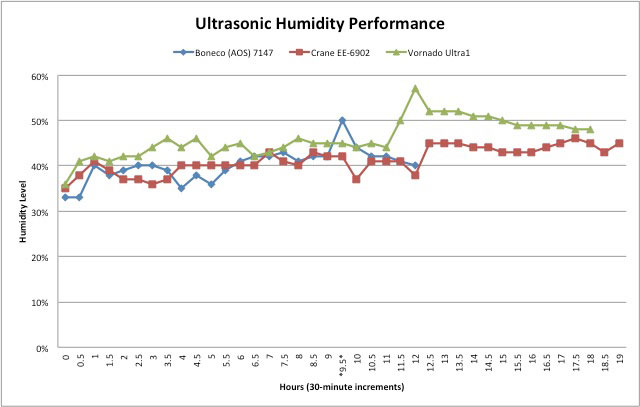
Also in September, Amazon user Grant Ritchie gave this shaver five stars: “This shaver is marvelous! I don’t use any kind of pre-shave or water, and I still get a shave that is very nearly as close as what I used to get with my old, five-blade razor. It’s a lot faster and neater too.”

While the ES–LT41–K was not considered for Consumer Reports’ list of recommended electric shavers, its four-blade stablemate, the ES-LA63-S Arc4, was included. The two shavers share many aspects in common, including a slit foil structure, LCD, sonic vibration cleaning mode and wet/dry shaving ability. (The Arc4 has a faster motor and a thinner, vibrating foil in its pivoting head.)

Hands on with the ES-LT41-K

After conducting this initial research, I requested and received a review unit of the ES-LT41-K directly from Panasonic.

Upon unpacking it and powering it on, I saw that it arrived with a 10 percent charge remaining on its battery. I immediately plugged it into an electrical outlet to recharge it to 100 percent, which took less than one hour.

While shaving, I was impressed by its light weight, comfortable ergonomic design, and smooth (low-vibration) and quiet operation. The large head covers a large section of skin in a single stroke, and the pop-up long hair trimmer sits at an angle that makes it easy to trim sideburns. Power consumption was good, too. After about five minutes of shaving and trimming sideburns, the LCD indicated 90 percent of battery life remaining.

Nevertheless, I also noted an aspect of this shaver that makes it still a compromise versus a more expensive model: The pivoting head moves vertically and at up-down angles to the right or the left, but it won’t swing back and forth from the front of the razor to the rear. In fact, the part of the shaver that houses the pop-up trimmer on the rear blocks the head from this motion.

As a result, the shaver simply cannot exactly follow the contours of the face, chin and neck. So I had to make multiple passes over my chin and neck areas — four or more — to get an adequately close shave there.

Why others didn't make the cut

Of course, any ranking of “best” is subjective, and there’s always an alternative. In the foil shaver category at a price below $100, Consumer Reports recommends the Remington Pivot and Flex Foil F–5790 ($55), which the magazine rates a “best buy.”

However, users on the CR website wrote scathing reviews of this Remington shaver, altogether rating it only two stars out of five.

“How did it get this rating??,” wrote CR user Joe in March. “Doesn’t shave as close as my much older Braun 3 or that close regardless. Misses hairs and have to cover the same area multiple times. ... Stay away.”

I also considered another Panasonic Arc3 shaver, model ES-SL41-S, which carries a manufacturer’s suggested retail price of $89.99. It is discounted to just $49.99 at Amazon and to $54.99 at Panasonic’s own web store. But I rejected the ES-SL41-S because it lacks the high-end features of the ES-LT41-K for not significantly less money. The LT41 has been available since 2011, and the SL41 since 2012.

Panasonic is expected soon to add its newest Arc3 shaver to the lineup, boasting even greater technology shared with more expensive stablemates. The model ES-ST25K-S boasts a sensor that lets the shaver detect the thickness of the beard and adjust the machine’s motor speed accordingly. But its manufacturer’s suggested retail price is $149.99, and the shaver likely won't be discounted below $100 any time soon. So the Panasonic ES-LT41-K remains my top pick.


Panasonic ES-LT41-K

Panasonic ES-LT41-K Foil Shaver


Best Rotary Shaver Under $100: Philips Norelco AT830

Philips Norelco AT830In the arena of rotary shavers costing less than $100, the Philips Norelco AT810 PowerTouch with Aquatec shaver, which carries a manufacturer’s suggested retail price of $69.99 but is discounted at Amazon to $59.95, received the highest rating — 4.5 of a possible 5 stars — from Amazon users. It is a wet/dry shaver with flexing heads.

However, I prefer the Philips Norelco AT830 PowerTouch with Aquatec, a step-up model that also features a pivoting head. The AT-830 has a manufacturer’s suggested retail price of $89.99 and is discounted at Amazon to $79.95.

At least one Amazon user agreed with my assessment. “On the basis of actual specifications, the AT810 and the AT830 look pretty similar,” wrote Comdet, an Amazon Top 50 reviewer. “They both have the same overall form factor, use the same HQ8 heads, and offer wet and dry shaves. However, the AT830 has a pivot head that allows the whole head assembly to pivot and adjust to your facial contours. I found that made a real difference in shave quality and comfort.”

Moreover, Comdet added, “As with the 830, I was not impressed with the dry shave quality of the 810. It was irritating in the neck area (even a bit more than the 830) and struggled to get all the hairs on the jaw line. Both models were much better on the cheek area, but still (in my opinion) a notch below what a good foil shaver can do. Performance is much better as a wet shaver. I found the 830 equaled the performance of the SensoTouch 3D, a much more expensive model from Norelco. The 810 is not as good ... I clearly felt the difference between the two in the jaw line and neck areas.”


Philips Norelco AT830

]]>
0 home health-fitness top-picks
4729 <![CDATA[Review of the Breville One-Touch Tea Maker]]> -review-brevillie-one-touch-tea-maker 2015-02-16T15:14:57Z 2015-02-16T20:49:58Z health/woman-drinking-from-mug-shutterstock-100px.jpg health/woman-drinking-from-mug-shutterstock-100px.jpg Christina Fiedler christinamontoya1@gmail.com 1 open With its automatic infuser and easy-to-use controls, the Breville One-Touch Tea Maker brews the perfect cup of tea every time.

]]>
Breville One-Touch Tea Maker 4

Breville One-Touch Tea Maker

Breville One-Touch Tea Maker

I come from a long line of tea drinkers, myself included. In fact, there's nothing better than curling up on my couch at the end of a long day with a cup of my favorite tea. But I'm used to just making that one cup, and it's often a challenge to make numerous cups for guests. That's why the Breville One-Touch Tea Maker has made such a difference in our house.

Forget the old kettle on the stove, the single cup brewed via my Keurig or even the dreaded microwaved cup of hot water.  It was time to step up my tea game.
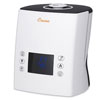
The Breville One-Touch Tea Maker makes the whole process foolproof. Here's how it works.

Brewed to your taste

First, start with your favorite loose-leaf tea. Next, use the provided scoop to measure out the right amount. The enclosed conversion chart helps you figure out exactly how many scoops of tea to use per cup of water; in general, it's one scoop of tea per cup of water. The tea maker makes two to five 8-ounce cups at a time.

The One-Touch Tea Maker gives you two ways to brew your tea. Choose the preset options for the most commonly used tea types — oolong, black, green, herbal and white. Each option is preset to the recommended water temperature and steeping time for that type of tea.

Or you can use the custom option and take full control of your brewing your tea. The custom setting will override the pre-set options, allowing you to raise or lower the water temperature and adjust the brew strength to mild, medium or strong.

Then just press start. The water takes about one minute to heat. Unlike other tea makers, the Breville has a fully automated tea basket, so when the water reaches the correct temperature, the tea basket automatically lowers into the water. It then moves up and down, gently agitating the leaves to perfectly infuse your tea.
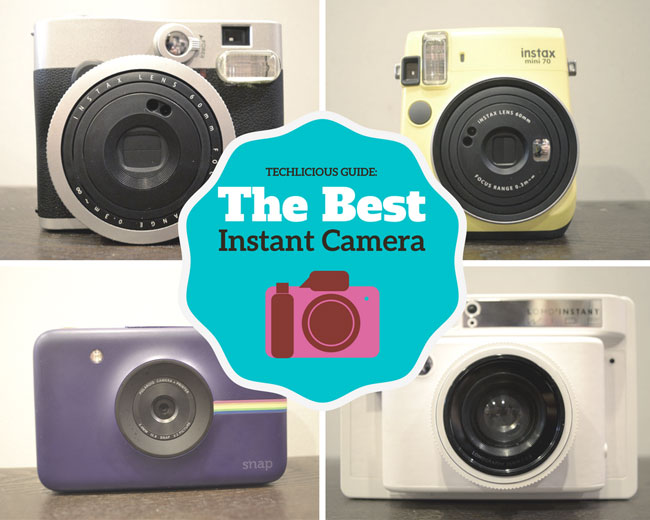
With other tea makers, you need to be on hand at the end of the cycle to prevent over-steeping. With the Breville, when the steeping time is over, the basket rises out of the water to give you a perfectly steeped cup of tea.
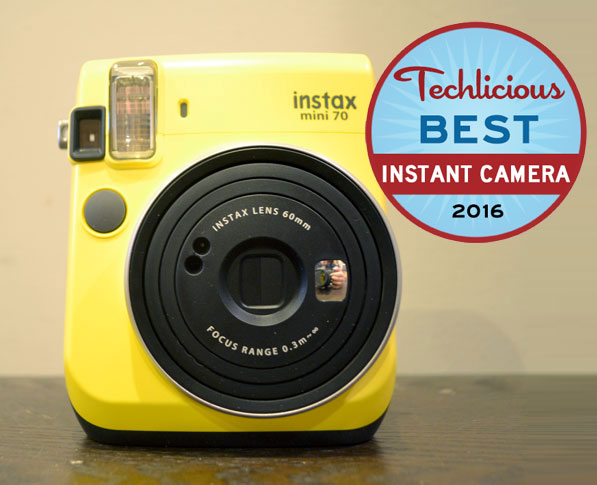

You can taste the difference in the first sip. While testing various teas, I found out that I actually like chai tea – the way the Breville makes it — correctly — not the way I made it before.



A perfect brew every time

What makes the Breville different from other tea makers is its moving tea basket. The motion allows water to circulate freely around the individual tea leaves for maximum infusion. 

Since the teapot automatically lowers the basket into the water once it reaches the correct temperature, you can set a timer so you can wake up to your favorite pot of tea. Oversleep? No problem. The Breville will raise the basket when it’s done steeping and keep your tea at the optimal temperature for up to 60 minutes.

Like other tea makers, the Breville is easy to clean. And like most high-end tea makers, it offers settings for different teas right on the control panel—something I appreciate after using my Keurig.

The bottom line

At $250, the Breville One-Touch Tea Maker is pricey and requires you to make at least two 8-ounce cups every time. But for tea lovers, it’s worth it. The unique steeping technology and easy-to-use controls assure you a perfect cup of tea every time.

Price: $249.95 at Amazon

[woman with mug via Shutterstock]

]]>
0 home kitchen-household
4710 <![CDATA[Review of the Fujitsu ScanSnap iX100]]> review-of-fujitsu-scansnap-ix100 2015-02-09T11:50:32Z 2015-02-09T16:52:55Z computers/fujitsu-scansnap-ix100-100px.jpg computers/fujitsu-scansnap-ix100-100px.jpg Kristy Holch kholch@earthlink.net 1 open The Fujitsu ScanSnap iX100 provides the convenience of a tiny, dedicated scanner and the flexibility of scanning in a mobile environment.

]]>
Fujitsu ScanSnap iX100 4

Fujitsu ScanSnap iX100

Fujitsu ScanSnap iX100 portable Bluetooth scanner

Who needs a portable Wi-Fi scanner?  You do, if you’d like to be able to open a drawer, pull out your scanner, and scan documents quickly with no wires or plugs to deal with. Or if you want to do your expense reports at the coffee shop. Or scan while sitting on the couch. You get the idea.

With a $229 list price, the convenience of Fujitsu's ScanSnap iX100 scanner is for well-heeled homes or for business users who need mobile scanning. In my home office, I found it surprisingly handy, useful, and fast.

Tiny Scanner Saves Desk Space

Fujitsu excels at making fast, reliable scanners with robust integrated software for various industries, and in recent years has rolled out a line aimed at consumers. We covered its popular flagship model, the ScanSnap iX500, in our story about going paperless.

The iX100 is a smaller entry in the company's line of Wi-Fi consumer scanners, about half the height of a box of plastic wrap and weighing under a pound. Unlike the bigger model we reviewed earlier, the iX100 only scans one side at a time, so a two-sided document must be fed through twice. Also, there's no document feeder, so you have to feed it by hand. But the software makes it easy to add each new page to the same digital document, and it automatically de-skews and rotates any pages that go in crooked or upside-down. Overall, it's a general-purpose scanner for documents, photos, business cards, and receipts. Other brands may excel in certain areas, but Fujitsu excels when it comes to versatility.

No Cords

This model is battery-operated, which means freedom from a power cord. Surprisingly, this seemingly small difference adds a lot where convenience is concerned, making it easy to place anywhere on a desk without negotiating space for a cord to stick out one end. Of course, it also enables mobile scanning anywhere you're without power.

Keeping with the cordless theme, the scanner also sports a built-in Wi-Fi connection that allows it to communicate directly with your PC or mobile device whether you're on a Wi-Fi network or not. You can turn Wi-Fi off if you like; there's an included USB cable for connecting directly to the PC, which also charges the scanner's battery.

Document Conversion

One of the handiest features is the included ABBY-brand OCR (optical character recognition) software, which converts scanned documents into editable ones for use with applications like Word and Excel.

It also converts business cards or receipts into entries in a searchable database, and includes the card and receipt images for reference. Scanning them is easy: feed in two at a time, side by side, as fast as you can, and the scanner will manage straightening and rotating automatically. However, while the business card application is okay, the receipt-reading application is clunky -- just a step up from hand-entering the data yourself.

Portable Scanner or Desktop Scanner?

In order to fit fast scanning capabilities into a portable scanner, the iX100 gives up certain functionality compared to the $495 iX500 desktop Wi-Fi model ($417.99 on Amazon). Anyone doing stacks of documents will want the iX500, unless portability is a requirement.


Fujitsu ScanSnap ix500 

iX500

Fujitsu ScanSnap ix100 

iX100

Speed

25 pages per minute

About 10 pages per minute

Document Feeding

50-sheet hopper

Hand-feed 1 page at a time

Duplex

Scans both sides in a single pass

1 side in a pass

Battery

None: needs power cord

Yes: cordless

Suggested Retail Price

$495
($417.99 on Amazon)

$229
($179.99 on Amazon)

Dedicated Scanner or All-in-One?

Many households already have a scanner in the form of an all-in-one printer. But the scanner function can be slow and, if you're like me, you have to constantly re-learn where to find your scans since all-in-ones can put them in mysterious places on your PC -- and sometimes won’t talk to the PC at all.

It isn’t always easy to just zip out a scan, especially if the scanner has no document feeder. Plus, you have to clear off the things you've stacked on the scanner before using it. So you find work-arounds to avoid scanning, like taking a photo with your phone and emailing it to yourself or retyping documents altogether.

It's certainly worth considering having a dedicated scanner that makes scanning simple, and a portable scanner takes up no extra desk space when you're not using it.

Great, But Not Perfect

Fujitsu has done enough things right with this scanner to overshadow the few flaws, but there are flaws nonetheless. Some of the dialog boxes still seem aimed at industrial users and could be more intuitive. The workflow is sometimes so automated that it can slow you down if you want to customize certain scans. Some standard scanning features, such as rotating documents, are not always available where you expect them to be. And the ScanSnap dashboard can be confusing once you attempt to move beyond common functions such as “Scan to Folder” or “Scan to Word.”

Who Should Buy It?

The ScanSnap iX100 is great for anyone who can afford the convenience of a tiny, dedicated scanner or who needs the flexibility of scanning in a mobile environment. For these use cases, it’s a winner. Available for $179.99 on Amazon.

]]>
0 computers
4697 <![CDATA[Review of the Philips Shoqbox Mini BT2200]]> review-philips-shoqbox-mini-bt2200 2015-02-03T20:54:47Z 2015-02-03T21:13:48Z av/philips-shoqbox-mini-bt2200-100px.jpg av/philips-shoqbox-mini-bt2200-100px.jpg Josh Kirschner joshkirschner@gmail.com 1 open The Philips Shoqbox Mini is a handy little portable Bluetooth speaker with the ability to serve double-duty in the shower.

]]>
Philips Shoqbox Mini BT2200 3.5

Philips Shoqbox Mini BT2200

Philips Shoqbox Mini BT2200

There's no shortage of bluetooth speakers on the market. And the vast majority are decidedly unmemorable. However, the Philips Shoqbox Mini BT2200 brings enough features together to make it worth a second look, especially for a home office or for music in the shower (if that's on your list).

While there's no one feature that really stands out, the Shoqbox Mini offers decent sound, an excellent speakerphone and IPX6 water resistance (no problem getting this baby soaking wet), in a compact package and at a compact price of around $59.

Design

The Shoqbox Mini is a tiny device about the size of a hand grenade (not to be confused with the Philips SoundShooter which actually LOOKS like a hand grenade, too). It has an attractive, if not exactly exciting, design that makes the speaker sit rather unobtrusively on a desk. You can get it in any color you want, as long as that color is black.

Sound quality

The Shoqbox Mini has a single 1.6-inch speaker driven by 2.8 Watts of power, so I didn't expect miracles in terms of sound quality (If ultimate sound is your goal, I suggest our top pick for the Best Portable Bluetooth Speaker, the Logitech UE Boom at $199). That said, the quality of the music you get out of the Shoqbox Mini is pretty good for its size. Bass is lacking, but there's more  than many other mini speakers I've listened to, and the midtones and vocals are clear and distinct. This isn't a speaker you're going to use for filling a room with music, but it's well-suited to a home office or a smaller kid's room, where you want to keep volume down, anyway.

Speakerphone quality

When paired with your cellphone via Bluetooth, the Mini can operate as a speakerphone via its built-in mic. Here, its lack of bass is less relevant. Voices from the other side come across very naturally, far better than the speakerphone on either my cellphone or my landline.

Water resistance & ruggedness

While many Bluetooth speakers offer IPX4 water resistance (equivalent to a playful splash), the Shoqbox Mini is rated at IPX6, enabling it to take heavy splashing and even mild submersion (it floats, too). So if you're looking for a little music in the shower or bath, the Mini will work well. Heck, you could even take a conference call in there if you're so inclined.

The Shoqbox Mini does not have an impact resistance rating. However, it seems to be a solid unit that will hold up well under normal use outdoors or in a kid's room. 

Features

In addition to the features already discussed, the Mini has an audio input jack, on-board volume controls and a rechargeable Lithium battery, good for about five hours of operating time. I wish the battery life were a little longer.

Value

At right around $58 on Amazon, the Shoqbox Mini BT2200 offers a pretty good deal for the money. There certainly are better Bluetooth speakers out there. And there certainly are cheaper. But if you want an ultra-compact model that delivers on sound, while offering an excellent speakerphone and/or a high level of water resistance, I think you'll be pleased with the Philips Shoqbox Mini.

]]>
0 home-entertainment home-audio home-audio
3194 <![CDATA[The Best Bluetooth In-Ear Headphones]]> the-best-bluetooth-in-ear-headphones-october-2013 2015-02-03T04:01:43Z 2015-07-30T03:57:44Z phones/lg-tone-hbs730-100px.jpg phones/lg-tone-hbs730-100px.jpg Stewart Wolpin sw@stewartwolpin.com 1 open Long battery life, impressive sound quality, a multitude of controls and a reasonable price make the LG Tone+ HBS730 the best Bluetooth in-ear headphones.

]]>
LG Tone+ HBS730 5 Long battery life, impressive sound quality, a multitude of controls and a reasonable price make the LG Tone+ HBS730 the best Bluetooth in-ear headphones.

LG Tone+ HBS730 Bluetooth In-Ear Headphones

Update 2/3/2015: The LG Tone+ HBS730 is still our top pick for the Best Bluetooth In-Ear Headphones. The sound quality is comparable to the most recent model, the LG HBS-900 Infinium ($118.67 on Amazon), and the updates to the Infinium’s design, most notably the retractable earbud cords, are not worth the extra cost.

They look like a contraption imagined by Thomas Edison and designed by Rube Goldberg. But even with their seeming ergonomic awkwardness, the LG Tone+ HBS730 earphones are, in my opinion, the best stereo wireless Bluetooth earbuds.

It's not that the unusual Tone+ earphones are the perfect solution. Among all of the viable Bluetooth earbud alternatives I listened to, there are two other top contenders, the compact Plantronics BackBeat GO 2 ($80) and the colorful, sonically-excellent Denon Exercise Freak AH-W150 ($129). They also have good to great audio quality and are moisture resistant, which means they're all appropriate for sweaty situations. But in the end, the Plantronics BackBeat GO 2 fell due to limited battery life and the Denon Exercise Freak AH-W150 earphones were just too big and heavy.

So, it was the combination of long battery life, music and voice sound quality, a multitude of controls and reasonable price ($80) that made the LG Tone+ HBS730 earphones my pick for the best Bluetooth in-ear headphones. Here's my review for more on why.

Wireless vs. wired in-ear headphones

Bluetooth earbuds eliminate that damned cord that gets tangled or snagged on every button, doorknob or object in your purse or bag.

Bluetooth earbuds have no cables other than the one that connects the two earbuds. The cord's usually around two feet long (just long enough to reach around your neck), with a flat, rubberized design to help prevent tangling.

But Bluetooth earbuds present their own problems — primarily, power. To keep your Bluetooth earbuds small and light, the battery (which is usually placed in the earbuds) needs to be small and light. And a small and light battery means you don't get a lot of juice. Bluetooth earbuds we tested ran for only 2.5 to 7 hours of music listening and/or talking on a single charge, which means they'll likely need to be recharged during the course of a long day.

And placing the battery in the earpieces creates large and potentially uncomfortable buds.

The unique collar configuration of the LG Tone+ neatly solves this power problem and provides even more functionality.

An unusual but functional design

The horseshoe-shaped LG Tone+ is totally flexible, with a round rubber connecting cable connecting two bulbous ends. You wear the Tone+ around your neck so that the bulbous ends rest on your clavicle. But don't worry — the whole contraption weighs just 1.13 ounces, probably less than a string of faux pearls.

The Tone+ collar doesn't bounce around while running. It conforms to the shape of your neck, and its plastic surface and your sweat form a gentle adhesion that keeps the Tone+ in place.

The actual earbuds are attached to the collar by thin cables, magnetically nestled in cups at the tip of the bulbous ends. When they're in my ears, the buds are so light I hardly feel them.

Handy controls

The Tone+ includes more handy controls than any other Bluetooth buds, which the Phonearena reviewer also noted: “There's a whole bunch of buttons on the LG TONE+ added for convenience.”

On the left side of the collar is a talk switchhook to answer, initiate and end calls, as well as a microphone and a volume up/down toggle. There's also an on/off switch, not found on any other Bluetooth buds. On the right side are a play/pause button and skip ahead/skip back controls.

All I have to do is remember where everything is.

Impressive battery life

The Tone+'s odd configuration solves two problems. The design of the Tone+ puts the battery in the left side of the collar rather than in the earbuds, which is why the earbuds themselves are so light. It also means you can have a larger and therefore longer lasting battery — 10 hours of music play and 15 hours of talk time, nearly twice as much as any other competing Bluetooth earbuds.

Being able to turn off the Tone+ extends this already lengthy battery life. All other Bluetooth buds go into a standby mode when you're not listening or talking, during which not only are they still siphoning power, but so is the smartphone they're connected to. Turning off the Tone+ when you're not using it means you may not have to recharge for days.

Consumers and reviewers consistently rate the LG Tone+ highly on its battery life. For instance, Hraber87 on Best Buy says "It provides great wireless sound and can go several days without having to be charged," and Phonearena says "The battery life of the LG TONE+ won't disappoint you."

Solid sound performance

I've been critically listening to headphones and appraising a host of other gadgets for 30 years, and I found the LG falls in the middle of the good to great range, offering solid volume, crisp highs and decent bass (the best sound I heard emanated from the Denon Exercise Freak AH-W150).

But where the Tone+ excels far above all other Bluetooth in-ear headphones is phone call quality. In my review, I was taken aback by how much volume I got, without distortion — there's no "what'd you say?" at my end.

And because the microphone on the Tone+ is at the left end of the collar — in the direct path of your voice — rather than up near your ear or check (and therefore behind your mouth, as it is on the other Bluetooth buds), I got no comprehension complaints at the other end of my cordless conversations. The Wired reviewer had a similar experience: "Unlike my other Bluetooth devices, such as the one in my car, I never once got a complaint from the person on the other end of the call."

So, in nearly every way but ergonomics, the LG Tone+ HBS730 earbuds are the best in-ear Bluetooth headphones.


LG Tone+ HBS730 LG Tone+ HBS730

 

Runner–Up: Plantronics BackBeat GO 2

Plantronics BackBeat GO 2 Bluetooth In-Ear Headphones

If you're looking for a more traditional pair of Bluetooth earphones, I'd recommend the Plantronics BackBeat GO 2. They are incredibly light at just .5 ounces and quite comfortable. Plus, the inline controls are easy to use.

The only problem is short battery life — a mere 2.5 hours per charge. But the Plantronics come bundled with a 3-inch by 4-inch battery case that recharges the GO 2s when you're not using them. You get a total of 15 hours of usage without needing a wall outlet recharging.

If you're put off by the ergonomics of the LG Tone+, your choice is the lighter (and $30 cheaper) Plantronics.


Plantronics BackBeat GO 2Plantronics BackBeat GO 2

]]>
0 tablets headphones home top-picks
4583 <![CDATA[The Best Wireless Music System]]> the-best-wireless-music-system 2014-12-19T13:08:39Z 2014-12-30T19:57:40Z av/sonos-wireless-hi-fi-techlicious-best-100px.jpg av/sonos-wireless-hi-fi-techlicious-best-100px.jpg Jonathan Takiff scribejt@aol.com 1 open The Sonos Wireless HiFi System delivers terrific sound, a broad range of music services, a simple-to-use app and best-in-class whole-home coverage.

]]>
Sonos Wireless HiFi System 5 The Sonos Wireless HiFi System delivers terrific sound, a broad range of music services, a simple-to-use app and best-in-class whole-home coverage.

Sonos Play 3Every song and album ever made! Almost every radio station on Earth! All available for instant playback in every room of your house, remotely triggered from your smartphone, tablet or computer.

Sounds heavenly, right?

That’s the promise of today’s wireless music systems – some of the hottest things going in home entertainment.

Confused by all the product offerings out there? We’ll answer your questions and get you on the right path.

Walk Before You Run

We'll first get the lay of the land, then drill down to detail various systems' relative advantages and shortcomings.

Installation

It's easiest to start slowly and inexpensively, one room at a time, into a houseful of streaming sound makers. No hard wiring is involved beyond plugging in the power cords. Systems connect wirelessly to your Internet router in a straightforward manner. In larger homes with spottier wireless signals, though, you may want to make at least one hard-wired Ethernet connection.

Hardware Pricing

Compact stand-alone "smart speakers" start under $200, wireless add-on modules that can update old-school sound systems start around $150.

Streaming Music

Most wireless sound systems start the party with free access to streaming stations and podcasts from around the globe. Content is primarily juggled on companion apps for smartphones or tablets, letting you channel surf by genre, location and station name.

The higher-profile, more polished TuneIn streaming radio service found on some smart speakers connects to 30,000 stations, while lower-profile channel aggregator vTuner claims “tens of thousands.”

Pandora and iHeart Radio are a pair of notable free services; some systems allow current Sirius/XM subscribers to dial channels up at little or no additional cost.

That's enough sonic entertainment to satisfy most customers’ needs, but for active music fans, there's a lot more icing to slather on this cake: namely, with $5- to $10-per-month music services like Spotify, Rhapsody, Beats Music and Deezer. Such services boast track catalogs in the tens of millions.

“Our New Release Tuesday section really drives home the message what a great deal we’re offering,” says Rhapsody's chief product officer Paul Springer. “Every week, we showcase forty or more new albums, pretty much everything you’ll see on display at a store. You can also take the music with you on your portable devices. And that’s yours with a monthly subscription cost equal to the purchase price of a single album.”

Hardware

Here are the most notable wireless music systems on the market today.

Sonos Wireless HiFi System

Sonos Wireless HiFi System

The Best Wireless Music System:
Sonos Wireless HiFi System

Want a really broad choice of music services? Craving a superfast, super-searchable and simple app to dive into your music? Live in a place that’s spread out or overrun with Wi-Fi traffic?

Be glad you’ve scanned down this far.

Once a bleeding edge Silicon Valley startup (circa 2002) that struggled as a pioneer but is now looking prescient, Sonos is still all (and only) about one thing: multi-room wireless sound. And clearly it’s become the king of the hill in this now exploding category -- the market leader every other rival is gunning for but might never catch.

To achieve its exceptional system stability in even larger homes, Sonos seizes a “small smidgeon“ of your home Wi-Fi bandwidth to create a private, power-boosting, signal sharing “Mesh Network. “ This allows Sonos components to efficiently daisy chain, re-broadcasting the music and control signals from piece to piece. Synchronizing all that is very tricky stuff, but it's usually well done.

Mesh technology adds complexity and cost, and demands a fair amount of boots on the ground – customer support people who can remotely take over a home system (only with your approval) to make sure those private network signals are being routed in the most efficient, most direct path. 

They'll also recommend (where necessary) the placement of an added relay station or two – a Sonos Bridge ($43 on Amazon) or the new triple strength/triple antenna-equipped Sonos Boost ($99 on Amazon). No other systems maker comes close in providing this level of service. Never-satisfied Sonos engineers are perpetually tweaking the performance of their products and upgrading units installed in homes via downloads that re-contour equalization curves, signal compression and more.

There’s hardly a streaming music service on Earth that isn’t available on Sonos. Besides all the usual suspects -- Pandora, Spotify, Rhapsody, Amazon Music, SiriusXM, iHeart Radio and TuneIn -- shared with some rivals, it offers the likes of Beats Music, Google Play, Rdio, Songza, Stitcher, Last.fm, 8tracks, Soundcloud, Murfie, Slacker Radio, Concert Vault, Hearts of Space, Batanga, Calm Radio, MLB.com Gameday Audio, Shuffler.FM, Radionomy, RadioPup, Hype Machine, 7 Digital, Spreaker, and Hotelradio.fm. Whew!

But the treats that will really grab audiophiles are Sonos’ exclusive deal to carry Deezer’s Elite service and first-to-market position with Tidal,  the only music offerings on any multi-room Wi-Fi system that stream in lossless FLAC, delivering true CD-quality 16-bit, 44.1kHz sound. But be forewarned, though, doing so demands five times the bandwidth of normal lossy streaming codecs (like MP3). While one Deezer Elite stream spreads fine around the house on Sonos gear, we haven’t been able to pull down two Elite streams simultaneously without running into signal-stuttering problems.

You might imagine a dive into all that content would be daunting. But Sonos has beautifully organized the content options on its app menu with an amazing search engine that scours the Sonos universe to find and cross-reference your request for an entered artist, track, album, genre, composer, station, show or episode. More amazing, the Sonos app starts streaming in barely a beat. Even Google engineers would be envious.

Gear wise, Sonos covers all the necessary bases except a battery operated speaker to take onto the front porch or backyard (a Mesh Network support issue, apparently.)

When lined up in a Best Buy or Target display next to its big sisters (the Play:3 [$299 on Amazon] and Play:5 [$399 on Amazon]), the least expensive Play:1 ($199 on Amazon) sounds puny by comparison. But in real-world usage – plopped on a kitchen counter, bathroom counter or night table, close to a wall or corner - this little thing sounds terrific and makes for a delightful introduction into the species. The Play:1 is regularly cited by reviewers as the best value out there.

The Sonos SoundBar ($699 on Amazon) is our favorite standalone product in the line, putting out prodigious amounts of sound – including copious bass – without the need for the pricey wireless sub (also $699 at Amazon). Nice touch: it switches automatically to the TV input whenever sensing your set’s turned on.

Not ready to toss out your sound system? The Sonos Connect ($349 on Amazon) lets you play all that free or paid content through your current sound rig.


Bose SoundTouch line

Bose SoundTouch Series II

Bose SoundTouch line

Smart design and ease of use are Bose signatures that make an argument for the company’s premium pricing. The line is comprised of three standalone speakers. There's the small-footprint, AC- and battery-powered SoundTouch Portable ($399 on Amazon), the mid-sized (and most evenly-tempered) SoundTouch 20 ($399 on Amazon) and the large, basso profundo SoundTouch 30 ($699 on Amazon).

Welcome features of the Bose SoundTouch line include six preset buttons for favorite Internet radio stations, albums and playlists; a dedicated wireless remote control; extended support hours (8:30am to 9pm Monday -Friday; 9am to 6pm Saturday); half-off the Deezer music service for a year (normally $10 per month) and Apple AirPlay support.

SoundTouch technology is also built into the 2.1-channel Jewel Cube home theater system ($1,199 on Amazon) and the table-top Wave SoundTouch radio/CD player combo ($549 on Amazon). There's an upgrade module ($99 on Amazon) for current-generation 5.1-channel home theater systems, and a SoundTouch amplifier-receiver package ($499 on Amazon) that pairs with Bose’s outdoor speakers and includes a snazzy, wall-mountable remote resembling a Nest thermostat as well.

Popular $10-per-month subscription music service Spotify works with SoundTouch, shifting the screen to a well-organized Spotify-built interface that's much glossier than Bose’s own. And SoundTouch players support Apple’s AirPlay as well, so customers can sling content wirelessly from an iOS device to one SoundTouch-enabled device. Music stored on computers or networked storage drives can also be pulled up on the Bose gear.

One sore point: At present, the same six presets you want to hear while you're near, say, a kitchen-based device will be the same six that pop up on a SoundTouch portable positioned in the den or bedroom. So your spouse and your kids don’t get to program their own favorites independently. A Bose source says they're "working to change this."


Denon HEOS line

Denon HEOS line

Denon HEOS line

Ten years in development – mostly by a team of academics in Australia known as Avega -- HEOS makes a very nice first impression with its newly-launched range of smart speakers. The portable HEOS 3 ($299 on Amazon) leads things off, followed by the mid-sized and semi-portable HEOS 5 ($399 on Amazon). The big, booming HEOS 7 ($599 on Amazon) rounds out the top end.

Each is an all-in-one (receiver- and amplifier-equipped) smart speaker. There's also a $499 (Amazon) DAC/amplifier called the HEOS Amp that'll work with anybody’s speakers and a $349 (Amazon) tuner/pre-amp called the HEOS Link, which connects like any other modern audio component.

We pitted the least expensive HEOS 3 against the identically-priced and closely-sized Sonos Play:3 and found them treading fairly equal turf, sonically; both were capable of filling a room with legitimate “hi-fi” sound.

The Denon is slightly showier: tighter at the bottom and brighter at the top, which accentuates the boom and tinkle interplay. The Sonos' response is more even tempered and coherent: the music sounds less like a studio recording project and more like musicians performing in your room.

Both can be paired with a second same-model speaker to form a stereo setup. All Sonos models can do that, actually, while other HEOS offerings don’t do stereo pairing but synch so precisely -- a special point of manufacturer pride -- that you could sprinkle a few around a room for better coverage at a noisy party.

Rare to the species, the HEOS offers both line and USB input jacks on each powered speaker. Tablets and smartphones on the same home network can move music wirelessly to HEOS gear via DNLA or Wi-Fi Direct, which are more prominent on Android gear. (Venturebeat's Simon Cohen found Sonos to be more flexible and user-friendly than HEOS for pulling down networked music.)

Out of the box setup is relatively painless. A HEOS device handshakes nicely with the cloud after you hardwire it briefly to the headphone jack on a smartphone or tablet (Denon supplies the cable) with the HEOS app open. But this gear’s not immune to issues: move a HEOS or your smartphone far from the router and app controls like changing the channel or adjusting the volume get laggy. Things don't fare much better in heavily-congested Wi-Fi traffic zones -- a problem also called out by PC Magazine's Will Greenwald.

Under normal conditions, however, the smartphone and tablet apps for the Denon HEOS line are attractive and easy to manipulate. With some TuneIn stations, album artwork magically appears on screen as a song plays. Sonos serves up the same song and artist identification but not the color album image.

The HEOS line also includes access to the ubiquitous Pandora and, for paying customers, the extra-polished Rhapsody and market-leader Spotify.


DTS Play-Fi: Phorus line

Phorus speakers with DTS Play-Fi

DTS Play-Fi Devices

Most multi-room wireless sound systems are brand specific: You buy into a Samsung or Bose ecosystem of products that all work together, for instance.

By contrast, DTS Play-Fi is a brand-agnostic standard for multi-room wireless systems. Hardware makers license the technology from DTS, with the pitch to consumers being the ability to mix and match pieces from different Play-Fi-compatible hardware offerings. And for overworked music services, the allure is being able to build and tend to a single app that works on a bunch of devices.

More than a half dozen hardware brands have announced products with Play-Fi on board, including early risers Wren, Polk and Definitive Technology. Martin Logan, Paradigm, Anthem, McIntosh, Wadia and Sonus Farber are working on systems, too.

We Play-Fi'ed first on the Phorus PS1 ($149 on Amazon), a curious little cone-shaped thing with O.K. (glorified clock radio) sound. Things got better connecting it to a PR1 receiver ($149 on Amazon), a larger tuner/pre-amp from Phorus (actually a DTS-subsidary). A more substantial Phorus PS5 smart speaker ($207 on Amazon) was recently added to the line as well.

This reviewer has also spent lots of quality time with first-generation Play-Fi pieces from Polk – including a well-priced and decent-sounding Omni S2 ($149 on Amazon), a small powered speaker, and the similar sounding but more flexible S2 Rechargeable ($249 on Amazon) that’s good for up to 10 hours of battery life and capable of going up to 100 yards away from a wireless router.

Polk also lent us its Omni SB1 Soundbar ($599 on Amazon) with wireless subwoofer, which pulls double duty by serving stereo TV sound with a separate, dialogue-boosting center channel control that’s quite useful. That bundle goes for $599, more than half the cost of a Sonos soundbar and its optional wireless sub. But there are certainly tradeoffs in performance and flexibility. There’s no way to flesh out the mid-fi-focused Polk bar with surround speakers, for example, as is possible with the more impressive Sonos array.

Someday Play-Fi may be anointed the Android of multi-room sound systems; the tortoise that beats the hare -- front runner Sonos.

Platform developers evangelize its superiority in “lossless” signal distribution and synchronization. It’s hard, though, to envision that any streaming service would ever be offered at Play-Fi's potential 96kHz, 24-bit signal encoding/decoding level – a data hog that would wreak utter havoc on a Wi-Fi network.

Then there’s the crisis of content. Using Phorus' app, for instance, your big-name options are limited to Pandora, Songza, SiriusXM and, coming soon, Deezer. Backers are quick to namedrop that Spotify, iTunes, Google Play and others can be streamed from your computer to all Play-Fi networked gear via an applet, but that roundabout delivery process feels like an unwieldy, end-run solution.

Adding insult to injury, Play-Fi's own app runs sluggishly, and vTuner reception is problematic on both Phorus and Polk gear. Core BBC music channels – among the most popular internet stations in the world – are digitized in a codec that Play-Fi does not, at present, decode. (Bose’s SoundTouch implementation of vTuner does pull in channels 1-6.)

Play-Fi also comes up short when buffering to prevent dropouts, and it has a bad habit of shutting down the stream (intentionally?), which freezes up the app when a station’s been left on for more than a couple hours.

Some Play-Fi gear makers -- including Phorus -- have elected to build in streaming reception from other devices via Bluetooth and AirPlay. Polk and Definitive Technology have not.


Pure Jongo line

Pure Jongo line

Pure Jongo

Spawned in Britain, Pure’s Jongo line of Wi-Fi-music gear inspires both warm feelings and the wringing of hands – kind of like living with an adorable mate who has irritating personal habits.

Our favorite Pure Jongo model, the fashionably techy, bright-sounding and highly versatile Jongo S3 portable ($199 on Amazon) presents handsomely in either black or white metal and cloth covered cabinetry. The little thing runs on AC or battery power, has a 360-degree side- and upward-pointing array of high grade speakers (extra tight in the mid/high frequencies.)

Speakers and amps are switchable to throw sound -- mono or stereo -- to the front and back or just to the front, as you prefer. Two S3s can be stereo-paired. And this model’s not an anomaly: Very sharply priced and good-sounding, the entire Pure Jongo line argues a more affordable hardware proposition than any other players in the category – with the very respectable opening piece, the Jongo T2 ($104 on Amazon). The big-bubba Jongo T6 ($349 on Amazon) rounds out the line. Some models offer swappable grills in a variety of colors, too.

So what’s wrong? The Pure Connect software running the show seems designed by a dysfunctional family. The program guide scrolls sideways and vertically, and the control icons are convoluted, slow to respond and confusing.

Yes, it’s dressed up with pretty images of artists, but it's also a jumbled mess that's difficult to navigate. New music’s relatively easy to find , as Pure aims to sell you its own private label, on-demand subscription service – a very good deal at $5 a month and especially fun if you’re a musical Anglophile. Finding more obscure tunes or Internet radio stations on Pure’s mobile or tablet apps leaves much to be desired, although searching is far easier when tapping into the Pure Connect world from a computer.

It’s lovely that the free Pure Connect app can be used to access radio channels, podcasts and even environmental sound effects without purchasing any Pure gears. Not so nice is that when using the same app to remotely control a Pure speaker, it’s unclear if your requested tune or channel is actually beaming first to the phone and then moving over to a Jongo speaker or -- as would be most efficient -- being pulled down directly to the speaker itself.

And good luck getting Caskeid going. That’s Pure’s novel, hybrid methodology for distributing music wirelessly from one mobile device to any and all Pure Jongo speakers in your house. Normally, Bluetooth and AirPlay streams can only be sent to a single speaker or receiver. With Caskeid, the music is transported to one Jongo via Bluetooth, then from there is re-transmitted via Wi-Fi to other Caskeid-enabled Jongos in the network. In my urban residence, seriously congested with Wi-Fi traffic, I’ve yet to get such a setup to hop past the first Jongo to another.


Samsung Shape line

Samsung Shape line

Samsung Shape line

Definitely a breed apart, all three speaker models in Samsung's Shape line– the compact M3 ($199), the mid-sized M5 ($177 on Amazon) and the large M7 ($228 on Amazon) -- are glossy plastic and metal (black or white) wedge-shaped affairs that either look tres chic or tres cheezy, depending on your taste.

Those wedge designs and companion wall-mount brackets make Shapes suitable for tucking into the corners of a room (obscuring most of the shiny top and bottom stuff.)

More importantly, the extra cavity space and lack of right angles enhances the sound of the Samsung speakers. In our comparison, a Shape M5 slightly edged out the $299-list (and never discounted) Sonos Play:3. CNET's Ty Pendlebury definitely preferred the sound of the Shape M7 to the Play:3 – though that larger Samsung piece really should have been pitted against the heftier $399 Sonos Play:5.

Flexing its corporate muscle, Samsung has managed to wrangle a ship-shape crew of apps -- Amazon Cloud Player, Pandora, Rhapsody, Spotify and TuneIn Radio – for its multi-room sound products. Shape gear also works with DLNA-compatible devices, but not computer-based iTunes libraries. You can sling stuff to it from an iOS or Android device via Bluetooth, with extra fast pairing via NFC.

The public face of Shape – the mobile app that’s running the show -- is quite appealing. It's nice looking, easy to use and responsive but I found the system didn’t deal well (that is, didn't respond at all ) when I tried to change things up on a second phone or tablet outfitted with the same app. It only wanted to dance with the partner that brought it to the party.

To synchronize the streaming music of two or more Shape speakers, you’ll need to add a WAM250 Wireless Audio Hub ($50 on Amazon). Plugged into the router, the hub is supposed to aid in system stability but in my month-long two-room, two-speaker tests, I had to hit the system’s reset buttons a couple of times.

Shape technology is also built into Samsung's HW-H750 Soundbar ($667 on Amazon), a pair of home theater systems, and the BD-H6500 Blu-ray player ($127 on Amazon). According to a Samsung, those pieces all communicate directly to the home Wi-Fi router instead of the hub. So if you're going for a multi-room networked music setup that also includes the TV room, you might be better off using a Shape M5 as your home theater sound bar, as it can link directly to Samsung Smart TVs via the SoundConnect feature, as well as to the audio hub.


Qualcomm AllPlay Devices

Waiting in the wings: Panasonic, Monster, Lenco and Fon have aligned behind Qualcomm’s AllPlay media streaming platform. Though we haven’t put our hands on any actual products yet, Spotify Connect, iHeartRadio and Rhapsody will purportedly be on board.

Like Pure’s Caskeid, AllPlay also promises that streaming will be possible from a mobile device to several speakers simultaneously. And like Play-Fi, it’s been constructed to support high-quality audio files (up to 24-bit/192 kHz) such as WAV, FLAC and ALAC. Designed a decade ago, the Sonos platform can’t do better than 16 bit/44.1 kHz. But do we really care? No.

[Images: Sonos, Denon, DTS, Pure Jongo, Samsung]

Updated on 12/30/2014 with new service information for Sonos system

]]>
0 home-entertainment home-audio home-audio home-audio home-audio home top-picks
4578 <![CDATA[The Best Chromebook]]> the-best-chromebook 2014-12-17T17:43:08Z 2014-12-17T20:07:09Z computers/toshiba-chromebook-2-techlicious-best-100px.jpg computers/toshiba-chromebook-2-techlicious-best-100px.jpg K.T. Bradford kimberley.bradford@gmail.com 1 open The Tobshiba Chomebook 2 has all the qualities of a great Chromebook—light, slim, attractive design, speedy performance, beautiful screen and comfortable keyboard—at an affordable price.

]]>
Toshiba Chromebook 2 5 The Tobshiba Chomebook 2 has all the qualities of a great Chromebook—light, slim, attractive design, speedy performance, beautiful screen and comfortable keyboard—at an affordable price.

Toshiba Chromebook 2

Toshiba Chromebook 2 - Techlicious Best Chromebook 2014

If you’re like many people, you do almost all your computing in your browser: checking your email and social networks, creating and sending documents or playing games and videos. So why not use a laptop that is all browser?

Any search for a laptop under $400 turns up a Chromebook or three at sites like Amazon or Best Buy and in tech reviews. Notebooks that run Chrome OS, an operating system built entirely around the Chrome browser, are touted as being just as good as traditional machines that run Windows or Mac OS, as long as your needs are simple.

Chromebooks are not for power users — not as primary laptops, at any rate — and are only fully functional when they’re connected to the Internet. They're a good choice for grade-school students (and they’re often used in schools), people with basic computing needs who don't stray far from Wi-Fi and people looking for secondary laptops.

The first and second generation of Chromebooks were all pretty similar on the inside and outside. Only in the past year have manufacturers started to differentiate with models that stand out due to their design or internal hardware, providing real competition for the best of the bunch.

A great Chromebook is inexpensive, lightweight and slim, well-built with a good display and comfortable keyboard, and fast enough to handle multitasking without freezing up or slowing to a crawl. At first glance, several contenders meet at least some of these criteria. Fancier models like the Lenovo ThinkPad Yoga 11e Chromebook ($479) and the Google Chromebook Pixel ($1,299) include touchscreens, 360-degree hinges or other extras that may suit some high-end needs, but these features raise the price too high for a more general audience.

In the $200 to $400 range, three models rise to the top: the Dell Chromebook 11, the 13-inch Toshiba Chromebook 2 and the Acer Chromebook 13. Of these, my pick for the best is the Toshiba Chromebook 2, with the Dell in a very close second place.

Bright, lively display

Because Chromebooks usually don't cost much, they don't always have the best hardware components. The place it's most obvious: the display. And that's where Toshiba's Chromebook 2 stands out. The $299 model CB35-B3340's 13.3-inch screen is bright, sports rich colors, offers a full HD 1920 x 1080 resolution and looks good from any angle, thanks to IPS technology. (The lower-end model, the CB35-B3330, has a 1366x768 HD display without IPS technology.) The glossy display means you'll have to deal with some reflections, but the issue is minor. 

Display quality becomes apparent when you compare the Toshiba with the Acer Chromebook 13, which has a screen that washes out unless you look at it from the exact right angle. Matte displays such as the Acer’s usually look better under bright lights, yet the Acer fares worse in brighter environments.

The Dell Chromebook 11's smaller display doesn't have such narrow viewing angles, but it does darken and distort colors as you move off center. 

Design comparisons

Aside from the display, Toshiba also put a great keyboard on this Chromebook, and the touchpad is responsive with no lag or other performance issues. This is true of the other two laptops as well, even the smaller Dell.

The 13-inch Toshiba is heavier and larger than most other Chromebooks, which tend to be 11.6 inches like the Dell, but it's still much lighter than comparable mainstream laptops — just under 3 pounds— and it's ultrabook slim. In fact, it’s even slimmer than the Dell, which is 0.97 inches thick and weighs 2.9 pounds. Neither of these laptops is going to give you a backache from carrying it around all day.

Performance matters

Since Chrome OS is essentially a browser, you might not think that performance would be a big issue for the laptops that run it. Not true. Web apps, graphics-heavy websites and resource-hogging Java, Flash and other scripts need speedy processors and lots of RAM to run, especially if you want to work with more than one tab at a time. Larger, high-resolution displays require even more power. Chromebooks need to be able to keep up.

The Toshiba Chromebook 2 runs on an Intel Celeron processor and 4GB of RAM (the lower end model comes with the same processor and 2GB of RAM). While Celerons aren't the fastest chips, in this environment they provide plenty of power. The Toshiba performed well during normal use, and I didn't encounter any problems I don't experience on any Chromebook (which can lag horribly on Google Drive documents).

Javascript is everywhere on the web, so being able to run scripts fast is very important. On tests measuring Javascript performance, the Chromebook 2 scored far higher than the Acer but not as high as the Dell. Keep in mind that the Dell has both a smaller and lower resolution screen, which affects performance. In comparing benchmark results to the much more expensive Google Pixel, GigaOM found that the Toshiba performed favorably in comparison even though it's quite a bit less expensive.

In the multitasking tests I ran, the Dell was able to complete a spreadsheet macro more than twice as fast as the other two systems, even running resource-intensive websites and streaming a YouTube video. The Acer bested the Toshiba by a few seconds, likely due to its Tegra K1 chip, which Nvidia boasts is just as good for multitasking as it is for graphics and games.

The Acer Chromebook 13 does offer impressive graphics performance and is only bested by the Dell due to screen size. It's just that the difference in performance is not so great as to cancel out the poor quality display. For everyday graphics needs — casual games, YouTube videos and so on — the Toshiba Chromebook 2 performs well enough.

Battery life

Since the majority of the work you'll do on a Chromebook happens online, long battery life while connected to Wi-Fi is very important. The Chromebook 2 regularly lasted seven to eight hours, and it sipped power so lightly in sleep mode that not much was lost even after several hours.

The Dell Chromebook 11 was able to last around 10 hours and also did well at holding a charge when asleep. Again, a smaller system is much less demanding, but if battery life is your highest priority, this factor is worth considering.

Rave reviews

The Chromebook 2 has been out about a month and hasn’t yet garnered many professional reviews, but the ones it does have are all positive.

Of its great screen, Computerworld remarked that "the impact a display of this caliber has on the overall user experience can't be overstated."

Laptop Mag's reviewer particularly appreciated the Skullcandy audio tuning and speaker power. When she cranked the volume up, she said she could hear the entire [music] track clearly from across her apartmentand called the vocals “powerful and crisp."

People who've bought the Chromebook 2 are overwhelmingly pleased, and the 1080p model has a 4.4 star rating on Amazon.com. Owners are pleased with the keyboard, the display, and the design.

Bottom Line

The Toshiba Chromebook 2 has all the qualities of a great Chromebook at an affordable price. If you’re on a tight budget, the $219 model CB35-B3330 with the lower resolution display and less RAM is a good buy. However, if you have the money, the $299 CB35-B3340 model is superb and well worth the extra cash. Either way you'll get the light, slim, attractive design, speedy performance, beautiful screen and comfortable keyboard. That's why it's my pick for the best Chromebook.


Toshiba Chromebook 2 - The Best Chromebook

Toshiba Chromebook 2 - Techlicious Best Chromebook
]]>
0 computers top-picks
https://www.techlicious.com/json/reviews/200 4551 <![CDATA[The Best Cordless Phone]]> the-best-cordless-phone 2014-12-08T12:29:44Z 2014-12-30T15:28:45Z phones/panasonic-kx-tge272-100px.jpg phones/panasonic-kx-tge272-100px.jpg Stewart Wolpin sw@stewartwolpin.com 1 open The Panasonic KX-TGE272S has clear call quality, great battery life and offers more options for the price than any other cordless phone.

]]>
Panasonic KX-TGE272S 5 The Panasonic KX-TGE272S has clear call quality, great battery life and offers more options for the price than any other cordless phone. 

Panasonic KX-TGE272S

Panasonic KX-TGE272S

You'd think now that cell phones are so widespread — there are more mobile phones in the United States than people — home landline phones would have become as archaic as 8-track tape players and record album turntables.

Au contraire: While only a few suppliers of premium landline cordless phones remain (AT&T, Motorola, Panasonic, Uniden and VTech, primarily), they’re making increasingly sophisticated expandable extension systems that let you place a handset with a charger plugged into an AC outlet in various rooms in your home. Each remote handset is wirelessly synced with the others and the base station, which plugs in to your main phone line.

In our estimation, the best premium cordless phone extension system, based on performance, features and price, is the Panasonic KX-TGE272S two-handset bundle.

What to expect from a premium cordless phone

Whether you live in one of the 39 percent of wireless-only homes in the United States or not, there are plenty of reasons for owning a plain old telephone system (POTS), aka traditional landline service. The Panasonic KX-TGE272S meets all these demands and more with the specifications and basic features we consider essential for a premium cordless phone system.

  • DECT 6.0, the latest cordless technology that lets you chat up to 100 feet from the base station (depending on obstructions)
  • A cordless handset on the base station; some systems include only a corded handset on the base station, limiting mobility and flexibility
  • Expandable to at least six extension handsets
  • Telephone answering system
  • Numeric keypad on the base station, which essentially gives you another extension and continues operating if the handset battery runs down or is misplaced
  • Speakerphone on base stations and handsets
  • Bluetooth headset support to let you chat hands-free
  • Bluetooth cell phone link, which lets you answer or make calls from a connected cell phone, which might be charging or in another room, allowing you to use your cell phone to make long-distance calls and save money on your landline service

Only seven models from Panasonic, AT&T and VTech meet these basic premium cordless phone system criteria.

The top models we considered, including the AT&T TL96273 ($89.95 on AT&T, $59.99 on Amazon) and the VTech DS6291 ($94.90), include a similar secondary set of functions and capabilities, including:

  • Compatible with POTS and VoIP (Voice over Internet Protocol), including phone service from your local cable company or independent VoIP companies such as Vonage and MagicJack
  • Talking Caller ID, which announces who's calling
  • Conference calling, mixing cell and landline calls
  • Transfer of phone book contacts from your smartphone
  • Notification of incoming cellular text messages
  • Quiet or Silent modes, which allow you to mute ringtones during certain hours
  • Intercom, so one extension handset can directly call another extension handset
  • Wall-mountable base station

The Panasonic KX-TGE272S's advantages

Of course we considered voice quality in our ratings; however, aural clarity is not only subjective but heavily based on what landline or VoIP service you use. In our experience, Panasonic offered more volume and clearer connections than other brands, but the differences are minor and your experience may vary wildly. Our advice: Buy from a retailer with a generous return policy.

What sets the Panasonic KX-TGE272S apart from its competition are its plethora of physical and functional advantages unavailable on other systems.

For instance, the buttons on both the handsets and the base are larger on the Panasonic KX-TGE272S than any other premium expandable system, with better-defined numbers and brighter backlighting than other models —  a key advantage that’s especially important for seniors.

Panasonic's cordless handsets are powered by traditional, easily replaced and relatively inexpensive NiCAD rechargeable batteries rather than the hard-to-find, expensive proprietary battery packs found in systems from other brands.

And speaking of battery power, Panasonic's handsets provide 10 hours of talk time. That’s two to three hours more on a single charge than competitors.

Panasonic's handset volume buttons are located on the side, like a smartphone, instead of on a front rocker as on other models. This means you can adjust call volume without moving the handset away from your ear.

Each extension handset can be renamed, such as "Bedroom" or "Mary" rather than the plain, undescriptive "handset1" and "handset2," making identifying which handset you're trying to reach via the intercom stupidly simple.

During a power outage, a fully charged handset temporarily supplies power to the base unit (how much depends on how much juice the handset you place in the base station has left) to let you continue to make and receive landline (POTS) calls on extension handsets. Extensions on other systems would simply be unavailable if the power were out.

If you receive a message on the Panasonic's answering machine, you'll get an alert on a registered cell or office phone, along with message playback options.

While most systems we looked at have a "Quiet" or "Silent" mode, the Panasonic lets you assign numbers from your system's phone book to override the setting that lets calls from specific family members or friends ring through.

Panasonic sells a Key Detector ($19.95) key fob that works with this phone system. If you misplace your keys, you can use a handset to activate the detector, which will start beeping if it's within 200 yards.

Perhaps the Panasonic system's coolest feature is its Blocked Call capability. Instead of relying on the often unreliable and slow-to-respond National Do Not Call Registry, the Panasonic lets you block up to 250 numbers from increasingly aggressive telemarketers, as long as the offending number is displayed in the Caller ID.

But for call blocking, Panasonic giveth and taketh away. Instead of just blocking the calls completely, the phone rings once, stops and then displays a "Call Blocked" message on the display as if the phone needs to show off: "Hey, look what I did!" Why do we need to know the call is blocked? Annoying — but it's better than letting the call through.

Our only other disappointment is the lack of separate extension handsets, although we have to assume is a temporary situation, given the system's newness.

Thumbs up from consumers

Cordless phones aren't exactly the sexiest of gadgets, so no other professional critics have reviewed the Panasonic KX-TGE272S. But plenty of laudatory users have chimed in on Amazon about it.

J. Linder of San Jose, California, chose the Panasonic after conducting "about 50 hours of research over … 3-4 weeks" and "looked at Consumer Reports, and online reviews both here and other retailers …"

The KX-TGE272S was the first Panasonic phone purchased by Dixon R. Perry, which he reported has met or exceeded his expectations. "As a senior citizen I find the size and weight of the phones pleasing. The lighted buttons are also very helpful. Battery life was a major consideration in selecting this model. The 'call block' feature was a pleasant surprise."

Many buyers were appreciative of the phone's call blocking capability. "Even if this phone didn't have great audio, even if I couldn't sync them with my cell phone, even if it didn't have all the options and settings it does," wrote Harley Rider of Ellijay, Georgia, "it would still be the best phone I have ever had due to the ability to block all those damn unwanted solicitation calls."

Doc's N "Dr. Fico" in Los Angeles, California,summed up most online reviewer opinions, enthusing that "these phones have more bells and whistles than any other product we've used."

The Panasonic KX-TGE272S: Best premium cordless phone

The Panasonic KX-TGE272S offers more options for the price than any other premium expandable system. It gets great battery life — two to three hours more on a single charge than its competitors. Most importantly, in our experience it offered more volume and clearer connections than other brands.

]]>
0 tablets top-picks