

Tech Made Simple

Hot Topics: All Roku Players Compared | Best iPad Keyboard Cases | How to Get Emergency Satellite Service for Your Phone

We may earn commissions when you buy from links on our site. Why you can trust us.

author photo

How to Fix Bluetooth Pairing Problems When Devices Won’t Connect

by Suzanne Kantra on April 10, 2026

Bluetooth is baked into just about everything these days, from wireless earbuds and fitness trackers to laptops, cars, and smart home devices. In 2025 alone, there were an estimated 5.3 billion Bluetooth device shipments – about one for every adult on earth!

It's so common that most of us think of Bluetooth as a basic feature – it’s just supposed to work. So when it doesn’t, it’s incredibly frustrating. If you’ve ever wrestled with a pair of headphones that refuse to connect or a speaker that keeps dropping out, you’re not alone. And as someone who’s reviewed hundreds of Bluetooth gadgets over the years, believe me, I’ve felt your pain.

10 ways to fix Bluetooth pairing problems

If your Bluetooth device is not connecting, not showing up, or keeps reconnecting to the wrong gadget, work through these fixes in order. We've organized them according to the most likely causes of Bluetooth connection problems, as well as the ease of checking.

1. Make sure Bluetooth is turned on

If your Bluetooth isn't on for both devices, you won't be able to connect. So, this is always the first thing you should confirm.

To check on an Android device, swipe down to access the Quick Settings panel. If the Bluetooth tile is highlighted, it is on. For iOS and iPadOS, you'll need to go into the settings to enable and disable Bluetooth. Windows users will find Bluetooth in Settings > Devices > Bluetooth (or you may have a shortcut on your taskbar). Mac users will find a Bluetooth status icon on the menu bar.

If your Bluetooth won't turn on, you may simply have a system glitch. Try restarting your device to see if that fixes the issue. If not, you may need to do deeper troubleshooting into your Bluetooth drivers and hardware.

2. Turn on pairing mode

If you see an error like ‘pairing unsuccessful,’ ‘pairing rejected,’ or ‘pairing not accepted,’ the usual causes are that the accessory is not in pairing mode or already connected to another device.

Bluetooth devices typically fall into two main categories: accessories and main devices. Accessories include items like headphones and keyboards, while main devices encompass phones, cars, TVs, and computers.

Accessories usually start in pairing mode out of the box, indicated by a blinking light. Once initially paired, if you need to pair these accessories with another device, you'll have to activate pairing mode again. To do this, search for 'how to put [product name] into pairing mode.' (We have guides for Jabra, JBL, JLab Audio, Mpow, Onn, Skullcandy, and Sony.)

For main devices such as phones, computers, and cars, you must first ensure Bluetooth is activated. Then, put the device into pairing mode through its settings menu. Instructions for this can typically be found by searching 'put [product name] into pairing mode.'

When both devices are in pairing mode, they usually detect each other and connect. Sometimes, though, there is an extra security step, like typing in a code. Or, you may need to use the device’s app for setup. If you’re not sure how to pair your device, refer to its user guide; you can usually find one by searching online.

3. Power Bluetooth off and back on

A soft reset of Bluetooth can sometimes resolve an issue. With phones and computers, the simple way to do this is by toggling Bluetooth off and on in the settings. For other devices, such as keyboards and mice, toggle the power off and on.

4. Make sure you're connected to the correct device

Bluetooth accessories typically reconnect automatically to the most recently connected device. If you're experiencing issues with pairing, it might be due to the accessory being connected to the wrong device. For example, if your headphones are connected to your computer, they may not connect to your phone, as well. Check whether your headphones are connected to another device and, if so, disconnect them. Alternatively, you can put your headphones back into pairing mode and re-pair with your phone or other device.

Many modern speakers and headphones are capable of pairing to as many as three devices simultaneously, enabling you to connect to, say, both your phone and a couple of computers. So, they should switch back and forth automatically, prioritizing calls on your phone over music from your computer.

5. Forget the device and pair it again

If you're having trouble connecting, removing the saved pairing and starting over can resolve problems caused by outdated or corrupt connection data. You can do this by deleting or "forgetting" the problematic registered Bluetooth device(s) from your phone or computer Bluetooth settings and then re-pairing.

6. Make sure the two devices are in close enough proximity to one another

While you wouldn’t think someone might try to pair an iPad with a keyboard if the two weren’t sitting right next to each other, to be clear, you should make sure any devices you're trying to pair are within five feet of one another. Most Bluetooth connections will drop completely after about 30 feet, and even less if obstacles are in the way.

7. Charge up both devices you're trying to pair

Some devices have smart power management that may turn off Bluetooth if the battery level is too low. If your phone or tablet isn't pairing, make sure it and the device you're trying to pair with have enough juice.

8. Check for software and firmware updates

Most headphones, speakers, and other gadgets run on firmware that quietly controls how they connect and perform. Check the manufacturer's website or app to see if there is a firmware update available. These small patches can make a big difference when it comes to Bluetooth stability and compatibility.

Some older automotive audio systems won't pair with newer phones because their Bluetooth profiles aren't compatible with newer Bluetooth standards. Updating your vehicle's firmware may fix the issue. If you’re not sure how to get the latest firmware for your car, check with the manufacturer.

If your Bluetooth connection starts acting up after an OS update to your computer or phone, the update itself may be to blame. It’s not uncommon for new software to introduce compatibility issues. Check if there’s another update available – manufacturers often roll out follow-up fixes. You’ll usually find this under “Software Update” in your device’s settings.

If you’re having trouble pairing something with your computer, try updating the Bluetooth driver. Check the manufacturer's support page to see if an updated Bluetooth driver is available for your model.

9. Rule out wireless interference

Another potential obstacle to successful pairing is interference from devices that use the same 2.4GHz spectrum. That includes Wi-Fi routers, microwave ovens, baby monitors, and cordless phones.

Some smart home devices use a wireless technology called Zigbee. You find Zigbee in smart home hubs, including Amazon's Echo Show and Samsung's SmartThings Hub, as well as a wide range of smart door locks, light bulbs, in-wall switches, open/close sensors, plugs, and more. Like Wi-Fi, Zigbee devices use the same spectrum as Bluetooth devices and can interfere with pairing.

USB 3 and USB-C devices can also generate frequencies in the 2.4GHz range. Since this is a wired connection, the frequency leakage usually occurs at the ports, but poorly shielded cables can also be a problem. So, try moving Bluetooth devices away from your computer and if you are using a Bluetooth transmitter for a mouse or keyboard, try switching it to a different USB port.

10. Reset the Bluetooth settings on your phone

If you're still having ongoing Bluetooth issues and the steps above haven't resolved them, resetting your Bluetooth settings can help clear out glitches. This will remove all saved Bluetooth devices and Wi-Fi networks – so you’ll need to re-pair and re-enter passwords afterward.

On an iPhone, go to Settings > General > Transfer or Reset iPhone > Reset > Reset Network Settings.

On most Android phones, go to Settings > System > Reset options > Reset Wi-Fi, mobile & Bluetooth.

After the reset, your phone will revert to default network settings based on your carrier's SIM card. That's not an issue for most people. But if your carrier requires custom APN settings (common with MVNOs like Mint, Visible, Cricket, and Metro), you may need to re-enter them manually. Check with your carrier for these settings.

Solving problems with Bluetooth multipoint pairing

If you’re having issues with setting up multipoint pairing, double-check that your accessory supports multipoint by searching '[product name] multipoint Bluetooth' or consulting your product’s manual if you're not sure. Once you’ve confirmed that your accessory supports multipoint, make sure you're following the specific steps for your model.

While there is no standard way manufacturers handle multipoint connections, this is the typical way to pair multipoint Bluetooth headphones with both your computer and your phone.

  • Pair the headphones with your phone the way you would with a normal single-point Bluetooth connection.
  • Leave your phone connected, put your headphones into pairing mode, and then pair them with your laptop.
  • Once you have successfully paired with your laptop, you should be simultaneously connected with both devices.

If your headphones aren't connecting to one of your paired devices, make sure you don't have them actively paired elsewhere. I've had situations where I can't get my headphones to connect to both my phone and computer, only to realize that they had already connected to my husband's phone, as well. Sony, Bose and other manufacturers let you see and manage multipoint connections in their apps.

Why Bluetooth pairing fails in the first place

Bluetooth depends on both hardware and software to work properly. From a hardware perspective, the devices need to support the same 2.4GHz frequencies. On the software side, they need to support the same Bluetooth profiles so they can decode instructions for specific functions. For example, you can't pair a mouse with your car because your car doesn’t support the Human Interface Device Profile.

In general, Bluetooth is backward compatible. Bluetooth devices supporting Bluetooth 5 or higher should still be able to pair with devices using, say, the ancient Bluetooth 2.1, launched back in 2007. However, keep in mind that significant differences in Bluetooth versions between devices can occasionally lead to unexpected pairing issues or unsupported functionality.

The good news is that unless there is a true hardware or software incompatibility, most Bluetooth pairing problems come down to a small set of issues: pairing mode, saved connections, interference, outdated software, or the accessory being connected elsewhere. Bluetooth can be annoying, but most of the time, the fix is simpler than it looks.

Updated on 4/10/2026 with new recommendations

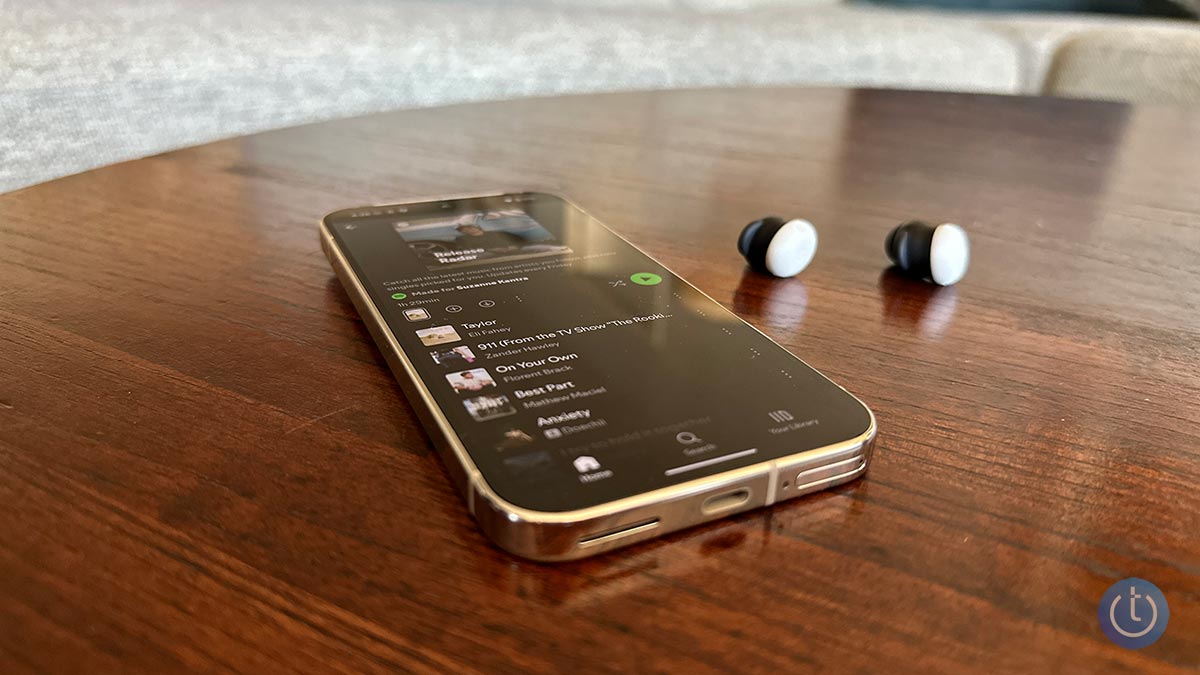
[Image credit: Techlicious]


Topics

Phones and Mobile, Computers and Software, Phone Accessories, Tips & How-Tos


Discussion loading

gravatar

From peter kenny on December 06, 2018 :: 7:18 am


followed instuctions to the letter to no avail i have a new hisense tv along with a panasonic home theater audio box to which i would like to connect my power locus bluetooth headphones howeverthe box just says pairing and thats as far as it goes this so important to me hence the reason for buying everything new

Reply

gravatar

From Josh Kirschner on December 06, 2018 :: 10:00 am


What is a Panasonic Home Theater “audio box”? Are you talking about a stereo receiver or something else? How old/what is the model of this “audio box”?

If you’re talking about the pairing with a Panasonic SC-UA3, did you follow these steps? http://eng-ca.faq.panasonic.com/app/answers/detail/a_id/46599/kw/46599

Reply

gravatar

From Josh Kirschner on December 06, 2018 :: 2:17 pm


From the email you sent me, you say you have a Panasonic SC-HTE80, which is a soundbar. Soundbars are intended to output sound from a source, not stream sound to another device (like Bluetooth headphones). The Bluetooth pairing function on that soundbar is simply intended to let you stream from a smartphone or computer to the soundbar.

However, you’re not completely out of luck. We have another article directly focused on ways to connect headphones to your TV.

Reply

gravatar

From Ramacharyulu on December 13, 2018 :: 8:42 am


My Jabra Halo smart Bluetooth while calling it’s automatically disconnecting .

Reply

gravatar

From Preaben on December 13, 2018 :: 12:37 pm


I’ve got earphones and I can only connect one at a time with my iPhone 6. It’s really annoying, since both work, but my iPhone just can’t send music to both at the same time, help please!

Reply

gravatar

From Josh Kirschner on December 26, 2018 :: 4:45 pm


Individual earbuds are designed so that you connect one to your phone and then that one sends signal to the other one - you shouldn’t need to connect both to your phone. If you only get music out of one, it means that the two earbuds aren’t properly paired to each other. To do that, check the settings in your earbuds’ owner’s manual/set up guide.

Reply

gravatar

From Jerry Runnels on December 15, 2018 :: 2:10 pm


I recently bought a Sony XB30 speaker and it was easy to set up, pair to my desktop PC provided sound quality which was more than i need or hoped for for the price. I have never had a bluetooth speaker before. Originally, i started having static problems with the music,but i think i solved it by installing a Wifi Extender. The one problem i cant seem to correct is that the speaker will periodically stop playing..no longer appears to be paired…then after a few seconds to a minute it re-pairs itself and the music starts again. I cant figure out why this happens and i cant believe it is “normal” for bluetooth speakers to do this.It happens whether i am playing music, a movie ,YouTube video etc.  I am seriously thinking of going back to a simple pair of USB wired speakers to eliminate the problem, but before i do and give up the beautiful sound of the Sony speaker i hoped someone on this forum could tell me whether this periodic dropping is just something blue tooth speakers or other devices do due to the nature of the technology which i would find hard to believe. Otherwise, what could be causing my problem. I have an excellent desktop pc which i keep totally up to date and maintained so i know that isnt the reason..Thanks for any help anyone can provide. I havent found anything on Sony’s website to help.

Reply

gravatar

From Nama aku wan on December 15, 2018 :: 2:53 pm


Can i change my Bluetooth earphones setting if i plug it to my computer???
Or is there any apps that I can download to start tinkering with my device???

Reply

gravatar

From Neil Houston on December 26, 2018 :: 3:48 pm


Hi
I have recently purchased the Lenovo Tab7 computer tablet. I was using the Amazon Fire HD7 and paired it with my Ministry of Sound Audio M Bluetooth speaker without any problems. However my Lenovo device is not pairing with my speaker. I have checked to see that Bluetooth is turned in. I have also downloaded several Bluetooth pairing apps but done of them detect my Audio M speaker. I would be very grateful if you can help me to sort this out.
Kind regards,
Neil

Reply

gravatar

From Josh Kirschner on December 26, 2018 :: 4:40 pm


Hi Neil,

You don’t provide a lot of detail about what is happening when you try to connect, but could it be that the speaker is still connecting to the Fire tablet? Is the Amazon Fire still on?Have you tried “forgetting” the speaker on your Amazon Fire so it won’t automatically try to connect? Alternatively, you can try resetting the Ministry of Sound Audio M speaker by using a pin in the reset hole in the back.

Josh

Reply

gravatar

From Maximo on December 28, 2018 :: 12:35 pm


I have a Pioneer radio SPH-D002 recognizes all the equipment and all the computers recognize it.

but my iphone 7 recognizes all the devices and all the devices recognize it less the SPH-D002. your help please

Reply

gravatar

From Neil Houston on December 29, 2018 :: 10:30 am


Hi Josh,
As requested in putting my comment here. I’m still unable to get my Lenovo Tab7 to find my Ministry of Sound Audio M speaker have reset the speaker I have disabled the Bluetooth on my Amazon Fire HD 7 tablet. I have tried switching on the Bluetooth on my speaker and then switching on my new Lenovo tablet. I then tried paying the devices. My Lenovo tablet still won’t find my speaker. Is there an app I need to download perhaps ?
I hope you can help me.
Neil

Reply

gravatar

From Josh Kirschner on December 30, 2018 :: 4:50 pm


To narrow down the issue, have you tried connecting your Lenovo Tab to another Bluetooth device? This will help determine if it is a general problem with the Lenovo or something specific with that speaker/Lenovo combo.

Reply

gravatar

From Antonio Tudino on January 04, 2019 :: 10:34 pm


I PAID TO FIX MY BLUETOOTH I DOWNLOAD
THE DRIVE STIL NOT FIX

Reply

gravatar

From Antonio Tudino on January 04, 2019 :: 10:39 pm


i DOWNLOAD THE DRIVER ALL READY

Reply

gravatar

From LPDK on January 06, 2019 :: 5:04 am


@article writter. Internet should ban you forever.

Reply

gravatar

From Heidi Greenfield on January 06, 2019 :: 11:59 pm


I have easily Bluetoothed, my headphones to my phone,until recently my daughter Bluetoothed them to her phone. Now I cannot pick up anything..scan brings up nothing,at all!!there is no history either!!what did she do?? Please help

Reply

gravatar

From Josh Kirschner on January 12, 2019 :: 1:12 pm


Try resetting the headphones and see if that works. If you can’t see them on your phone at all when scanning, it could be a hardware issue with the headphones.

Reply

gravatar

From Bob on January 10, 2019 :: 12:28 pm


I’m having issues pairing these two devices and hopefully someone might come across this and have a solution.

The Monsters pair to my older Samsung Galaxy but not my current one. When in scan mode, the phone has never been able to pick up the headphones, not once. Yes, the headphones are on. In the manual, it says that the headphones automatically go into pairing mode when it’s turned on so there is nothing else I can do. It would be easier if I knew which device was having the problem.

I went through the list of items above but it didn’t help either. I don’t think it’s something as simple as turning it on and off again or having it fully charged (which I both did). I bought the headphones specifically to use with my new phones at the gym so this has been a let down.

Could always be worse!

Thanks for reading, any tips would be appreciated.

Reply

gravatar

From Josh Kirschner on January 12, 2019 :: 1:16 pm


Is it possible the headphones are still connecting to your old device, so they aren’t showing up for the new ones? It might be easiest just to reset your Monster headphones and see if that clears things out to pair with your new Galaxy.

Reply

gravatar

From Gavin Regan on January 11, 2019 :: 10:40 pm


When I pair my phone up with my vehicle I receive multiple devices with codes like 71:C7:74:F2:EE:C2.  It says cannot pair when I tap on these devices. I feel like they are govt issued. Not trying to start a conspiracy theory but has anyone ever seen multiple devices with these types of numbers and letters for their name?

Reply

gravatar

From Josh Kirschner on January 12, 2019 :: 2:16 pm


The hexadecimal code you see can be used to determine the manufacturer of the device (https://www.bluetooth.com/specifications/assigned-numbers/company-identifiers). In this case, that appears to be from a company called U-Blox that makes automotive and other electronic components. Likely, these components are using bluetooth to communicate with each other for diagnostic and vehicle control purposes.

Reply

gravatar

From Jack on January 12, 2019 :: 11:12 am


Have a Samsung Galaxy S4 phone and, 
a headphone Sony MDR-ZX330BT

S4 detects the headphone , MDR.. name appears on the phone but…
When I press on this (headphone) name I get,after a few seconds, the message:
Error
“Unable to pair with MDR-ZX330BT.
Incorrect PIN or password”

(By default, the headphone has the code 0000 from factory) .
On this phone model , S4 , there is no way to change a password or PIN, no place where this information could be found and changed!

Does anybody can help me,please?

Reply

gravatar

From Jack on January 12, 2019 :: 11:26 am


S4 detects MDR… but pressing on this name I get the error message:
Unable to pair with   MDR-ZX330BT
Incorrect PIN code or password

The headphones have by default, from factory, the password 0000

On this phone model, there is no place where a password could be found and changed !

Could anyone help me please ?

Reply

gravatar

From Jack on January 18, 2019 :: 12:13 pm


To the “headphone out” of my music player (has no bluetooth capability) I inserted a “dongle” bluetooth device. It pairs nicely with my headphones bluetooth.

Problem:after each OFF/ON of the headset
I have to redo the pairing ! 

Why ?
Could anything be done , to maintain the pairing after each OFF of the Headphones ?

Thanks,
Jack Cohen

Reply

gravatar

From Gourav on January 21, 2019 :: 8:20 am


I have potronics sound drum speaker.at first it pair with my phone Honor 7X but now my phone Bluetooth device but not pair always show pairing problems….

Reply

gravatar

From Paul Bruce on January 21, 2019 :: 10:24 am


My new Cubot Max gave me a christmas present
Before Xmas could connect to all my bluetooth items since christmas only one bluetooth in car & nothing else it finds & pairs but only connects to the one .
Have unpaired all forget all but no change

Reply

gravatar

From Betty on January 27, 2019 :: 3:25 pm


Bluetooth will not stay on

Reply

gravatar

From Anonymous on February 06, 2019 :: 8:41 pm


So, I recently broke my bluetooth headphones, so I went to the store and got the SAME brand, and headphones, I have done everything on this page but the new ones won’t connect, anyone know why?

Reply

gravatar

From Bader on February 21, 2019 :: 11:41 pm


Good morning
I was trying to move some stuff from my ZTE to my new iPhone XR. And it’s always connection unsuccessful.. an when I tried to paired both phones together the iPhone says no connection.. there is anyway I Can move my stuff from my old phone to the new one ??
Thank you so much

Reply

gravatar

From Kalule on February 23, 2019 :: 7:52 am


Hi am kalule i recently bought a HONOR KNT-AL20 but its Bluetooth & WiFi can’t open have tried every step to set it up but still not working pliz what can I do to fix it

Reply

gravatar

From John Grubenhoff on March 04, 2019 :: 7:25 pm


CANT HEAR PERSON THAT I CALL WHEN IN MY CAR HAVE HANDS FREE SYSTEM

Reply

gravatar

From Josh Kirschner on March 05, 2019 :: 10:11 am


Check you phone when making a call on your hands-free system to see which speaker the phone is using. I find that if I initiate a call through my phone, I need to manually switch the sound to my car audio system, even if it is already connected to the hands-free system. If I initiate a call through the car’s hands-free system, things work fine.

If this is happening for you, I don’t have a quick fix other than to initiate calls directly from the car system and not the phone.

Reply

gravatar

From David Asbury on March 11, 2019 :: 7:07 pm


I was too close to my laptop.

Reply

gravatar

From Dale on March 12, 2019 :: 10:23 pm


I have a UE Mini Boom which I play music from my Android phone. Current phone Oppo A57, previous Samsung 3. In both phones the music will play for a varying period and then it stops. The speaker and phone are still connected and the phone still shows that the music is playing. If I pause the music on the phone and then start play again, the speaker starts playing again.
Have tried re pairing, distancing the two devises and a couple of other things.
Bluetooth works fine on my earbuds and in the car.
Ideas please?

Reply

gravatar

From Josh Kirschner on March 13, 2019 :: 4:57 pm


The UE Mini Boom has an automatic sleep mode that shuts it down if it doesn’t sense any activity from your streaming device. Perhaps something is temporarily interfering with the streaming, causing the speaker to shut down, then it wakes up again when you stop and start the music. Unfortunately, I can’t find any way to turn off the Mini Boom sleep feature. If you contact UE support, perhaps they can provide a solution: https://support.ultimateears.com/en/miniboom/

Reply

gravatar

From Larry on March 13, 2019 :: 10:16 am


I have a bluetooth transmitter hooked to the optical output of my tv. When I put the transmitter into the pairing mode and try to pair my my Mpow or my HX 965 headphones nothing happens. The headphones have audio that say says pairing. Since there is no display except the ready for pairing light sequence I don’t know what I am doing wrong or should be doing. Any helpful ideas?

Reply

gravatar

From Phyllis on May 15, 2020 :: 11:05 pm


I have the same problem, did you ever figure out what was wrong?

Reply

gravatar

From I hate Computers on March 14, 2019 :: 6:43 pm


Ok so after a lot of unnecessary rig-a-ma-role I finally got my ONN earbuds paired with my laptop… Both Items are charged, on, and connected according to my settings. Yet the sound is only coming form the laptops speakers and NOT The pared ear buds… I checked volume the ear buds are at max. Its like they are connected but the signal not transmitting from the laptop to the ear buds. At best they are only a foot apart so i know distance is not an issue. What could possibly be wrong here? (As an also… 2 times today my ear buds which I use on my phone all the time kept dropping the signal there as well.)

Reply

gravatar

From Josh Kirschner on March 15, 2019 :: 3:48 pm


If you right click the speak icon in your system tray and click Open Sounds Settings, or go Sound Playback Options in your System settings, what is the output device listed? If not Bluetooth, is it one of the options you can switch to?

As for dropping with your phone, if you have the earbuds paired to both your phone and laptop, it could be that your earbuds are trying to pair with both devices, creating disconnects when they switch from one to the other.

Reply

gravatar

From Daisy Mailhot on March 17, 2019 :: 8:19 pm


I am unable to answer my phone with out having my bluetooth.
Phone rings. I answer. Incoming caller can be heard, but can NOT hear me unless I have bluetooth.
I can receive text… but mine are not sending out. The phone is only 3 months old…..

Reply

gravatar

From Josh Kirschner on March 18, 2019 :: 11:54 am


I’m not clear what, exactly the problem is you’re describing, but it doesn’t sound like a Bluetooth issue. Are you saying that callers can’t hear you from the phone’s microphone, only when you connect a Bluetooth microphone/headset?

Ans the texting issue should have nothing to do with Bluetooth.

I suggest you take your phone to your local carrier store to see if they can take a look and help you determine what is going on.

Reply

gravatar

From Sam Blanch on March 23, 2019 :: 4:42 pm


So im trying to connect my headphones to my phone like i always do and they always connect but this time they arent, there full battery, visible and turned on please help

Reply

gravatar

From Rob Woodbridge on April 15, 2019 :: 2:43 am


Hi there, I have tried to pair these 2 items and download contacts from Phone. No Go . I entered 1 mobile number directly into car phone system and could ring it out but the other party would pick it up and couldn’t hear me talk back.

Surely there is an easier way. I have probably over 800 contacts work and private so need them all on.
Even toyota dealership could not make heads or tails of it.

Kind regards
Rob

Reply

gravatar

From Helen on April 15, 2019 :: 8:09 am


HI I want to buy some tws earbuds which are V5.0 Bluetooth and my phone has V4.2 Bluetooth. I have asked several of the sellers if they will function properly with V4.2 Bluetooth mobile phone but I have received conflicting replies,so I’m none the wiser, can you please tell me if they would be compatible. Thx

Reply

gravatar

From mary on April 17, 2019 :: 4:17 pm


Trying to get brydge keyboard to connect with IPAD. Bluetooth on IPAD is on but can’t use keyboard.

Reply

gravatar

From Faridah on April 18, 2019 :: 8:35 am


I tried tips no 5 and it works. Tried ON and OF my Handphone and bluetooth OFF ON button but its still not working but when I tried OFF and ON airplane mode it works..great ..thank you very much

Reply

gravatar

From Carlina on April 19, 2019 :: 11:34 pm


I tried connecting to the Bluetooth but it won’t work. The earbuds is saying “connect successfully” but there is no name popping up on the Bluetooth list. The type phone I have is LG Fortune 2. Can you please help???

Reply

gravatar

From Josh Kirschner on April 23, 2019 :: 6:12 pm


I’ve had this happen when my headphones pair with my laptop instead on my phone. Are you sure they’re not connecting to another device?

Reply

gravatar

From brooke on April 26, 2019 :: 7:12 am


i once paired my bluetooth headphones to my galaxy s9 and i unpaired them and now the wont reconnect

Reply

Read More Comments: 1 2 3 4 5 6 7 8 9 10 11 12 13 14 15 16 17

Home | About | Meet the Team | Contact Us
Media Kit | Newsletter Sponsorships | Licensing & Permissions
Accessibility Statement
Terms of Use | Privacy & Cookie Policy

Techlicious participates in affiliate programs, including the Amazon Services LLC Associates Program, which provide a small commission from some, but not all, of the "click-thru to buy" links contained in our articles. These click-thru links are determined after the article has been written, based on price and product availability — the commissions do not impact our choice of recommended product, nor the price you pay. When you use these links, you help support our ongoing editorial mission to provide you with the best product recommendations.

© Techlicious LLC.