

Tech Made Simple

Hot Topics: All Roku Players Compared | Best iPad Keyboard Cases | How to Get Emergency Satellite Service for Your Phone

We may earn commissions when you buy from links on our site. Why you can trust us.

author photo

How to Fix Bluetooth Pairing Problems When Devices Won’t Connect

by Suzanne Kantra on April 10, 2026

Bluetooth is baked into just about everything these days, from wireless earbuds and fitness trackers to laptops, cars, and smart home devices. In 2025 alone, there were an estimated 5.3 billion Bluetooth device shipments – about one for every adult on earth!

It's so common that most of us think of Bluetooth as a basic feature – it’s just supposed to work. So when it doesn’t, it’s incredibly frustrating. If you’ve ever wrestled with a pair of headphones that refuse to connect or a speaker that keeps dropping out, you’re not alone. And as someone who’s reviewed hundreds of Bluetooth gadgets over the years, believe me, I’ve felt your pain.

10 ways to fix Bluetooth pairing problems

If your Bluetooth device is not connecting, not showing up, or keeps reconnecting to the wrong gadget, work through these fixes in order. We've organized them according to the most likely causes of Bluetooth connection problems, as well as the ease of checking.

1. Make sure Bluetooth is turned on

If your Bluetooth isn't on for both devices, you won't be able to connect. So, this is always the first thing you should confirm.

To check on an Android device, swipe down to access the Quick Settings panel. If the Bluetooth tile is highlighted, it is on. For iOS and iPadOS, you'll need to go into the settings to enable and disable Bluetooth. Windows users will find Bluetooth in Settings > Devices > Bluetooth (or you may have a shortcut on your taskbar). Mac users will find a Bluetooth status icon on the menu bar.

If your Bluetooth won't turn on, you may simply have a system glitch. Try restarting your device to see if that fixes the issue. If not, you may need to do deeper troubleshooting into your Bluetooth drivers and hardware.

2. Turn on pairing mode

If you see an error like ‘pairing unsuccessful,’ ‘pairing rejected,’ or ‘pairing not accepted,’ the usual causes are that the accessory is not in pairing mode or already connected to another device.

Bluetooth devices typically fall into two main categories: accessories and main devices. Accessories include items like headphones and keyboards, while main devices encompass phones, cars, TVs, and computers.

Accessories usually start in pairing mode out of the box, indicated by a blinking light. Once initially paired, if you need to pair these accessories with another device, you'll have to activate pairing mode again. To do this, search for 'how to put [product name] into pairing mode.' (We have guides for Jabra, JBL, JLab Audio, Mpow, Onn, Skullcandy, and Sony.)

For main devices such as phones, computers, and cars, you must first ensure Bluetooth is activated. Then, put the device into pairing mode through its settings menu. Instructions for this can typically be found by searching 'put [product name] into pairing mode.'

When both devices are in pairing mode, they usually detect each other and connect. Sometimes, though, there is an extra security step, like typing in a code. Or, you may need to use the device’s app for setup. If you’re not sure how to pair your device, refer to its user guide; you can usually find one by searching online.

3. Power Bluetooth off and back on

A soft reset of Bluetooth can sometimes resolve an issue. With phones and computers, the simple way to do this is by toggling Bluetooth off and on in the settings. For other devices, such as keyboards and mice, toggle the power off and on.

4. Make sure you're connected to the correct device

Bluetooth accessories typically reconnect automatically to the most recently connected device. If you're experiencing issues with pairing, it might be due to the accessory being connected to the wrong device. For example, if your headphones are connected to your computer, they may not connect to your phone, as well. Check whether your headphones are connected to another device and, if so, disconnect them. Alternatively, you can put your headphones back into pairing mode and re-pair with your phone or other device.

Many modern speakers and headphones are capable of pairing to as many as three devices simultaneously, enabling you to connect to, say, both your phone and a couple of computers. So, they should switch back and forth automatically, prioritizing calls on your phone over music from your computer.

5. Forget the device and pair it again

If you're having trouble connecting, removing the saved pairing and starting over can resolve problems caused by outdated or corrupt connection data. You can do this by deleting or "forgetting" the problematic registered Bluetooth device(s) from your phone or computer Bluetooth settings and then re-pairing.

6. Make sure the two devices are in close enough proximity to one another

While you wouldn’t think someone might try to pair an iPad with a keyboard if the two weren’t sitting right next to each other, to be clear, you should make sure any devices you're trying to pair are within five feet of one another. Most Bluetooth connections will drop completely after about 30 feet, and even less if obstacles are in the way.

7. Charge up both devices you're trying to pair

Some devices have smart power management that may turn off Bluetooth if the battery level is too low. If your phone or tablet isn't pairing, make sure it and the device you're trying to pair with have enough juice.

8. Check for software and firmware updates

Most headphones, speakers, and other gadgets run on firmware that quietly controls how they connect and perform. Check the manufacturer's website or app to see if there is a firmware update available. These small patches can make a big difference when it comes to Bluetooth stability and compatibility.

Some older automotive audio systems won't pair with newer phones because their Bluetooth profiles aren't compatible with newer Bluetooth standards. Updating your vehicle's firmware may fix the issue. If you’re not sure how to get the latest firmware for your car, check with the manufacturer.

If your Bluetooth connection starts acting up after an OS update to your computer or phone, the update itself may be to blame. It’s not uncommon for new software to introduce compatibility issues. Check if there’s another update available – manufacturers often roll out follow-up fixes. You’ll usually find this under “Software Update” in your device’s settings.

If you’re having trouble pairing something with your computer, try updating the Bluetooth driver. Check the manufacturer's support page to see if an updated Bluetooth driver is available for your model.

9. Rule out wireless interference

Another potential obstacle to successful pairing is interference from devices that use the same 2.4GHz spectrum. That includes Wi-Fi routers, microwave ovens, baby monitors, and cordless phones.

Some smart home devices use a wireless technology called Zigbee. You find Zigbee in smart home hubs, including Amazon's Echo Show and Samsung's SmartThings Hub, as well as a wide range of smart door locks, light bulbs, in-wall switches, open/close sensors, plugs, and more. Like Wi-Fi, Zigbee devices use the same spectrum as Bluetooth devices and can interfere with pairing.

USB 3 and USB-C devices can also generate frequencies in the 2.4GHz range. Since this is a wired connection, the frequency leakage usually occurs at the ports, but poorly shielded cables can also be a problem. So, try moving Bluetooth devices away from your computer and if you are using a Bluetooth transmitter for a mouse or keyboard, try switching it to a different USB port.

10. Reset the Bluetooth settings on your phone

If you're still having ongoing Bluetooth issues and the steps above haven't resolved them, resetting your Bluetooth settings can help clear out glitches. This will remove all saved Bluetooth devices and Wi-Fi networks – so you’ll need to re-pair and re-enter passwords afterward.

On an iPhone, go to Settings > General > Transfer or Reset iPhone > Reset > Reset Network Settings.

On most Android phones, go to Settings > System > Reset options > Reset Wi-Fi, mobile & Bluetooth.

After the reset, your phone will revert to default network settings based on your carrier's SIM card. That's not an issue for most people. But if your carrier requires custom APN settings (common with MVNOs like Mint, Visible, Cricket, and Metro), you may need to re-enter them manually. Check with your carrier for these settings.

Solving problems with Bluetooth multipoint pairing

If you’re having issues with setting up multipoint pairing, double-check that your accessory supports multipoint by searching '[product name] multipoint Bluetooth' or consulting your product’s manual if you're not sure. Once you’ve confirmed that your accessory supports multipoint, make sure you're following the specific steps for your model.

While there is no standard way manufacturers handle multipoint connections, this is the typical way to pair multipoint Bluetooth headphones with both your computer and your phone.

  • Pair the headphones with your phone the way you would with a normal single-point Bluetooth connection.
  • Leave your phone connected, put your headphones into pairing mode, and then pair them with your laptop.
  • Once you have successfully paired with your laptop, you should be simultaneously connected with both devices.

If your headphones aren't connecting to one of your paired devices, make sure you don't have them actively paired elsewhere. I've had situations where I can't get my headphones to connect to both my phone and computer, only to realize that they had already connected to my husband's phone, as well. Sony, Bose and other manufacturers let you see and manage multipoint connections in their apps.

Why Bluetooth pairing fails in the first place

Bluetooth depends on both hardware and software to work properly. From a hardware perspective, the devices need to support the same 2.4GHz frequencies. On the software side, they need to support the same Bluetooth profiles so they can decode instructions for specific functions. For example, you can't pair a mouse with your car because your car doesn’t support the Human Interface Device Profile.

In general, Bluetooth is backward compatible. Bluetooth devices supporting Bluetooth 5 or higher should still be able to pair with devices using, say, the ancient Bluetooth 2.1, launched back in 2007. However, keep in mind that significant differences in Bluetooth versions between devices can occasionally lead to unexpected pairing issues or unsupported functionality.

The good news is that unless there is a true hardware or software incompatibility, most Bluetooth pairing problems come down to a small set of issues: pairing mode, saved connections, interference, outdated software, or the accessory being connected elsewhere. Bluetooth can be annoying, but most of the time, the fix is simpler than it looks.

Updated on 4/10/2026 with new recommendations

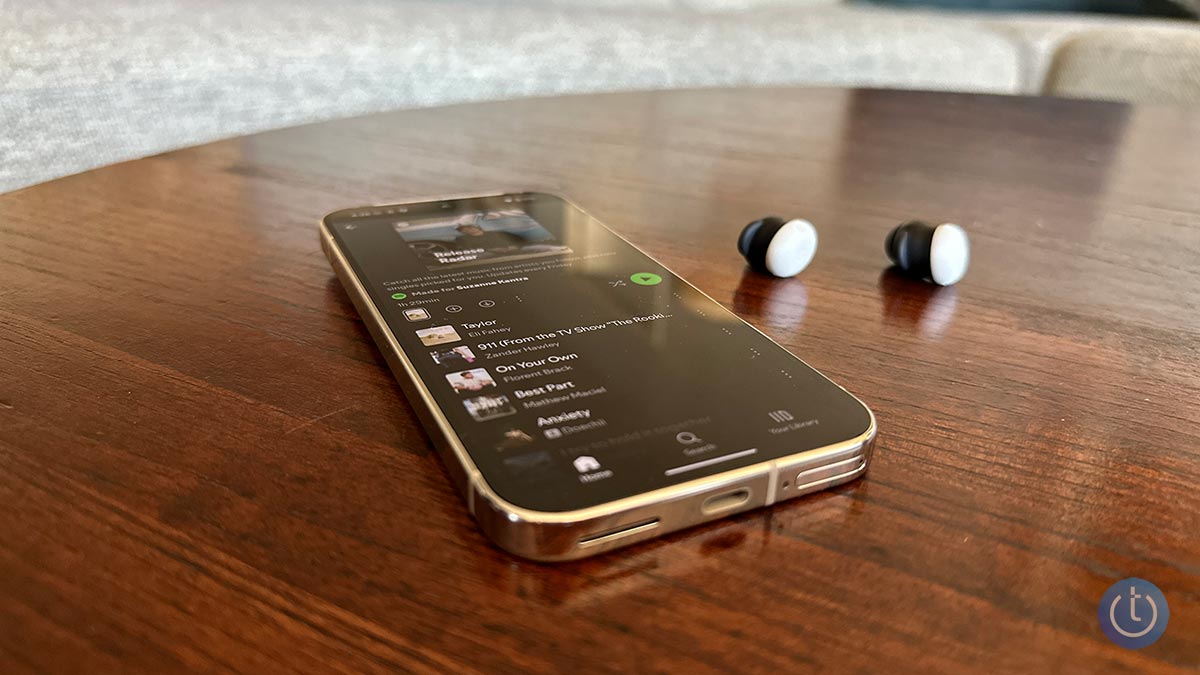
[Image credit: Techlicious]


Topics

Phones and Mobile, Computers and Software, Phone Accessories, Tips & How-Tos


Discussion loading

gravatar

From yhurmmy on February 03, 2014 :: 4:25 am


had klipsch kmc3 speaker and it has been working perfect,but all of a sudden the bluetooth stop working ,cant pair with it any longer .

Reply

gravatar

From Henrique on February 07, 2014 :: 2:51 pm


I have a Dual Sim fone Samsumg GT-C 3752, that I pair ro my car’s stereo Medianav.
Most of the times I’m able to pair them, but the connection will sometime break, might take a few or several minutes.
Why is this happening?
With my girfriend’s Nokia phone connection with Medianav never breaks… So I then know that it’s everything OK with the car’s stereo.

Reply

gravatar

From shalem simon on February 14, 2014 :: 12:22 pm


I have Samsung gt-i8552 & Sony xperia
C2305 bt, both pairing each other, I can send file sony to Samsung and receive but i m no abel to send Samsung to Sony…

Reply

gravatar

From Moses on November 25, 2014 :: 1:59 pm


Hae
I av a similar problem my phone Huawei Y-210 pairs BT does not connect which means i cannot receive or send files.

Reply

gravatar

From Quinton on December 27, 2017 :: 4:49 pm


Try to delete all the peir on ya device,,if not then you can go in play media and stall a new BT,the software either hardware of your Bluetooth its too wik.

Reply

gravatar

From Johnsin Wak on October 26, 2021 :: 3:27 am


Fail to on Bluetooth

Reply

gravatar

From Imran on November 08, 2021 :: 2:58 am


Sar help me connect Bluetooth in home theater

gravatar

From farhad on February 14, 2014 :: 12:34 pm


hi dear
Bluetooth phone is turned on and discover is checked but can not detect other phones
and other phone can not detect this phone
please help me - thanks

Reply

gravatar

From Ahmed on March 30, 2014 :: 9:47 pm


How can I set my Xperia z1 to detect other blutooth nearby

Reply

gravatar

From Brandy Crisp Bates on December 07, 2019 :: 7:57 am


Hey did you ever get your phone to pair? I have the same phone and haven’t had any trouble until today. I can’t get it to pair for nothing.

Reply

gravatar

From Lito V on March 06, 2014 :: 12:42 am


Samsung Galaxy Core won’t play when connected to Bose Soundlink mini, Phone states: “Connected” but the player stays at 00:00 seconds and don’t play at all. any advice? Do I need to DL new drivers?

Reply

gravatar

From Suzanne Kantra on March 06, 2014 :: 11:33 am


If it’s connected, it’s not a Bluetooth profile problem. Is the Soundlink connected to any other device? If so, make sure it’s disconnected. If not, I’d “forget” the Soundlink on your Core and then repair with the SoundLink.

Reply

gravatar

From Lito V on March 06, 2014 :: 9:07 pm


yes it’s connected says the Core but the player wont move forward it’s as if its on PAUSE, I tried to connect to my Onkyo receiver with bluetooth its just the same thing. I turned off every other bluetooth around, as you see my iphone, sony ericsson and the galaxy tab and samsung dous worked well with both Onkyo Receiver and the Bose speaker. It could only be the Core’s problem, I tried googlin around and I found out that core has vers.4 bluetooth while the others has Vers.3 could this be the answer to all of these?

Reply

gravatar

From Suzanne Kantra on March 07, 2014 :: 10:50 am


Bluetooth 4 vs. Bluetooth 3 isn’t the issue. What app are you using to play audio and is it the same app you’re using on your other Bluetooth devices?

gravatar

From Lito V on March 07, 2014 :: 10:54 pm


The app im using is winamp and PowerAmp so as the built in players, it all work fine with the other phones and tabs only the core wont play

gravatar

From Dave Price on March 11, 2014 :: 5:05 am


My wife and I each have bluetooth headsets in our motorcycle helmets and want to connect to a Samsung tablet to listen to music as well as for use as an intercom. The instructions say only one can connect at a time. Is there any way around this?

Reply

gravatar

From Suzanne Kantra on April 10, 2014 :: 1:45 pm


I know that there are speakers that can simultaneously pair to a device. That type of support, though, is something that the speaker manufacturer implements. So in your case, the helmet manufacturer would have to implement it. If you haven’t asked the helmet manufacturer already, that would be my first step.

Reply

gravatar

From Gary A on March 17, 2014 :: 1:44 pm


I have a 2008 BMW X5 and a Samsung Galaxy S3 cell phone.  I can pair the audio from the phone but I am not able to pair the cell phone’s contact list.  A popup screen comes up on the phone asking if I want to pair the contacts.  I tap OK, the screen goes away and momentarily comes back with the same popup screen asking if I want to pair the contacts.  I am not able to get my contacts to pair with my vehicle’s bluetooth,

Reply

gravatar

From Robert Mandell on February 12, 2016 :: 3:10 pm


Bluetooth and phone sporadically connect in car. When it connects I can hear person calling. However they cannot hear me.

Reply

gravatar

From Peter on March 17, 2014 :: 4:37 pm


Having made many attempts to pair phone and car( both new) only 17 of the 49 contacts have been paired. Even the garage and shop cannot understand why

Reply

gravatar

From Elliot on March 22, 2014 :: 3:14 am


I recently bought a Razr M phone and it won’t sync with my Sony BT Mex 3100 car stereo.  Have you heard of any problems between the two syncing?

Reply

gravatar

From kandyce on February 02, 2017 :: 3:45 pm


How would you know if it would work? have u tryed it yet?

Reply

gravatar

From Ajith Silva on March 28, 2014 :: 8:07 am


Can anyone help find a Bluetooth Headset that support for a Samsung Galaxy S3 and Windows 7?

Reply

gravatar

From Josh Kirschner on March 28, 2014 :: 8:38 am


Our top pick, the Plantronics Voyager Legend, should work fine with both a GS3 and Windows 7. You can read our review here: https://www.techlicious.com/review/the-best-bluetooth-headset/

Reply

gravatar

From Ajith Silva on March 28, 2014 :: 8:47 am


Hi Josh,

Thanks for your quick reply. This is for one of my friends. I will let him know and come back to you if it works for him.

Reply

gravatar

From ishan on April 10, 2014 :: 12:14 pm


Hi. I am using sony xav70bt 2din player in my car. The problem with this is while using as a BT phone, to make voice calls, after disconnecting call it hangs. It shows incoming call / with held messages on screen and a call dial animation though call is already disconnected in phone. Any solution for this. Device works properly with my non android mobile. Also, if call disconnects without answering there is no issues.

Reply

gravatar

From Gaby on April 16, 2014 :: 6:28 am


I have a new 809T smartphone.
It identifies the car handsfree (comf_comp VT05a)but when trying to pair with it, I get the following message, even without being prompted to enter a PIN:
“Couldn’t pair with comf_comp VT05a because of an incorrect PIN or passkey.”
When tapping the handsfree tag on the phone in order to enter the handsfree menu, there is no menu.
The smartphone connects correctly to my laptop and when tapping the laptop tag I get a menu from which I can can cancel the connection.

I there any fix to this problem?
Thanks,
Gaby

Reply

gravatar

From marita romine on April 17, 2014 :: 2:28 am


My old phone ino linger operational. It will not even turn on.  I got a new phone but I cannot pair it to my Bluetooth because it is still paired to my old phone. Is there a way to clear or rest my Bluetooth without being able to even turn my old phone on. Help!

Reply

gravatar

From Josh Kirschner on April 24, 2014 :: 7:28 am


All bluetooth devices have some sort of reset button that will “unpair” them. Check your user manual to find out where it is for your device. If you don’t still have the user manual, you can probably find it online with a Google search.

Reply

gravatar

From jeremy on April 24, 2014 :: 6:05 am


I have aligned my recently purchased iphone to my BMW bluetooth. However all the numbers on the BMW screen have the word “mobile” in brackets and the voice instruction does not recognise my voice command - in fact answers in German when it is programmed to be English. Help!!

Reply

gravatar

From Josh Kirschner on April 24, 2014 :: 7:37 am


Every device is unique when it comes to Bluetooth, so it is difficult to provide help for individual products/circumstances. I would call the BMW Genius line to see if they can sssist: http://www.bmwusa.com/Standard/Content/Owner/GeniusApp.aspx

Reply

gravatar

From Rockynrobyn on April 27, 2014 :: 4:18 pm


I have a new smartphone Linux LG and a new Ford escape SE 2014. The bluetooth is turned on but when trying to pair the two it says “no phone found”. I have tried everything possible that I know of. Any suggestions?

Reply

gravatar

From Evelio Hoyo on May 10, 2014 :: 4:11 pm


Hi:
I have a GPS DVD in dash unit on my car that has Bluetooth function. I have a Galaxy S4 and when I pair it with my car unit the Bluetooth connection is fine.
When I receive or make a phone call using this way, I can listen to the person that is speaking with me very well, but that person can’t hear me at all.
I want to know what it is really happening and how to fix this issue, if somebody can help me I would appreciate a lot.
The unit in my car has a built-in microphone.
I know that my phone is good because I do the same Bluetooth at another car that has similar unit and there is no problem.

Reply

gravatar

From Greg Payne on March 10, 2017 :: 6:21 pm


My skillcandy headphones theyll be working then after like 5 min they shut off when im listening to music. Then i have to repair them again

Reply

gravatar

From Mark Hanna on June 20, 2014 :: 6:23 pm


I have had a Logitech K810 Bluetooth keyboard for awhile and it worked fine. Lately I have been unable to pair it with my laptop (Dell Vostro running Win7 64 bit). Sometimes it recognizes it and gives m a pairing code. It says it is connected but the icon is gray and cannot type. When I retried (several times) I don’t get a paring code, just failure message.

I bought a Microsoft Wedge and same problem. Initially it worked and now, nothing. No pairing code, just a failure message. Any thoughts?

Thanks!

Reply

gravatar

From Josh Kirschner on June 21, 2014 :: 11:09 am


First, see if there is an updated BT driver from Dell that you can download and install. If not, try reinstalling your current BT driver, some people have said that helped fix their issue. You may need to shut down the BT processes (bttray and btstackserver)first.

If neither of those work, some Dell owners have had success installing an alternate BT driver from Dell (i.e., for another model). Hope that helps you out!

Reply

gravatar

From Tycho on January 15, 2017 :: 12:32 pm


Maybe try putting in a little usb dongle (from an bluetooth mouse?) the computer should install the drivers by himself.

Reply

gravatar

From Michelle on July 24, 2014 :: 7:16 am


I have a Samsung Trend and have had it connected via bluetooth in my car for over a month with no problems.  For no apparent reason, the vehicle couldn’t find the phone.  I removed the phone from paired devices in the vehicle and tried to pair them.  The Vehicle then detected the phone and I was given the option code to input to the phone but the phone keeps giving me the error message that it cannót pair with the vehicle.  I have tried pairing the phone to my husbands car and it worked fine.  Any suggestions?? Someone suggested that I may have erroneously instructed the phone to forget the vehicle pairing but I can’t find a remedy for this either.

Reply

gravatar

From felix, jr. espinosa on October 06, 2014 :: 2:41 pm


for the past months i always play my favorite songs to my sony component trough my laptop via bluetooth and having no problem with it, but now it play anymore even if it already paired, but my other gadgets like cellphones can still play, only my laptop now is not able.. please give me some advise to adress my problem.. thank you and God bless..

Reply

gravatar

From skris88 on August 01, 2014 :: 3:30 am


I have tried multiple mobile phones and all pair with my Nissan CONNECT car system for handsfree calls and Contact list access.  These include Apple iPhone and Andriod phones from Lenovo, LG and even some China- and India-made no-name branded ones.  But my two Samsungs do not.  One is a Galaxy Y (witb a QWERTY keyboard - just like a Blackberry!), and the other a Galaxy Tab. Both are Android.

Nissan, of course, say it’s not their ICE unit issue (and I tend to agree with them).

Anyone from Samsung reading this blog who might have a solution?

Or is the solution “Don’t ever buy Samsung mobile phones”!

Cheers,
skris88

Reply

gravatar

From skris88 on October 12, 2014 :: 1:34 am


Nissan still had no response to my problem, so I decided to think “Inside” The Box, Japanese car, Japanese phone?  Got myself a Sony 6” Xperia T2 Ultra Dual SIM.  Worked from first go, not a single hiccup since.  Been 5 weeks now. Contact lists when added on my PC via Google Contacts appear on the car display with no drama. 

All good now!

Reply

gravatar

From Josh Kirschner on October 13, 2014 :: 9:39 am


That was a clever idea, but shame you should have to resort to that to get things working.

Reply

gravatar

From skris88 on October 18, 2014 :: 2:16 am


Well it’s documented here and it means Samsung and Nissan both will pay a price in sales, I’m sure! grin

I cannot believe in 2014 Bluetooth still has problems.  It’s just utter lack of customer care, that’s all.  Once they’ve got your money, etc etc…

gravatar

From james jenkins on July 05, 2016 :: 8:36 pm


my zte phone can find/pair/connect with lg tone pro 760 headphones, but can not even find my lg tone pro 800’s. lg and zte have no solution. any help? my moto e phone connects with both, no problems. zte phone finds every other bt around, but not lg 800’s.

Reply

gravatar

From Adan on August 25, 2014 :: 9:15 pm


The tips in this article are useful for general pairing problems, although I found something more comprehensive over at http://www.bluetoothdoctor.com. This is worth a look if you have connection problems, it helped me.

Reply

gravatar

From Tim Williams on October 02, 2014 :: 7:28 am


Hi,

I have two devices that I would like to communicate together but neither device has an interface to pair to the other.  Is there anyway of pairing two devices without physically selecting the other device on one of the devices screens or interfaces?

Thanks!

Reply

gravatar

From Janet Berry on October 02, 2014 :: 10:09 am


I had an older Motorola Gleam which paired and worked fine but this one looks like it’s paired but it doesnt connect to the car.  I’ve tried unpairing and starting again but it still doesn’t work - any ideas how I can fix the issue?

Reply

gravatar

From ron harvey on October 10, 2014 :: 10:53 am


my new htc mini 2 pairs with my car but does not show names along side tel.nos

Reply

gravatar

From George Howell JR on October 12, 2014 :: 6:24 pm


I have a ZTE valet phone. when I try to connect by Bluetooth I get a incorrect pin or passkey. I tried about everything I can to get it to pair with it

Reply

gravatar

From Suzanne Kantra on November 03, 2014 :: 4:28 pm


The most common Bluetooth passkeys are 0000 and 1234. If neither of these work, you’ll need to consult the manual of the device you’re trying to pair with your ZTE Valet phone. Hope this works!

Reply

gravatar

From Kia on July 01, 2015 :: 11:53 am


Cannot get my Everlast EV 6816 model Wireless HeadPhones to pair up with my Metro PCS ZTE Zmax 970 cellphone :0( Help PlZ!

Reply

gravatar

From stephanie on September 16, 2016 :: 4:56 pm


Where do I put in the PIN/passkey? Mine doesnt appear to give me an option to do this. I have an HTC One I am trying to pair with a set of polaroid earbuds

Reply

Read More Comments: 1 2 3 4 5 6 7 8 9 10 11 12 13 14 15 16 17

Home | About | Meet the Team | Contact Us
Media Kit | Newsletter Sponsorships | Licensing & Permissions
Accessibility Statement
Terms of Use | Privacy & Cookie Policy

Techlicious participates in affiliate programs, including the Amazon Services LLC Associates Program, which provide a small commission from some, but not all, of the "click-thru to buy" links contained in our articles. These click-thru links are determined after the article has been written, based on price and product availability — the commissions do not impact our choice of recommended product, nor the price you pay. When you use these links, you help support our ongoing editorial mission to provide you with the best product recommendations.

© Techlicious LLC.